
Transync AI поддерживает различные режимы перевода, поэтому каждая задача может соответствовать способу общения людей. Перед началом работы над задачей перевода выберите режим, подходящий для вашего сценария: Односторонний перевод, Двусторонний перевод, или Многоязычный перевод.
Что такое режимы перевода? #
Режимы перевода определяют, как Transync AI обрабатывает направление речи и вывод на целевой язык. В приложении эти параметры могут отображаться следующим образом: В одну сторону, Двустороннее движение, и Многоязычный.
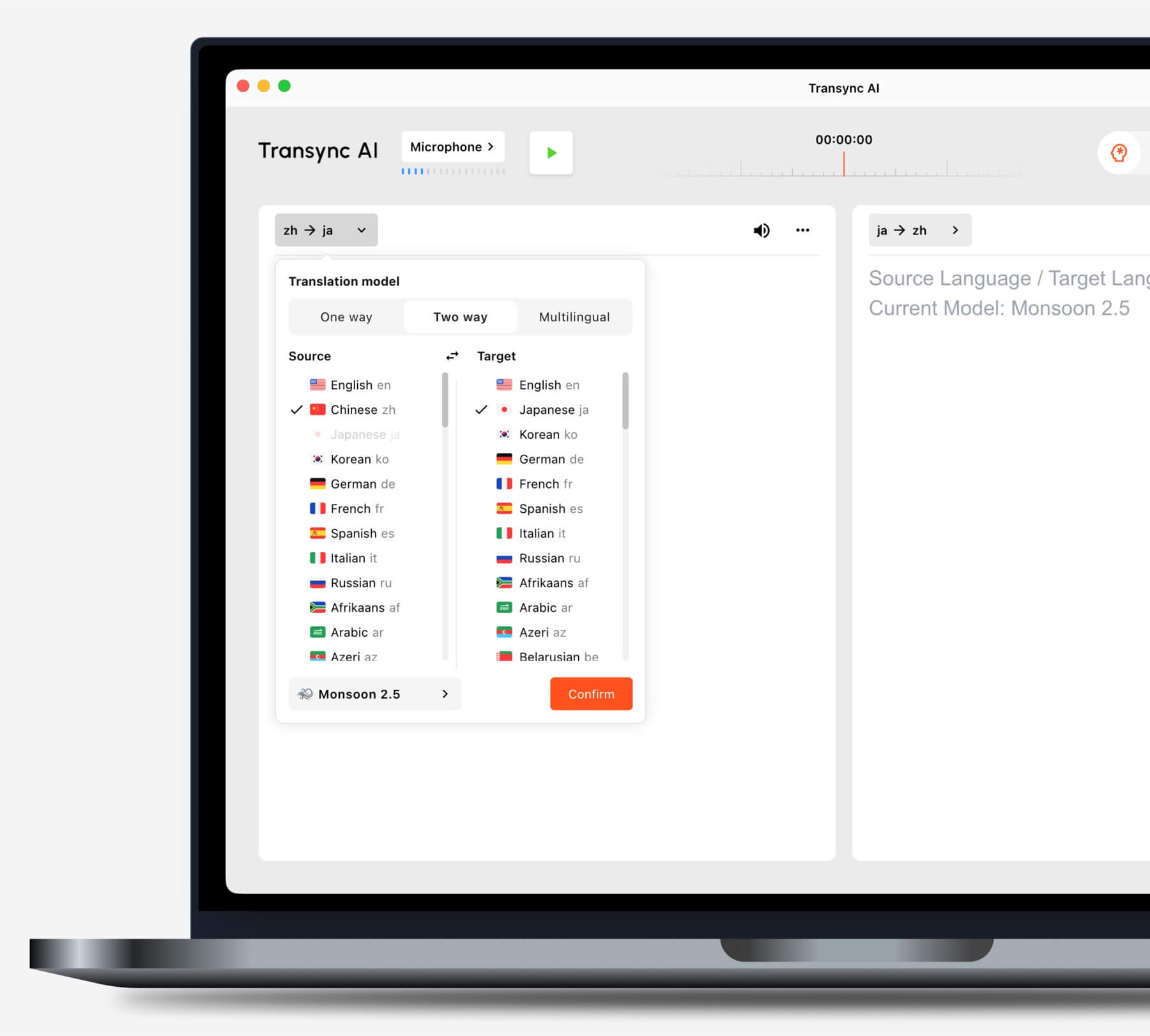
Выберите режим в зависимости от вашей ситуации. #
Односторонний перевод #
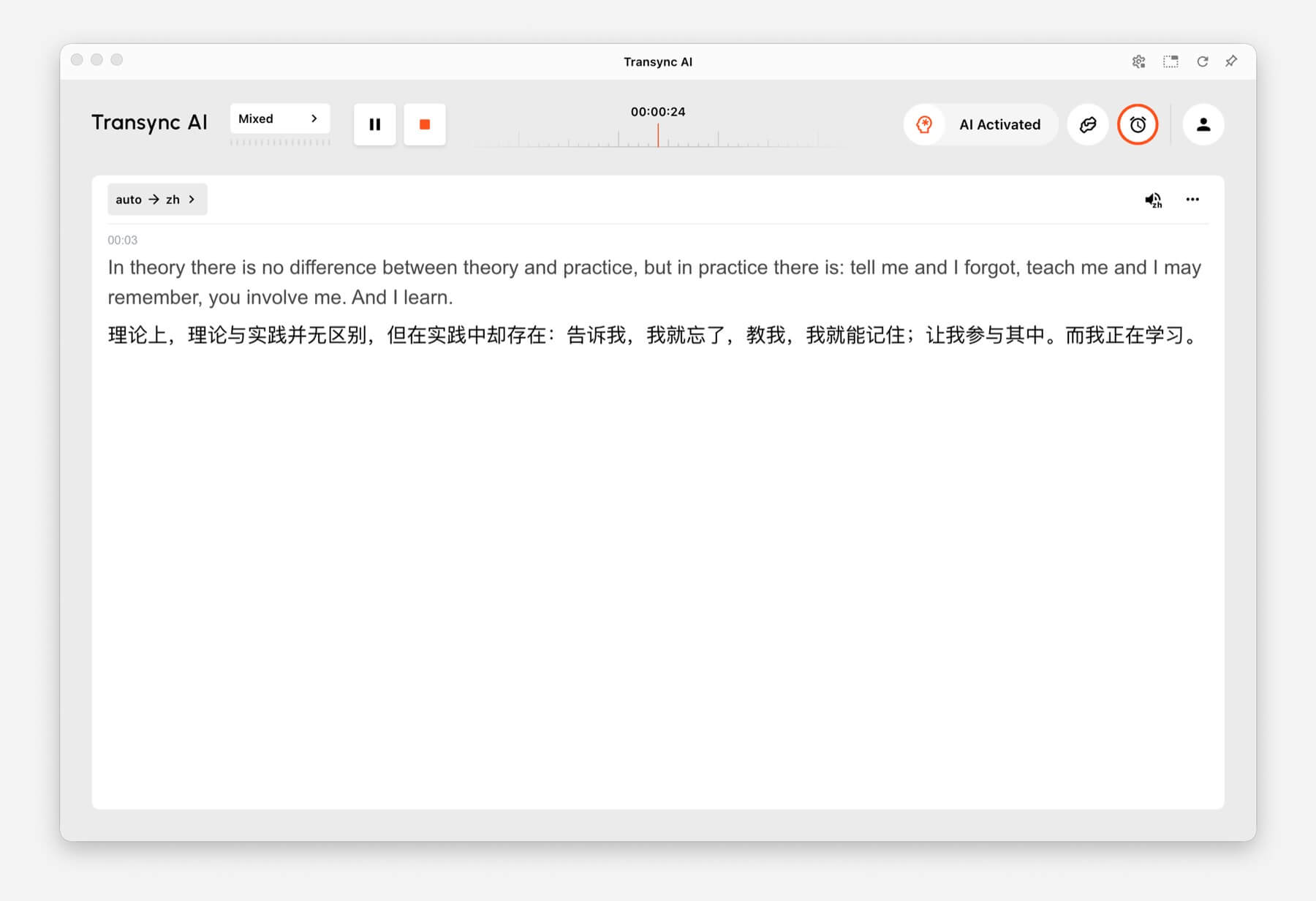
Использовать Односторонний перевод Этот режим полезен, когда вам нужно в основном слушать, например, во время занятий, лекций, вебинаров, видеороликов, тренингов или выступлений. Он также пригодится, если необходимо перевести одного говорящего или один аудиоисточник на целевой язык.
Двусторонний перевод #
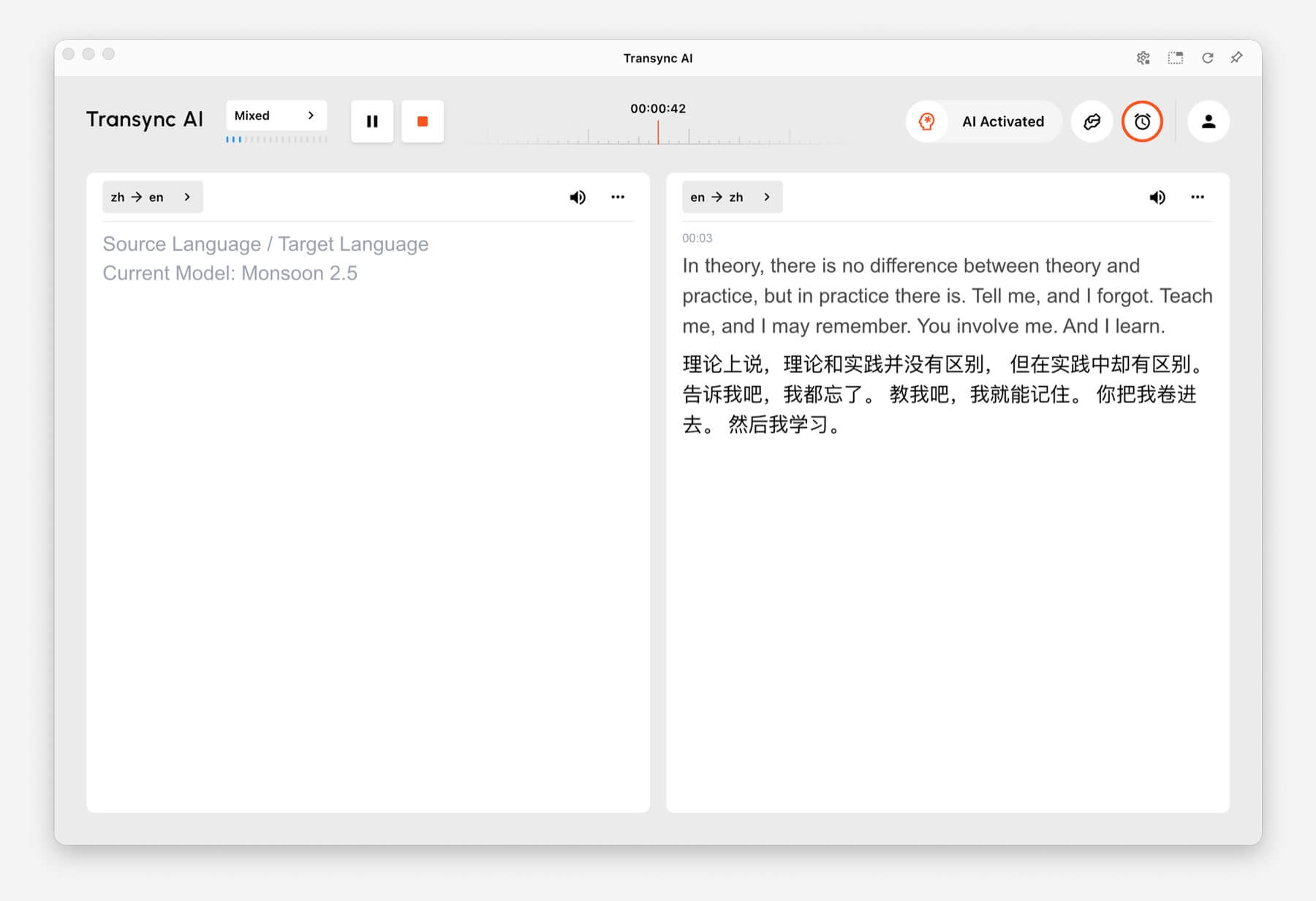
Использовать Двусторонний перевод Этот режим предназначен для обмена сообщениями, включая встречи, звонки, интервью, обсуждения поездок, переговоры с клиентами и личное общение. Он разработан для ситуаций, когда обе стороны говорят и отвечают.
Многоязычный перевод #
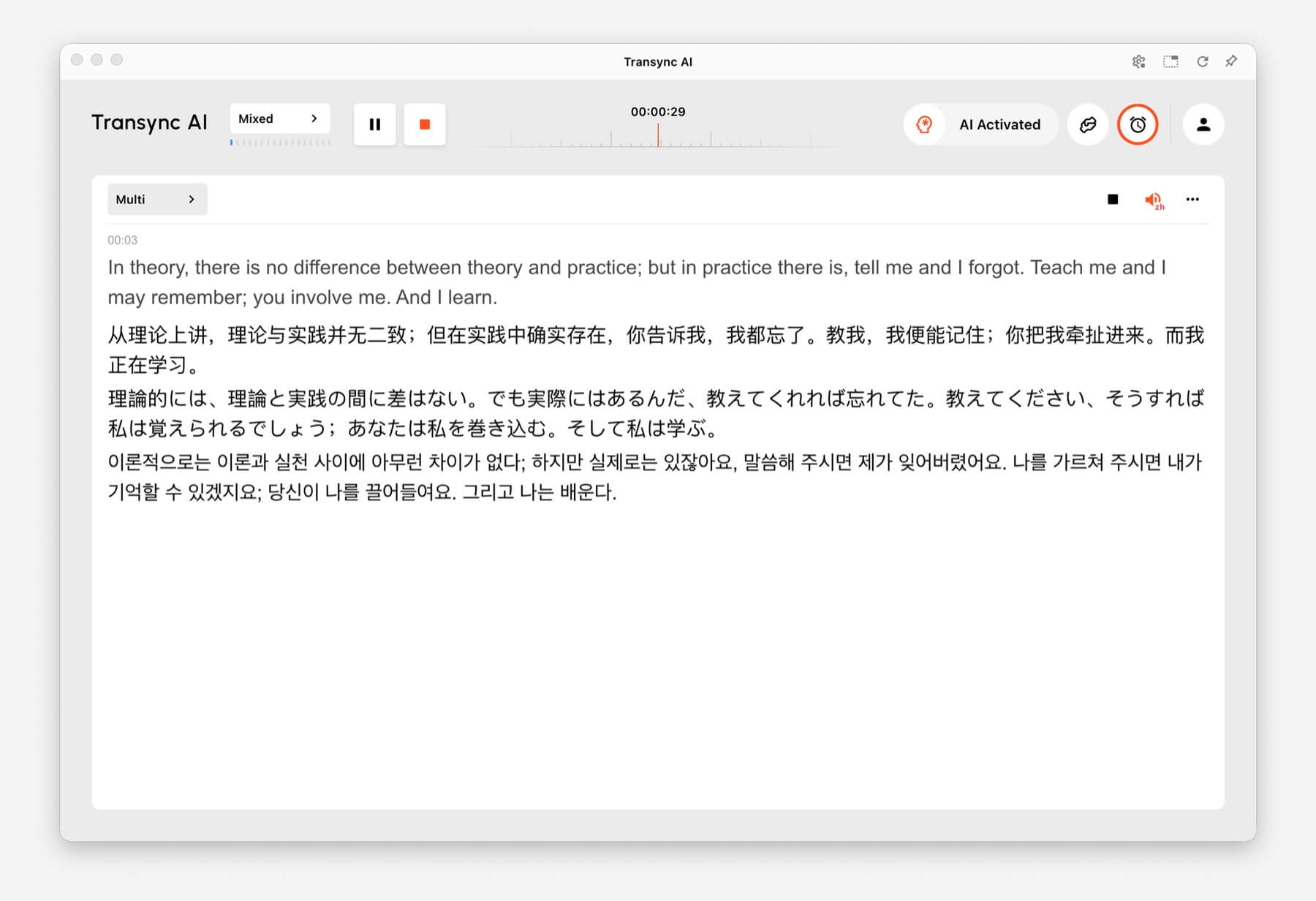
Использовать Многоязычный перевод Когда для выполнения одной задачи требуется одновременное использование нескольких целевых языков. Это полезно для международных команд, многоязычных встреч, международных тренингов и сессий, где участникам необходимо усваивать один и тот же материал на разных языках.
Как переключить режимы перевода #
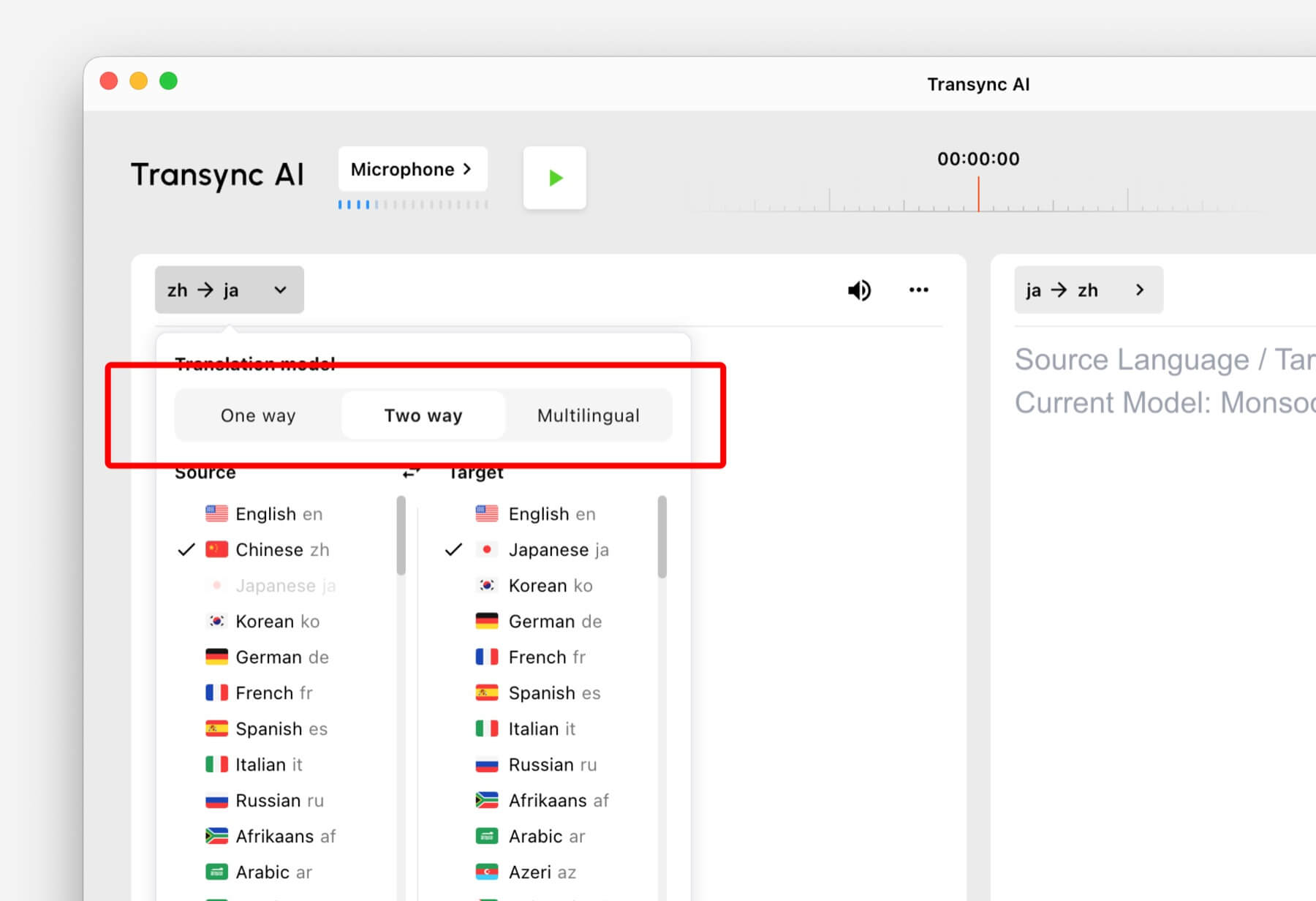
- Откройте Transync AI на компьютере, мобильном устройстве, в веб-браузере или в приложении, которым вы обычно пользуетесь.
- Перед началом работы откройте настройки языка или перевода.
- Выбирать В одну сторону, Двустороннее движение, или Многоязычный исходя из вашей ситуации.
- Выберите исходный и целевой языковые настройки, затем начните перевод.
Если вы не уверены, какой режим выбрать, начните с Односторонний перевод для сценариев прослушивания, Двусторонний перевод для разговоров, и Многоязычный перевод когда в одной задаче требуется несколько целевых языков.
Как работает выставление счетов для режимов перевода #
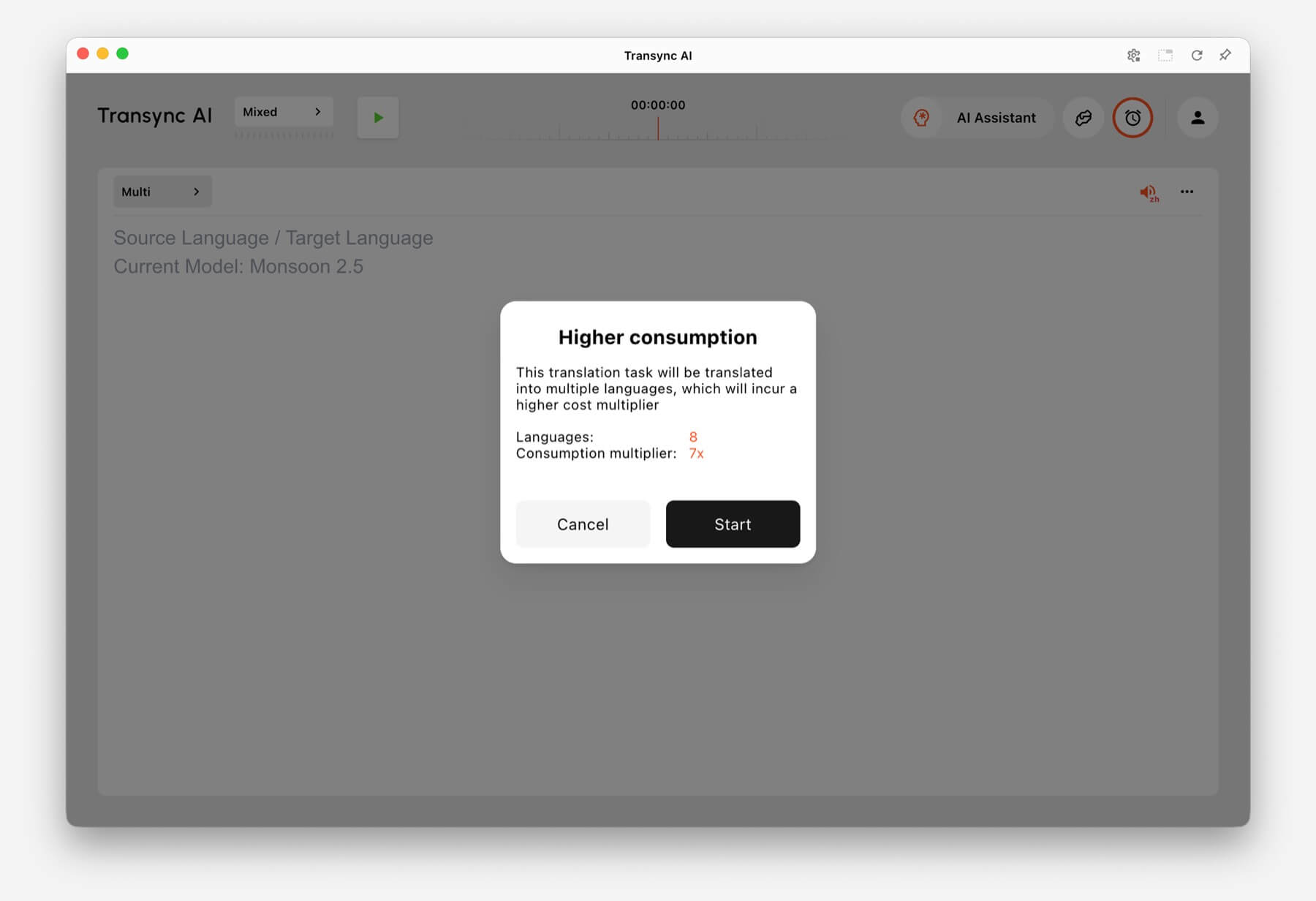
Односторонний перевод и Двусторонний перевод оплачиваются по стандартному тарифу. 1x ставка. Многоязычный перевод Оплата производится исходя из количества выбранных языков.
- 3 языка: В два раза больше времени.
- Каждый дополнительный язык: Увеличивает время в 1 раз.
- Максимум: 10 языков, что в 9 раз увеличивает время выполнения.
Например, выбор 8 языков в многоязычном переводе засчитывается как семикратное увеличение времени выполнения. Transync AI показывает предупреждение о повышенном потреблении времени перед началом работы, если количество выбранных языков увеличивается.
Часто задаваемые вопросы #
Можно ли изменить режим работы после запуска задачи? #
Для наиболее надежной настройки выберите режим перевода перед началом задачи. Если вам нужен другой режим, остановите текущую задачу и запустите новую с правильным режимом.
Какой режим следует использовать для онлайн-встреч? #
Использовать Двусторонний перевод для обычных совещаний. Используйте Многоязычный перевод если для одной и той же встречи требуется вывод информации на нескольких целевых языках.
Какой режим следует использовать для занятий или лекций? #
Использовать Односторонний перевод Когда вы в основном слушаете выступление докладчика, занятие, лекцию, вебинар или видео.
Как рассчитывается стоимость многоязычного перевода? #
Многоязычный перевод начинается как минимум с 3 языков и засчитывается как удвоенное время выполнения. Каждый дополнительный язык добавляет 1x, до 10 языков, что в сумме составляет 9x времени выполнения.


