Přejít k hlavnímu obsahu
Stiskněte Enter pro vyhledávání nebo ESC pro zavření
Zavřít vyhledávání
Logo Transync AI – oficiální logo značky pro překladatelskou službu Transync AI v reálném čase
  • Bezplatná zkušební verze
Menu
  • Produkt
    • Překlad v reálném čase s využitím umělé inteligence
    • Překlad živých setkání s umělou inteligencí
    • Poznámky ze schůzky s umělou inteligencí
    • Hlasový překladač s umělou inteligencí
    • AI Assistant: Klíčová slova a kontext
    • Picture-in-Picture s plovoucími titulky
    • Podporované jazyky
  • Případy použití
    • Překlad Zoomu
    • Překlad Microsoft Teams
    • Překlad Google Meet
    • Hlasový hovor s překladem WhatsApp
    • Překlad osobních schůzek
  • Blog
  • Ceny
  • Podnik
  • Podpora
  • Stáhnout
  • Bezplatná zkušební verze
  • Produkt
    • Překlad v reálném čase s využitím umělé inteligence
    • Překlad živých setkání s umělou inteligencí
    • Poznámky ze schůzky s umělou inteligencí
    • Hlasový překladač s umělou inteligencí
    • AI Assistant: Klíčová slova a kontext
    • Picture-in-Picture s plovoucími titulky
    • Podporované jazyky
  • Případy použití
    • Překlad Zoomu
    • Překlad Microsoft Teams
    • Překlad Google Meet
    • Hlasový hovor s překladem WhatsApp
    • Překlad osobních schůzek
  • Blog
  • Ceny
  • Podnik
  • Podpora
  • Stáhnout

hello@transyncai.com

Začínáme

3
  • Stručný průvodce pro stolní počítače
  • Stručný průvodce pro mobilní zařízení
  • Kontaktujte nás

Uživatelská příručka

13
  • Jak zaregistrovat Transync AI
  • Jak spustit překlad v reálném čase
  • Jak vybrat režim překladu v Transync AI
  • Jak sdílet zvuk z počítače
  • Jak používat přehrávání hlasu v Transync AI
  • Jak používat klonování hlasu
  • Jak používat virtuální mikrofon v systému macOS
  • Jak nastavit virtuální mikrofon ve Windows
  • Jak používat režim obraz v obraze
  • Jak získat přístup k přepisům a shrnutím schůzek
  • Jak používat asistenta s umělou inteligencí
  • Jak spravovat záznamy o překladech
  • Jak dobít peníze a požádat o vrácení peněz

Podnik

1
  • Průvodce podnikem

Zdroje

3
  • Centrum důvěryhodnosti
  • Podmínky a zásady
  • Seznam změn
Zobrazit kategorie
  • Domov
  • Dokumenty
  • Uživatelská příručka
  • Jak vybrat režim překladu v Transync AI

Jak vybrat režim překladu v Transync AI

3 minuty čtení

Transync AI supports different translation modes so each task can match the way people are communicating. Before you start a translation task, choose the mode that fits your scenario: Jednosměrný překlad, Obousměrný překlad, nebo Vícejazyčný překlad.

What Are Translation Modes? #

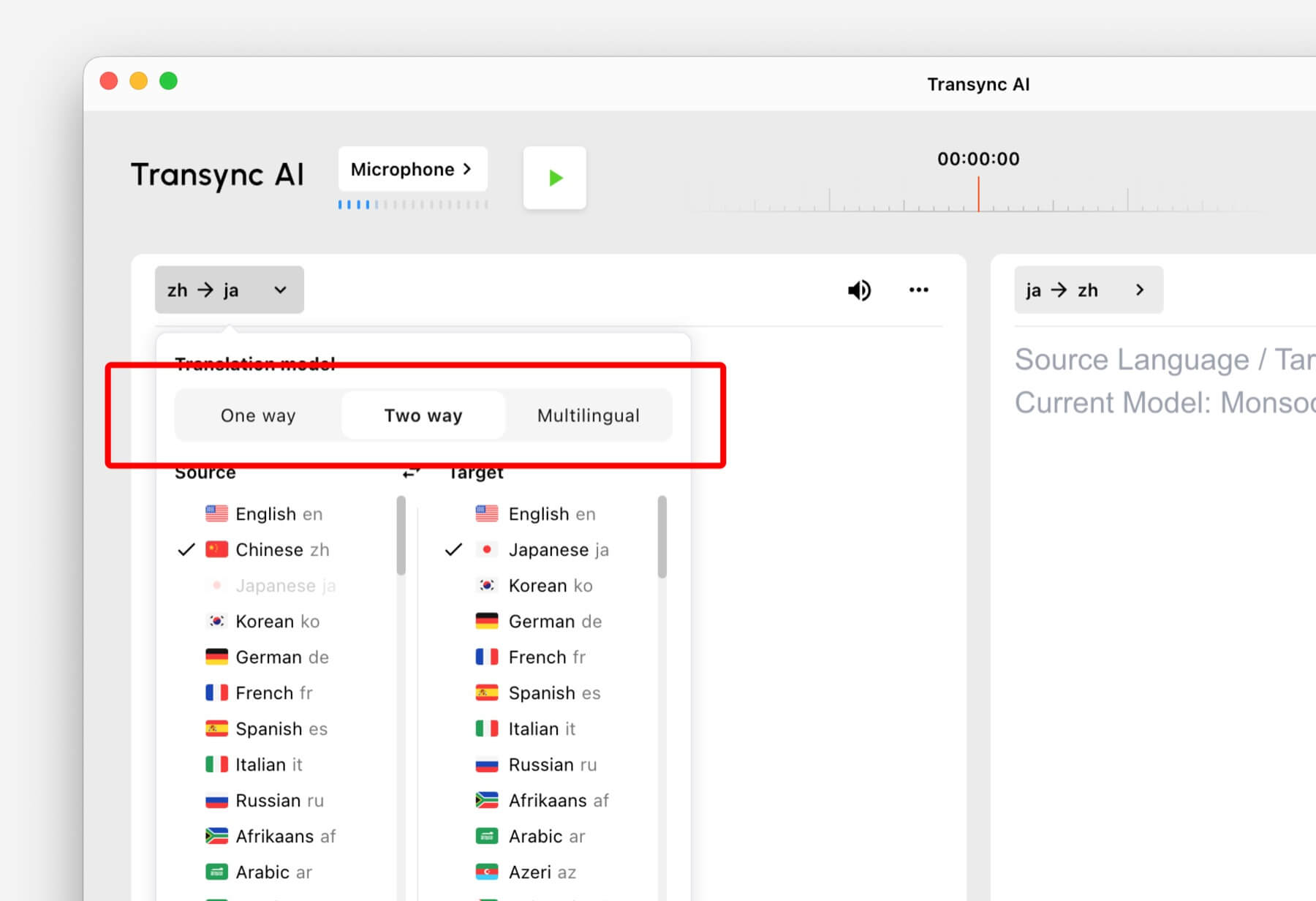
Translation modes control how Transync AI handles the direction of speech and the target language output. In the app, these options may appear as One way, Two waya Vícejazyčný.

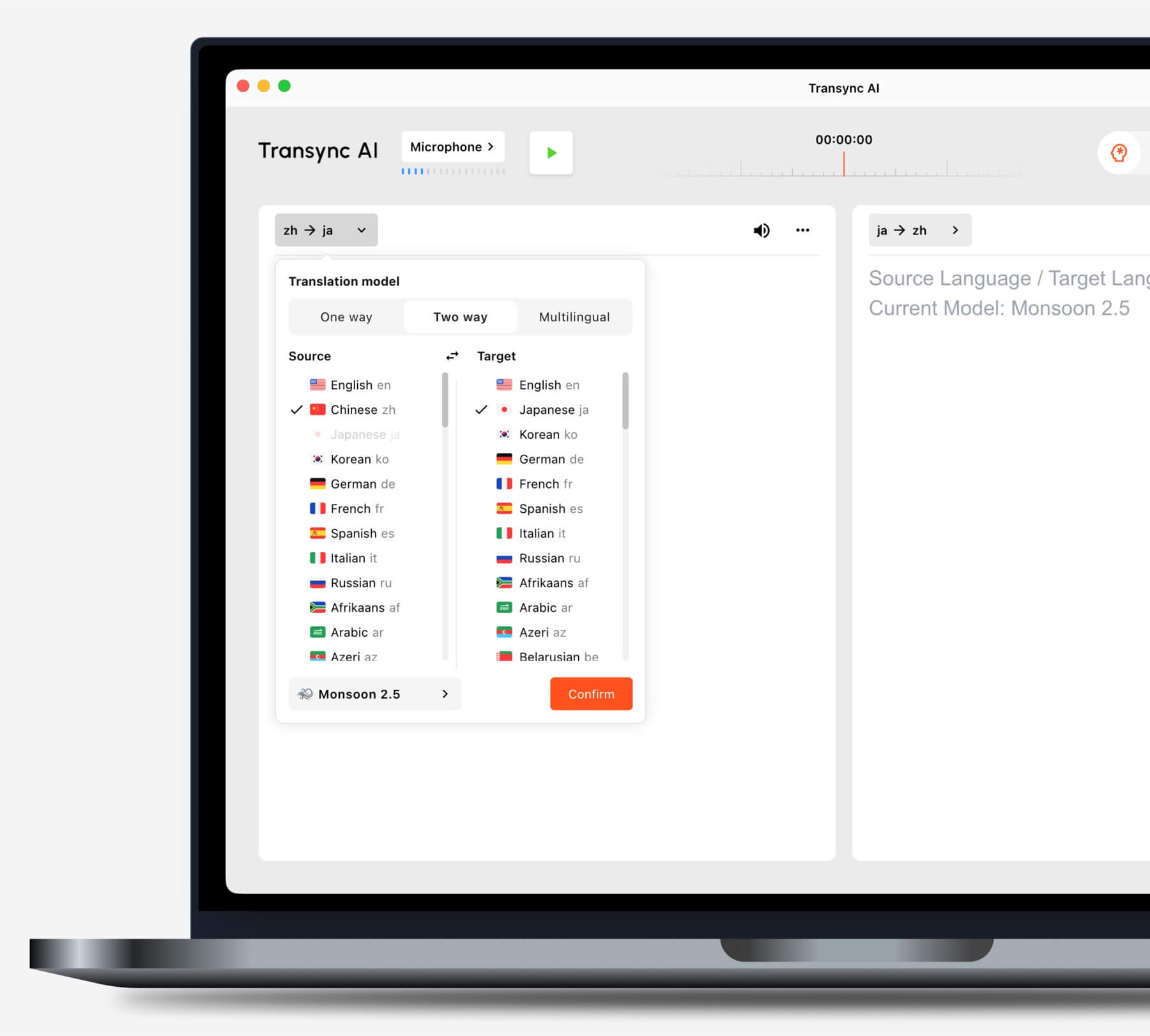
Select One way, Two way, or Multilingual translation mode in Transync AI
Choose the translation mode that matches your scenario before starting a task.

Choose a Mode Based on Your Scenario #

Jednosměrný překlad #

Použití Jednosměrný překlad when you mainly need to listen, such as during a class, lecture, webinar, video, training session, or talk. This mode is useful when one speaker or one audio source needs to be translated into your target language.

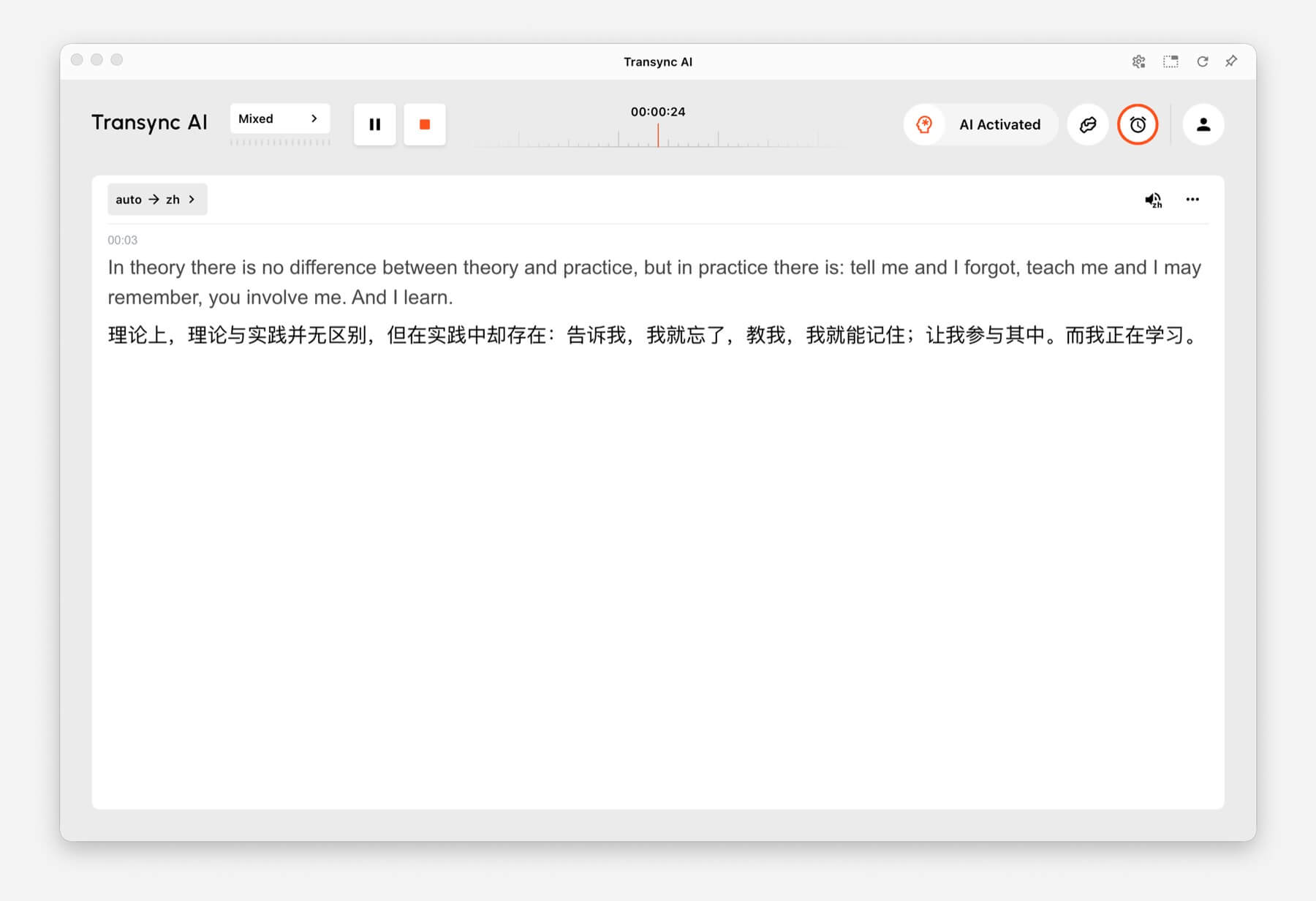
One-way Translation showing source audio translated into Chinese in Transync AI
One-way Translation is designed for listening scenarios such as lectures, webinars, and classes.

Obousměrný překlad #

Použití Obousměrný překlad for back-and-forth conversations, including meetings, calls, interviews, travel conversations, customer discussions, and in-person communication. This mode is designed for situations where both sides speak and respond.

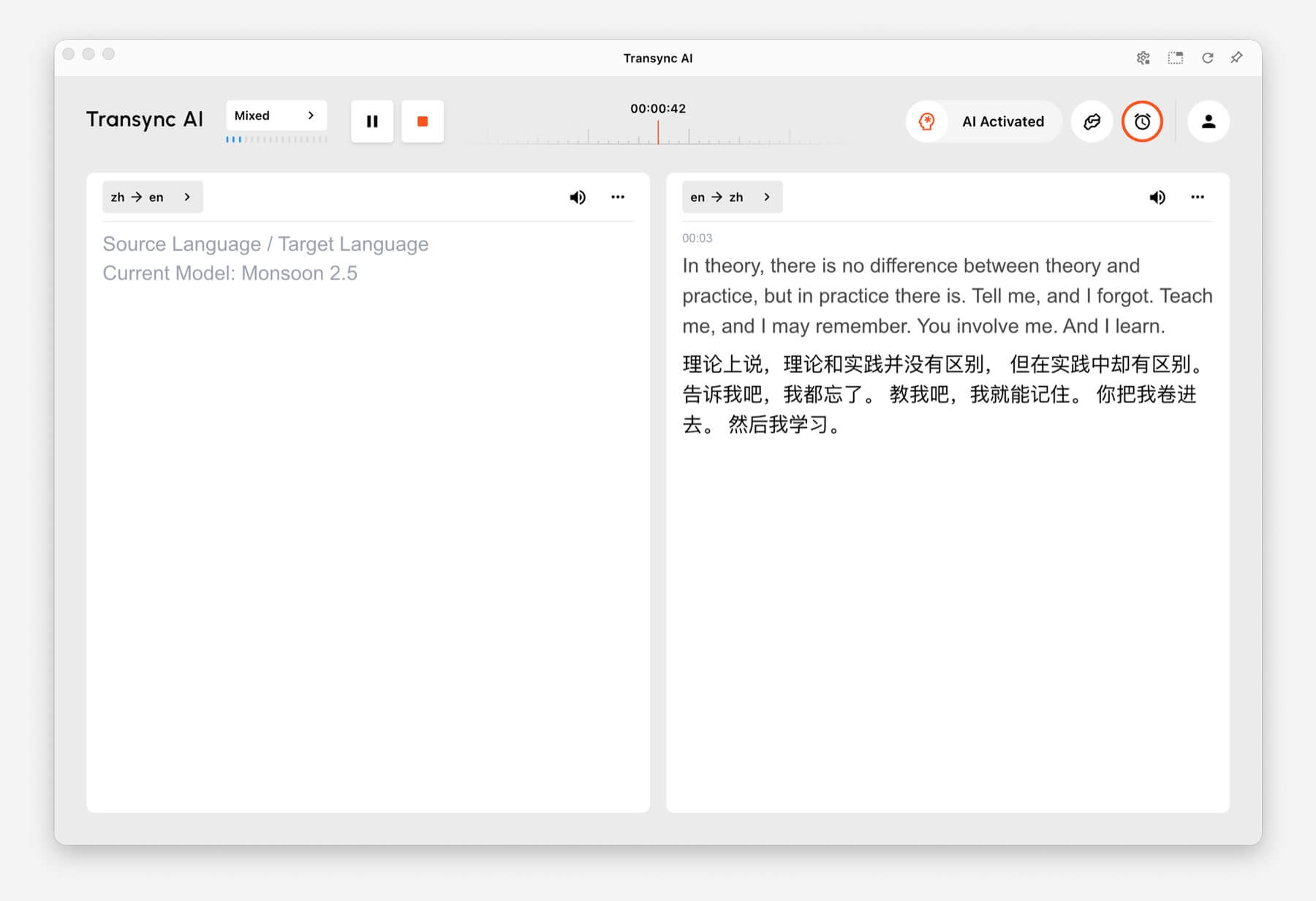
Two-way Translation showing Chinese and English panels in Transync AI
Two-way Translation supports back-and-forth conversations between two languages.

Vícejazyčný překlad #

Použití Vícejazyčný překlad when one task needs several target languages at the same time. This is helpful for global teams, multilingual meetings, international training, and sessions where participants need to follow the same content in different languages.

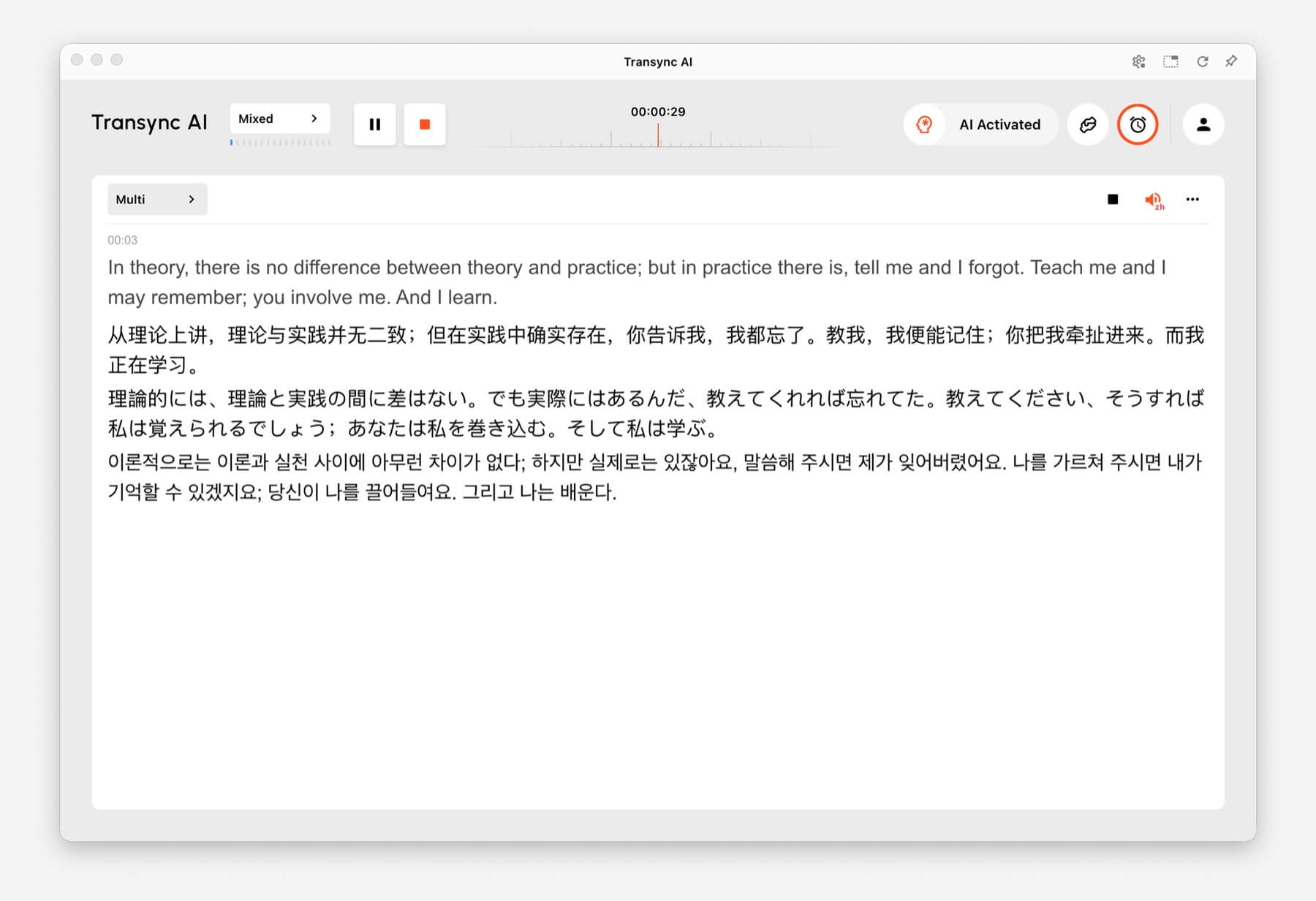
Multilingual Translation showing one task translated into English, Chinese, Japanese, and Korean
Multilingual Translation can output multiple target languages in the same task.

How to Switch Translation Modes #

Mode selector tabs for One way, Two way, and Multilingual translation in Transync AI
Switch between One way, Two way, and Multilingual before you start translating.
  1. Open Transync AI on desktop, mobile, web, or the app you normally use.
  2. Open the language or translation settings before starting the task.
  3. Vybrat One way, Two way, nebo Vícejazyčný based on your scenario.
  4. Choose your source and target language settings, then start translation.

If you are not sure which mode to choose, start with Jednosměrný překlad for listening scenarios, Obousměrný překlad for conversations, and Vícejazyčný překlad when multiple target languages are needed in one task.

How Billing Works for Translation Modes #

Jednosměrný překlad a Obousměrný překlad are billed at the standard 1x rate. Vícejazyčný překlad is billed based on the number of languages selected.

  • 3 languages: 2x time consumption.
  • Each additional language: adds 1x time consumption.
  • Maximum: 10 languages, which counts as 9x time consumption.

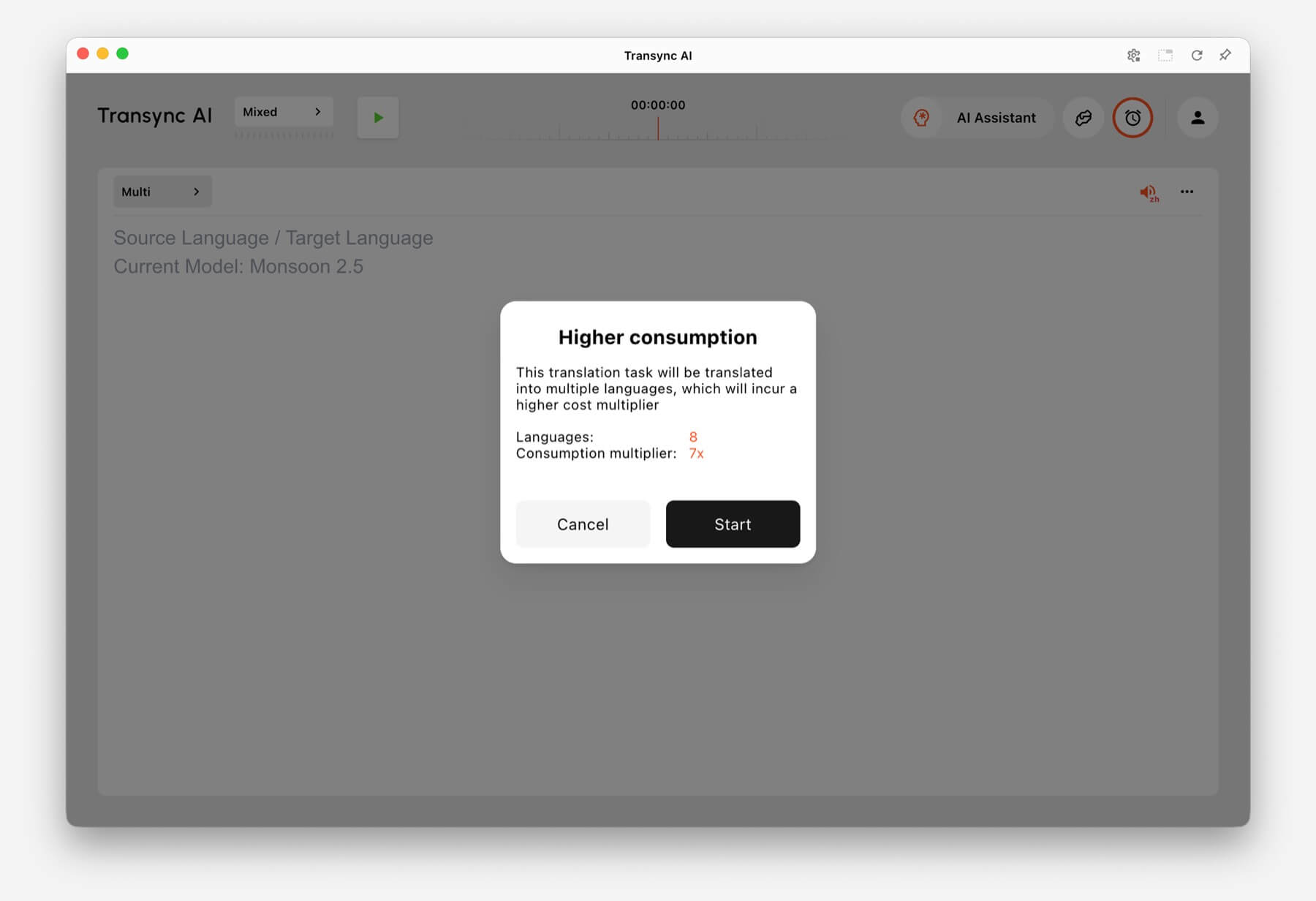
For example, selecting 8 languages in Multilingual Translation counts as 7x time consumption. Transync AI shows a higher consumption warning before you start when the selected language count increases usage.

Higher consumption warning showing 8 languages and 7x consumption multiplier in Transync AI
When many languages are selected, Transync AI shows the multilingual consumption multiplier before the task starts.

Často kladené otázky #

Can I change modes after starting a task? #

For the most reliable setup, choose the translation mode before starting the task. If you need a different mode, stop the current task and start a new one with the correct mode.

Which mode should I use for online meetings? #

Použití Obousměrný překlad for normal meeting conversations. Use Vícejazyčný překlad if the same meeting needs output in several target languages.

Which mode should I use for classes or lectures? #

Použití Jednosměrný překlad when you mainly listen to a speaker, class, lecture, webinar, or video.

How is Multilingual Translation billed? #

Multilingual Translation starts from at least 3 languages and counts as 2x time consumption. Each additional language adds 1x, up to 10 languages at 9x time consumption.

Aktualizováno dne 24. června 2026

Je tento dokument užitečný?

  • Užitečné
  • Neužitečné

Sdílet tento článek:

  • Facebook
  • X
  • LinkedIn
  • Pinterest
Jak spustit překlad v reálném časeJak sdílet zvuk z počítače
Obsah
  • What Are Translation Modes?
  • Choose a Mode Based on Your Scenario
    • Jednosměrný překlad
    • Obousměrný překlad
    • Vícejazyčný překlad
  • How to Switch Translation Modes
  • How Billing Works for Translation Modes
  • Často kladené otázky
    • Can I change modes after starting a task?
    • Which mode should I use for online meetings?
    • Which mode should I use for classes or lectures?
    • How is Multilingual Translation billed?

RedNote Douyin Bilibili 知乎 YouTube TikTok LinkedIn

沪ICP备2025119728号

Contact:support@transyncai.com

Produkt

  • Nástroje
  • Překlad v reálném čase s umělou inteligencí
  • Překlad živých setkání s umělou inteligencí
  • Poznámky ze schůzky s umělou inteligencí
  • Hlasový překladač s umělou inteligencí
  • Asistent umělé inteligence
  • Picture-in-Picture s plovoucími titulky
  • Podporované jazyky
  • Případy použití
  • Překlad Zoomu
  • Překlad Microsoft Teams
  • Překlad Google Meet
  • Překlad WhatsAppu
  • Překlad osobních schůzek

Stránky

  • Ceny
  • Blog
  • Podpora
  • Stáhnout
  • Podnik
  • Seznam změn
  • Bezplatná zkušební verze

Zdroje

  • Fakta o umělé inteligenci Transync
  • Porovnejte Transync AI
  • Alternativy k umělé inteligenci Transync

Podmínky

  • Soukromí
  • Podmínky služby
  • Centrum důvěryhodnosti

© 2026 Transync AI – Překlad v reálném čase.

Čeština
English 简体中文 日本語 한국어 Русский Français Español Deutsch Italiano ไทย 繁體中文繁體中文 Português do Brasil العربية हिन्दी Bahasa Indonesia Tiếng Việt Türkçe Nederlands Polski Українська