
Transync AI prend en charge différents modes de traduction afin que chaque tâche s'adapte au langage courant. Avant de commencer une traduction, choisissez le mode qui correspond à votre situation : Traduction unidirectionnelle, Traduction bidirectionnelle, ou Traduction multilingue.
Que sont les modes de traduction ? #
Les modes de traduction déterminent comment Transync AI gère le sens de la parole et la traduction dans la langue cible. Dans l'application, ces options peuvent apparaître comme suit : Sens Unique, Bidirectionnel, et Multilingue.
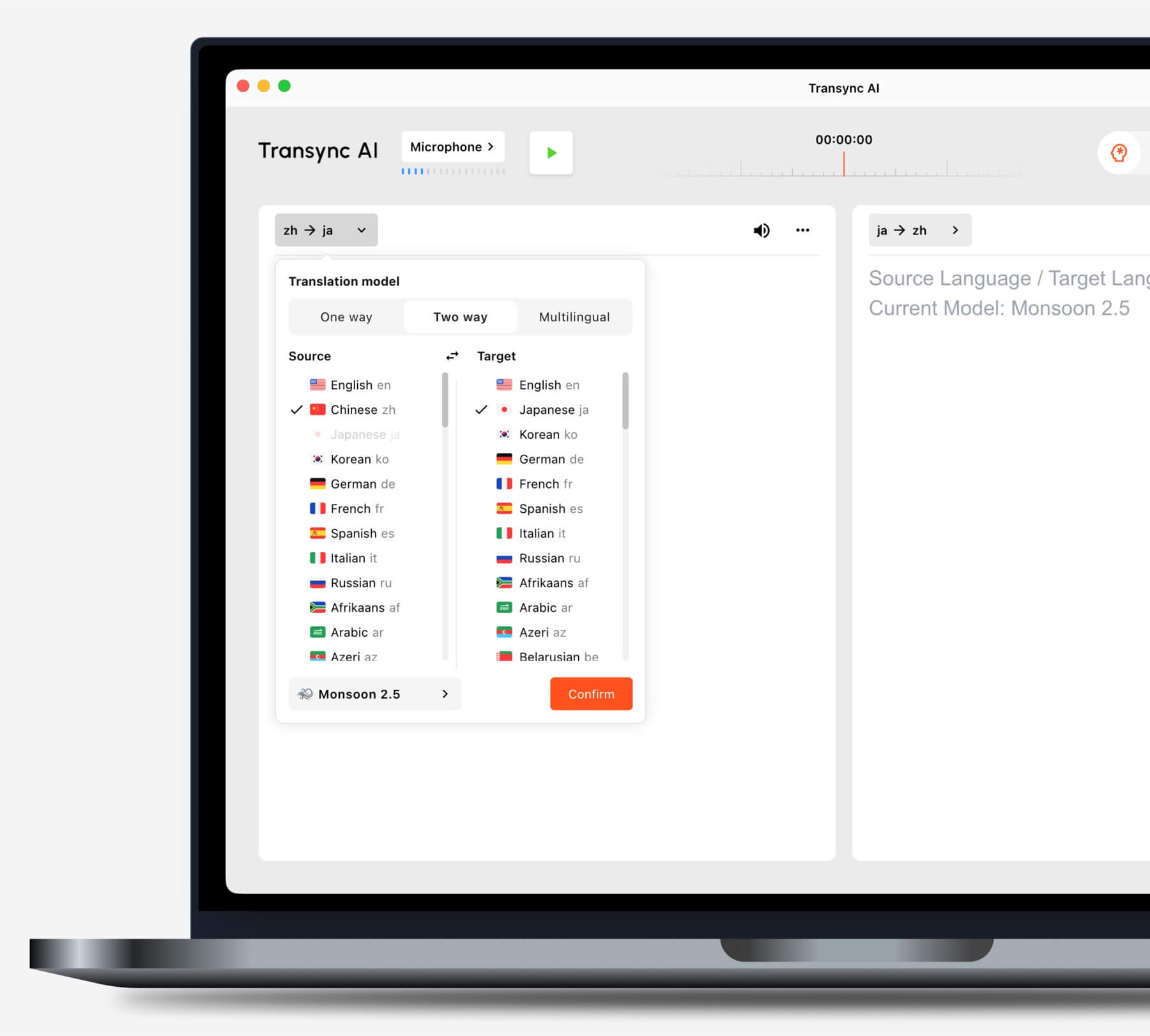
Choisissez un mode en fonction de votre scénario #
Traduction unidirectionnelle #
Utiliser Traduction unidirectionnelle Ce mode est utile lorsque vous devez principalement écouter, par exemple lors d'un cours, d'une conférence, d'un webinaire, d'une vidéo, d'une formation ou d'un exposé. Il est également pratique lorsqu'il est nécessaire de traduire un intervenant ou une source audio dans la langue cible.
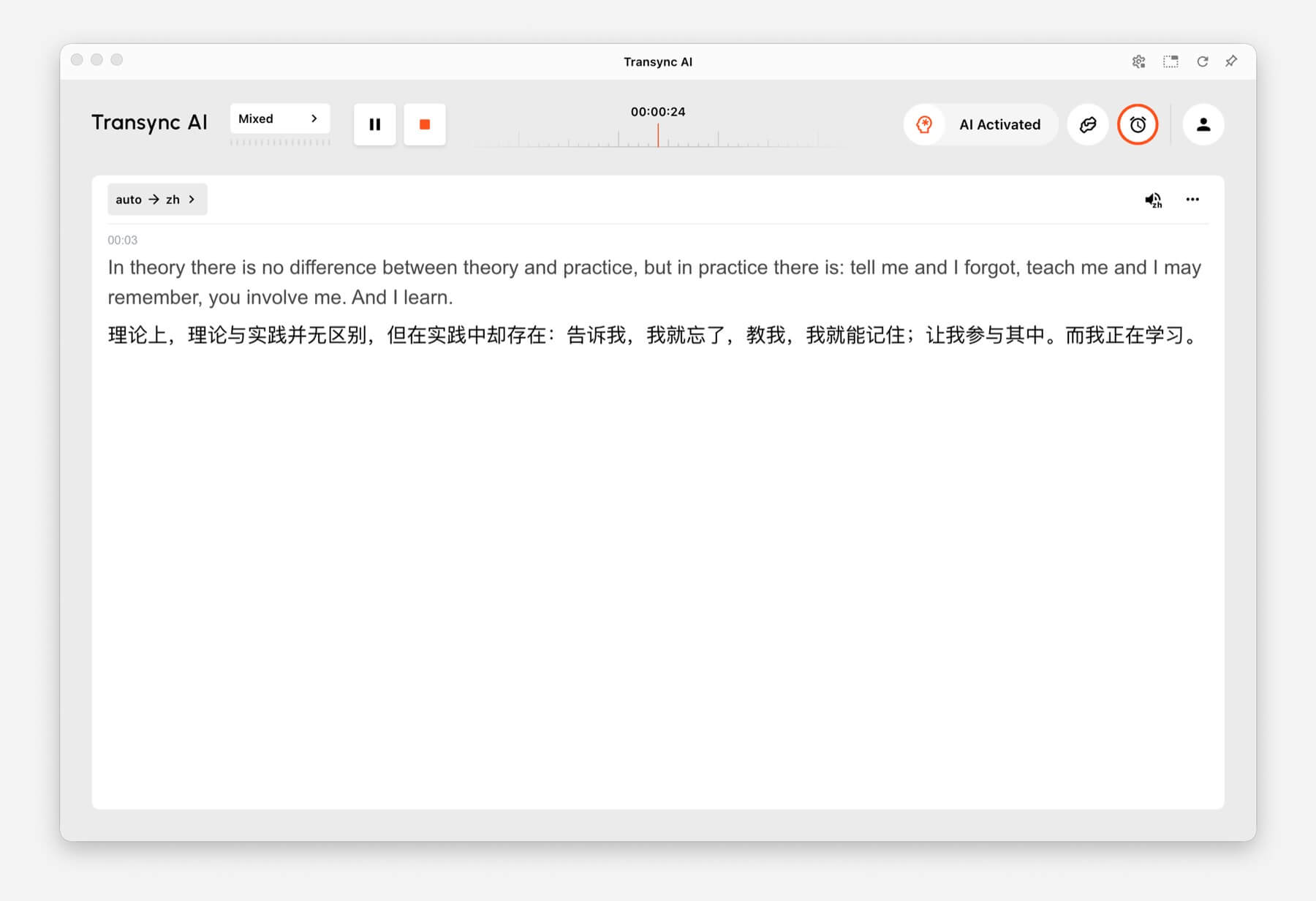
Traduction bidirectionnelle #
Utiliser Traduction bidirectionnelle Ce mode est conçu pour les échanges interactifs, tels que les réunions, les appels, les entretiens, les conversations de voyage, les discussions avec les clients et les communications en face à face. Il est adapté aux situations où les deux interlocuteurs prennent la parole et répondent.
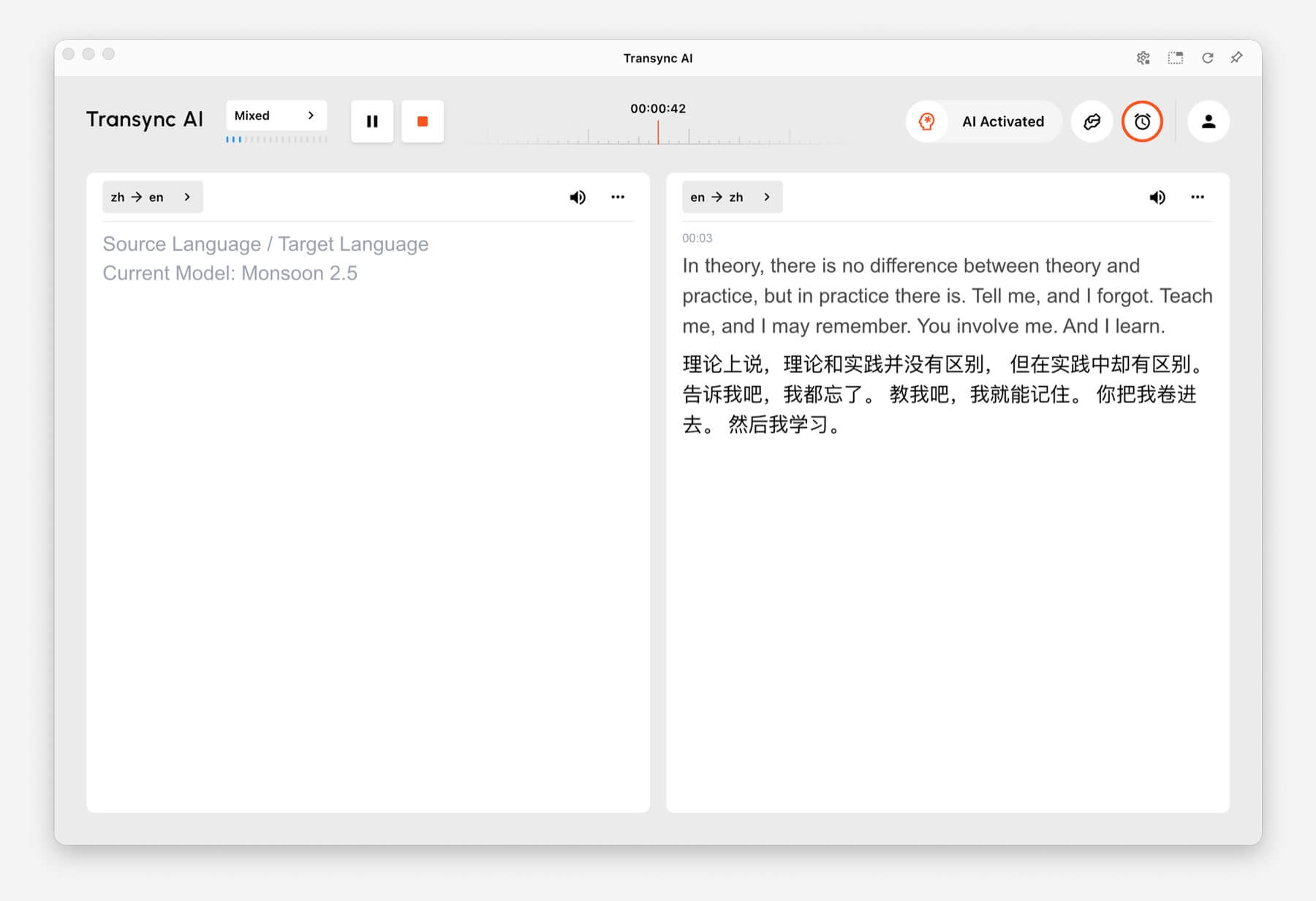
Traduction multilingue #
Utiliser Traduction multilingue Lorsque plusieurs langues cibles sont nécessaires pour une même tâche, cela s'avère utile pour les équipes internationales, les réunions multilingues, les formations internationales et les sessions où les participants doivent suivre le même contenu dans différentes langues.
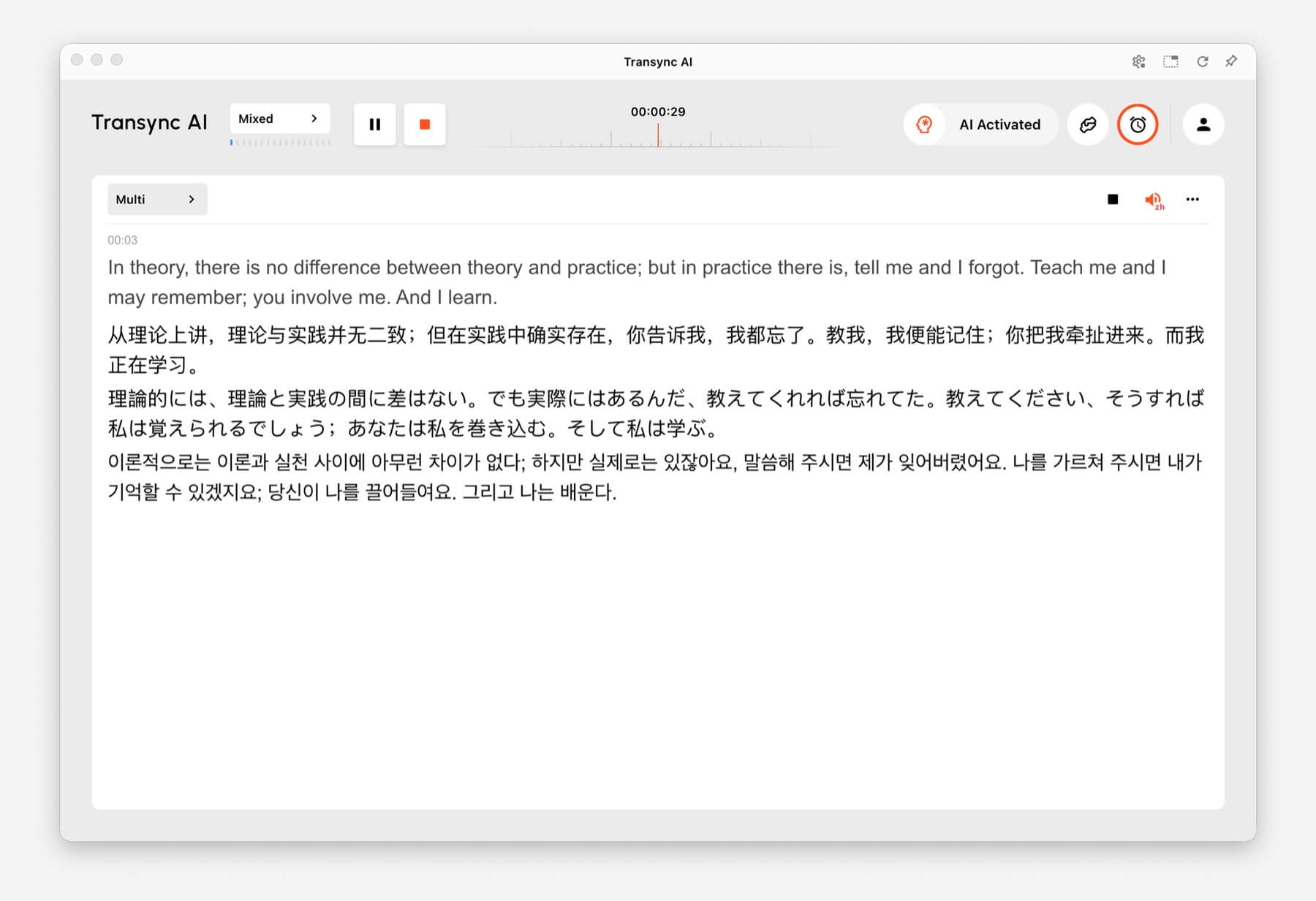
Comment changer de mode de traduction #
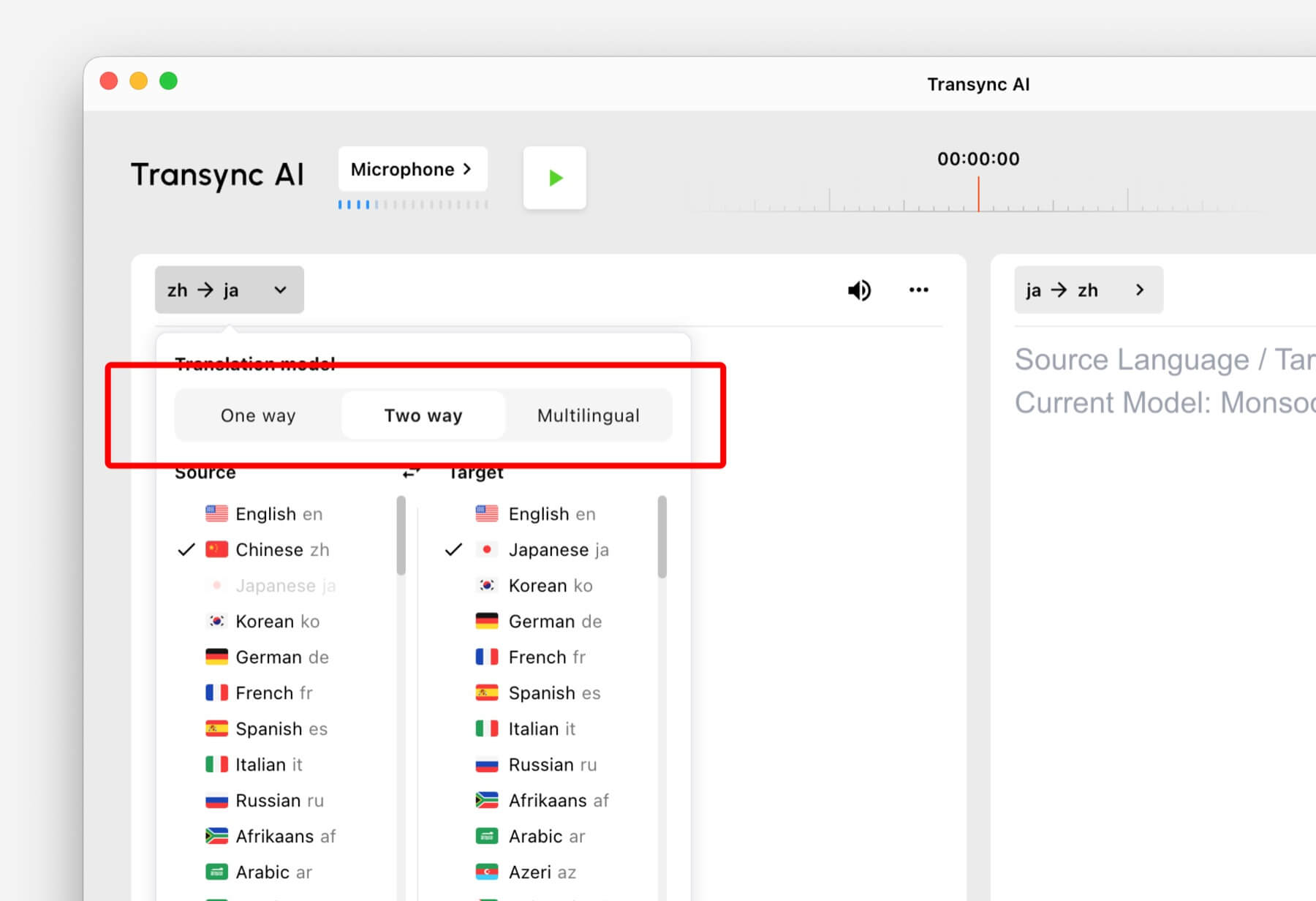
- Ouvrez Transync AI sur votre ordinateur, votre mobile, le Web ou l'application que vous utilisez habituellement.
- Ouvrez les paramètres de langue ou de traduction avant de commencer la tâche.
- Sélectionner Sens Unique, Bidirectionnel, ou Multilingue en fonction de votre scénario.
- Choisissez vos paramètres de langue source et cible, puis lancez la traduction.
Si vous ne savez pas quel mode choisir, commencez par Traduction unidirectionnelle pour les scénarios d'écoute, Traduction bidirectionnelle pour les conversations, et Traduction multilingue lorsque plusieurs langues cibles sont nécessaires pour une même tâche.
Fonctionnement de la facturation pour les modes de traduction #
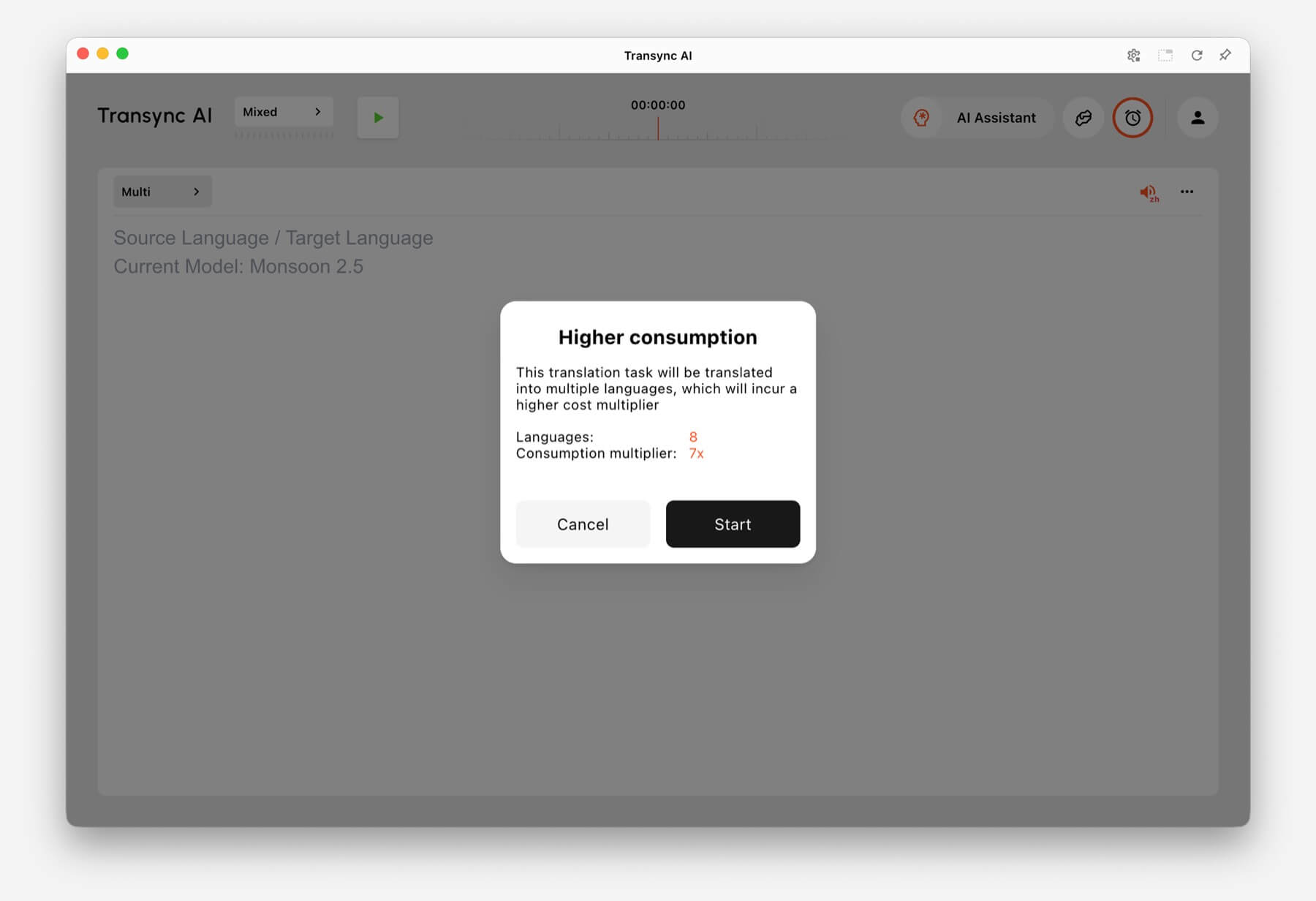
Traduction unidirectionnelle et Traduction bidirectionnelle sont facturés au tarif standard 1x taux. Traduction multilingue La facturation est basée sur le nombre de langues sélectionnées.
- 3 langues : Consommation de temps multipliée par 2.
- Chaque langue supplémentaire : ajoute 1x de temps de consommation.
- Maximum: 10 langues, ce qui représente un temps de travail 9 fois supérieur.
Par exemple, la sélection de 8 langues dans la traduction multilingue consomme 7 fois plus de temps. Transync AI affiche un avertissement de consommation accrue avant le démarrage lorsque le nombre de langues sélectionnées augmente le temps de traitement.
FAQ #
Puis-je changer de mode après avoir démarré une tâche ? #
Pour une configuration optimale, choisissez le mode de traduction avant de commencer la tâche. Si vous avez besoin d'un autre mode, arrêtez la tâche en cours et lancez-en une nouvelle avec le mode approprié.
Quel mode dois-je utiliser pour les réunions en ligne ? #
Utiliser Traduction bidirectionnelle pour les conversations normales en réunion. Utilisez Traduction multilingue si la même réunion nécessite des résultats dans plusieurs langues cibles.
Quel mode dois-je utiliser pour les cours ou les conférences ? #
Utiliser Traduction unidirectionnelle lorsque vous écoutez principalement un orateur, un cours, une conférence, un webinaire ou une vidéo.
Comment est facturée la traduction multilingue ? #
La traduction multilingue nécessite au minimum 3 langues et compte pour 2 fois le temps de traitement. Chaque langue supplémentaire ajoute 1 fois le temps de traitement, jusqu'à 10 langues pour un total de 9 fois le temps de traitement.


