
يدعم برنامج Transync AI أوضاع ترجمة مختلفة بحيث تتناسب كل مهمة مع طريقة تواصل الأشخاص. قبل البدء بمهمة الترجمة، اختر الوضع المناسب لحالتك: الترجمة أحادية الاتجاه, الترجمة ثنائية الاتجاه، أو الترجمة متعددة اللغات.
ما هي أنماط الترجمة؟ #
تتحكم أوضاع الترجمة في كيفية تعامل تقنية Transync AI مع اتجاه الكلام ومخرجات اللغة المستهدفة. في التطبيق، قد تظهر هذه الخيارات على النحو التالي: طريقة واحدة, اتجاهان، و متعدد اللغات.
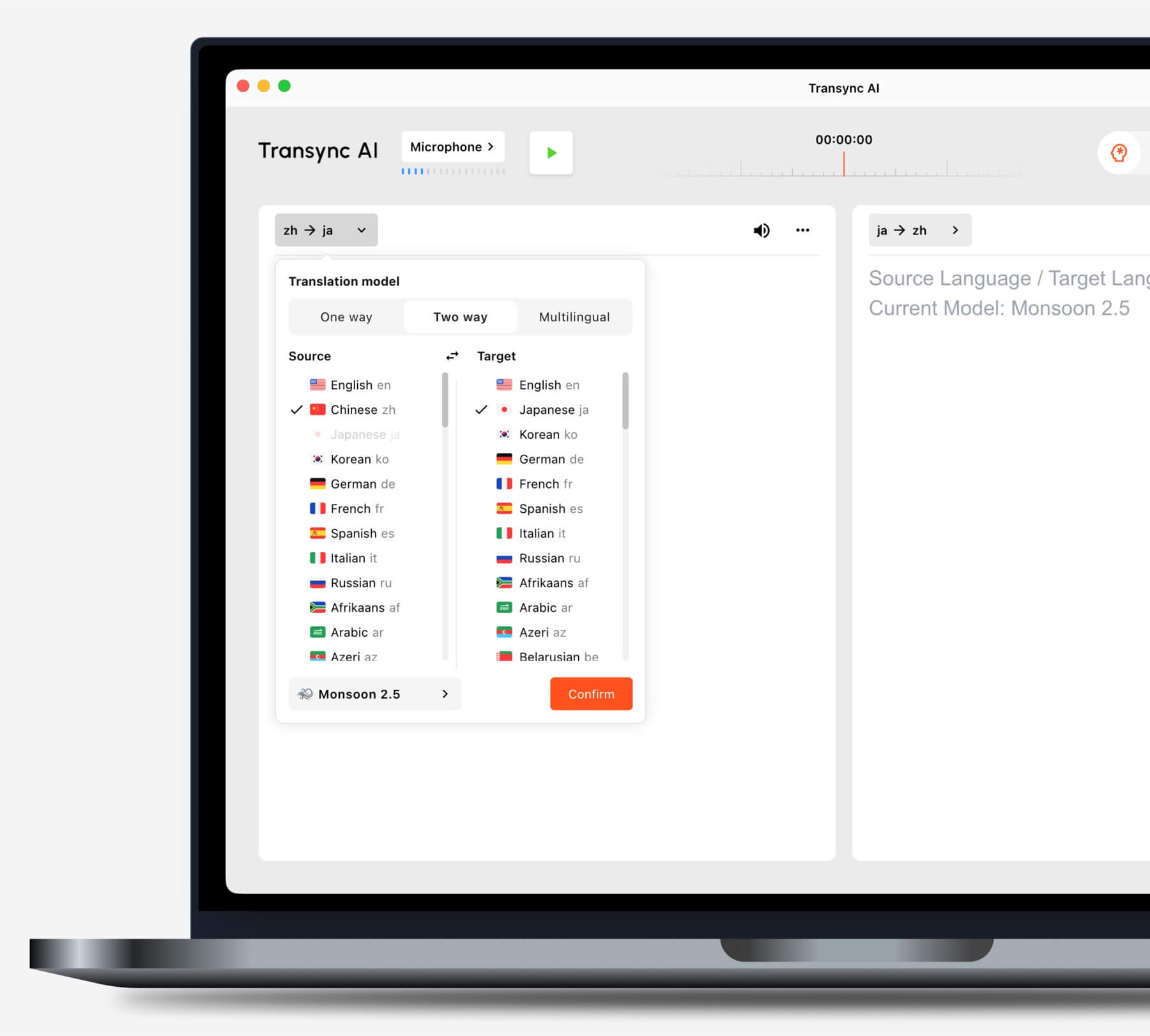
اختر الوضع المناسب لحالتك #
الترجمة أحادية الاتجاه #
يستخدم الترجمة أحادية الاتجاه عندما تحتاج بشكل أساسي إلى الاستماع، كما هو الحال أثناء الحصة الدراسية أو المحاضرة أو الندوة عبر الإنترنت أو مشاهدة الفيديو أو الدورة التدريبية أو المحادثة. يُعد هذا الوضع مفيدًا عندما تحتاج إلى ترجمة متحدث واحد أو مصدر صوتي واحد إلى لغتك المستهدفة.
الترجمة ثنائية الاتجاه #
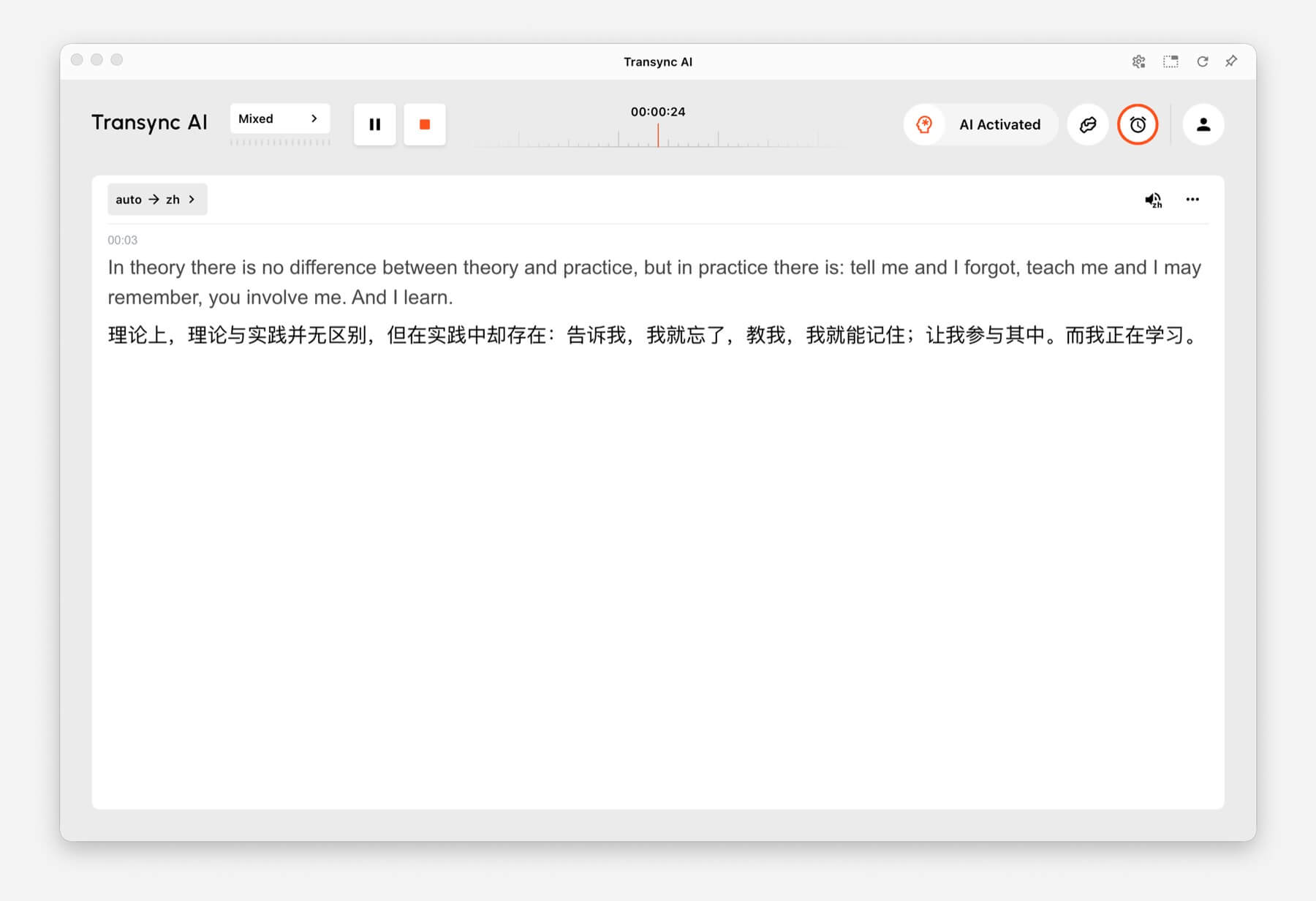
يستخدم الترجمة ثنائية الاتجاه للمحادثات المتبادلة، بما في ذلك الاجتماعات والمكالمات والمقابلات ومحادثات السفر ومناقشات العملاء والتواصل المباشر. صُمم هذا النمط للحالات التي يتحدث فيها الطرفان ويجيبان.
الترجمة متعددة اللغات #
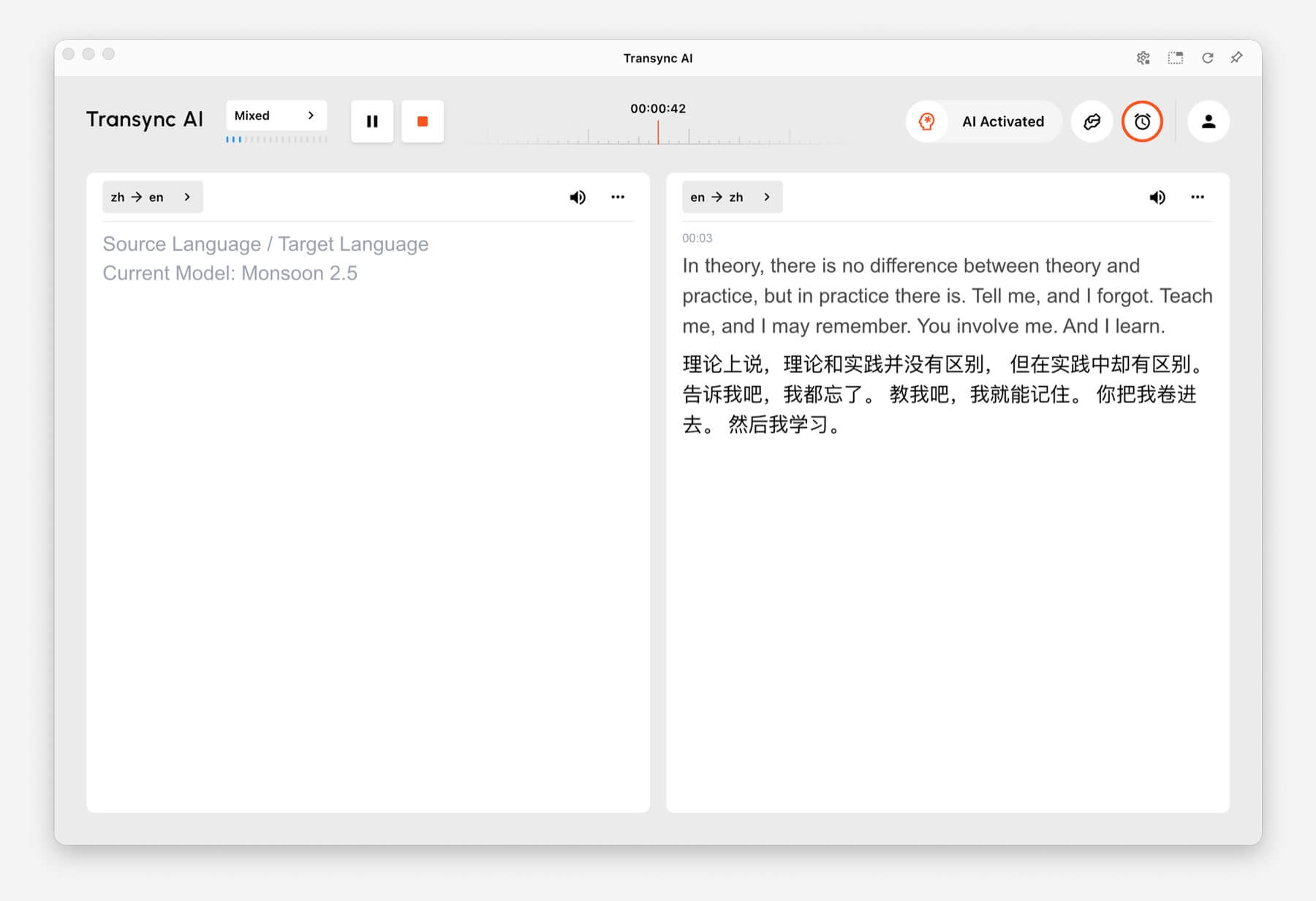
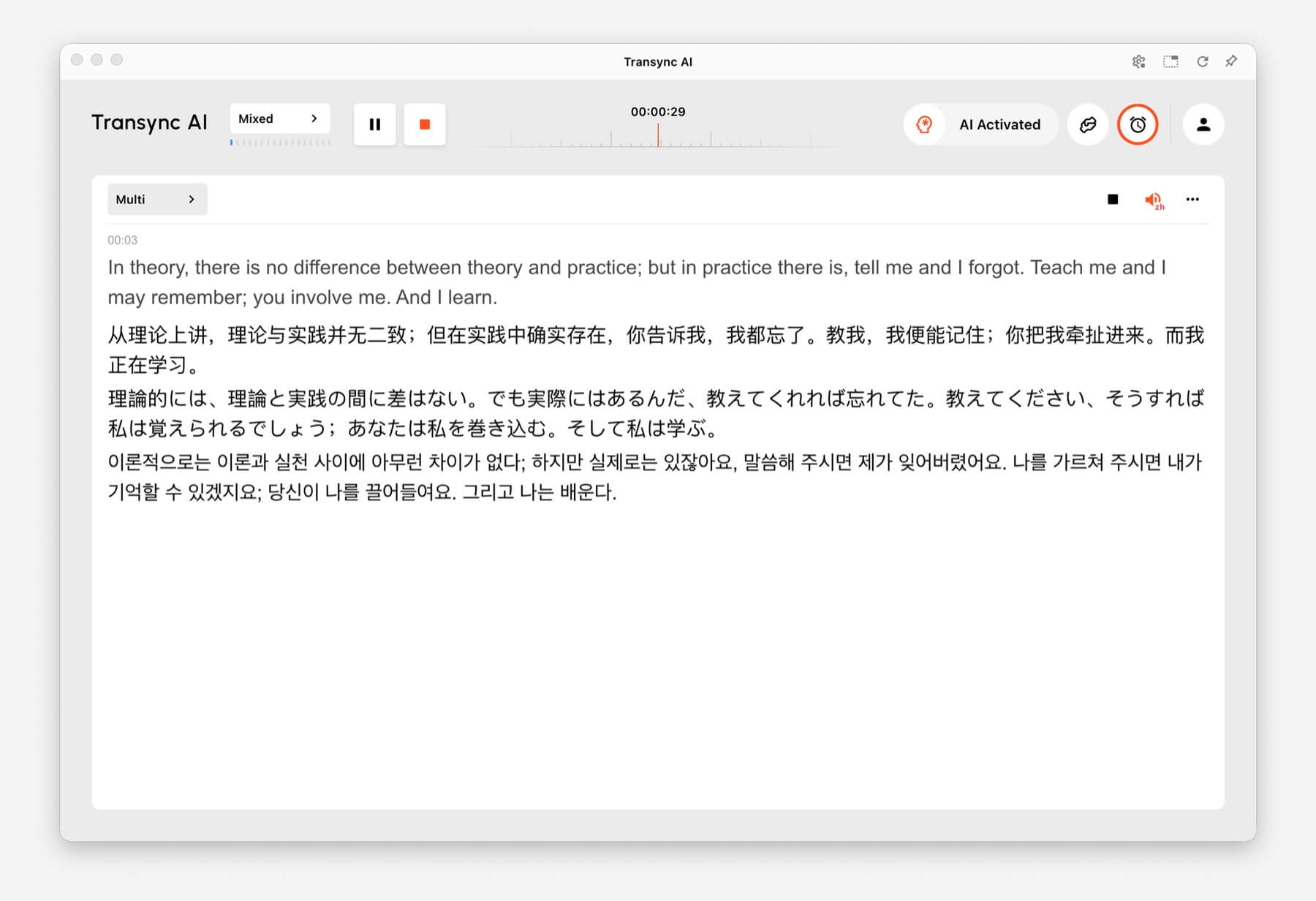
يستخدم الترجمة متعددة اللغات عندما تتطلب مهمة واحدة استخدام عدة لغات مستهدفة في الوقت نفسه. يُعد هذا مفيدًا للفرق العالمية، والاجتماعات متعددة اللغات، والتدريب الدولي، والجلسات التي يحتاج فيها المشاركون إلى متابعة المحتوى نفسه بلغات مختلفة.
كيفية تبديل أوضاع الترجمة #
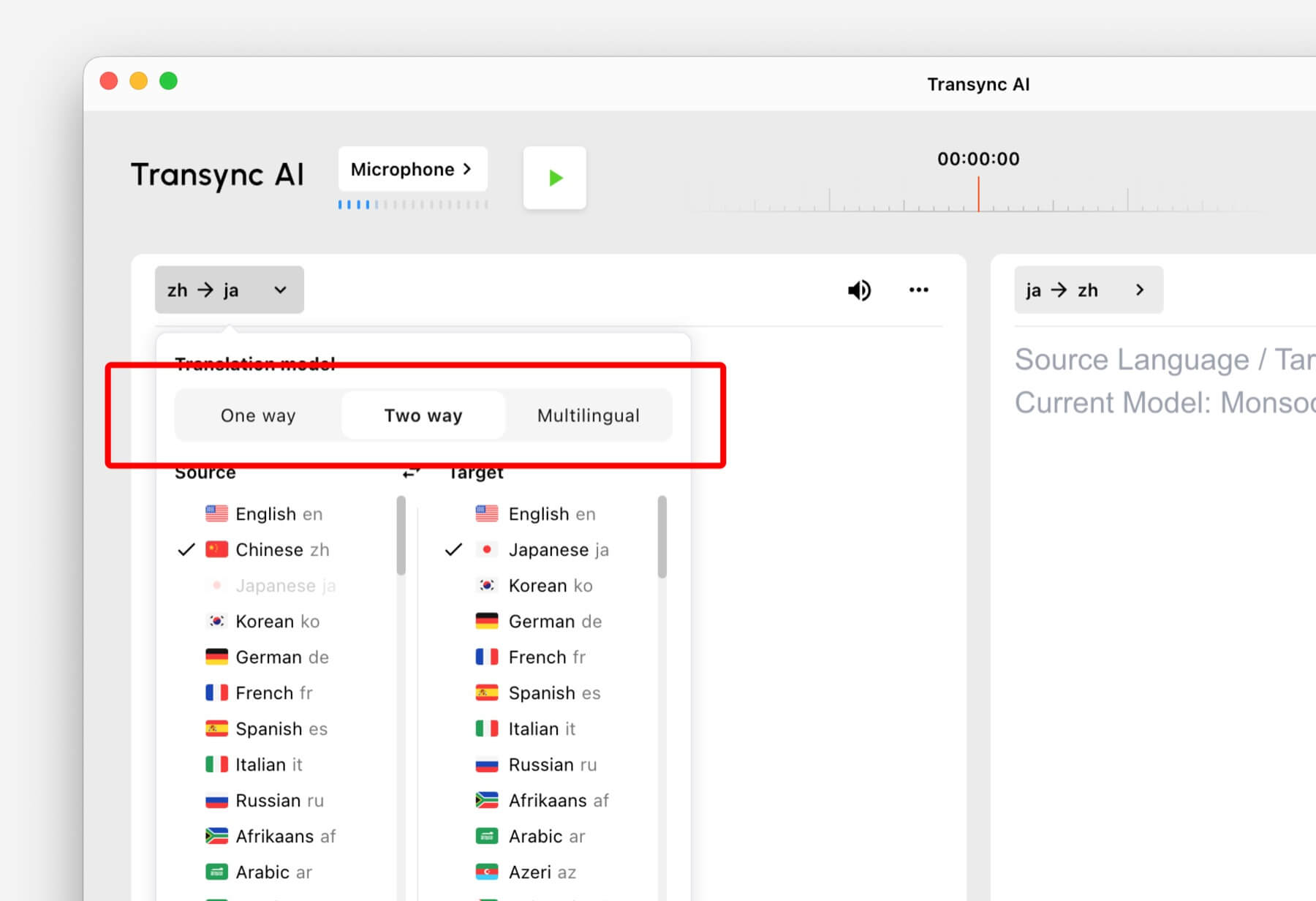
- افتح برنامج Transync AI على سطح المكتب أو الهاتف المحمول أو الويب أو التطبيق الذي تستخدمه عادةً.
- افتح إعدادات اللغة أو الترجمة قبل بدء المهمة.
- يختار طريقة واحدة, اتجاهان، أو متعدد اللغات بناءً على السيناريو الخاص بك.
- اختر إعدادات لغة المصدر واللغة الهدف، ثم ابدأ الترجمة.
إذا لم تكن متأكدًا من الوضع الذي يجب اختياره، فابدأ بـ الترجمة أحادية الاتجاه بالنسبة لسيناريوهات الاستماع،, الترجمة ثنائية الاتجاه للمحادثات، و الترجمة متعددة اللغات عندما تكون هناك حاجة إلى لغات هدف متعددة في مهمة واحدة.
كيفية عمل نظام الفوترة لأنماط الترجمة #
الترجمة أحادية الاتجاه و الترجمة ثنائية الاتجاه يتم احتساب الرسوم وفقًا للمعايير القياسية 1x معدل. الترجمة متعددة اللغات يتم احتساب الرسوم بناءً على عدد اللغات المختارة.
- 3 لغات: استهلاك الوقت ضعف الوقت.
- كل لغة إضافية: يزيد من استهلاك الوقت بمقدار مرة واحدة.
- الحد الأقصى: 10 لغات، وهو ما يعادل استهلاك الوقت بمقدار 9 أضعاف.
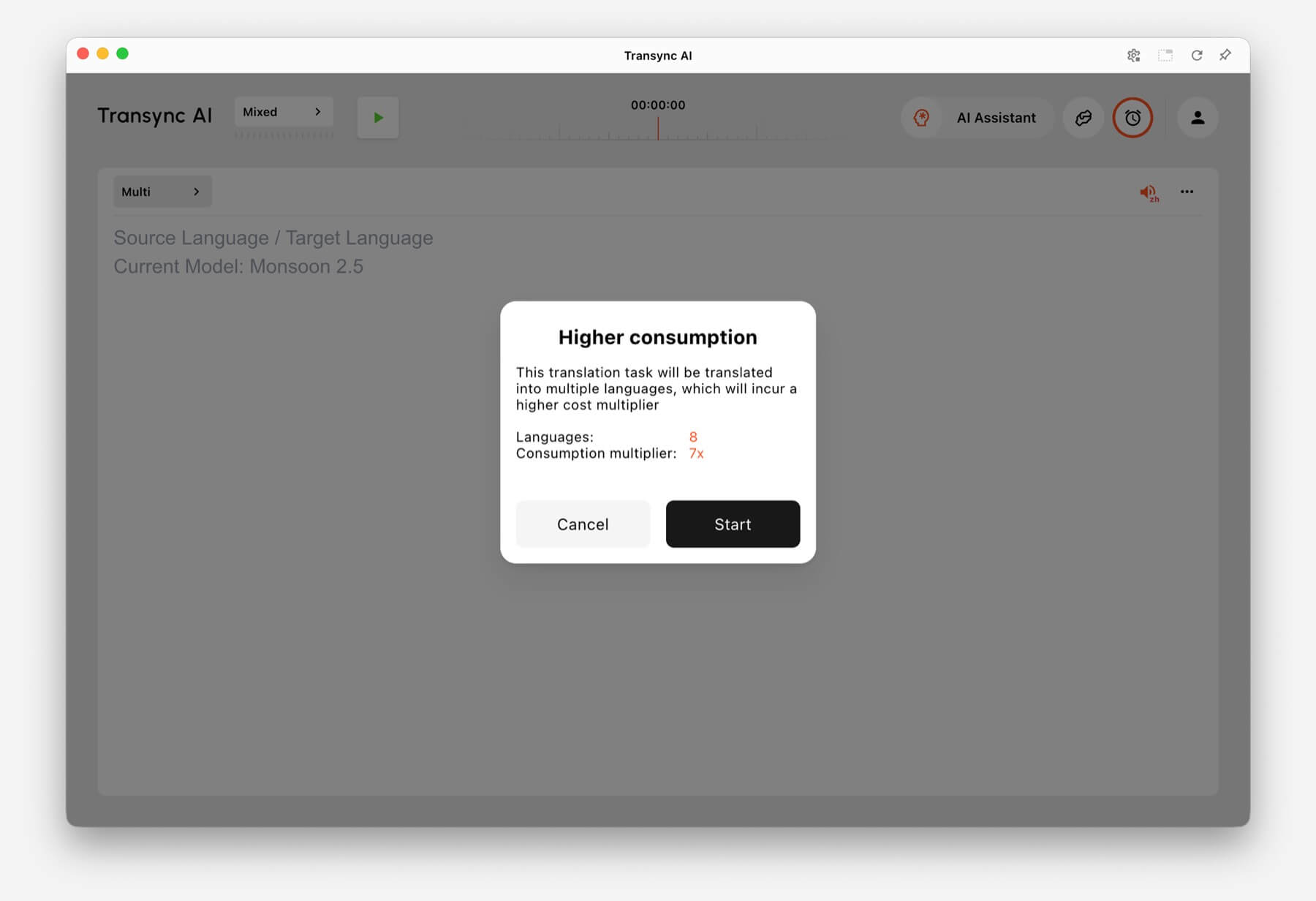
على سبيل المثال، يؤدي اختيار 8 لغات في الترجمة متعددة اللغات إلى استهلاك وقت أكبر بسبع مرات. يعرض برنامج Transync AI تحذيرًا بشأن زيادة الاستهلاك قبل البدء عندما يزيد عدد اللغات المختارة من الاستخدام.
الأسئلة الشائعة #
هل يمكنني تغيير الأوضاع بعد بدء مهمة ما؟ #
لضمان أفضل إعداد، اختر وضع الترجمة قبل بدء المهمة. إذا كنت بحاجة إلى وضع مختلف، فأوقف المهمة الحالية وابدأ مهمة جديدة بالوضع الصحيح.
ما هي الطريقة التي يجب أن أستخدمها للاجتماعات عبر الإنترنت؟ #
يستخدم الترجمة ثنائية الاتجاه للمحادثات العادية في الاجتماعات. استخدم الترجمة متعددة اللغات إذا تطلب الاجتماع نفسه إخراج البيانات بعدة لغات مستهدفة.
ما هو النمط الذي يجب أن أستخدمه للدروس أو المحاضرات؟ #
يستخدم الترجمة أحادية الاتجاه عندما تستمع بشكل أساسي إلى متحدث أو فصل دراسي أو محاضرة أو ندوة عبر الإنترنت أو مقطع فيديو.
كيف يتم احتساب تكلفة الترجمة متعددة اللغات؟ #
تبدأ الترجمة متعددة اللغات بثلاث لغات على الأقل، وتُحسب بضعف الوقت المستغرق. كل لغة إضافية تضيف ضعف الوقت، حتى عشر لغات بتسع أضعاف الوقت المستغرق.


