Ir para o conteúdo principal
Pressione Enter para pesquisar ou ESC para fechar
Fechar pesquisa
Logotipo da Transync AI – logotipo oficial da marca do serviço de tradução em tempo real Transync AI
  • Teste grátis
Menu
  • Produto
    • Tradução de IA em tempo real
    • Tradução de reuniões ao vivo com IA
    • Notas da Reunião de IA
    • Tradutor de voz com IA
    • Assistente de IA: Palavras-chave e contexto
    • Legendas flutuantes em modo Picture-in-Picture
    • Idiomas suportados
  • Casos de uso
    • Tradução do Zoom
    • Tradução do Microsoft Teams
    • Tradução do Google Meet
    • Chamada de voz com tradução do WhatsApp
    • Tradução para reuniões presenciais
  • Blogue
  • Preços
  • Empresa
  • Apoiar
  • Download
  • Teste grátis
  • Produto
    • Tradução de IA em tempo real
    • Tradução de reuniões ao vivo com IA
    • Notas da Reunião de IA
    • Tradutor de voz com IA
    • Assistente de IA: Palavras-chave e contexto
    • Legendas flutuantes em modo Picture-in-Picture
    • Idiomas suportados
  • Casos de uso
    • Tradução do Zoom
    • Tradução do Microsoft Teams
    • Tradução do Google Meet
    • Chamada de voz com tradução do WhatsApp
    • Tradução para reuniões presenciais
  • Blogue
  • Preços
  • Empresa
  • Apoiar
  • Download

hello@transyncai.com

Começando

3
  • Guia de Início Rápido para Desktop
  • Guia de Início Rápido para Dispositivos Móveis
  • Contate-nos

Guia do usuário

13
  • Como registrar o Transync AI
  • Como iniciar a tradução em tempo real
  • Como escolher um modo de tradução no Transync AI
  • Como compartilhar áudio do computador
  • Como usar a reprodução de voz no Transync AI
  • Como usar o Voice Clone
  • Como usar o microfone virtual no macOS
  • Como configurar um microfone virtual no Windows
  • Como usar o modo Picture-in-Picture
  • Como acessar transcrições e resumos de reuniões
  • Como usar o assistente de IA
  • Como gerenciar registros de tradução
  • Como recarregar e solicitar um reembolso

Empresa

1
  • Guia empresarial

Recursos

3
  • Centro de Confiança
  • Termos e Política
  • Registro de alterações
Ver categorias
  • Início
  • Documentos
  • Guia do usuário
  • Como escolher um modo de tradução no Transync AI

Como escolher um modo de tradução no Transync AI

3 minutos de leitura

Transync AI supports different translation modes so each task can match the way people are communicating. Before you start a translation task, choose the mode that fits your scenario: One-way Translation, Two-way Translation, ou Multilingual Translation.

What Are Translation Modes? #

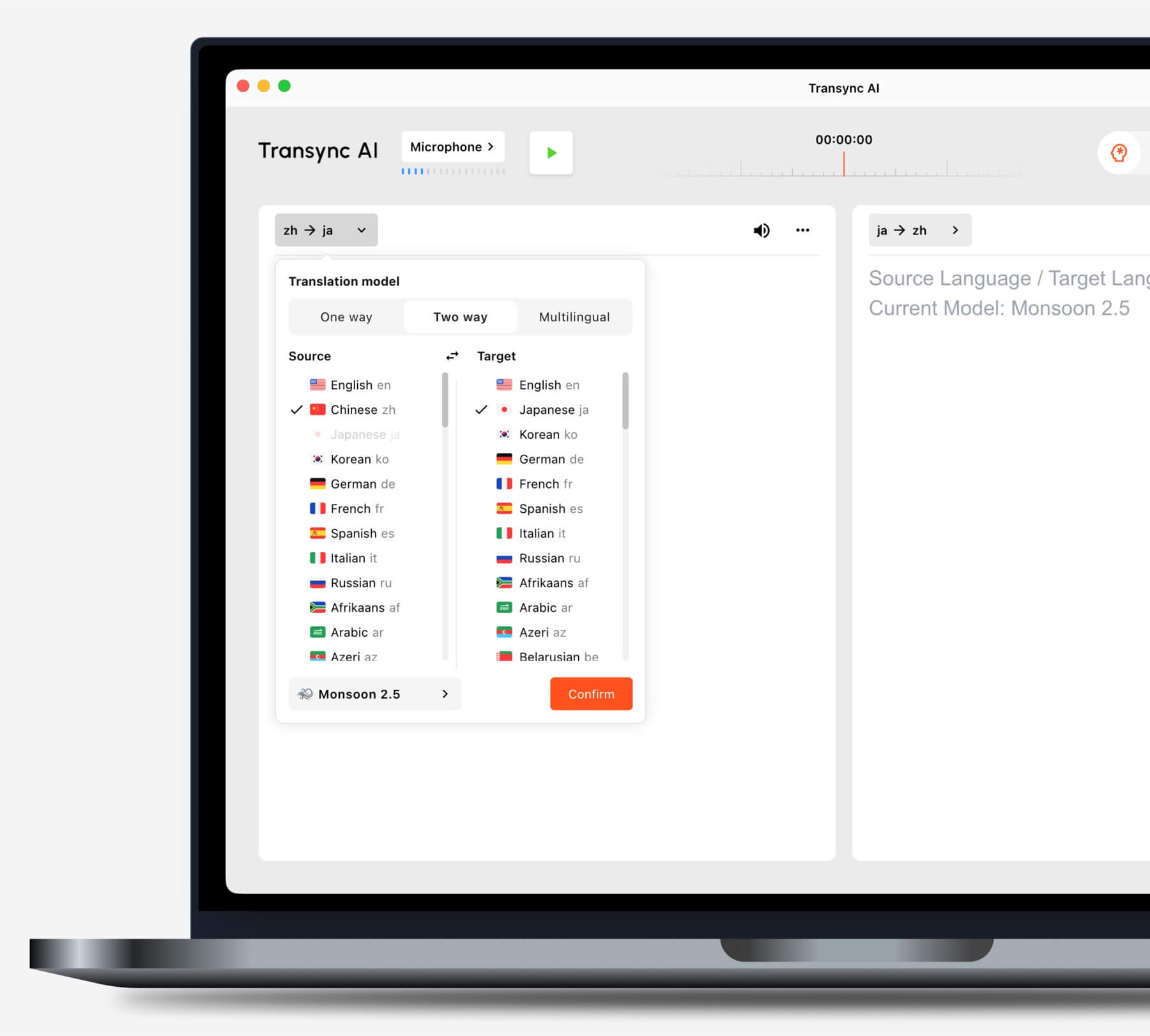
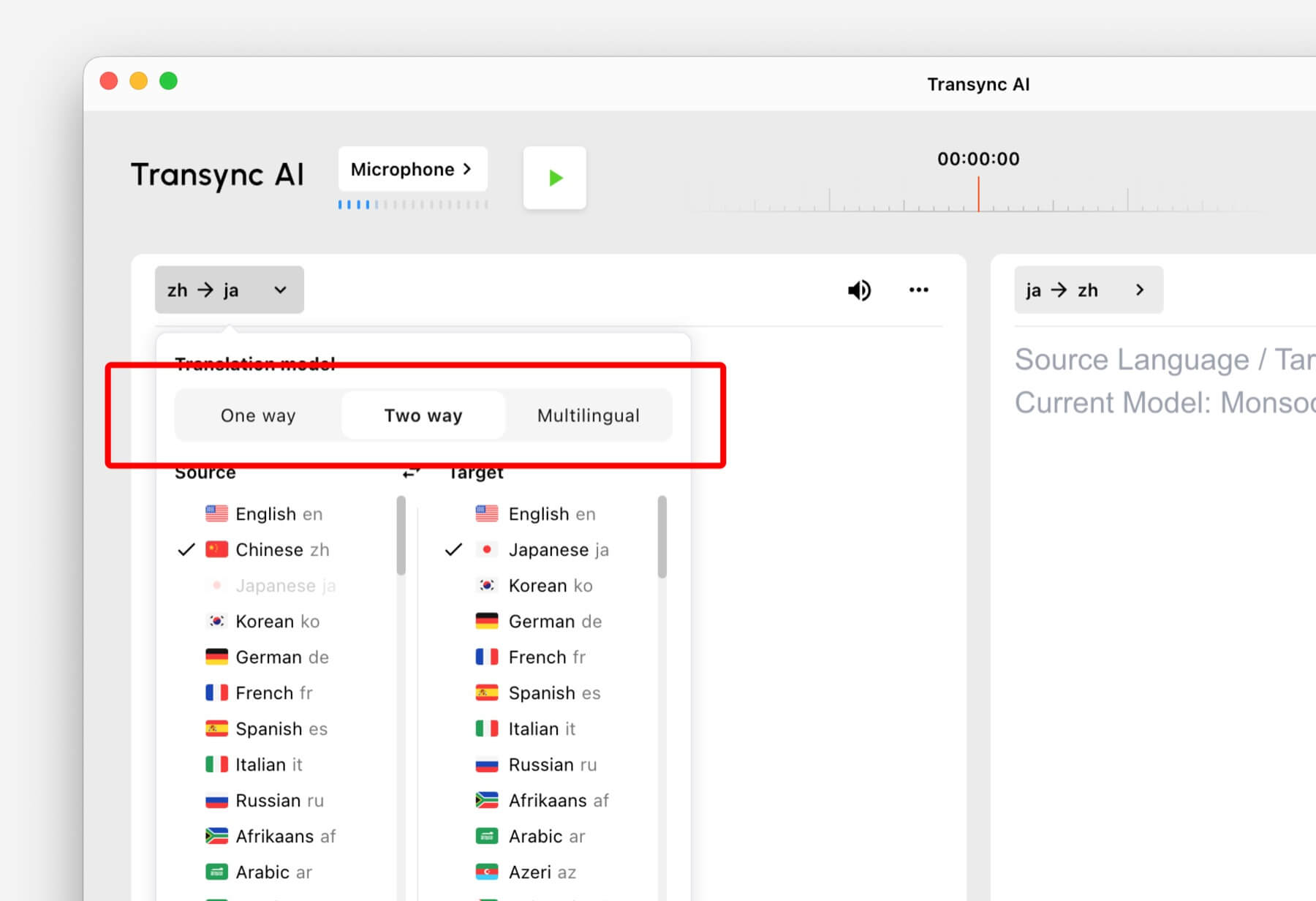
Translation modes control how Transync AI handles the direction of speech and the target language output. In the app, these options may appear as One way, Two way, e Multilíngue.

Select One way, Two way, or Multilingual translation mode in Transync AI
Choose the translation mode that matches your scenario before starting a task.

Choose a Mode Based on Your Scenario #

One-way Translation #

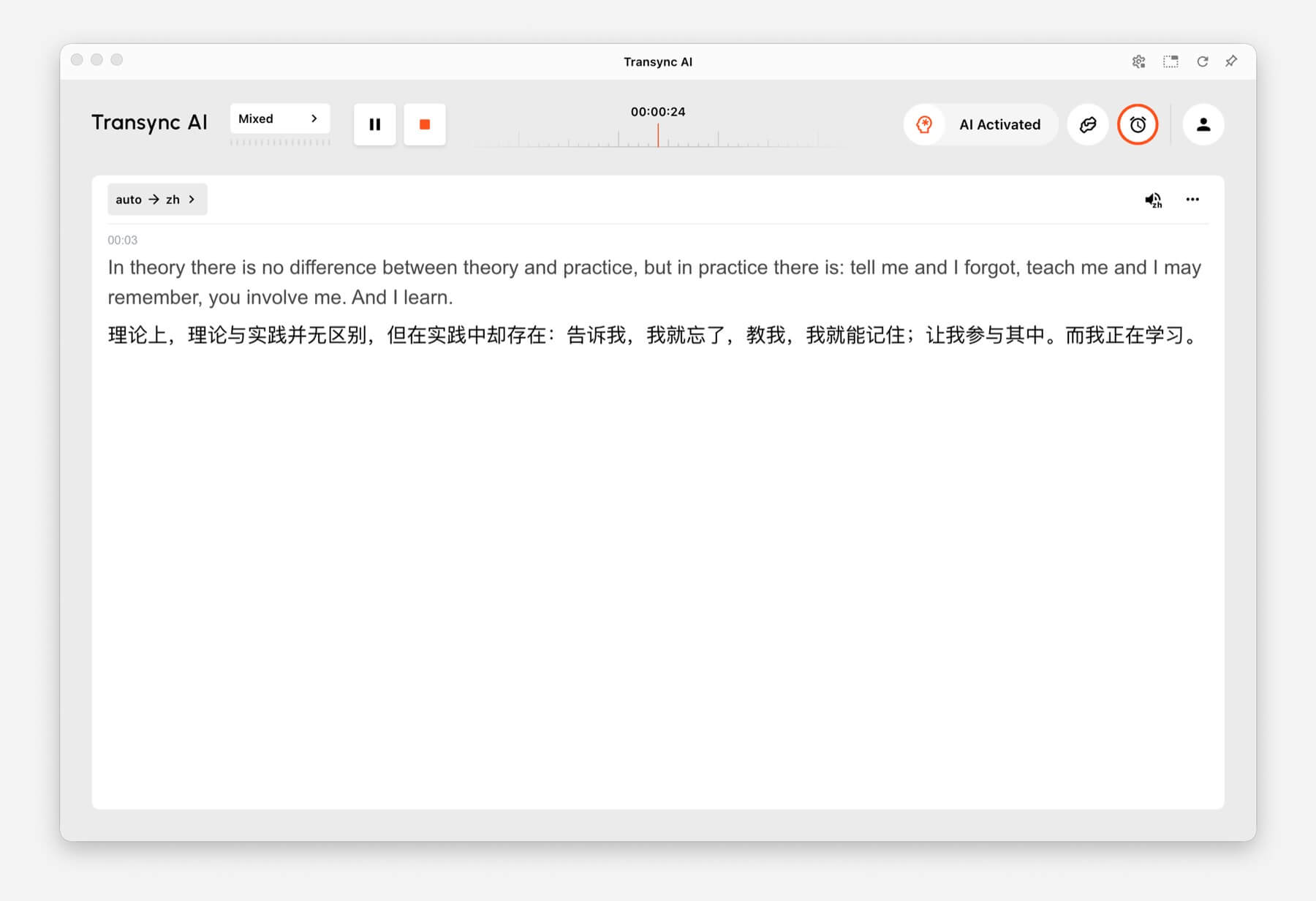
Usar One-way Translation when you mainly need to listen, such as during a class, lecture, webinar, video, training session, or talk. This mode is useful when one speaker or one audio source needs to be translated into your target language.

One-way Translation showing source audio translated into Chinese in Transync AI
One-way Translation is designed for listening scenarios such as lectures, webinars, and classes.

Two-way Translation #

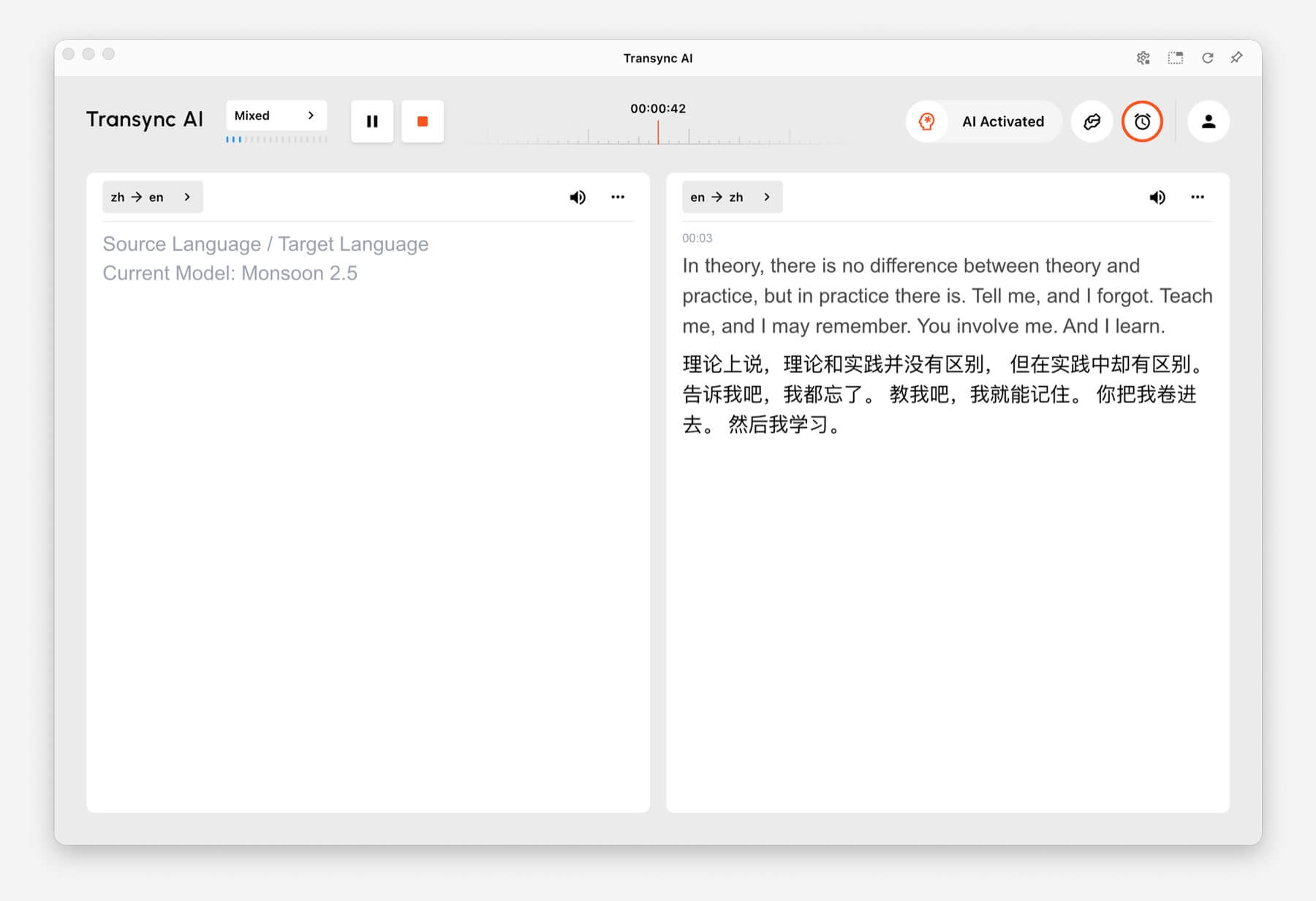
Usar Two-way Translation for back-and-forth conversations, including meetings, calls, interviews, travel conversations, customer discussions, and in-person communication. This mode is designed for situations where both sides speak and respond.

Two-way Translation showing Chinese and English panels in Transync AI
Two-way Translation supports back-and-forth conversations between two languages.

Multilingual Translation #

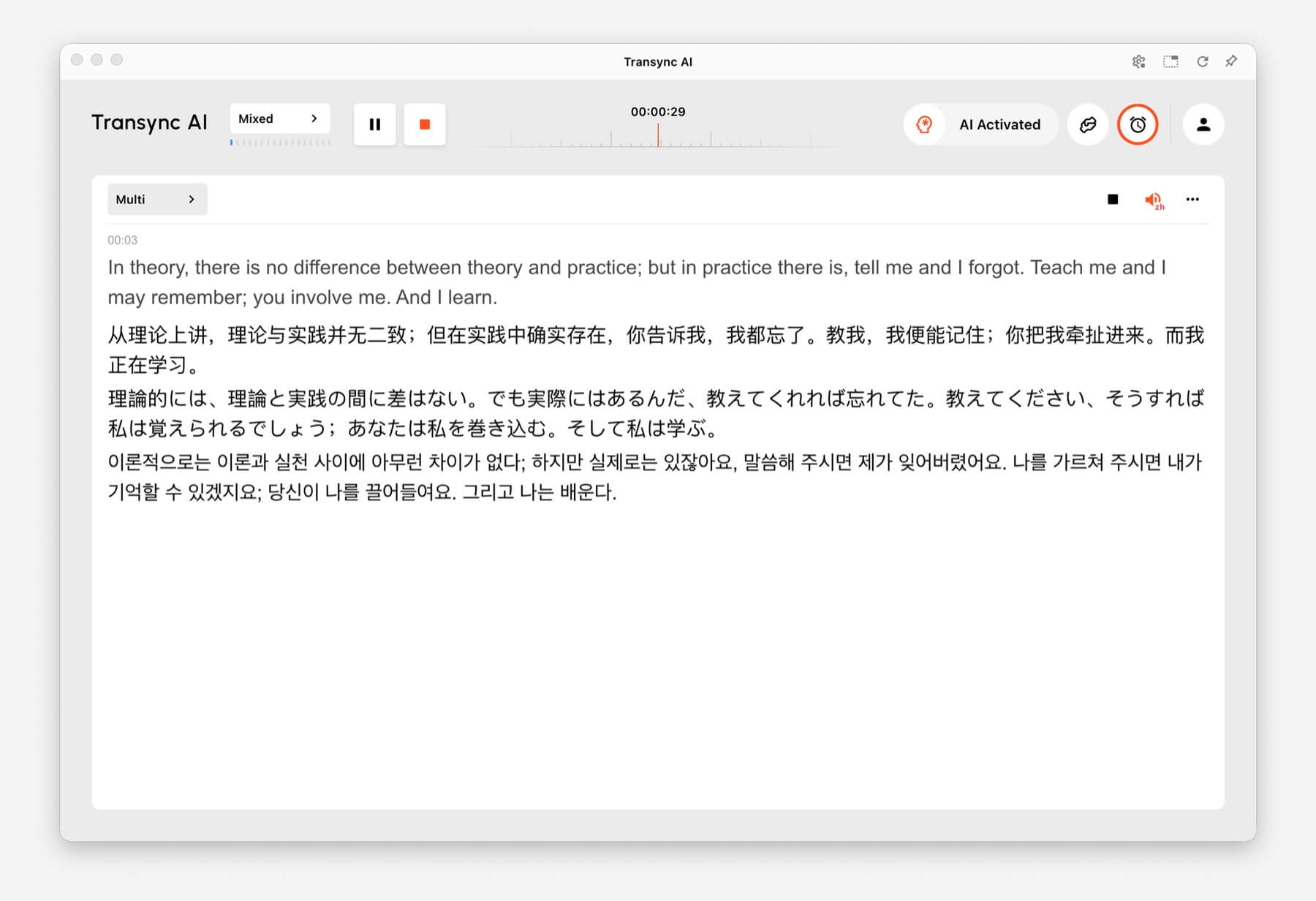
Usar Multilingual Translation when one task needs several target languages at the same time. This is helpful for global teams, multilingual meetings, international training, and sessions where participants need to follow the same content in different languages.

Multilingual Translation showing one task translated into English, Chinese, Japanese, and Korean
Multilingual Translation can output multiple target languages in the same task.

How to Switch Translation Modes #

Mode selector tabs for One way, Two way, and Multilingual translation in Transync AI
Switch between One way, Two way, and Multilingual before you start translating.
  1. Open Transync AI on desktop, mobile, web, or the app you normally use.
  2. Open the language or translation settings before starting the task.
  3. Selecione One way, Two way, ou Multilíngue based on your scenario.
  4. Choose your source and target language settings, then start translation.

If you are not sure which mode to choose, start with One-way Translation for listening scenarios, Two-way Translation for conversations, and Multilingual Translation when multiple target languages are needed in one task.

How Billing Works for Translation Modes #

One-way Translation e Two-way Translation are billed at the standard 1x rate. Multilingual Translation is billed based on the number of languages selected.

  • 3 languages: 2x time consumption.
  • Each additional language: adds 1x time consumption.
  • Maximum: 10 languages, which counts as 9x time consumption.

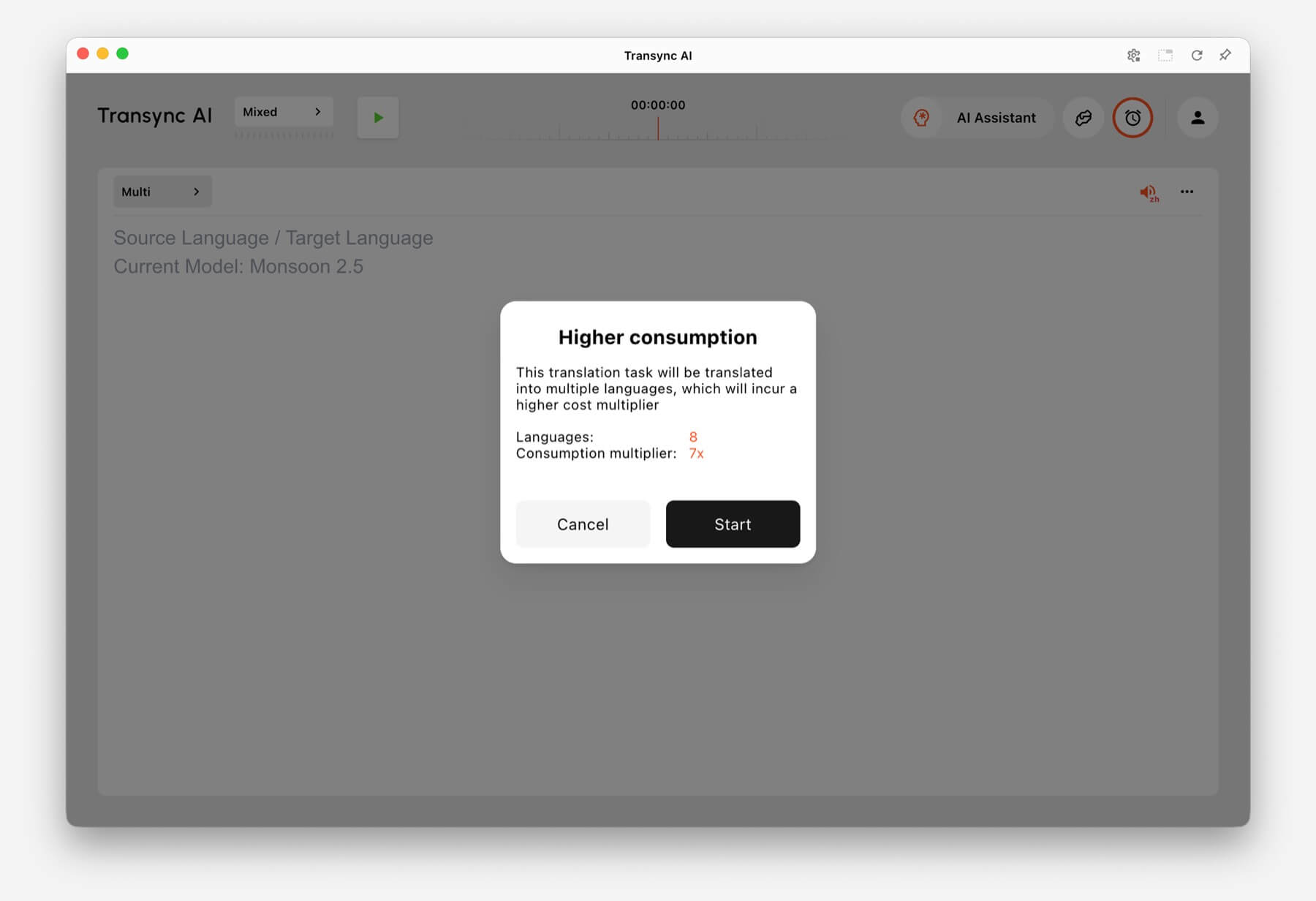
For example, selecting 8 languages in Multilingual Translation counts as 7x time consumption. Transync AI shows a higher consumption warning before you start when the selected language count increases usage.

Higher consumption warning showing 8 languages and 7x consumption multiplier in Transync AI
When many languages are selected, Transync AI shows the multilingual consumption multiplier before the task starts.

Perguntas frequentes #

Can I change modes after starting a task? #

For the most reliable setup, choose the translation mode before starting the task. If you need a different mode, stop the current task and start a new one with the correct mode.

Which mode should I use for online meetings? #

Usar Two-way Translation for normal meeting conversations. Use Multilingual Translation if the same meeting needs output in several target languages.

Which mode should I use for classes or lectures? #

Usar One-way Translation when you mainly listen to a speaker, class, lecture, webinar, or video.

How is Multilingual Translation billed? #

Multilingual Translation starts from at least 3 languages and counts as 2x time consumption. Each additional language adds 1x, up to 10 languages at 9x time consumption.

Atualizado em 24 de junho de 2026

Este documento foi útil?

  • Útil
  • Não útil

Compartilhe este artigo :

  • Facebook
  • X
  • LinkedIn
  • Pinterest
Como iniciar a tradução em tempo realComo compartilhar áudio do computador
Índice
  • What Are Translation Modes?
  • Choose a Mode Based on Your Scenario
    • One-way Translation
    • Two-way Translation
    • Multilingual Translation
  • How to Switch Translation Modes
  • How Billing Works for Translation Modes
  • Perguntas frequentes
    • Can I change modes after starting a task?
    • Which mode should I use for online meetings?
    • Which mode should I use for classes or lectures?
    • How is Multilingual Translation billed?

RedNote Douyin Bilibili 知乎 YouTube TikTok LinkedIn

ICP备2025119728号

Contact:support@transyncai.com

Produto

  • Ferramentas
  • Tradução em tempo real por IA
  • Tradução de AI Live Meeting
  • Notas da Reunião de IA
  • Tradutor de voz com IA
  • Assistente de IA
  • Legendas flutuantes em modo Picture-in-Picture
  • Idiomas suportados
  • Casos de uso
  • Tradução do Zoom
  • Tradução de equipes
  • Tradução do Google Meet
  • Tradução do WhatsApp
  • Tradução para reuniões presenciais

Páginas

  • Preços
  • Blogue
  • Apoiar
  • Download
  • Empresa
  • Registro de alterações
  • Teste grátis

Recursos

  • Fatos sobre IA da Transync
  • Compare a IA da Transync
  • Alternativas de IA da Transync

Termos

  • Privacidade
  • Termos de Serviço
  • Centro de confiança

© 2026 Transync AI – Tradução em Tempo Real.

Português do Brasil
English 简体中文 日本語 한국어 Русский Français Español Deutsch Italiano Čeština ไทย 繁體中文繁體中文 العربية हिन्दी Bahasa Indonesia Tiếng Việt Türkçe Nederlands Polski Українська