Przejdź do treści głównej
Naciśnij Enter, aby wyszukać lub ESC, aby zamknąć
Zamknij wyszukiwanie
Logo Transync AI – oficjalne logo marki dla usługi tłumaczeń w czasie rzeczywistym Transync AI
  • Bezpłatny okres próbny
Menu
  • Produkt
    • Tłumaczenie w czasie rzeczywistym AI
    • Tłumaczenie na żywo AI Meeting
    • Notatki ze spotkania AI
    • Tłumacz głosowy AI
    • Asystent AI: słowa kluczowe i kontekst
    • Picture-in-Picture – pływające napisy
    • Obsługiwane języki
  • Przypadki użycia
    • Tłumaczenie Zoom
    • Tłumaczenie Microsoft Teams
    • Tłumaczenie Google Meet
    • Tłumaczenie WhatsApp na rozmowę głosową
    • Tłumaczenie na spotkania osobiste
  • Blog
  • Wycena
  • Przedsiębiorstwo
  • Wsparcie
  • Pobierać
  • Bezpłatny okres próbny
  • Produkt
    • Tłumaczenie w czasie rzeczywistym AI
    • Tłumaczenie na żywo AI Meeting
    • Notatki ze spotkania AI
    • Tłumacz głosowy AI
    • Asystent AI: słowa kluczowe i kontekst
    • Picture-in-Picture – pływające napisy
    • Obsługiwane języki
  • Przypadki użycia
    • Tłumaczenie Zoom
    • Tłumaczenie Microsoft Teams
    • Tłumaczenie Google Meet
    • Tłumaczenie WhatsApp na rozmowę głosową
    • Tłumaczenie na spotkania osobiste
  • Blog
  • Wycena
  • Przedsiębiorstwo
  • Wsparcie
  • Pobierać

hello@transyncai.com

Rozpoczęcie pracy

3
  • Szybki przewodnik po komputerach stacjonarnych
  • Mobilny przewodnik szybkiego startu
  • Skontaktuj się z nami

Instrukcja obsługi

13
  • Jak zarejestrować Transync AI
  • Jak rozpocząć tłumaczenie w czasie rzeczywistym
  • Jak wybrać tryb tłumaczenia w Transync AI
  • Jak udostępniać dźwięk z komputera
  • Jak korzystać z odtwarzania głosu w Transync AI
  • Jak korzystać z klonowania głosu
  • Jak korzystać z mikrofonu wirtualnego w systemie macOS
  • Jak skonfigurować wirtualny mikrofon w systemie Windows
  • Jak korzystać z trybu obrazu w obrazie
  • Jak uzyskać dostęp do transkrypcji i podsumowań spotkań
  • Jak korzystać z asystenta AI
  • Jak zarządzać rekordami tłumaczeń
  • Jak doładować i poprosić o zwrot pieniędzy

Przedsiębiorstwo

1
  • Przewodnik po przedsiębiorstwach

Zasoby

3
  • Centrum zaufania
  • Warunki i zasady
  • Dziennik zmian
Wyświetl kategorie
  • Dom
  • Dokumenty
  • Instrukcja obsługi
  • Jak wybrać tryb tłumaczenia w Transync AI

Jak wybrać tryb tłumaczenia w Transync AI

3 minuty czytania

Transync AI supports different translation modes so each task can match the way people are communicating. Before you start a translation task, choose the mode that fits your scenario: Tłumaczenie jednokierunkowe, Tłumaczenie dwukierunkowe, Lub Tłumaczenie wielojęzyczne.

What Are Translation Modes? #

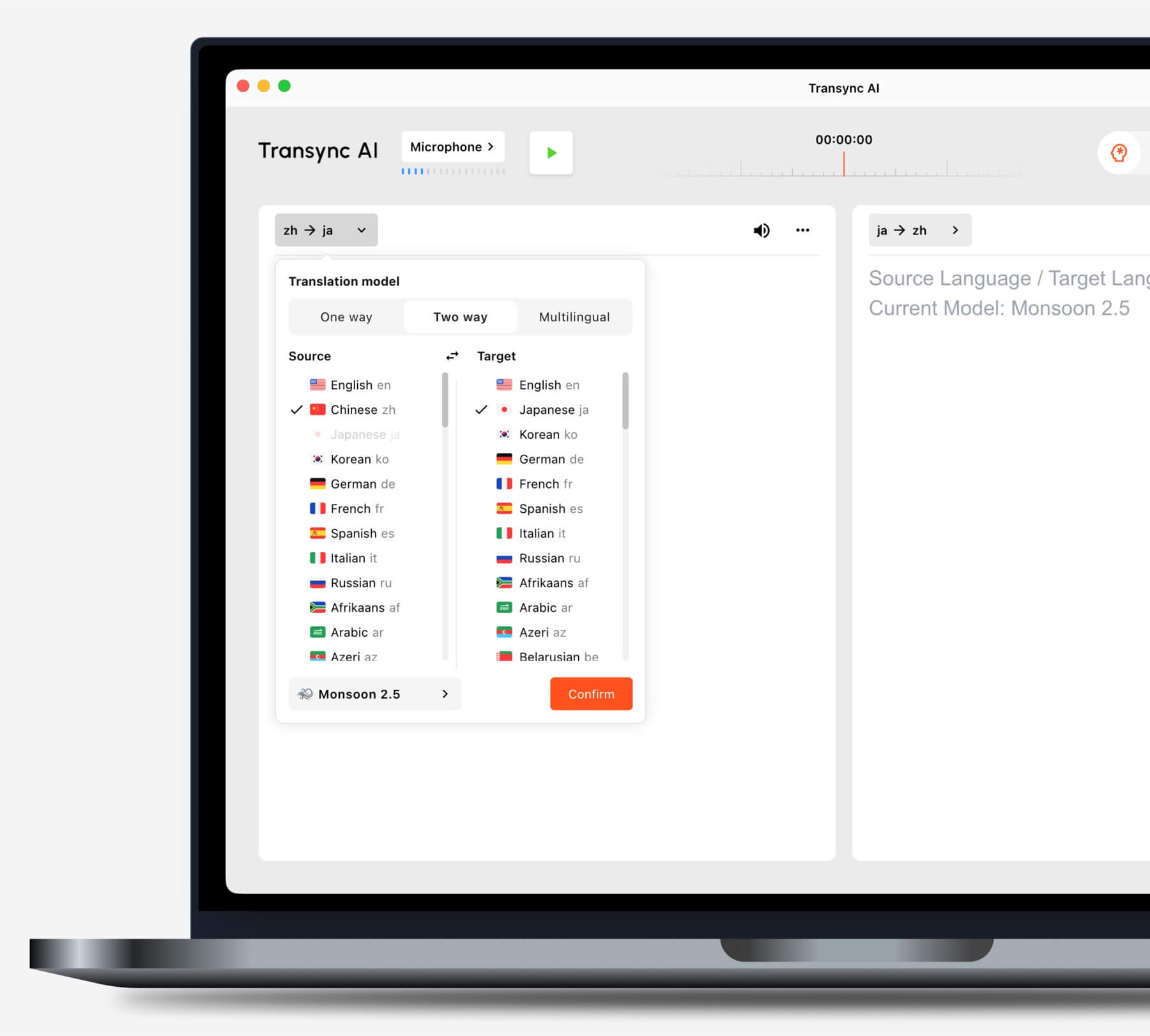
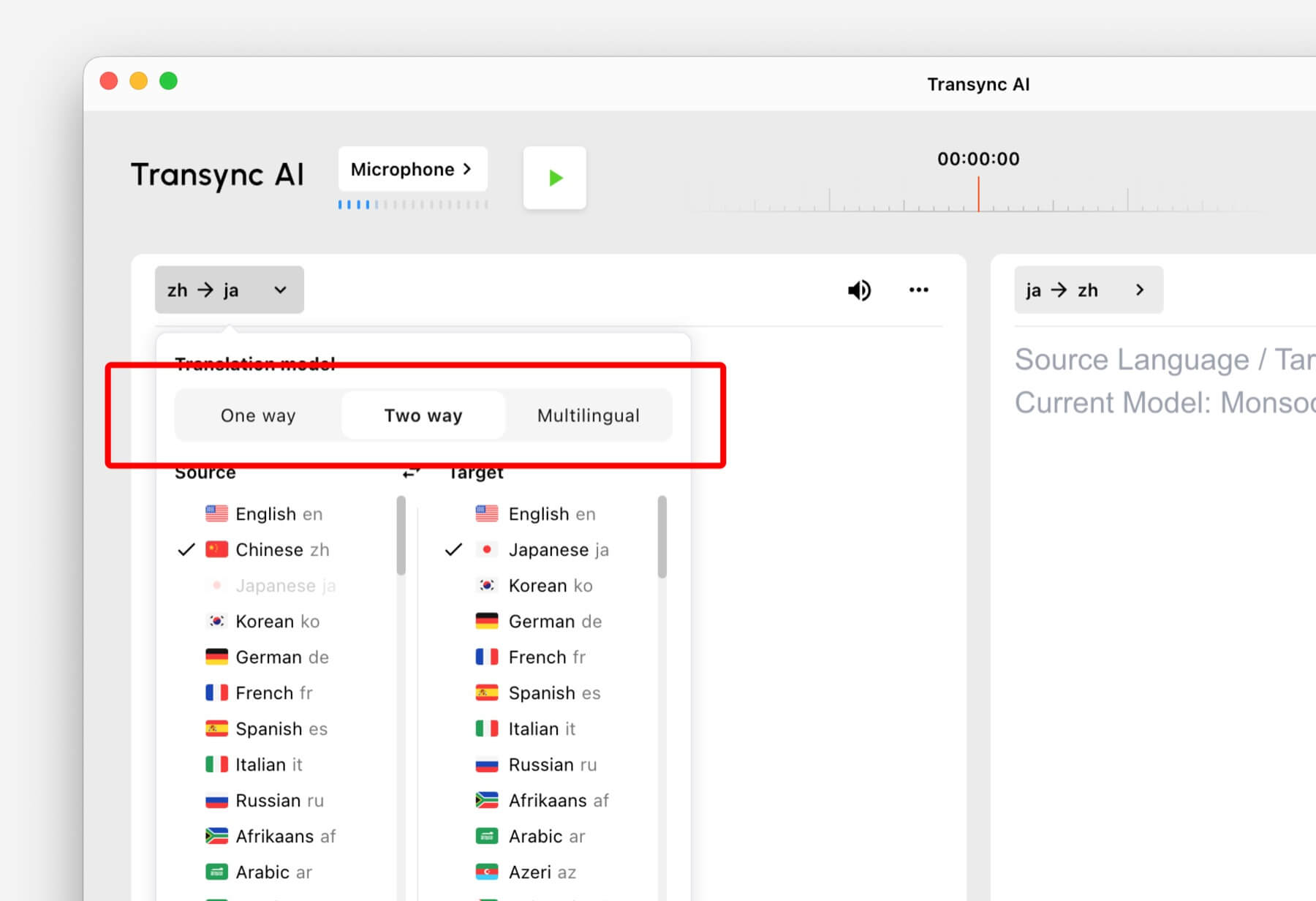
Translation modes control how Transync AI handles the direction of speech and the target language output. In the app, these options may appear as One way, Two way, I Wielojęzyczny.

Select One way, Two way, or Multilingual translation mode in Transync AI
Choose the translation mode that matches your scenario before starting a task.

Choose a Mode Based on Your Scenario #

Tłumaczenie jednokierunkowe #

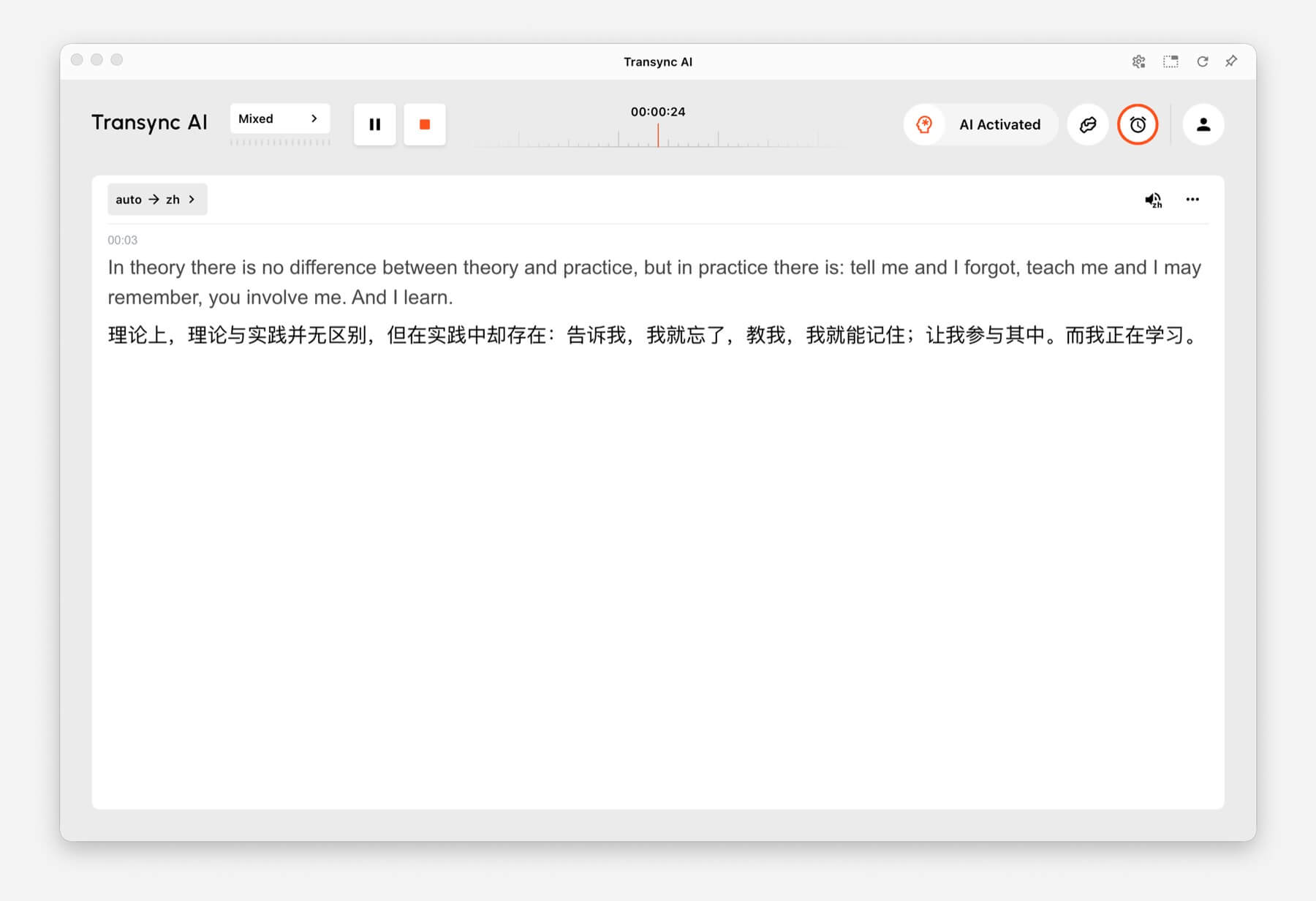
Używać Tłumaczenie jednokierunkowe when you mainly need to listen, such as during a class, lecture, webinar, video, training session, or talk. This mode is useful when one speaker or one audio source needs to be translated into your target language.

One-way Translation showing source audio translated into Chinese in Transync AI
One-way Translation is designed for listening scenarios such as lectures, webinars, and classes.

Tłumaczenie dwukierunkowe #

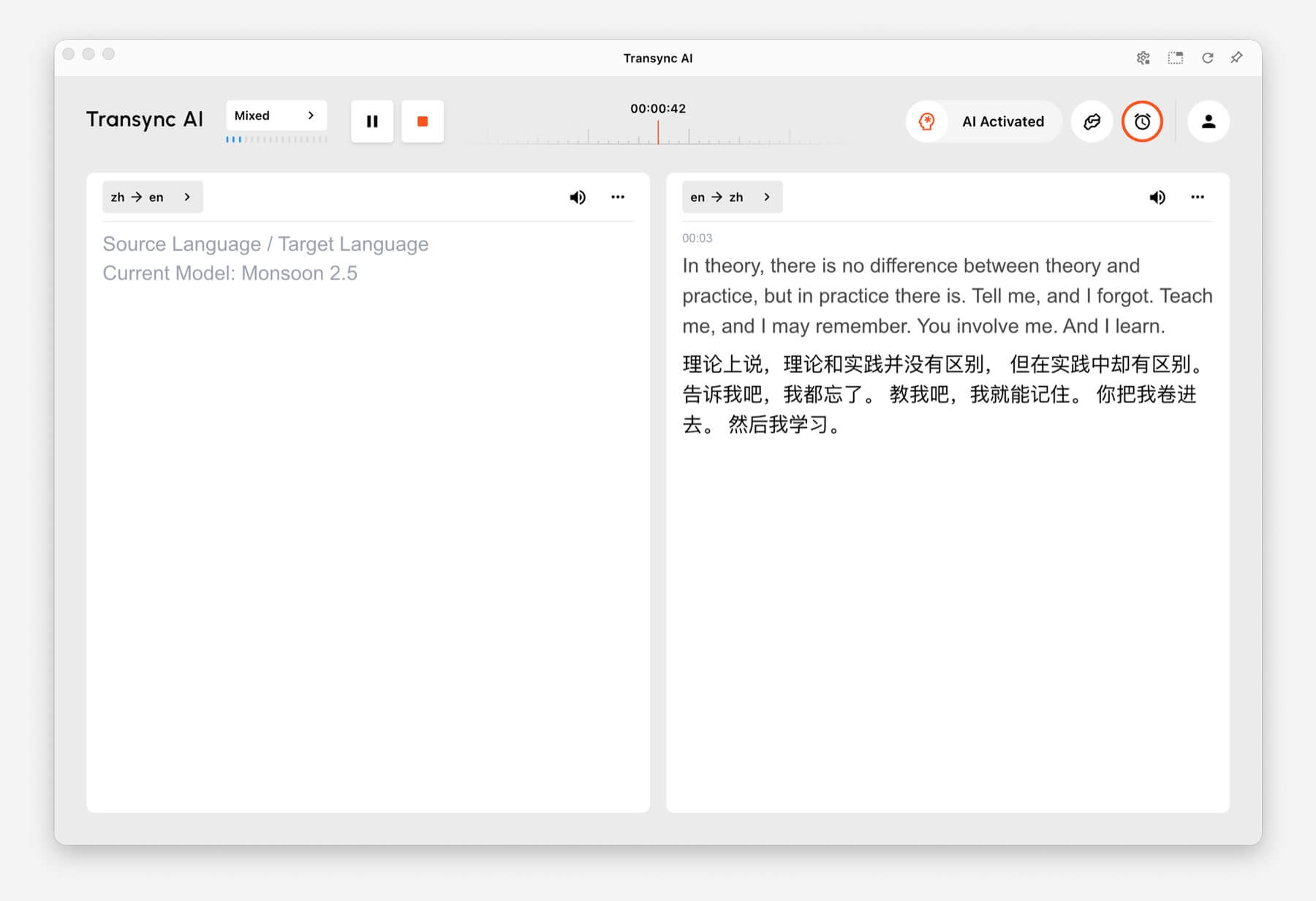
Używać Tłumaczenie dwukierunkowe for back-and-forth conversations, including meetings, calls, interviews, travel conversations, customer discussions, and in-person communication. This mode is designed for situations where both sides speak and respond.

Two-way Translation showing Chinese and English panels in Transync AI
Two-way Translation supports back-and-forth conversations between two languages.

Tłumaczenie wielojęzyczne #

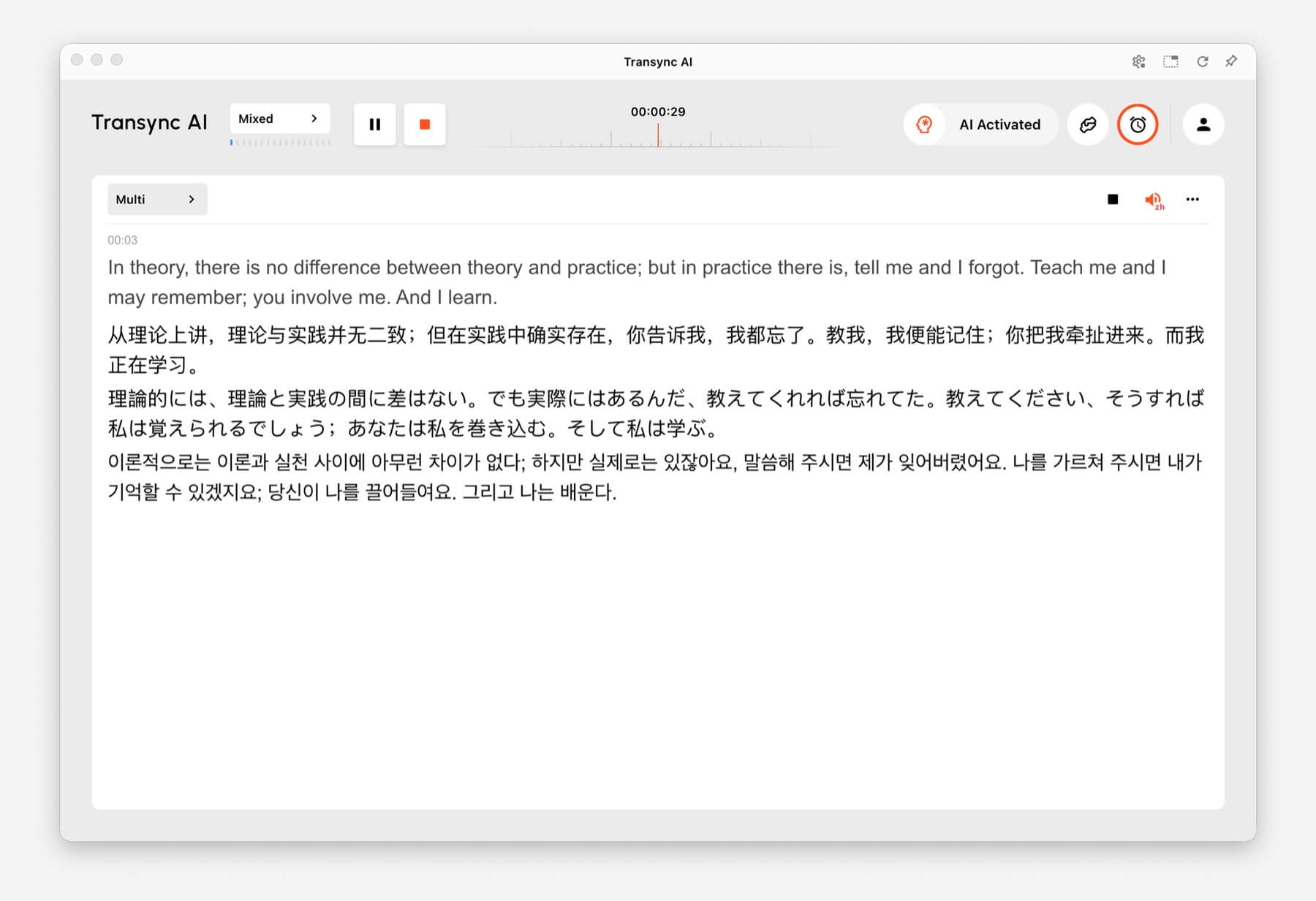
Używać Tłumaczenie wielojęzyczne when one task needs several target languages at the same time. This is helpful for global teams, multilingual meetings, international training, and sessions where participants need to follow the same content in different languages.

Multilingual Translation showing one task translated into English, Chinese, Japanese, and Korean
Multilingual Translation can output multiple target languages in the same task.

How to Switch Translation Modes #

Mode selector tabs for One way, Two way, and Multilingual translation in Transync AI
Switch between One way, Two way, and Multilingual before you start translating.
  1. Open Transync AI on desktop, mobile, web, or the app you normally use.
  2. Open the language or translation settings before starting the task.
  3. Wybierać One way, Two way, Lub Wielojęzyczny based on your scenario.
  4. Choose your source and target language settings, then start translation.

If you are not sure which mode to choose, start with Tłumaczenie jednokierunkowe for listening scenarios, Tłumaczenie dwukierunkowe for conversations, and Tłumaczenie wielojęzyczne when multiple target languages are needed in one task.

How Billing Works for Translation Modes #

Tłumaczenie jednokierunkowe I Tłumaczenie dwukierunkowe are billed at the standard 1x rate. Tłumaczenie wielojęzyczne is billed based on the number of languages selected.

  • 3 languages: 2x time consumption.
  • Each additional language: adds 1x time consumption.
  • Maximum: 10 languages, which counts as 9x time consumption.

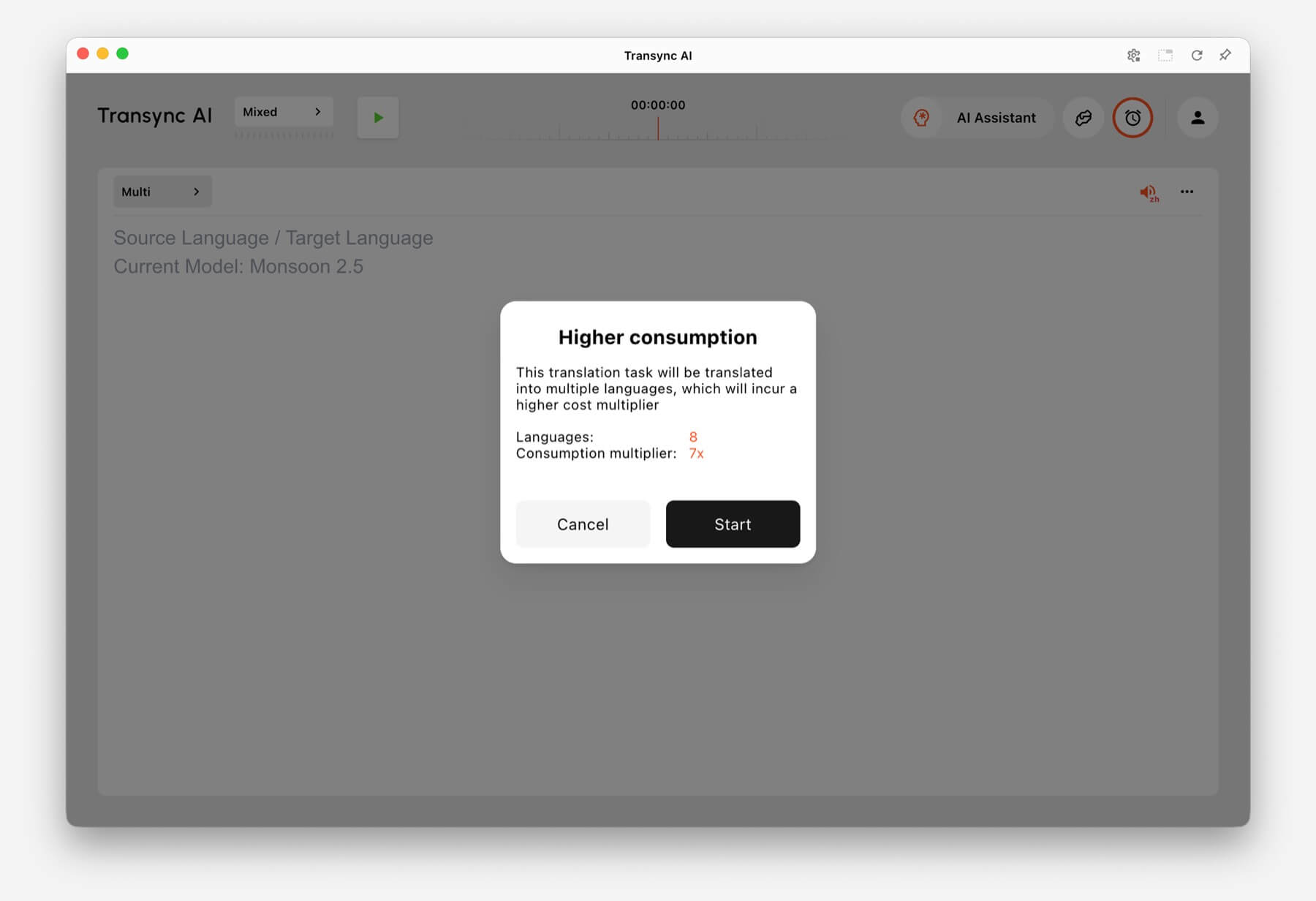
For example, selecting 8 languages in Multilingual Translation counts as 7x time consumption. Transync AI shows a higher consumption warning before you start when the selected language count increases usage.

Higher consumption warning showing 8 languages and 7x consumption multiplier in Transync AI
When many languages are selected, Transync AI shows the multilingual consumption multiplier before the task starts.

Często zadawane pytania #

Can I change modes after starting a task? #

For the most reliable setup, choose the translation mode before starting the task. If you need a different mode, stop the current task and start a new one with the correct mode.

Which mode should I use for online meetings? #

Używać Tłumaczenie dwukierunkowe for normal meeting conversations. Use Tłumaczenie wielojęzyczne if the same meeting needs output in several target languages.

Which mode should I use for classes or lectures? #

Używać Tłumaczenie jednokierunkowe when you mainly listen to a speaker, class, lecture, webinar, or video.

How is Multilingual Translation billed? #

Multilingual Translation starts from at least 3 languages and counts as 2x time consumption. Each additional language adds 1x, up to 10 languages at 9x time consumption.

Zaktualizowano dnia czerwiec 24, 2026

Czy ten dokument jest pomocny?

  • Pomocne
  • Niepomocne

Udostępnij ten artykuł:

  • Facebook
  • X
  • LinkedIn
  • Pinterest
Jak rozpocząć tłumaczenie w czasie rzeczywistymJak udostępniać dźwięk z komputera
Spis treści
  • What Are Translation Modes?
  • Choose a Mode Based on Your Scenario
    • Tłumaczenie jednokierunkowe
    • Tłumaczenie dwukierunkowe
    • Tłumaczenie wielojęzyczne
  • How to Switch Translation Modes
  • How Billing Works for Translation Modes
  • Często zadawane pytania
    • Can I change modes after starting a task?
    • Which mode should I use for online meetings?
    • Which mode should I use for classes or lectures?
    • How is Multilingual Translation billed?

RedNote Douyin Bilibili 知乎 YouTube TikTok LinkedIn

Numer ICP 2025119728

Contact:support@transyncai.com

Produkt

  • Narzędzia
  • Tłumaczenie w czasie rzeczywistym AI
  • Tłumaczenie AI Live Meeting
  • Notatki ze spotkania AI
  • Tłumacz głosowy AI
  • Asystent AI
  • Picture-in-Picture – pływające napisy
  • Obsługiwane języki
  • Przypadki użycia
  • Tłumaczenie Zoom
  • Tłumaczenie Microsoft Teams
  • Tłumaczenie Google Meet
  • Tłumaczenie WhatsApp
  • Tłumaczenie na spotkania osobiste

Strony

  • Wycena
  • Blog
  • Wsparcie
  • Pobierać
  • Przedsiębiorstwo
  • Dziennik zmian
  • Bezpłatny okres próbny

Zasoby

  • Fakty dotyczące sztucznej inteligencji Transync
  • Porównaj Transync AI
  • Alternatywy dla Transync AI

Warunki

  • Prywatność
  • Warunki korzystania z usługi
  • Centrum zaufania

© 2026 Transync AI – Tłumaczenie w czasie rzeczywistym.

Polski
English 简体中文 日本語 한국어 Русский Français Español Deutsch Italiano Čeština ไทย 繁體中文繁體中文 Português do Brasil العربية हिन्दी Bahasa Indonesia Tiếng Việt Türkçe Nederlands Українська