跳至主要內容
按 Enter 鍵搜尋或按 ESC 鍵關閉
關閉搜尋
Transync AI 標誌 – Transync AI 即時翻譯服務的官方品牌標誌
  • 免費試用
選單
  • 產品
    • AI 即時翻譯
    • AI實時會議翻譯
    • AI 會議記錄
    • AI 語音翻譯
    • AI 助手:關鍵詞和語境
    • 畫中畫浮動字幕
    • 支援的語言
  • 用例
    • Zoom 翻譯
    • Microsoft Teams 翻譯
    • Google Meet 翻譯
    • WhatsApp 翻譯語音通話
    • 現場會議翻譯
  • 部落格
  • 定價
  • 企業版
  • 支援
  • 下載
  • 免費試用
  • 產品
    • AI 即時翻譯
    • AI實時會議翻譯
    • AI 會議記錄
    • AI 語音翻譯
    • AI 助手:關鍵詞和語境
    • 畫中畫浮動字幕
    • 支援的語言
  • 用例
    • Zoom 翻譯
    • Microsoft Teams 翻譯
    • Google Meet 翻譯
    • WhatsApp 翻譯語音通話
    • 現場會議翻譯
  • 部落格
  • 定價
  • 企業版
  • 支援
  • 下載

hello@transyncai.com

入門

3
  • 桌面快速入門指南
  • 行動裝置快速入門指南
  • 聯絡我們

使用者指南

13
  • 如何註冊Transync AI
  • 如何開始即時翻譯
  • 如何在Transync AI中選擇翻譯模式
  • 如何共享電腦音訊
  • 如何在 Transync AI 中使用語音播放功能
  • 如何使用語音克隆
  • 如何在 macOS 上使用Virtual Microphone
  • 如何在 Windows 上設定Virtual Microphone
  • 如何使用畫中畫模式
  • 如何存取會議記錄和摘要
  • 如何使用AI助手
  • 如何管理翻譯記錄
  • 如何預付和申請退款

企業版

1
  • 企業指南

資源

3
  • 信任中心
  • 條款與政策
  • 變更日誌
查看類別
  • 首頁
  • 文件
  • 使用者指南
  • 如何在Transync AI中選擇翻譯模式

如何在Transync AI中選擇翻譯模式

閱讀時間:3分鐘

Transync AI supports different translation modes so each task can match the way people are communicating. Before you start a translation task, choose the mode that fits your scenario: 單向翻譯, 雙向翻譯, 或者 多語言翻譯.

What Are Translation Modes? #

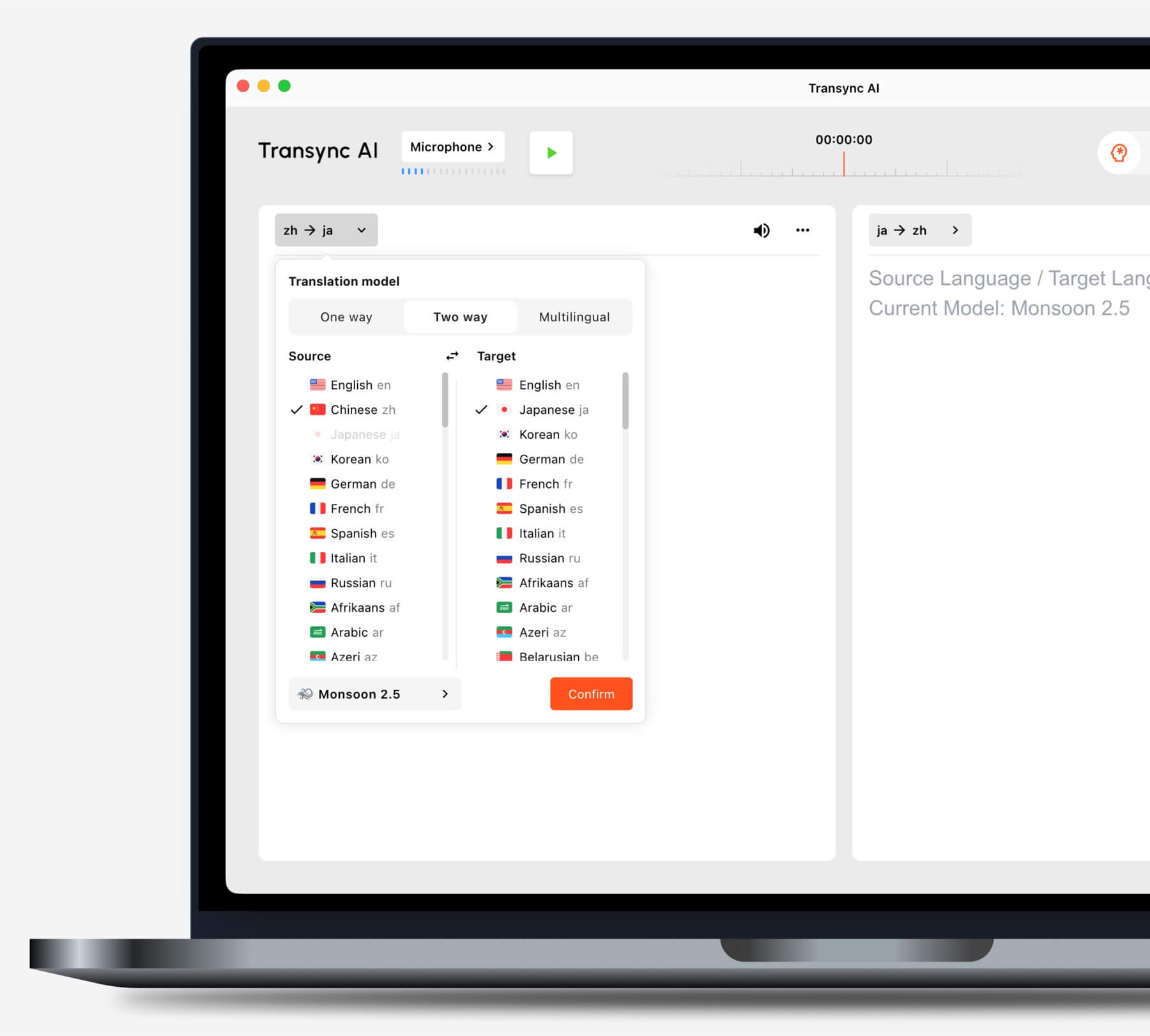
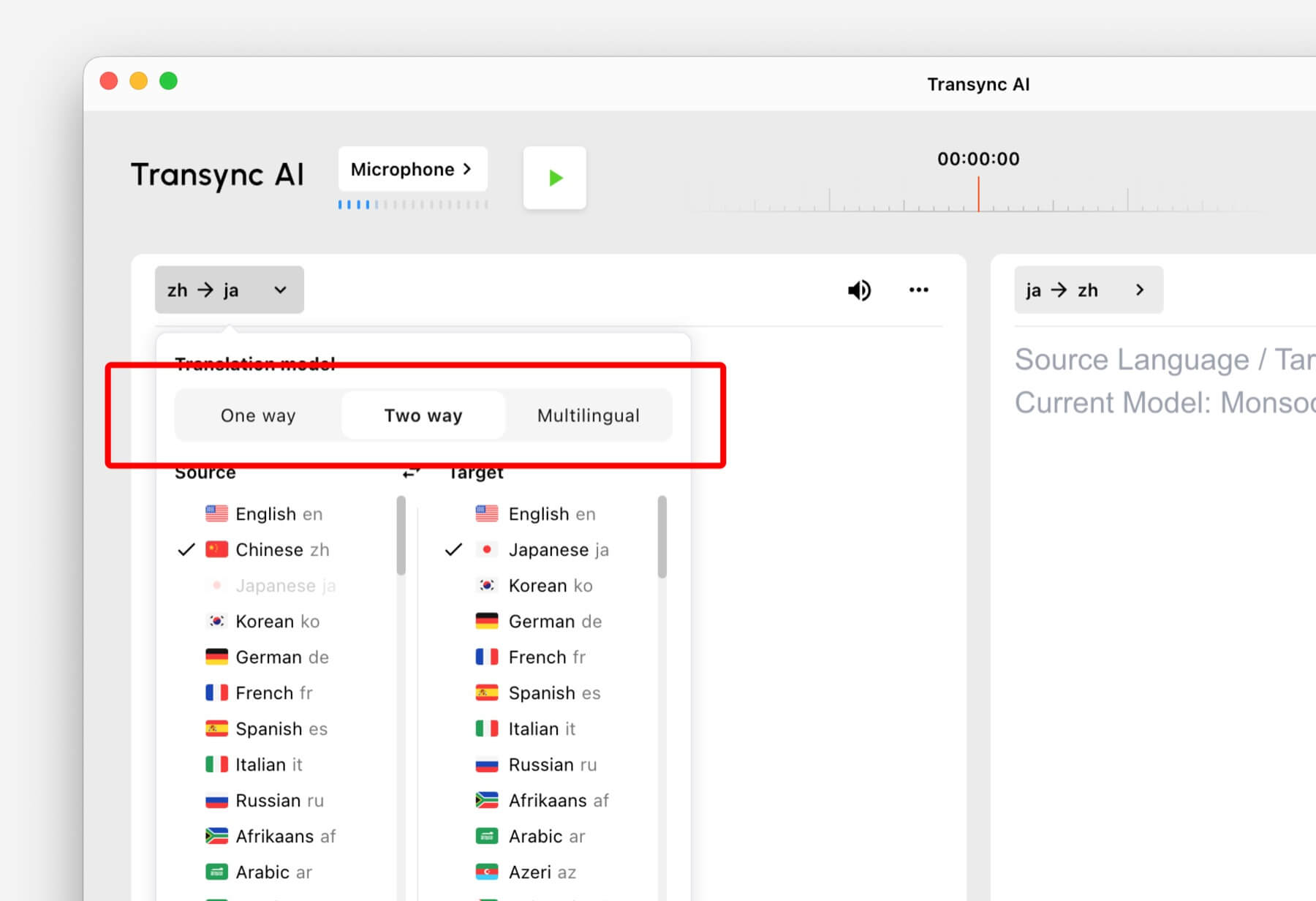
Translation modes control how Transync AI handles the direction of speech and the target language output. In the app, these options may appear as One way, Two way, 和 多種語言.

Select One way, Two way, or Multilingual translation mode in Transync AI
Choose the translation mode that matches your scenario before starting a task.

Choose a Mode Based on Your Scenario #

單向翻譯 #

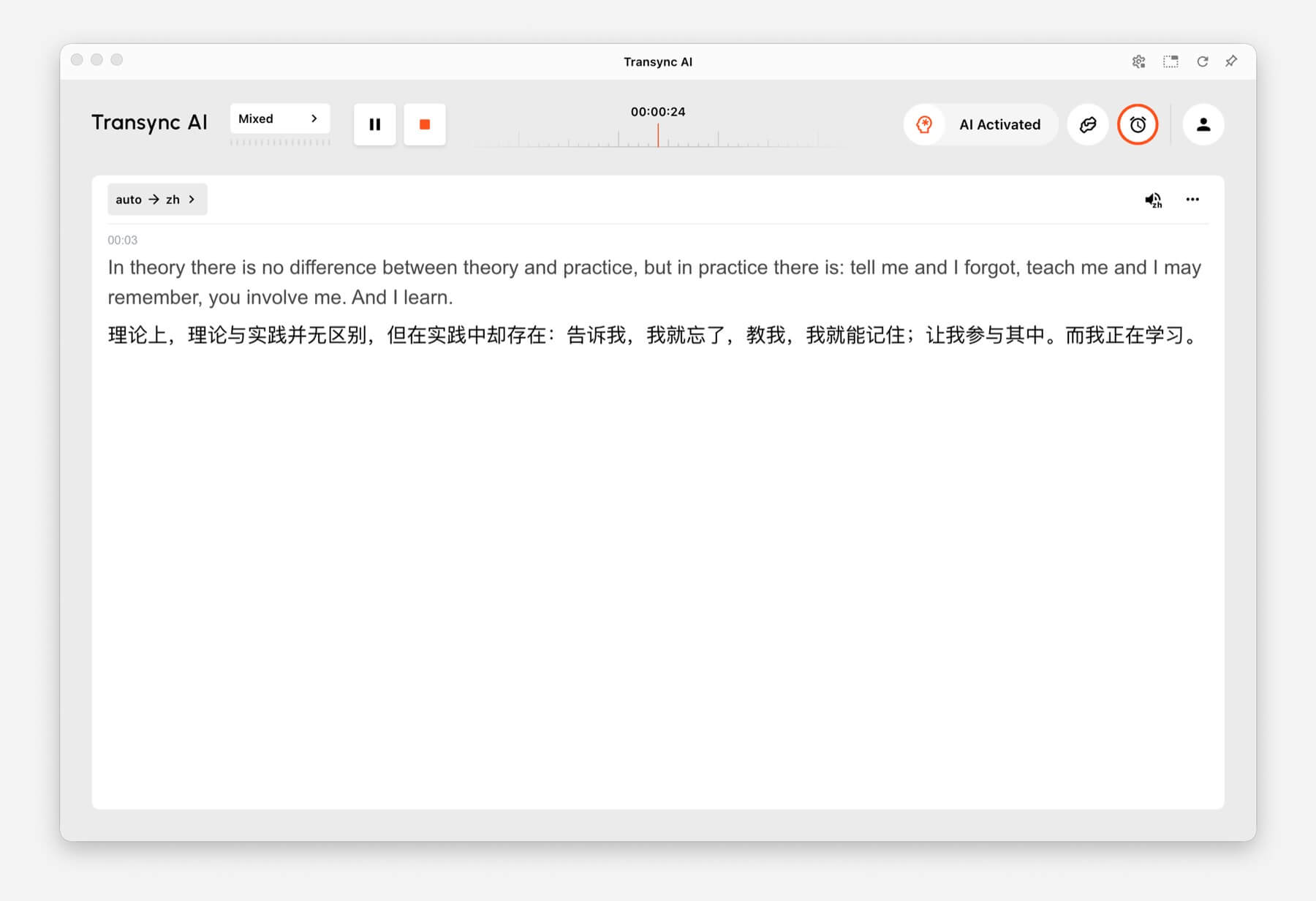
使用 單向翻譯 when you mainly need to listen, such as during a class, lecture, webinar, video, training session, or talk. This mode is useful when one speaker or one audio source needs to be translated into your target language.

One-way Translation showing source audio translated into Chinese in Transync AI
One-way Translation is designed for listening scenarios such as lectures, webinars, and classes.

雙向翻譯 #

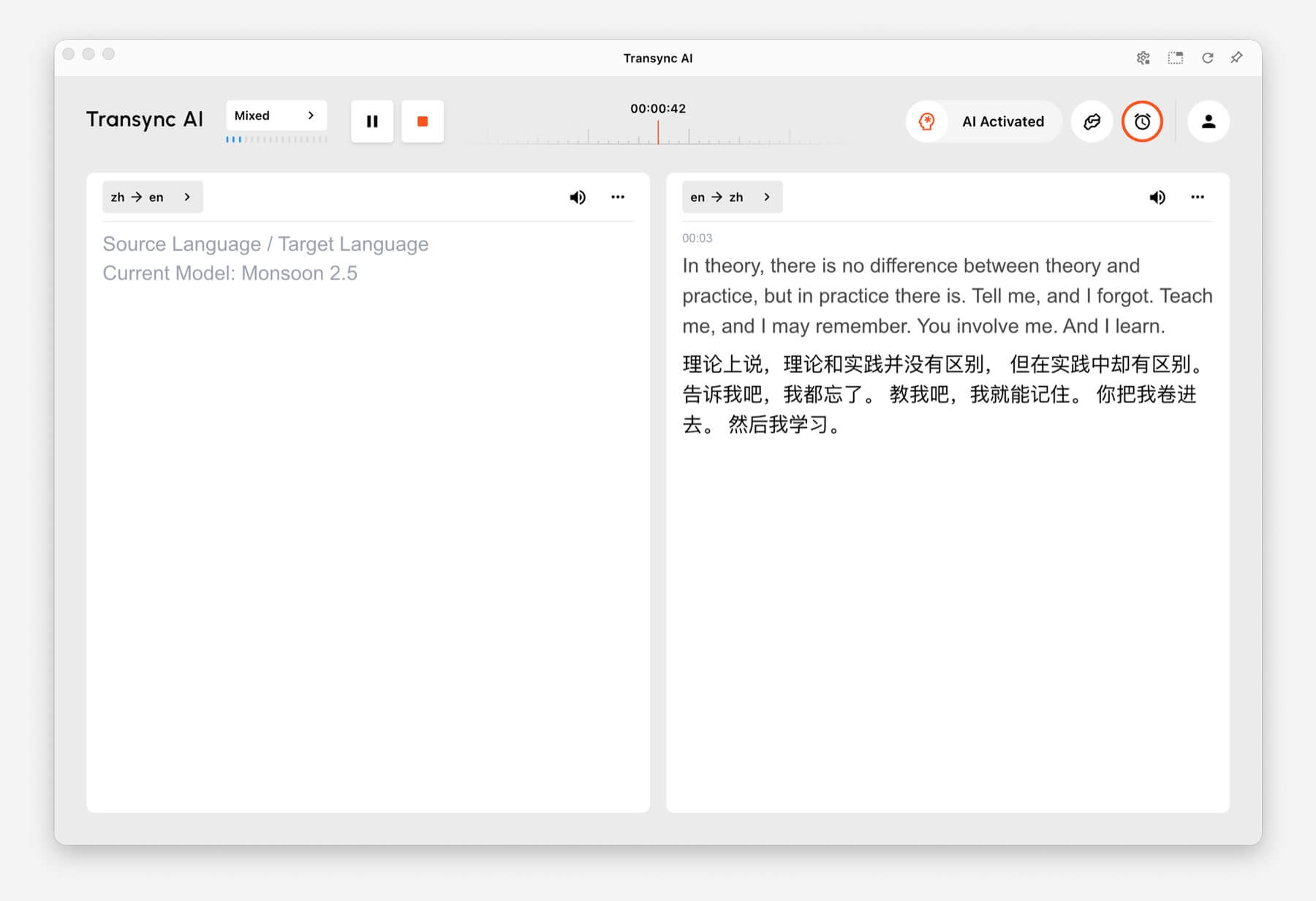
使用 雙向翻譯 for back-and-forth conversations, including meetings, calls, interviews, travel conversations, customer discussions, and in-person communication. This mode is designed for situations where both sides speak and respond.

Two-way Translation showing Chinese and English panels in Transync AI
Two-way Translation supports back-and-forth conversations between two languages.

多語言翻譯 #

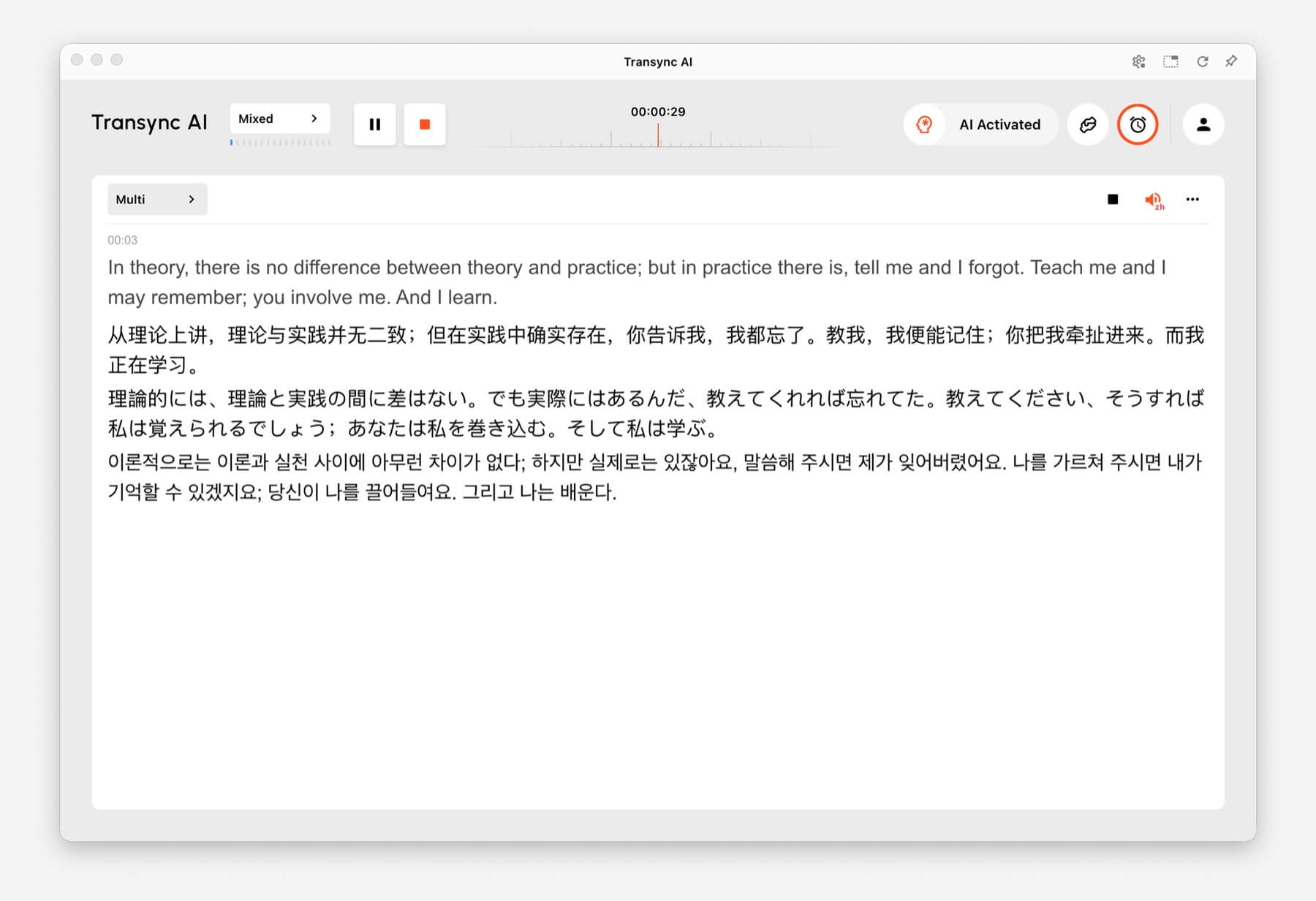
使用 多語言翻譯 when one task needs several target languages at the same time. This is helpful for global teams, multilingual meetings, international training, and sessions where participants need to follow the same content in different languages.

Multilingual Translation showing one task translated into English, Chinese, Japanese, and Korean
Multilingual Translation can output multiple target languages in the same task.

How to Switch Translation Modes #

Mode selector tabs for One way, Two way, and Multilingual translation in Transync AI
Switch between One way, Two way, and Multilingual before you start translating.
  1. Open Transync AI on desktop, mobile, web, or the app you normally use.
  2. Open the language or translation settings before starting the task.
  3. 選擇 One way, Two way, 或者 多種語言 based on your scenario.
  4. Choose your source and target language settings, then start translation.

If you are not sure which mode to choose, start with 單向翻譯 for listening scenarios, 雙向翻譯 for conversations, and 多語言翻譯 when multiple target languages are needed in one task.

How Billing Works for Translation Modes #

單向翻譯 和 雙向翻譯 are billed at the standard 1x rate. 多語言翻譯 is billed based on the number of languages selected.

  • 3 languages: 2x time consumption.
  • Each additional language: adds 1x time consumption.
  • Maximum: 10 languages, which counts as 9x time consumption.

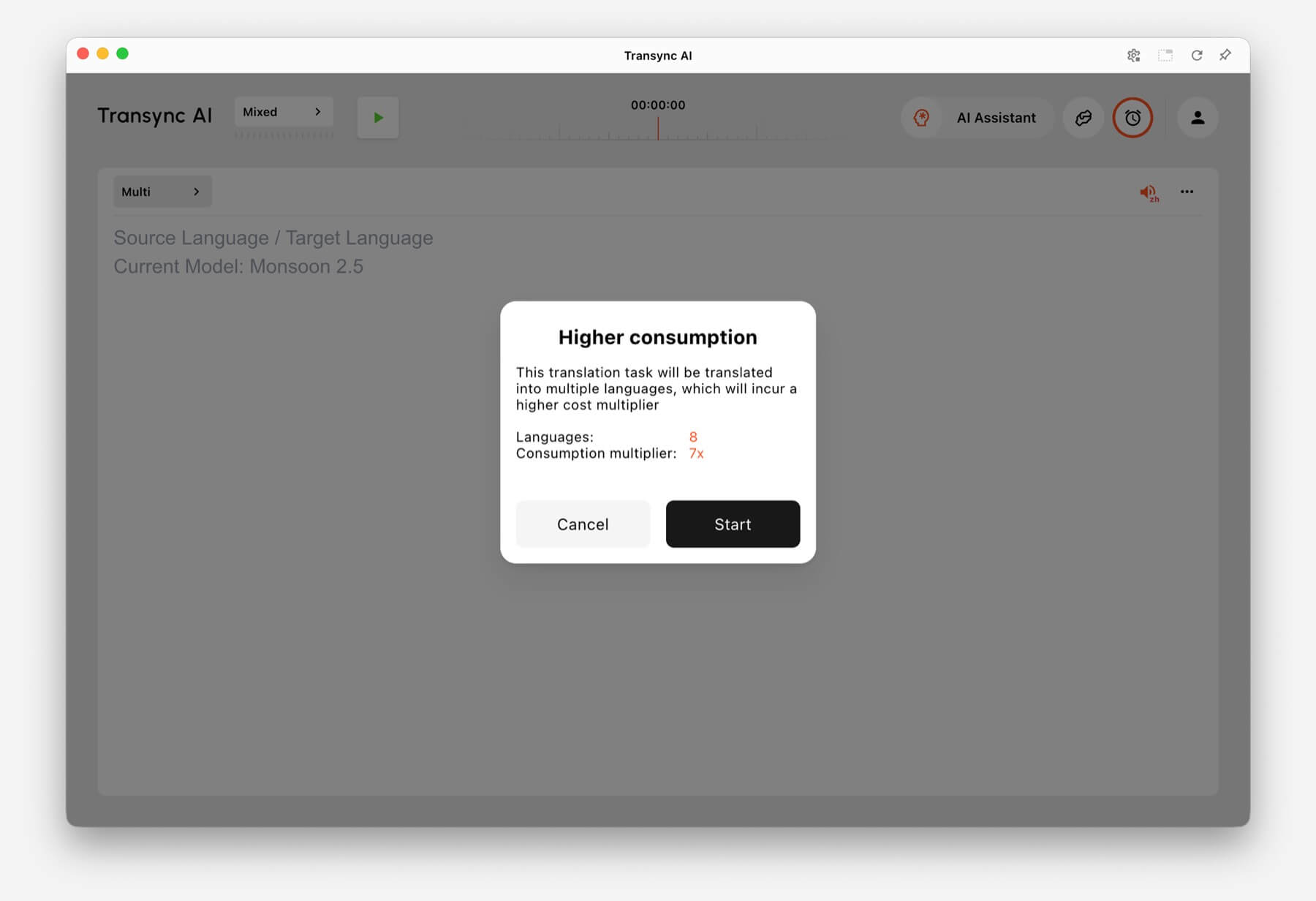
For example, selecting 8 languages in Multilingual Translation counts as 7x time consumption. Transync AI shows a higher consumption warning before you start when the selected language count increases usage.

Higher consumption warning showing 8 languages and 7x consumption multiplier in Transync AI
When many languages are selected, Transync AI shows the multilingual consumption multiplier before the task starts.

常見問題解答 #

Can I change modes after starting a task? #

For the most reliable setup, choose the translation mode before starting the task. If you need a different mode, stop the current task and start a new one with the correct mode.

Which mode should I use for online meetings? #

使用 雙向翻譯 for normal meeting conversations. Use 多語言翻譯 if the same meeting needs output in several target languages.

Which mode should I use for classes or lectures? #

使用 單向翻譯 when you mainly listen to a speaker, class, lecture, webinar, or video.

How is Multilingual Translation billed? #

Multilingual Translation starts from at least 3 languages and counts as 2x time consumption. Each additional language adds 1x, up to 10 languages at 9x time consumption.

更新日期 2026 年 6 月 24 日

這篇文件有幫助嗎?

  • 有幫助
  • 沒有幫助

分享這篇文章 。

  • Facebook
  • 十
  • LinkedIn
  • Pinterest
如何開始即時翻譯如何共享電腦音訊
目錄
  • What Are Translation Modes?
  • Choose a Mode Based on Your Scenario
    • 單向翻譯
    • 雙向翻譯
    • 多語言翻譯
  • How to Switch Translation Modes
  • How Billing Works for Translation Modes
  • 常見問題解答
    • Can I change modes after starting a task?
    • Which mode should I use for online meetings?
    • Which mode should I use for classes or lectures?
    • How is Multilingual Translation billed?

RedNote 抖音 嗶哩嗶哩 知乎 YouTube TikTok LinkedIn

滬ICP備2025119728號

Contact:support@transyncai.com

產品

  • 工具
  • AI 即時翻譯
  • AI 實時會議翻譯
  • AI 會議記錄
  • AI 語音翻譯
  • AI 助手
  • 畫中畫浮動字幕
  • 支援的語言
  • 用例
  • Zoom 翻譯
  • Microsoft Teams 翻譯
  • Google Meet 翻譯
  • WhatsApp翻譯
  • 現場會議翻譯

頁面

  • 定價
  • 部落格
  • 支援
  • 下載
  • 企業版
  • 變更日誌
  • 免費試用

資源

  • Transsync AI 事實
  • 比較 Transsync AI
  • Transsync AI替代方案

條款

  • 隱私
  • 服務條款
  • 信任中心

© 2026 Transync AI – 即時翻譯。

繁體中文繁體中文
English 简体中文 日本語 한국어 Русский Français Español Deutsch Italiano Čeština ไทย Português do Brasil العربية हिन्दी Bahasa Indonesia Tiếng Việt Türkçe Nederlands Polski Українська