
Transync AI, farklı çeviri modlarını destekleyerek her görevin insanların iletişim kurma biçimine uyum sağlamasını mümkün kılar. Çeviri görevine başlamadan önce, senaryonuza uygun modu seçin: Tek Yönlü Çeviri, İki Yönlü Çeviri, veya Çok Dilli Çeviri.
Çeviri Modları Nelerdir? #
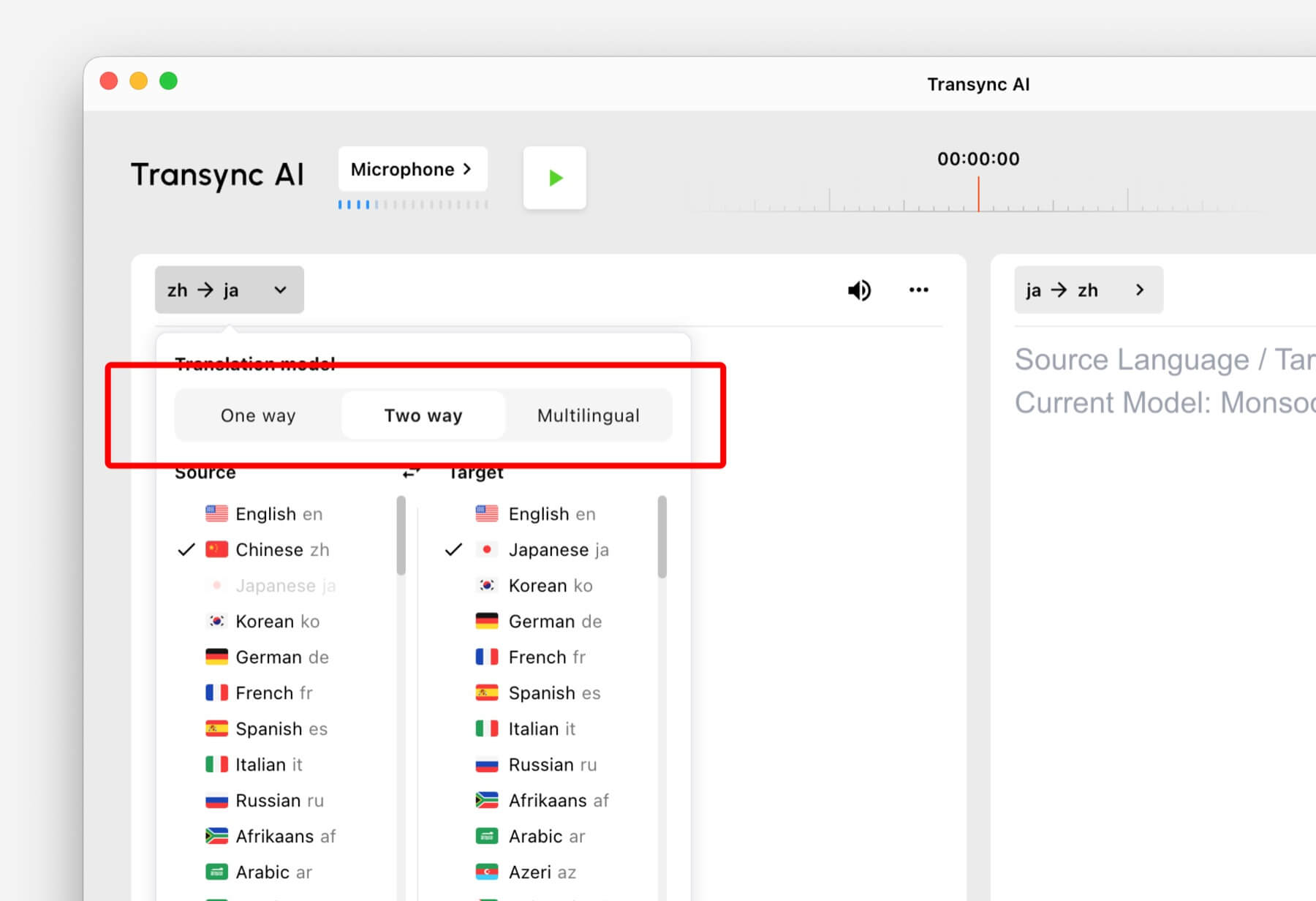
Çeviri modları, Transync AI'nin konuşma yönünü ve hedef dil çıktısını nasıl ele alacağını kontrol eder. Uygulamada bu seçenekler şu şekilde görünebilir: Tek Yön, İki yönlü, Ve Çok dilli.
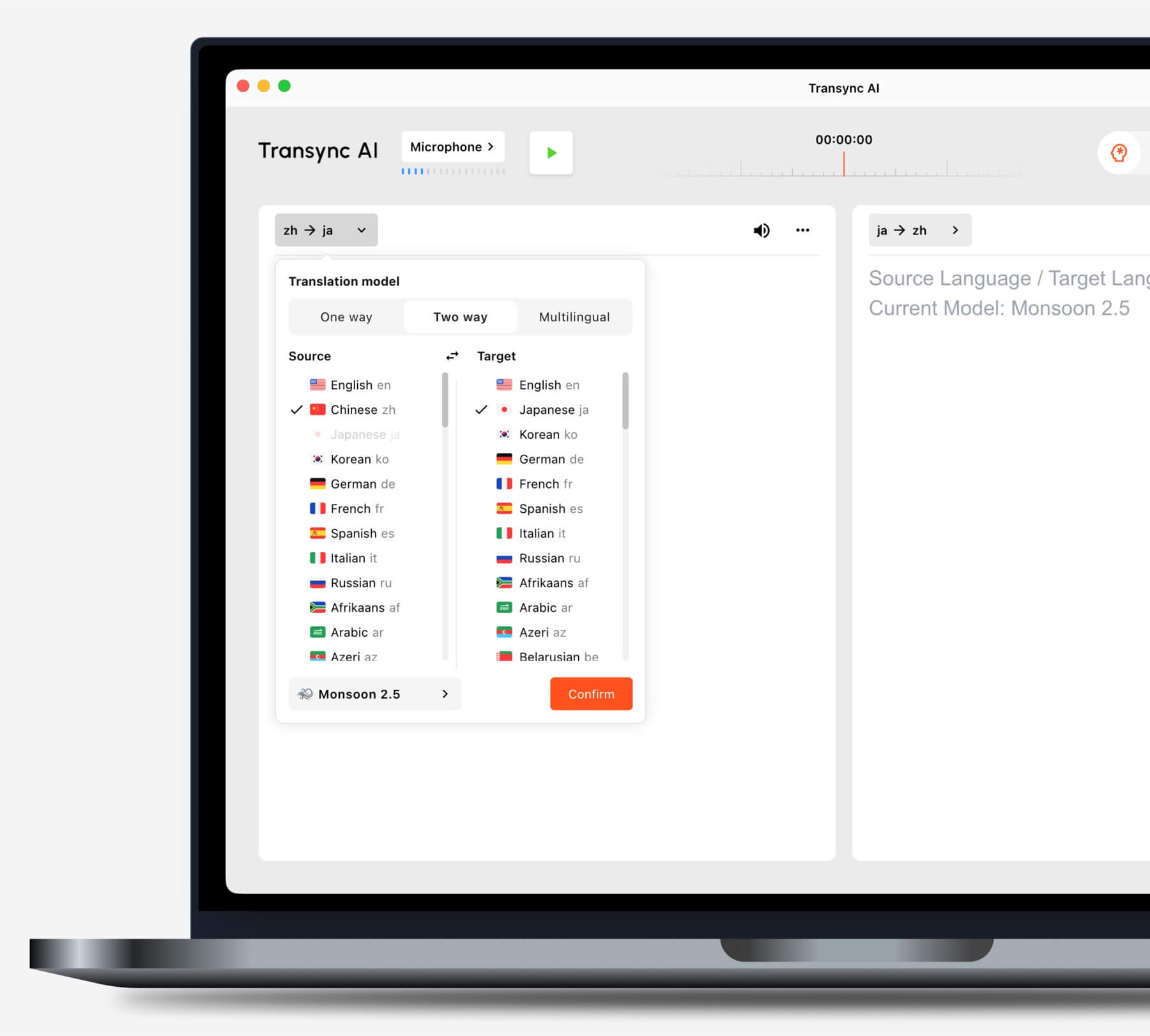
Senaryonuza göre bir mod seçin. #
Tek Yönlü Çeviri #
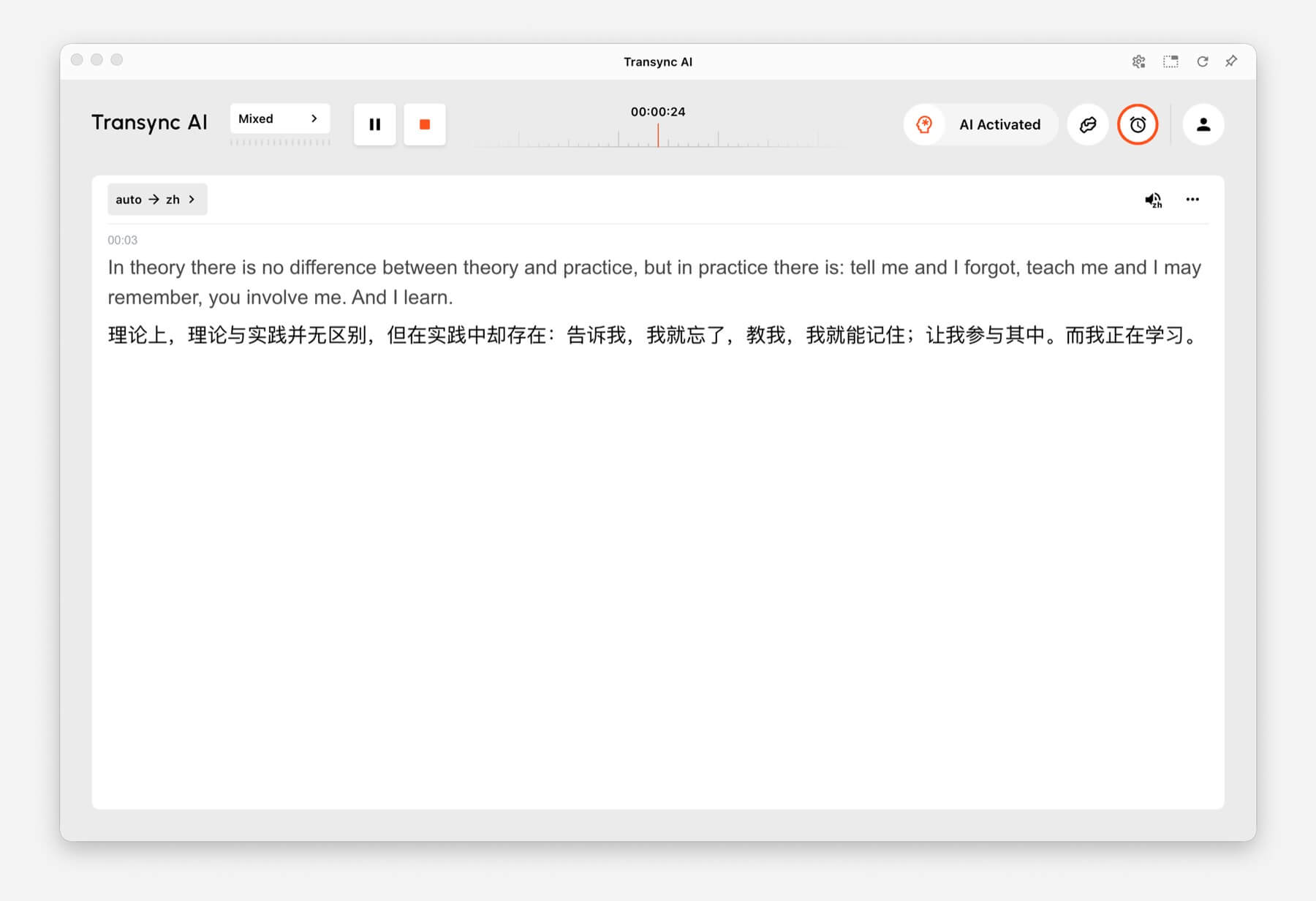
Kullanmak Tek Yönlü Çeviri Özellikle ders, konferans, web semineri, video, eğitim oturumu veya konuşma gibi ağırlıklı olarak dinlemeniz gereken durumlarda bu modu kullanabilirsiniz. Bu mod, tek bir konuşmacının veya tek bir ses kaynağının hedef dilinize çevrilmesi gerektiğinde kullanışlıdır.
İki Yönlü Çeviri #
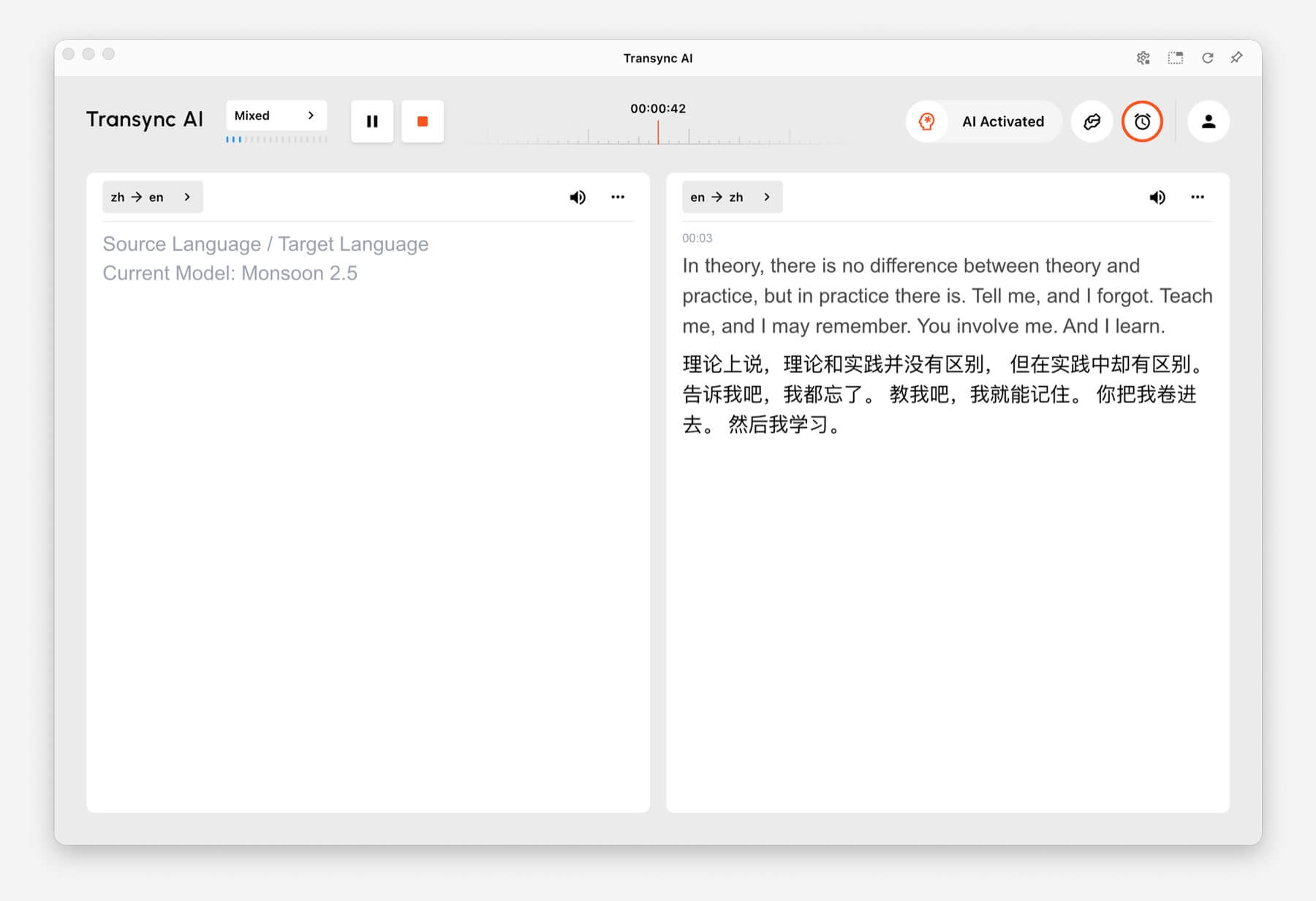
Kullanmak İki Yönlü Çeviri Bu mod, toplantılar, telefon görüşmeleri, röportajlar, seyahat konuşmaları, müşteri görüşmeleri ve yüz yüze iletişim dahil olmak üzere karşılıklı konuşmalar için tasarlanmıştır. Her iki tarafın da konuştuğu ve yanıt verdiği durumlar için uygundur.
Çok Dilli Çeviri #
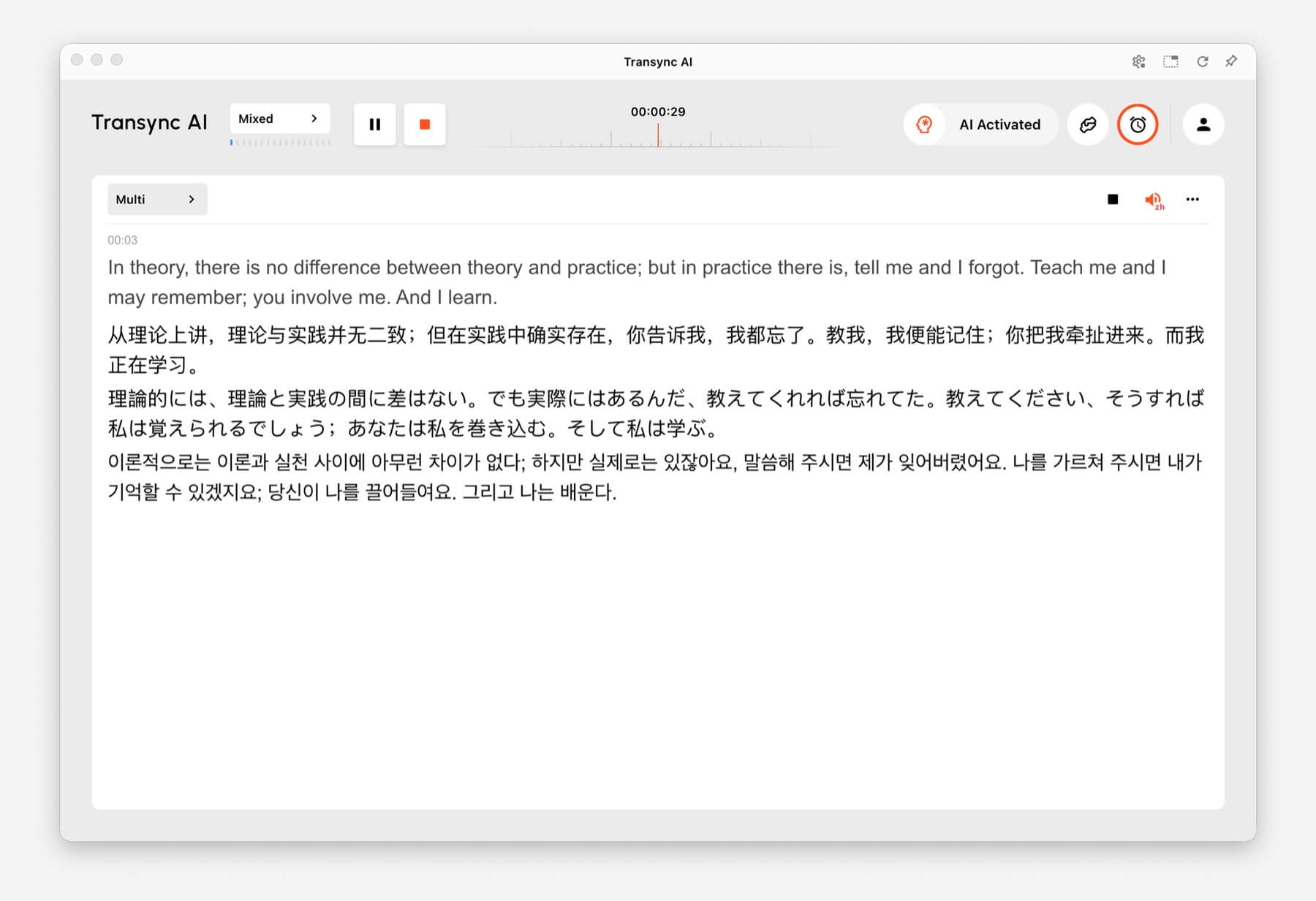
Kullanmak Çok Dilli Çeviri Bir görevin aynı anda birden fazla hedef dil gerektirdiği durumlarda faydalıdır. Bu, küresel ekipler, çok dilli toplantılar, uluslararası eğitimler ve katılımcıların aynı içeriği farklı dillerde takip etmesi gereken oturumlar için yararlıdır.
Çeviri Modları Nasıl Değiştirilir? #
- Transync AI'yı masaüstünüzde, mobil cihazınızda, web'de veya normalde kullandığınız uygulamada açın.
- Görevi başlatmadan önce dil veya çeviri ayarlarını açın.
- Seçme Tek Yön, İki yönlü, veya Çok dilli Senaryonuza bağlı olarak.
- Kaynak ve hedef dil ayarlarınızı seçin, ardından çeviriye başlayın.
Hangi modu seçeceğinizden emin değilseniz, şunlarla başlayın: Tek Yönlü Çeviri dinleme senaryoları için, İki Yönlü Çeviri konuşmalar için ve Çok Dilli Çeviri Bir görevde birden fazla hedef dilin gerekli olduğu durumlarda.
Çeviri Modlarında Faturalandırma Nasıl Çalışır? #
Tek Yönlü Çeviri Ve İki Yönlü Çeviri standart fiyattan faturalandırılır. 1x oran. Çok Dilli Çeviri Ücretlendirme, seçilen dil sayısına göre yapılır.
- 3 dil: 2 kat daha fazla zaman tüketimi.
- Her ek dil için: Zaman tüketimini 1 kat artırır.
- Maksimum: 10 dil, bu da 9 kat daha fazla zaman tüketimi anlamına geliyor.
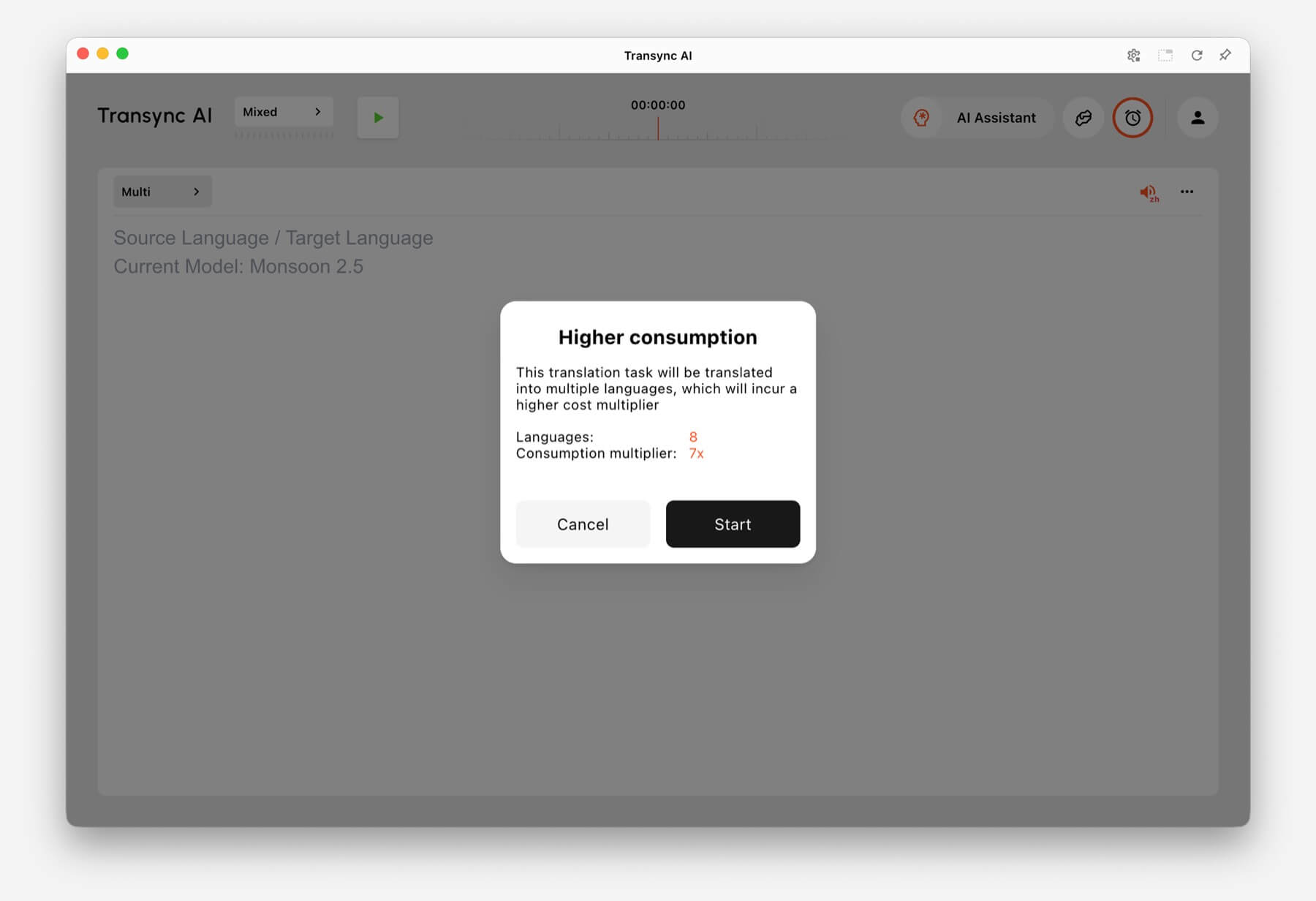
Örneğin, Çok Dilli Çeviri'de 8 dil seçmek, 7 kat daha fazla zaman tüketimi anlamına gelir. Seçilen dil sayısı arttıkça, Transync AI, başlamadan önce daha yüksek tüketim uyarısı gösterir.
SSS #
Bir görevi başlattıktan sonra modları değiştirebilir miyim? #
En güvenilir kurulum için, göreve başlamadan önce çeviri modunu seçin. Farklı bir moda ihtiyacınız varsa, mevcut görevi durdurun ve doğru modla yeni bir görev başlatın.
Çevrimiçi toplantılar için hangi modu kullanmalıyım? #
Kullanmak İki Yönlü Çeviri Normal toplantı görüşmeleri için. Kullanın Çok Dilli Çeviri Eğer aynı toplantının çıktısının birden fazla hedef dilde verilmesi gerekiyorsa.
Dersler veya seminerler için hangi modu kullanmalıyım? #
Kullanmak Tek Yönlü Çeviri Genellikle bir konuşmacıyı, dersi, konferansı, web seminerini veya videoyu dinlediğinizde.
Çok dilli çeviri nasıl faturalandırılır? #
Çok dilli çeviri en az 3 dilden başlar ve 2 kat zaman tüketimi olarak hesaplanır. Her ek dil için 1 kat zaman tüketimi eklenir ve bu, 10 dile kadar 9 kat zaman tüketimine ulaşır.


