
Transync AI supporta diverse modalità di traduzione, in modo che ogni attività possa adattarsi al modo in cui le persone comunicano. Prima di iniziare un'attività di traduzione, scegli la modalità più adatta al tuo scenario: Traduzione unidirezionale, Traduzione bidirezionale, O Traduzione multilingue.
Che cosa sono le modalità di traduzione? #
Le modalità di traduzione controllano il modo in cui Transync AI gestisce la direzione del parlato e l'output nella lingua di destinazione. Nell'app, queste opzioni possono apparire come Senso Unico, Due vie, E Multilingue.
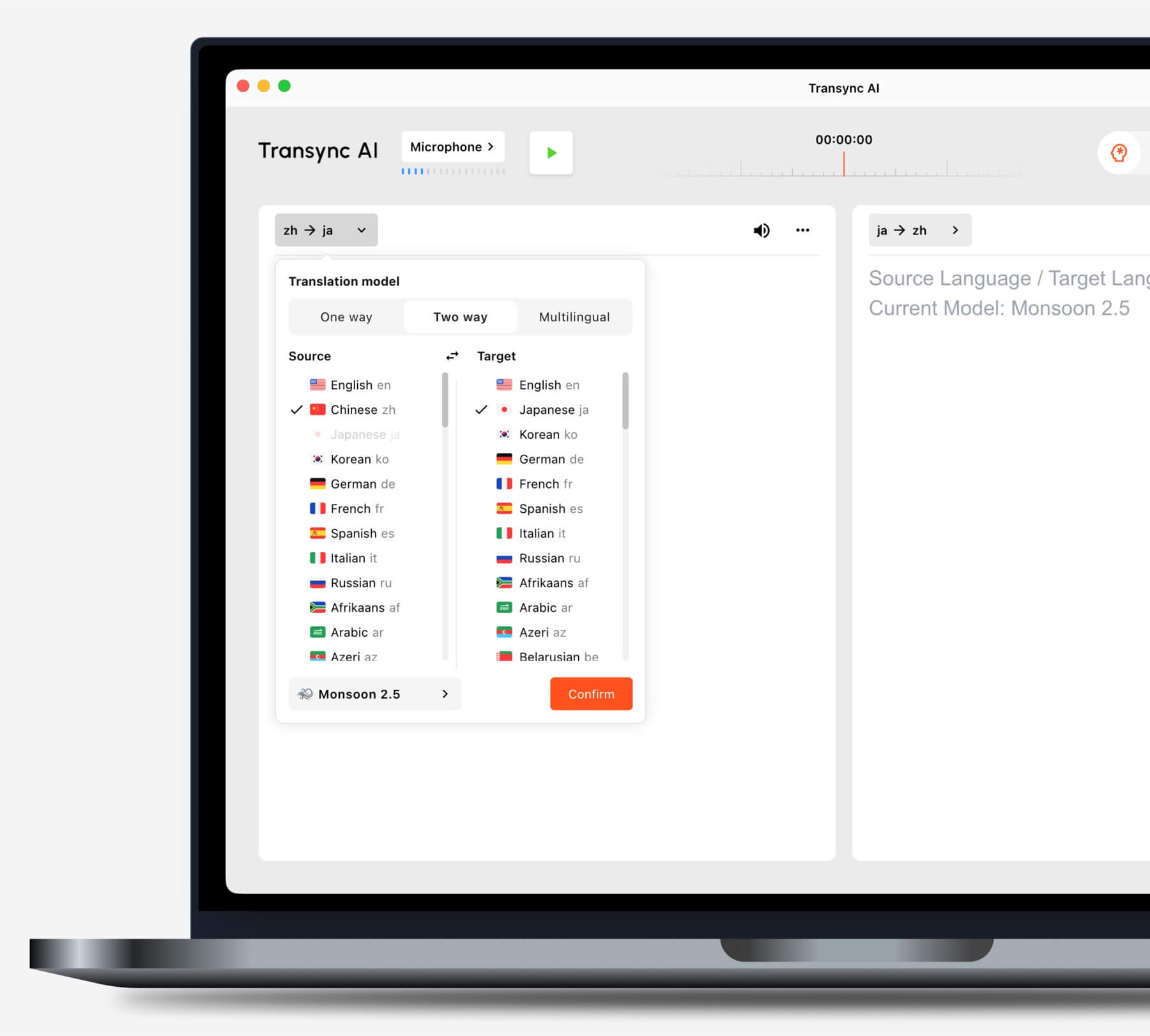
Scegli una modalità in base al tuo scenario #
Traduzione unidirezionale #
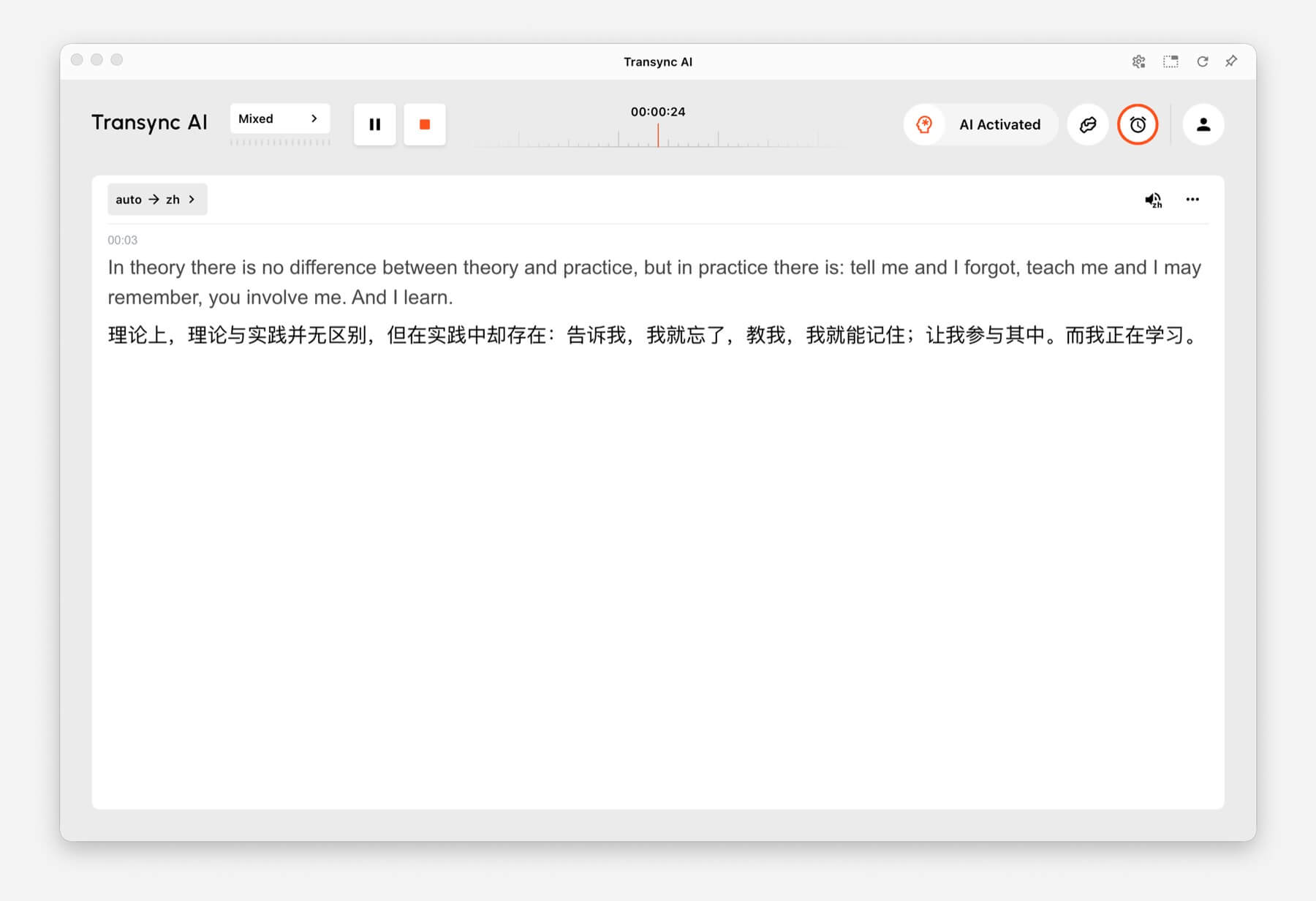
Utilizzo Traduzione unidirezionale quando devi principalmente ascoltare, ad esempio durante una lezione, una conferenza, un webinar, un video, una sessione di formazione o una presentazione. Questa modalità è utile quando è necessario tradurre un oratore o una sorgente audio nella lingua di destinazione.
Traduzione bidirezionale #
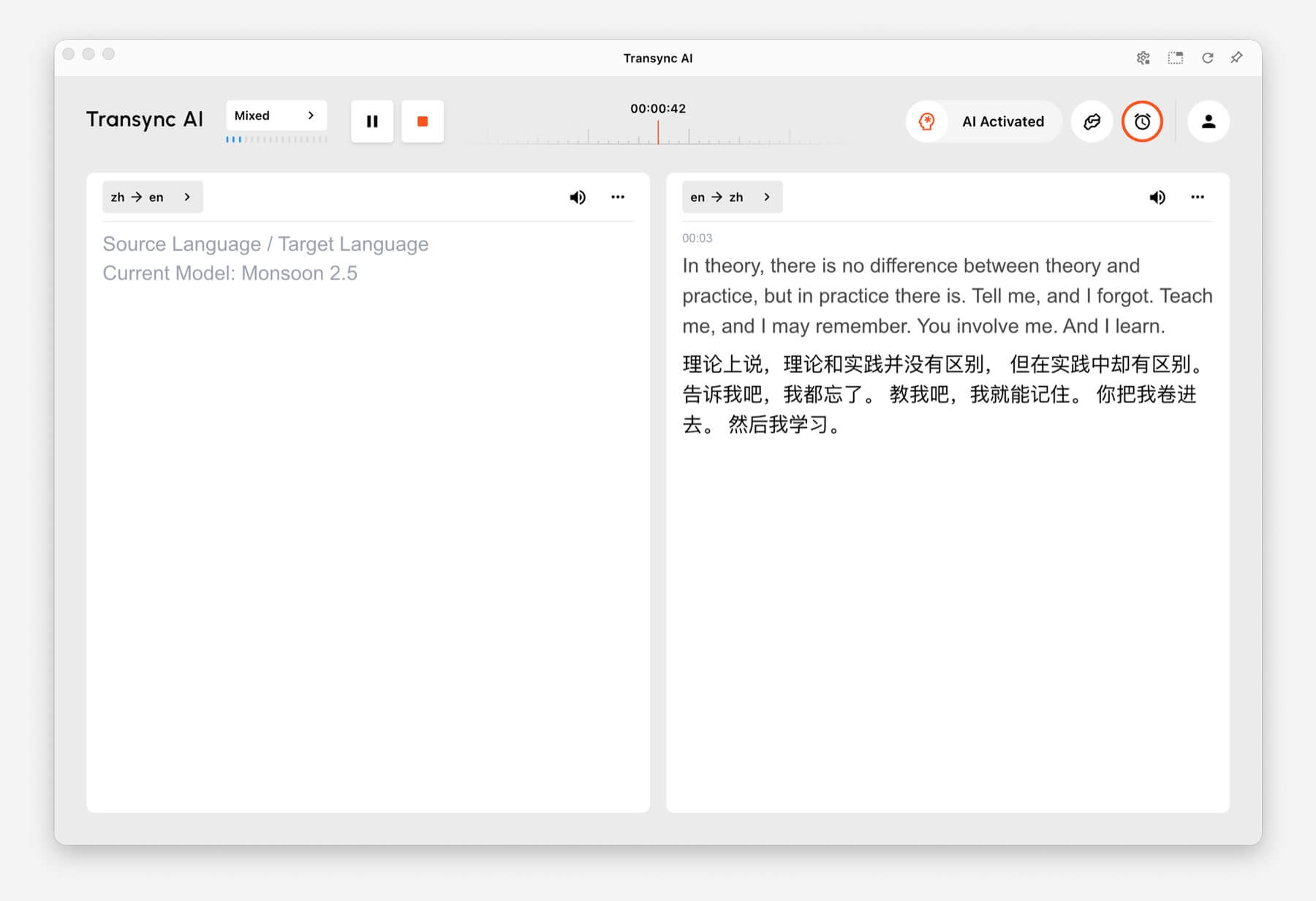
Utilizzo Traduzione bidirezionale Per conversazioni bidirezionali, tra cui riunioni, chiamate, interviste, conversazioni di viaggio, discussioni con i clienti e comunicazioni di persona. Questa modalità è pensata per situazioni in cui entrambe le parti parlano e rispondono.
Traduzione multilingue #
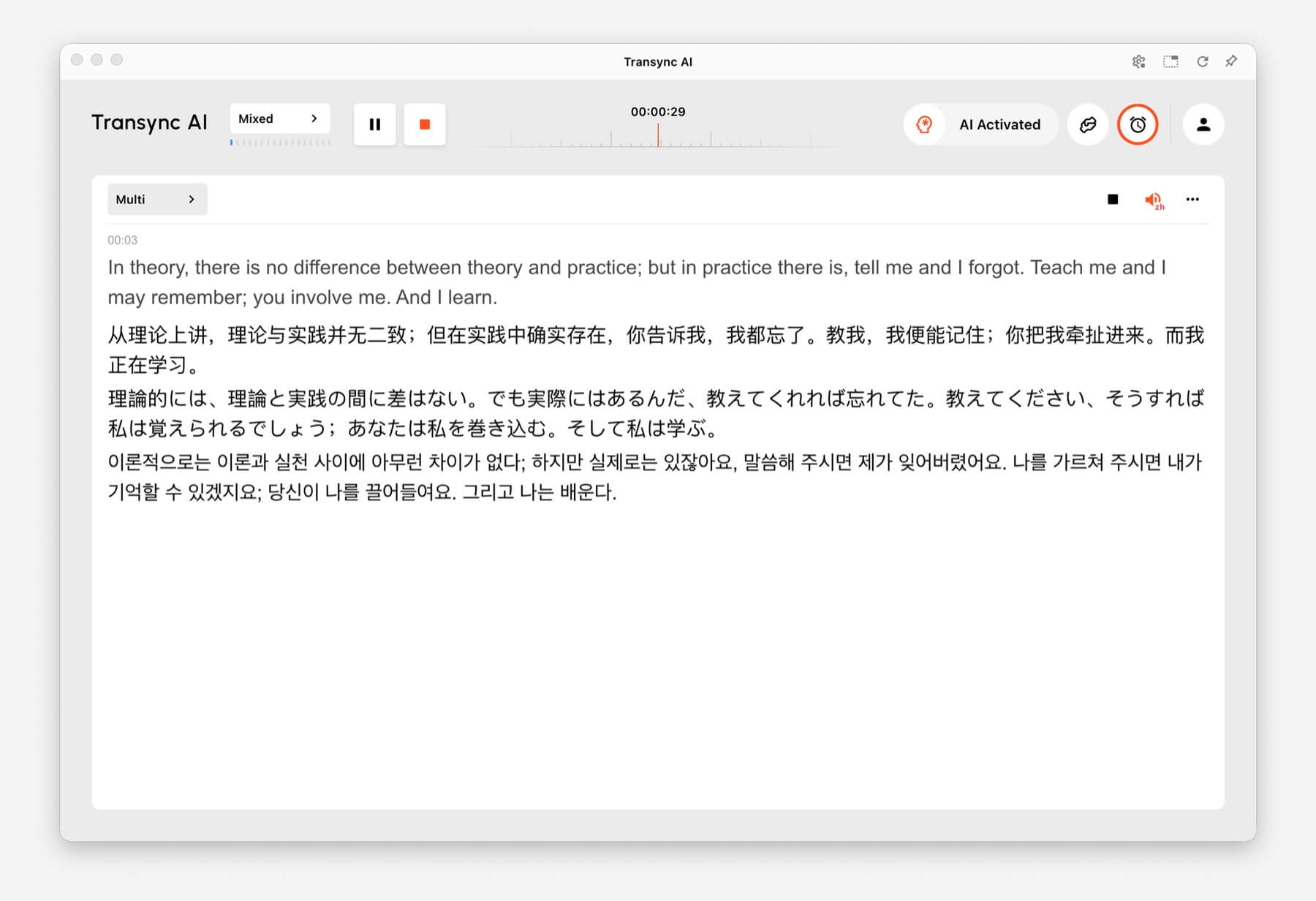
Utilizzo Traduzione multilingue Quando un'attività richiede la comunicazione simultanea in diverse lingue. Questo è utile per team globali, riunioni multilingue, corsi di formazione internazionali e sessioni in cui i partecipanti devono seguire lo stesso contenuto in lingue diverse.
Come cambiare modalità di traduzione #
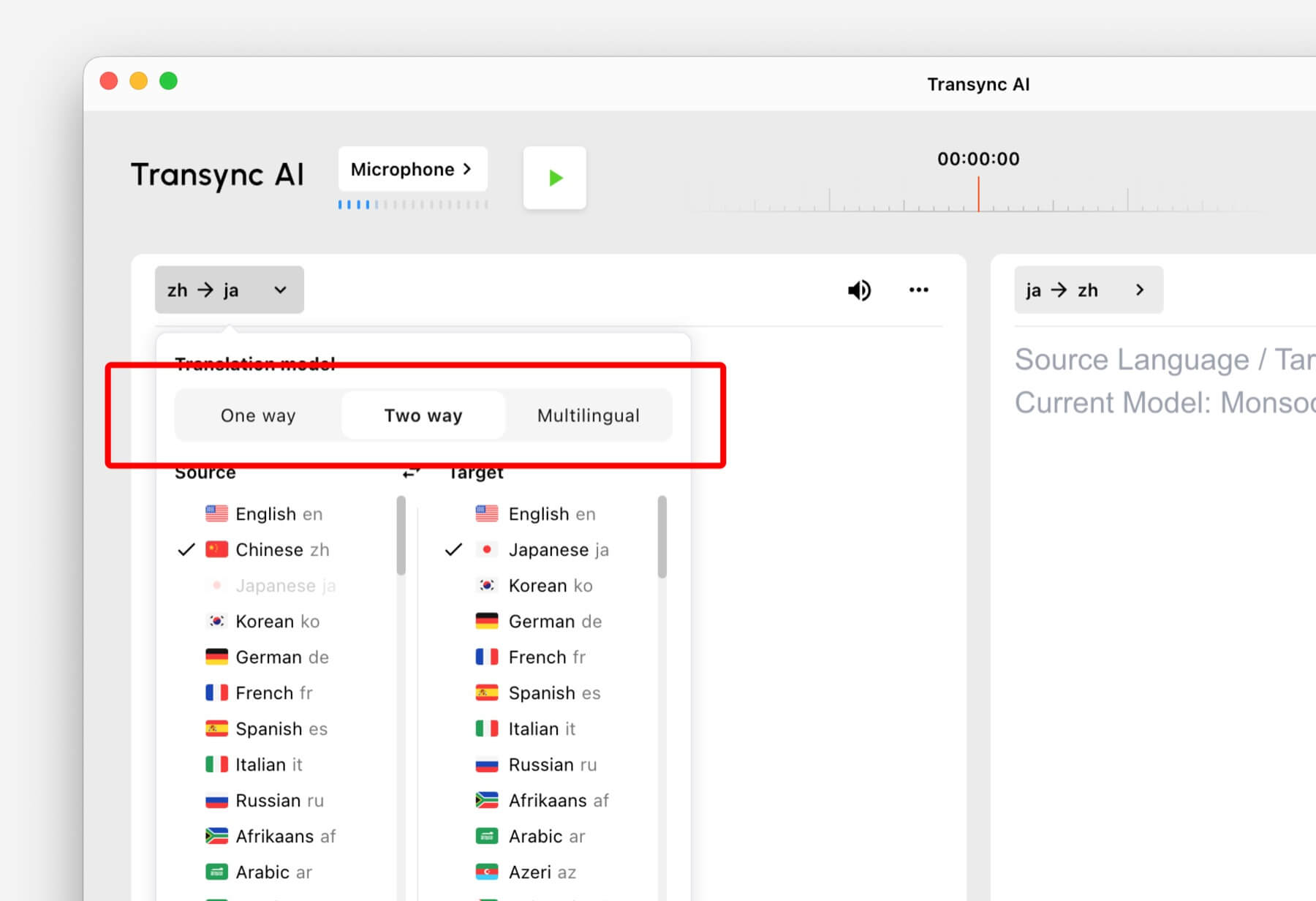
- Apri Transync AI su desktop, dispositivo mobile, web o tramite l'app che utilizzi di solito.
- Apri le impostazioni della lingua o della traduzione prima di iniziare l'attività.
- Selezionare Senso Unico, Due vie, O Multilingue in base al tuo scenario.
- Seleziona la lingua di origine e di destinazione, quindi avvia la traduzione.
Se non sei sicuro di quale modalità scegliere, inizia con Traduzione unidirezionale per scenari di ascolto, Traduzione bidirezionale per conversazioni e Traduzione multilingue quando sono necessarie più lingue di destinazione in un unico compito.
Come funziona la fatturazione per le modalità di traduzione #
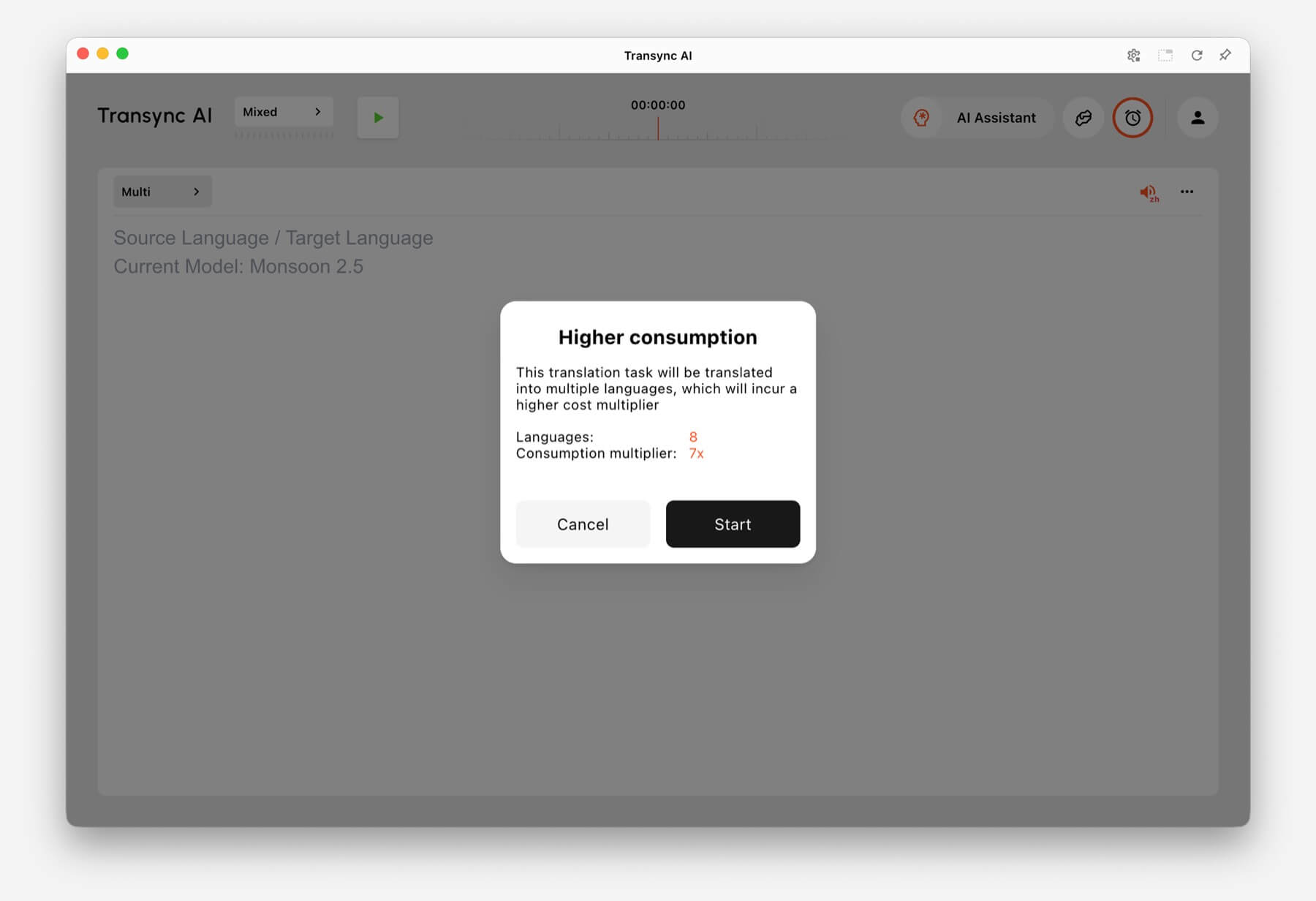
Traduzione unidirezionale E Traduzione bidirezionale vengono fatturati allo standard 1x valutare. Traduzione multilingue La fatturazione si basa sul numero di lingue selezionate.
- 3 lingue: Consumo di tempo doppio.
- Ogni lingua aggiuntiva: aggiunge 1x al consumo di tempo.
- Massimo: 10 lingue, il che si traduce in un tempo di elaborazione 9 volte superiore.
Ad esempio, selezionare 8 lingue nella traduzione multilingue comporta un consumo di tempo 7 volte superiore. Transync AI visualizza un avviso di consumo maggiore prima dell'avvio quando il numero di lingue selezionate aumenta l'utilizzo.
Domande frequenti #
Posso cambiare modalità dopo aver avviato un'attività? #
Per una configurazione più affidabile, scegli la modalità di traduzione prima di iniziare l'attività. Se hai bisogno di una modalità diversa, interrompi l'attività corrente e avviane una nuova con la modalità corretta.
Quale modalità dovrei utilizzare per le riunioni online? #
Utilizzo Traduzione bidirezionale per le normali conversazioni di riunione Utilizzare Traduzione multilingue se la stessa riunione deve essere tradotta in diverse lingue di destinazione.
Quale modalità devo utilizzare per le lezioni o le conferenze? #
Utilizzo Traduzione unidirezionale quando si ascolta principalmente un oratore, una lezione, una conferenza, un webinar o un video.
Come viene fatturata la traduzione multilingue? #
La traduzione multilingue richiede un minimo di 3 lingue e prevede un tempo di elaborazione doppio. Ogni lingua aggiuntiva comporta un tempo di elaborazione pari a 1x, fino a un massimo di 10 lingue con un tempo di elaborazione nove volte superiore.


