
How to Use the AI Assistant #
Transync AI is powered by advanced AI speech models that deliver accurate and natural real-time translation.
To further enhance translation quality, we recommend using the AI Assistant feature
The AI Assistant allows you to define keywords and context, helping the system better understand your professional field, meeting background, and unique vocabulary.
The Personal knowledge base now includes two separate learning features: AI Keyword Learning for vocabulary and AI Personalization for background and preferences. Manage them independently in the AI Assistant.
1. How to Find the AI Assistant #
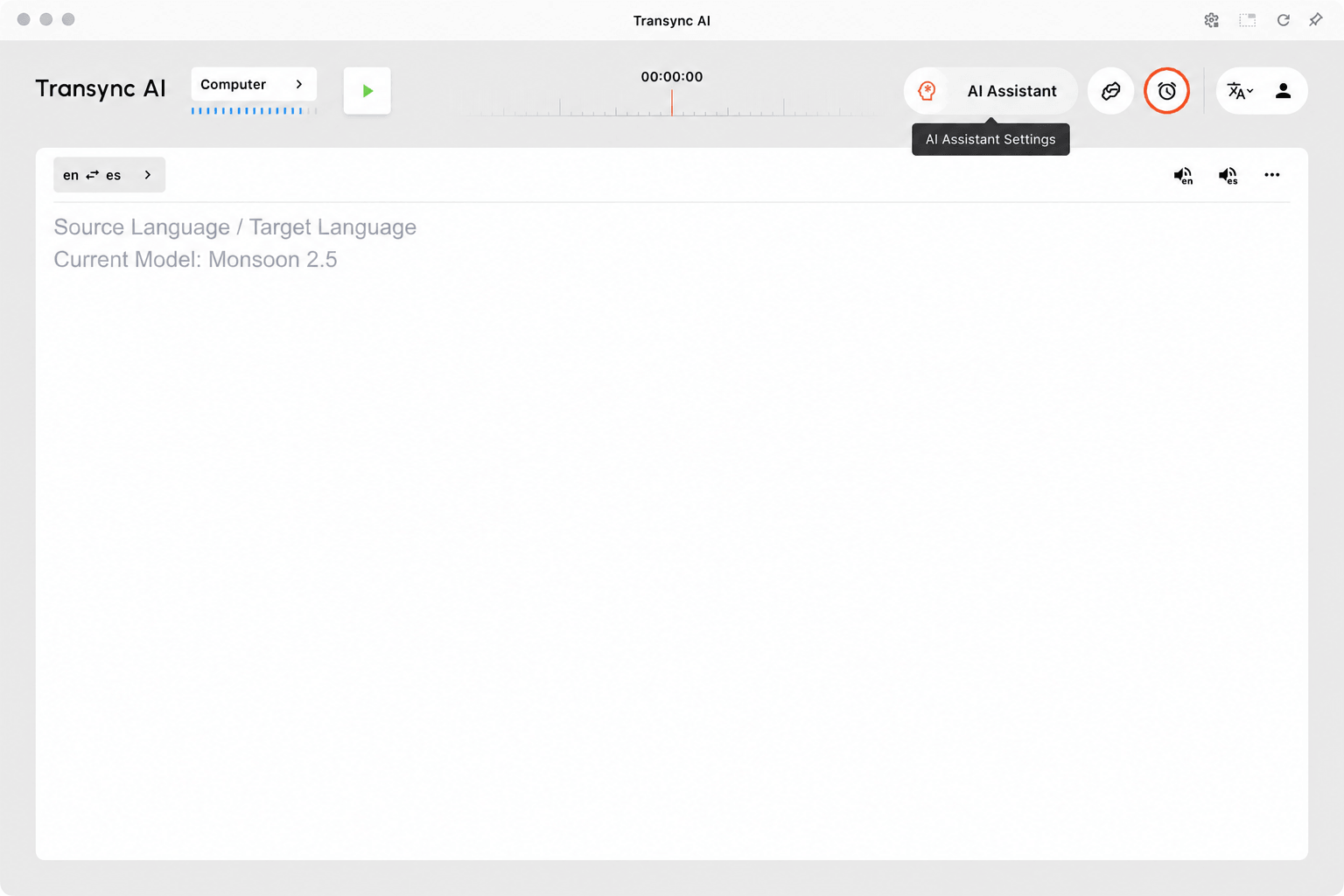
You can access the AI Assistant in the desktop app or sign in to the Transync AI web app. Open it from either of these locations:
- From the top navigation bar in the Transync AI app: click the brain icon shown below.
- From your Personal Center, under the AI Assistant section.
2. Setting Keywords #
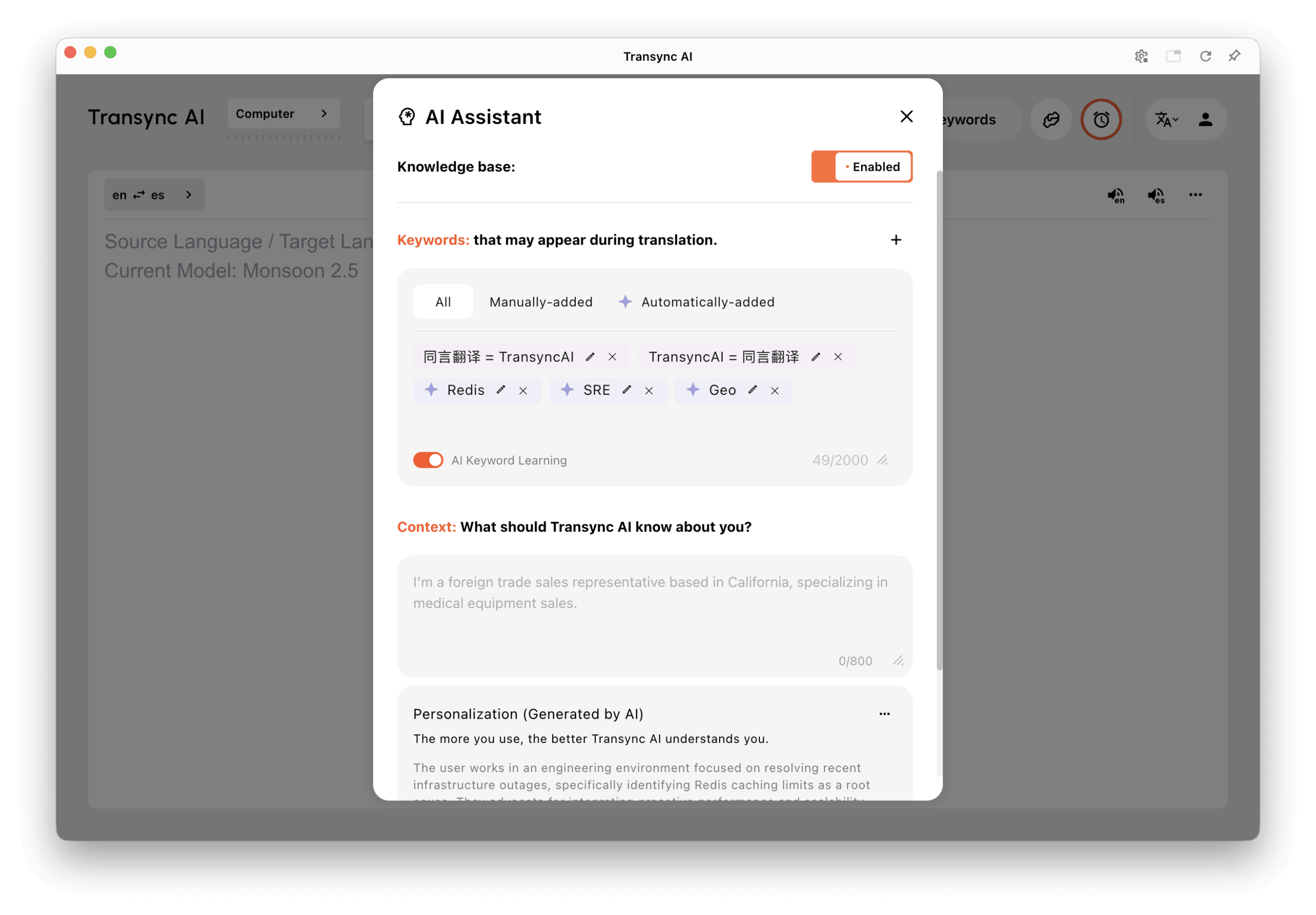
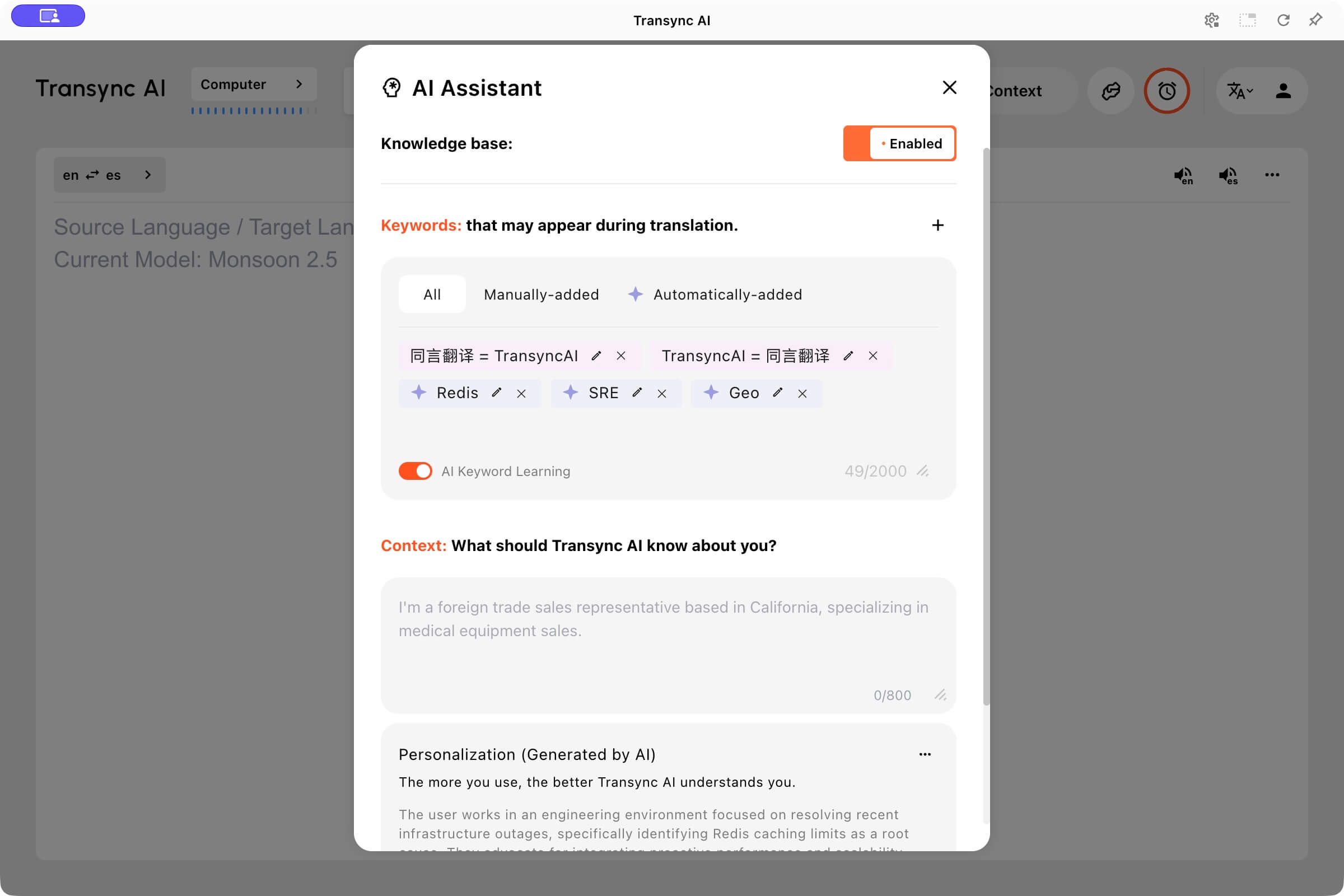
Use this field to define special terms, names, or technical phrases related to your meeting.
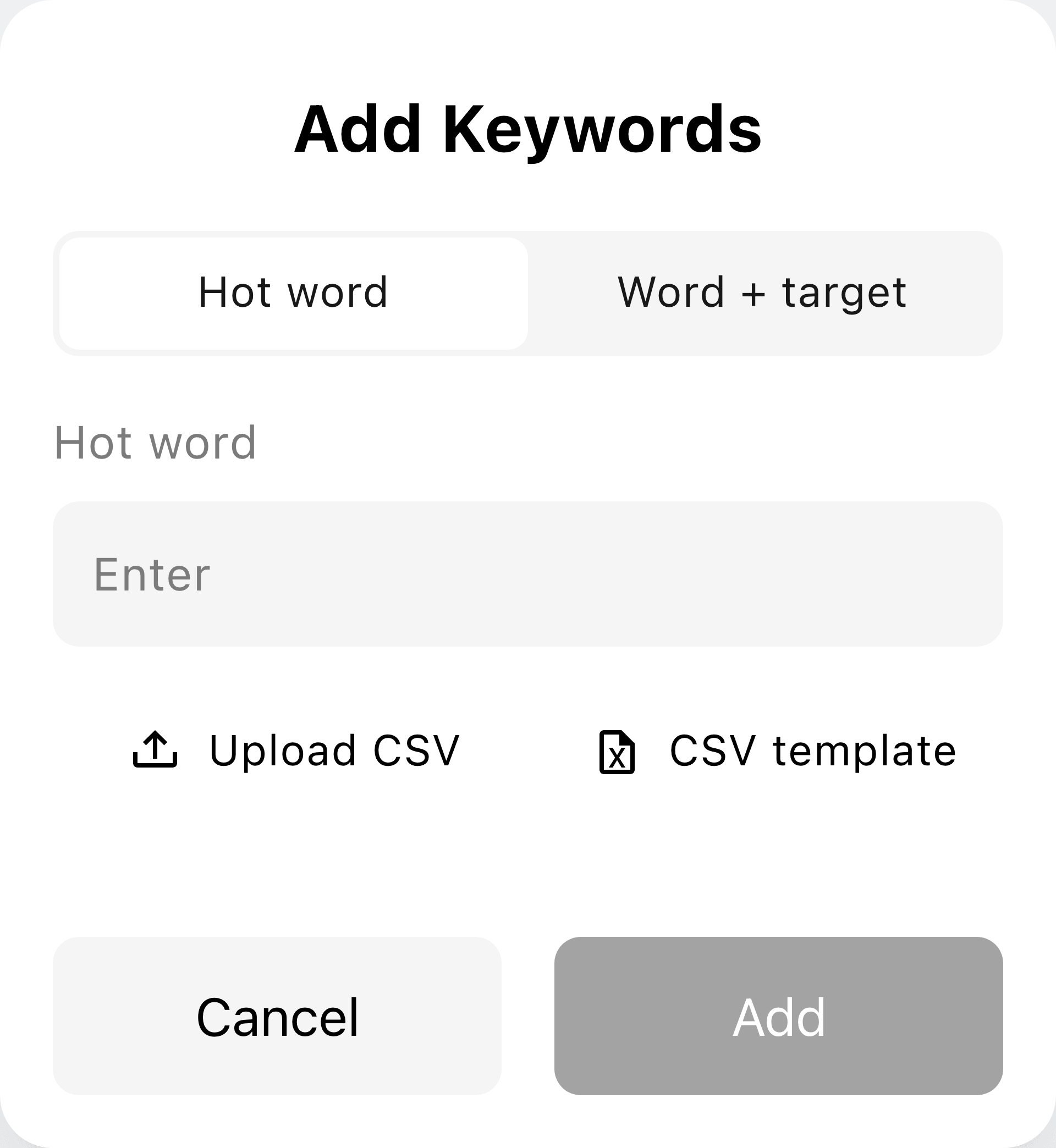
Click the + button in the upper-right corner of the Keywords area to open Add Keywords.
- Separate multiple keywords using commas or the Enter key.
- If you need to specify the keywords and target words for translation, please connect these two words with an equal sign.
- Each correctly set keyword should be displayed with a blue label, and each keyword paired with the target word will be displayed with a purple-red label.
- Avoid using long sentences — keep each keyword short and precise for optimal results.
Example:
- AI translation, Transync, semiconductor, John Smith, marketing campaign
- subscription = suscripción, renewal = renovación, invoice = factura
For a translation pair, click +, select Word + target, enter both words, and click Add.
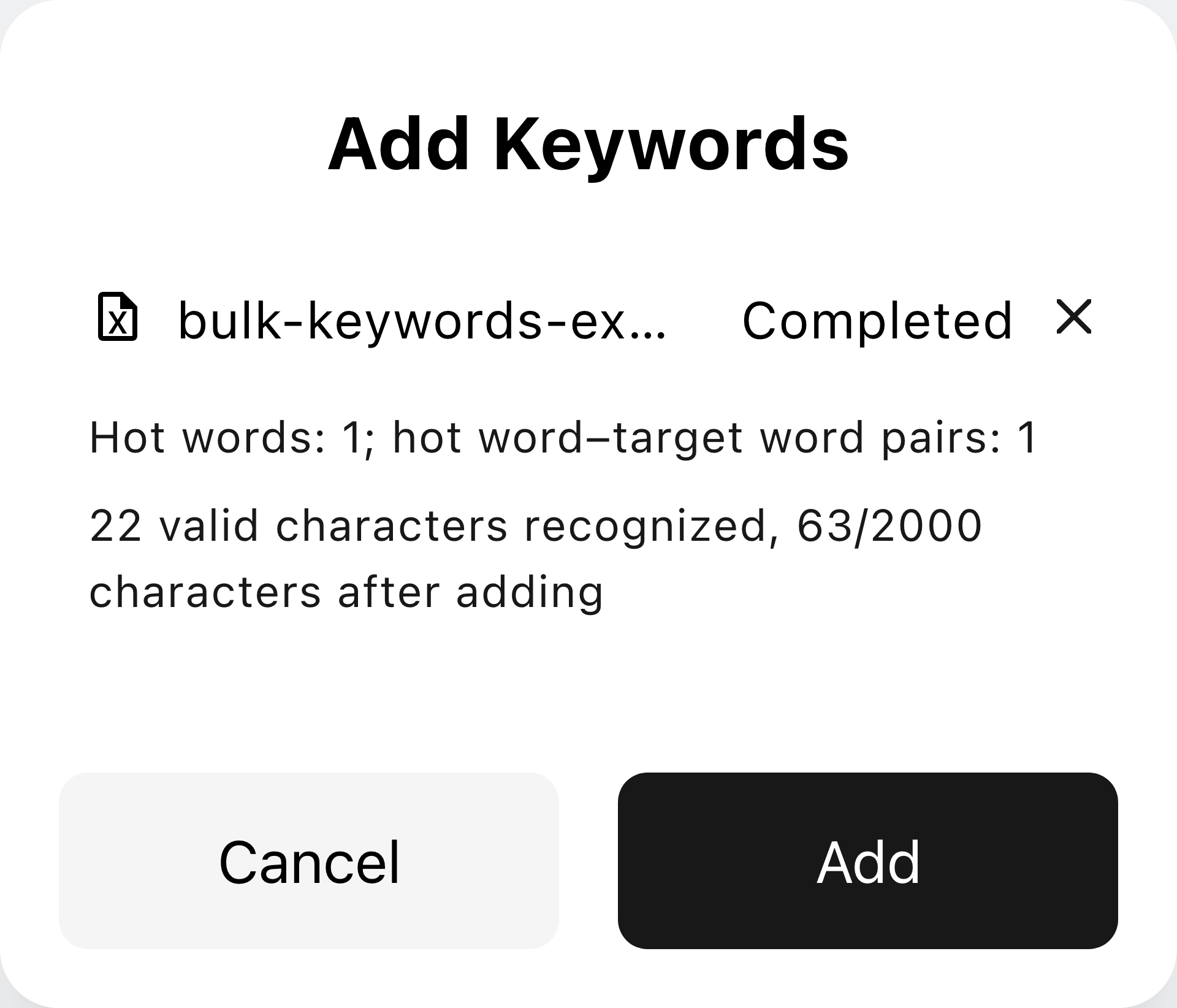
To import several terms, use CSV template and Upload CSV in the same dialog. Review the recognized terms and character count before clicking Add.
3. Setting Context #
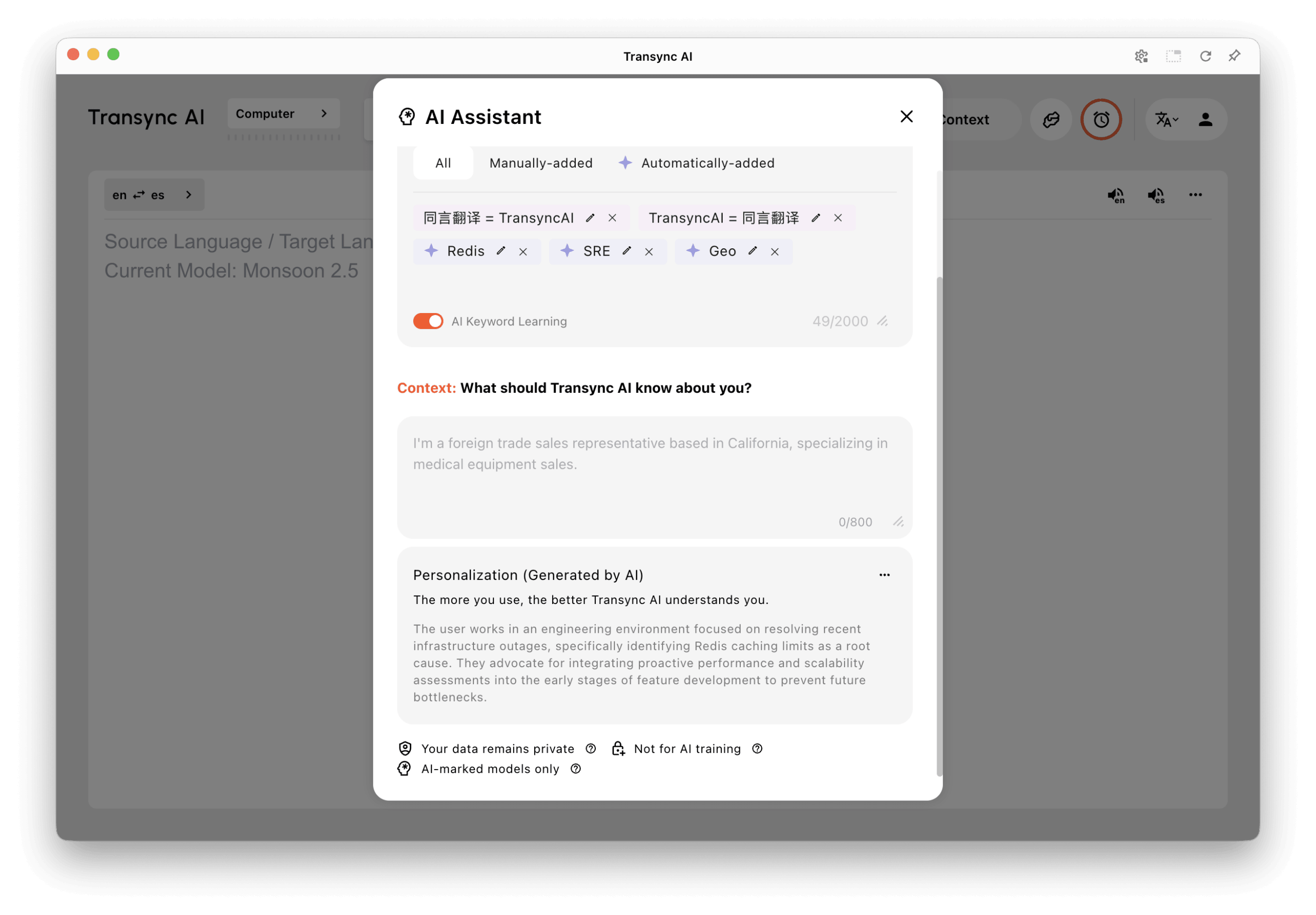
In the Context field, describe relevant background information such as your profession, industry, or meeting topic.
The AI Assistant will adapt translations based on this context to match your field’s tone and terminology.
Example:
“I work as a product manager in the renewable energy industry. This meeting is about photovoltaic system design and implementation.”
4. AI Assistant Character Limits #
The personal keyword field supports up to 2,000 characters, and the organization keyword field supports up to 3,000 characters. The manual Context field has a separate 800-character limit. Check the counters beside each field.
If you work in an organization, select the Personal tab to manage your own vocabulary, Context, and personalized memory. Organization knowledge-base content is read-only here.
5. AI Personalization #
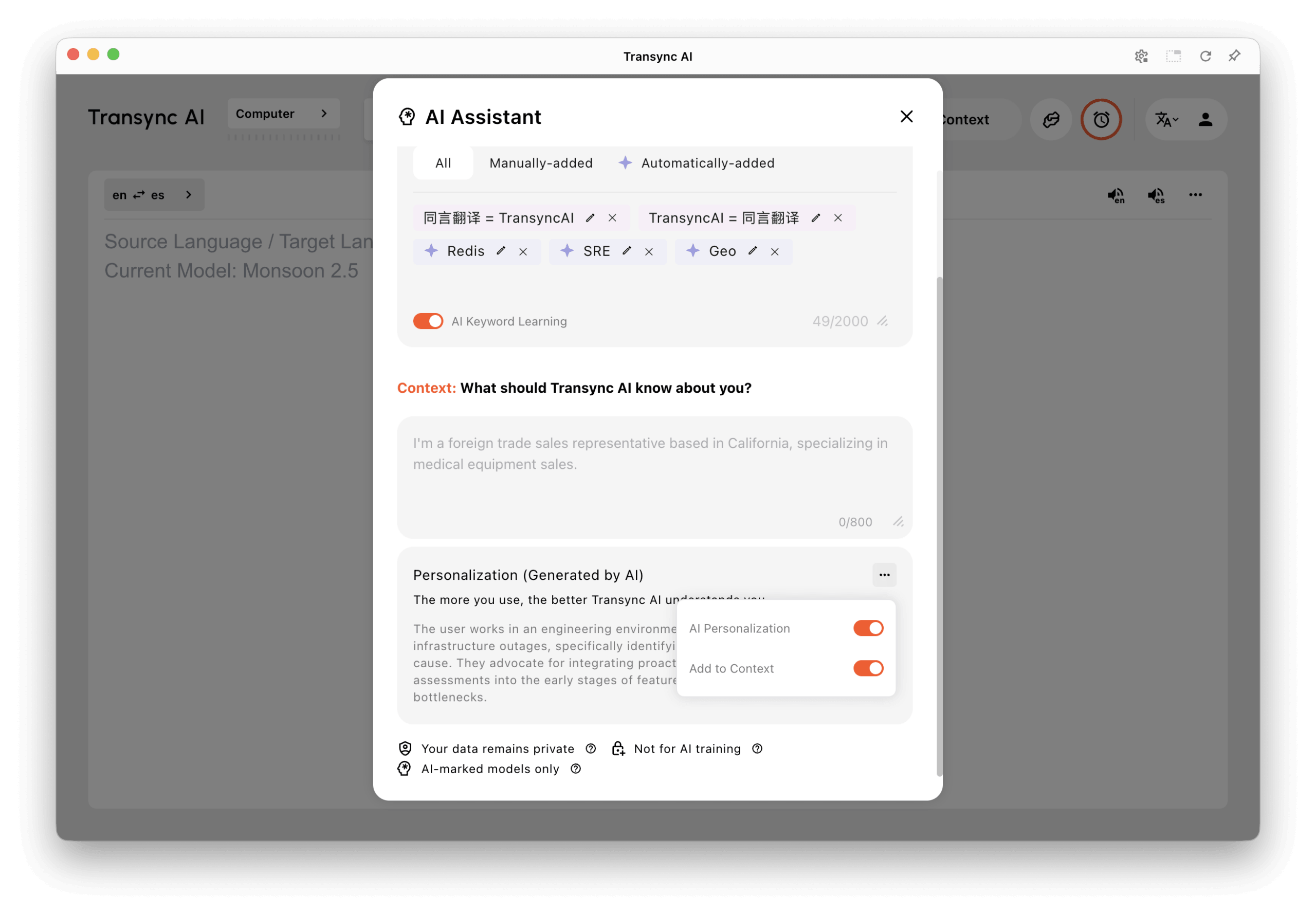
Below Context, the Personalization (Generated by AI) card shows saved background and preferences. Click a saved summary to view its details. If no memory is available yet, the card may show examples instead.
Open the card’s three-dot menu to manage AI Personalization and Add to Context. Add to Context controls whether saved memory is included as additional context for supported translation tasks. Turning off AI Personalization opens a Turn off and delete confirmation; use Add to Context if you only want to stop using the memory as context.
See How to Manage Personalized Memory for the detailed steps.
6. AI Keyword Learning and Personal Vocabulary #
Use All, Manually-added, and Automatically-added to filter your personal terms. The AI Keyword Learning switch controls automatic vocabulary learning separately from AI Personalization. Use the + button to add terms or import a CSV using the template in Add Keywords. Edit a saved term with its pencil icon or remove it with ×.
AI can recognize terms from a conversation and add them to the personal keyword list. Here, Redis, SRE, and Geo are marked with stars as automatically added terms.
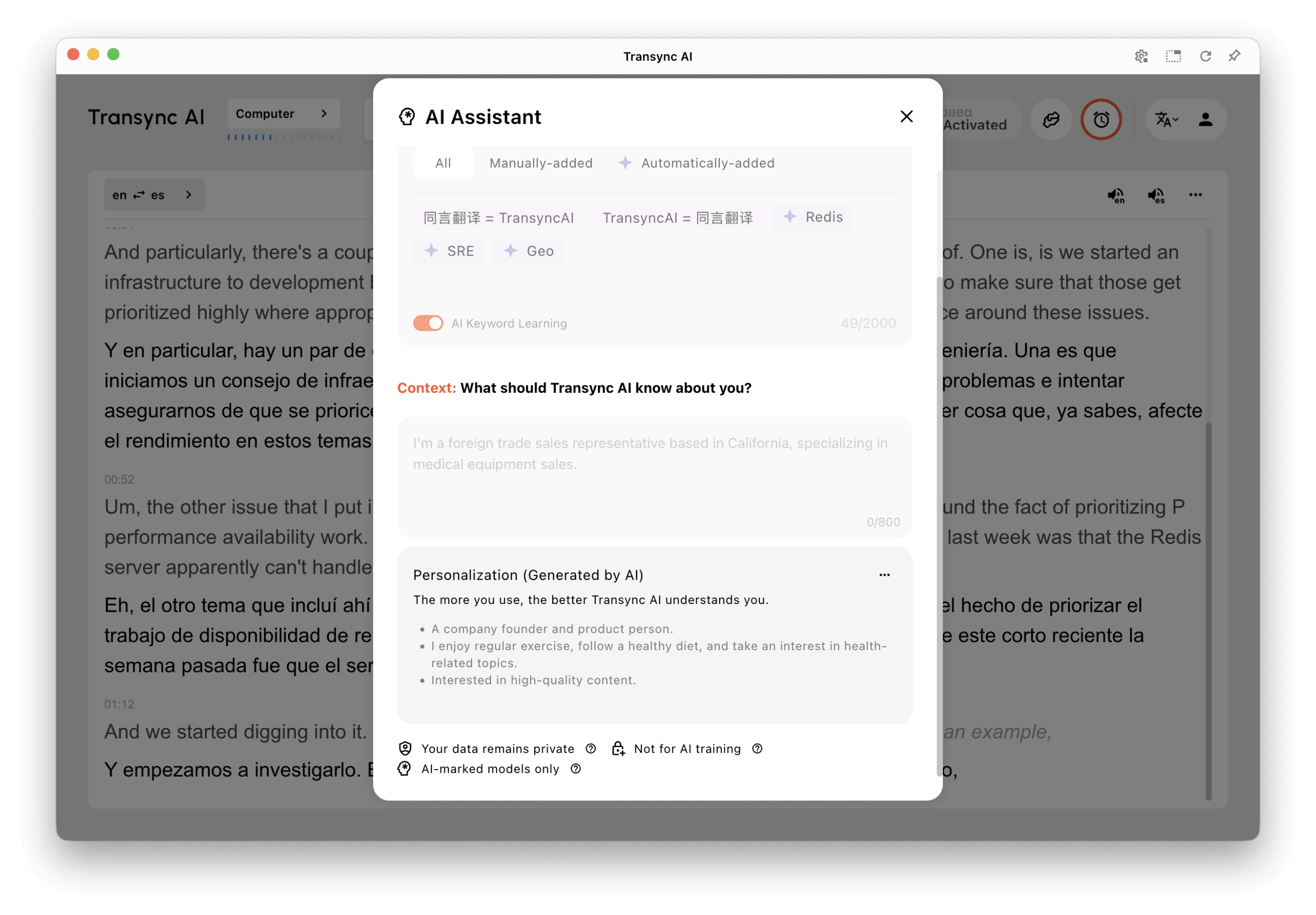
When an automatically added term appears in a notification, you can choose Edit or Undo. Prepare ordinary keyword and Context changes before translation, or pause and resume the task when editing. See How to Manage Personal Vocabulary.
⚠️ Notes and Limitations #
- The AI Assistant feature works with models that support keywords and context. If a model does not support AI Assistant, the option may not appear or may be unavailable.
- Keep keywords short and specific. Add longer background information in the Context field instead of the keyword field.
- For the best result, update your keywords and context before starting a translation task.


