
What is Transync AI?
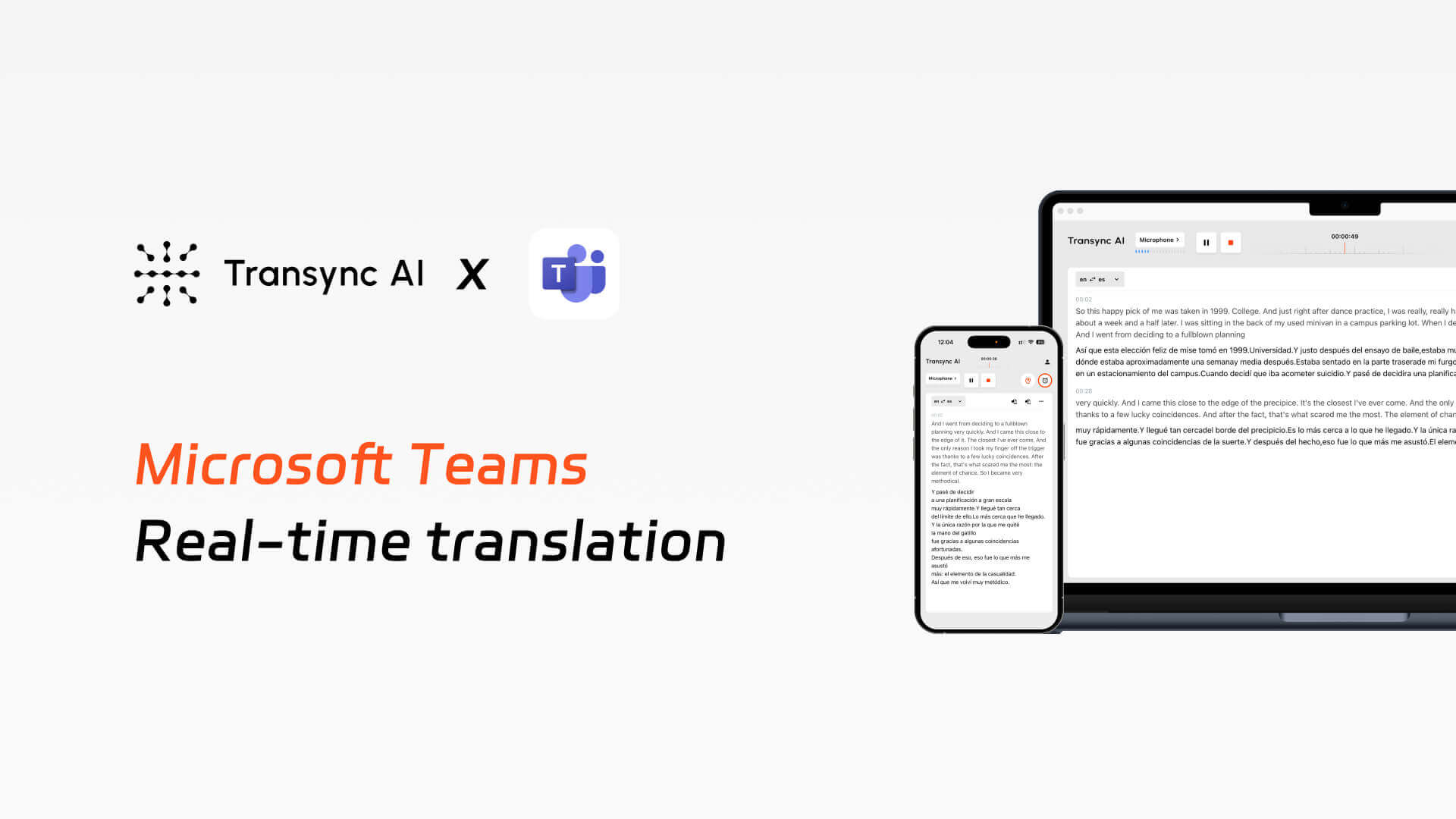
Transync AI Microsoft Teams translation helps users follow multilingual Teams meetings with bilingual subtitles, voice playback, meeting notes, and Virtual Microphone support for sending translated speech into the meeting.
1. Low Efficiency in Cross-Language Communication
Participants struggle to understand foreign-language speakers, manual interpretation disrupts meeting flow, and non-native speakers often hesitate to speak, significantly reducing communication efficiency.
2.Insufficient Native Capabilities in Teams
Teams’s built-in subtitles support limited languages, suffer from high latency and unstable accuracy, and lack customization for context, terminology, and keywords.
3.No Effective Post-Meeting Knowledge Retention
Information is only partially understood during meetings, requiring extra effort afterward to organize notes, while participants have no shared, synchronized access to meeting records.
Setup guide
Implement real-time bilingual translation during Teams meetings, including subtitles and voice broadcasting, and automatically generate meeting minutes.
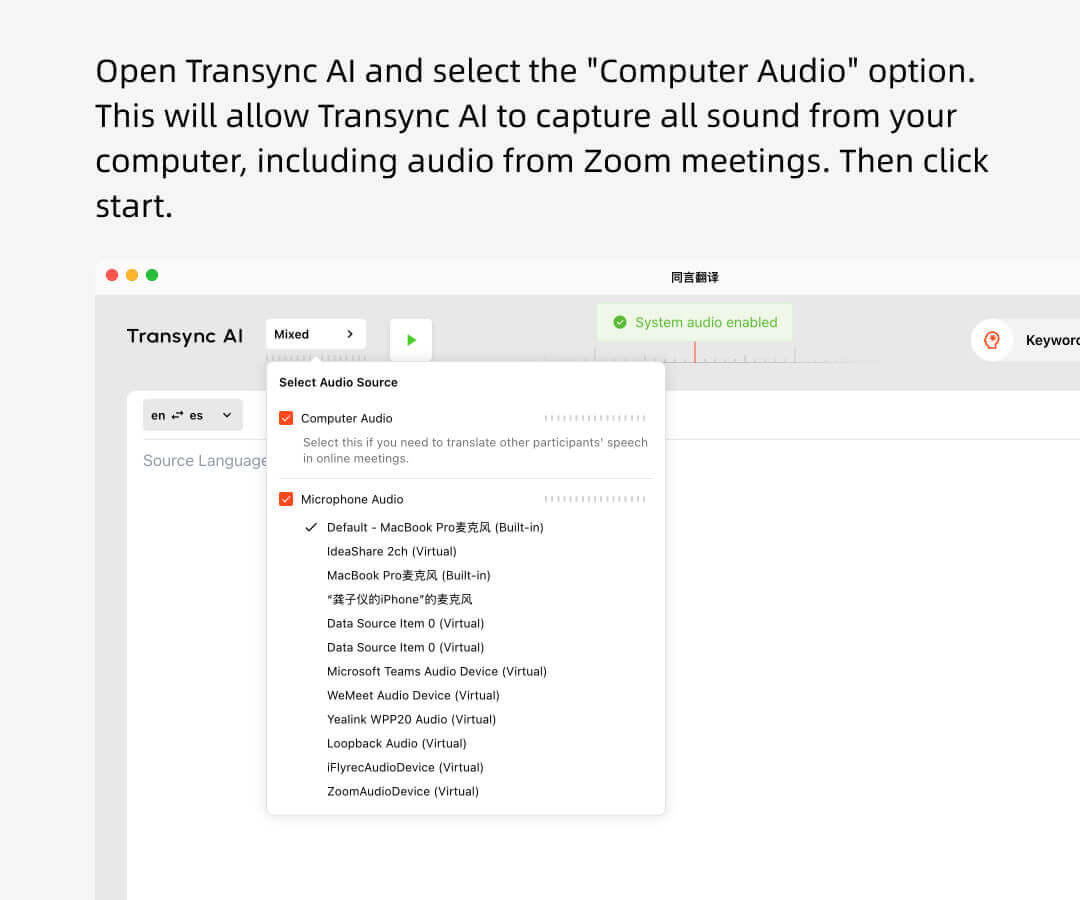
1. Open Transync AI, select the appropriate language pair, check the computer audio box, and begin the translation.
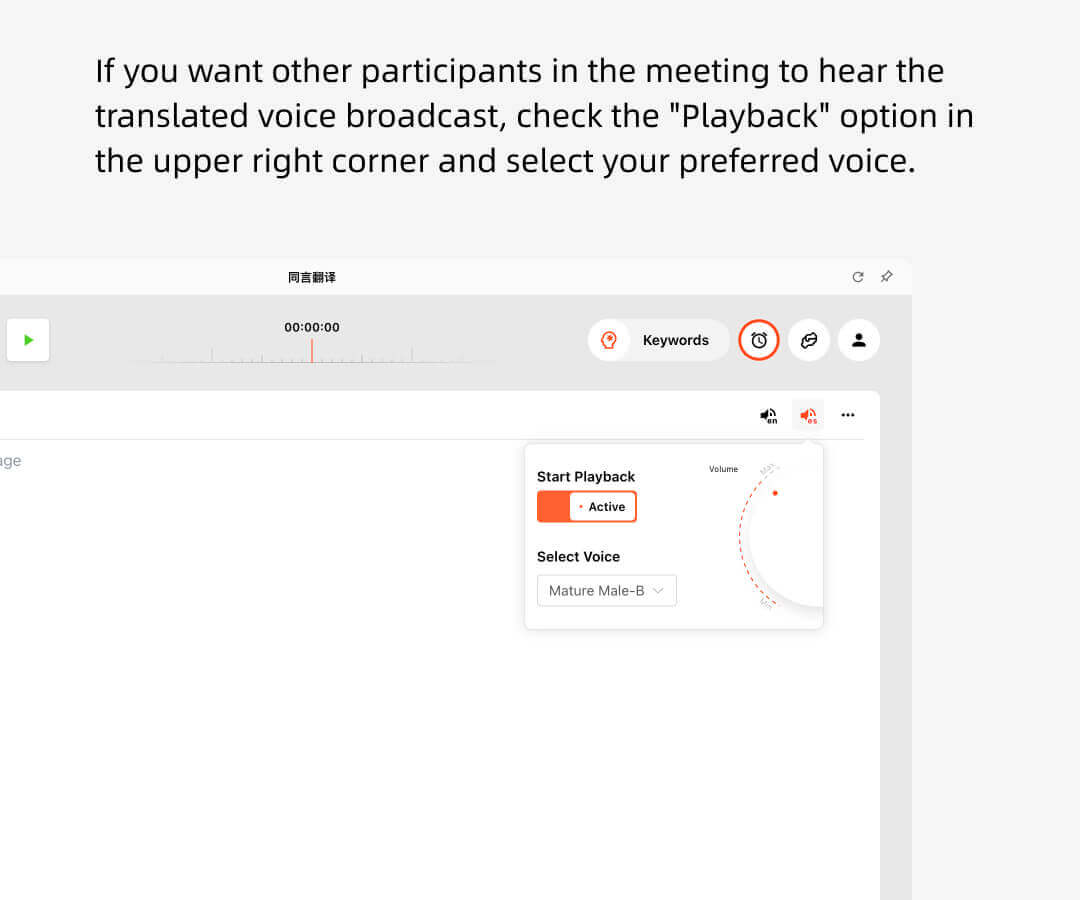
2.If you want others to hear the translated audio broadcast, check the “Start Playback” option in the upper right corner.
3.Open Teams and start the meeting. Transync AI will listen to the audio from your computer and provide real-time translations.
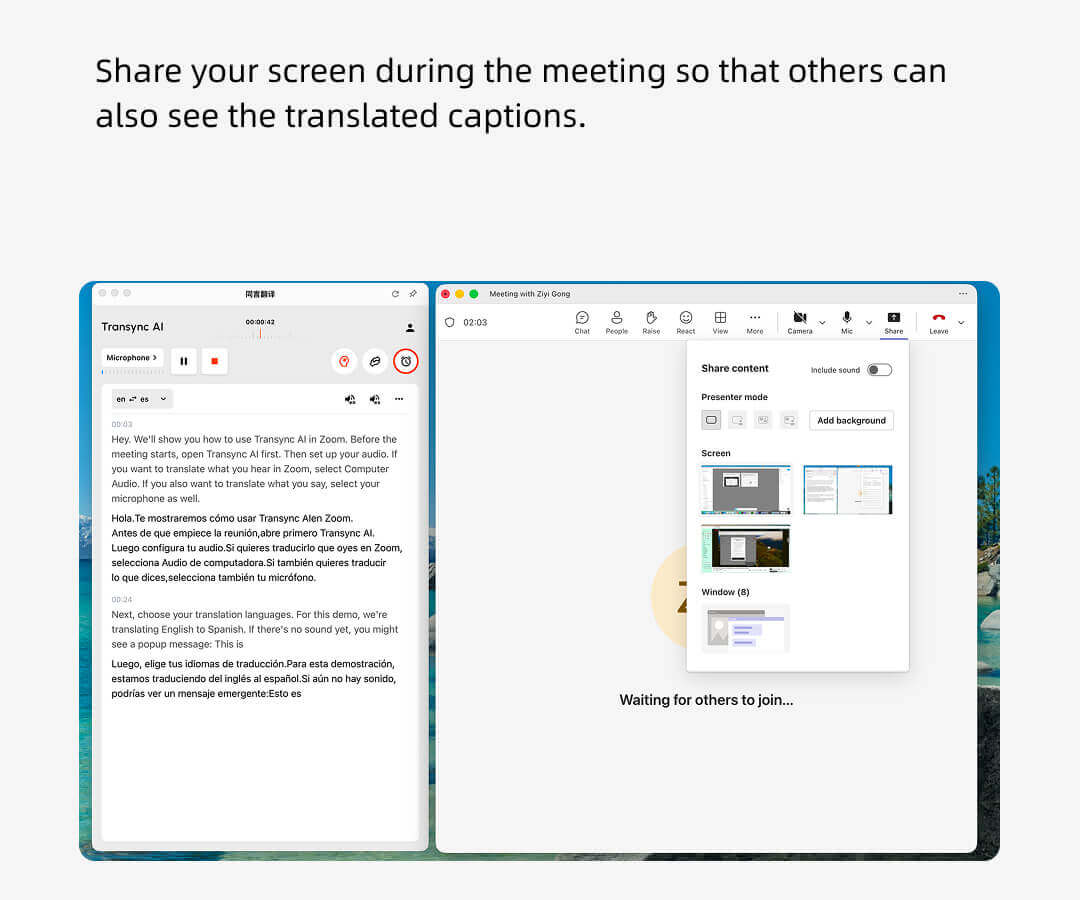
4.Sometimes you need to share your screen and select the “include computer sound” option so that others can hear the audio playback.
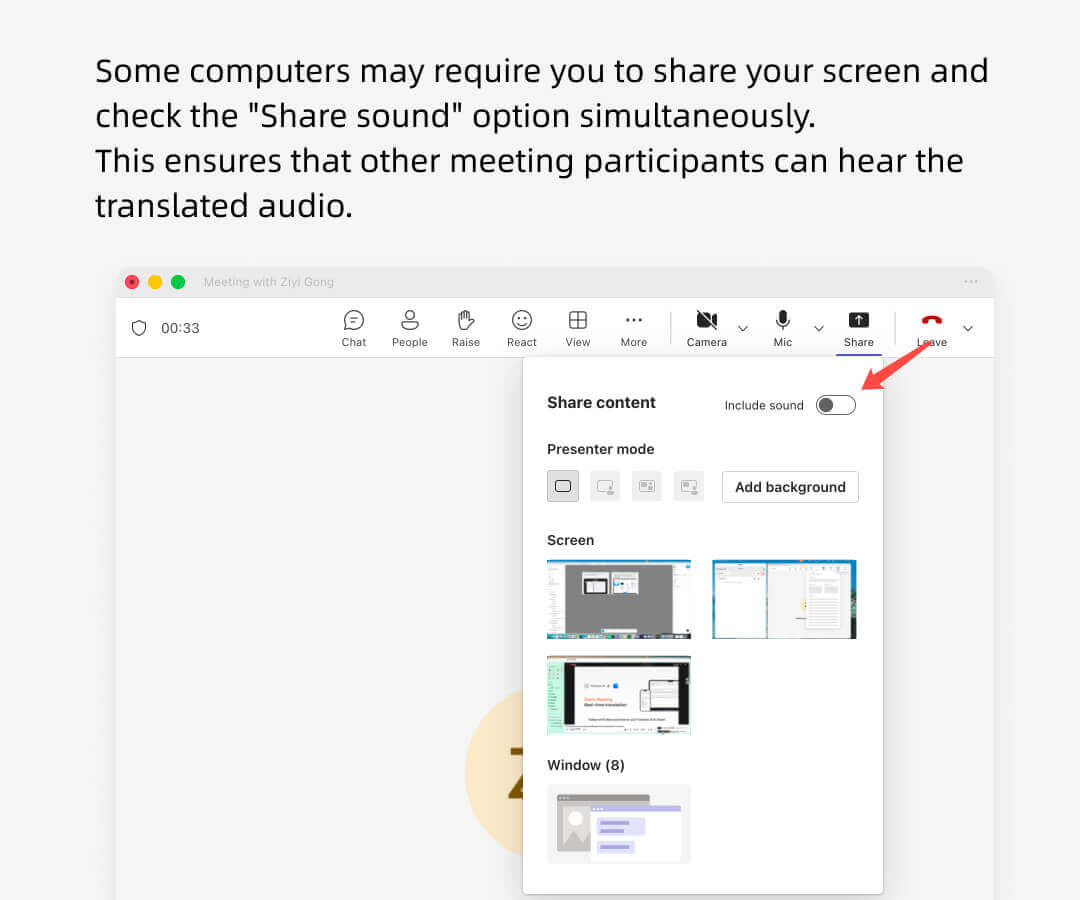
Teams meeting hosts can use Transync AI to listen to other participants’ remarks and have them broadcast in real time.
Other attendees do not need to have a Transync AI account, nor will they be charged for translation usage time. Only the host will consume the usage minutes.
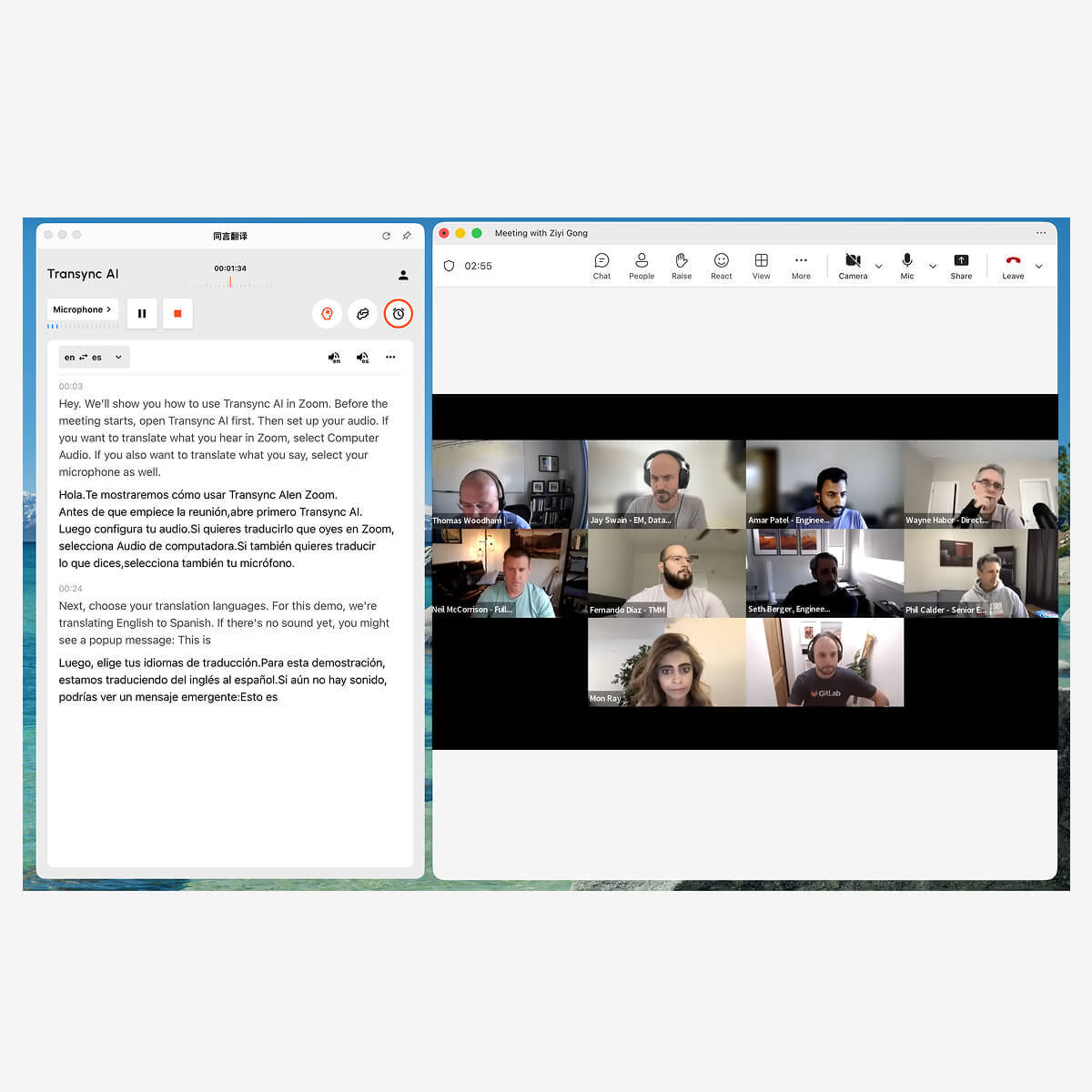
Teams meeting participants do not need to download any software or plug-ins.
Only the meeting host needs to open Transync AI and enable the voice broadcast feature for participants to hear the translated audio. If the host shares their screen, participants will also be able to see the translated transcription subtitles.
Additionally, participants will not be charged any fees.
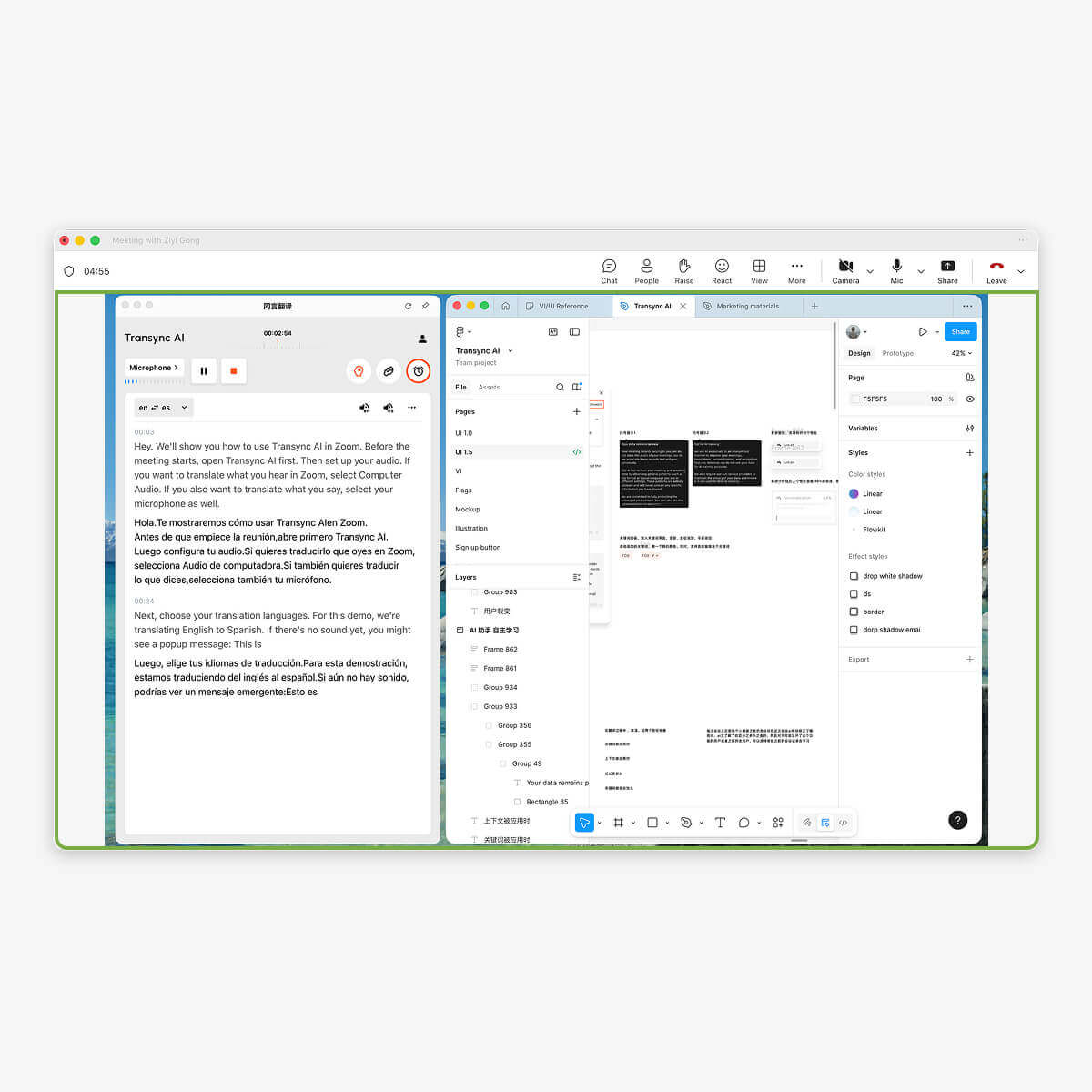
Transync AI directly listens to your speech and that of others in the meeting, automatically distinguishes speakers and translates them, and can be used on various conference platforms.(Zoom, Teams, Google Meet, WhatsApp, or other meeting software.)

Tools
Our real-time translation services for Teams include the following: Multilingual real-time translation during Teams meetings, Real-time voice translation and broadcasting during the sessions, Multilingual meeting summaries and minutes generated after the Teams meeting concludes. With Virtual Microphone, Transync AI can send translated speech directly into Teams, so other participants hear the translated voice instead of your original voice.
1. Designed specifically for meeting scenarios rather than simple generic translation, it supports keywords and context.
2. Low latency and high accuracy make it ideal for real-time discussions. Built for low-latency, high-accuracy translation in professional contexts
3. It supports over 60 languages, rather than a more limited set of embedded languages. and can generate meeting minutes after the meeting ends
4. Supports enterprise-grade data security and compliance standards, and meets GDPR compliance requirements.
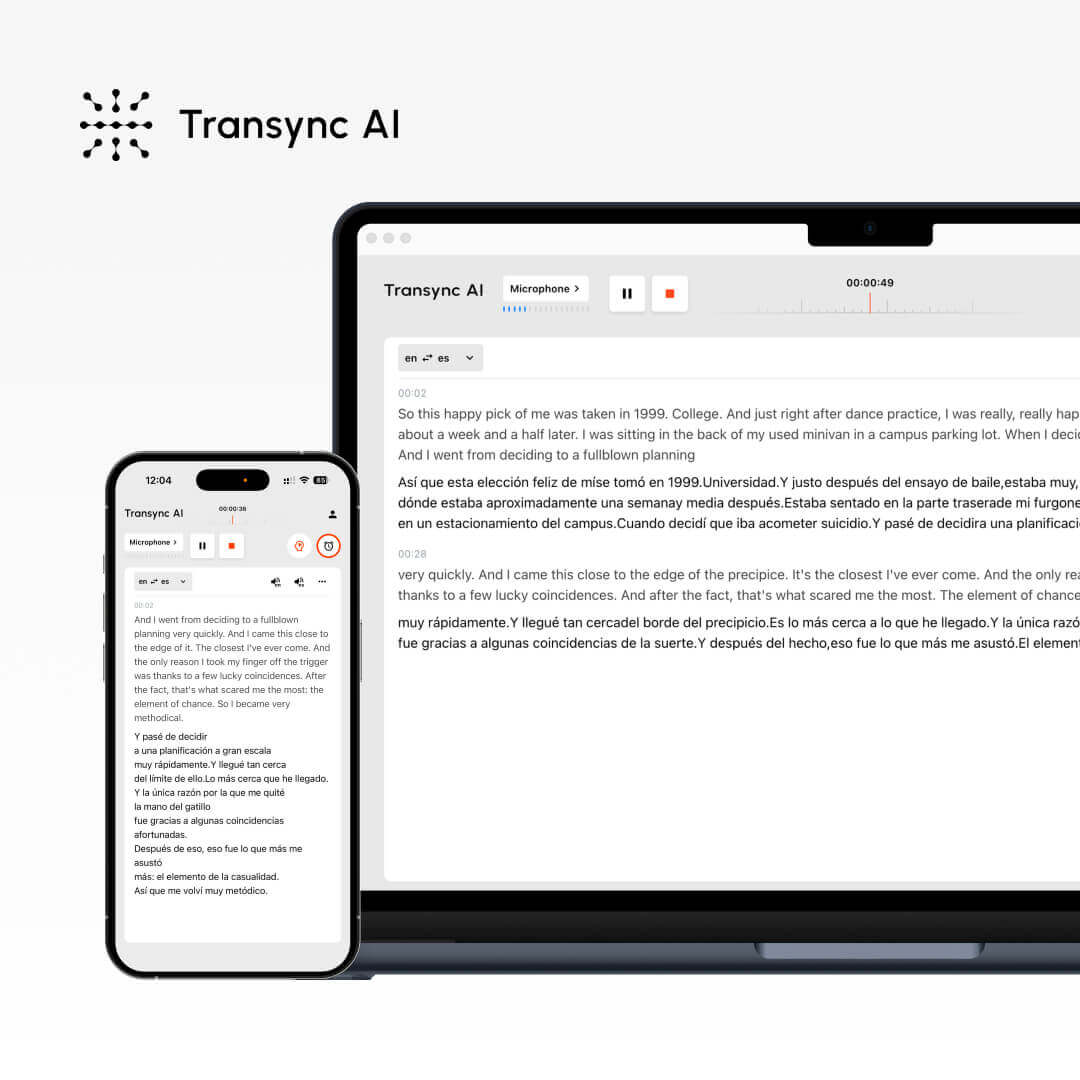
Supports languages.
Real-time Captioning
Real-time voice translation
Automatic meeting minutes
Keywords and context
Low latency
High accuracy
60+
✔
✔
✔
✔
★★★
★★★
40
✔
✗
✗
✗
★★
★★
10+
✗
✗
✗
✗
★
★
Short answers for teams comparing Microsoft Teams translation, captions, interpreters, Virtual Microphone, privacy, platforms, and supported languages.
Transync AI Microsoft Teams translation helps users follow multilingual Teams meetings with bilingual subtitles, voice playback, meeting notes, and Virtual Microphone support for sending translated speech into the meeting.
Best for Microsoft Teams meetings, enterprise calls, customer support, training, global project reviews, and cross-border collaboration where participants need real-time translation.
Human interpreters are best for high-stakes legal, medical, or formal events. Transync AI is better suited for frequent meetings, online calls, classes, and daily multilingual communication where speed, availability, and lower cost matter.
Meeting captions usually show text only inside one meeting platform. Transync AI works across meeting apps and adds bilingual subtitles, voice playback, meeting notes, and Virtual Microphone support for translated speech output.
Transync AI is designed for business communication and privacy-conscious workflows. Customer data is processed to provide the translation service and is not used for AI training. Voice Clone also does not store original recordings for training.
Transync AI supports desktop, mobile, and web workflows, including macOS, Windows, iOS, Android, and browser-based use cases. It can be used with Zoom, Microsoft Teams, Google Meet, WhatsApp calls, and in-person meetings.
Transync AI supports 60+ languages for real-time translation, including Chinese, English, Japanese, Korean, Cantonese, German, French, Russian, Italian, Spanish, and many other global languages.