
What is Transync AI?
Transync AI Picture in Picture keeps bilingual subtitles floating on screen while users join meetings, watch presentations, view shared content, or use other apps, so translations remain visible without switching windows.
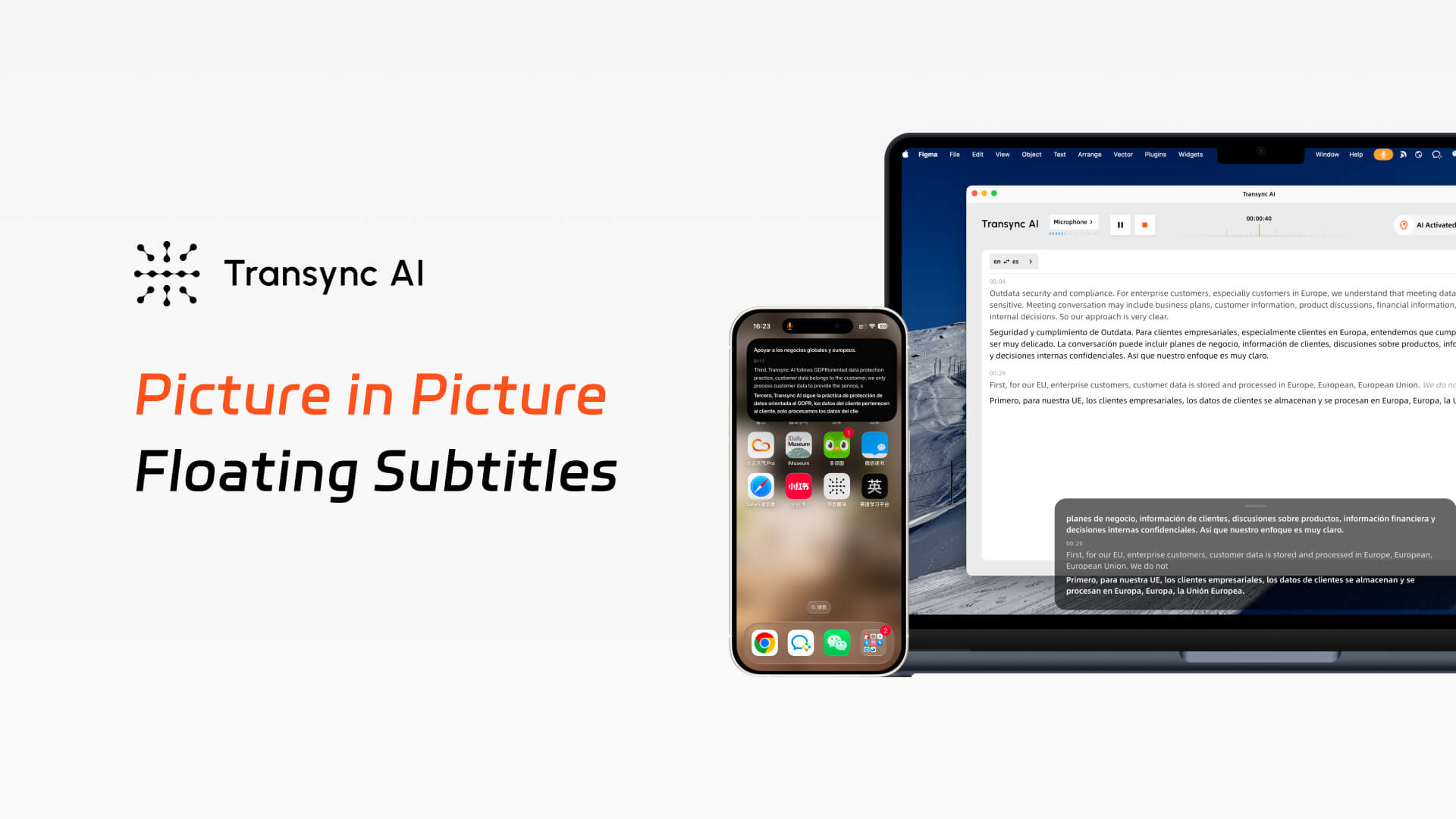
With Transync AI Picture in Picture subtitles, the original speech and translated text can stay in a compact floating window. Whether you are presenting slides on desktop or switching apps on mobile, you can keep real-time translation visible without interrupting your workflow.
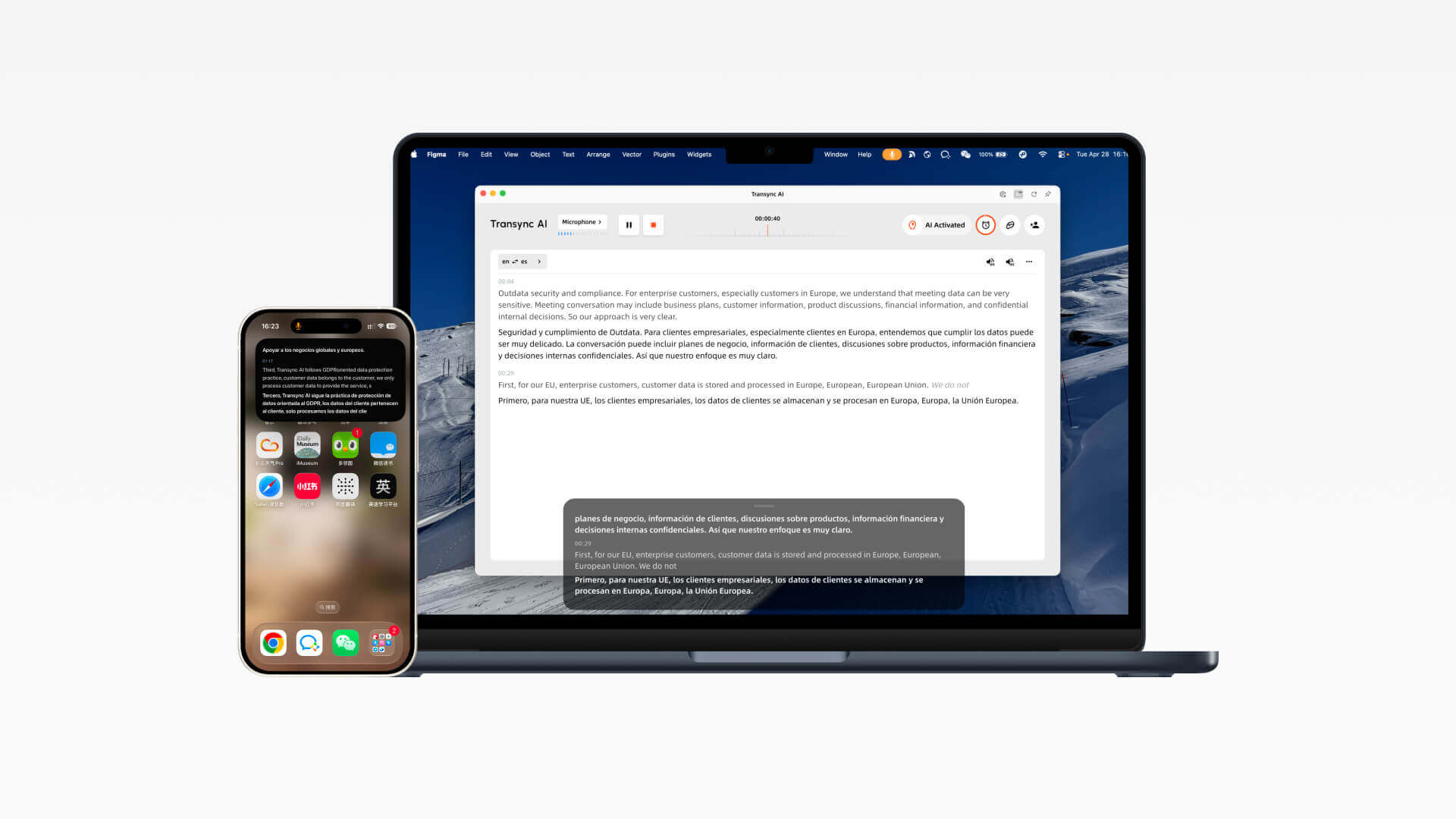
Floating Subtitle Guide
Turn on floating subtitles after a translation task starts. On desktop, the subtitle window stays above other apps; on iOS, it can be opened manually or appear automatically when Transync AI runs in the background.
1. Open Transync AI on Mac or Windows, select your language pair, and start a real-time translation task.
2.After the task starts, click the Picture in Picture control in the upper-right corner of the interface to activate floating subtitles.
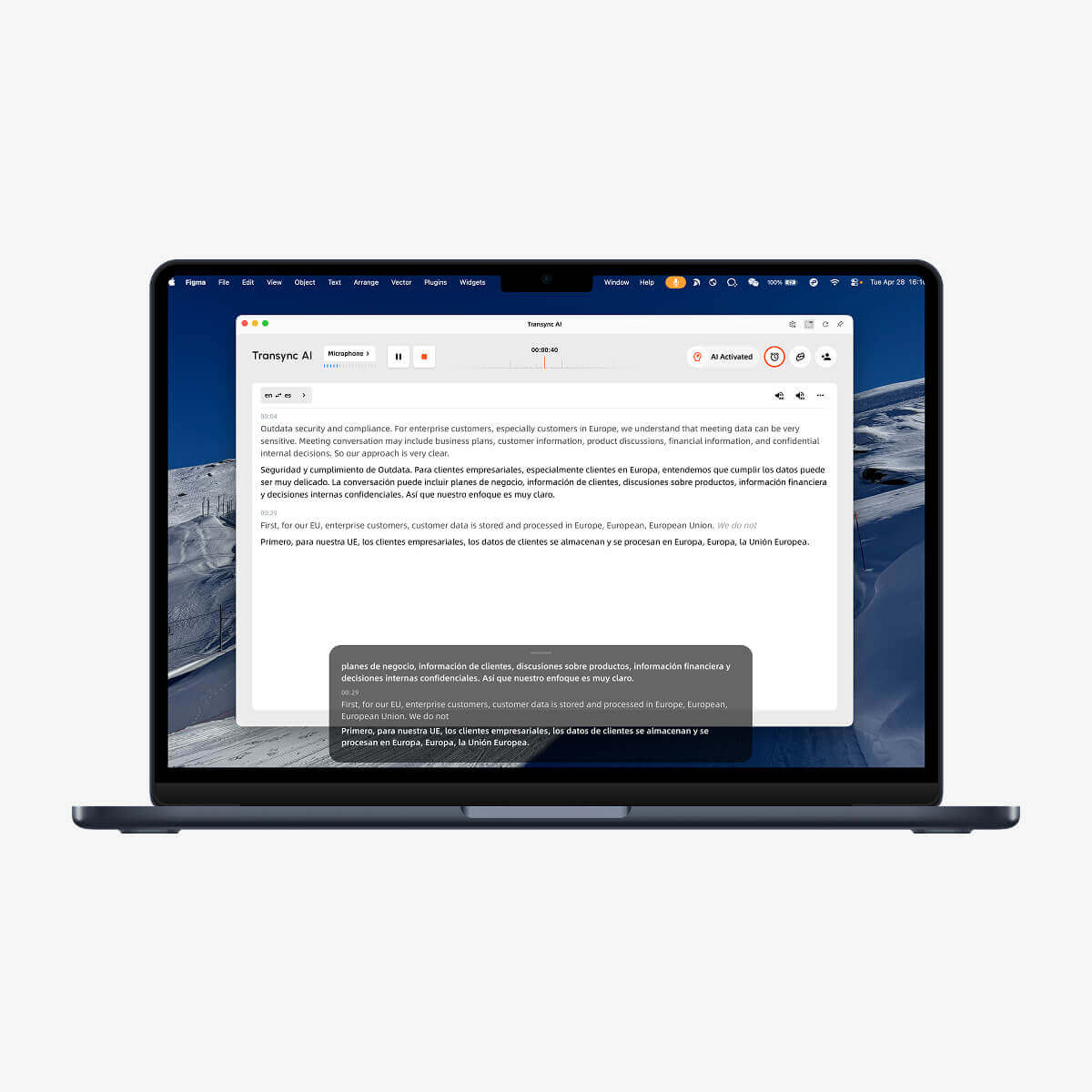
3.A black floating subtitle window will appear and remain above your applications, so translated captions stay visible while you present slides or switch windows.
4.On iOS, tap the control in the upper-right corner of the translation bar, or move Transync AI to the background to let the system open a floating caption window automatically.
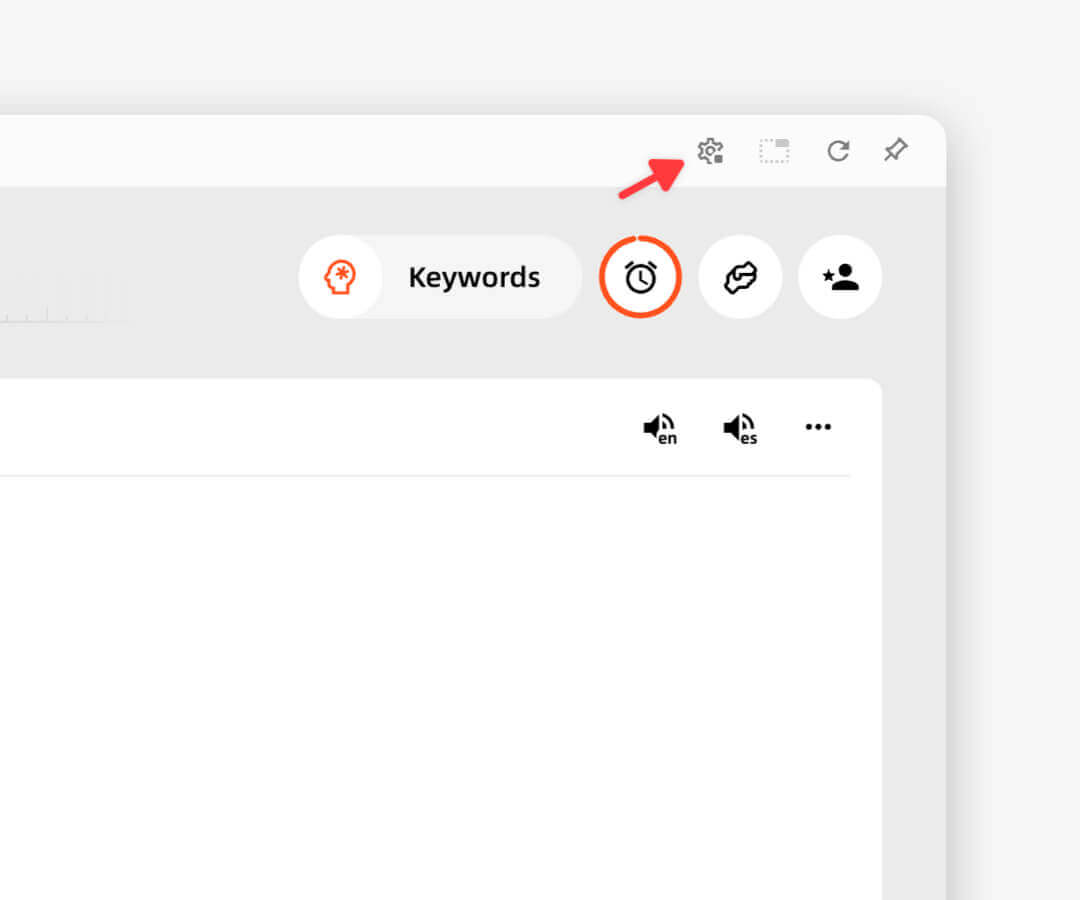
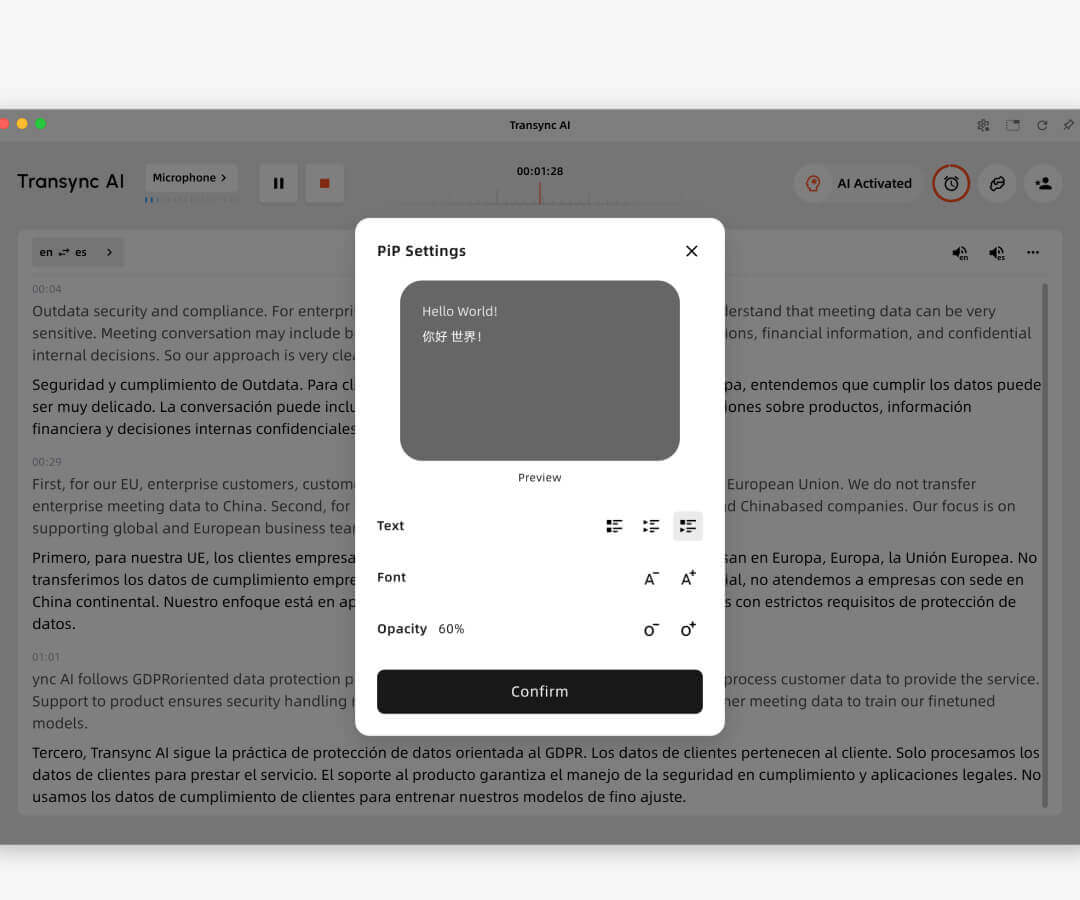
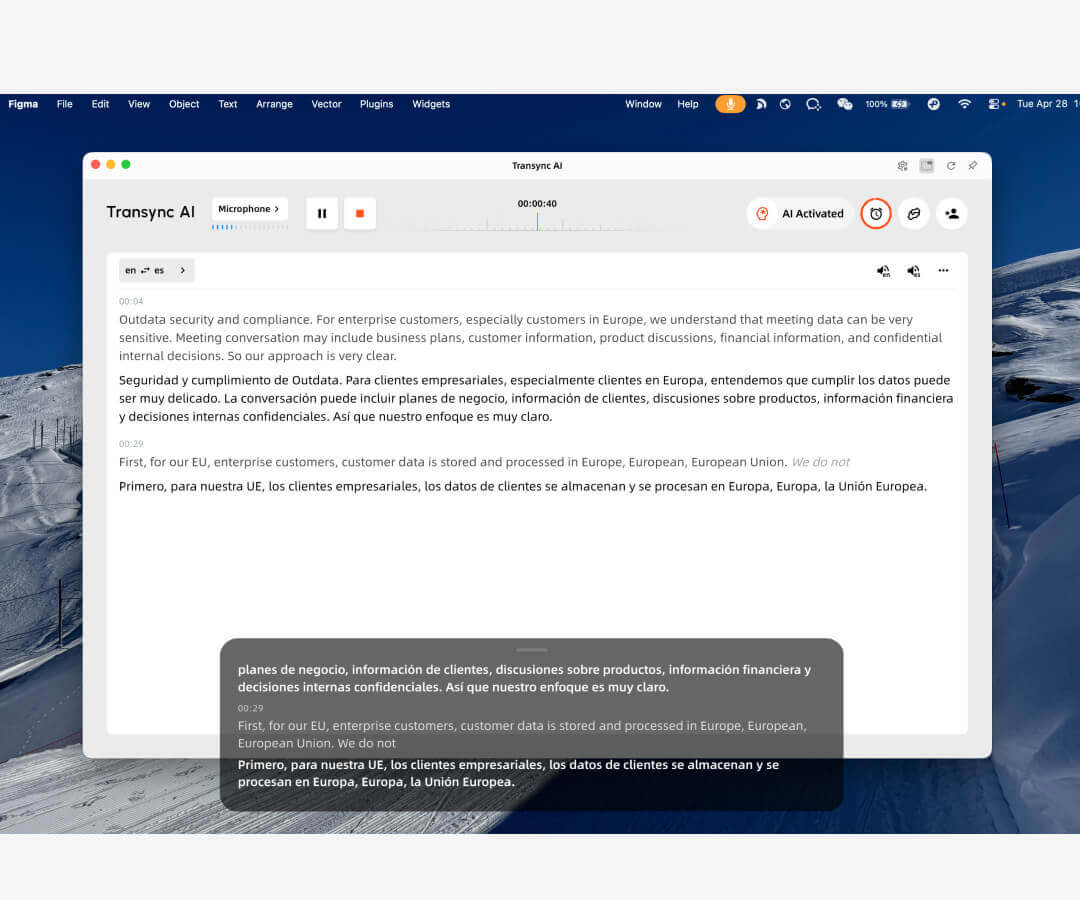
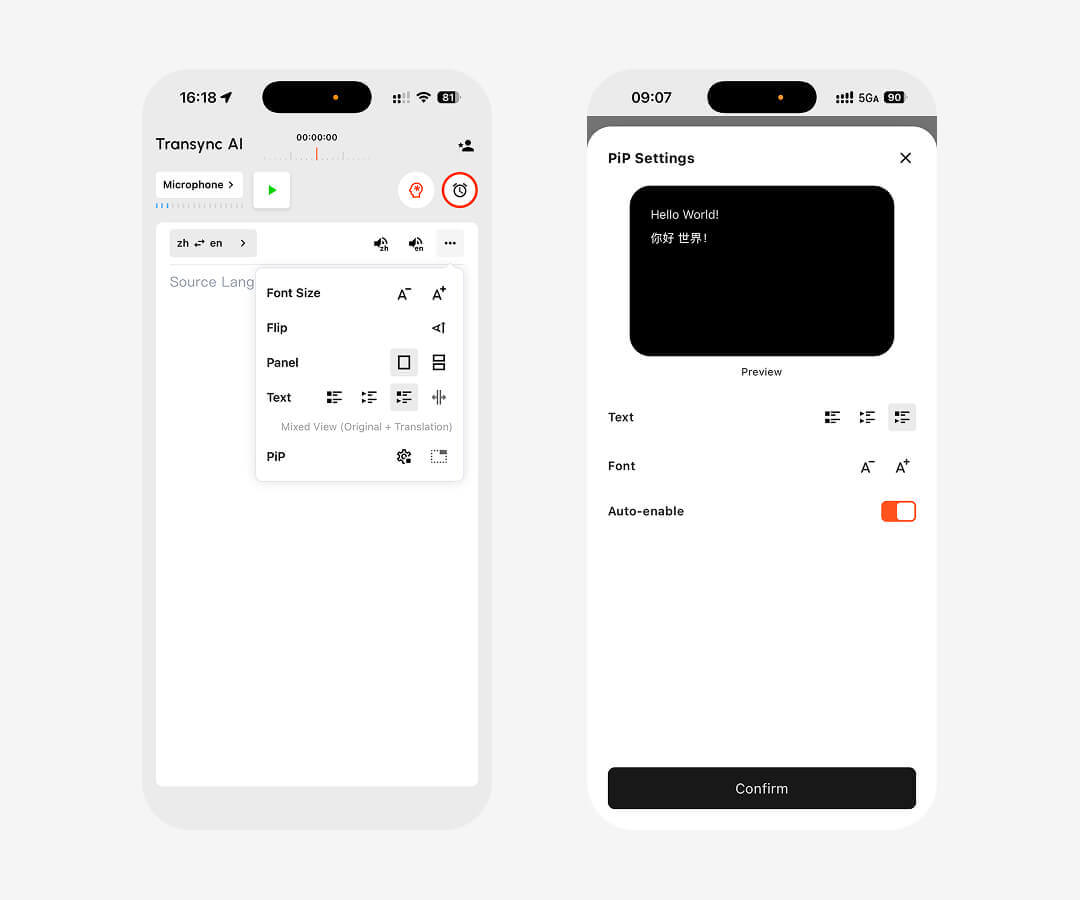
On desktop, Picture in Picture subtitles can be enabled from the upper-right corner after each translation task begins. The floating subtitle window stays on top of your current app, and you can pause or resume translation directly from the window when needed. Transync AI also remembers your last PiP window position, making it easier to continue presentations, demos, or multilingual discussions without readjusting your workspace.
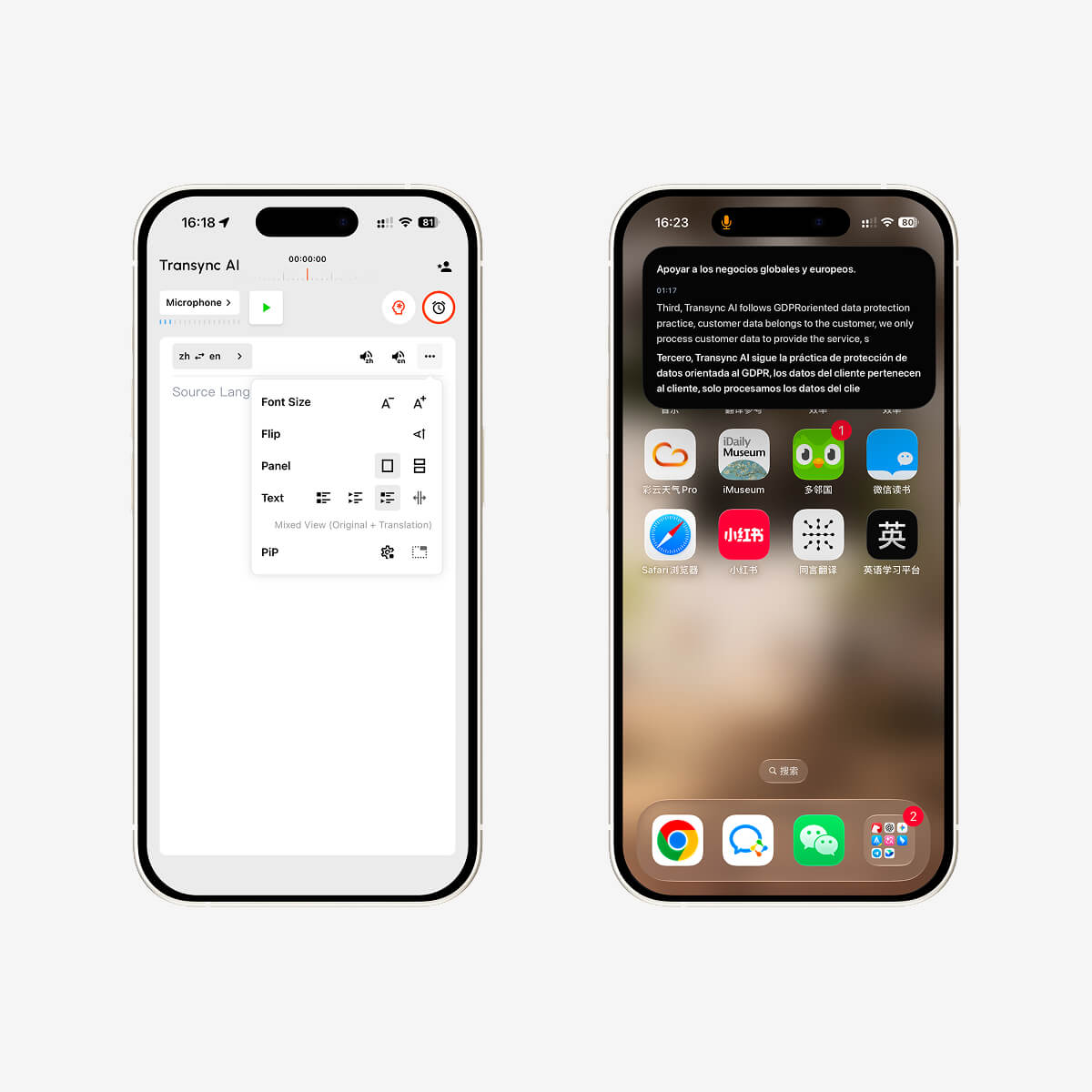
On iPhone, you can activate the floating subtitle window from the upper-right corner of the translation bar. When you push Transync AI to the background, iOS can also open a floating window automatically, showing both the original text and the translated content in real time.
Transync AI currently supports Picture in Picture floating subtitles on Mac, Windows, and iOS. You can use it on desktop during presentations or meetings, and on iPhone when switching apps or keeping translation visible in a compact floating window.
Start a translation task in Transync AI, then click the Picture in Picture button in the upper-right corner of the desktop interface. A black floating subtitle window will appear and remain above other applications.
After starting a translation task on iOS, tap the Picture in Picture control in the upper-right corner of the translation bar. You can also move Transync AI to the background, and the system will automatically show a floating window with real-time original and translated text.
Floating subtitles stay above your slides or demo screen, so you can keep bilingual captions visible without constantly switching back to Transync AI. This makes it easier to present, teach, or host multilingual conversations while keeping translation in view.
Yes. On iOS, the floating window can display both the original speech text and the translated content in real time. On desktop, the floating subtitle window is designed to keep translated captions clearly visible above other applications.
Keep real-time translation visible wherever you work. Download Transync AI on Mac, Windows, or iOS, start a translation task, and enable Picture in Picture floating subtitles for meetings, presentations, calls, and everyday multilingual communication.
Short answers about floating subtitles, meetings, presentations, mobile use, privacy, platforms, and supported languages.
Transync AI Picture in Picture keeps bilingual subtitles floating on screen while users join meetings, watch presentations, view shared content, or use other apps, so translations remain visible without switching windows.
Best for meetings, presentations, screen sharing, mobile conversations, online classes, and workflows where users need translated subtitles visible while focusing on another app or screen.
Human interpreters are best for high-stakes legal, medical, or formal events. Transync AI is better suited for frequent meetings, online calls, classes, and daily multilingual communication where speed, availability, and lower cost matter.
Meeting captions usually show text only inside one meeting platform. Transync AI works across meeting apps and adds bilingual subtitles, voice playback, meeting notes, and Virtual Microphone support for translated speech output.
Transync AI is designed for business communication and privacy-conscious workflows. Customer data is processed to provide the translation service and is not used for AI training. Voice Clone also does not store original recordings for training.
Transync AI supports desktop, mobile, and web workflows, including macOS, Windows, iOS, Android, and browser-based use cases. It can be used with Zoom, Microsoft Teams, Google Meet, WhatsApp calls, and in-person meetings.
Transync AI supports 60+ languages for real-time translation, including Chinese, English, Japanese, Korean, Cantonese, German, French, Russian, Italian, Spanish, and many other global languages.