
Transync AI คืออะไร?
Transync AI Picture in Picture ช่วยให้คำบรรยายสองภาษาปรากฏอยู่บนหน้าจอขณะที่ผู้ใช้เข้าร่วมการประชุม ดูงานนำเสนอ ดูเนื้อหาที่แชร์ หรือใช้งานแอปพลิเคชันอื่นๆ ทำให้คำแปลยังคงมองเห็นได้โดยไม่ต้องสลับหน้าต่าง.
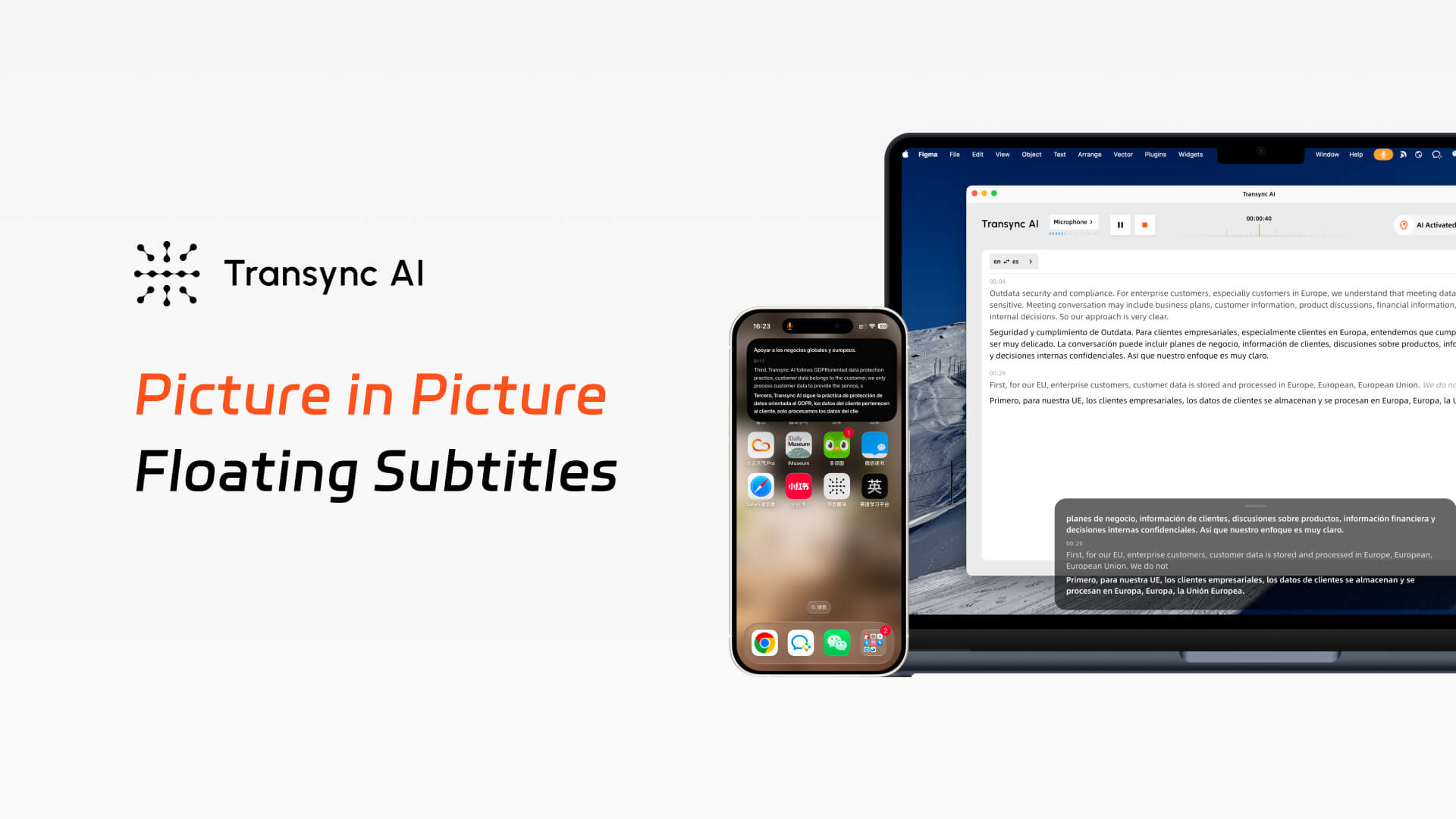
ด้วยคำบรรยายภาพซ้อนภาพ (Picture in Picture) จาก Transync AI เสียงพูดต้นฉบับและข้อความที่แปลแล้วสามารถแสดงอยู่ในหน้าต่างลอยขนาดกะทัดรัดได้ ไม่ว่าคุณจะนำเสนอสไลด์บนเดสก์ท็อปหรือสลับแอปบนมือถือ คุณก็สามารถเห็นคำแปลแบบเรียลไทม์ได้อย่างต่อเนื่องโดยไม่ขัดจังหวะการทำงานของคุณ.
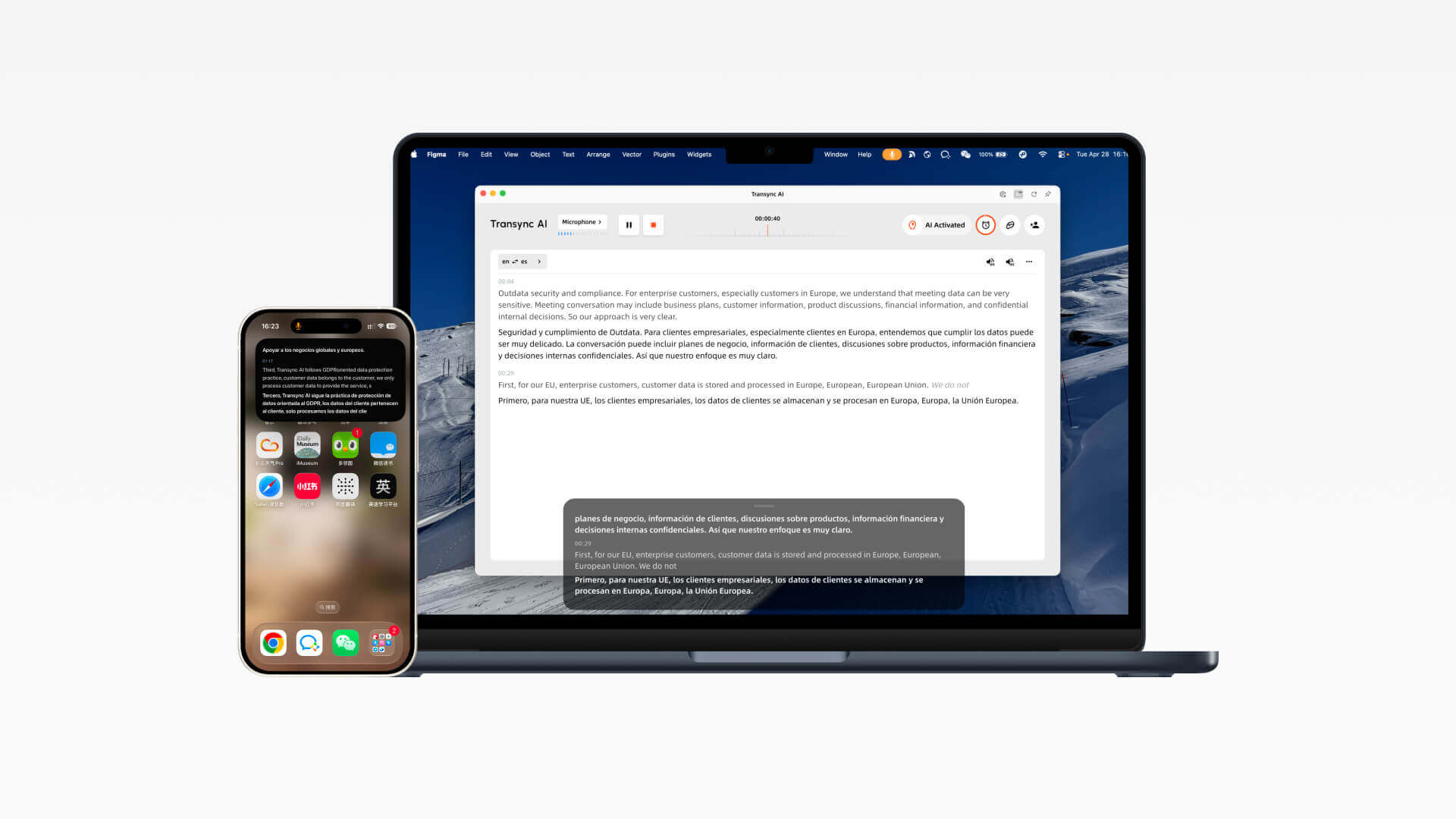
คู่มือคำบรรยายแบบลอยตัว
เปิดใช้งานคำบรรยายแบบลอยตัวหลังจากเริ่มงานแปลแล้ว บนเดสก์ท็อป หน้าต่างคำบรรยายจะอยู่เหนือแอปอื่นๆ ส่วนบน iOS สามารถเปิดได้ด้วยตนเองหรือให้แสดงโดยอัตโนมัติเมื่อ Transync AI ทำงานในพื้นหลัง.
1. เปิดโปรแกรม Transync AI บน Mac หรือ Windows เลือกคู่ภาษาของคุณ และเริ่มงานแปลแบบเรียลไทม์.
2. หลังจากเริ่มงานแล้ว ให้คลิกที่ปุ่ม Picture in Picture ที่มุมบนขวาของหน้าจอเพื่อเปิดใช้งานคำบรรยายแบบลอยตัว.
3. หน้าต่างคำบรรยายลอยสีดำจะปรากฏขึ้นและคงอยู่เหนือแอปพลิเคชันของคุณ เพื่อให้คำบรรยายที่แปลแล้วยังคงมองเห็นได้ในขณะที่คุณนำเสนอสไลด์หรือสลับหน้าต่าง.
4. บน iOS ให้แตะตัวควบคุมที่มุมบนขวาของแถบการแปล หรือย้าย Transync AI ไปไว้ด้านหลังเพื่อให้ระบบเปิดหน้าต่างคำบรรยายแบบลอยตัวโดยอัตโนมัติ.
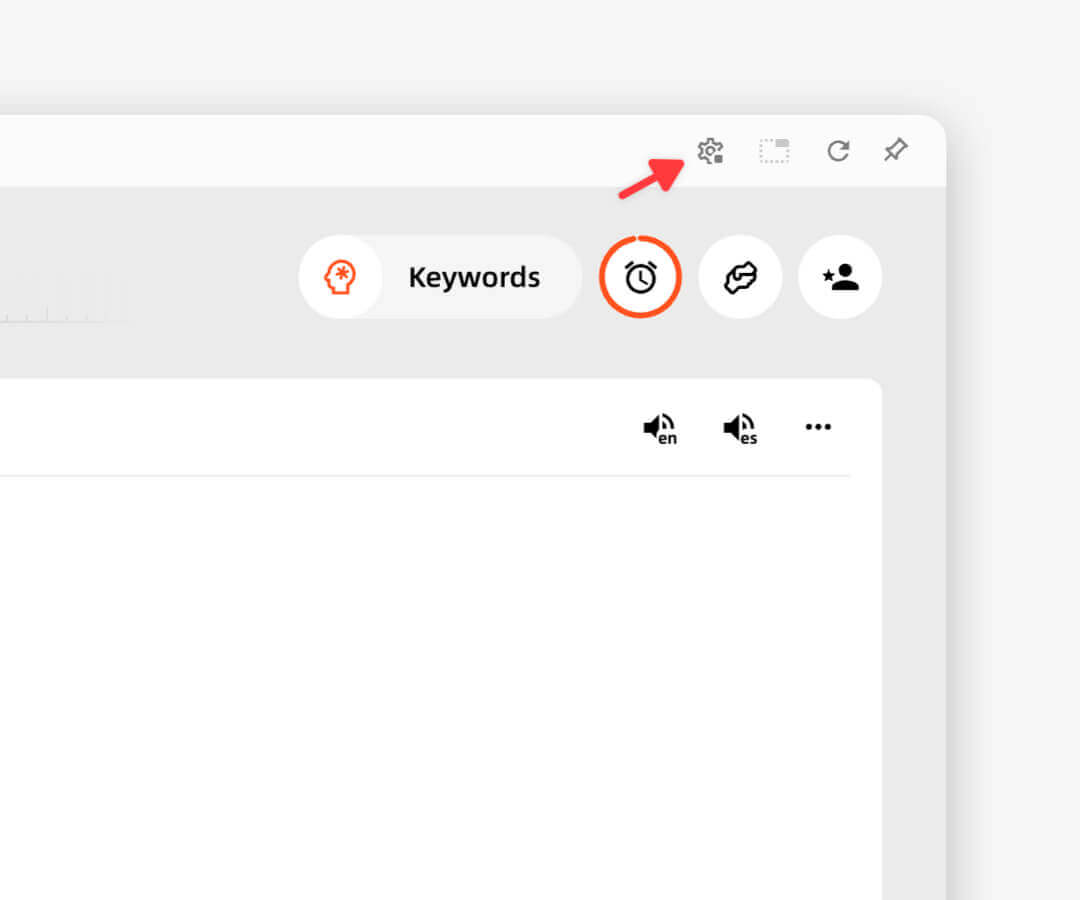
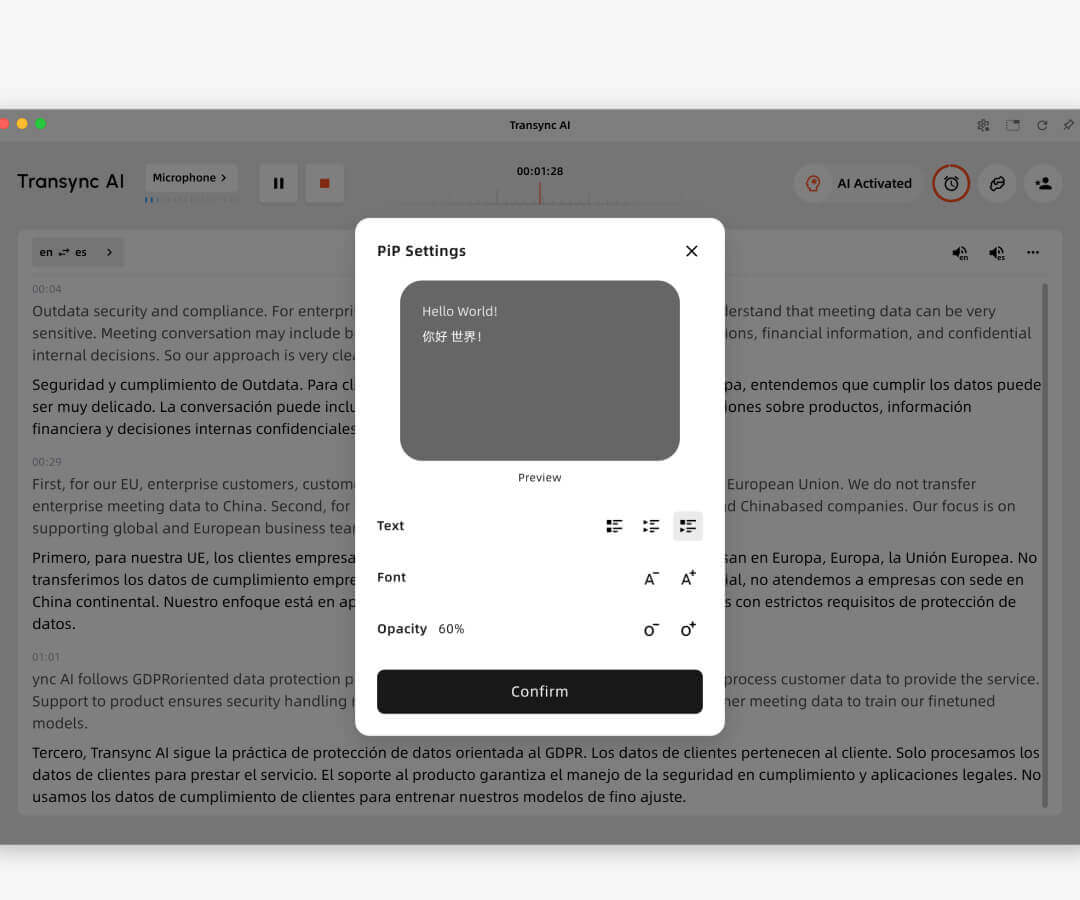
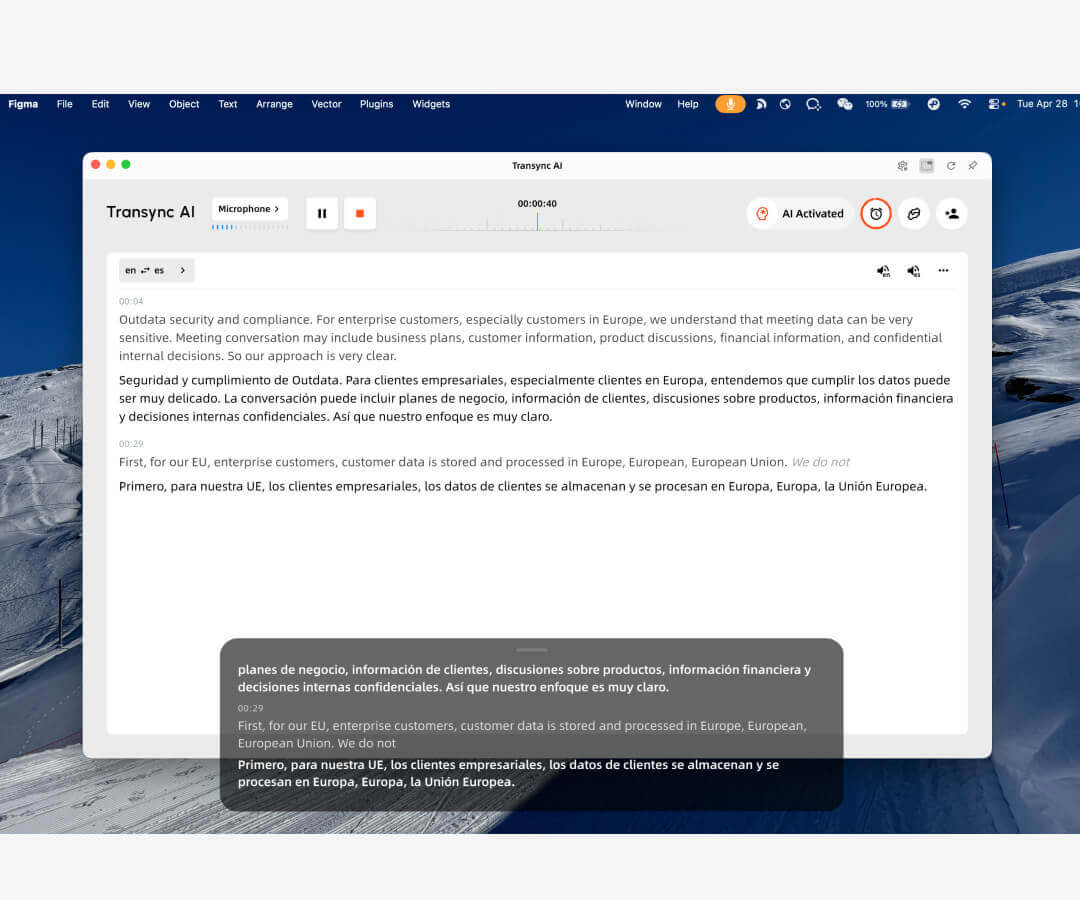
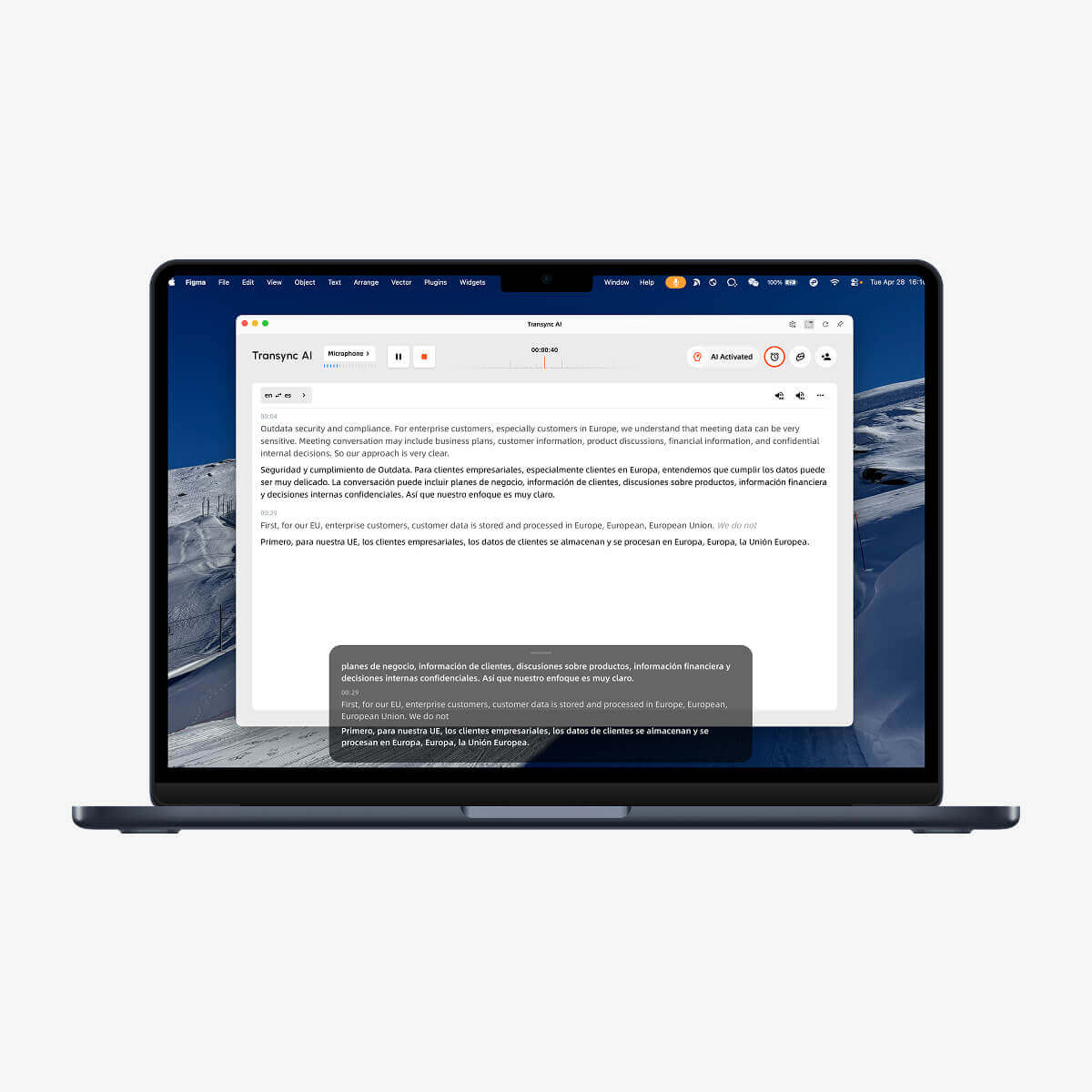
บนเดสก์ท็อป คุณสามารถเปิดใช้งานคำบรรยายแบบ Picture in Picture ได้จากมุมบนขวาหลังจากเริ่มงานแปลแต่ละครั้ง หน้าต่างคำบรรยายแบบลอยตัวจะอยู่ด้านบนสุดของแอปพลิเคชันปัจจุบันของคุณ และคุณสามารถหยุดชั่วคราวหรือดำเนินการแปลต่อได้โดยตรงจากหน้าต่างนั้นเมื่อต้องการ Transync AI ยังจดจำตำแหน่งหน้าต่าง PiP ล่าสุดของคุณ ทำให้ง่ายต่อการนำเสนอ การสาธิต หรือการสนทนาหลายภาษาต่อโดยไม่ต้องปรับพื้นที่ทำงานของคุณใหม่.
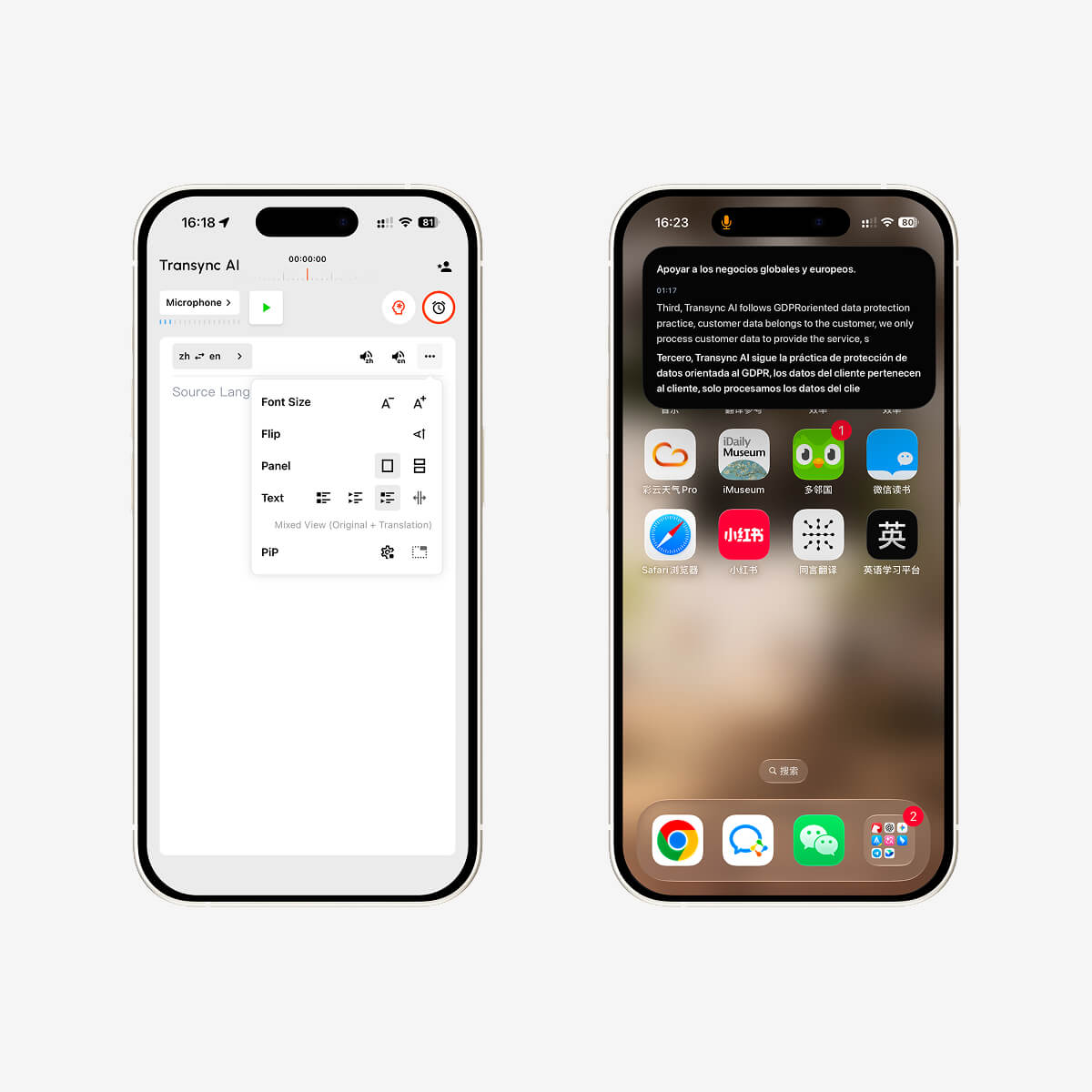
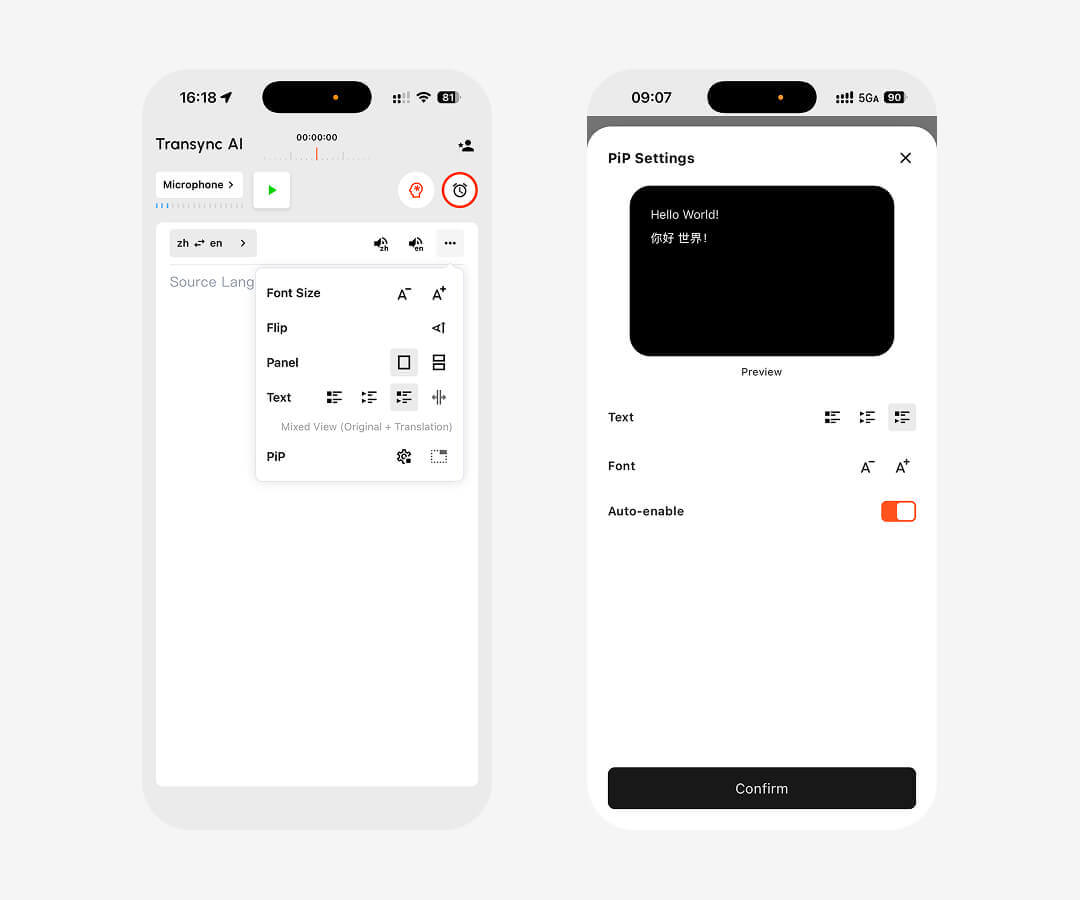
บน iPhone คุณสามารถเปิดใช้งานหน้าต่างคำบรรยายแบบลอยได้จากมุมบนขวาของแถบการแปล เมื่อคุณย้าย Transync AI ไปทำงานในพื้นหลัง iOS ก็สามารถเปิดหน้าต่างแบบลอยโดยอัตโนมัติ เพื่อแสดงทั้งข้อความต้นฉบับและเนื้อหาที่แปลแล้วแบบเรียลไทม์.
ปัจจุบัน Transync AI รองรับคำบรรยายแบบลอยตัว Picture in Picture บน Mac, Windows และ iOS คุณสามารถใช้งานได้บนเดสก์ท็อปในระหว่างการนำเสนอหรือการประชุม และบน iPhone เมื่อสลับแอปหรือต้องการแสดงคำแปลในหน้าต่างลอยตัวขนาดเล็ก.
เริ่มงานแปลใน Transync AI จากนั้นคลิกปุ่ม Picture in Picture ที่มุมบนขวาของหน้าจอเดสก์ท็อป หน้าต่างคำบรรยายสีดำแบบลอยตัวจะปรากฏขึ้นและอยู่เหนือแอปพลิเคชันอื่นๆ.
หลังจากเริ่มงานแปลบน iOS แล้ว ให้แตะที่ปุ่ม Picture in Picture ที่มุมบนขวาของแถบแปล คุณยังสามารถย้าย Transync AI ไปทำงานเบื้องหลังได้ และระบบจะแสดงหน้าต่างลอยที่มีข้อความต้นฉบับและข้อความที่แปลแล้วแบบเรียลไทม์โดยอัตโนมัติ.
คำบรรยายแบบลอยตัวจะปรากฏอยู่เหนือสไลด์หรือหน้าจอสาธิตของคุณ ช่วยให้คุณมองเห็นคำบรรยายสองภาษาได้ตลอดเวลาโดยไม่ต้องสลับกลับไปใช้ Transync AI บ่อยๆ ทำให้การนำเสนอ การสอน หรือการสนทนาหลายภาษาทำได้ง่ายขึ้น พร้อมทั้งยังมองเห็นคำแปลได้ชัดเจน.
ใช่แล้ว บน iOS หน้าต่างลอยสามารถแสดงทั้งข้อความเสียงต้นฉบับและเนื้อหาที่แปลแล้วได้แบบเรียลไทม์ ส่วนบนเดสก์ท็อป หน้าต่างคำบรรยายลอยถูกออกแบบมาเพื่อให้คำบรรยายที่แปลแล้วมองเห็นได้ชัดเจนเหนือแอปพลิเคชันอื่นๆ.
ใช้งานการแปลแบบเรียลไทม์ได้ทุกที่ที่คุณทำงาน ดาวน์โหลด Transync AI บน Mac, Windows หรือ iOS เริ่มงานแปล และเปิดใช้งานคำบรรยายแบบลอยตัว Picture in Picture สำหรับการประชุม การนำเสนอ การโทร และการสื่อสารหลายภาษาในชีวิตประจำวัน.
คำตอบสั้นๆ เกี่ยวกับคำบรรยายลอยตัว การประชุม การนำเสนอ การใช้งานบนมือถือ ความเป็นส่วนตัว แพลตฟอร์ม และภาษาที่รองรับ.
Transync AI Picture in Picture ช่วยให้คำบรรยายสองภาษาปรากฏอยู่บนหน้าจอขณะที่ผู้ใช้เข้าร่วมการประชุม ดูงานนำเสนอ ดูเนื้อหาที่แชร์ หรือใช้งานแอปพลิเคชันอื่นๆ ทำให้คำแปลยังคงมองเห็นได้โดยไม่ต้องสลับหน้าต่าง.
เหมาะอย่างยิ่งสำหรับการประชุม การนำเสนอ การแชร์หน้าจอ การสนทนาผ่านมือถือ ชั้นเรียนออนไลน์ และขั้นตอนการทำงานที่ผู้ใช้ต้องการให้มีคำบรรยายที่แปลแล้วปรากฏให้เห็นขณะที่กำลังใช้งานแอปพลิเคชันหรือหน้าจออื่นอยู่.
ล่ามที่เป็นมนุษย์เหมาะที่สุดสำหรับเหตุการณ์สำคัญทางกฎหมาย การแพทย์ หรือเหตุการณ์ที่เป็นทางการ ส่วน Transync AI เหมาะสำหรับประชุมบ่อยครั้ง การโทรออนไลน์ ชั้นเรียน และการสื่อสารหลายภาษาในชีวิตประจำวัน ที่ความเร็ว ความพร้อมใช้งาน และต้นทุนที่ต่ำกว่าเป็นสิ่งสำคัญ.
โดยปกติคำบรรยายการประชุมจะแสดงข้อความเฉพาะภายในแพลตฟอร์มการประชุมเดียวเท่านั้น แต่ Transync AI สามารถใช้งานได้กับแอปพลิเคชันการประชุมต่างๆ และเพิ่มคำบรรยายสองภาษา การเล่นเสียง การจดบันทึกการประชุม และการรองรับไมโครโฟนเสมือนสำหรับการแปลคำพูด.
Transync AI ถูกออกแบบมาเพื่อการสื่อสารทางธุรกิจและเวิร์กโฟลว์ที่คำนึงถึงความเป็นส่วนตัว ข้อมูลลูกค้าจะถูกประมวลผลเพื่อให้บริการแปลภาษาเท่านั้น และจะไม่ถูกนำไปใช้ในการฝึกฝน AI นอกจากนี้ Voice Clone ยังไม่จัดเก็บไฟล์เสียงต้นฉบับเพื่อใช้ในการฝึกฝนด้วย.
Transync AI รองรับการทำงานบนเดสก์ท็อป มือถือ และเว็บ รวมถึงระบบปฏิบัติการ macOS, Windows, iOS, Android และการใช้งานผ่านเบราว์เซอร์ สามารถใช้งานร่วมกับ Zoom, Microsoft Teams, Google Meet, การโทรผ่าน WhatsApp และการประชุมแบบตัวต่อตัวได้.
Transync AI รองรับการแปลแบบเรียลไทม์มากกว่า 60 ภาษา รวมถึงภาษาจีน อังกฤษ ญี่ปุ่น เกาหลี กวางตุ้ง เยอรมัน ฝรั่งเศส รัสเซีย อิตาลี สเปน และภาษาอื่นๆ ทั่วโลกอีกมากมาย.