

Tools
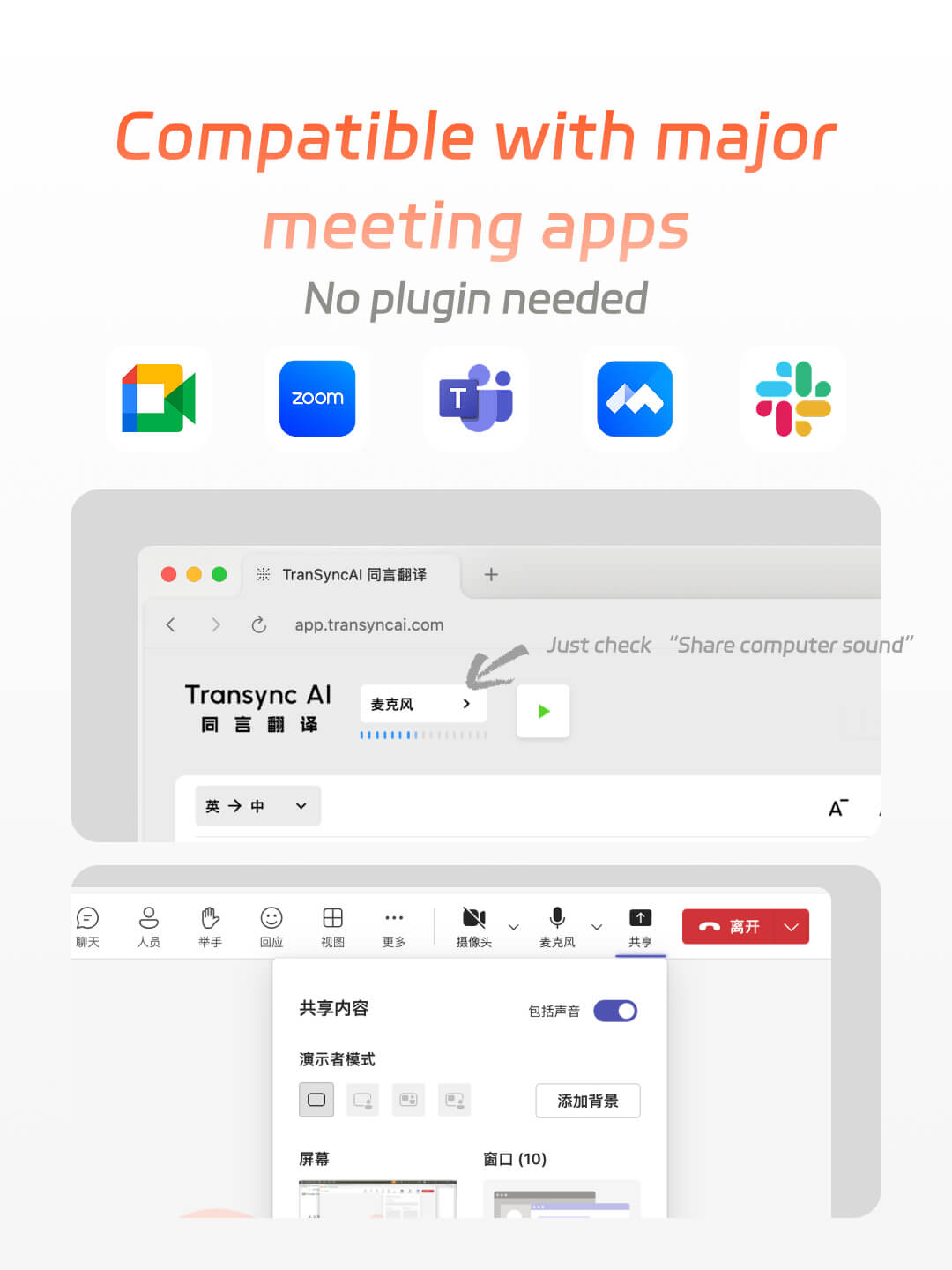
Screenshot showing Transync AI live meeting translation working with major meeting apps like Google Meet, Zoom, Microsoft Teams, Webex, and Slack without plugins.
Transync AI supports Google Meet, Zoom, Teams, Tencent Meeting, Slack, and other meeting platforms

Setup guide


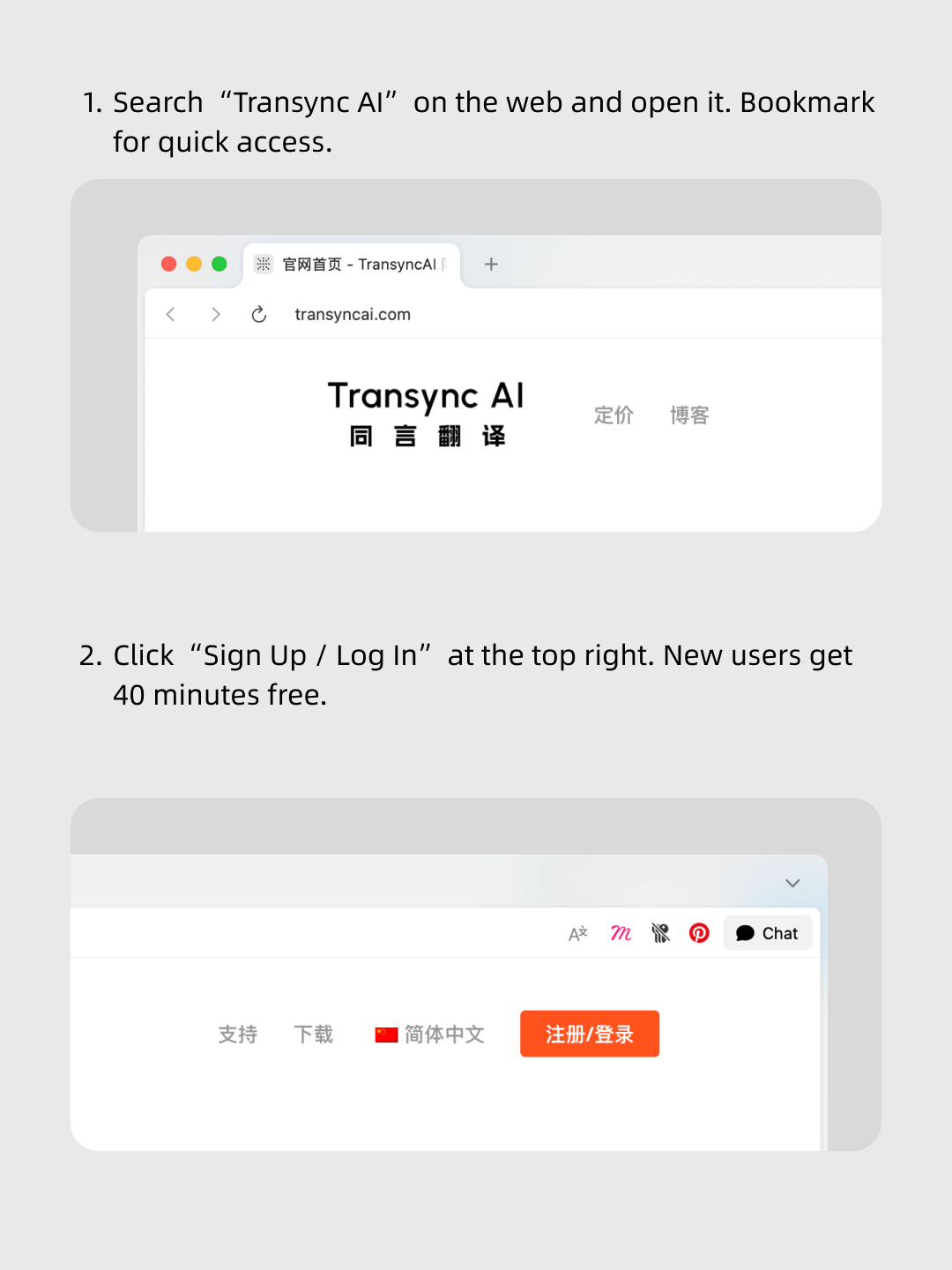
1.Join your meeting on Zoom / Teams / Google Meet


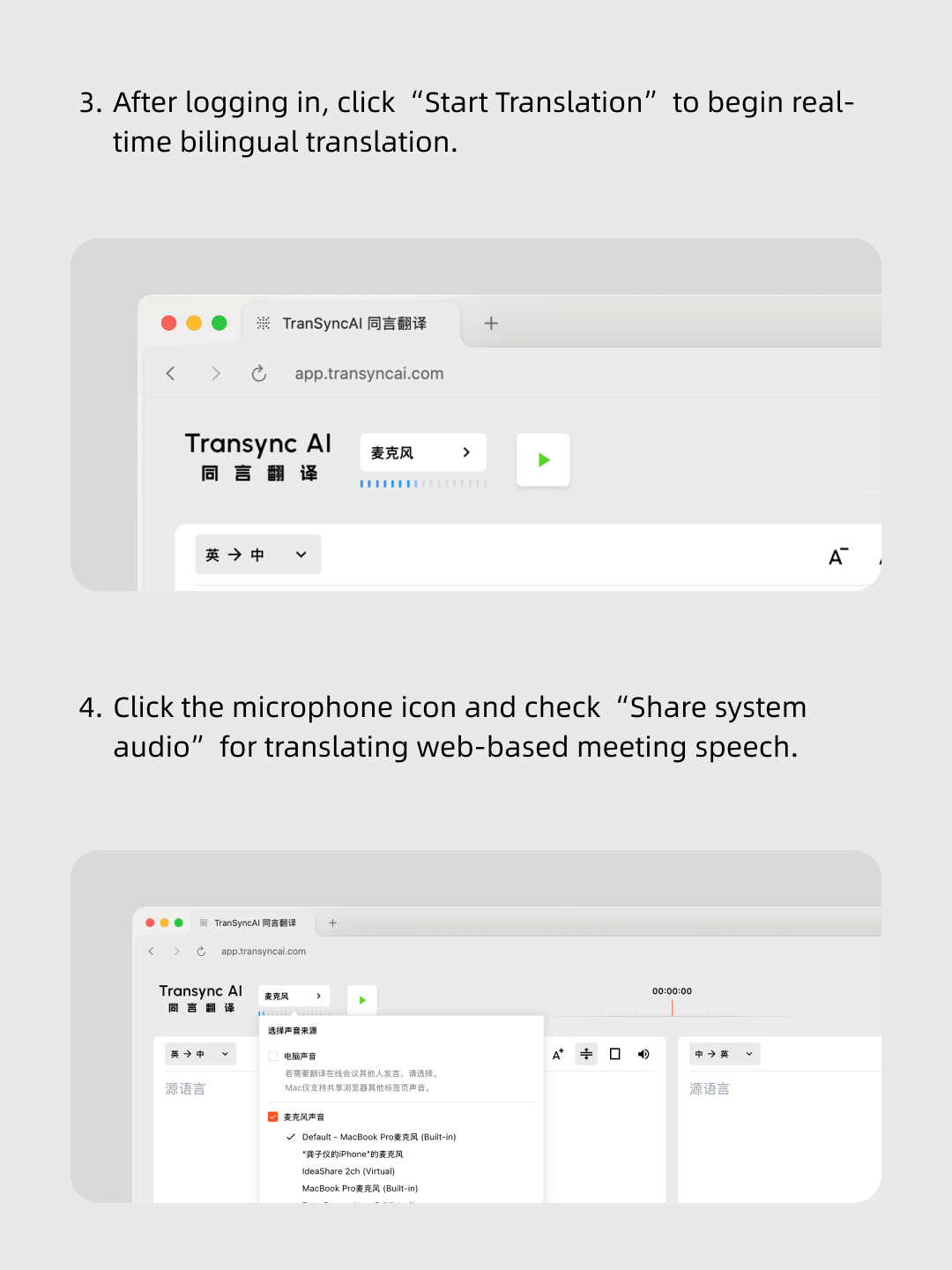
2.Open Transync AI and share your system audio


3.Speak naturally — the translation appears instantly

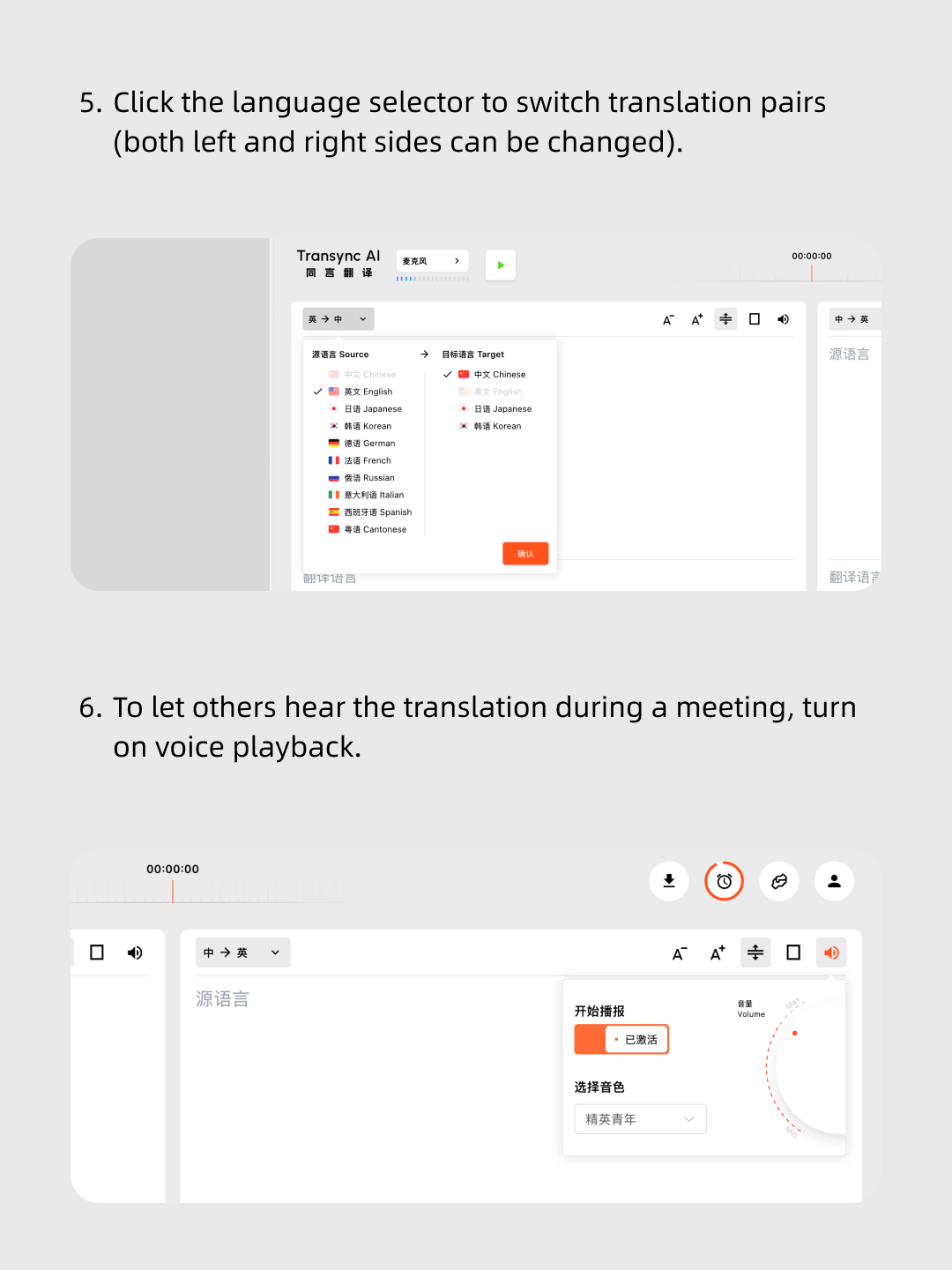
Screenshot tutorial showing how to switch translation language pairs and enable voice playback in Transync AI.
Logos of popular video conferencing and team collaboration apps including Zoom, Google Meet, Microsoft Teams, Slack, and another blue icon on a white background.

Native Meeting Translations (Teams / Zoom / Google Meet)

· Translation Accuracy:Often misses context, struggles with accents and technical terms. · Language Support:Limited language pairs, often under 10 languages. · Output Method:Captions only — no voice output. · Meeting Notes:No automatic meeting summaries. · Platform Limitation:Works only in their own meeting software. · Payment Model:Separate payment or subscription per platform.

Transync AI logo,Minimalist abstract logo with black dots connected by short lines forming a symmetrical pattern on a white rounded square background.

Transync AI

· High Accuracy:AI large-model translation trained for accents, industry terms, and context. · 60+ Languages:1770+ language pairs for global coverage. · Voice Playback:Speaks translations in real-time for all participants to hear. · AI Meeting Summaries:Automatically generates key points and action items. · Cross-Platform:Works with Zoom, Teams, Google Meet, and any other meeting tool. · One Payment:Use on all platforms with a single affordable plan.

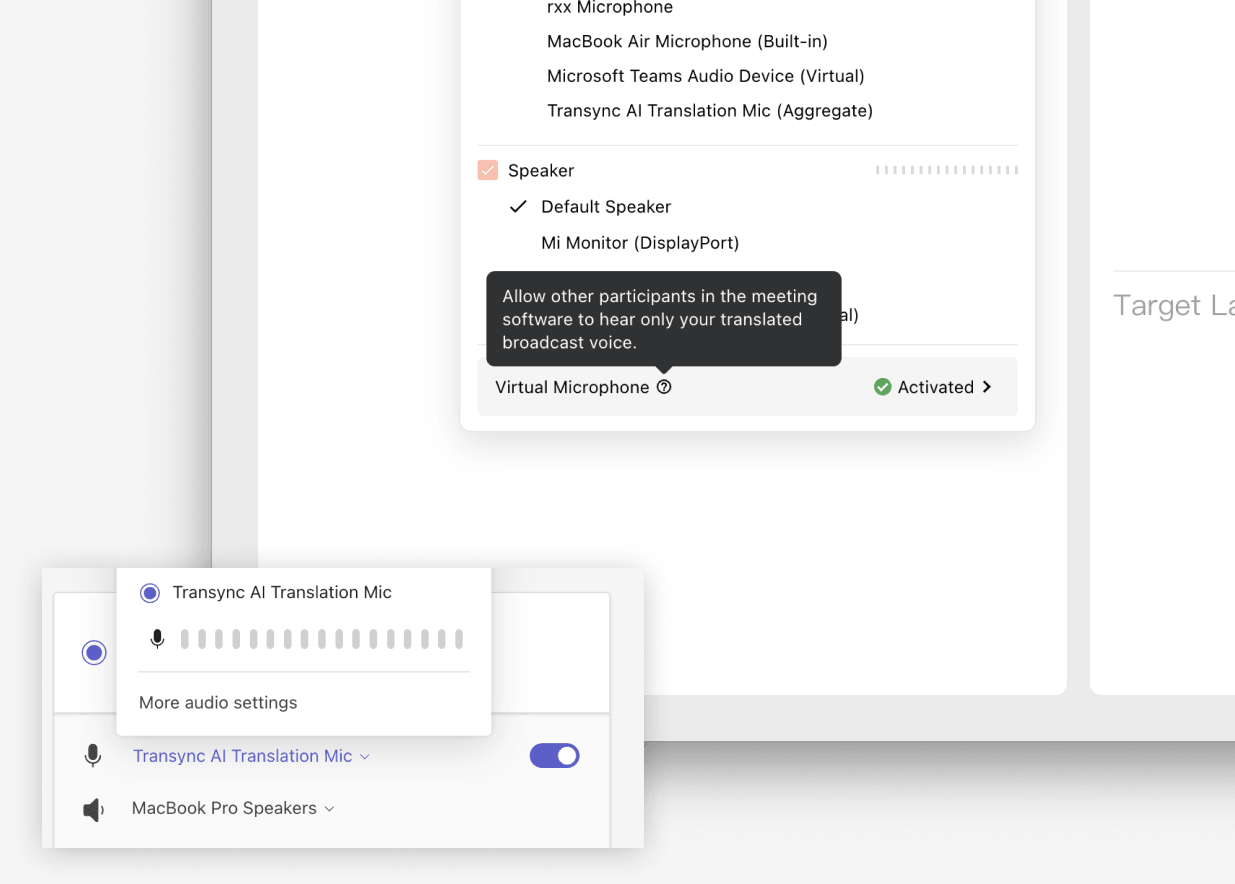
Transync AI Virtual Microphone selection in meeting software input settings

Yes. Transync AI can speak translations in real-time, allowing all meeting participants to hear the translated message instantly. Native translations typically provide only on-screen captions without voice output.


Quick answers

Quick answers about live meeting translation

Short answers for teams comparing meeting translation, native captions, interpreters, Virtual Microphone, privacy, platforms, and languages.

What is Transync AI?

Transync AI live meeting translation helps people follow and speak in multilingual Zoom, Microsoft Teams, Google Meet, and browser-based meetings with bilingual subtitles, voice playback, meeting notes, and Virtual Microphone support.

Best for

Best for global team meetings, client calls, webinars, remote classes, sales conversations, and cross-border collaboration where participants need translation inside or alongside their meeting software.

Compared with human interpreters

Human interpreters are best for high-stakes legal, medical, or formal events. Transync AI is better suited for frequent meetings, online calls, classes, and daily multilingual communication where speed, availability, and lower cost matter.

Compared with meeting captions

Meeting captions usually show text only inside one meeting platform. Transync AI works across meeting apps and adds bilingual subtitles, voice playback, meeting notes, and Virtual Microphone support for translated speech output.

Security and privacy

Transync AI is designed for business communication and privacy-conscious workflows. Customer data is processed to provide the translation service and is not used for AI training. Voice Clone also does not store original recordings for training.

Supported platforms

Transync AI supports desktop, mobile, and web workflows, including macOS, Windows, iOS, Android, and browser-based use cases. It can be used with Zoom, Microsoft Teams, Google Meet, WhatsApp calls, and in-person meetings.

Supported languages

Transync AI supports 60+ languages for real-time translation, including Chinese, English, Japanese, Korean, Cantonese, German, French, Russian, Italian, Spanish, and many other global languages.