
What is Transync AI?
Transync AI Voice Translator turns translated text into natural speech output. It supports voice playback, selectable voice styles, voice cloning, and meeting workflows where translated speech needs to be heard, not only read.
With Transync AI, hear foreign speech in your language and speak back with natural voice playback, including your cloned voice—live, low-latency, and meeting-ready.
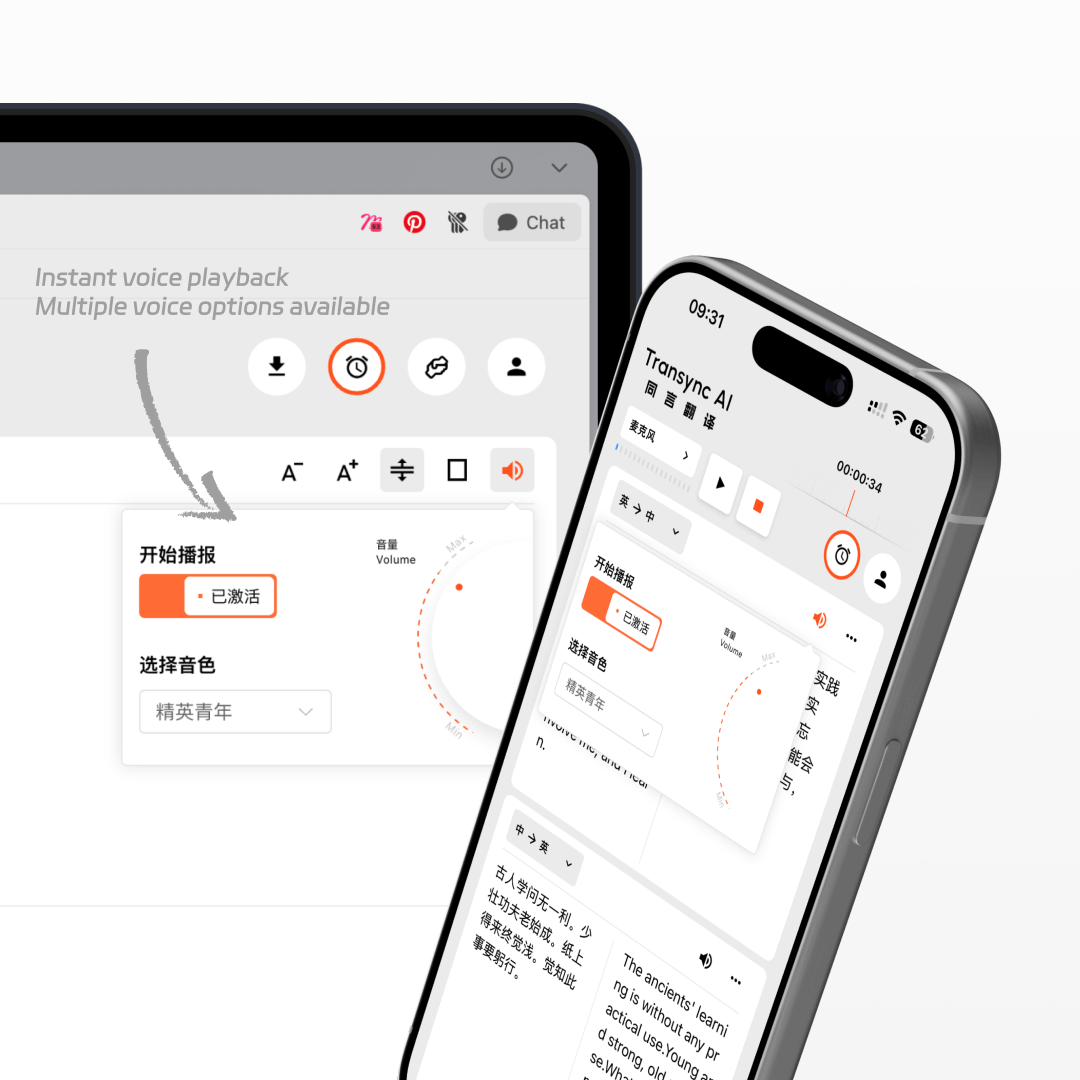
Transync AI not only translates in real time but also speaks out translations with natural voices. Learn about verbal translation. Whether it’s English, Japanese, Korean, Spanish, French, or German, you can choose the voice tone that best fit your conversation, making cross-language communication sound natural and human.
Setup guide
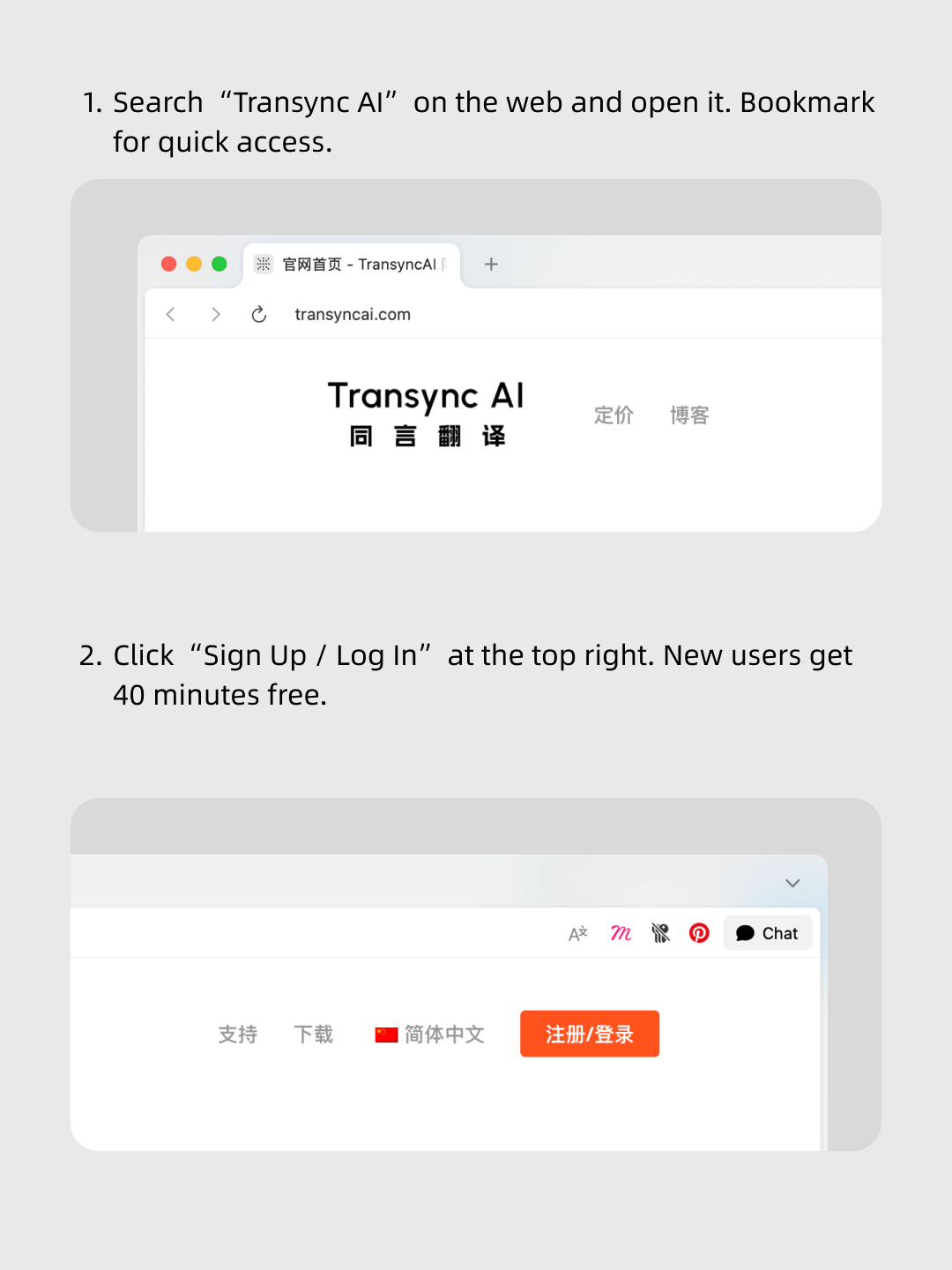
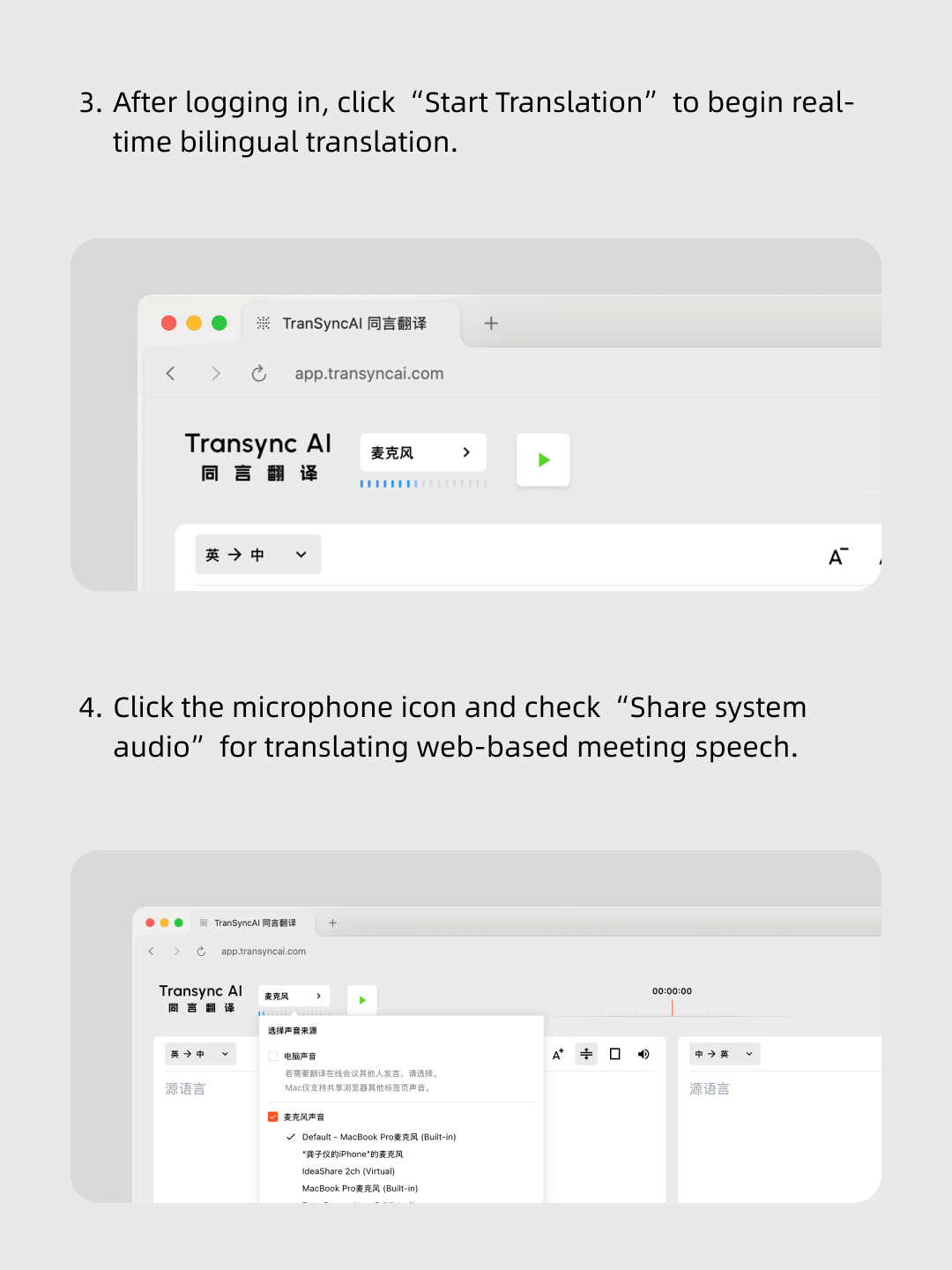
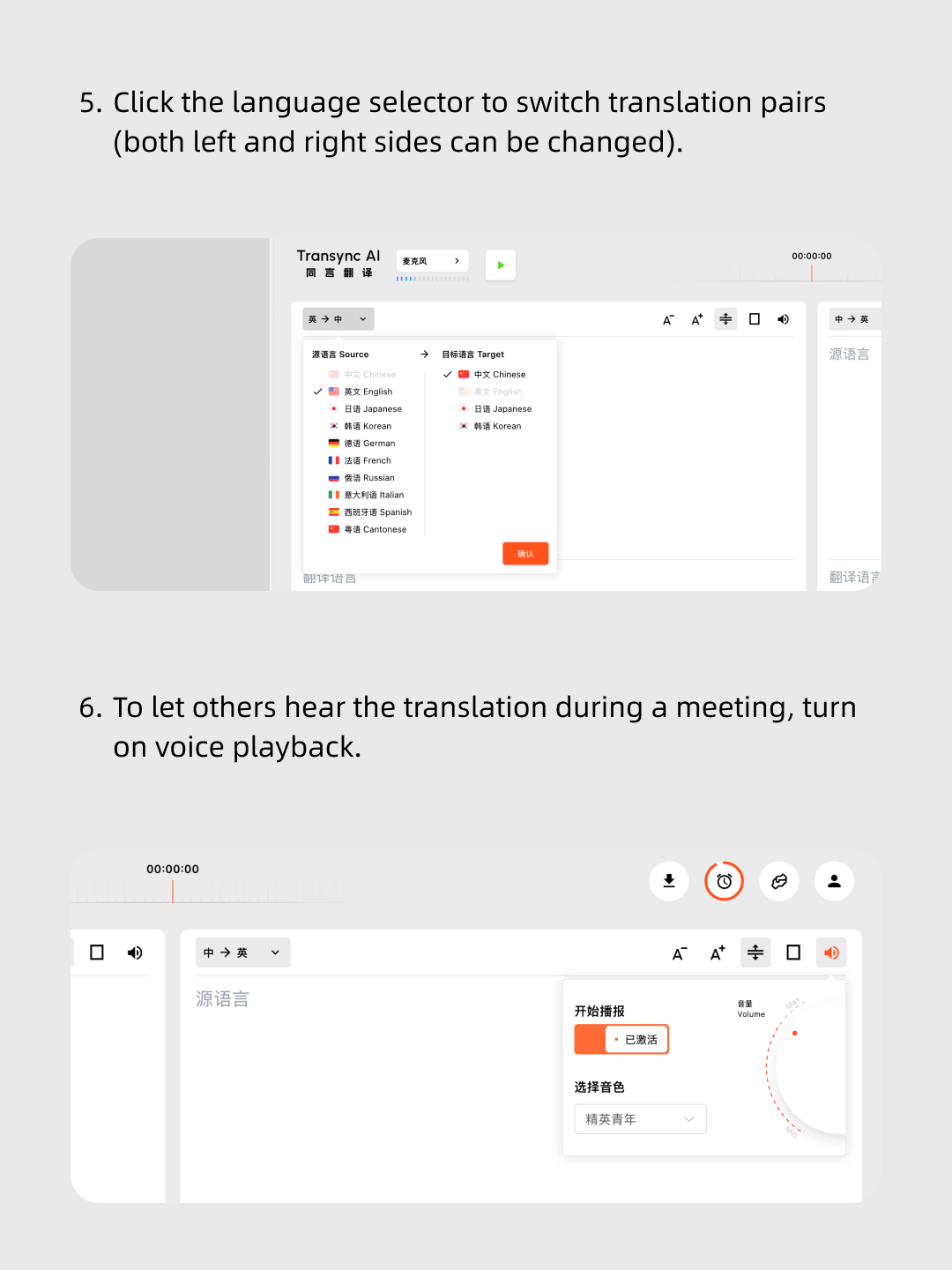
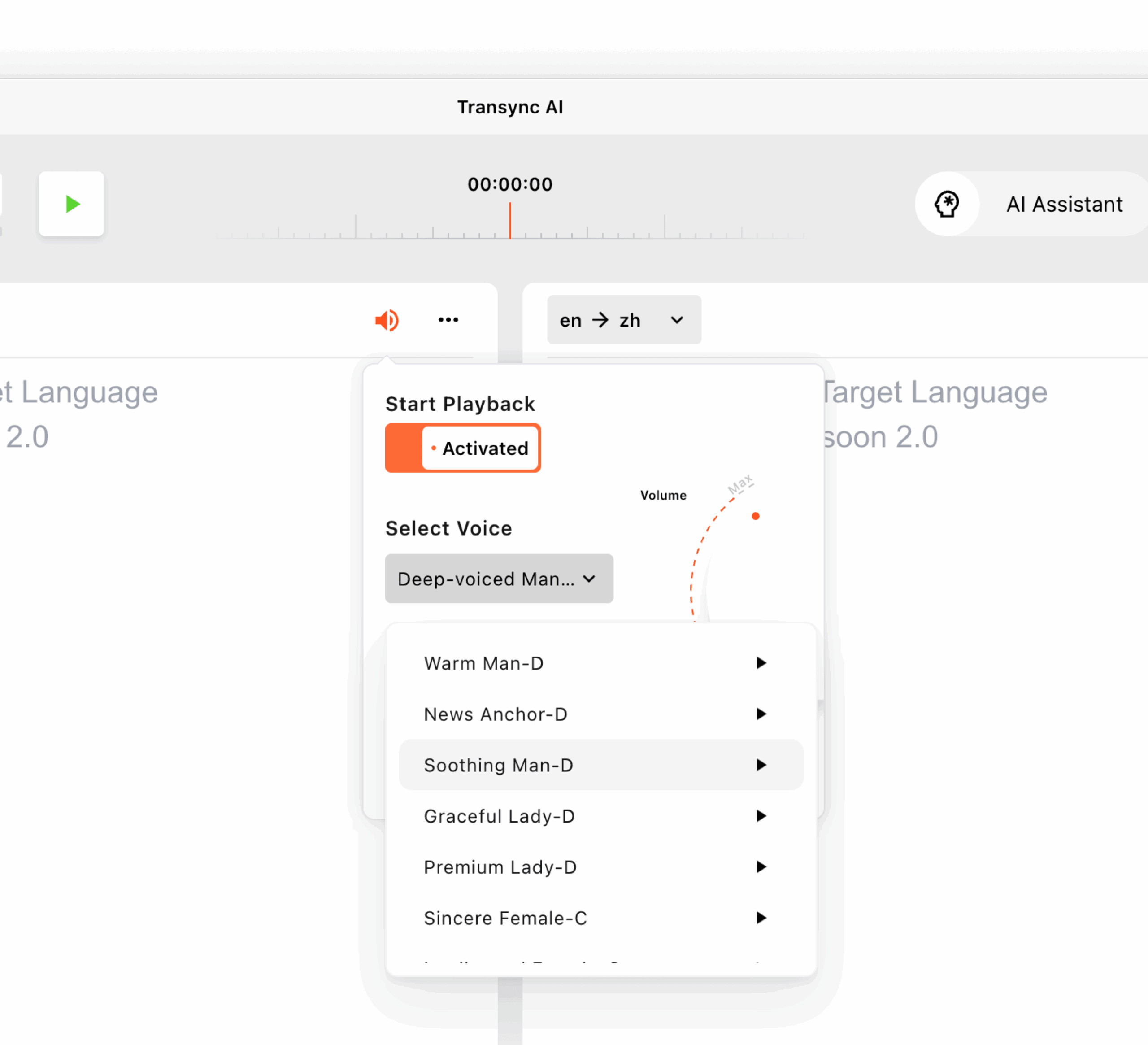
The Transync AI voice translator offers a variety of tones and speeds, ensuring professional and natural speech output for meetings, casual talks, or classes. You can also preview different voice styles before playback and choose the voice that best fits each scenario.
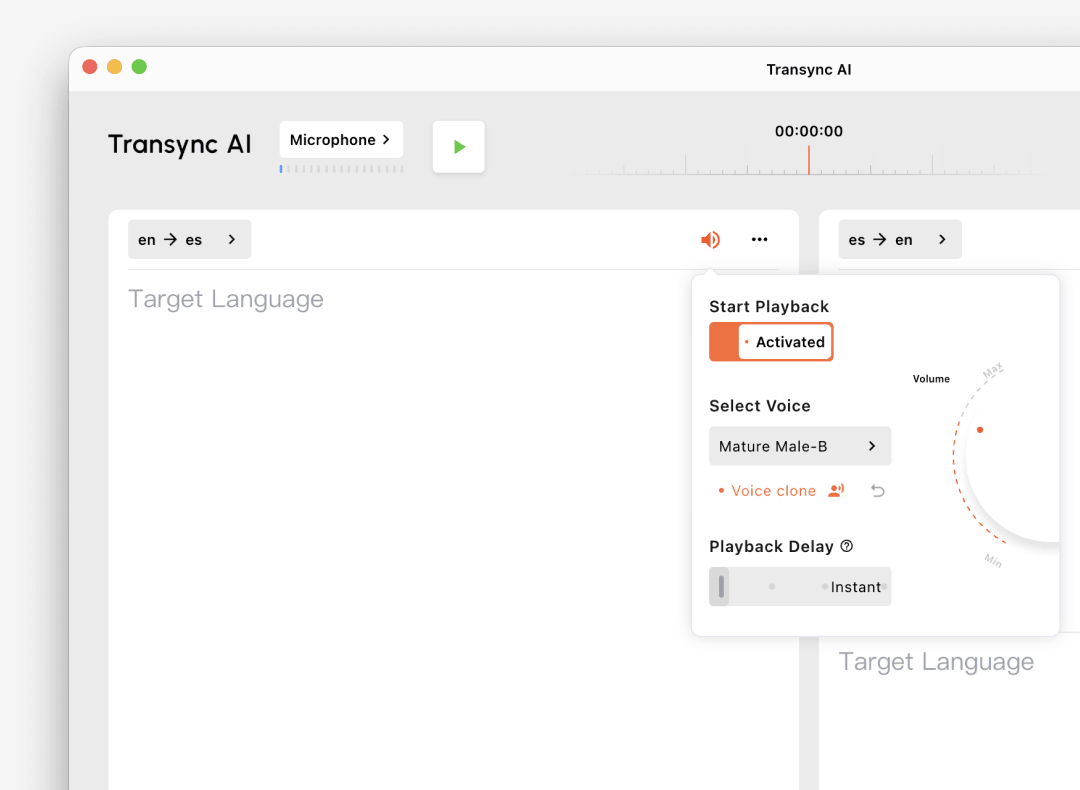
Transync AI voice cloning lets translations play back in a voice that sounds like you, helping cross-language conversations feel more personal and natural. Use it for meetings, classes, demos, or global calls where your tone matters as much as your words.
Your voice data is securely stored and is not used for AI training.
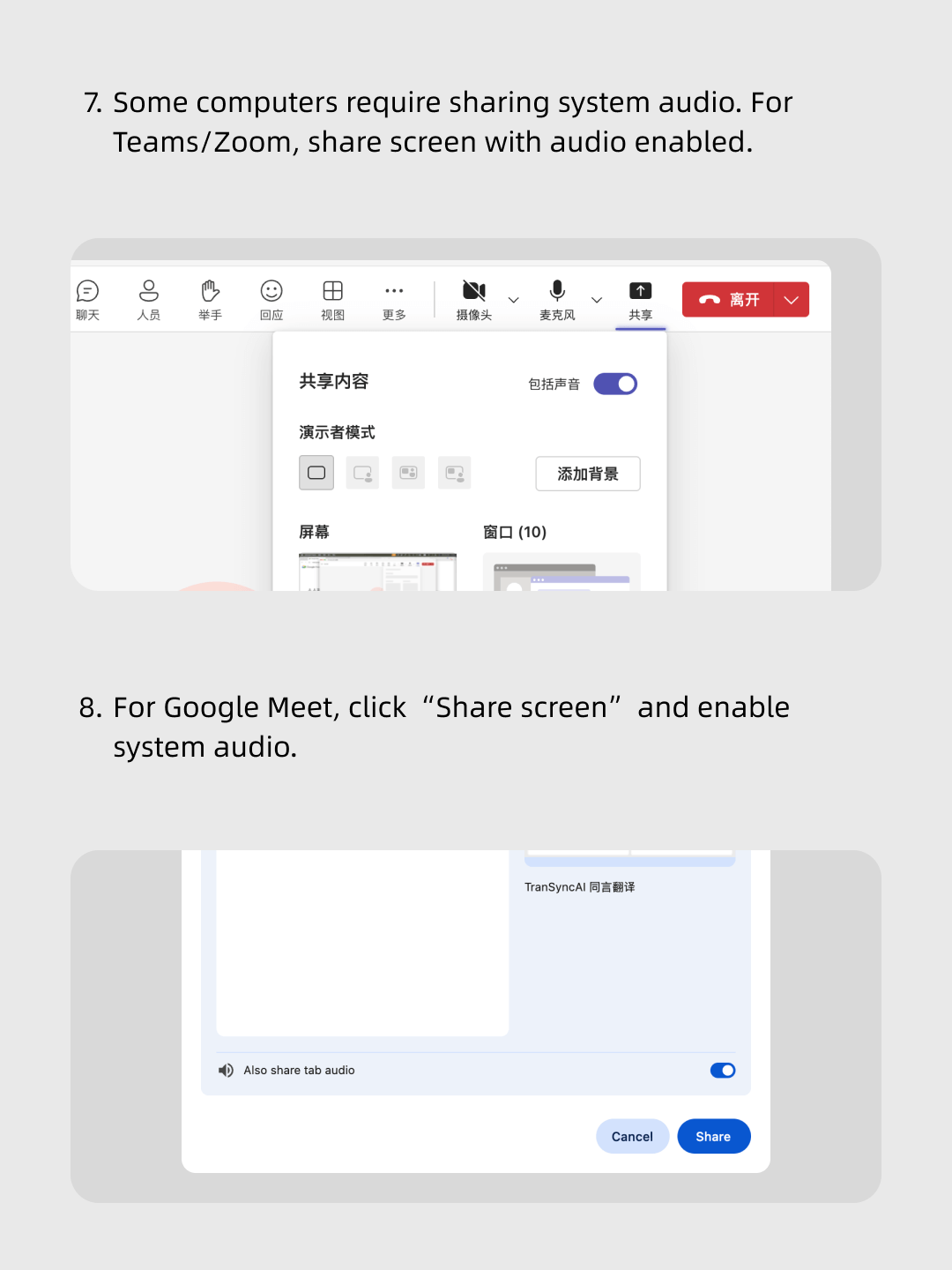
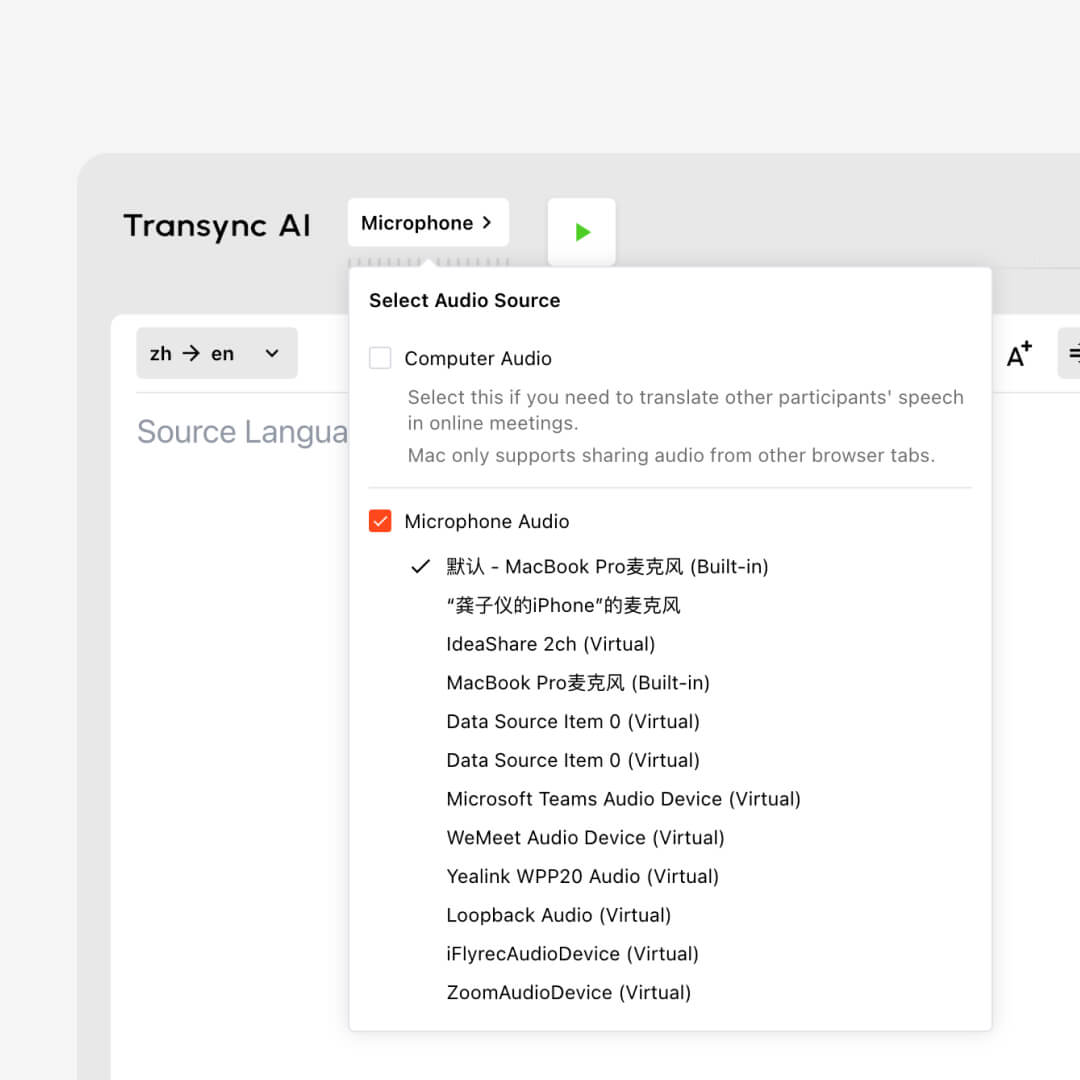
With Transync AI voice translator, you can share your computer audio to translate voices from other participants in real time. This makes online meetings on Zoom, Teams, or Google Meet more natural and inclusive, ensuring everyone understands instantly.
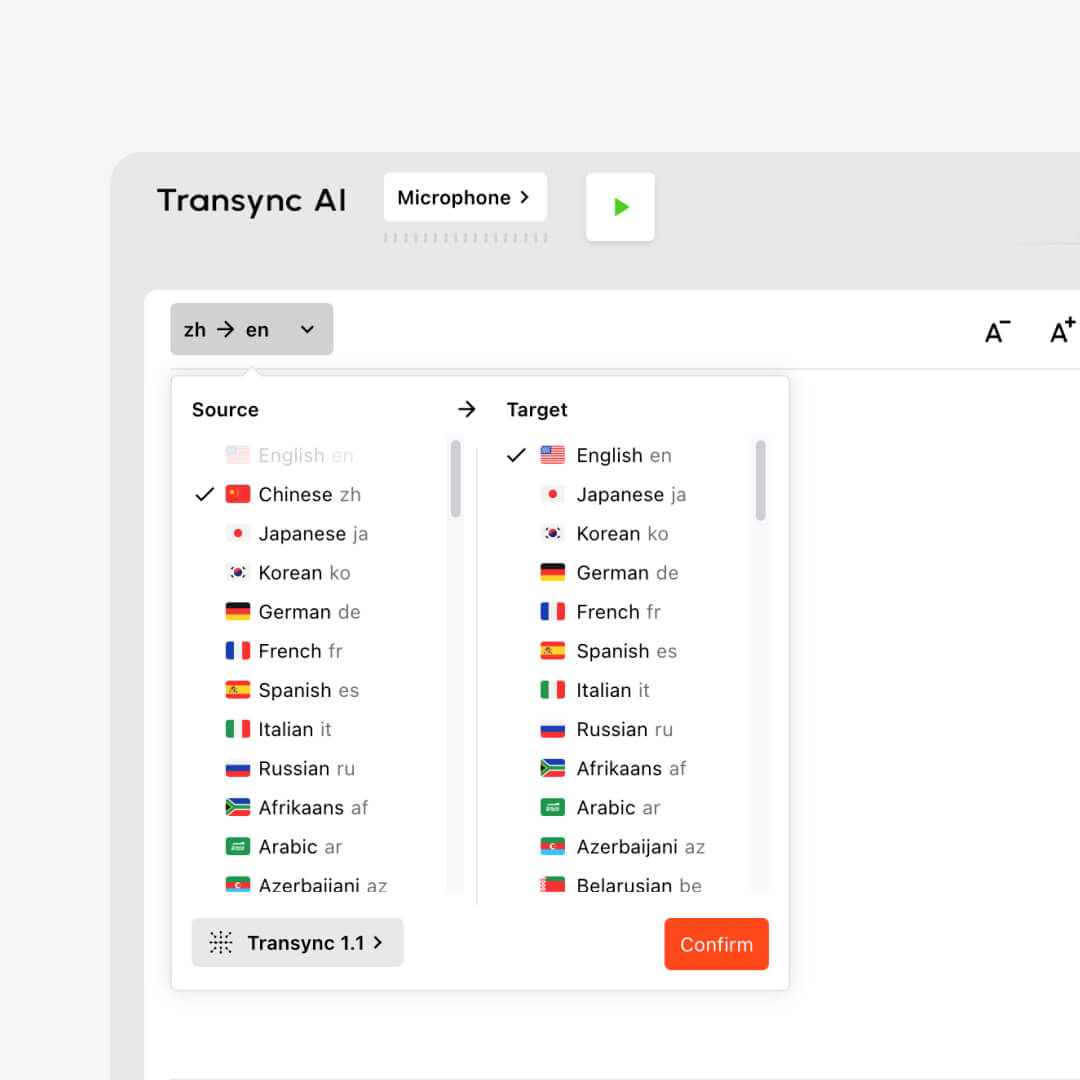
Transync AI voice translator supports more than 60 languages and over 1,000 language pairs for seamless two-way translation. Whether in meetings, classes, or international business, you can communicate naturally in real time without language barriers.
Transync AI voice translator confirms sentences before playback to ensure accuracy, but latency is kept very low so conversations remain natural.
The AI voice translator supports voice playback in more than 40 languages, with hundreds of different tones and styles available to fit various scenarios.
Yes. To make sure other participants in a meeting can hear the translation, please use your computer speakers or share system audio when using the AI voice translator.
Yes. Transync AI voice cloning lets translated speech play back in a voice that sounds like you, helping meetings, classes, demos, and global calls feel more personal and natural.
No. Transync AI does not store live translation audio recordings, including recordings used for voice cloning. Only text transcripts may be stored temporarily to generate meeting notes, and you can delete them at any time. Your voice data is not used for AI training.
New users get 40 minutes free. For extended usage, please check our Pricing page and download the app here: Download Transync AI.
From real-time meetings to global classrooms, the Transync AI voice translator delivers low-latency, natural voice translation in 40+ playback languages and over 1,000 language pairs. With features like system audio sharing, multi-voice styles, and secure meeting notes, it’s the all-in-one solution for seamless cross-language communication.
Short answers about translated speech playback, voice styles, voice cloning, meeting audio, privacy, platforms, and supported languages.
Transync AI Voice Translator turns translated text into natural speech output. It supports voice playback, selectable voice styles, voice cloning, and meeting workflows where translated speech needs to be heard, not only read.
Best for meetings, classes, demos, calls, and conversations where translated speech should be played aloud in a natural voice instead of shown only as captions.
Human interpreters are best for high-stakes legal, medical, or formal events. Transync AI is better suited for frequent meetings, online calls, classes, and daily multilingual communication where speed, availability, and lower cost matter.
Meeting captions usually show text only inside one meeting platform. Transync AI works across meeting apps and adds bilingual subtitles, voice playback, meeting notes, and Virtual Microphone support for translated speech output.
Transync AI is designed for business communication and privacy-conscious workflows. Customer data is processed to provide the translation service and is not used for AI training. Voice Clone also does not store original recordings for training.
Transync AI supports desktop, mobile, and web workflows, including macOS, Windows, iOS, Android, and browser-based use cases. It can be used with Zoom, Microsoft Teams, Google Meet, WhatsApp calls, and in-person meetings.
Transync AI supports 60+ languages for real-time translation, including Chinese, English, Japanese, Korean, Cantonese, German, French, Russian, Italian, Spanish, and many other global languages.