
What is Transync AI?
Transync AI Assistant lets users add keywords and context before translation so the system can better understand names, terminology, acronyms, product details, and industry-specific language during real-time translation.
Define important AI assistant keywords such as industry terms, brand names, or personal names, and provide contextual background like your profession, industry, or meeting topic to improve translation accuracy. You can check the more detailed documentation.
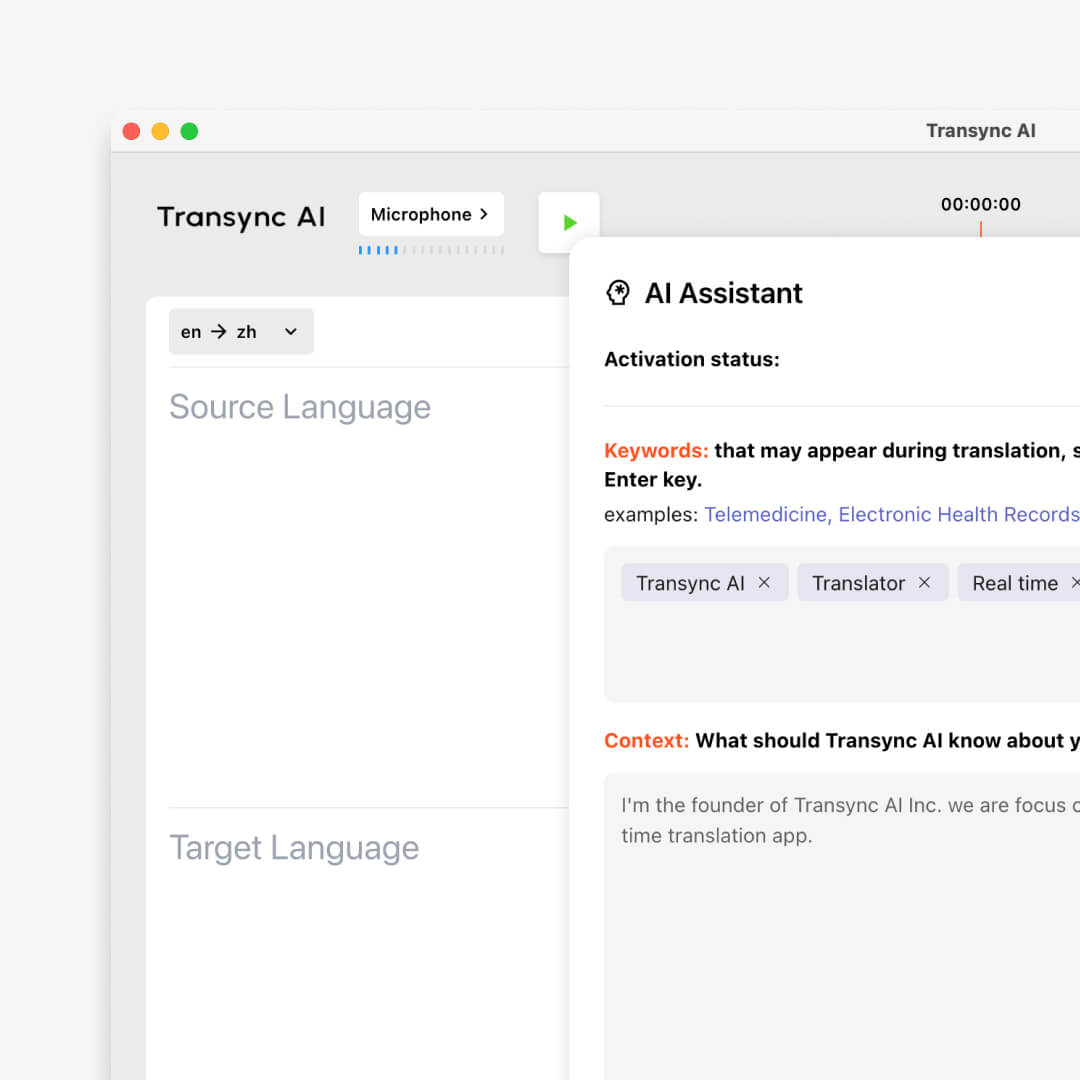
Set AI assistant keywords and context to boost translation accuracy to over 95%. Perfect for academic conferences, business negotiations, and professional video translations, the Transync AI Assistant delivers fluent, context-aware translations that truly understand your message.
Setup guide
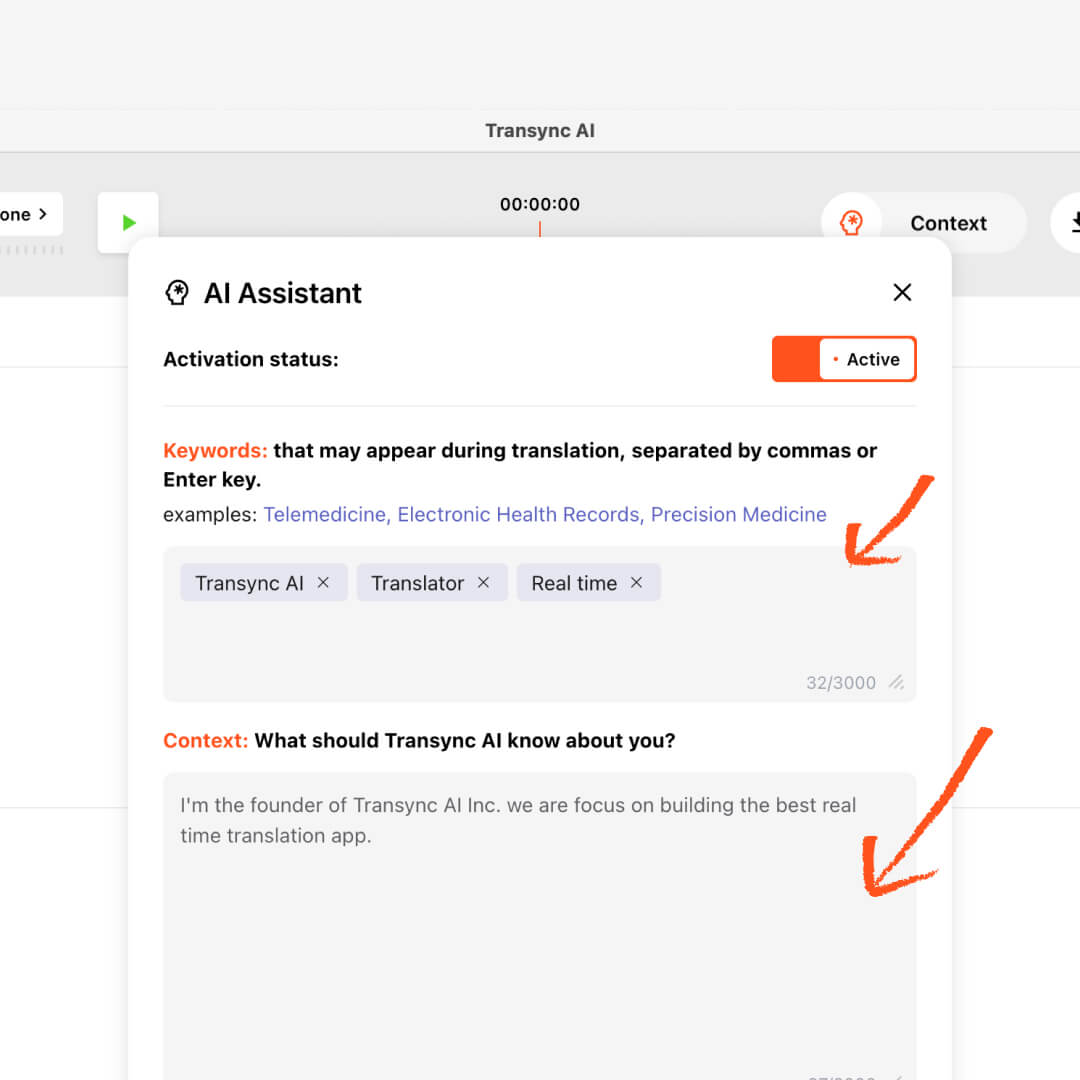
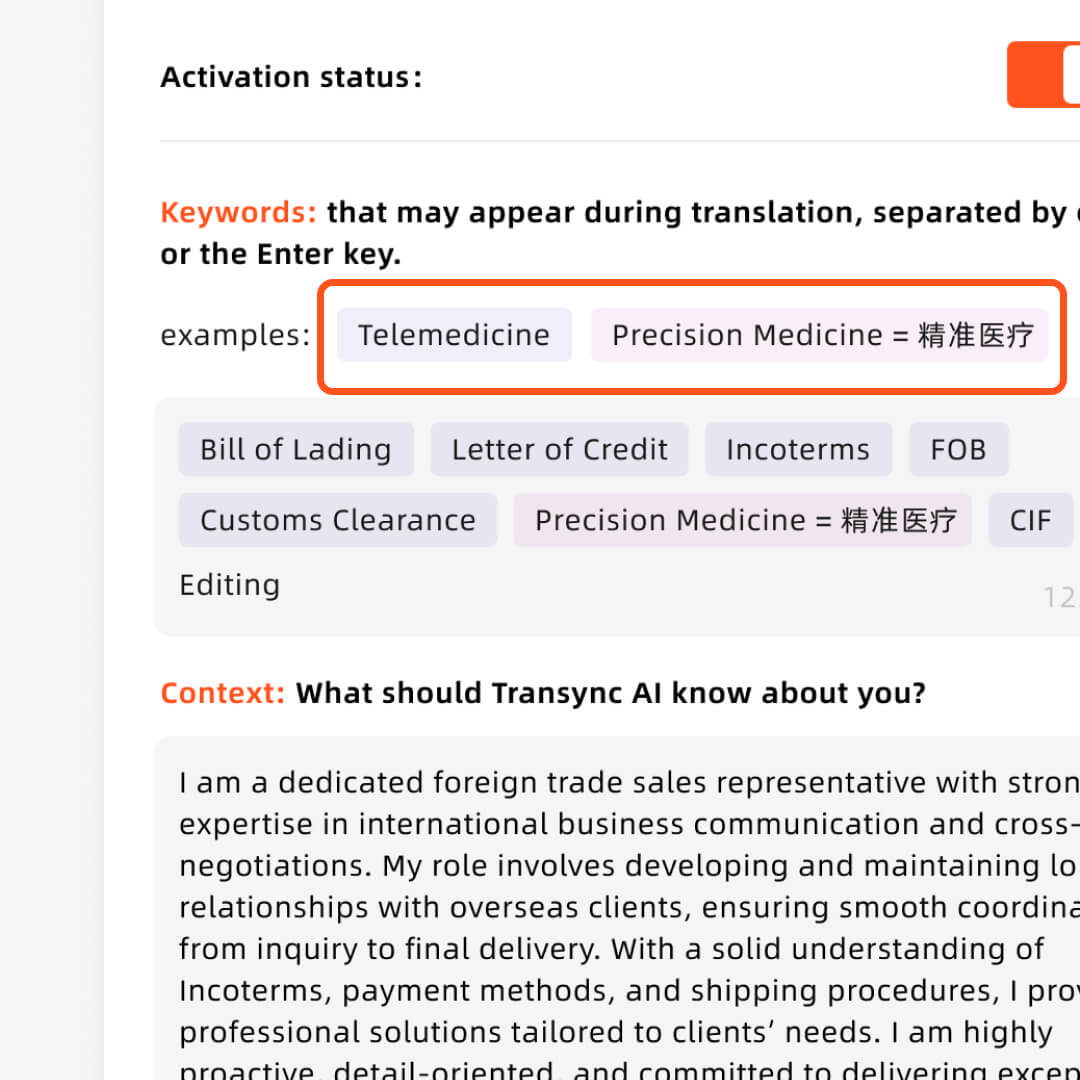
Separate each keyword with a comma or press Enter. Words that need to be identified and translated are connected with an equal sign. Keep them short and precise to help the AI assistant translate properly (e.g., “AI translation, Transync AI = 同言翻译, semiconductor, John Smith, marketing campaign”).
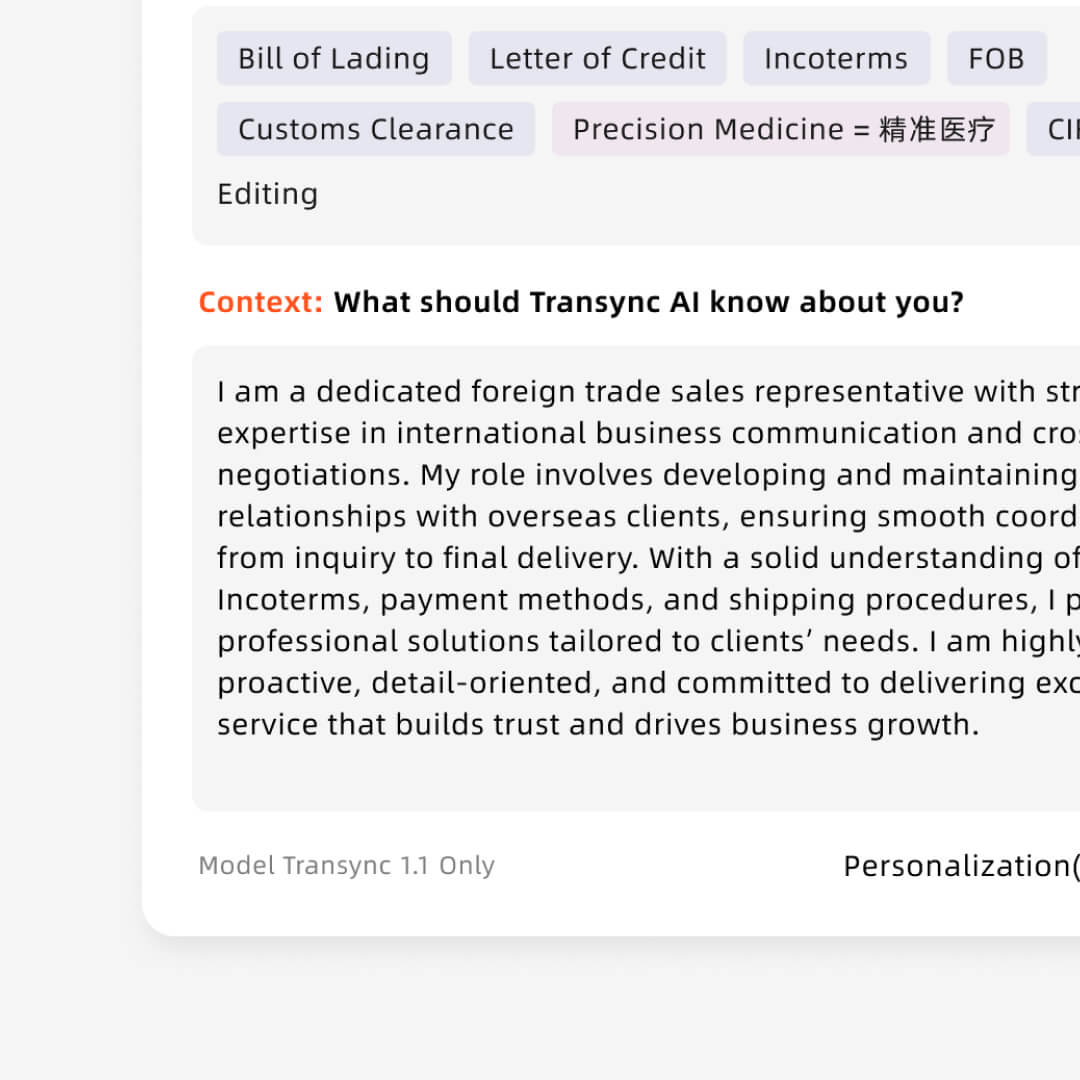
Describe relevant background such as your profession, industry, meeting topic and any context. This helps the AI assistant adapt translations to the right tone and terminology (e.g., “I work as a product manager in the renewable energy industry; this meeting is about photovoltaic system design and implementation.”).
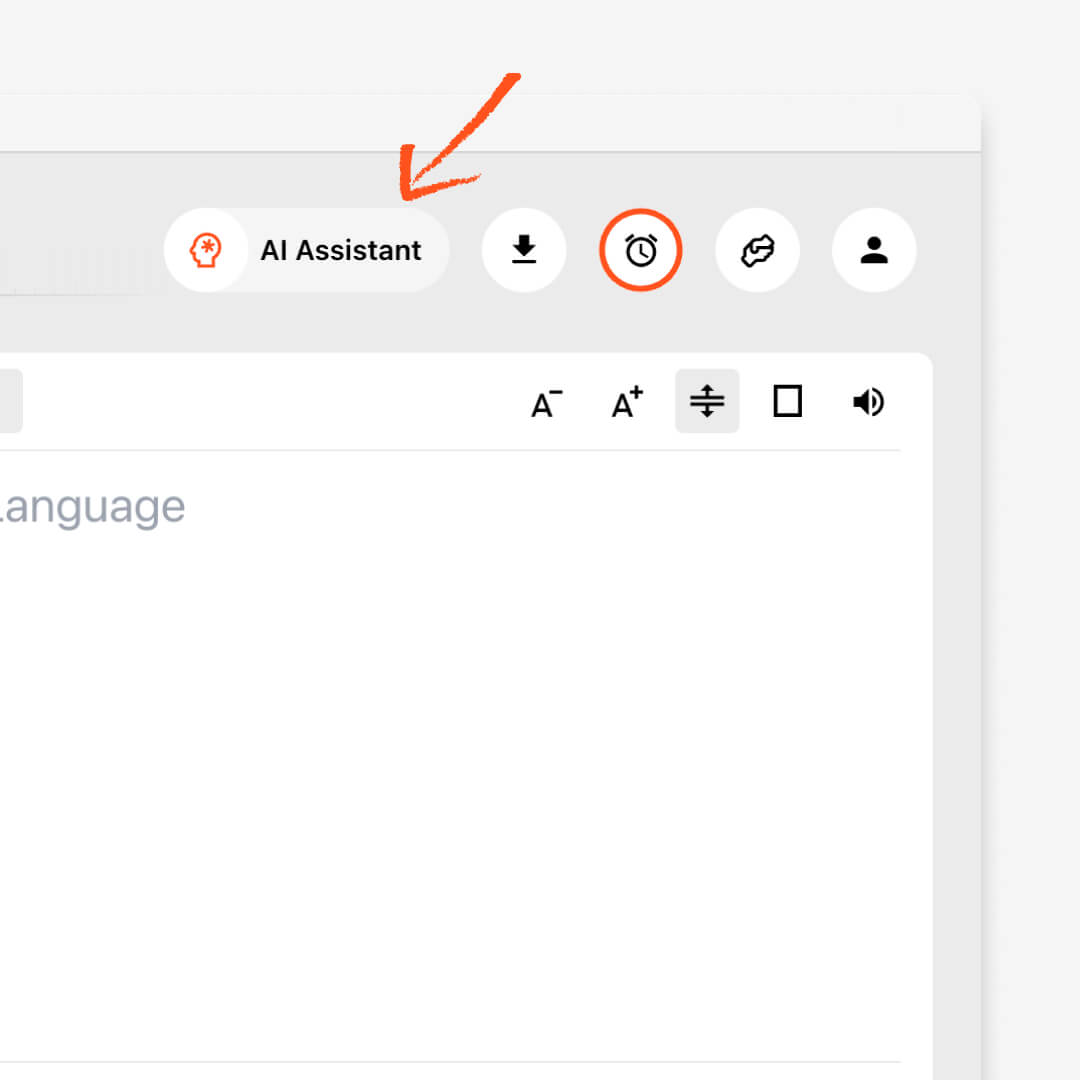
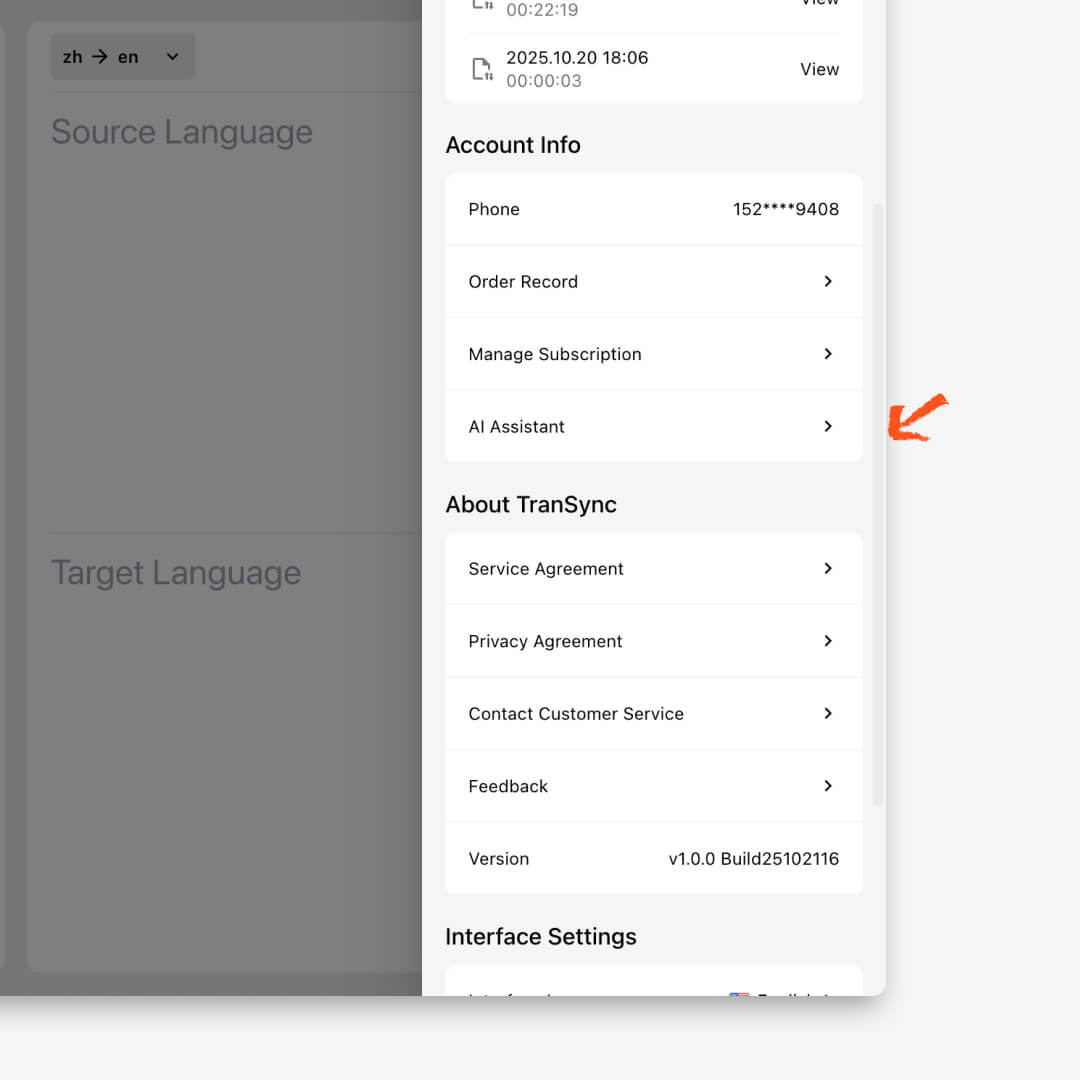
Click the AI Assistant icon in the upper-right corner of your Transync AI interface. This opens the assistant panel where you can enter keywords and context to start interacting intelligently.
In the input field, type the AI assistant keywords related to your task or topic — such as the meeting theme, industry terms, or video subject. Keywords help the AI better understand your focus and deliver more precise translations or responses.
In the Context section, describe the background or scenario of your task — for example, “academic conference speech translation” or “cross-border business dialogue.” Context allows the AI to adapt tone, audience level, and purpose for more natural results.
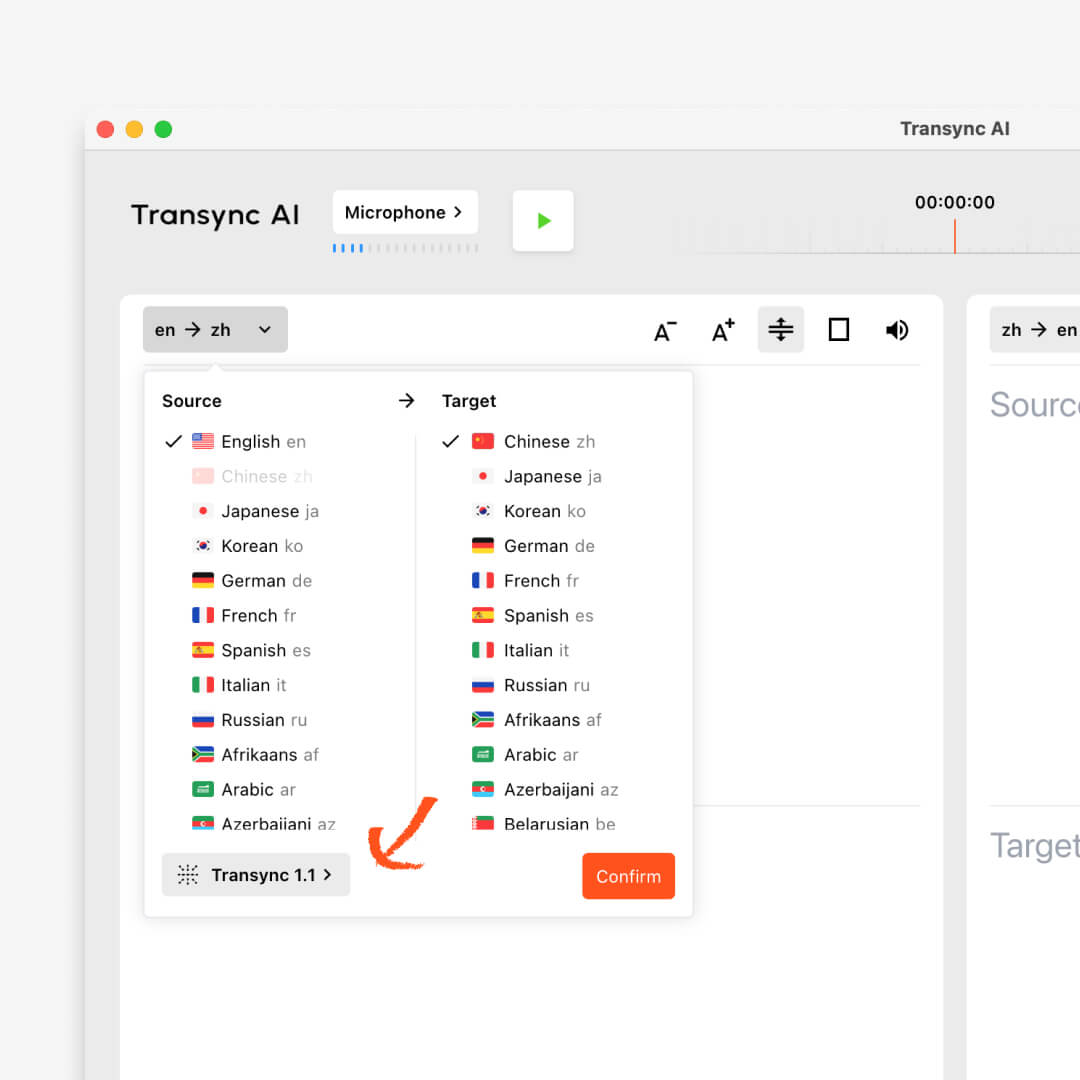
Before you start, check the language pair selection dropdown menu and ensure Transync AI v2.0 is selected. This latest version is optimized for real-time translation, contextual comprehension, and enhanced accuracy.
You can always access it from Profile → AI Assistant, where you can review past prompts, refine your context, or continue using the assistant anytime. All this content is synchronized with the account in the cloud.
Let Transync AI Assistant understand your keywords and context to deliver translations that are accurate, natural, and professional. You can check the more detailed documentation.
Short answers about using keywords, context, domain terminology, model support, privacy, and supported translation workflows.
Transync AI Assistant lets users add keywords and context before translation so the system can better understand names, terminology, acronyms, product details, and industry-specific language during real-time translation.
Best for technical meetings, sales calls, legal or business discussions, training sessions, product demos, and any conversation where terminology accuracy matters.
Human interpreters are best for high-stakes legal, medical, or formal events. Transync AI is better suited for frequent meetings, online calls, classes, and daily multilingual communication where speed, availability, and lower cost matter.
Meeting captions usually show text only inside one meeting platform. Transync AI works across meeting apps and adds bilingual subtitles, voice playback, meeting notes, and Virtual Microphone support for translated speech output.
Transync AI is designed for business communication and privacy-conscious workflows. Customer data is processed to provide the translation service and is not used for AI training. Voice Clone also does not store original recordings for training.
Transync AI supports desktop, mobile, and web workflows, including macOS, Windows, iOS, Android, and browser-based use cases. It can be used with Zoom, Microsoft Teams, Google Meet, WhatsApp calls, and in-person meetings.
Transync AI supports 60+ languages for real-time translation, including Chinese, English, Japanese, Korean, Cantonese, German, French, Russian, Italian, Spanish, and many other global languages.