



Tools
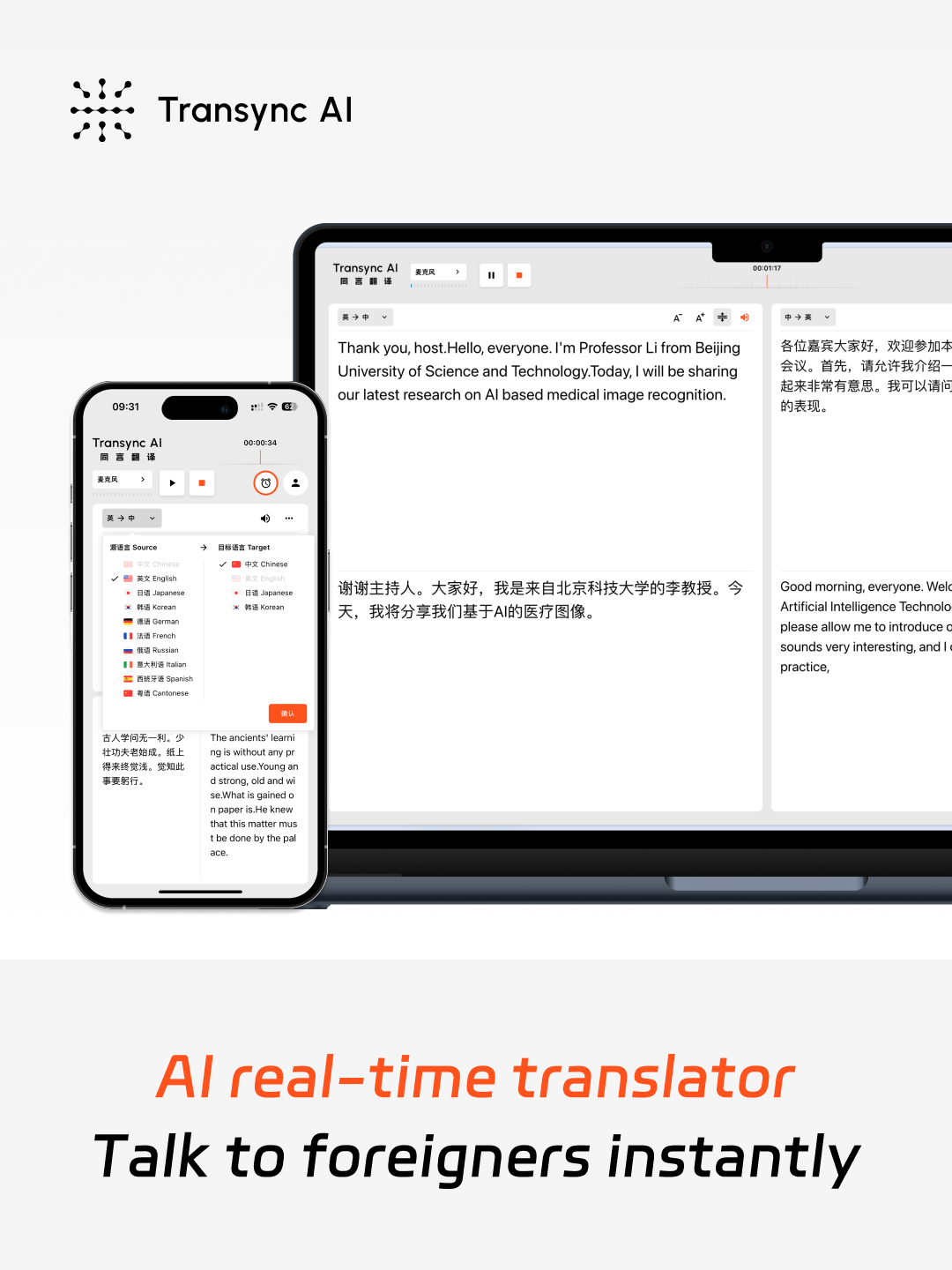
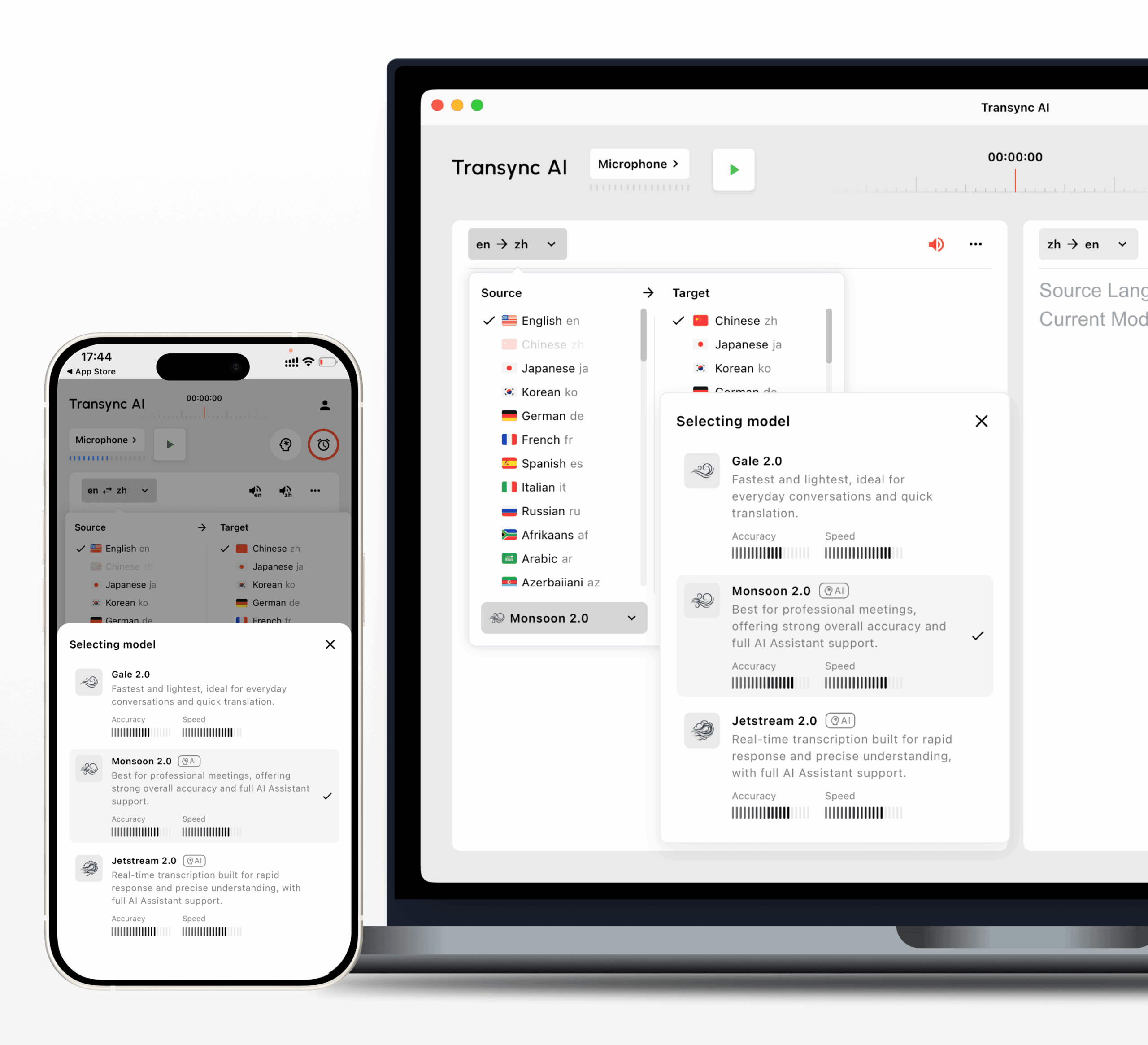
Transync AI real-time translation interface on mobile and desktop for English and Chinese conversation

Setup guide

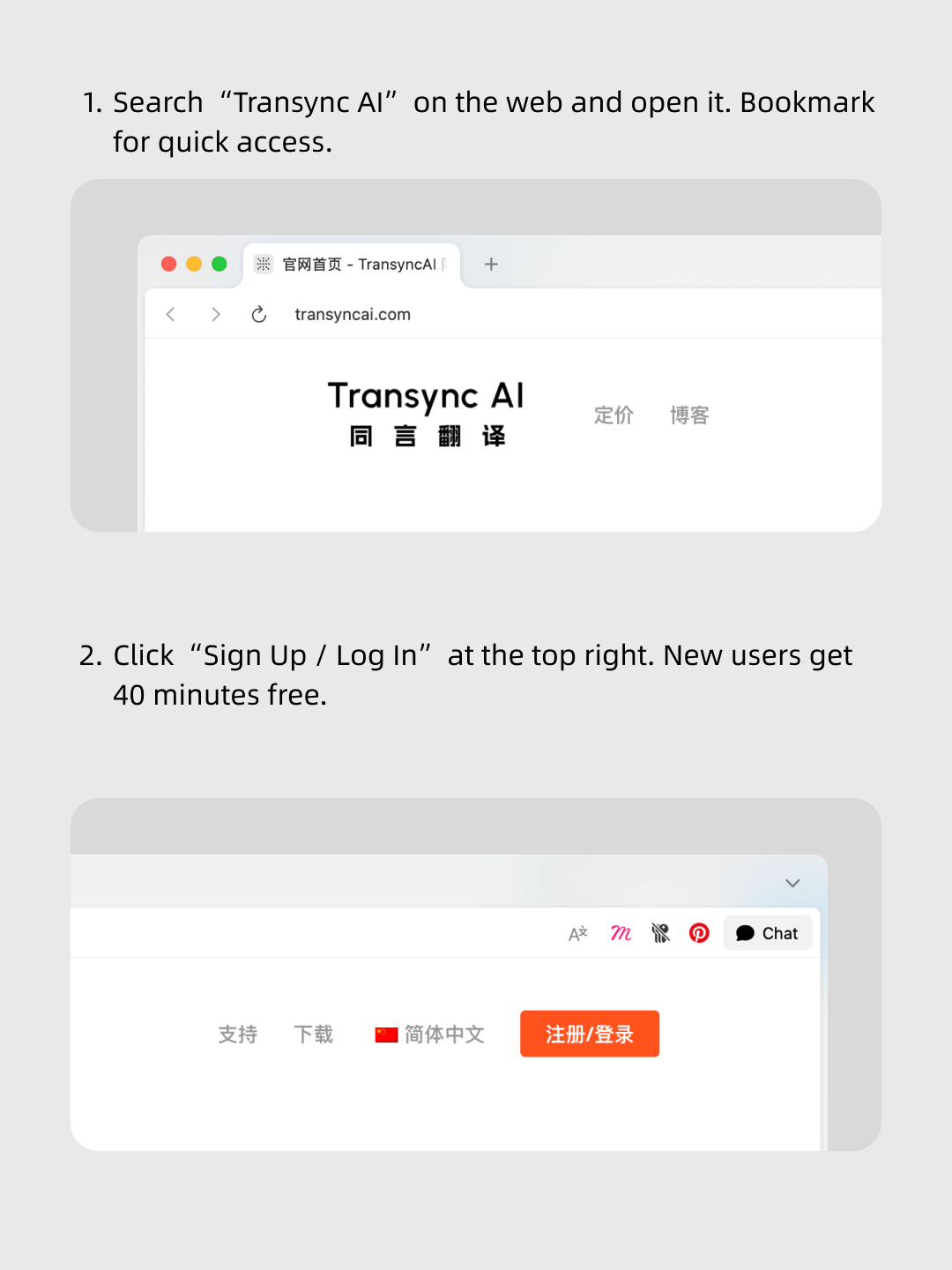
1. Open Transync AI on the web or in the desktop/mobile app.

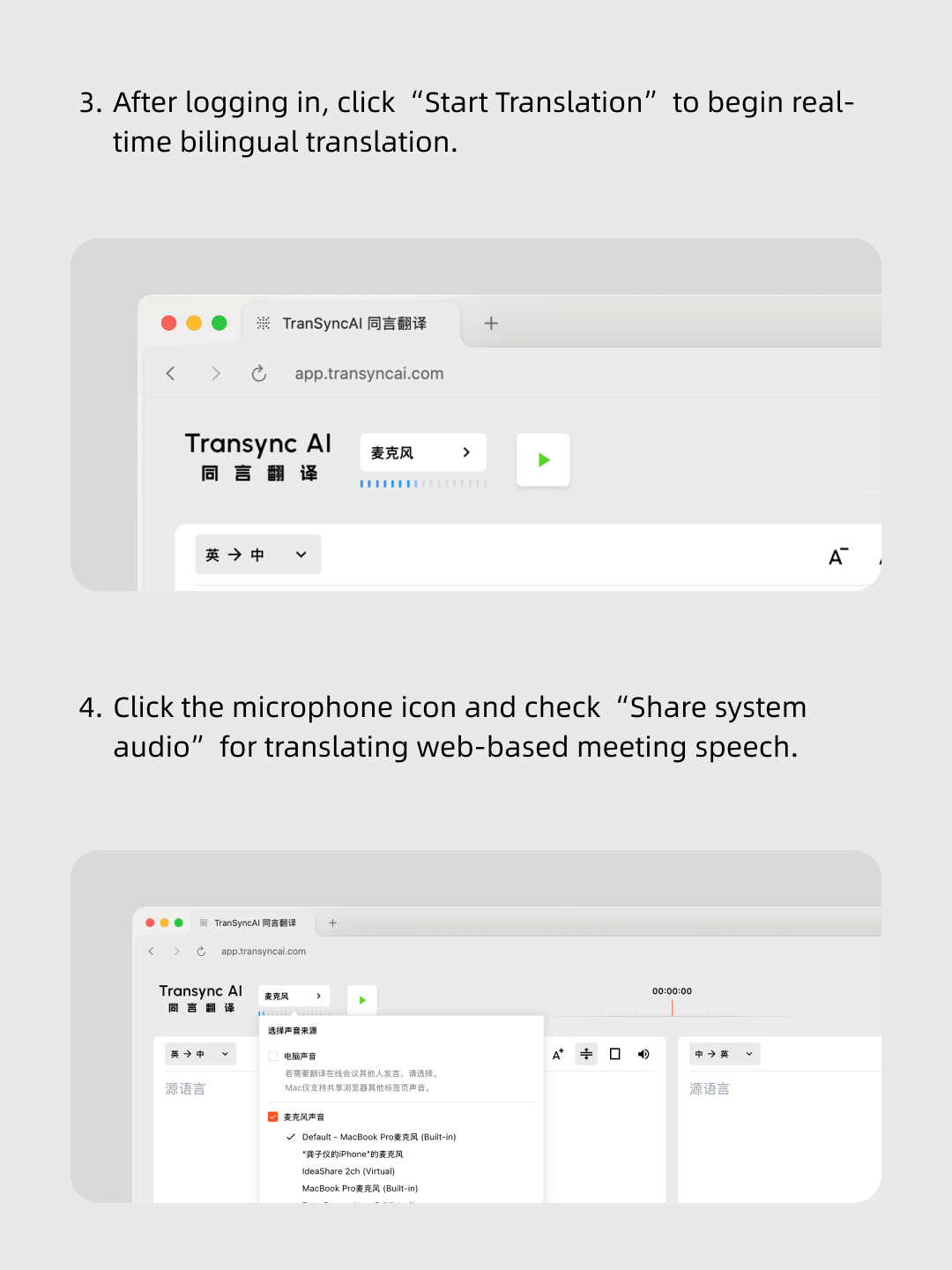
2.Share your computer’s audio, or simply start translating.

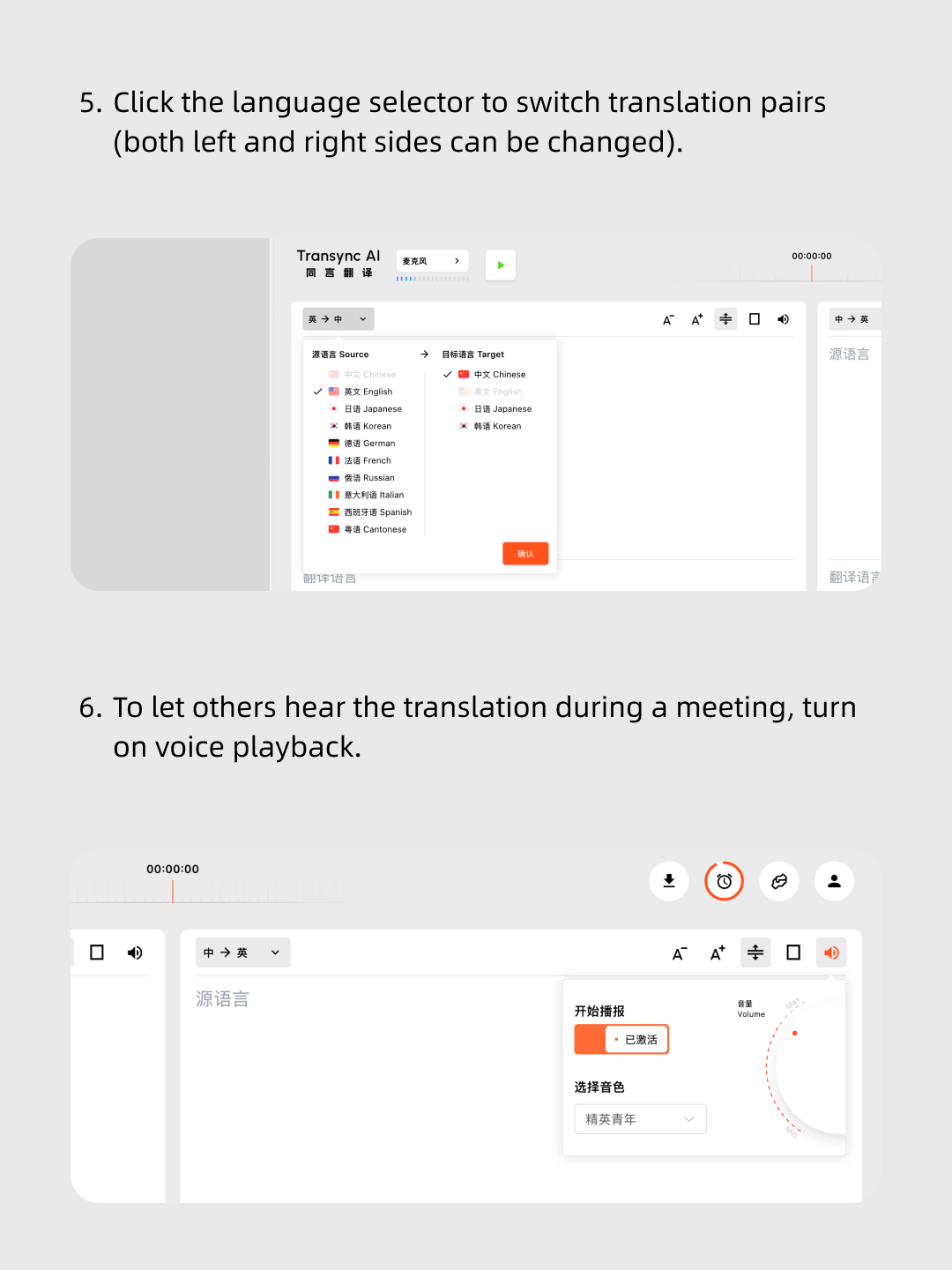
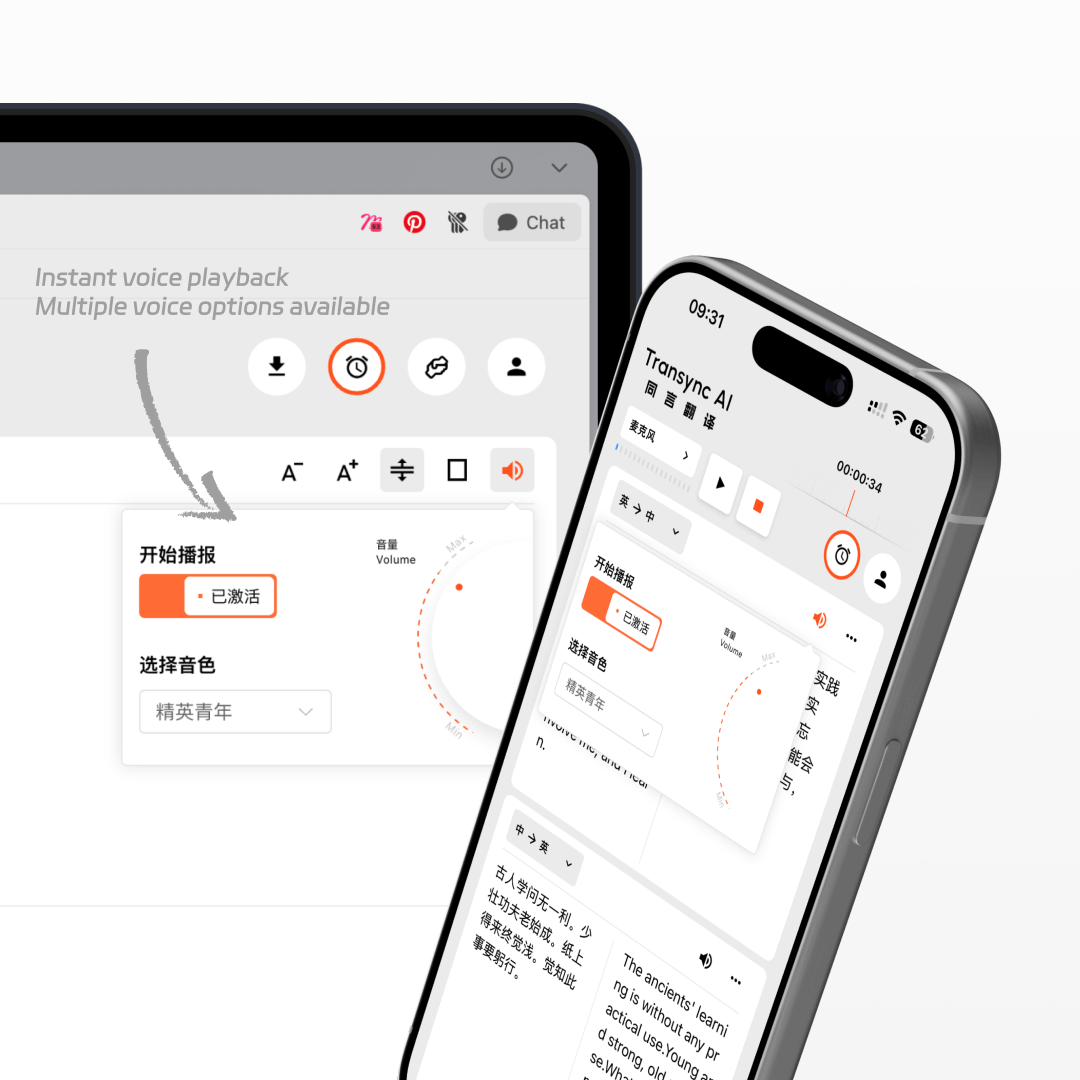
3.Turn on voice playback anytime, anywhere.

4.In your meeting software, share your computer’s audio so others can hear it.

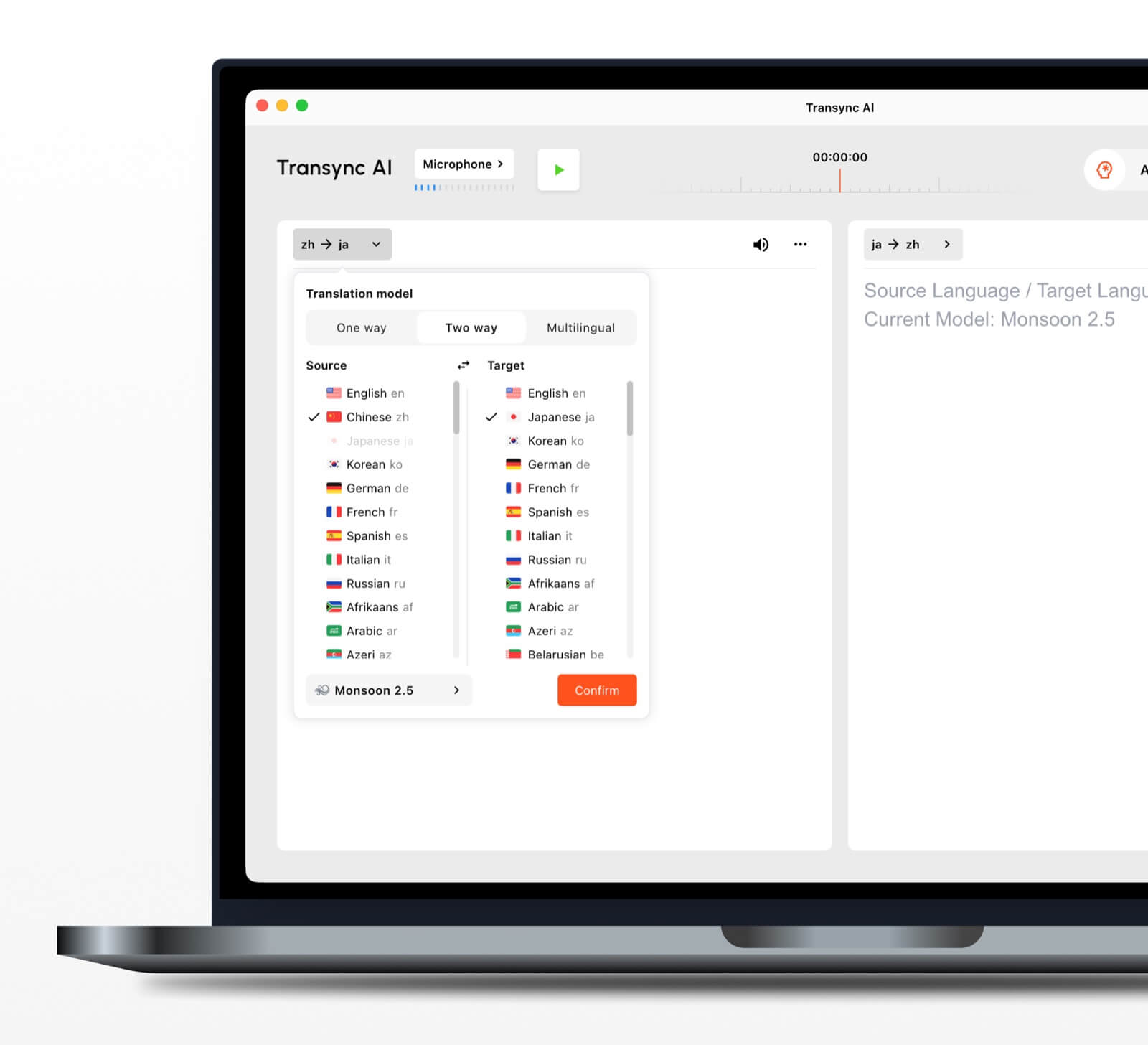
Screenshot tutorial showing how to switch translation language pairs and enable voice playback in Transync AI.
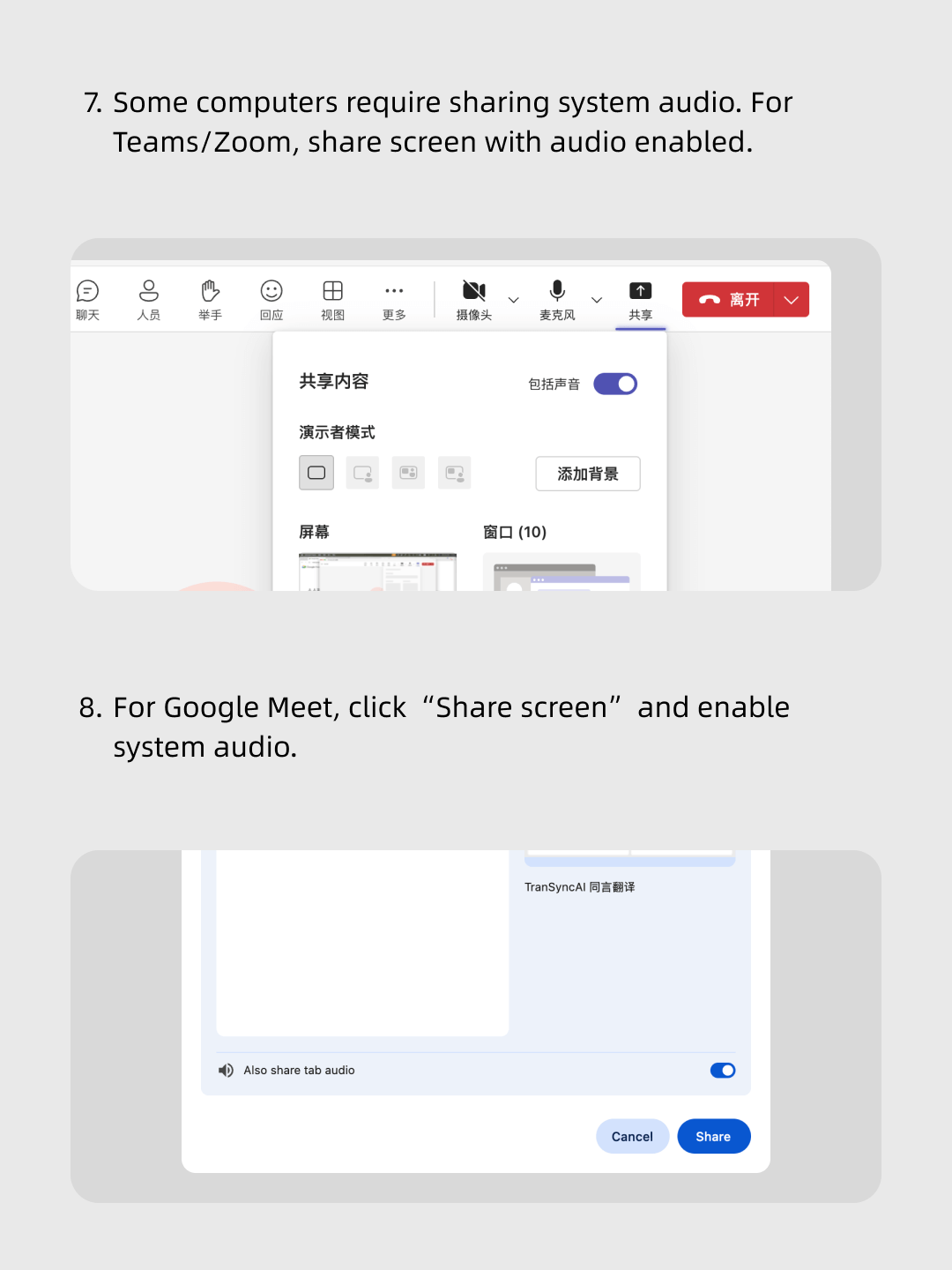
Instructional graphic showing how to enable system audio sharing in Microsoft Teams, Zoom, and Google Meet screen sharing settings.
Transync AI v2.0 models for real-time translation
Smartphone screen showing the Transync AI app translating spoken Japanese into English in real time, with automatic English-to-Japanese translation support.
Smartphone and tablet screens displaying Transync AI Voice translator interface with activation button, voice selection menu, and volume control.
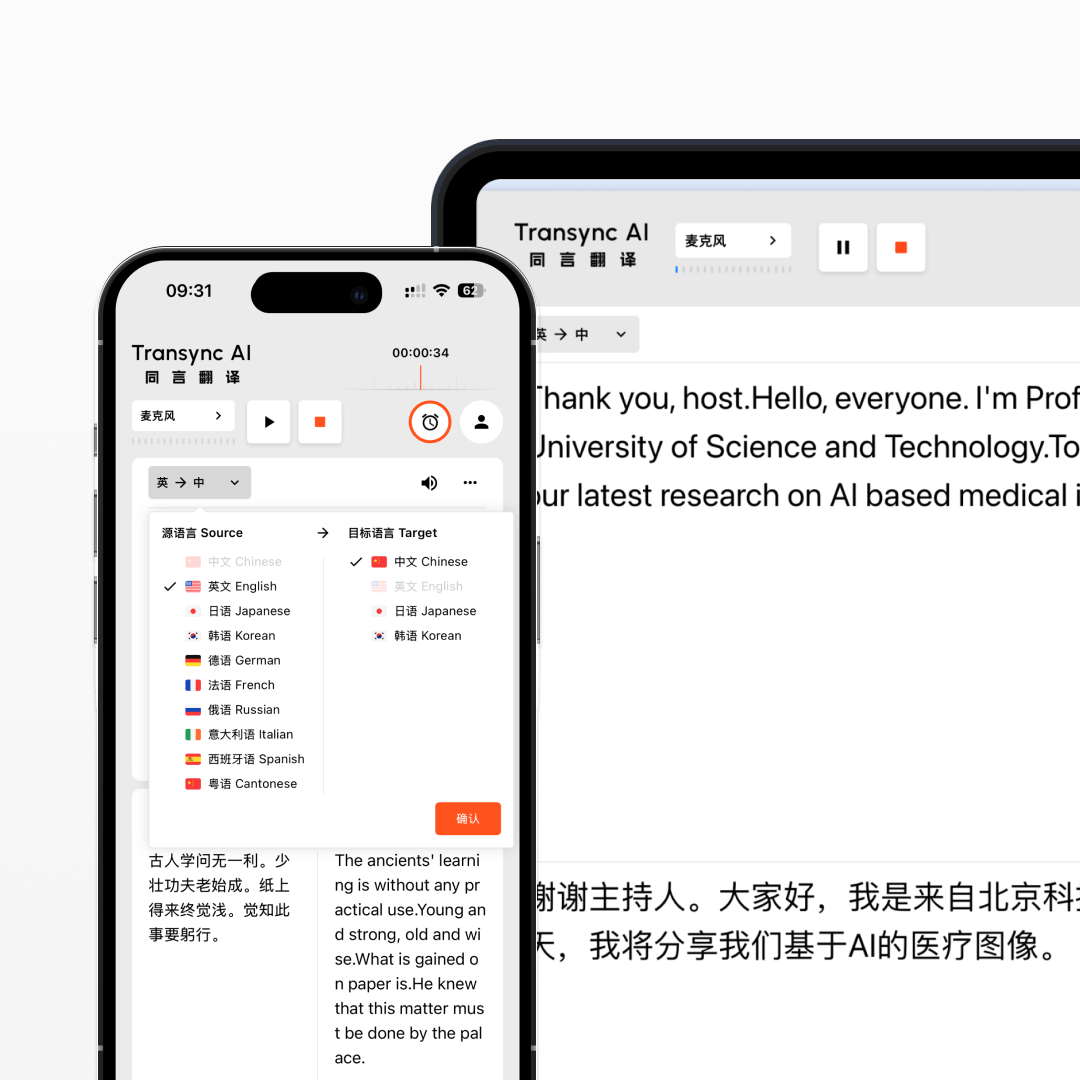
Screenshot showing Transync AI real-time translation interface on a smartphone and a desktop screen, translating English speech into Chinese with multiple language options.

On your computer, open Transync AI. Connect an omnidirectional microphone for better audio capture (or have speakers sit closer if unavailable). In Transync AI, select this microphone in the top-left mic settings, turn on speakers, and enable voice playback. This will translate and broadcast everyone’s speech in the meeting room.

Quick answers

Quick answers about real-time translation

Short answers for teams evaluating live multilingual translation, meeting captions, interpreters, privacy, platforms, and supported languages.

What is Transync AI?

Transync AI real-time translation converts speech into bilingual subtitles and translated voice output during meetings, classes, demos, calls, and in-person conversations. It is built for low-latency multilingual communication across desktop, mobile, and web workflows.

Best for

Best for online meetings, offline conversations, classes, sales calls, customer support, product demos, and travel scenarios where people need to understand and respond across languages in real time.

Compared with human interpreters

Human interpreters are best for high-stakes legal, medical, or formal events. Transync AI is better suited for frequent meetings, online calls, classes, and daily multilingual communication where speed, availability, and lower cost matter.

Compared with meeting captions

Meeting captions usually show text only inside one meeting platform. Transync AI works across meeting apps and adds bilingual subtitles, voice playback, meeting notes, and Virtual Microphone support for translated speech output.

Security and privacy

Transync AI is designed for business communication and privacy-conscious workflows. Customer data is processed to provide the translation service and is not used for AI training. Voice Clone also does not store original recordings for training.

Supported platforms

Transync AI supports desktop, mobile, and web workflows, including macOS, Windows, iOS, Android, and browser-based use cases. It can be used with Zoom, Microsoft Teams, Google Meet, WhatsApp calls, and in-person meetings.

Supported languages

Transync AI supports 60+ languages for real-time translation, including Chinese, English, Japanese, Korean, Cantonese, German, French, Russian, Italian, Spanish, and many other global languages.