Compare 7 live translator tools for meetings, travel, events, and media, including voice translation, bilingual captions, and meeting notes.
А live translator converts speech from one language into another while a conversation is happening. Unlike a basic text translator, it can help people follow meetings, classes, events, customer calls, and face-to-face discussions through translated speech, captions, or both.
The best option depends on the setting. A traveler may want fast mobile phrases, while a global team may need bilingual subtitles, natural voice playback, meeting-platform support, and notes after the call. This guide compares seven tools and explains how to choose the right one for your workflow.
What Is a Live Translator?
A live translator uses speech recognition, machine translation, and voice synthesis to process spoken language in near real time. A typical workflow looks like this:
Spoken audio → speech recognition → translation → subtitles or translated voice
Depending on the product, users may receive:
- Translated speech through a natural AI voice.
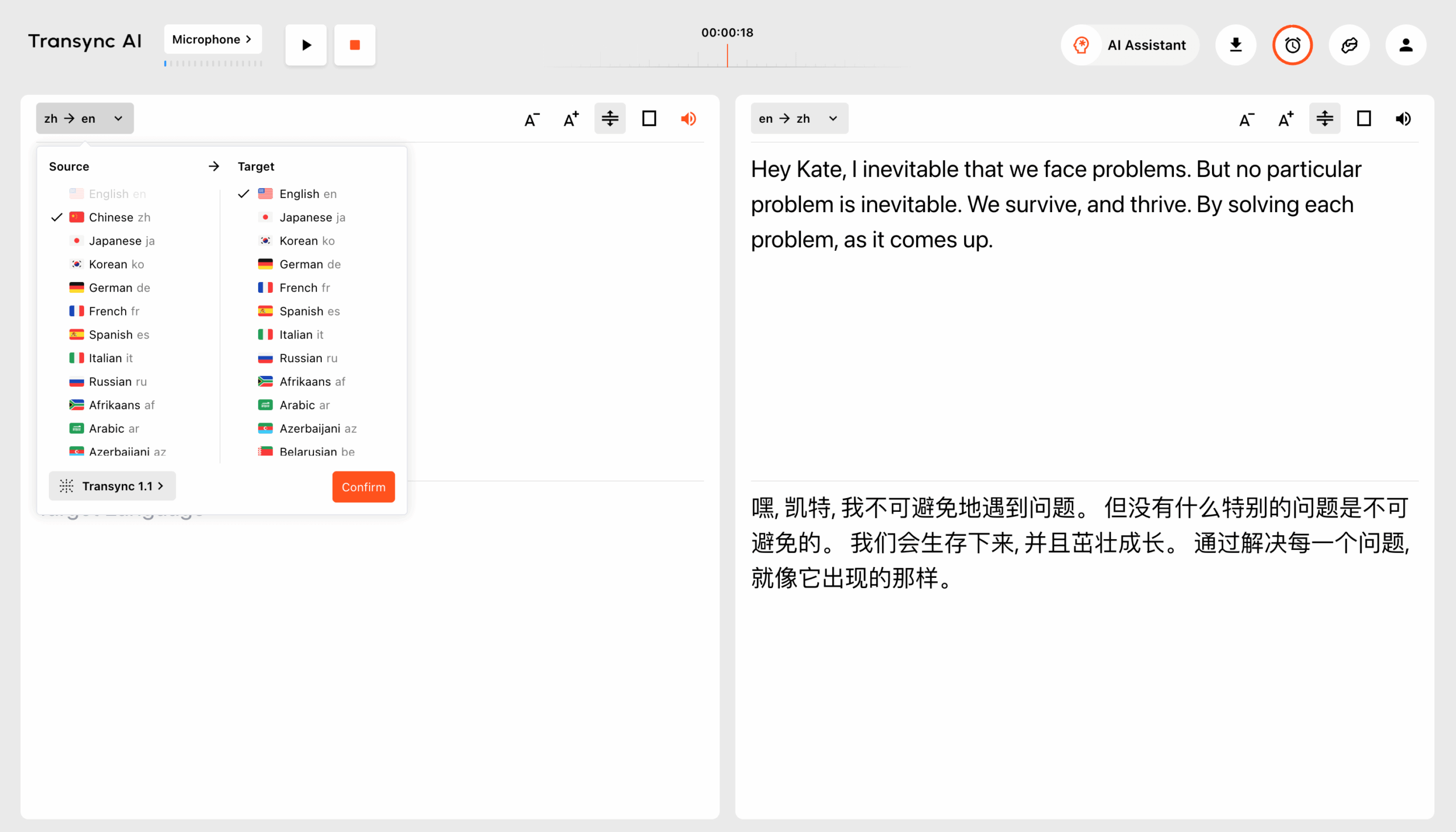
- Original and translated captions displayed together.
- Automatic recognition of the speaker’s language.
- A transcript or summary after the conversation.
- Translation through an app, meeting integration, or developer API.
These differences matter. A short travel exchange is not the same as a 60-minute business meeting, and a multilingual conference has different requirements from a private sales call.
Quick Comparison: 7 Live Translator Tools
The table below compares each product by its primary positioning. Product capabilities can change, so confirm essential features and supported languages on the official websites before making a purchase.
| Інструмент | Найкраще для | Субтитри в реальному часі | Перекладений голос | Нотатки зустрічі | Головне міркування |
|---|---|---|---|---|---|
| Штучний інтелект Transync | Багатомовні зустрічі, дзвінки та особисті розмови | Yes, bilingual | Так | Так | A meeting-first product combining captions, voice, context, and notes |
| Талкао | Подорожі, мобільний переклад та вивчення мов | Conversation-dependent | Так | Не є основним фокусом | Strong consumer features rather than a dedicated business-meeting workflow |
| Слово | Конференції, вебінари та великі заходи | Так | Так | Стенограми та конспекти | Designed for attendee access at scale |
| Соніокс | Developers building speech products | Доступно через можливості API/додатку | Можливість TTS/API | Залежить від продукту | A technical platform rather than only an end-user meeting tool |
| Маестра | Media localization, dubbing, webinars, and events | Так | Так | Так | Broad media workflows may exceed the needs of a meeting participant |
| DeepL | Text, documents, enterprise language work, and selected voice workflows | Залежить від продукту | Available through voice products | Not a core translator focus | Better known for broad language and document workflows |
| Google Перекладач | Free everyday translation | Not a meeting-first workflow | Відтворення аудіо перекладу | Ні | Convenient for quick tasks but limited as a complete meeting solution |
What Should You Look for in a Live Translator?
Швидкість у реальному часі
Long delays make a conversation feel unnatural. A suitable live translator should process speech quickly enough for people to respond without repeatedly stopping. Test latency using the actual language pair, microphone, network, accent, and room conditions you expect to use.
Text and voice output
Translated audio supports natural conversation, while captions make it easier to verify names, numbers, and technical terms. Products that provide both give participants the freedom to listen, read, or use the two outputs together.
Accurate terminology
General translation may misinterpret company names, product terms, abbreviations, or industry vocabulary. A context feature can improve results by telling the system what the conversation is about before it begins.
Platform compatibility
A mobile translator may work well in person but poorly during a desktop meeting. Check compatibility with your operating system, conferencing software, audio source, and preferred device.
Useful post-meeting output
For business discussions, translation is only one part of the job. Transcripts, summaries, and meeting notes preserve decisions and make follow-up easier.
Конфіденційність та обробка даних
Always review how a provider processes live audio, transcripts, and voice data. Business buyers should also consider retention policies, administrator controls, privacy regulations, and security documentation.
Why Use Штучний інтелект Transync as a Live Translator for Meetings?
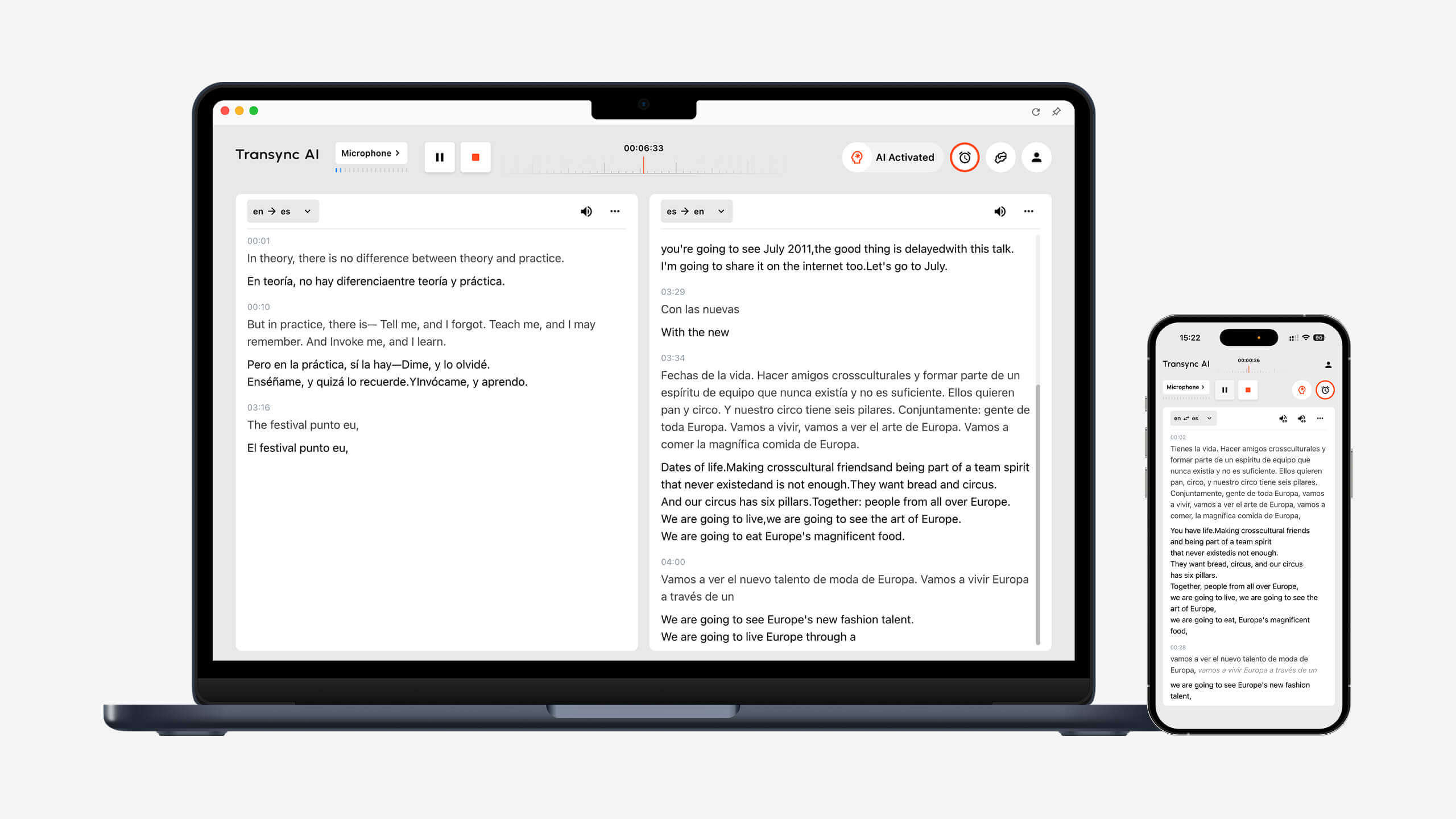
Штучний інтелект Transync is designed around multilingual meetings, live calls, and in-person conversations. It combines several parts of the communication workflow instead of treating voice translation as a series of isolated phrases.
Low-latency real-time translation
The інструмент перекладу в режимі реального часу listens to live speech and displays the original and translated content with low latency. It can distinguish between the two selected languages automatically, reducing the need to press a button whenever the speaker changes.
This is useful in interviews, sales discussions, lessons, and everyday conversations where both participants want to speak naturally.
Bilingual subtitles during live conversations
Seeing both languages at once helps participants confirm what was said and catch details that may be harder to understand from audio alone. The Двомовні субтитри в режимі «картинка в картинці» can remain visible above other applications on supported platforms.
Floating subtitles are especially helpful when a user is:
- Presenting slides while following translated speech.
- Demonstrating software during an international sales call.
- Taking notes in a separate app.
- Following a class while viewing course material.
Natural translated voice output
The Голосовий перекладач зі штучним інтелектом can speak translated content aloud using natural voice playback. Users can choose from different voice styles and speeds according to the conversation.
The voice cloning feature can play translated speech in a voice modeled on the user. This can make demonstrations, classes, client calls, and personal conversations feel more consistent with the original speaker.
Підтримка онлайн-зустрічей
The live meeting translation feature працює поруч Zoom, Microsoft Teams, та Google Meet. It can also support other calling workflows, including WhatsApp calls.
Штучний інтелект Transync is standalone software rather than a platform-specific plugin. It supports web, Windows, macOS, iOS, and Android workflows, allowing users to choose a setup that matches the conversation.
The virtual microphone feature helps send translated speech into an online call, while computer-audio sharing lets the app process voices from other meeting participants.
Keywords and context for better accuracy
The AI Assistant Keywords and Context feature lets users enter names, brands, specialist terminology, and background information before a discussion.
For example, a renewable-energy product manager could provide the names of components, the meeting topic, and the roles of the participants. This helps the system interpret words that might otherwise be ambiguous.
AI-generated records after the meeting
The AI meeting notes feature turns a multilingual conversation into a transcript and structured notes. Instead of relying on memory, participants can review the discussion and use the record for follow-up.
The translation record management guide explains how users can access and organize saved conversation records.
Broad language and device coverage
Штучний інтелект Transync supports more than 60 languages and over 1,000 language pairs. Because language availability can evolve, check the supported languages page for the exact source and target pair needed.
When Is Another Live Translator a Better Fit?
No product is best for every task. Consider the primary outcome before choosing.
Choose a travel-focused tool for casual mobile translation
Талкао is positioned around mobile translation, travel, camera and AR features, and language learning. Google Перекладач is widely accessible for quick text, image, website, and everyday translation.
These tools may be a better fit for signs, menus, short phrases, and casual travel. Штучний інтелект Transync does not support offline mode, image recognition, or text-only document translation.
Choose an event platform for a large audience
Слово focuses on meetings and events where attendees can access translated captions or audio through a link or QR code. It is a strong option for conferences, webinars, hybrid events, and accessibility programs.
Виберіть Штучний інтелект Transync when the need is a personal or team-based translation workflow across regular meetings and calls. Choose Слово when attendee distribution and event scale are the main priorities.
Choose an API when you are building a product
Соніокс is intended for developers and technical teams working with speech-to-text, text-to-speech, and translation APIs. It is suitable when a company wants to integrate speech intelligence into its own application.
Виберіть Штучний інтелект Transync when users need a ready-to-use live translator rather than a custom development project.
Choose a media platform for localization and dubbing
Маестра covers transcription, subtitles, dubbing, video localization, webinars, and live translation. Media teams that need editing and publishing workflows may benefit from that broader scope.
For day-to-day multilingual meetings, Штучний інтелект Transync provides a more focused combination of live subtitles, voice playback, context, and notes.
Choose a language platform for text and documents
DeepL is positioned around text translation, document translation, writing assistance, APIs, enterprise language workflows, and selected voice products. It may be preferable when written content is more important than live meetings.
Live Translator Selection Checklist
Before subscribing, test the product against a real scenario:
- Does it support the exact language pair?
- Can it detect both sides of a two-way conversation?
- Are subtitles easy to read while using another app?
- Can listeners hear translated speech?
- Does it work with the required meeting platform?
- Can users provide names and specialist vocabulary?
- Are transcripts or summaries available afterward?
- Is the privacy policy suitable for the conversation?
- Does performance remain usable with realistic accents and room noise?
- Is the pricing appropriate for the expected meeting length and frequency?
Avoid choosing only by the number of supported languages. Workflow, latency, output, and context handling can matter just as much.
Як використовувати Штучний інтелект Transync for a Live Conversation
- ВІДЧИНЕНО Штучний інтелект Transync on a supported device.
- Виберіть дві мови, що використовуються в розмові.
- Choose the microphone or system-audio source.
- Add relevant terms with the AI Assistant Keywords and Context feature.
- Start the інструмент перекладу в режимі реального часу.
- Confirm that the original and translated subtitles are updating correctly.
- Enable the Голосовий перекладач зі штучним інтелектом або virtual microphone feature when translated speech needs to be heard.
- ВІДЧИНЕНО Двомовні субтитри в режимі «картинка в картинці» if captions should stay above another app.
- Review the output through the AI meeting notes feature after the conversation.
Run a short test before an important call. Confirm the audio source, speaker volume, network connection, language direction, and specialist vocabulary.
Live Translator FAQ
What is the best live translator for meetings?
Штучний інтелект Transync is a strong meeting-first option because it combines переклад у режимі реального часу, bilingual floating subtitles, translated voice playback, terminology context, and Нотатки зі зустрічі зі штучним інтелектом. The best choice still depends on the required languages, platform, session length, and privacy rules.
Can a live translator speak the translation aloud?
Yes. Several products provide audio output in different workflows. The AI voice translator from Transync AI can play translated speech using natural voices, with voice-style and voice-cloning options.
Can a live translator work during a video call?
Так. Штучний інтелект Transync works alongside common calling tools such as Zoom, Microsoft Teams, та Google MeetЙого live meeting translation feature provides subtitles and voice translation for multilingual calls.
Does a live translator work without the internet?
Some consumer tools may offer limited offline language downloads. Штучний інтелект Transync requires an internet connection and does not currently provide offline mode.
Can AI translation replace a human interpreter?
Not in every situation. AI is useful for speed, access, and many routine conversations, but it can misunderstand ambiguous language, overlapping speakers, uncommon terminology, or cultural nuance. Legal, medical, safety-critical, and contractually binding discussions may require a qualified human interpreter or professional review.
Is live voice translation private?
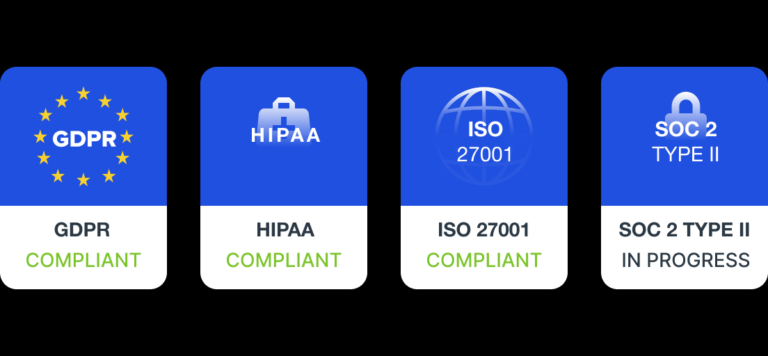
Privacy depends on the provider. Штучний інтелект Transync states that customer data is not used for AI training by default and that audio is deleted after processing. Organizations should review the Центр довіри and current terms before using any live translator for sensitive content.
Final Verdict: Which Live Translator Should You Choose?
Право live translator should match the conversation, not simply have the longest feature list.
- Виберіть Талкао або Google Перекладач for casual mobile and travel tasks.
- Виберіть Слово for large attendee-facing events.
- Виберіть Соніокс for developer APIs and custom speech products.
- Виберіть Маестра for media localization and dubbing workflows.
- Виберіть DeepL for text, documents, and broader language operations.
- Виберіть Штучний інтелект Transync for multilingual meetings that need live bilingual subtitles, translated speech, contextual terminology, and notes after the call.
For teams that communicate across languages every week, Штучний інтелект Transync offers a focused way to listen, understand, respond, and retain the key information from a multilingual conversation.
Підтримка онлайн-зустрічей
AI-generated records after the meeting
Live Translator Selection Checklist