

Що таке режим презентації Transync AI?
Режим презентації – це робочий процес живого перекладу «один до багатьох». Один ведучий надає доступ до перекладеного тексту та, за бажанням, до відтворення голосу глядачам на їхніх власних пристроях.
Один ведучий надає доступ до перекладів у режимі реального часу на пристрої кожного учасника аудиторії. Запрошуйте людей за посиланням, QR-кодом або ідентифікатором кімнати, і дозвольте кожній людині обрати мову, якою вона хоче читати чи слухати.
На цій сторінці: Огляд Як це працює Досвід аудиторії Відтворення голосу Найчастіші запитання
Кожен учасник може стежити за презентацією обраною мовою. Transync AI забезпечує переклад тексту в реальному часі та опціональне відтворення голосу безпосередньо на їхній пристрій.
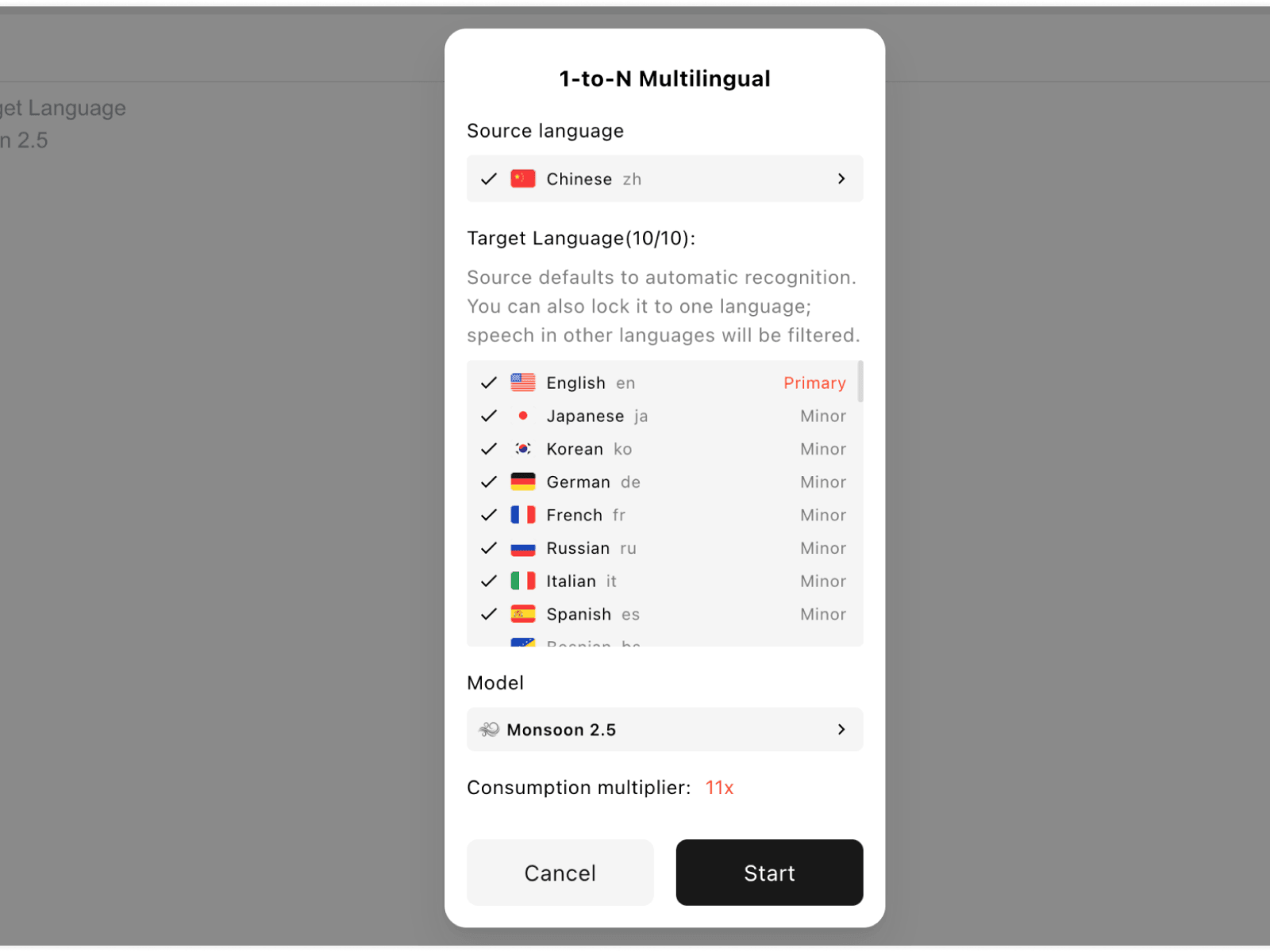
01
Виберіть мову оригіналу та мови аудиторії для презентації.
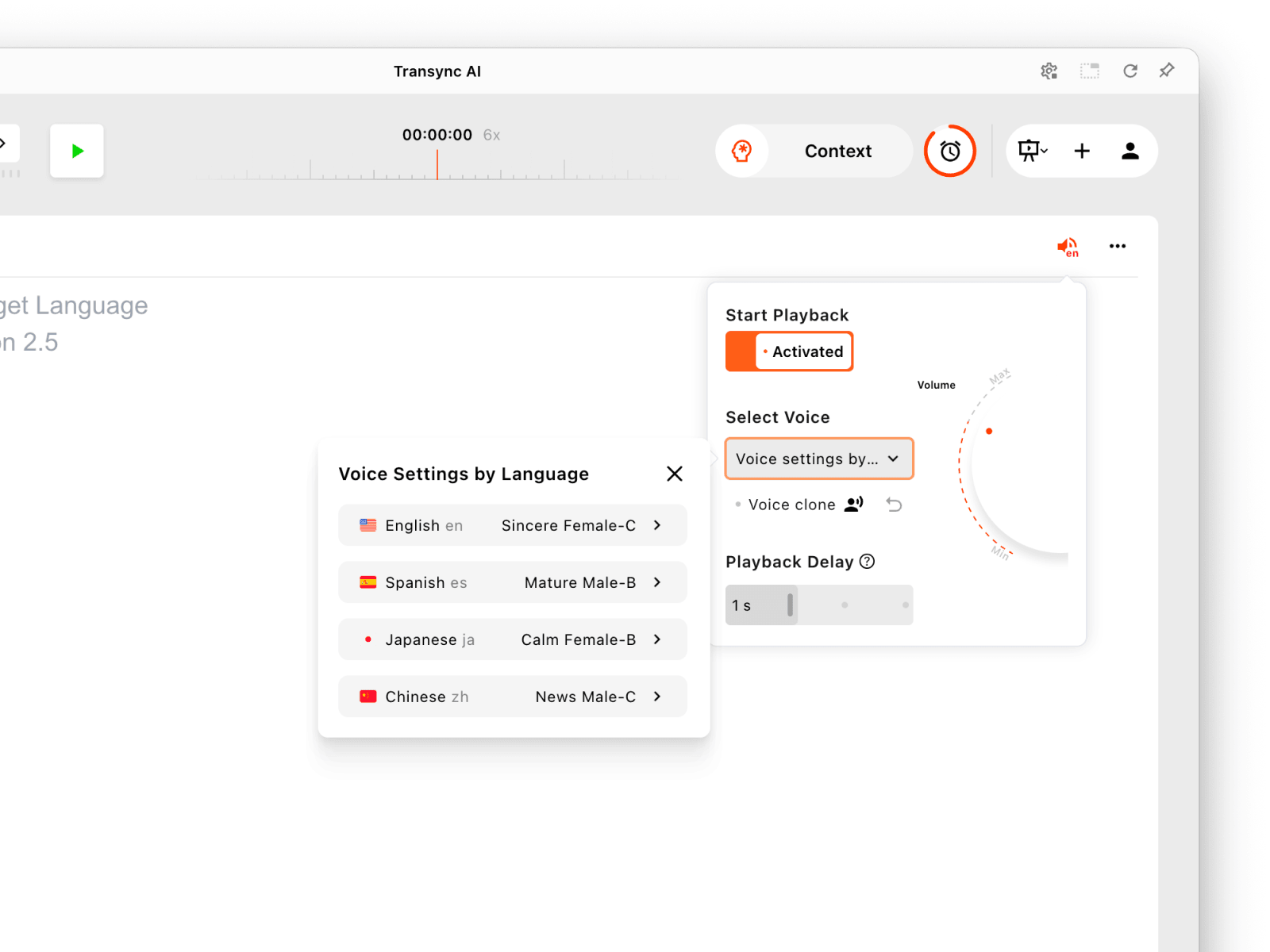
02
Виберіть налаштування відтворення голосу для кожної мови, коли потрібен аудіо.
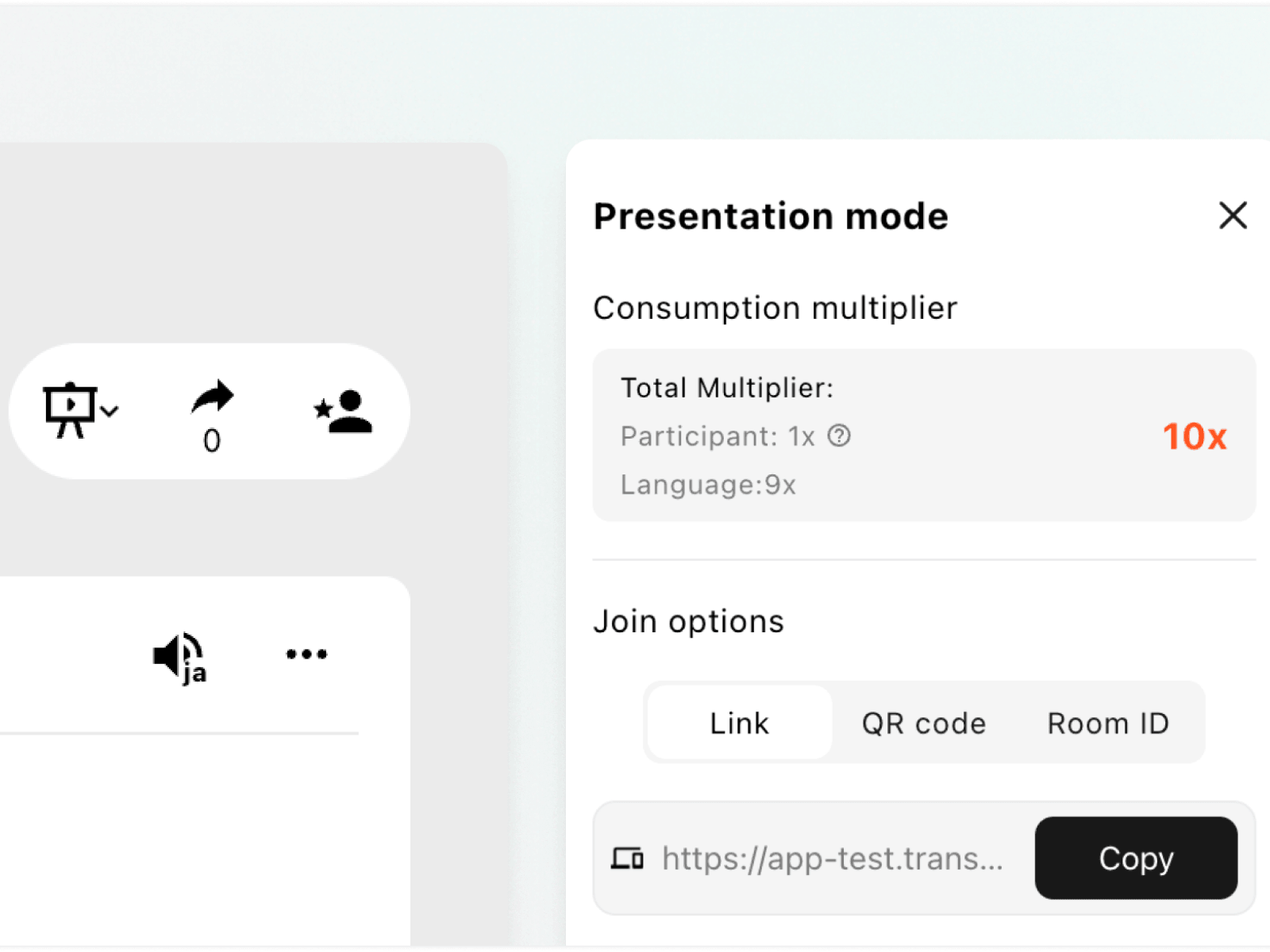
03
Поділіться активним посиланням, QR-кодом або ідентифікатором кімнати з учасниками.
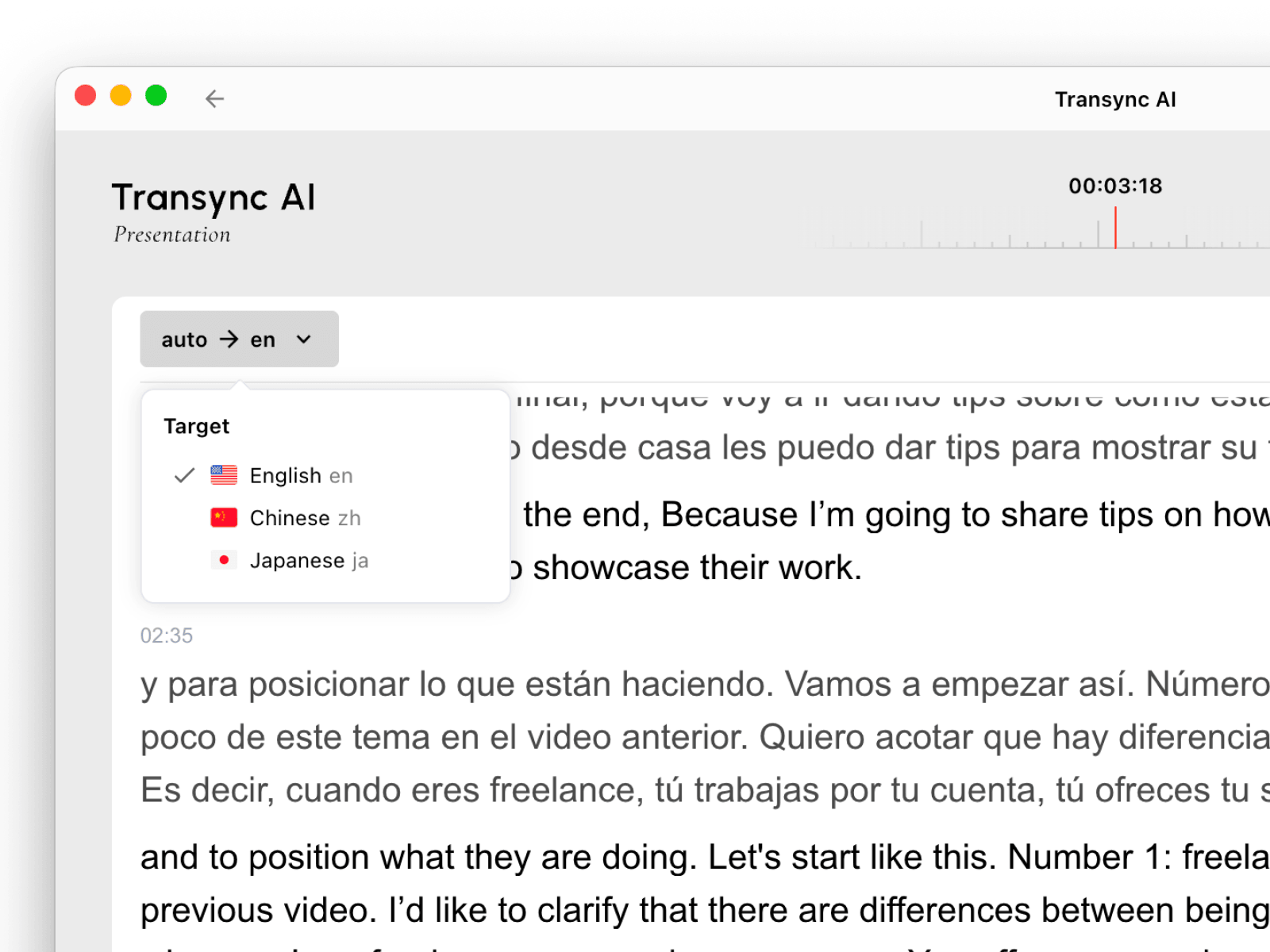
04
Кожен глядач обирає мову та стежить за проєктом на своєму пристрої.
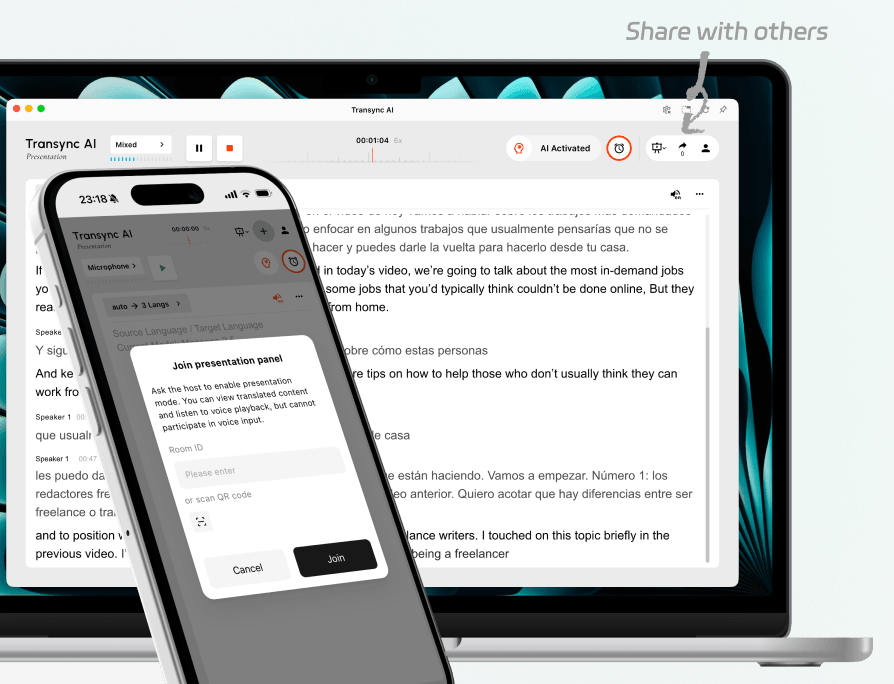
Поділіться однією активною презентацією за допомогою посилання, QR-коду або ідентифікатора кімнати. Учасники аудиторії можуть приєднатися зі своїх пристроїв, не змінюючи налаштування перекладу організатора.
Це працює як для людей у кімнаті, так і для віддалених учасників, які перебувають після тієї ж події.
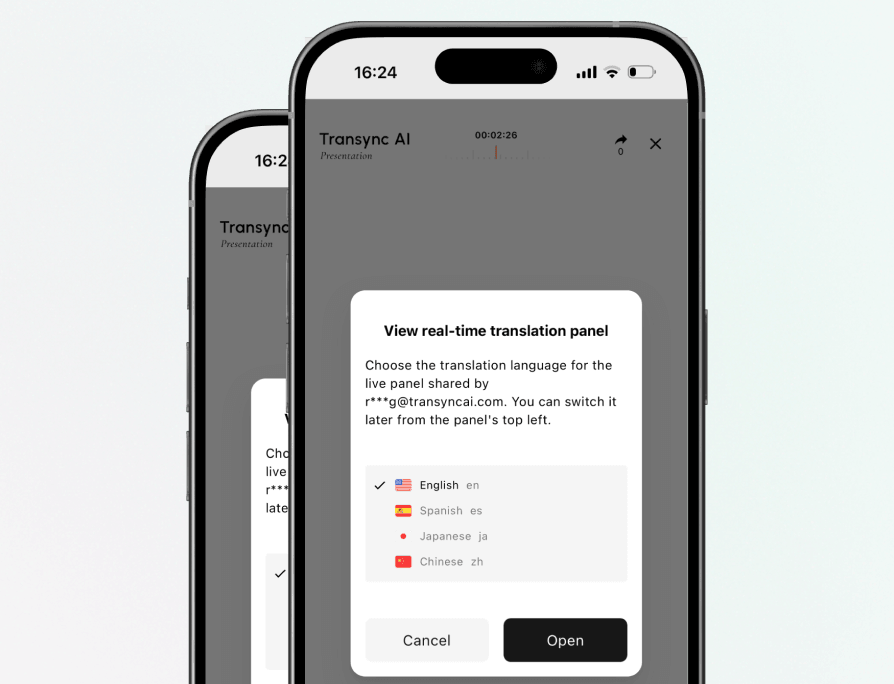
Кожен глядач обирає мову з доступних ведучим і може перемикатися між мовами під час презентації за потреби.
Панель аудиторії призначена для читання та прослуховування. Учасники аудиторії не можуть надсилати голосові команди до завдання перекладу ведучого.
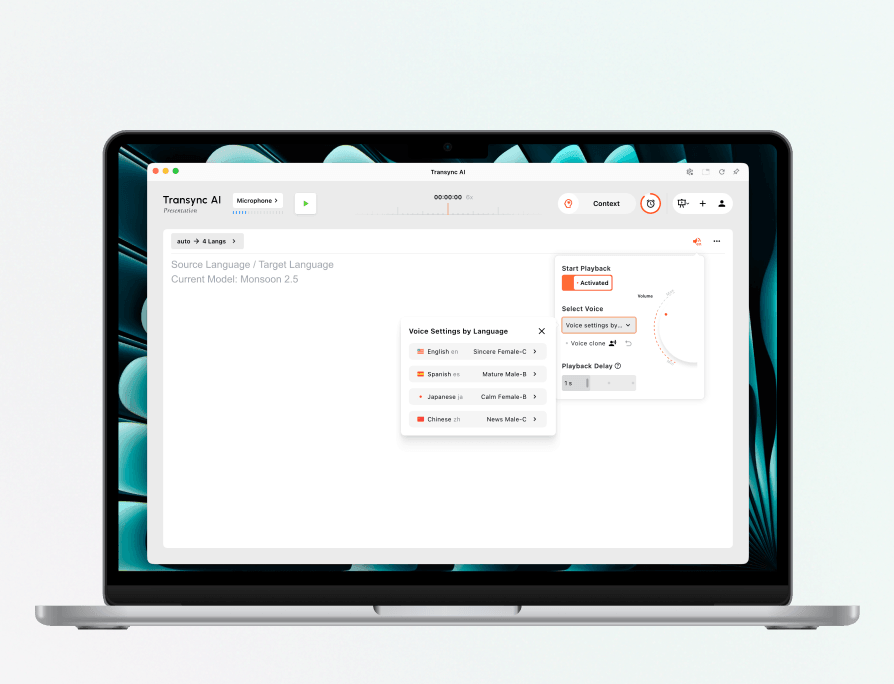
Перед початком презентації виберіть різний голос для кожної цільової мови. За можливості скористайтеся функцією «Клонування голосу» та налаштуйте гучність відтворення й затримку для події.
Потім глядачі можуть увімкнути відтворення голосу для вибраної ними мови.
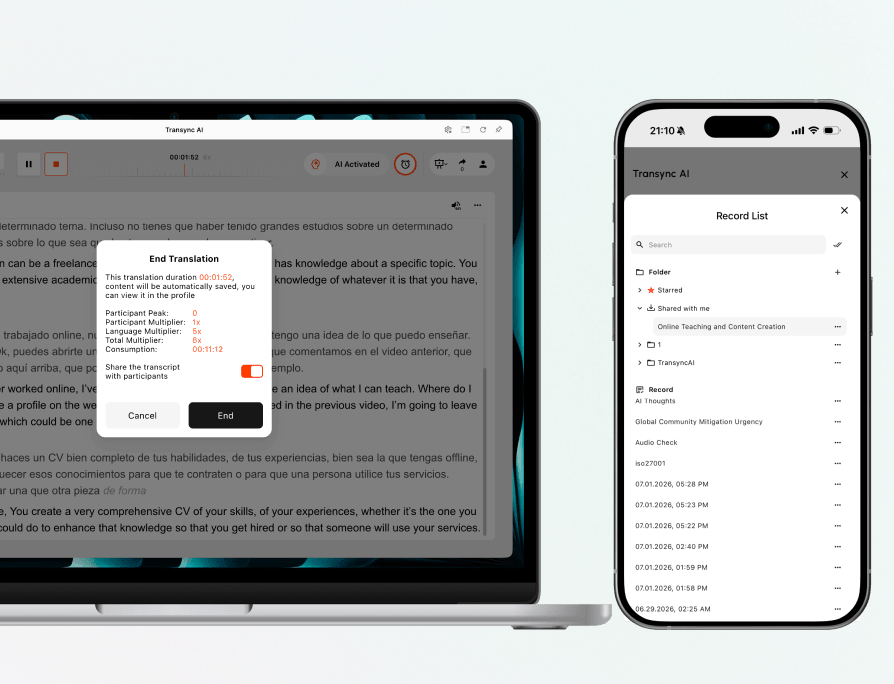
Після завершення презентації ведучий може вирішити, чи ділитися стенограмою. Спільні записи залишаються доступними для запрошених учасників аудиторії в Поділилися зі мною.
Ведучий також може переглянути збережене завдання та його використання з профілю облікового запису.
Виберіть робочий процес, який відповідає тому, як люди отримають переклад.
| Функція | Режим презентації | Багатомовний переклад |
|---|---|---|
| Найкраще для | Один ведучий виступає перед аудиторією | Завдання перекладу, що створює кілька цільових мов |
| Розповсюдження | Надсилає прямий ефір на пристрої аудиторії | Зберігає кілька перекладених результатів у завданні перекладу |
| Вибір мови | Кожен учасник аудиторії обирає увімкнену мову | Власник завдання налаштовує виводи цільовою мовою |
| Роль аудиторії | Читайте та слухайте без голосового введення | Розроблено для активного робочого процесу перекладу, а не як окрема панель аудиторії |

Допоможіть міжнародним учасникам стежити за тим самим доповідачем різними мовами.
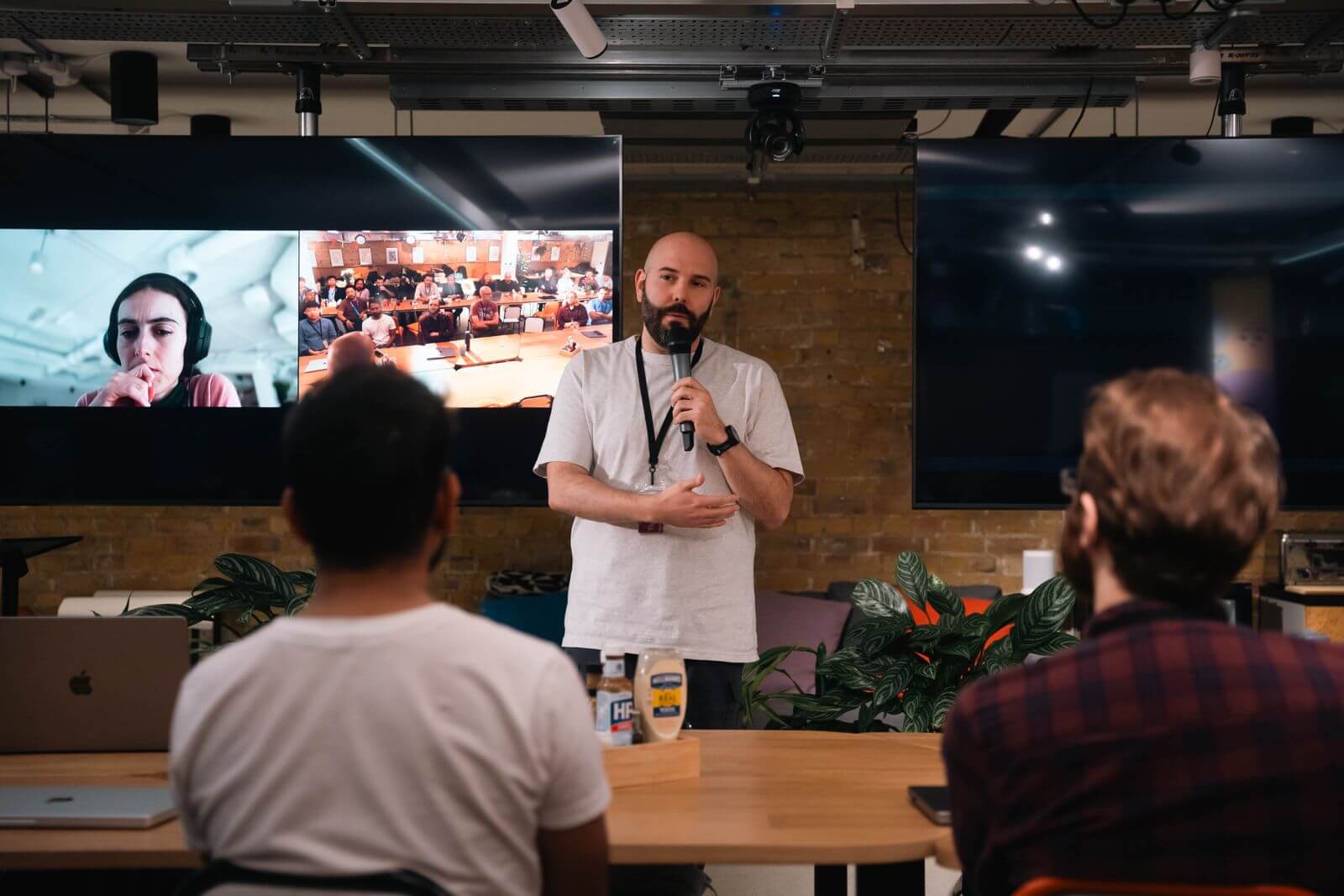
Надайте віддаленій аудиторії вибір мови без створення окремих сеансів.
Дозвольте учням читати або слухати перекладені інструкції на власних пристроях.
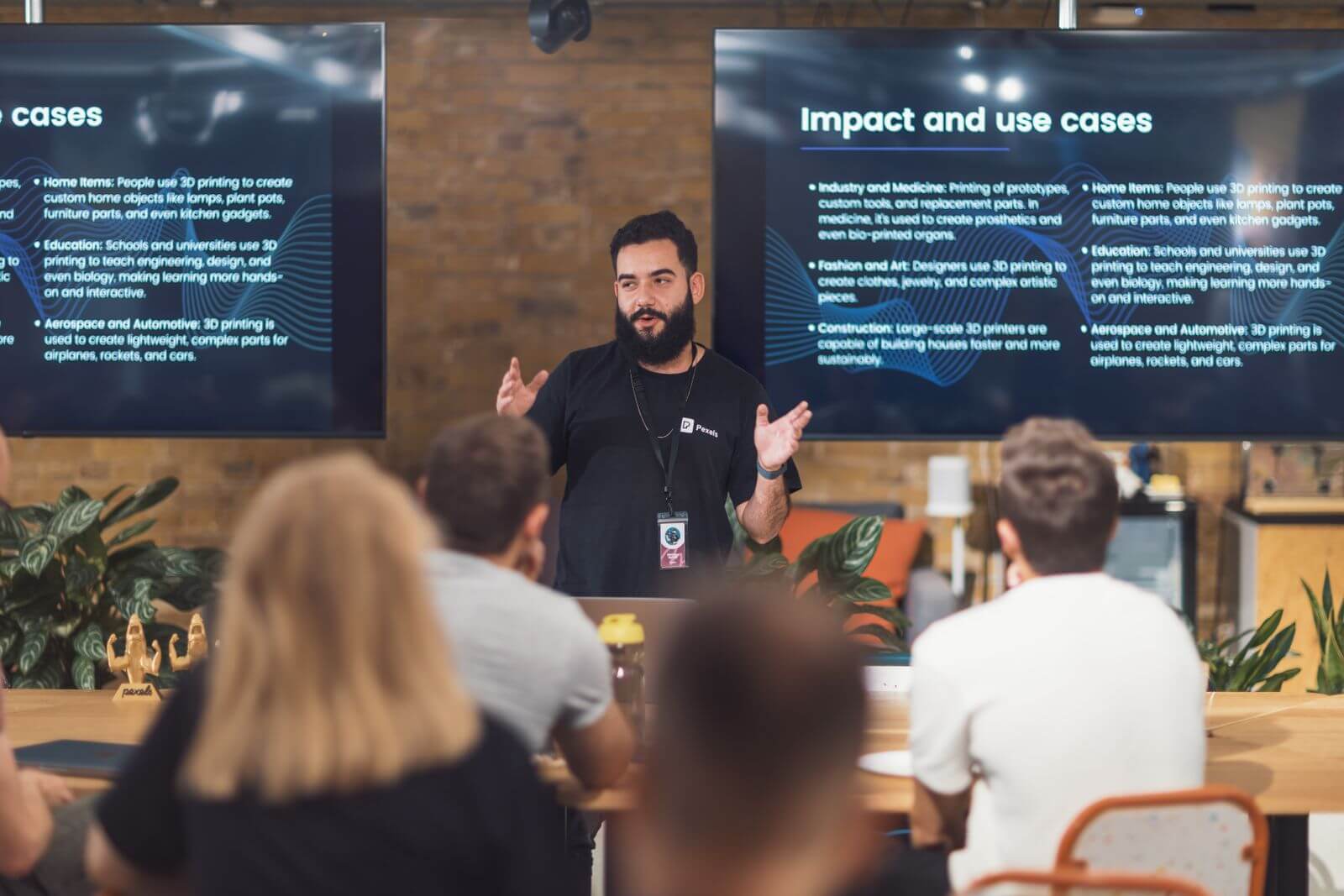
Представте одне повідомлення клієнтам, партнерам та ЗМІ різними мовами.
Режим презентації дозволяє одному ведучому ділитися перекладеним текстом у реальному часі та за потреби відтворенням голосу з аудиторією на їхніх власних пристроях. Кожна людина обирає одну з мов, доступних ведучим.
Ведучий може поділитися активним посиланням, QR-кодом або ідентифікатором кімнати. Учасники аудиторії використовують один із цих варіантів, вибирають мову та відкривають панель живої презентації.
Так. Учасники аудиторії можуть переключитися на іншу мову, яку організатор увімкнув для активної презентації.
Так, коли відтворення голосу доступне та ввімкнене для вибраної мови. Учасники аудиторії також можуть продовжувати читати перекладений текст, коли відтворення вимкнено.
Ні. Панель аудиторії призначена для перегляду та прослуховування. Голосові вказівки щодо презентації надає лише ведучий.
Використання режиму презентації базується на множнику учасника плюс множник мовної пари. Див. посібник з налаштування хоста для поточних рівнів та приклад розрахунку.
Ведучий може вирішити, чи ділитися стенограмою. Якщо вона буде надана спільно, запрошені учасники аудиторії зможуть відкрити запис з Поділилися зі мною.
Діліться живими перекладами з кожним учасником аудиторії, зберігаючи при цьому єдиний простий робочий процес хостингу.
Короткі відповіді щодо доступу аудиторії, вибору мови, відтворення голосу, керування організатором, спільних записів та підтримуваних пристроїв.
Режим презентації – це робочий процес живого перекладу «один до багатьох». Один ведучий надає доступ до перекладеного тексту та, за бажанням, до відтворення голосу глядачам на їхніх власних пристроях.
Найкраще підходить для конференцій, пленарних доповідей, вебінарів, зустрічей з громадськістю, занять, тренінгів, презентацій продуктів та інших заходів з одним основним доповідачем або ведучим.
Ведучий налаштовує мови, запускає презентацію та надає посилання, QR-код або ідентифікатор кімнати. Потім кожен учасник аудиторії вибирає увімкнену мову.
Багатомовний переклад створює кілька виводів цільовою мовою в рамках одного завдання. Режим презентації розповсюджує панель живої аудиторії на підключені пристрої.
Учасники аудиторії використовують активне посилання, QR-код або ідентифікатор кімнати та слідкують за перекладеним текстом у реальному часі, не змінюючи налаштувань ведучого.
Ведучий може налаштувати голоси за мовами. Глядачі можуть слухати, коли відтворення доступне для вибраної ними мови.
Режим презентації розроблено для робочих процесів організатора та аудиторії на комп’ютерах, мобільних пристроях та в Інтернеті.
Учасники аудиторії можуть читати та слухати, але вони не можуть надсилати голосові команди до завдання презентації ведучого.