

Transync AI 프레젠테이션 모드란 무엇입니까?
프레젠테이션 모드는 일대다 실시간 번역 워크플로입니다. 호스트 한 명이 번역된 텍스트와 선택적으로 음성 재생 기능을 청중 구성원들의 기기와 공유합니다.
호스트 한 명이 모든 참가자의 기기에 실시간 번역을 제공합니다. 링크, QR 코드 또는 회의실 ID를 통해 사람들을 초대하고, 각 참가자가 읽거나 듣고 싶은 언어를 선택할 수 있도록 하세요.
각 참석자는 원하는 언어로 동일한 프레젠테이션을 시청할 수 있습니다. Transync AI는 실시간 번역된 텍스트와 선택적으로 음성 재생 기능을 사용자의 기기로 직접 제공합니다.
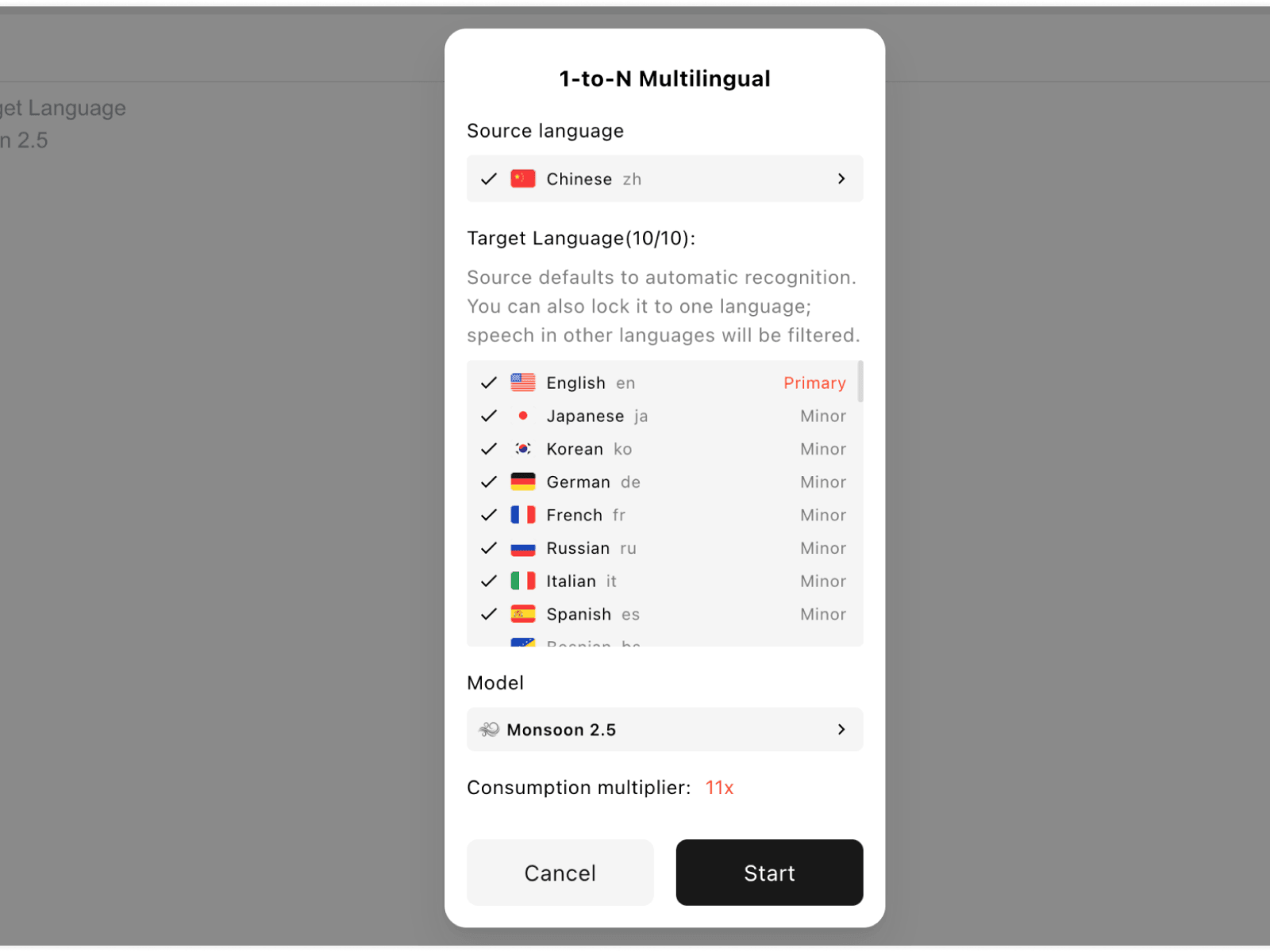
01
프레젠테이션의 원어와 청중 언어를 선택하세요.
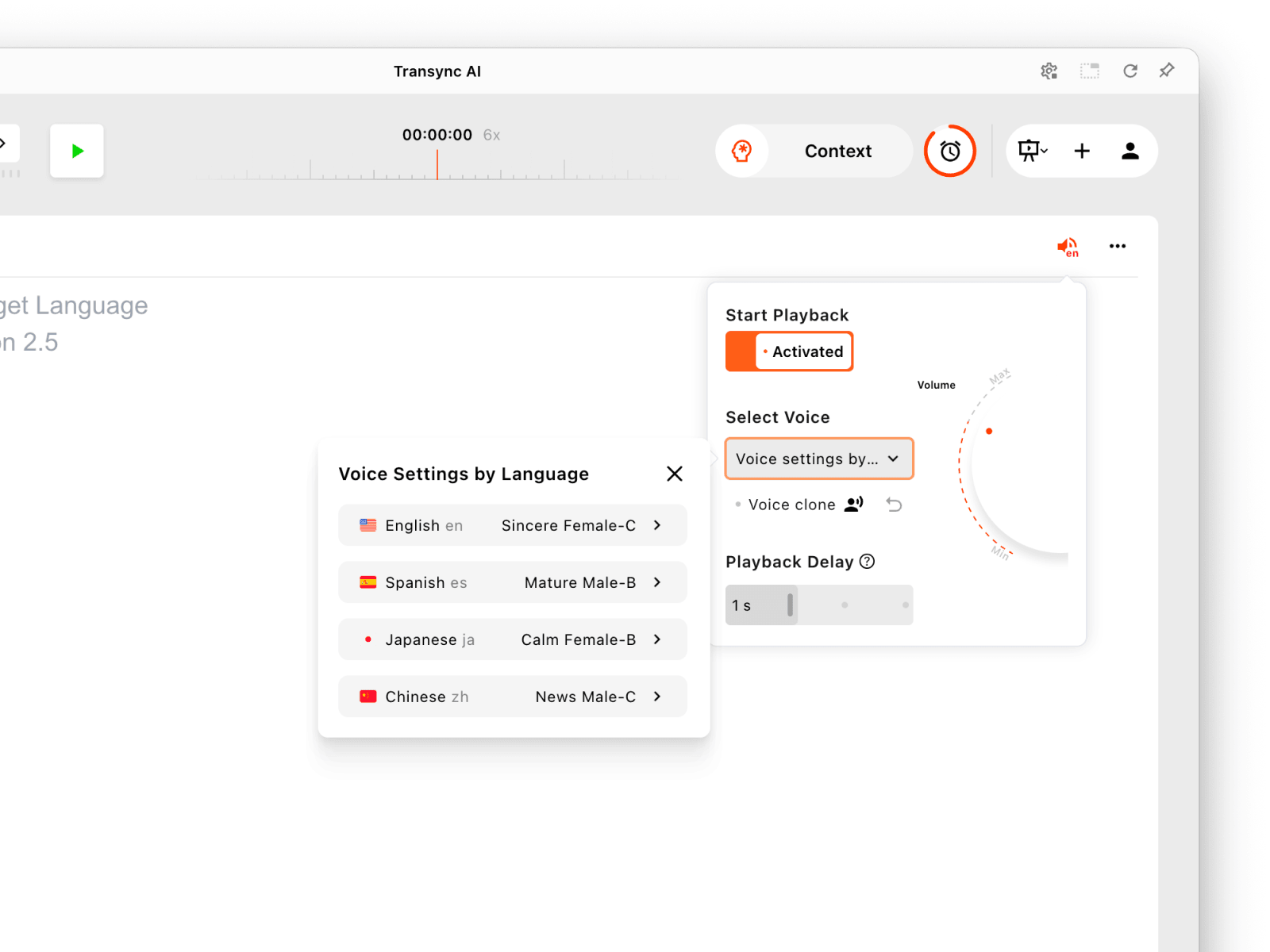
02
음성 재생이 필요한 경우 각 언어에 대한 음성 재생 설정을 선택하십시오.
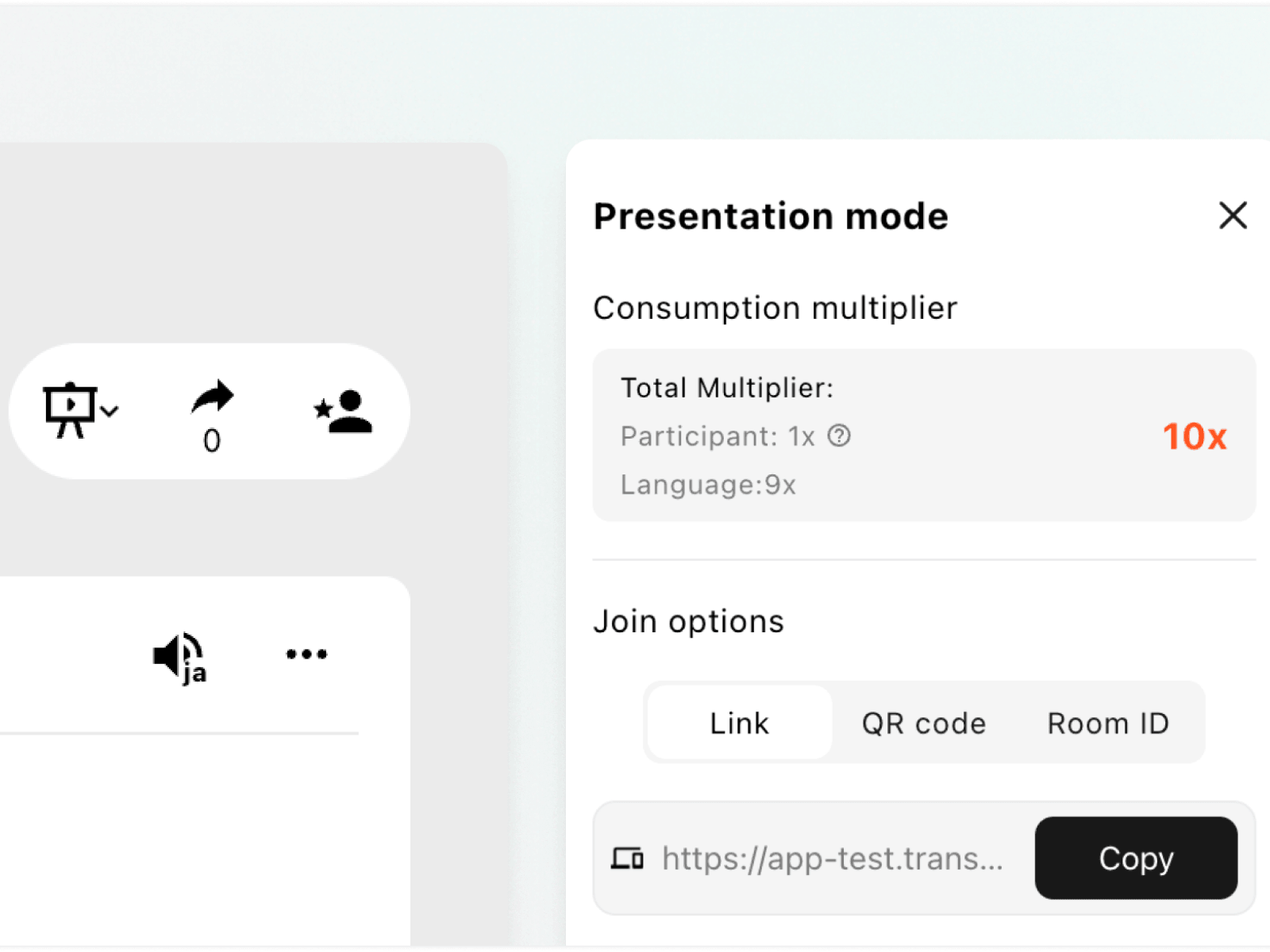
03
참석자들에게 활성 링크, QR 코드 또는 회의실 ID를 공유하세요.
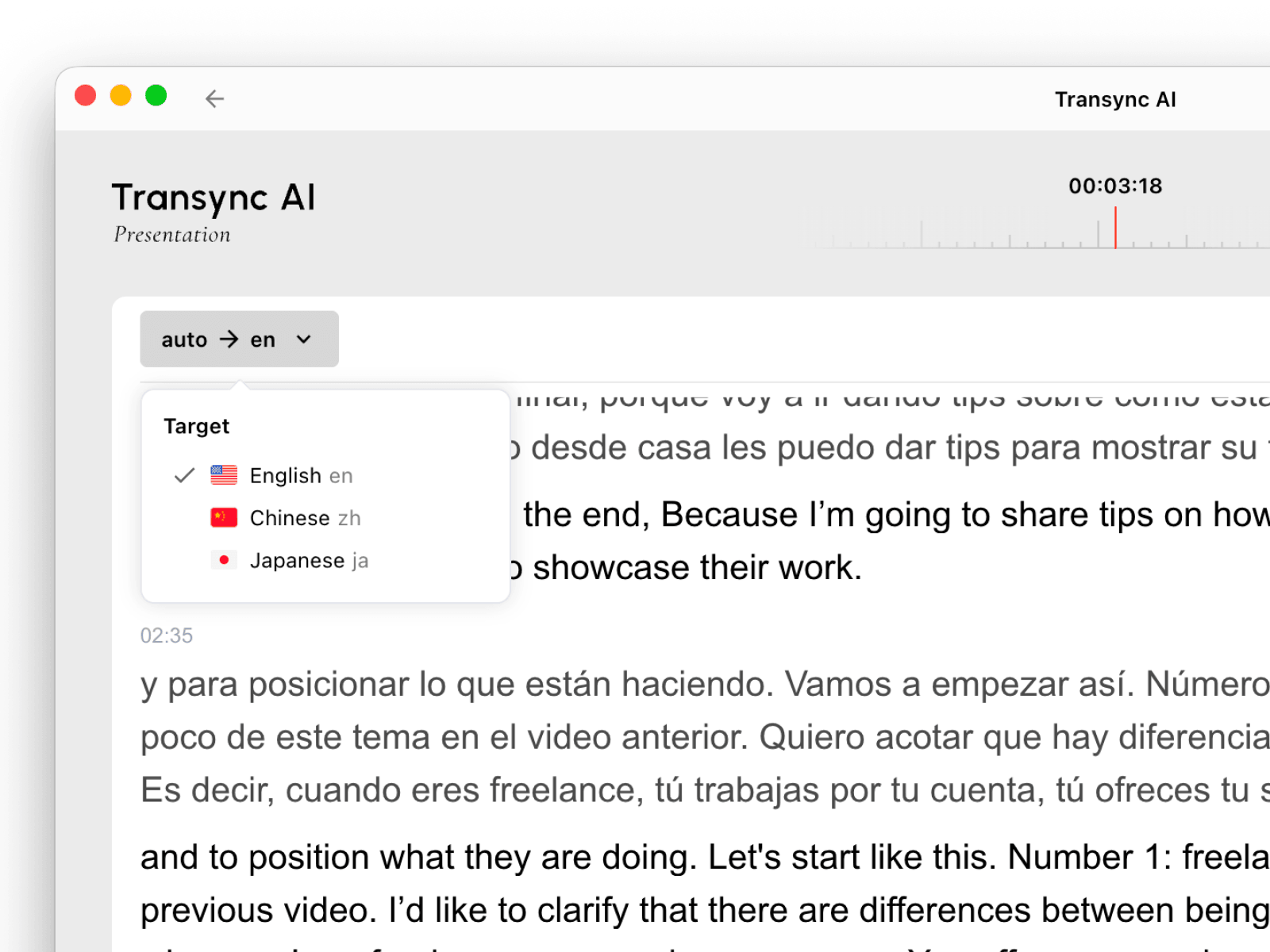
04
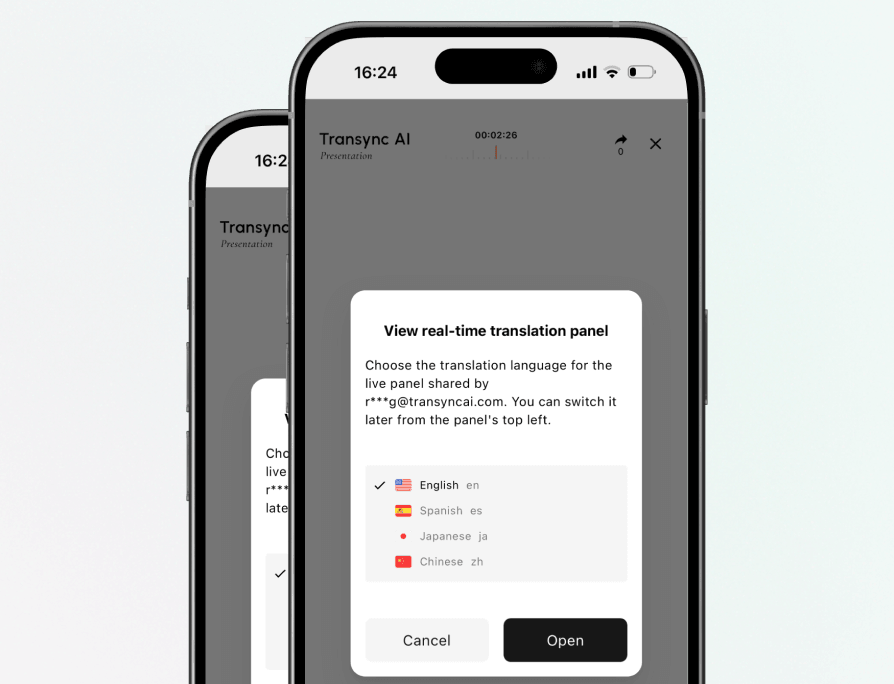
각 청중은 원하는 언어를 선택하고 자신의 기기에서 시청할 수 있습니다.
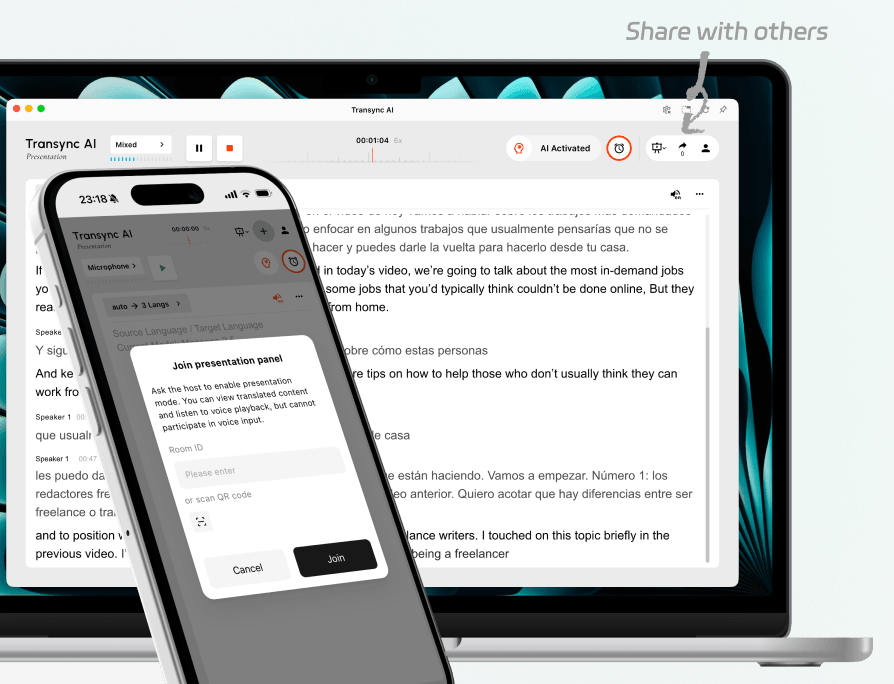
링크, QR 코드 또는 회의실 ID를 사용하여 활성화된 프레젠테이션 하나를 공유하세요. 참석자들은 호스트의 번역 설정을 변경하지 않고도 각자의 기기에서 참여할 수 있습니다.
이 기능은 현장에 있는 사람뿐만 아니라 같은 행사를 원격으로 시청하는 사람에게도 적용됩니다.
각 청중은 호스트가 지원하는 언어 중에서 선택할 수 있으며, 발표 도중 필요에 따라 언어를 변경할 수 있습니다.
청중 패널은 읽기와 듣기를 위해 설계되었습니다. 청중은 진행자의 번역 작업에 음성 입력을 보낼 수 없습니다.
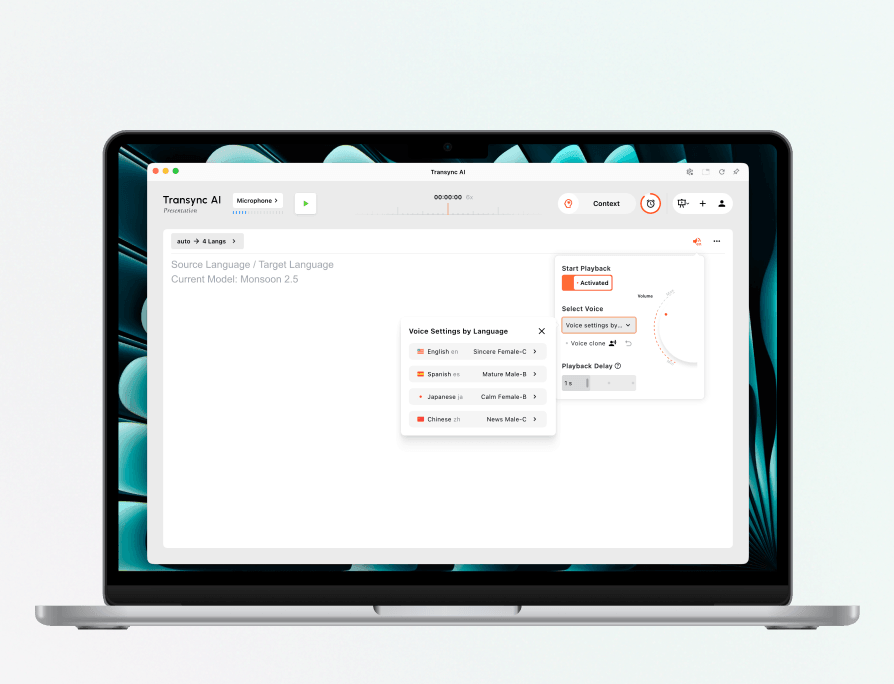
프레젠테이션 시작 전에 대상 언어별로 다른 음성을 선택하세요. 가능하면 음성 복제 기능을 사용하고 재생 볼륨과 지연 시간을 이벤트에 맞게 조정하세요.
청중은 선택한 언어에 대한 음성 재생 기능을 켤 수 있습니다.
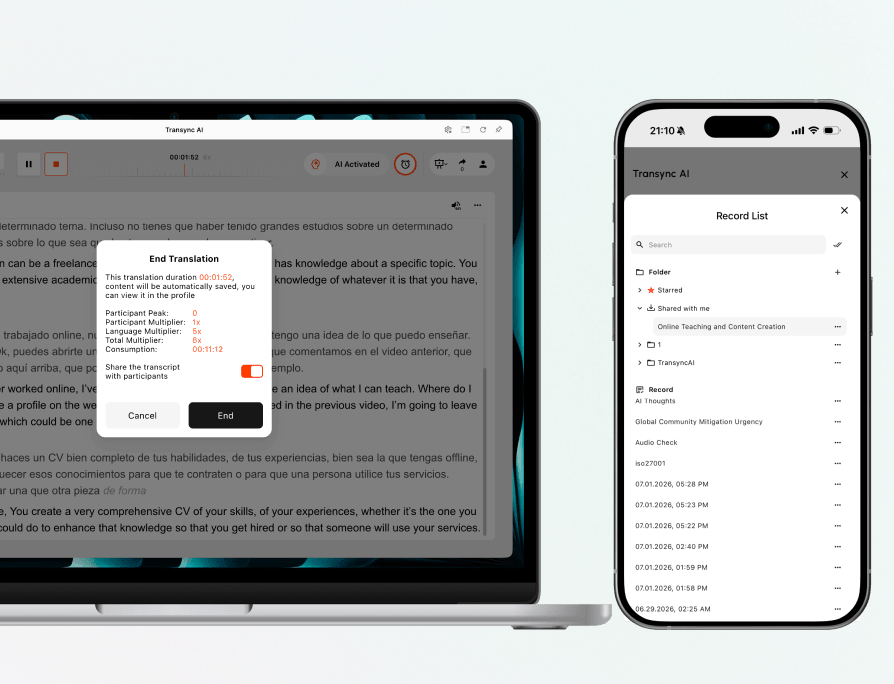
프레젠테이션이 끝나면 진행자는 녹취록을 공유할지 여부를 선택할 수 있습니다. 공유된 기록은 초대된 청중이 계속해서 확인할 수 있습니다. 나와 공유됨.
호스트는 계정 프로필에서 저장된 작업과 해당 작업의 사용 내역을 확인할 수 있습니다.
번역물을 받는 방식에 맞는 워크플로를 선택하세요.
| 특징 | 프레젠테이션 모드 | 다국어 번역 |
|---|---|---|
| 가장 좋은 | 한 명의 진행자가 청중에게 발표하고 있습니다. | 여러 대상 언어를 생성하는 번역 작업 |
| 분포 | 실시간 경험을 관객 기기로 전송합니다. | 번역 작업 내에 여러 개의 번역된 결과물을 유지합니다. |
| 언어 선택 | 각 청중은 사용 가능한 언어를 선택합니다. | 작업 소유자는 대상 언어 출력을 구성합니다. |
| 관객 역할 | 음성 입력을 보내지 않고 읽고 듣기 | 별도의 청중 패널이 아닌, 활발한 번역 워크플로우를 위해 설계되었습니다. |

해외 참가자들이 서로 다른 언어로 제공되는 동일한 발표를 따라갈 수 있도록 지원합니다.
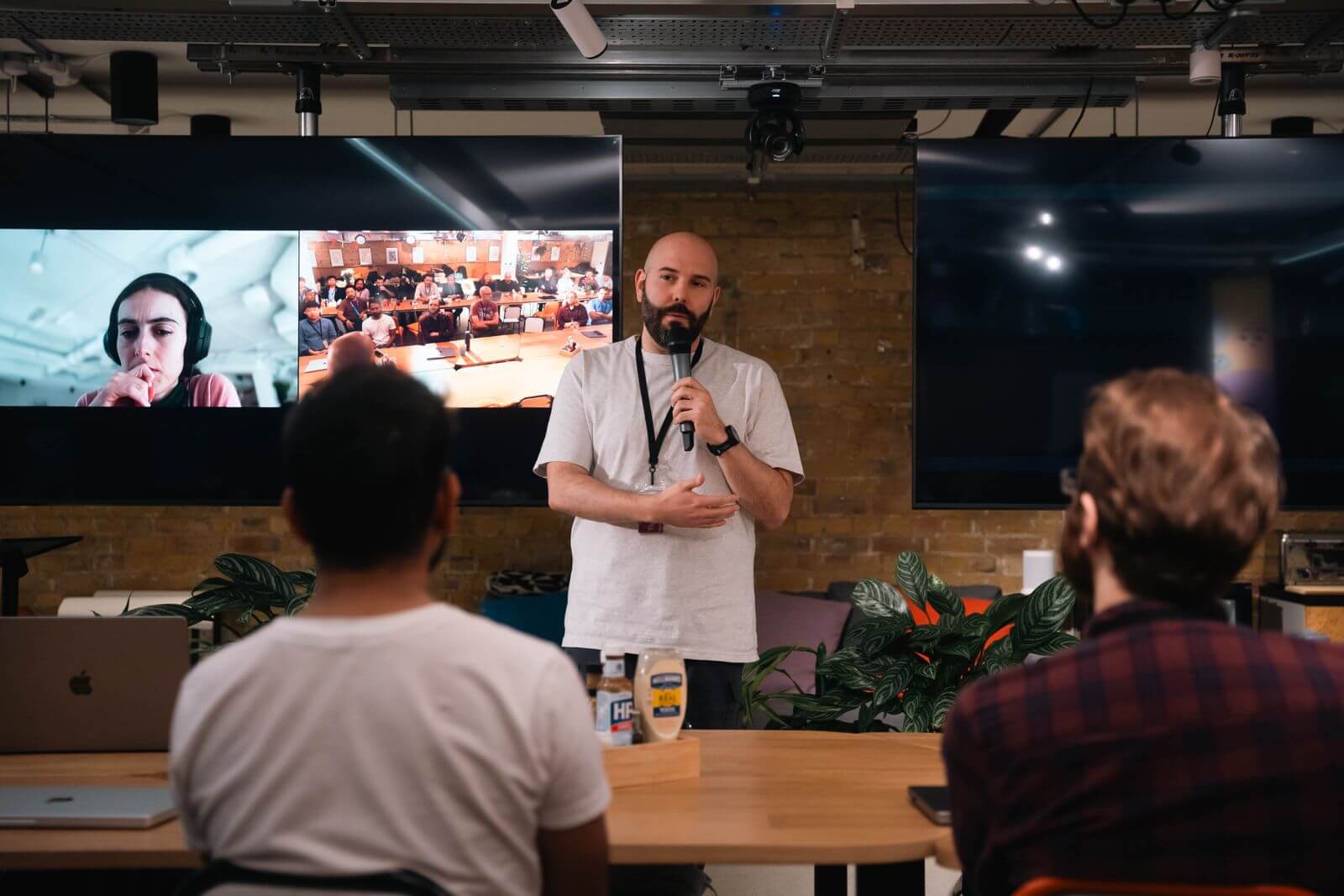
별도의 세션을 만들지 않고도 원격 참가자에게 언어 선택권을 제공하세요.
학습자들이 자신의 기기에서 번역된 지침을 읽거나 들을 수 있도록 하십시오.
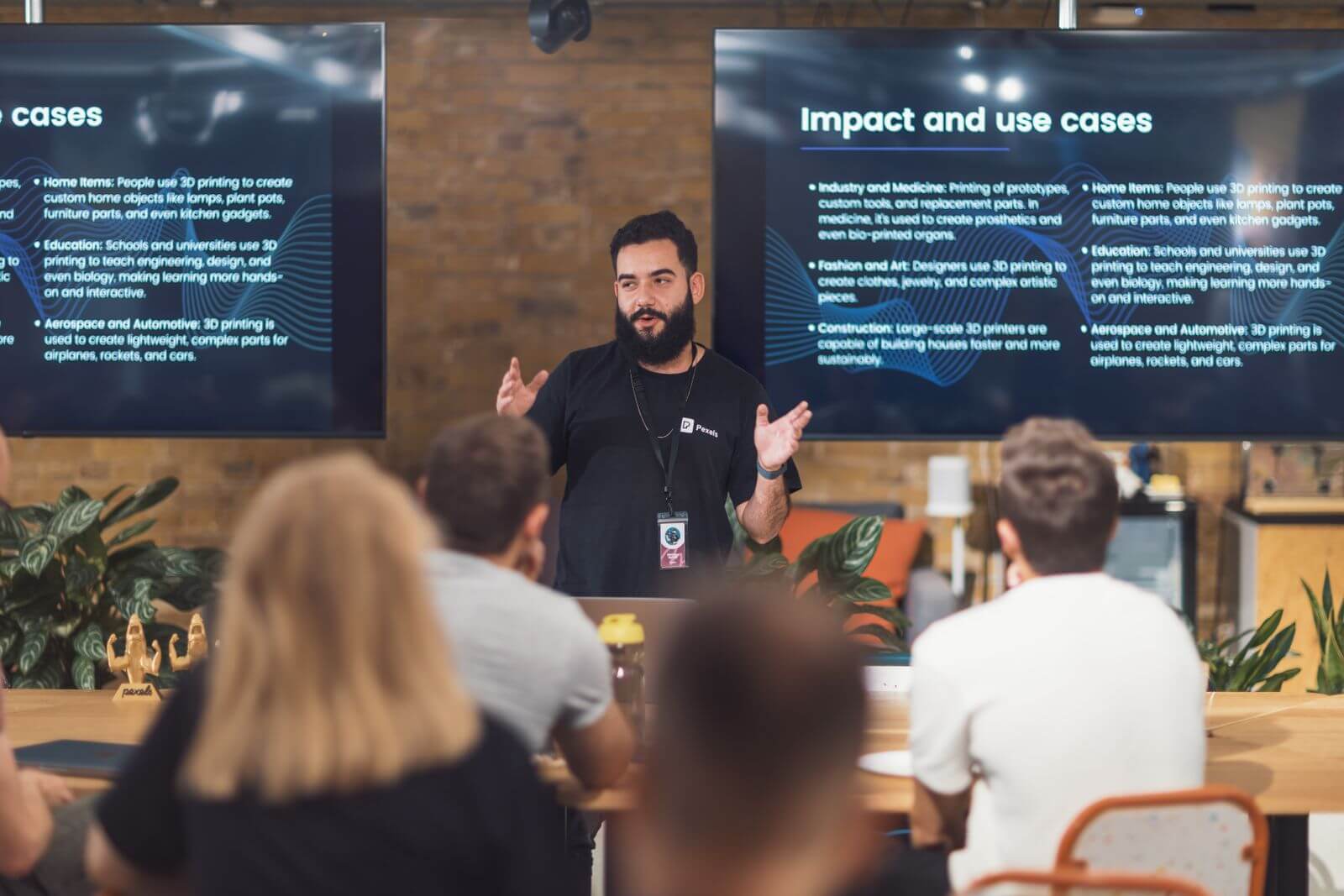
고객, 파트너, 언론에 언어에 관계없이 하나의 메시지를 전달하세요.
프레젠테이션 모드를 사용하면 호스트 한 명이 실시간으로 번역된 텍스트와 선택적으로 음성 재생 기능을 청중의 기기와 공유할 수 있습니다. 각 참가자는 호스트가 활성화한 언어 중에서 선택할 수 있습니다.
호스트는 활성 링크, QR 코드 또는 회의실 ID를 공유할 수 있습니다. 참석자는 이러한 옵션 중 하나를 사용하여 언어를 선택하고 실시간 프레젠테이션 패널을 엽니다.
네. 청중은 호스트가 현재 프레젠테이션에 대해 활성화한 다른 언어로 전환할 수 있습니다.
네, 선택한 언어에 음성 재생 기능이 활성화되어 있는 경우 가능합니다. 음성 재생이 꺼져 있을 때도 청중은 번역된 텍스트를 계속 읽을 수 있습니다.
아니요. 청중석은 시청 및 청취용입니다. 발표 진행 시 음성 입력은 진행자만 담당합니다.
프레젠테이션 모드 사용은 참가자 수에 언어 쌍 수를 더한 값을 기준으로 합니다. 자세한 내용은 다음을 참조하십시오. 호스트 설정 가이드 현재 등급 및 계산 예시를 참조하십시오.
호스트는 녹취록을 공유할지 여부를 선택할 수 있습니다. 공유하기로 선택하면 초대된 청중은 녹취록을 열어볼 수 있습니다. 나와 공유됨.
호스트의 간단한 워크플로를 유지하면서 모든 청중과 실시간 통역을 공유하세요.
청중 접근, 언어 선택, 음성 재생, 호스트 제어, 공유 레코드 및 지원 장치에 대한 간략한 답변입니다.
프레젠테이션 모드는 일대다 실시간 번역 워크플로입니다. 호스트 한 명이 번역된 텍스트와 선택적으로 음성 재생 기능을 청중 구성원들의 기기와 공유합니다.
컨퍼런스, 기조연설, 웨비나, 타운홀 미팅, 수업, 교육 세션, 제품 출시 행사 등 주요 연사 또는 진행자가 한 명인 행사에 가장 적합합니다.
호스트는 언어를 설정하고 프레젠테이션을 시작한 다음 링크, QR 코드 또는 회의실 ID를 공유합니다. 그러면 각 참석자는 사용 가능한 언어를 선택합니다.
다국어 번역은 하나의 작업 내에서 여러 대상 언어 출력물을 생성합니다. 프레젠테이션 모드는 연결된 기기에 실시간 청중 패널을 배포합니다.
청중은 활성 링크, QR 코드 또는 회의실 ID를 사용하여 호스트의 설정을 변경하지 않고도 실시간 번역된 텍스트를 따라갈 수 있습니다.
호스트는 언어별로 음성을 설정할 수 있습니다. 청중은 자신이 선택한 언어의 재생이 가능해지면 해당 언어를 들을 수 있습니다.
프레젠테이션 모드는 데스크톱, 모바일 및 웹 환경 전반에 걸쳐 호스트와 청중의 워크플로를 지원하도록 설계되었습니다.
청중은 읽고 들을 수는 있지만, 진행자의 발표에 음성 입력을 보낼 수는 없습니다.