How to Register Transync AI #
Getting started with Transync AI is quick and simple. Follow these steps to create your account and begin using real-time translation in meetings and events. You can visit our official website to learn more.
1. Download Transync AI #
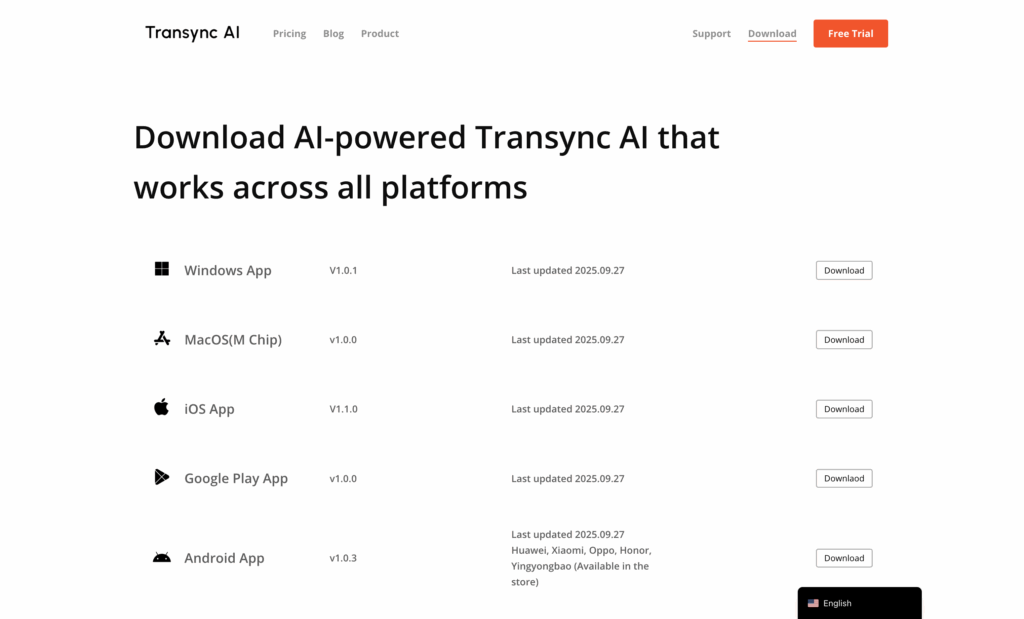
Visit https://www.transyncai.com/download/ to download the latest version of Transync AI for Windows, macOS, iOS, Android, or just launch the web app.
2. Open the App and Select “Sign Up/In” #
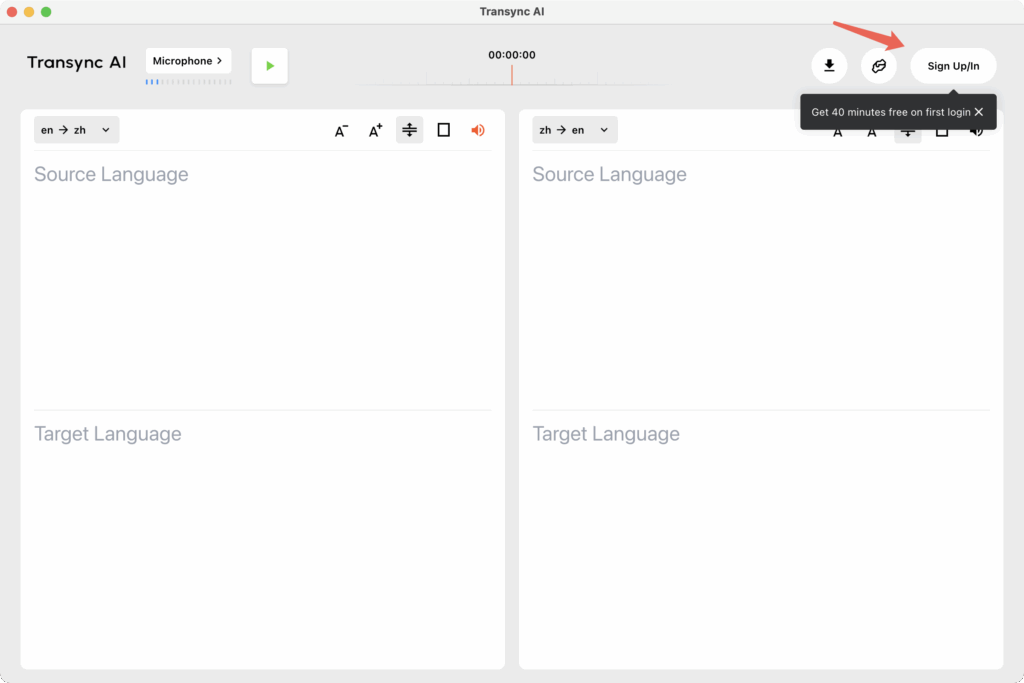
Launch the application and click “Register” on the login screen. If it’s your first time logging in, each account will receive 40 minutes of trial time.
3. Enter Your Information #
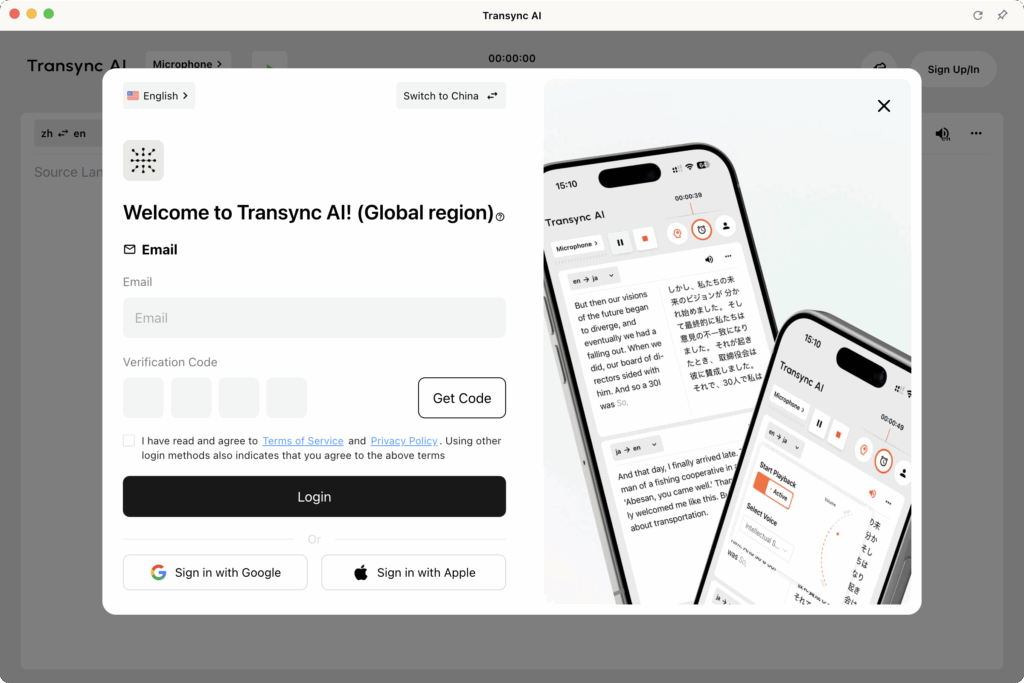
Enter your email address or phone number and click “Send verification code.” Please make sure your email address is correct. Check your email for the verification code and log in. After logging in once, most devices will keep the cache, so you won’t need to enter it again later. You can also choose to log in using social media accounts such as Google or Apple.
4. Verify Your Email/Phone #
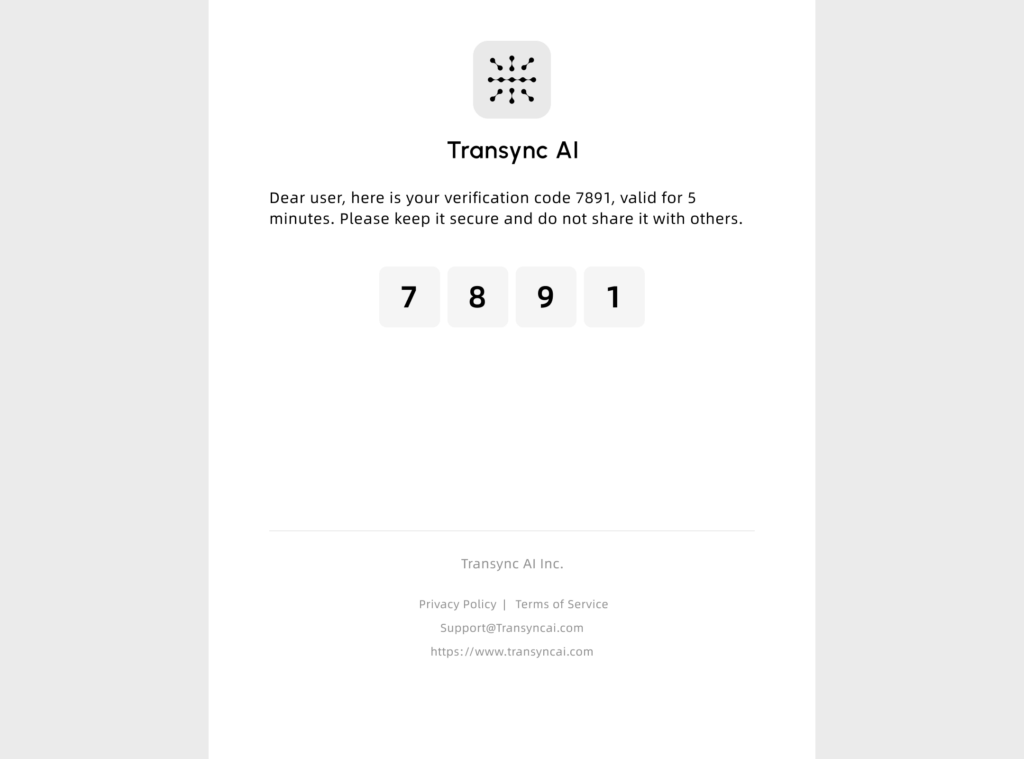
After submitting your registration form, check your inbox for a verification email from Transync AI.
Click the verification link to activate your account.
4.1 Check Your Server Region: Transync AI (China) vs Transync AI (Global) #
Before logging in, please confirm which version of Transync AI you are using — Transync AI (China) or Transync AI (Global).
- Accounts, translation history, and membership or recharge data are not shared between the two versions.
- Membership records and translation history are synchronized under the same account(same region).
- There are no limits on the number of devices you can log in to or the number of translation tasks you can run simultaneously. However, please note that we do not recommend sharing your account with others, as all translation history under the same account will always stay synchronized.
Differences:
- If your region is outside Mainland China, or if you frequently use a VPN or work primarily overseas, choose Global for faster and more stable performance.
- If you are located in Mainland China and do not regularly use a VPN, log in to the China version, which provides greater connection stability within China.

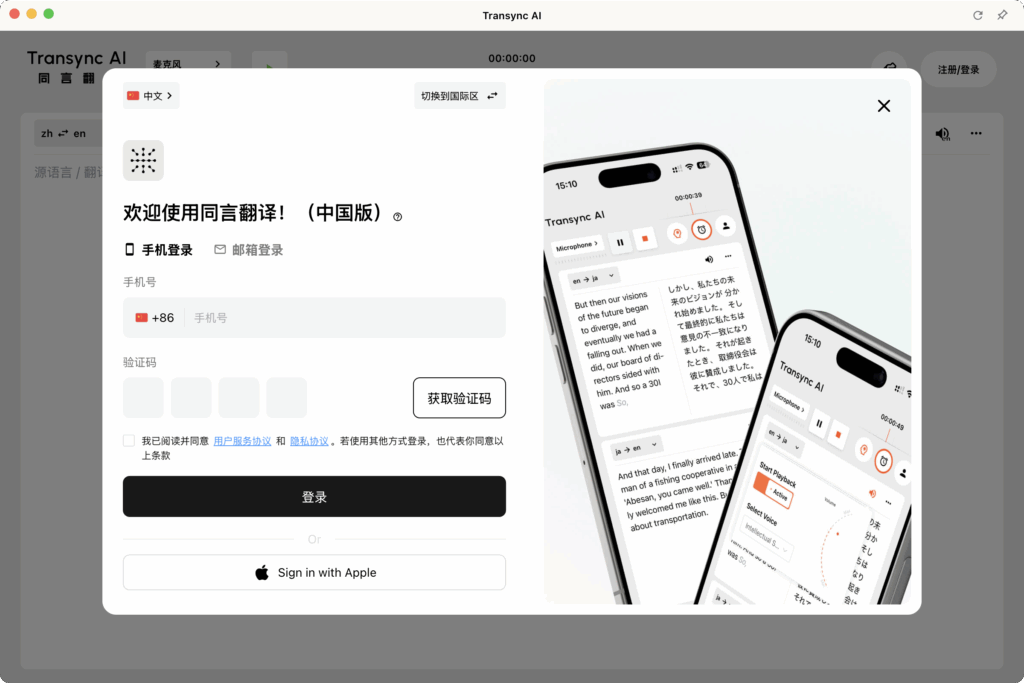
How to switch servers:
If you need to change between China and Global versions, simply log out, then on the login window, use the server switch option at the top before logging in again.
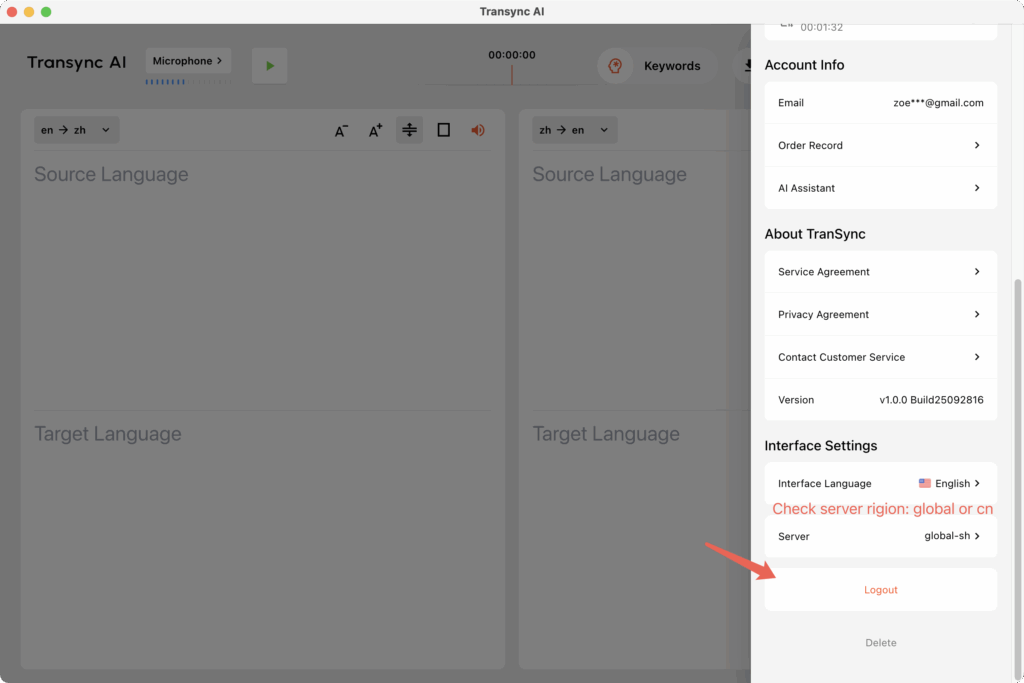
5. Log In and Get Started #
Once your email is verified and your region is correctly selected, return to the Transync AI app and log in using your new credentials.
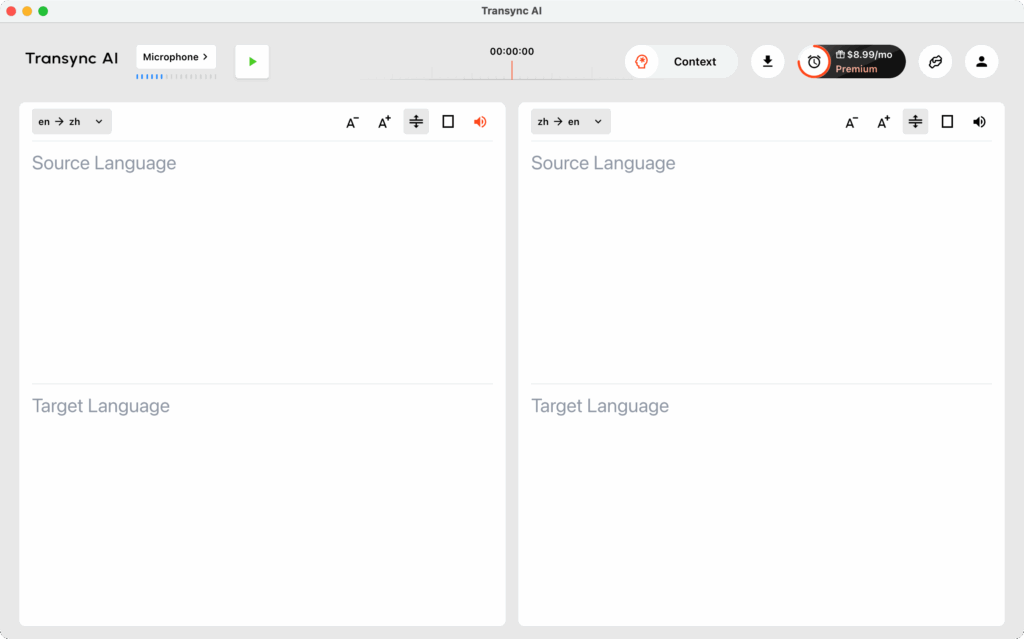
6. Delete Account #
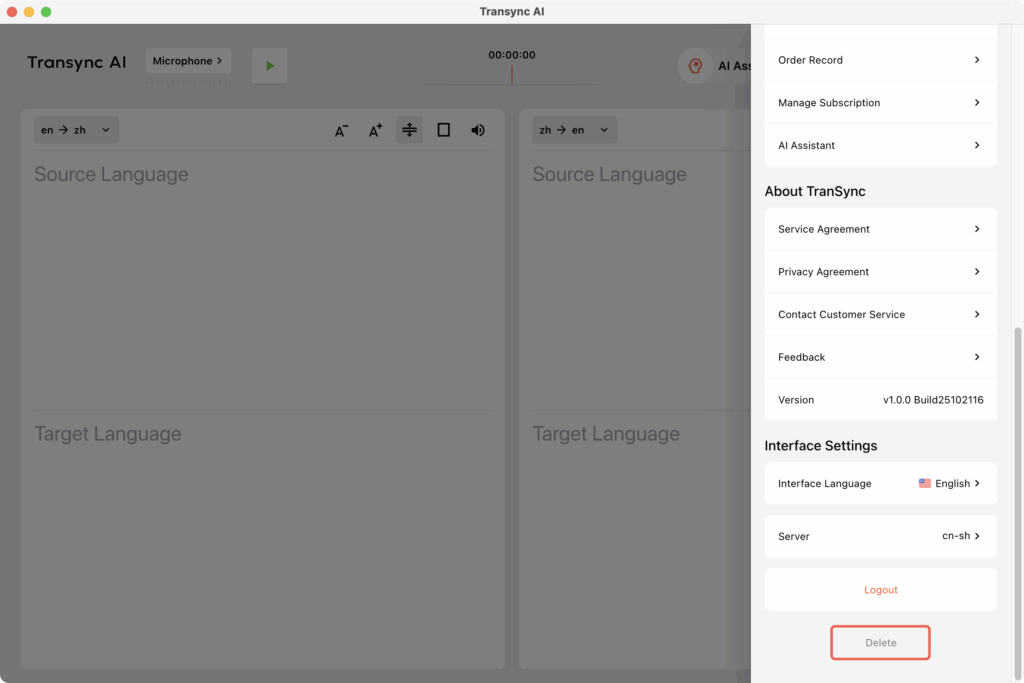
You can find the button to delete your account at the bottom of the personal center.
- Before deleting your account, you may need to verify your identity.
- Once the account is deleted, all translation records and membership information will be permanently removed.
We promise that there will be no backups of your data after deletion, so please proceed with caution.