

traduzione vocale in tempo reale, traduttore di riunioni basato sull'IA, traduttore vocale in tempo reale, sottotitoli bilingue, traduzione vocale istantanea
UN traduttore in tempo reale Aiuta le persone a capirsi mentre parlano. Invece di copiare il testo in una casella di traduzione e aspettare, gli utenti possono seguire una conversazione tramite sottotitoli in tempo reale, audio tradotto o entrambi.
Questa differenza è importante. In una riunione multilingue, anche un breve ritardo può interrompere il flusso della discussione. In un'aula, la mancanza di una spiegazione può rendere più difficile la comprensione dell'argomento successivo. Durante un viaggio, una risposta verbale tempestiva può essere più importante di un documento formattato alla perfezione.
Questa guida, che illustra problemi e soluzioni, esplora otto situazioni in cui la traduzione in tempo reale può essere d'aiuto. Mette inoltre a confronto sette diversi strumenti, in modo da poter scegliere la tecnologia più adatta alla conversazione, anziché basarsi esclusivamente sul numero di lingue supportate.
Quale problema risolve un traduttore in tempo reale?
La traduzione tradizionale è solitamente asincrona: qualcuno scrive o registra il contenuto, lo invia per la traduzione e ne legge il risultato in un secondo momento. La traduzione in tempo reale, invece, cerca di completare il processo durante lo scambio in diretta.
La sequenza principale è:
Ascoltare il parlato → riconoscere le parole → comprendere il contesto → tradurre il significato → mostrare o pronunciare il risultato
Un sistema efficiente può ridurre tre problemi di comunicazione comuni:
- In attesa: I partecipanti non devono fare una pausa dopo ogni frase per la traduzione manuale.
- Incertezza: I sottotitoli bilingue permettono agli utenti di confrontare il parlato originale con la traduzione.
- Informazioni smarrite: Le trascrizioni e gli appunti possono conservare la conversazione per una successiva consultazione.
Tuttavia, i prodotti sono progettati per scopi diversi. Alcuni sono focalizzati sui viaggi, altri sui grandi eventi, altri ancora sulla produzione multimediale e altri su riunioni o API per sviluppatori.
8 situazioni in cui un traduttore in tempo reale può essere d'aiuto
1. Una chiamata di vendita con un cliente internazionale
Il problema non riguarda solo la lingua. Le conversazioni di vendita includono nomi di prodotti, numeri, obiezioni e domande sottili. Se un termine chiave viene tradotto in modo errato, entrambe le parti potrebbero avere aspettative diverse.
Transync AI affronta questo scenario con il suo strumento di traduzione in tempo reale, che visualizza il parlato originale e tradotto con bassa latenza. Prima della chiamata, il venditore può inserire la terminologia del prodotto e le informazioni di base tramite il Funzionalità di parole chiave e contesto dell'assistente AI.
Dopo la discussione, il Funzione per le note delle riunioni basate sull'IA può fornire una trascrizione e una documentazione strutturata per il follow-up.
 2. Una riunione di team multilingue
 2. Una riunione di team multilingue
I membri del team devono essere in grado di comprendere le idee e rispondere senza dover chiedere continuamente agli altri di ripetere. Leggere solo i sottotitoli può essere faticoso, ma la traduzione solo vocale può rendere difficile la verifica di nomi e termini tecnici.
La soluzione consiste nel combinare testo e audio. Transync AI fornisce sottotitoli bilingue insieme al suo Traduttore vocale AI. I partecipanti possono ascoltare la traduzione audio mentre controllano il testo quando la precisione è importante.
Per le chiamate su Zoom, Microsoft Teams, O Google Meet, IL funzione di traduzione in tempo reale delle riunioni supporta un flusso di lavoro orientato alle riunioni senza essere un plugin specifico per una determinata piattaforma.

Compatibile con le principali piattaforme per riunioni online, per una traduzione in tempo reale senza interruzioni.
3. Una presentazione con diapositive sullo schermo
Il passaggio tra le diapositive e la finestra di traduzione obbliga il pubblico a scegliere quali informazioni seguire. La traduzione risulta meno utile se è nascosta dietro la presentazione.
IL Funzione Picture-in-Picture con sottotitoli bilingue Su piattaforme supportate, mantiene visibili i sottotitoli originali e tradotti sopra le altre applicazioni. Questo offre a relatori e partecipanti una visualizzazione compatta delle traduzioni, consentendo loro di continuare a lavorare con diapositive, documenti o dimostrazioni software.

Sottotitoli fluttuanti in tempo reale su dispositivi desktop e mobili.
4. Una lezione in un'altra lingua
Una lezione contiene idee collegate tra loro, un vocabolario specialistico e lunghe spiegazioni. Un traduttore di frasi può gestire singole frasi, ma non fornisce alcuna registrazione utile al termine della lezione.
Gli studenti possono usare Transync AI per seguire i sottotitoli bilingue durante la sessione, aggiungere i termini del corso con il Funzionalità di parole chiave e contesto dell'assistente AI, e rivedere i risultati attraverso il Funzione per le note delle riunioni basate sull'IA.
La traduzione dovrebbe comunque essere verificata confrontandola con il materiale del corso, soprattutto quando sono coinvolte definizioni, formule o istruzioni di valutazione.
 5. Una conversazione faccia a faccia durante il viaggio
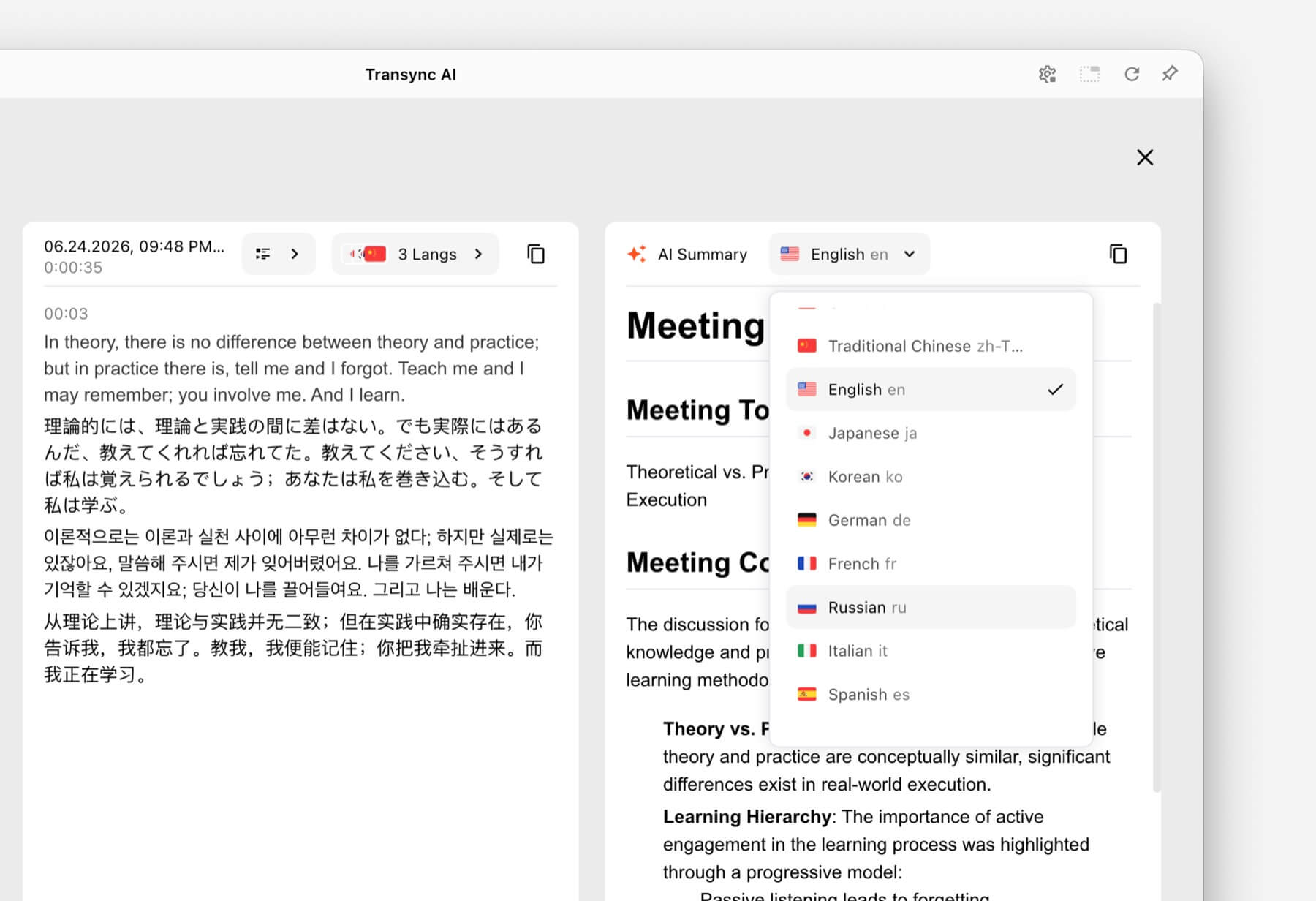 5. Una conversazione faccia a faccia durante il viaggio
Le conversazioni relative ai viaggi sono generalmente più brevi e di natura pratica. Gli utenti potrebbero aver bisogno di chiedere indicazioni stradali, spiegare esigenze alimentari particolari o confermare una prenotazione.
Talkao E Google Traduttore Sono pensati per la traduzione di consumo e per l'uso quotidiano, comprese le attività su dispositivi mobili che vanno oltre la comunicazione aziendale in tempo reale. Possono essere più adatti quando la priorità è la traduzione tramite fotocamera, la traduzione rapida di testi o l'utilizzo informale durante i viaggi.
 Transync AI È utile per conversazioni orali più lunghe di persona, ma non offre la modalità offline, il riconoscimento delle immagini o la traduzione di documenti di solo testo.
6. Una conferenza con centinaia di partecipanti
Un traduttore personale e una piattaforma di traduzione per eventi risolvono problemi di distribuzione diversi. In una grande conferenza, molti partecipanti potrebbero aver bisogno di sottotitoli o audio tradotto sui propri dispositivi senza dover accedere a un account di gruppo privato.
Mondano È progettato per riunioni ed eventi in cui i partecipanti possono accedere tramite link o codici QR. Per conferenze, webinar ed eventi ibridi, questo flusso di lavoro su larga scala potrebbe essere più appropriato.
 Per le chiamate interne ricorrenti o le riunioni più piccole in cui ogni partecipante necessita di sottotitoli, riproduzione vocale e note, Transync AI offre un'esperienza più personale, basata prima sull'incontro.
7. Un progetto di localizzazione di video o webinar
Spesso, le squadre di produzione mediatica necessitano di qualcosa di più della semplice comprensione in diretta. Potrebbero aver bisogno di sottotitoli modificabili, doppiaggio, trascrizione, localizzazione e contenuti riutilizzabili dopo la trasmissione.
Maestra Si posiziona in diversi ambiti, tra cui traduzione multimediale, sottotitoli, doppiaggio, webinar ed eventi dal vivo. Questo flusso di lavoro di produzione più ampio può adattarsi meglio ai team di contenuti.
 Quando l'esigenza principale è una conversazione commerciale bidirezionale piuttosto che una produzione multimediale, Transync AI offre una combinazione più ristretta di sottotitoli in tempo reale, traduzione del discorso, contesto e note post-riunione.
8. Un'azienda che sviluppa il proprio prodotto vocale
Un'app per l'utente finale non è la soluzione ideale quando gli sviluppatori devono integrare la traduzione all'interno di un agente vocale, una piattaforma di assistenza clienti o un'applicazione personalizzata.
Sonox Offre funzionalità di riconoscimento vocale, sintesi vocale e traduzione per sviluppatori e aziende.
 DeepL Offre inoltre API e flussi di lavoro più ampi per testo, documenti, scrittura e linguaggio aziendale, oltre a una selezione di prodotti vocali.
 Scegliere Transync AI Quando l'obiettivo è utilizzare un traduttore in tempo reale completo per le riunioni, è preferibile optare per una piattaforma API. Se invece l'obiettivo è creare e gestire un'esperienza di traduzione personalizzata, è consigliabile scegliere una piattaforma API.
Tabella comparativa dei traduttori in tempo reale
Questo confronto si concentra sul posizionamento del prodotto e sui flussi di lavoro tipici. Verifica le funzionalità attuali, la copertura linguistica e le opzioni di acquisto su ciascun sito web ufficiale.
| Attrezzo | Caso d'uso principale | Testo tradotto in tempo reale | Voce tradotta | Output post-conversazione | Migliore vestibilità |
|---|---|---|---|---|---|
| Transync AI | Riunioni, telefonate e conversazioni di persona | Sottotitoli bilingue | Sì, con opzioni vocali | Trascrizioni e appunti della riunione sull'IA | Team e singoli individui che desiderano un traduttore di riunioni pronto all'uso |
| Talkao | Viaggi, traduzione mobile e apprendimento | Dipendente dall'app | SÌ | Non è un obiettivo primario | Consumatori che necessitano di ampie funzionalità di traduzione mobile |
| Mondano | Conferenze, webinar ed eventi | SÌ | SÌ | Trascrizioni e riassunti | Gli organizzatori offrono un servizio di traduzione a numerosi partecipanti. |
| Sonox | API vocali e prodotti personalizzati | Funzionalità API/app | Funzionalità TTS/API | Dipendente dall'implementazione | Gli sviluppatori creano la propria esperienza vocale |
| Maestra | Localizzazione dei media e contenuti in diretta | SÌ | Doppiaggio e voce dal vivo | Trascrizioni e flussi di lavoro dei contenuti | Team media che lavorano con sottotitoli, doppiaggio o webinar |
| DeepL | Testo, documenti, flussi di lavoro linguistici aziendali e usi vocali selezionati | Dipendente dal prodotto | Dipendente dal prodotto vocale | Non è un flusso di lavoro standard per la redazione dei verbali delle riunioni. | Organizzazioni con notevoli esigenze di traduzione scritta |
| Google Traduttore | Traduzione gratuita ogni giorno | Non prima di tutto l'incontro | Riproduzione audio della traduzione | NO | Traduzione rapida e informale di contenuti comuni |
Come fa Transync AI Gestire la traduzione in tempo reale?
Transync AI è un prodotto di traduzione autonomo per flussi di lavoro web, Windows, macOS, iOS e Android. È progettato per aiutare gli utenti ad ascoltare, leggere, rispondere e tenere traccia delle conversazioni durante la comunicazione multilingue.
 Riconoscimento automatico bidirezionale della lingua
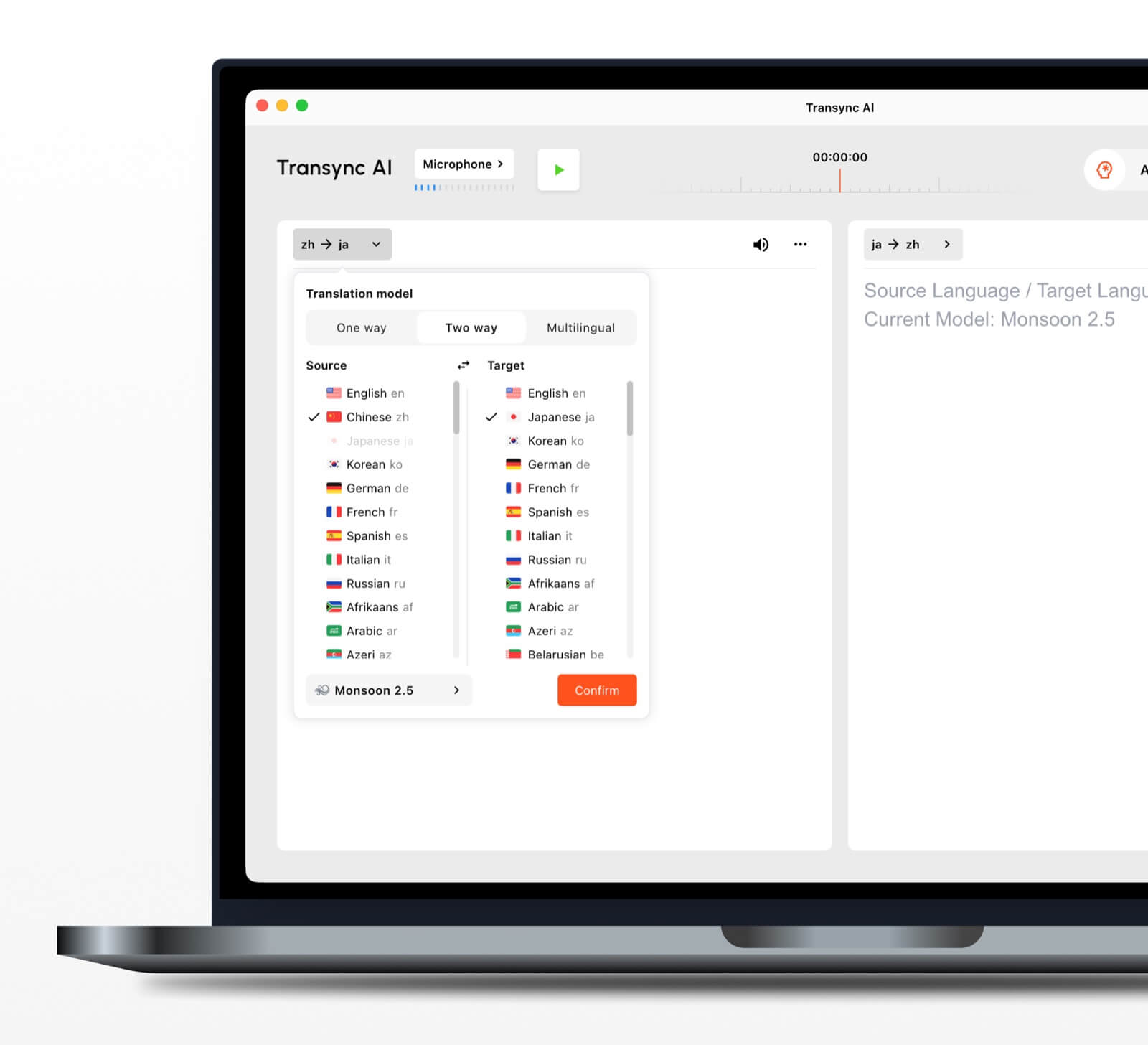 Riconoscimento automatico bidirezionale della lingua
All'interno di una coppia di lingue selezionata, strumento di traduzione in tempo reale È in grado di distinguere quale lingua viene parlata. Ciò riduce la necessità di passare manualmente da una lingua all'altra durante una conversazione.
Oltre 60 lingue supportate
La piattaforma supporta più di 60 lingue e oltre 1.000 coppie di lingue. Verificare sempre la coppia richiesta su pagina delle lingue supportate prima di un incontro importante.
Riproduzione vocale e clonazione vocale
IL Traduttore vocale AI legge ad alta voce il contenuto tradotto utilizzando opzioni di voce naturale. funzione di clonazione vocale Può generare una riproduzione tradotta con una voce modellata su quella dell'utente, contribuendo a rendere l'output più personale durante lezioni, dimostrazioni e chiamate.
Instradamento audio per riunioni online
IL funzione di condivisione audio del computer cattura le voci degli altri partecipanti durante una riunione online. funzione microfono virtuale Consente di inviare la traduzione vocale durante la chiamata, in modo che gli altri possano ascoltarla.
Trascrizioni e riassunti delle conversazioni
IL Funzione per le note delle riunioni basate sull'IA crea output post-conversazione, mentre il guida alla gestione dei record di traduzione Spiega come accedere e gestire i record salvati.
Cosa rende la traduzione in tempo reale più accurata?
Nessuno strumento offre le stesse prestazioni in ogni ambiente. Queste pratiche possono migliorare i risultati:
- Utilizza un microfono con un suono nitido. Posizionalo abbastanza vicino da catturare la voce senza eccessivo rumore ambientale.
- Chiedete alle persone di fare a turno. La sovrapposizione dei discorsi rende più difficile il riconoscimento e la traduzione.
- Utilizzare una connessione internet stabile. La traduzione vocale basata su cloud dipende da una connessione affidabile.
- Fornire il contesto. Aggiungi nomi, marchi, acronimi e termini tecnici prima della sessione.
- Esprimi pensieri completi. Un discorso estremamente frammentato o ambiguo può ridurre la qualità della traduzione.
- Verifica la coppia linguistica effettiva. Le prestazioni possono variare a seconda della lingua, dell'accento e dell'argomento.
- Verifica i dettagli critici. Confermare numeri, date, formulazione legale e specifiche tecniche.
Per comunicazioni di natura medica, legale, relative a questioni di sicurezza o di natura contrattuale, è consigliabile avvalersi di un interprete umano qualificato o di una revisione professionale. La traduzione automatica tramite IA può essere d'aiuto nella comunicazione, ma non può garantire che ogni sfumatura venga preservata.
Come scegliere il traduttore in tempo reale più adatto alle proprie esigenze
Utilizza un semplice test in tre fasi.
Passaggio 1: Definire la conversazione
Decidi se l'attività principale è un viaggio, una chiamata privata, una riunione di team, un grande evento, una produzione multimediale, un lavoro di documentazione o lo sviluppo di un prodotto.
Passaggio 2: Definire l'output richiesto
Chiedi agli utenti se hanno bisogno di:
- Audio tradotto.
- Sottotitoli bilingue.
- Un link di accesso per i partecipanti.
- Una trascrizione o un riassunto.
- Traduzione di documenti o immagini.
- Un'API per un'applicazione personalizzata.
Fase 3: Test in condizioni reali
Eseguite lo strumento con il dispositivo, la coppia di lingue, la piattaforma, la rete, gli accenti e il vocabolario effettivi. Una breve prova in un ambiente realistico rivela molto più di un semplice elenco di funzionalità.
Come iniziare una sessione con Transync AI
- Aprire Transync AI su un dispositivo supportato.
- Seleziona le due lingue utilizzate nella conversazione.
- Selezionare il microfono o la sorgente audio di sistema corretta.
- Aggiungi la terminologia con il Funzionalità di parole chiave e contesto dell'assistente AI.
- Inizia il strumento di traduzione in tempo reale.
- Controlla i sottotitoli originali e quelli tradotti.
- Abilitare il Traduttore vocale AI quando i partecipanti necessitano di un output vocale.
- Utilizzare il Funzione Picture-in-Picture con sottotitoli bilingue quando si lavora in un'altra app.
- Esaminare il Appunti della riunione di intelligenza artificiale dopo la sessione.
Per una videochiamata, rivedi il Guida alla traduzione per riunioni in diretta e testare il routing audio prima che si uniscano gli altri partecipanti.
Domande frequenti sul traduttore in tempo reale
Qual è il miglior traduttore in tempo reale per le riunioni?
Transync AI è un'opzione forte da concordare in anticipo perché combina traduzione bilingue in tempo reale, riproduzione vocale tradotta, sottotitoli fluttuanti, contesto terminologico e Appunti della riunione di intelligenza artificiale. La scelta migliore dipende comunque dalla combinazione linguistica, dalla piattaforma di incontro, dalle norme sulla privacy e dalla durata della sessione.
Un traduttore in tempo reale può funzionare durante una videoconferenza?
Sì. Il Funzione di traduzione simultanea per riunioni in tempo reale offerta da Transync AI. lavora a fianco Zoom, Microsoft Teams, E Google Meet. Può fornire sottotitoli in tempo reale e traduzione vocale durante le chiamate multilingue.
È in grado di tradurre automaticamente entrambi i lati?
IL Strumento di traduzione in tempo reale di Transync AI È in grado di distinguere la lingua dell'oratore all'interno della coppia di lingue supportate selezionata, riducendo la necessità di premere pulsanti.
La traduzione in tempo reale funziona anche offline?
La disponibilità offline dipende dal prodotto. Transync AI Richiede una connessione a Internet e non offre la modalità offline. Prima di utilizzare l'app offline durante il viaggio, si consiglia di verificare direttamente la disponibilità della lingua offline con il fornitore.
Un traduttore in tempo reale è gratuito?
Google Traduttore è un'opzione gratuita ampiamente accessibile per la traduzione informale. Transync AI Offre un periodo di prova gratuito dopo la registrazione, in modo che gli utenti possano testare le funzionalità dedicate alle riunioni prima di scegliere un piano a pagamento.
I dati delle conversazioni sono privati?
Le politiche sulla privacy variano. Transync AI afferma che i dati dei clienti non vengono utilizzati per l'addestramento dell'IA per impostazione predefinita e che l'audio viene eliminato dopo l'elaborazione. Le organizzazioni dovrebbero rivedere Centro di fiducia e le condizioni attuali rispetto ai loro requisiti di sicurezza e conformità.
Risposta definitiva: quale traduttore in tempo reale dovresti scegliere?
Scegli in base al flusso di lavoro:
- Talkao O Google Traduttore per viaggi occasionali e attività quotidiane.
- Mondano per eventi multilingue con molti partecipanti.
- Sonox per API per sviluppatori e prodotti vocali personalizzati.
- Maestra per la traduzione multimediale, i sottotitoli e il doppiaggio.
- DeepL per flussi di lavoro relativi a testo, documenti e linguaggio aziendale.
- Transync AI per riunioni dal vivo che richiedono sottotitoli bilingue, traduzione del discorso, contesto terminologico e note utili a posteriori.
Per riunioni internazionali ricorrenti, un traduttore in tempo reale Dovrebbe fare di più che convertire le parole. Dovrebbe aiutare i partecipanti a seguire la conversazione, rispondere in modo naturale, verificare i dettagli importanti e ricordare le informazioni di cui avranno bisogno dopo la chiamata.
Se desideri un'esperienza di nuova generazione, Transync AI apre la strada alla traduzione in tempo reale basata sull'intelligenza artificiale, che mantiene le conversazioni fluide e naturali. Puoi provalo gratis Ora.
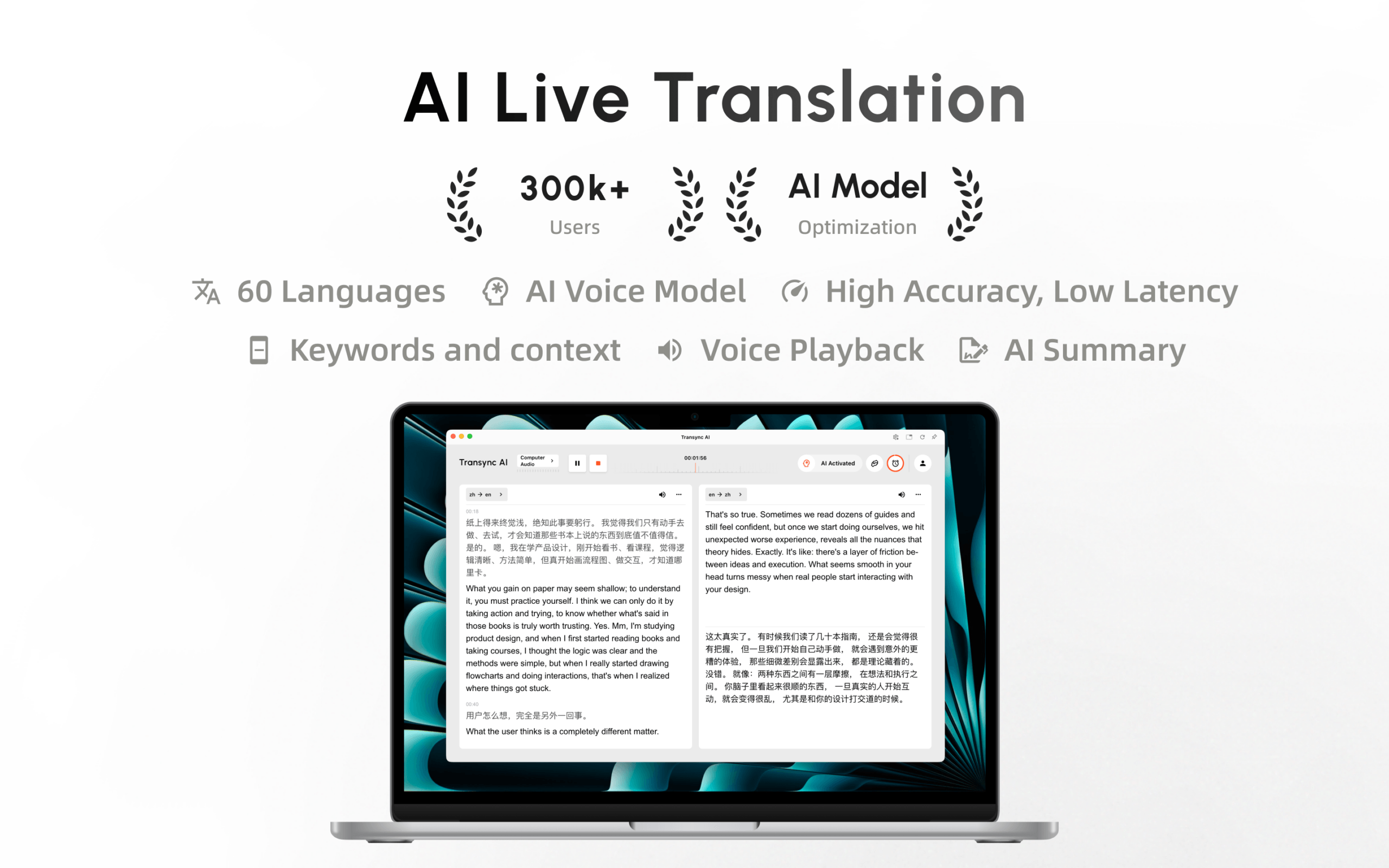
Transync AI è ora disponibile sul Mac App Store. Scaricala facilmente, ricevi aggiornamenti automatici e inizia a tradurre in tempo reale sul tuo Mac.
