

Real time speech to text is more than fast captions. Measure 4 hidden clocks, revisions, speaker handling, and multilingual meeting fit before choosing.
Real time speech to text can look excellent in a demo and still fail a conversation. The first words may appear in 300 milliseconds, yet the sentence can keep changing for two seconds. A speaker label may arrive, then be revised. A polished transcript may be ready quickly but omit the negation that changed the decision.
That is why “How fast is it?” is the wrong first question. A useful evaluation needs four clocks: time to first text, time to stable text, time to a completed turn, and time to a usable record. Each clock answers a different operational need.
This article treats real time speech to text as a measurable pipeline rather than a visual effect. It compares specialist streaming APIs with a ready-to-use multilingual meeting product, provides a repeatable test script, and explains when transcription alone is insufficient because participants need translation, voice output, or notes.
The 60-Second Answer
Real time speech to text converts a live audio stream into text while the speaker is still talking. The displayed text is often provisional. Early words can be revised as the model receives more context, detects a pause, identifies a speaker, applies punctuation, or finalizes an utterance.
The four clocks are:
- First-text latency: How long until any hypothesis appears?
- Stability latency: How long until the words stop changing?
- Turn-finality latency: How long until the system decides a speaking turn or utterance has ended?
- Workflow latency: How long until the transcript is usable for search, notes, actions, translation, or an application response?
A voice agent may prioritize turn-finality because it must decide when to answer. Accessibility captions may prioritize fast, readable partial text. A meeting record may tolerate slightly slower display if names, numbers, and speaker attribution become more reliable. A multilingual meeting adds another stage after recognition: translation must arrive soon enough for someone to respond.
Real Time Speech to Text Is a Moving Hypothesis
A live transcript is not produced in one step:
microphone or system audio → encoding and transport → speech detection → provisional recognition → revision → finalization → speaker labeling and formatting → application action
The screen usually exposes only the middle. That creates a common illusion: because text appears immediately, users assume the result is finished. In reality, the engine may still be reconsidering word boundaries, punctuation, language, or speaker identity.
Specialist APIs make this distinction explicit. Deepgram returns interim and finalized results separately. Its documentation explains that preliminary text can change, while finalized segments should be appended to reconstruct a full utterance. A separate speech-final signal indicates that the system detected an endpoint such as a pause.
Soniox exposes final and non-final tokens, timestamps, confidence, language information, optional speaker labels, and processing progress over a persistent streaming connection. AssemblyAI similarly offers partial and final transcripts, endpointing, word-level timestamps, key-term prompting, and streaming speaker diarization in supported models.
Those controls are useful for developers. They also reveal why an end user should not judge real time speech to text by the first visible line alone.
Clock 1: Time to First Text
The first clock begins when speech reaches the system and stops when the first non-empty hypothesis becomes visible or available to the application.
This measurement includes more than model inference:
- Microphone or meeting-audio capture.
- Buffer size and audio chunking.
- Resampling or encoding.
- Network transport.
- Server processing.
- Return transport.
- Interface rendering.
Measure real time speech to text from the actual user device, not from an API dashboard. A vendor’s server-side number can exclude audio buffering, client networking, browser rendering, and the meeting platform’s own delay.
Fast first text is valuable when users need reassurance that the system is listening. It is less useful when the interface encourages them to act on unstable words. A good caption design visually distinguishes provisional text without making it unreadable.
How to test the first clock
Record the same audio and the screen at 60 frames per second. Clap once, then say: “The renewal is not approved.” Mark the frame where the waveform or clap reaches the input and the frame where the first text appears. Repeat ten times and report the median and slowest result, not the best run.
Test real time speech to text under ordinary Wi-Fi, a congested network, a laptop using noise suppression, and the actual headset or room microphone. First-text speed that disappears under normal load is not a dependable product feature.
Clock 2: Time to Stable Text
The second clock stops when a span of text will no longer change. This is the clock most marketing demonstrations hide.
Consider the spoken phrase:
“Ship fifteen—sorry, fifty—units on Thursday.”
The display may progress through “ship 15,” then “ship 50,” then a punctuated correction. The first version arrived quickly, but only the final version is safe to copy into an order.
Stability matters because downstream systems may react too early. A live summary, sales assistant, compliance trigger, translation layer, or voice agent can inherit a provisional error. In a real time speech to text workflow, developers should process the engine’s finality signals rather than treating every partial update as a completed statement.
Measure revision distance, not only delay
For every test sentence, log:
- Number of provisional versions.
- Number of words replaced or removed.
- Time between the last spoken word and stable text.
- Whether the final stored transcript matches the stable display.
- Whether a downstream action was triggered before stability.
A slightly slower real time speech to text system can be safer if it revises less aggressively. The right tradeoff depends on whether users are reading, dictating, controlling software, or conducting a negotiation.
Clock 3: Time to a Completed Turn
Words can be final while the speaking turn is not. A person may pause to think, breathe, search for a figure, or wait through an interruption. If the system declares the turn finished too early, a voice agent may talk over the user. If it waits too long, conversation feels unresponsive.
Endpointing typically uses silence or voice activity to infer that speech has ended. Deepgram documents configurable endpointing and separate is_final and speech_final states. Its guidance notes that short thresholds can suit brief chatbot answers, while longer conversational pauses may need hundreds of milliseconds before a turn is considered complete.
No universal setting works for every speaker. A fast call-center script, a hesitant medical history, a classroom lecture, and a bilingual negotiation have different pause patterns. Turn finality is therefore a core real time speech to text measurement, not merely an API setting.
Run the hesitation test
Use these four lines:
- “My account number is … 4172.”
- “I agree … if the delivery date remains Friday.”
- “The dosage is fifteen—no, fifty—milligrams.”
- “Ana, can you—” followed by a second speaker interrupting.
Count false turn endings, late endpoints, interruptions, and clipped words. Then tune the endpoint threshold only if the application exposes it. If the product is a finished app, observe the behavior and decide whether it fits the task.
This clock is where real time speech to text becomes conversation engineering rather than ordinary transcription.
Clock 4: Time to a Usable Record
The fourth clock is the most important for teams. It ends when the output can support the next action.
“Usable” may mean:
- Captions remain readable during the session.
- Speakers are identifiable.
- Names, numbers, and terminology are correctable.
- A complete transcript can be copied or exported.
- The record is searchable and permissioned.
- A summary and action items are generated.
- Source and translated text remain paired.
- Retention and deletion are understood.
A system can win the first three clocks and lose the fourth. Raw streaming JSON is not a meeting record. Fast captions that vanish are not evidence. A beautiful summary without a traceable transcript can hide recognition errors. This is why real time speech to text procurement must measure the finished workflow as well as the streaming model.
Real time speech to text should therefore be evaluated at the point of use, not at the point of generation. Ask the participant, reviewer, developer, and administrator to test the same session from their own perspective.
Four Routes Compared by the Four Clocks
| Product | Product type | First text | Stability and finality controls | Speaker handling | Multilingual role | Usable-record workflow | Best fit |
|---|---|---|---|---|---|---|---|
| Transync AI | Ready-to-use meeting translation app | Live bilingual display | Managed by the product rather than exposed as API parameters | Automatically distinguishes the selected language pair; review in original and translated text | 60 languages, bilingual subtitles, translated voice | Translation record, transcript, and AI meeting summary | Individuals and teams that need live cross-language communication without building an app |
| Deepgram | Streaming speech-to-text API | Interim results can be enabled | Exposes interim/final results, endpointing, speech-final events, utterance-end controls, and manual finalization | Diarization and multichannel options depend on configuration/model | Streaming language and model options; translation is a separate workflow decision | Customer must build storage, editing, permissions, summaries, and UI | Developers building voice agents, captions, call intelligence, or custom transcription products |
| AssemblyAI | Streaming speech-to-text API | Partial transcripts returned through streaming connection | Intelligent endpointing and immutable finalized transcripts; model-specific behavior applies | Streaming diarization and speaker-revision events are available in supported models | Multilingual streaming model supports a published language set | Customer builds the finished application and record lifecycle | Product teams needing streaming recognition with diarization and downstream intelligence |
| Soniox | Real-time speech AI API | Non-final tokens stream with low latency | Final-token flags, manual finalization, token timestamps, and processing progress | Optional speaker diarization | Real-time multilingual transcription and translation through API configuration | Customer builds interface, persistence, review, and governance | Developers building multilingual meetings, broadcasts, assistants, or voice interfaces |
Capabilities were checked against official product documentation on October 3, 2026. Models, languages, limits, and pricing can change.
The table does not rank one universal winner. It separates two buying decisions: build a product around a streaming API, or use a finished workflow. The best real time speech to text route depends on who owns audio capture, interface design, corrections, storage, and support.
Route 1: Use Transync AI When Speech Must Cross Languages
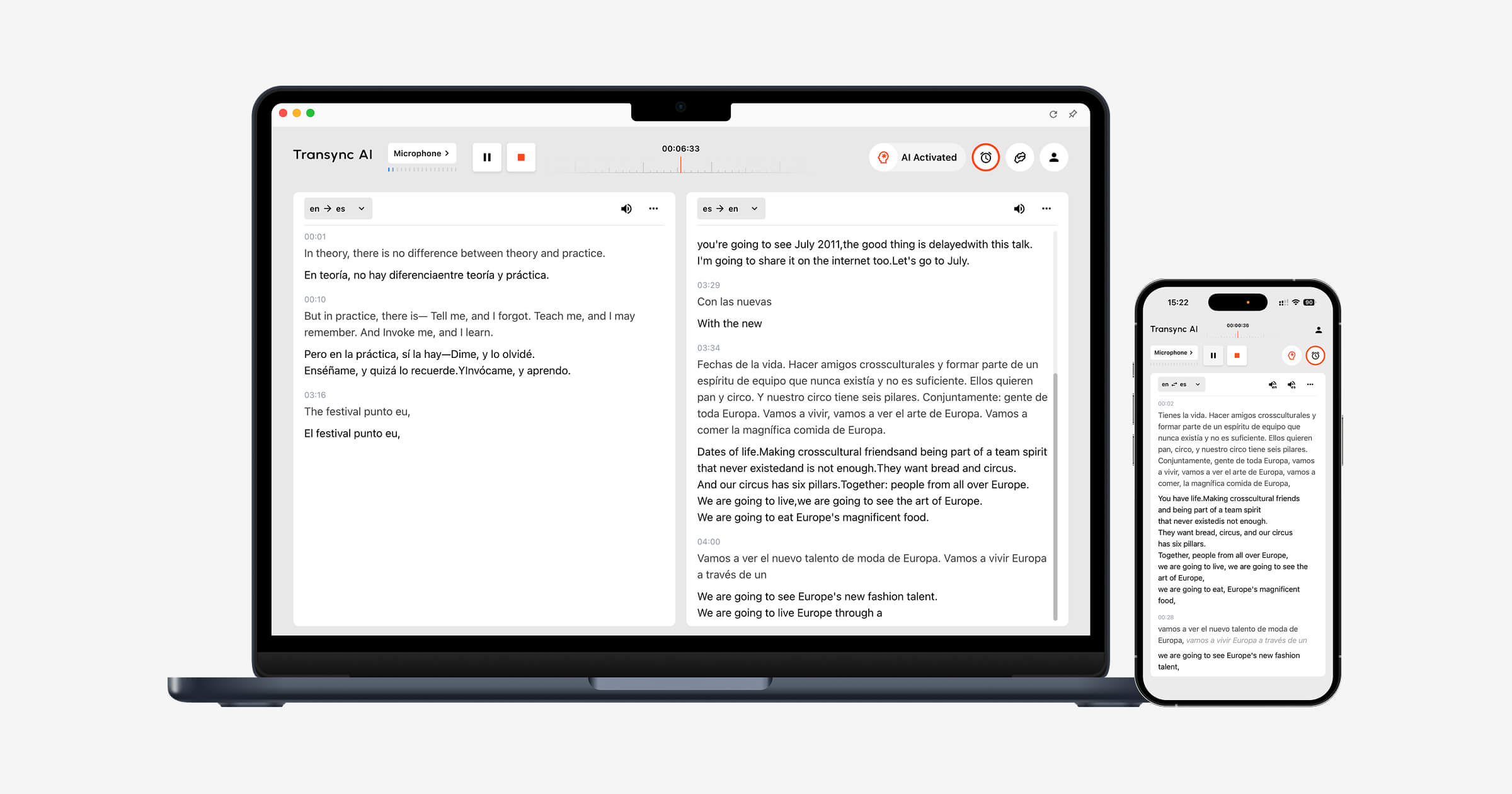
Transync AI is not sold as a general-purpose speech-to-text API. It is a ready-to-use meeting and conversation product that combines recognition with translation. Its real-time translation workflow supports 60 languages and keeps original speech beside the translated text, which helps users separate recognition errors from translation errors.
For online calls, its live meeting translation can work alongside different conferencing environments through the selected microphone or computer-audio route. Picture-in-Picture subtitles keep the bilingual text visible above supported applications instead of forcing the user to watch a separate transcript tab.
Before a call, Keywords and Context can prepare names, acronyms, product terms, and background. After the session, the transcript preserves original and translated text, while AI Meeting Notes can generate summaries and action items. The current transcript guide states that meeting summaries can be generated in 55 languages.
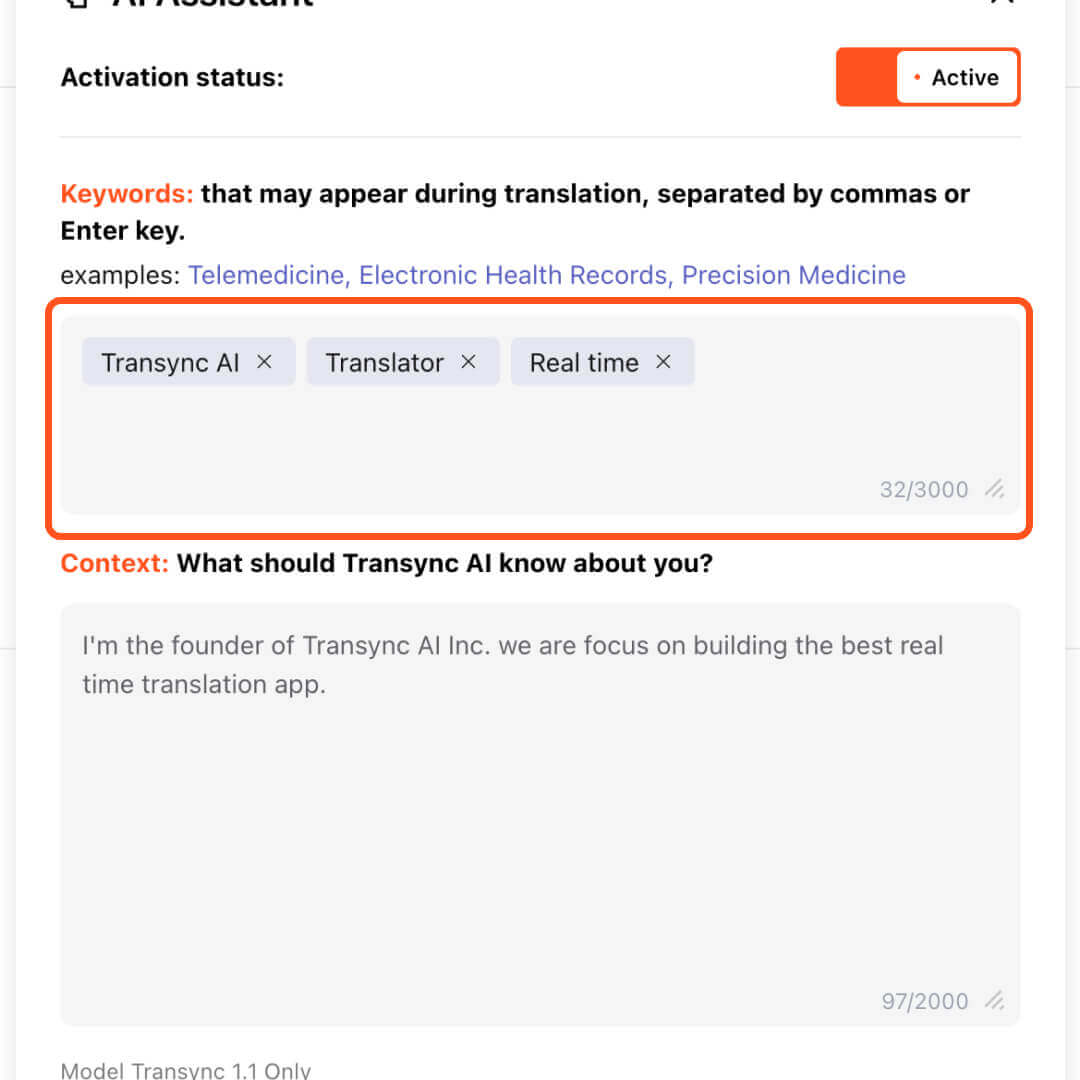
The Transync AI interface highlights the AI assistant activation panel with keywords ‘Transync AI’, ‘Translator’, and ‘Real time’, showing how to input custom keywords for accurate translations.
Choose Transync AI when the business outcome is understanding and responding across languages. Choose a streaming API instead when the team is building its own voice agent, call-analysis platform, accessibility product, or embedded transcription interface.
The limitation is important: Transync AI is not a generic offline dictation engine or developer STT endpoint. Audio routing, network quality, language pairs, microphones, and remote delivery should be tested before a consequential meeting.
Route 2: Use Deepgram When Turn Timing Is Part of the Product
Deepgram is particularly instructive for developers because its documentation separates interim results, finalized segments, detected speech endpoints, and utterance-end events. That separation lets an application decide when to display text, append stable text, or trigger a response.
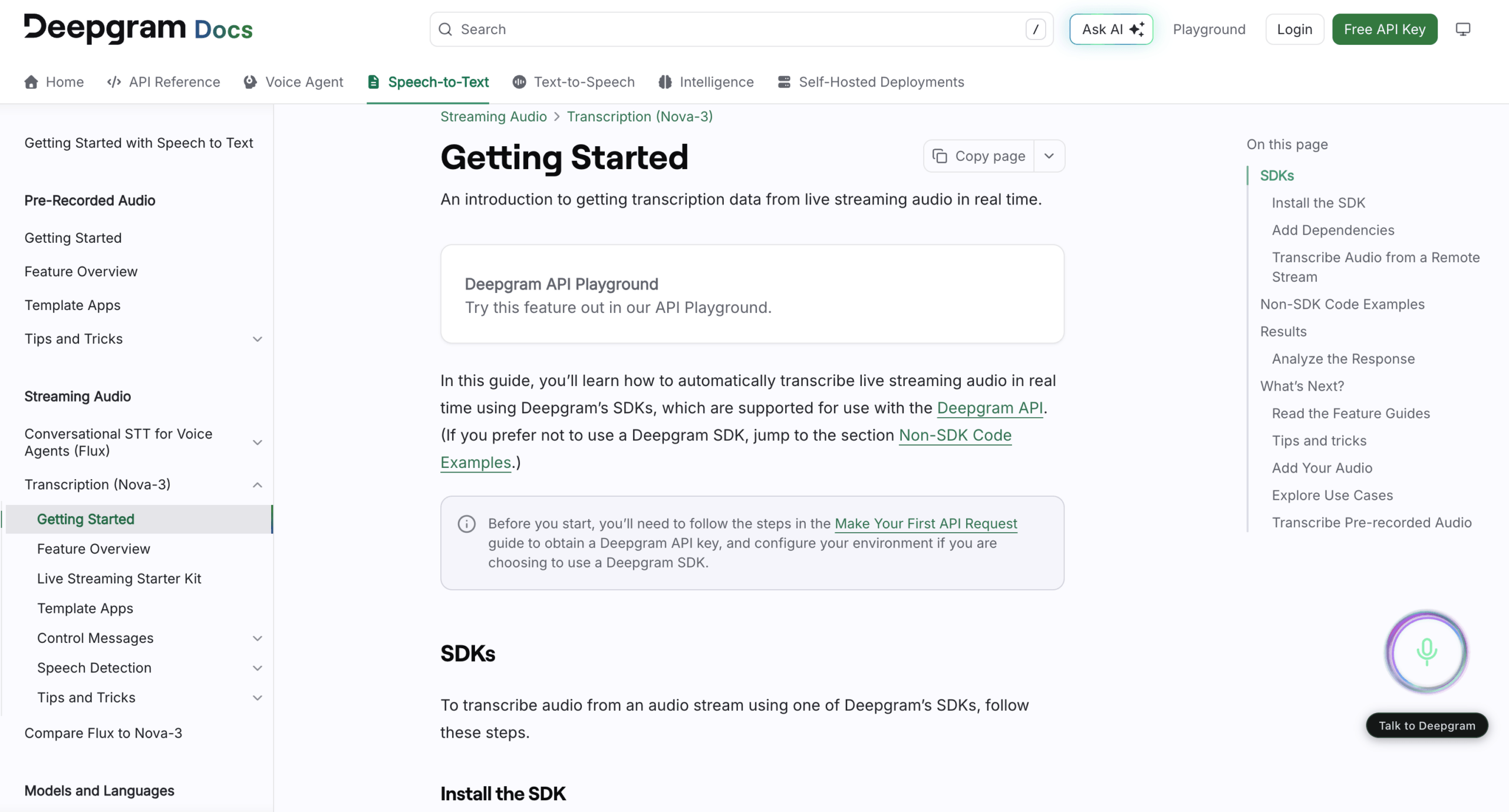
Use Deepgram when the product team needs to tune conversational behavior rather than accept a fixed caption interface. The team still owns audio transport, state management, partial-text rendering, storage, authentication, permissions, corrections, and the final user experience.
A common implementation mistake is to save only the latest response or to wait only for a speech-final event. Official guidance explains that a long utterance can contain multiple finalized transcript segments before the detected end of speech. The application must concatenate final segments correctly.
Route 3: Use AssemblyAI When Streaming Speaker Labels Matter
AssemblyAI provides streaming models with partial and final transcripts, endpointing, key-term prompting, word timestamps, and supported speaker-diarization modes. Its documentation also describes speaker-revision events: the model can correct earlier speaker labels as it gathers more evidence.
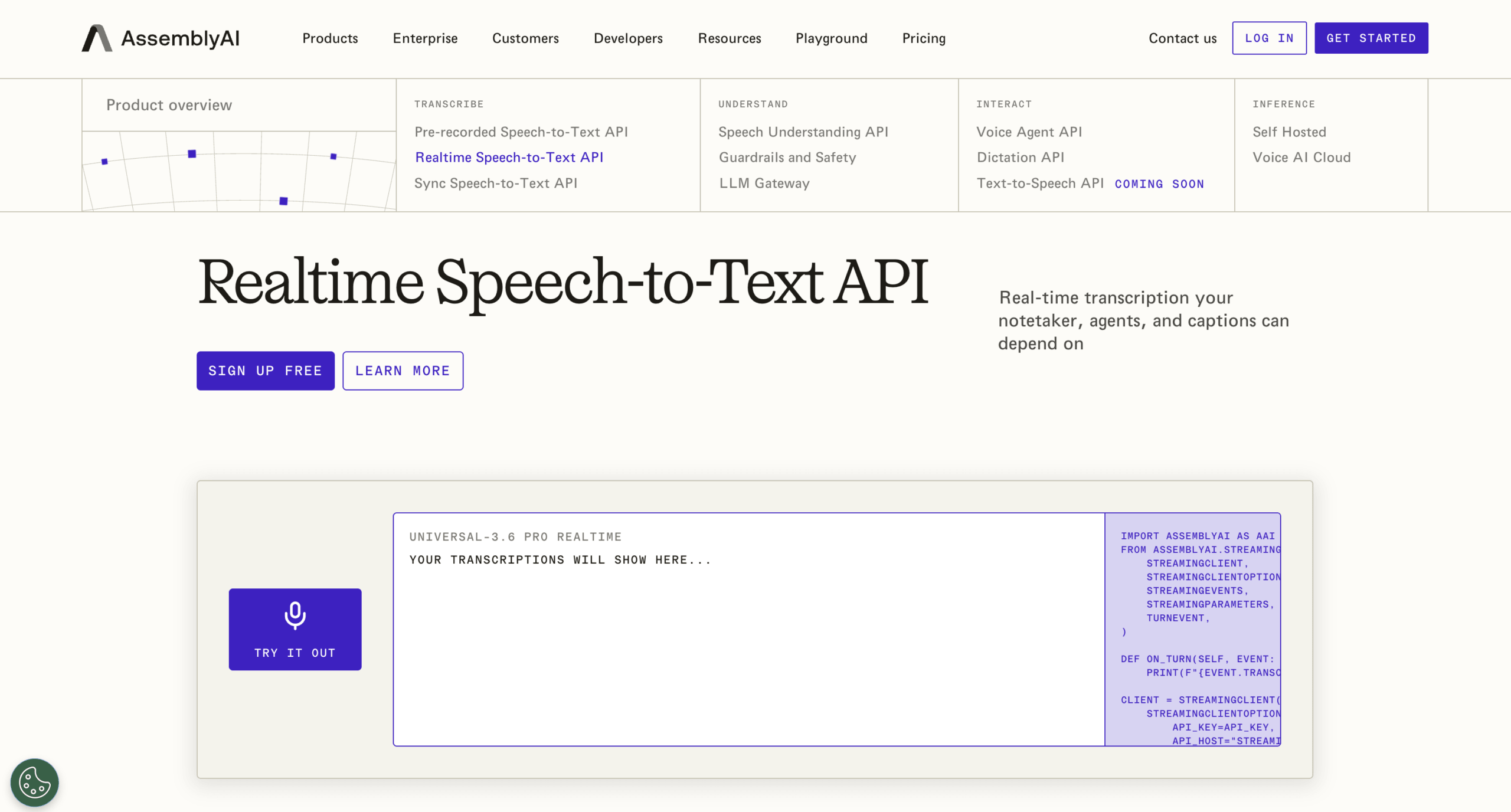
That revision behavior matters in live interfaces. If an application renders “Speaker A” as permanent too early, later corrections may never reach the stored record. The user interface needs a deliberate strategy for pending labels and revisions.
Choose AssemblyAI when speaker-aware streaming and application-level control are important. Confirm the exact model, language support, diarization behavior, medical options, and data requirements for the planned deployment; features vary by streaming model.
Route 4: Use Soniox for Multilingual Streaming APIs
Soniox combines real-time transcription and translation over its WebSocket API. The current interface supports language hints, context customization, speaker diarization, translation configuration, token-level timestamps, confidence, finality, and language information.
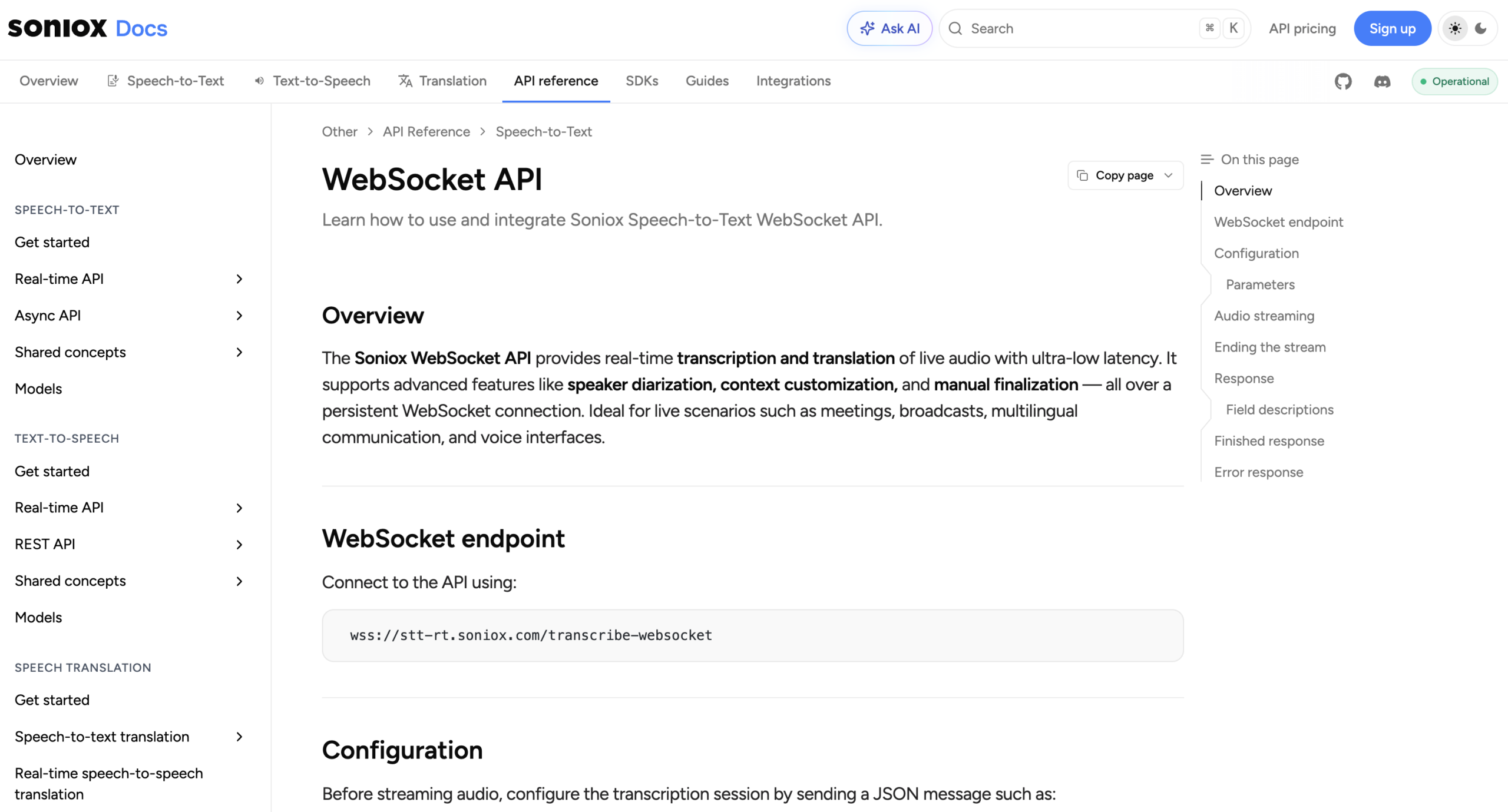
This makes Soniox relevant when developers want real time speech to text and multilingual output inside their own application. Context configuration can help domain terms, but it should be tested with a fixed terminology script rather than assumed from the feature name.
As with the other APIs, the service returns building blocks. The buyer must still create participant access, corrections, retention, exports, summaries, admin controls, monitoring, error recovery, and support.
Why Word Error Rate Is Not Enough
Word error rate measures substitutions, deletions, and insertions against a reference transcript. It is useful, but a single average can hide the mistakes that matter most.
Compare these two errors:
- “We can ship on Thursday” becomes “We can ship on Tuesday.”
- “Please open the settings panel” becomes “Please open a settings panel.”
Both may count similarly, but the first changes a commitment. Build an error ledger for:
- Names and speaker identity.
- Numbers, currencies, dates, and units.
- Negations and conditions.
- Product names and specialist terminology.
- Code-switching and language changes.
- Interruptions and self-corrections.
- Punctuation that changes meaning.
Then add timing. A correct word delivered after the decision is made may be operationally wrong. A provisional mistake corrected later may still have caused a voice agent or participant to act.
The right real time speech to text score therefore combines factual error severity, stability, turn timing, and delivery—not merely average word accuracy.
The Two-Minute Truth Tape
Use one recorded source so every candidate receives identical audio. Do not let each vendor choose its own demo.
Script
- “Hello, I’m Niamh O’Rourke from Aster-Q.”
- “The reference is BX-417, not BX-471.”
- “Revenue was $15.05 million, up 13.6 percent.”
- “Do not renew unless the service-level agreement is signed.”
- “Ship fifteen—sorry, fifty—units on Thursday.”
- “The API uses WebSocket streaming and a 300-millisecond endpoint.”
- Pause for 700 milliseconds in the middle of a conditional sentence.
- Let a second person interrupt, then return to the first speaker.
- Add one sentence in the required second language.
- End with a quiet sentence while a keyboard is audible.
Capture sheet
| Measurement | How to record it | Pass condition to define before testing |
|---|---|---|
| Time to first text | Audio start to first non-empty hypothesis | Based on the user’s need for visual feedback |
| Time to stable text | Last spoken word to final unchanging text | Fast enough that people do not act on revisions |
| Turn-finality delay | End of intended turn to endpoint event or response trigger | Does not interrupt normal pauses or feel unresponsive |
| Revision count | Number of visible or API-level hypothesis changes | Interface remains readable and downstream actions wait for finality |
| Critical fact errors | Names, figures, negations, dates, units, and conditions | Zero unflagged high-severity errors in the pilot |
| Speaker-label recovery | Time and correctness after interruption | Stored transcript reflects corrected attribution |
| Workflow completion | Meeting end to searchable/exportable record or application action | Fits the operational deadline |
Run ten trials, then report median, 95th-percentile, and worst observed results where the sample permits. One perfect run does not establish reliability.
Seven Failure Modes and the First Fix
| Symptom | Likely layer | First useful check |
|---|---|---|
| Text appears late from the first word | Capture, buffering, encoding, network, or model | Measure each hop; reduce oversized audio chunks |
| Text appears quickly but rewrites heavily | Interim hypothesis behavior | Wait for finality before triggering actions; redesign provisional display |
| System cuts off thoughtful speakers | Endpoint threshold or voice activity detection | Test longer pauses and tune endpointing where available |
| System waits too long after short commands | Endpoint threshold or application turn logic | Test shorter threshold or explicit end-of-turn controls |
| Names and codes fail repeatedly | Acoustic ambiguity and missing domain context | Add key terms/context and improve microphone quality |
| Speaker labels change after display | Streaming diarization is revising clusters | Support pending labels and apply revision events to the record |
| Transcript is fast but unusable afterward | Missing product workflow | Add correction, storage, search, permissions, export, and deletion—or choose a finished app |
Troubleshoot real time speech to text from left to right. Replacing the model will not fix a muted input, an incorrect sample rate, or a user interface that saves provisional text as final.
When Speech to Text Is Not the Final Job
Transcription answers, “What words were recognized?” Translation answers, “What do those words mean in another language?” A meeting product must also answer, “Can the other person understand, respond, and recover the decision later?”
If everyone speaks the same language and needs accessibility captions, dictation, search, or analytics, a dedicated STT API or transcription product may be sufficient. If participants use different languages, the workflow needs additional controls:
- Source text visible beside translation.
- Language selection or automatic handling.
- Terminology and context preparation.
- Target-language text delivered during the conversation.
- Optional translated voice when reading is impractical.
- Records and notes that preserve the multilingual discussion.
This is the point where real time speech to text becomes one component of the larger Transync AI workflow rather than the final product.
Real Time Speech to Text FAQ
What is real time speech to text?
Real time speech to text converts streaming audio into provisional and finalized text while speech is happening. The system may revise early hypotheses as it receives more context, detects the end of a turn, applies punctuation, or improves speaker attribution.
How much delay counts as real time?
There is no single threshold. Measure time to first text, stable text, turn finality, and usable workflow output. A caption reader, voice agent, meeting participant, and post-call reviewer have different acceptable delays.
Why does live text keep changing?
Streaming recognizers publish partial hypotheses before a sentence is complete. Later audio can change the most likely wording, punctuation, language, or speaker. Applications should distinguish provisional results from finalized text.
Is real time speech to text the same as live translation?
No. Speech-to-text recognizes spoken words in the source language. Live translation adds another language transformation and may also add translated voice. Transync AI combines recognition and translation for multilingual conversations.
Which API is best for real time speech to text?
There is no universal winner. Deepgram offers detailed endpointing and result-state controls, AssemblyAI offers supported streaming diarization and revision behavior, and Soniox combines multilingual transcription and translation options. Test each with identical audio and the exact product requirements.
Can real time speech to text identify speakers?
Some models support diarization or multichannel input, but labels may be provisional and can change as more audio arrives. Test interruptions, similar voices, device changes, and stored-label corrections.
What should a business test first?
Start with the actual audio route and a two-minute script containing names, numbers, negations, corrections, pauses, interruptions, terminology, and the required languages. Measure all four clocks and inspect the saved record.
Final Verdict
The fastest real time speech to text system is not necessarily the one that shows the first word earliest. A dependable system balances four clocks:
first text → stable text → completed turn → usable record
Choose a streaming API when developers need to control endpointing, partial results, speaker revisions, and application behavior. Choose a finished meeting product when the team needs the complete path from audio to captions, translation, records, and notes without building that infrastructure.
Most importantly, test the real input and the real consequence. Measure the word that appears, the word that changes, the turn that ends, and the record someone will trust afterward.
