
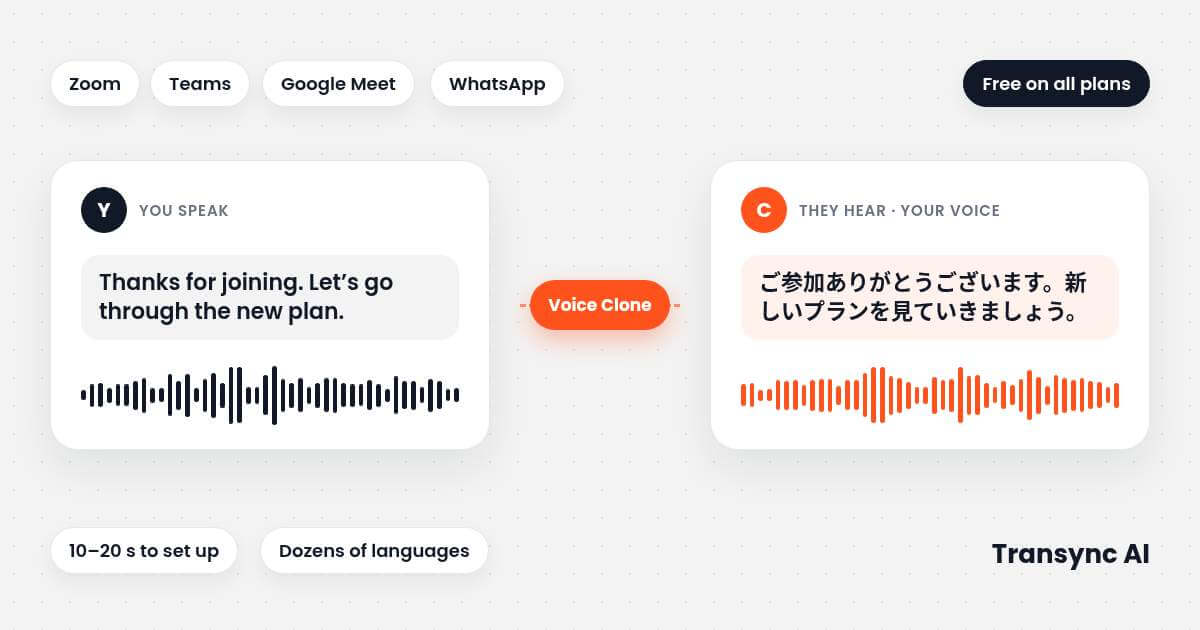
Yes, you can translate in your own voice in a live meeting. With Transync AI you speak your own language, and the translation plays back in a voice that sounds like you. Setup takes about 10 to 20 seconds of normal speech, and it works beside Zoom, Microsoft Teams, Google Meet and WhatsApp-style calls. On desktop, the other side hears it through Transync’s virtual microphone and installs nothing.
Testen Sie Transync AI kostenlos (40 Minuten).
Can you translate in your own voice?
Yes. Live translation with voice cloning translates what you say and plays it back in a synthetic voice close to yours. In Transync AI you turn on Voice Playback and Voice Clone, speak naturally for 10 to 20 seconds, and playback switches to your cloned voice. You reuse it in later meetings. Voice Clone is available on all plans, including Free.
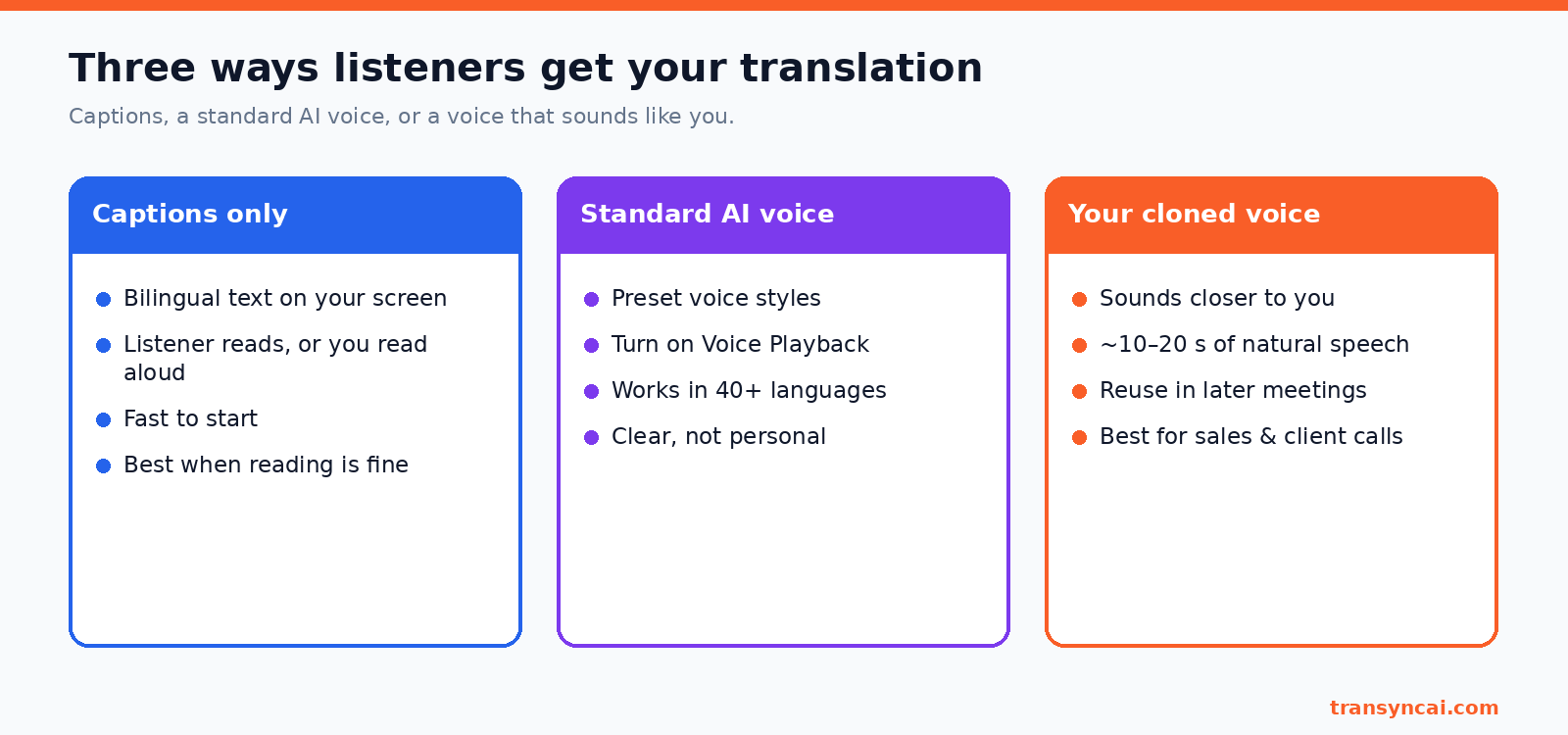
It is not a perfect copy. Transync’s docs say the result sounds “closer to your own” voice, and quality depends on your microphone and background noise. If the first try is weak, use Reset Voice Clone and record again in a quieter room.
How to translate in your own voice: set up Voice Clone
This follows Transync’s Voice Clone guide.
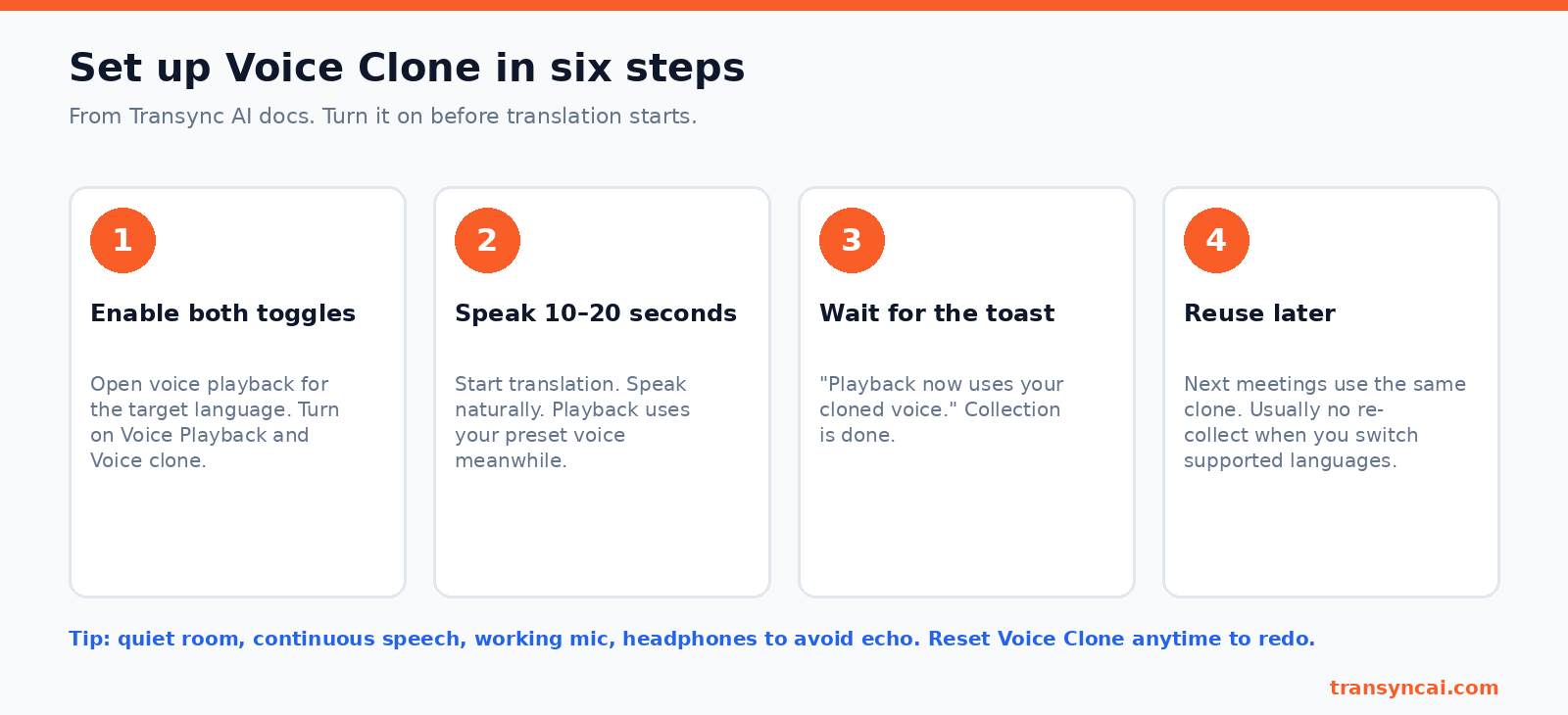
- Turn on Voice Playback and Voice Clone in the voice playback settings, before translation starts.
- Start translating and speak for 10 to 20 seconds. Playback uses your preset voice while the clone is collected.
- Wait for the message “Playback now uses your cloned voice.”
- Reuse it next time. No new recording is needed, and Reset Voice Clone lets you redo it.
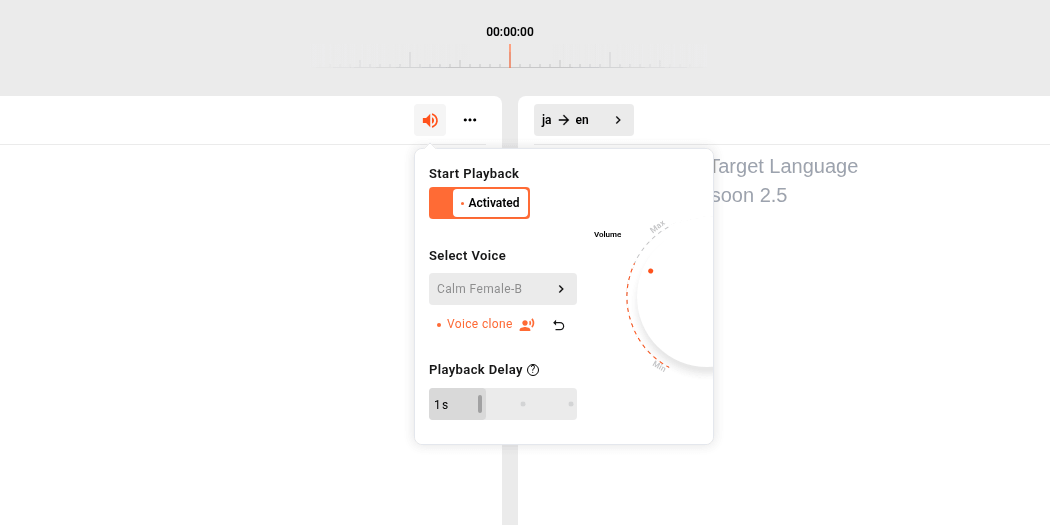
Tips: use a quiet room, speak continuously, and wear headphones so the translation does not echo back into the call. Voice Clone supports dozens of languages. If your target language is not supported, the option is greyed out and standard voice playback still works.
How the other side hears you
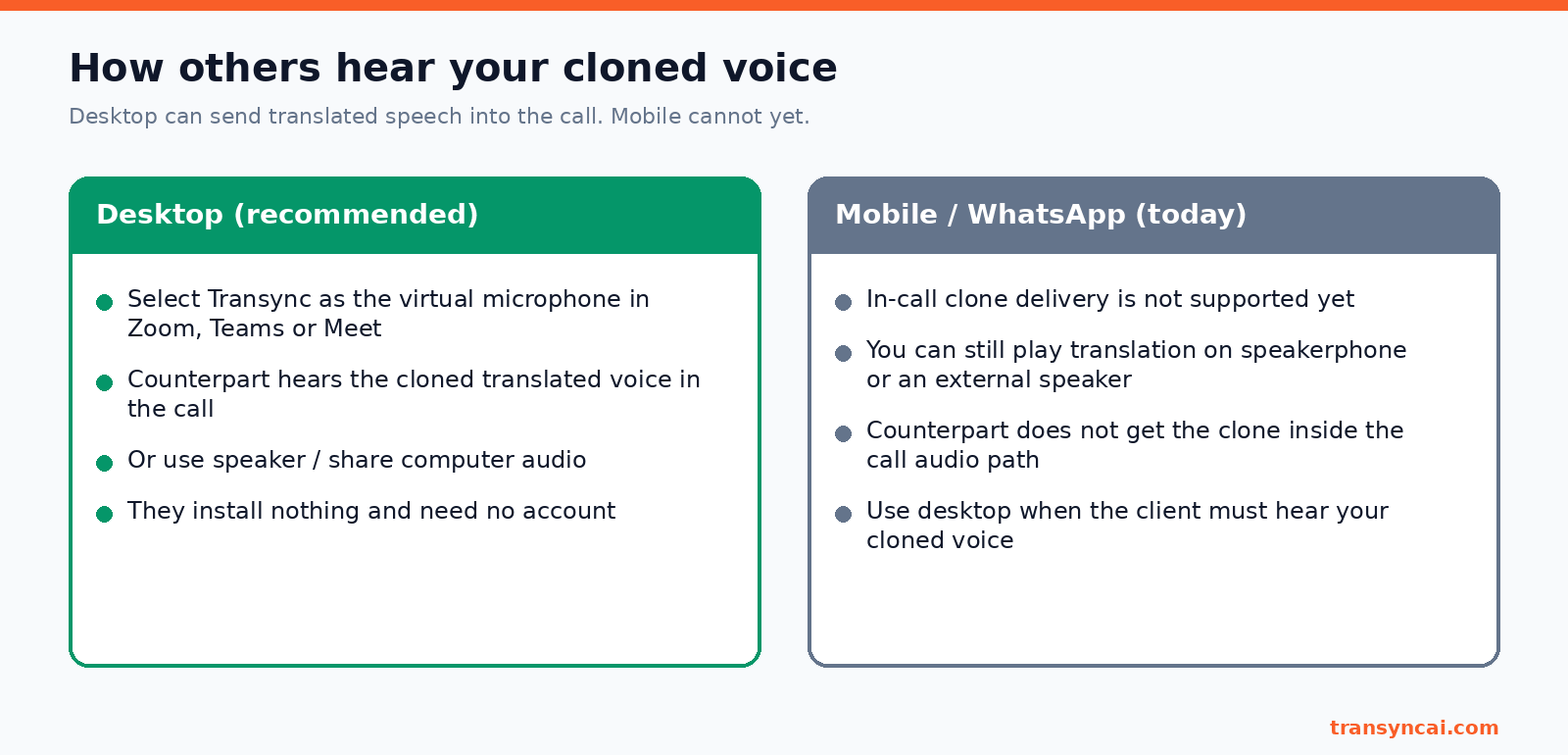
Desktop (recommended). On Mac or Windows, pick Transync AI as the microphone in Zoom, Teams or Google Meet. Everyone on the call hears your cloned translation, and they need no account. This is the cleanest way to translate in your own voice on a sales or supplier call. See the Leitfaden für virtuelle Mikrofone. You can also play it on speakers or share computer audio.
Mobile and WhatsApp. As of 30 October 2026, the other person cannot yet hear your cloned voice inside a mobile or WhatsApp call. If the client must hear it in the call itself, use desktop.
Your own voice vs built-in options
Google Meet, Pixel and Zoom also offer translated speech. The details below come from their support pages, checked 30 October 2026.
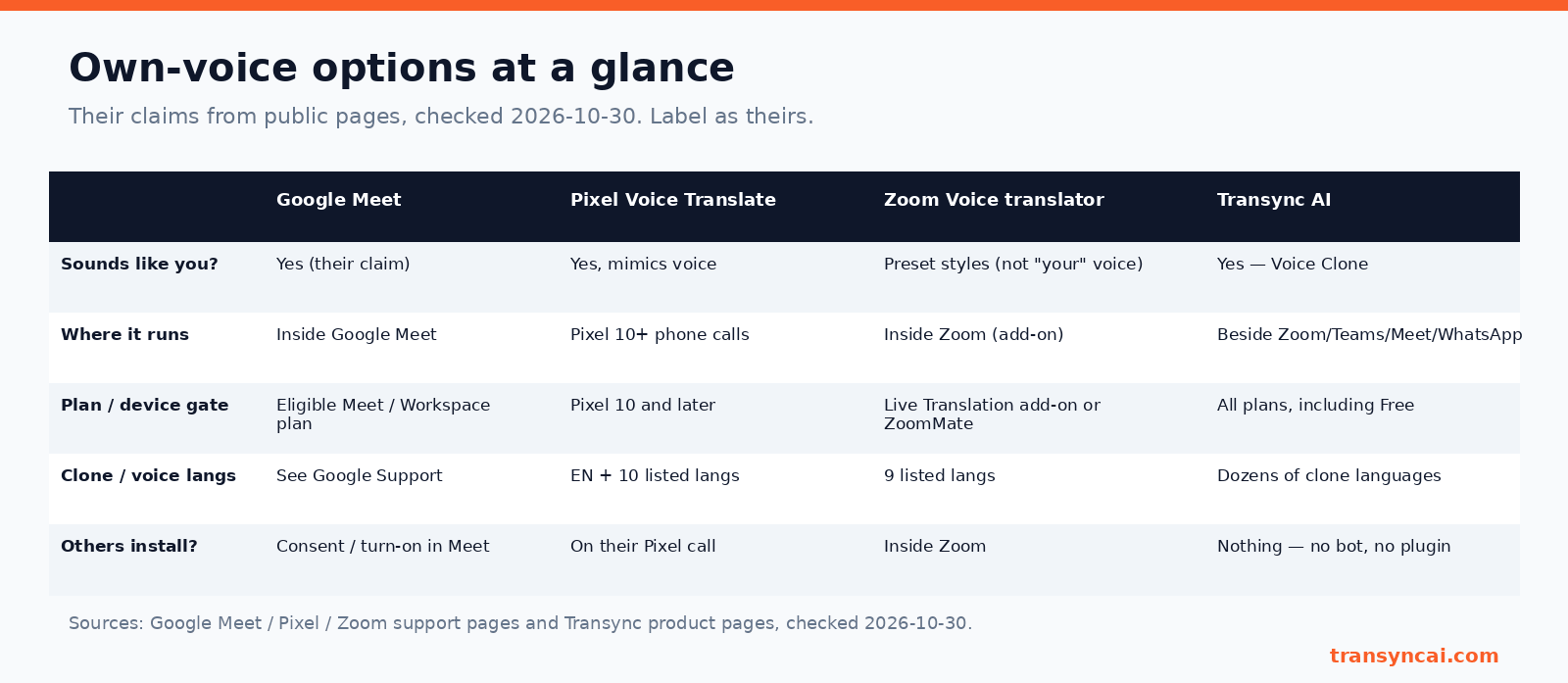
- Google Meet and Pixel Voice Translate claim a voice like yours, but only inside Meet on eligible plans, or on Pixel 10 and later phones.
- Zoom Voice translator uses preset voice styles and needs an add-on.
- Transync AI runs beside Zoom, Teams, Meet and WhatsApp, includes Voice Clone on the Free plan, and needs no bot or plugin on the other side.
Pick a built-in option if everyone already lives in one app and has the right plan or device. Pick Transync if you want to translate in your own voice across several apps. For a wider comparison, see Transync KI gegen JotMe.
Privacy and responsible use
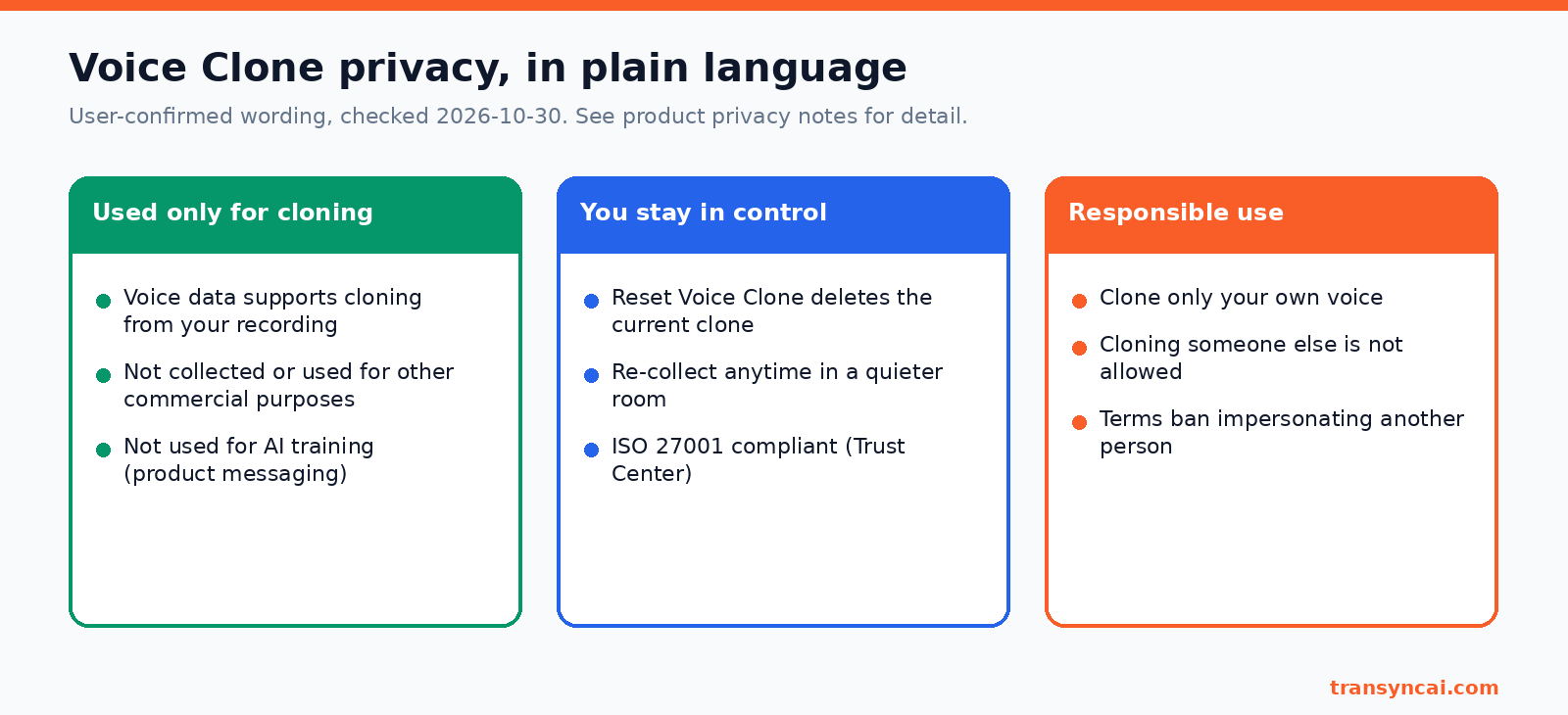
- Used only for Voice Clone. Your voice data is not used for other commercial purposes. See the Vertrauenszentrum für weitere Details.
- Reset deletes your current clone.
- Clone only your own voice. Cloning someone else is not allowed under the Terms of Service.
- Be open on sensitive calls. Tell people they are hearing an AI-translated voice.
For legal, medical or other formal high-stakes events, a human interpreter is still the better choice than translating in your own voice with AI.
Häufig gestellte Fragen
Can I speak another language in my own voice during a live meeting?
Yes. With Transync AI Voice Clone, you speak your language and the translation plays in a voice that sounds like you. On desktop, send it into Zoom, Teams or Meet through the virtual microphone.
How long does Voice Clone setup take?
About 10 to 20 seconds of natural speech. When it is ready, you see “Playback now uses your cloned voice.”
Is Voice Clone free?
Yes. It is available on all plans, including Free, and new users get 40 free minutes. See Preisgestaltung.
Can others hear my cloned voice on WhatsApp or mobile calls?
Not yet inside the call itself. Use desktop with the virtual microphone for that.
Can I clone someone else’s voice?
No. Only clone your own voice. The Terms of Service ban impersonating another person.
Testen Sie Transync AI kostenlos (40 Minuten). · See pricing