

Use an online translator with consistent project terms. See three practical fixes for glossary choices, live meeting context, and corrected follow-up.
An online translator converts text or speech into another language through an internet-connected service. For recurring project work, start with the source language, target language, and a short list of terms whose meanings must stay consistent. Then use the terminology controls the selected product supports. A good translation in one browser tab does not automatically carry those decisions into another tool or a live meeting.
Consider a product manager preparing French help content for a collaboration application. On Monday, they translate a help-page draft. On Tuesday, they discuss it with colleagues. After the call, they send a revised explanation.
Three ordinary English words appear throughout: workspace, seat, and release. If those concepts acquire different names at each stage, readers may think the application has different features or licensing rules when only the wording has changed.
The solution is not to find an online translator that remembers everything without supervision. It is to keep one small terminology sheet and carry its reviewed decisions through the work.
Fix 1 Give your online translator a project meaning
A dictionary equivalent answers what a word can mean. A project definition answers what it means here.
In this hypothetical application, a workspace is a shared area inside the software. A seat is one named-user software entitlement. A release is a numbered software version. These definitions should be settled before anyone decides how to translate the labels.
The following French choices are illustrative project decisions, not universal equivalents or captured product outputs.
| English term | Meaning in this project | Chosen French wording for the example | Boundary to preserve |
|---|---|---|---|
| workspace | A shared area inside the application | espace de travail | Not the physical office or desk |
| seat | A software licence assigned to one named user | licence utilisateur | Not a chair or a room reservation |
| release | A numbered version of the application | version | A software noun, not every use of the verb “release” |
This is enough to start. Add a language direction and target market above the table, plus the person who reviews terminology. Keep proposed entries distinguishable from reviewed ones. A candidate copied from an online translator should not become an approved product label merely because someone saved it.
Prefer a specific source phrase when a single word has several likely meanings. “User seat” gives more context than “seat.” “Software release” is narrower than “release.” The translation still needs to fit the sentence around it.
For example, a rule about a software release should not blindly change “release customer data.” Those phrases use different senses and grammatical roles. Likewise, a meeting room can contain physical seats even when the same company sells user licences.
The goal is consistent concepts, not mechanical replacement of every matching word.
Fix 2 Carry the same meaning rather than the same settings
An online translator may offer a glossary, contextual examples, a background field, or speech-related keywords. Those controls do different jobs.
A preferred translation says which target wording your project has chosen. A definition explains the concept. A speech keyword helps prepare an unfamiliar name or expression for a conversation. A meeting brief explains the topic. Keep those pieces distinct instead of putting a long paragraph into every keyword entry.
For the fictional project, a useful brief would be:
This is an English–French review of a collaboration application’s help content. A workspace is a shared area inside the application. A seat is one named-user software licence. We are discussing a numbered software version, not a press announcement.
Use the term pairs separately wherever the selected tool supports them. Translate complete passages, not just the three labels. An online translator still needs to handle verbs, agreement, references, and the sentence’s actual claim.
Before the call, use a few representative sentences:
- Create a workspace for the support team.
- Add one user seat for the new colleague.
- We will review the next software release.
- We reserved ten seats in the meeting room.
The last sentence checks the boundary. The room’s seats should not become software licences. Ask a qualified French reviewer to inspect the full sentences rather than checking only whether the preferred word appears somewhere.
When moving to another product, adapt the sheet to its supported fields or import template. Do not assume that a CSV accepted by one service has the right columns, language codes, or direction for another. The portable resource is your reviewed term sheet—not an automatically shared configuration.
Fix 3 Correct the term sheet and the affected work
Suppose an early draft uses siège for a software seat. In this example, the reviewer replaces it with licence utilisateur because the product means an entitlement assigned to a user, not a physical seat.
Do more than fix the one visible sentence. Update the terminology sheet, record the reason, and identify which drafts or configurations used the earlier choice.
A compact change note is enough:
Term sheet 1.1 — seat: use “licence utilisateur” for the named-user entitlement. The earlier draft wording “siège” is not approved for this software concept. Recheck the help-page paragraph and the meeting follow-up.
Then update the relevant product settings and review the affected translation again. An online translator cannot be assumed to repair an already copied email or an exported document when a glossary entry changes.
During a live discussion, clarify a misleading term while people can still respond. Afterward, check the written record before circulating it. Correcting saved text does not undo what listeners heard, and editing a transcript does not necessarily update a glossary or train a model.
Keep the original source and the reviewed version identifiable. For consequential material, assign a suitable language professional or subject owner to approve the correction before release.
Compare online translator terminology controls
Choose tools for the part of the terminology process you need. This comparison is about preparing and reusing terms, not a universal accuracy ranking.
| Product or route | How it helps with the term sheet | What you prepare | What not to assume |
|---|---|---|---|
| Reverso Context | Investigate candidate wording in bilingual examples | Search expressions with relevant surrounding words | A saved example is not project approval or an enforced glossary |
| Lara Translate | Apply selected glossary entries to written translation | A supported glossary file, language direction, and activation | A glossary works in every direction or account without configuration |
| Transync AI | Prepare preferred terms and background for live speech | Keywords and Context in a supporting translation model | Another product’s glossary automatically synchronizes into the session |
| Qualified language reviewer | Decide whether wording fits the project and audience | Definitions, sample sentences, and the intended use | Consistent wording alone proves the underlying statement is correct |
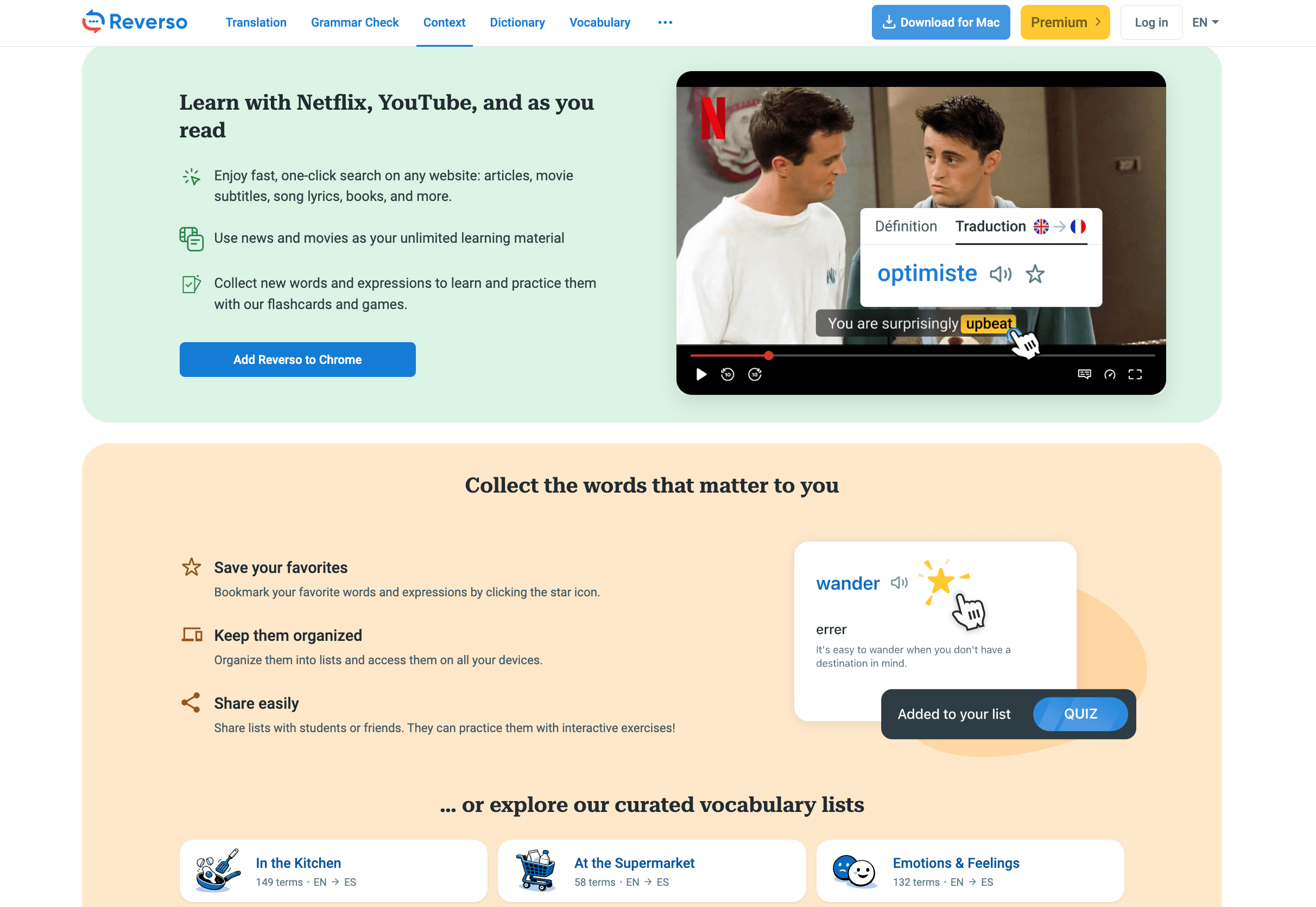
Reverso Context for investigating a term
Reverso Context helps you inspect words and expressions in bilingual sentences. Its usage guide explains how to filter examples by a candidate translation and examine the source or larger context.
Search a fuller expression such as “software release,” not only “release.” Compare whether the examples concern the same concept. The service also warns that examples can contain translation errors, alignment problems, or unsuitable registers.
Use the evidence to inform a terminology decision. A favorite saved in Reverso Context is useful reference material, not an instruction that every other online translator will follow.
Lara Translate for applying written terminology
Lara Translate provides source-and-target glossary entries for text and document translation. Its glossary instructions describe creating a glossary, uploading a CSV, and activating it for translation. Pro supports one uploaded glossary; Team provides broader glossary management.
Check the language codes and direction. A unidirectional English-to-French glossary does not apply in reverse and is case-sensitive. Use the provided template rather than guessing the import format.
This makes the reviewed terms actionable in an online translator. It does not remove sentence review: check that a licence term has not entered the meeting-room sentence, and that the translated paragraph still says what the source says.

Transync AI for carrying terms into the call
Transync AI supports live multilingual discussion rather than pasted-text or document-layout translation. Before starting a session, use AI Assistant Keywords and Context with a model that supports the feature. Put preferred term pairs in Keywords and the project explanation in Context.
The current AI Assistant setup guide describes adding a pair through the + control and Word + target. Multiple entries can be imported using the supplied CSV template. Prepare and review them before the call; do not assume another service’s export is ready to import unchanged.
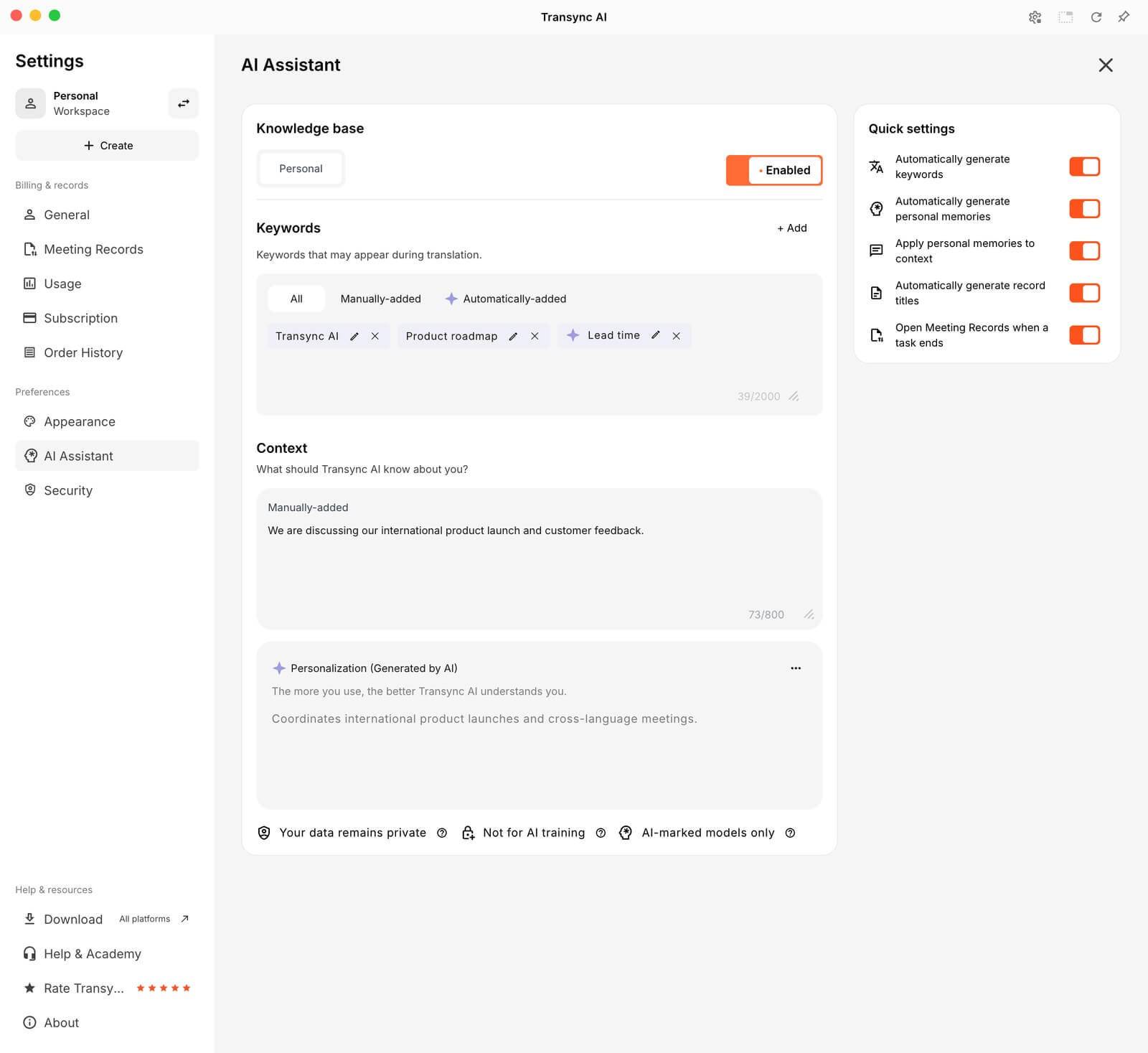 Its personal vocabulary controls distinguish manually added terms from automatically learned entries. Review learned terms before treating them as approved project vocabulary. Turning keyword learning off does not delete entries already saved.
Personalized memory is separate background, not the same thing as the term list. Review it before another project meeting. Pausing personalization does not remove saved memory; Add to Context separately controls whether that background is used.
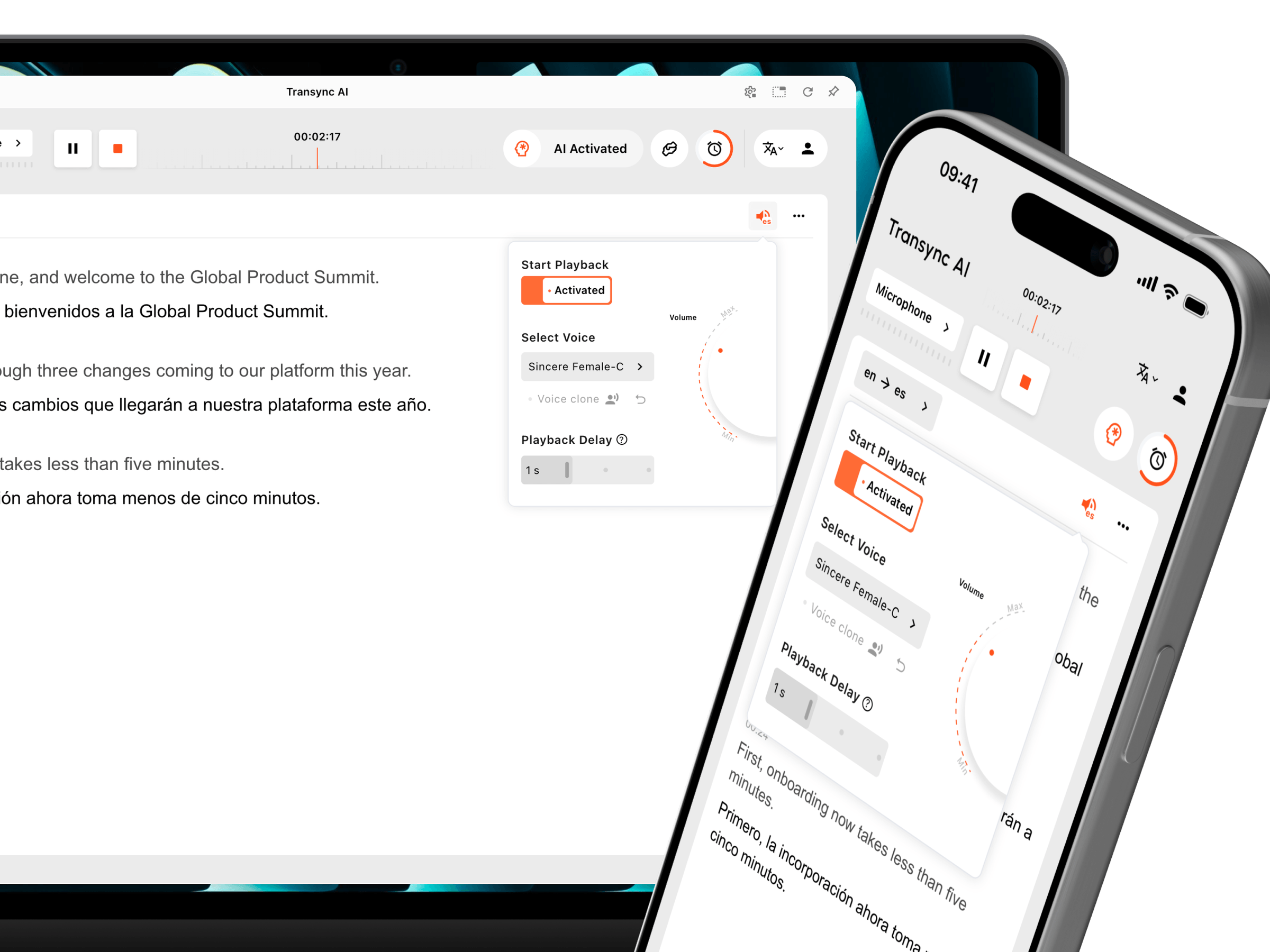
For live meeting translation, test microphone and incoming audio capture. If using translated voice playback, confirm that the intended listener can hear it. Prepared terminology is useful only if participants receive the translation and can clarify a confusing term.
Keep the draft call and follow-up connected
Use one term-sheet version for the help-page draft, the planned meeting settings, and the reviewed follow-up. If the call produces a terminology decision, record it in the sheet and update the affected materials—not just the meeting notes.
An online translator can help produce consistent wording, but the project still needs accurate content. A correctly translated licence utilisateur does not establish the price, permission, or number of licences. Those facts must come from the source and the responsible team.
Keep sensitive project information within the tools and account arrangements your organization permits. Share only the background needed for translation, not unrelated private records.
Questions about using an online translator with a glossary
Should every English word have one fixed translation
No. Record a concept and its scope. The software meaning of “seat” differs from the meeting-room meaning. Narrower source phrases and example sentences help reviewers spot when a preferred equivalent is being applied in the wrong place.
Can I use the same glossary in every tool
You can reuse the reviewed decisions, but configure each product separately. Import formats, supported language pairs, direction, matching rules, and account permissions differ. Check the destination’s template and inspect the resulting entries.
Does a glossary make an online translator completely accurate
No. It guides terminology; it does not verify every number, condition, pronoun, or commitment. Review representative sentences and the final deliverable. Use qualified human review when the consequences require it.
Make the meaning reusable
The strongest online translator workflow for recurring work starts before the next paragraph is pasted or the next call begins. Define the concept, adapt the term sheet to the tool, and carry corrections into the next version.
For this project, workspace, seat, and release should remain recognizable from help content to conversation to follow-up. Consistency comes from reviewed decisions and maintained context, not from asking a browser tab to guess the same way every time.