

Programs to translate may mean language tools, event documents, software localization, or live and recorded content. Match 4 meanings to the right workflow.
Programs to translate can describe four very different jobs. You may be looking for software that translates languages. You may have an event program that needs another-language edition. You may need to localize a software program, or you may need subtitles, dubbing, or live interpretation for a recorded or live program.
That small grammatical ambiguity changes the recommended tool, the source material, the reviewer, and the finished deliverable. A meeting translator is not a localization platform. A computer-assisted translation editor is not a dubbing studio. A platform that localizes interface strings is not designed to convert Python into JavaScript.
This guide starts by identifying what “program” means in your task. It then maps each interpretation to a practical workflow and a representative product. The aim is not to crown one universal winner. It is to stop the wrong kind of translation software from reaching the wrong kind of content.
Programs to Translate: The Four Meanings at a Glance
| What the Searcher May Mean | Typical Source | Результат | Representative Product | Best Quality Check |
|---|---|---|---|---|
| Software programs that perform translation | Text, documents, audio, or speech | Translated language output | Transync AI for live meetings | Test the real input and response time |
| Printed or digital programs that need translation | Agenda, brochure, speaker bio, schedule | Reviewed translated file | MateCat | Check terminology, layout, and revision history |
| Software programs that need localization | Interface strings, resource files, screenshots | Approved localized build content | Crowdin | Test strings inside the interface |
| Recorded or live programs needing language access | Video, webinar, class, town hall, or presentation | Subtitles, dubbed media, or live translation | Rask AI or Transync AI | Review timing, audio, names, and audience access |
The table reveals why lists of generic programs to translate are often unsatisfying. The word program may refer to the tool, the item being translated, a piece of software, or a scheduled presentation. The first useful question is therefore not “Which app is best?” but “What object must be usable in another language?”
Interpretation 1: Software Programs That Translate Languages
In the first reading, programs to translate means applications that perform some part of language translation. Even this category divides into several jobs:
- a quick text translator for a sentence;
- a document workflow with translation memory and human review;
- a localization system for a product team;
- a subtitle or dubbing workflow for recorded media;
- a real-time speech translator for meetings and presentations.
These products may share words such as “AI translation,” yet their outputs are not interchangeable. A text box returns target-language text. A computer-assisted translation tool divides documents into reviewable segments. A localization platform connects strings to releases. A video tool aligns language with a timeline. A live speech tool must deliver meaning early enough for someone to respond.
Start With the Deliverable, Not the Feature List
Before comparing programs to translate, write the deliverable in one sentence. For example:
- “A reviewed Portuguese PDF must preserve the event schedule.”
- “Approved Japanese interface strings must be ready for the next app build.”
- “A Spanish version of a training video must include downloadable subtitles.”
- “Vietnamese attendees must follow the presentation on their phones as it happens.”
The sentence exposes requirements that a broad product page may hide. A PDF needs layout inspection. Software strings need placeholder protection and context. Video needs timing. A live audience needs a joining method, readable captions, suitable audio, and low enough delay to follow the speaker.
No single score can represent all four outcomes. Accuracy is also not one number: terminology, completeness, timing, formatting, speaker identification, pronunciation, and editability matter in different proportions.
What Programs to Translate Cannot Decide for You
Translation software cannot determine the intended market from a filename, approve legal terminology, or know whether a brand slogan should stay in English unless the team supplies context. It may produce fluent language that still uses the wrong product name, regional term, level of formality, number format, or policy wording.
Create a short instruction sheet before processing important content. Include target locale, audience, terms that must not be translated, approved names, preferred terminology, tone, and the person authorized to approve the result. This one-page brief improves nearly every category in this article.
Interpretation 2: Event Programs That Need Translation
Here, “program” is the item being translated: a conference agenda, festival booklet, course outline, ceremony schedule, theater program, speaker biography, or visitor guide. Programs to translate in this sense are structured documents, not live conversations.
The source may look simple, but its layout carries meaning. Start times must remain beside the correct sessions. Speaker names and titles must stay aligned. Room labels, accessibility notes, sponsor names, QR codes, and registration instructions cannot disappear during reformatting.
A Safe Document Workflow
First, collect an editable source rather than translating screenshots or a flattened PDF when possible. Remove duplicate drafts and identify the final source version. Extract an approved list of session titles, speaker names, venues, dates, and recurring terms.
Second, translate in an environment that lets reviewers see segments, reuse approved wording, and track changes. Review numbers, dates, currencies, names, links, and untranslated passages separately from linguistic style. Then export the target file and inspect the rendered pages. A linguistically correct sentence can still overflow a narrow agenda column or detach a time from its session.
Finally, perform a last source-to-target completeness pass after layout work. Design changes can accidentally delete or duplicate content even after the translation itself has been approved.
MateCat for Reviewed Files
MateCat is a free, open-source computer-assisted translation environment for files. It supports translation memory, machine-translation suggestions, terminology resources, segmented editing, and file export, making it a sensible candidate when programs to translate are brochures, agendas, or similar documents that require human review.
The useful distinction is that MateCat helps a translator manage and revise content; it does not remove the need for an editor, subject specialist, or layout check. Teams handling confidential material should also understand which translation-memory resources are public and which are private, then configure the job deliberately rather than accepting unfamiliar defaults.
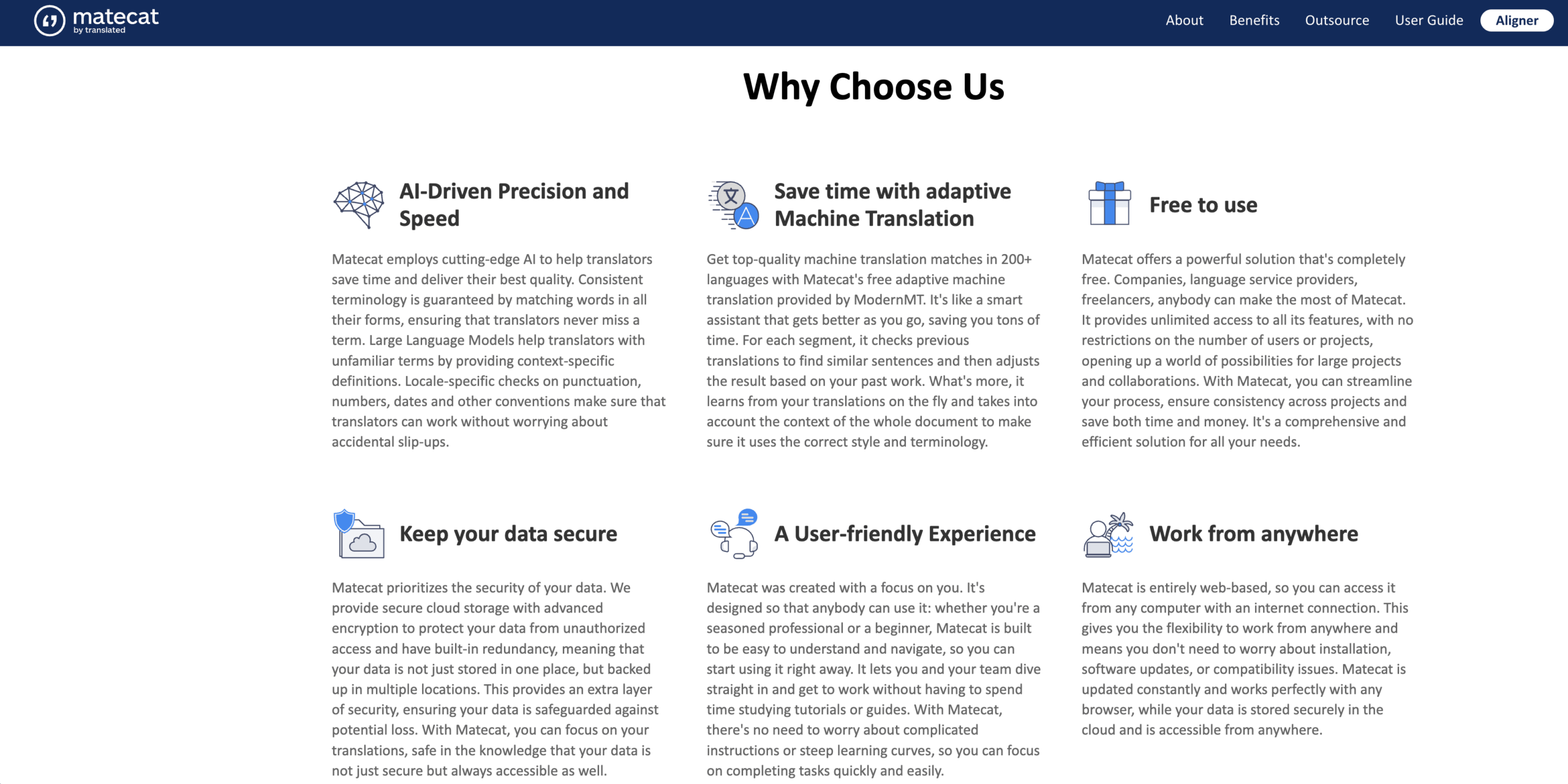
Choose this route when the desired result is an editable, reviewed document. Do not choose it merely because a live event will happen later; the program file and the live speech are separate translation jobs.
Interpretation 3: Software Programs That Need Localization
The third reading concerns a program such as a web application, mobile app, desktop product, or game. In this context, programs to translate usually means localizing the user-facing experience rather than translating the source code itself.
A software team normally sends resource strings such as button labels, menus, errors, onboarding text, notifications, and help content. Translators need to know where each string appears, how much space is available, whether variables are present, and whether the text is a noun, command, or complete sentence.
Localization Is More Than Replacing Words
Consider a string such as Delete %s files. The placeholder must survive. The target language may need plural rules that differ from English. “Open” may mean a verb on a button or an adjective describing status. “Home” could mean a start screen, a physical residence, or a keyboard key. Without interface context, a fluent translation can still be functionally wrong.
A mature localization workflow usually includes:
- version-controlled source strings or an automated integration;
- context through screenshots, descriptions, and character limits;
- a glossary and translation memory;
- separate translator, reviewer, and approval states;
- checks for placeholders, tags, spacing, length, and untranslated strings;
- in-product linguistic testing before release.
The release cycle matters. A one-time spreadsheet can work for a small prototype, but it becomes risky when developers change strings while linguists edit another copy. A localization platform connects the language process to the product lifecycle.
Crowdin for Product Localization
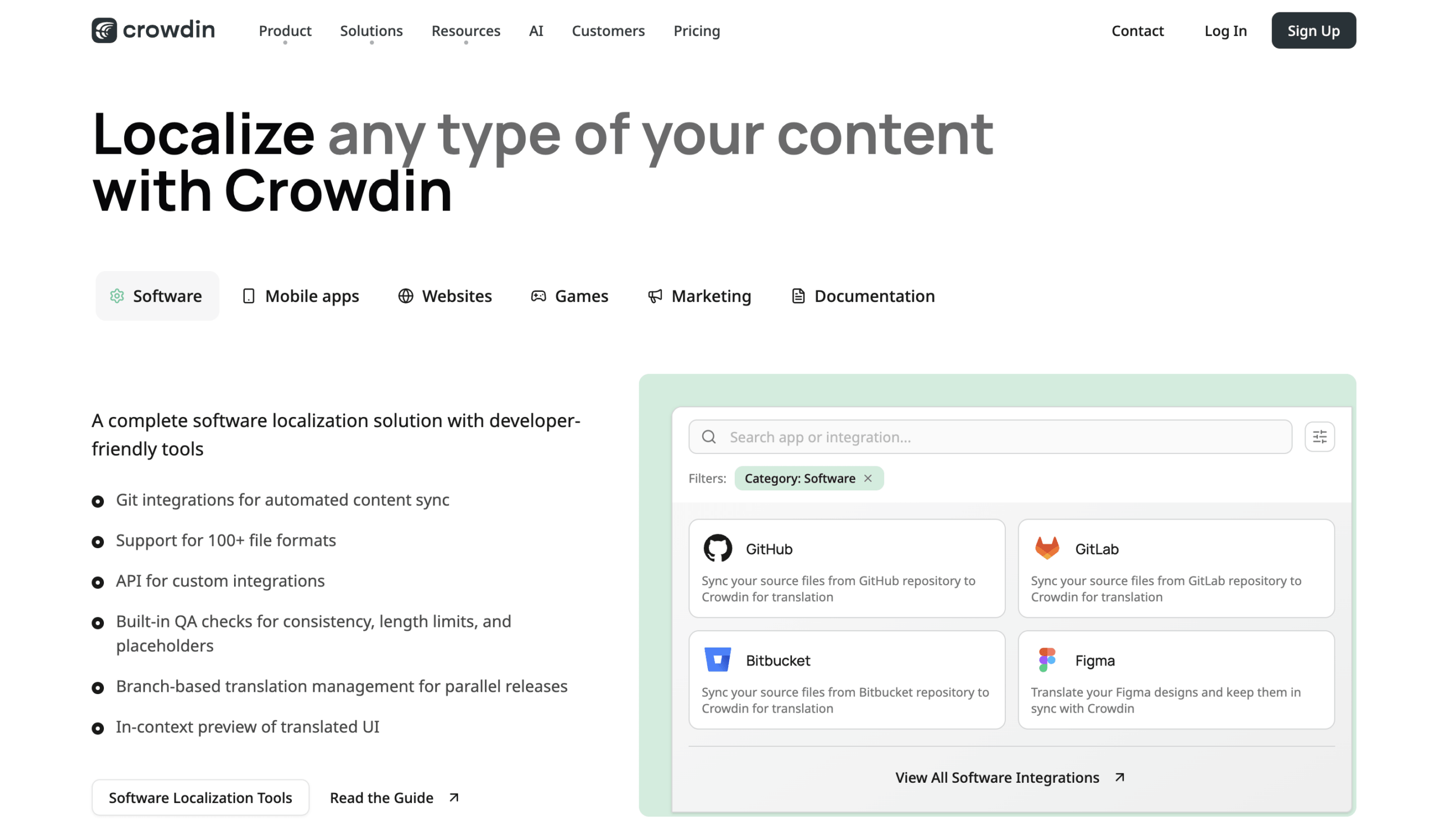
Crowdin is a cloud localization platform designed for software, games, documentation, and other digital products. It supports source-file integrations, translation memory, glossaries, screenshots, suggestions, review, and approval. For teams with software programs to translate, those workflow controls are often more important than a single instant translation result.
Crowdin is especially relevant when product managers, developers, translators, and reviewers must work on the same evolving source. The team should still define access, branches, roles, quality checks, and the release process. A platform can coordinate localization, but it cannot decide the right market voice or certify a product build without testing.
Translating an Interface Is Not Translating Code
Sometimes programs to translate literally means converting a computer program from one programming language to another—for example, rewriting Java code in Kotlin or turning a Python service into Go. That is code migration or transpilation, not ordinary language localization.
Crowdin can manage human-language strings that users see, but it is not a universal converter for application logic. Code conversion requires engineers, tests, dependency review, security analysis, performance checks, and often architectural redesign. Keep executable logic separate from translatable resources wherever possible.
This distinction prevents a costly category error: a localization platform makes the product understandable in another human language; it does not make the same source program run safely in another programming language.
Interpretation 4: Recorded and Live Programs Needing Language Access
“Program” can also mean a training episode, interview, webcast, lesson, television segment, conference session, or live presentation. Programs to translate in this category divide at one decisive boundary: is the content already recorded, or must an audience understand it now?
Recorded media allows pausing, editing, re-timing, re-recording, and quality review before publication. Live content does not. The latter needs a delivery path to the audience and must handle natural speech, corrections, background sound, and changing speakers in real time.
Rask AI for Recorded Video and Audio
Rask AI translates recorded video and audio into other languages, with tools for subtitles, dubbed audio, voice cloning in supported languages, multiple speakers, and lip-sync workflows. It can also export media and subtitle assets, which makes it more relevant when programs to translate already exist as files and the team wants a publishable localized version.
The review should go beyond whether the target speech sounds smooth. Check the source transcript, terminology, speaker attribution, omitted speech, subtitle line breaks, reading speed, pronunciation of names, audio mixing, and visual timing. Lip synchronization can improve presentation, but it does not prove that every sentence is accurate or appropriately localized.
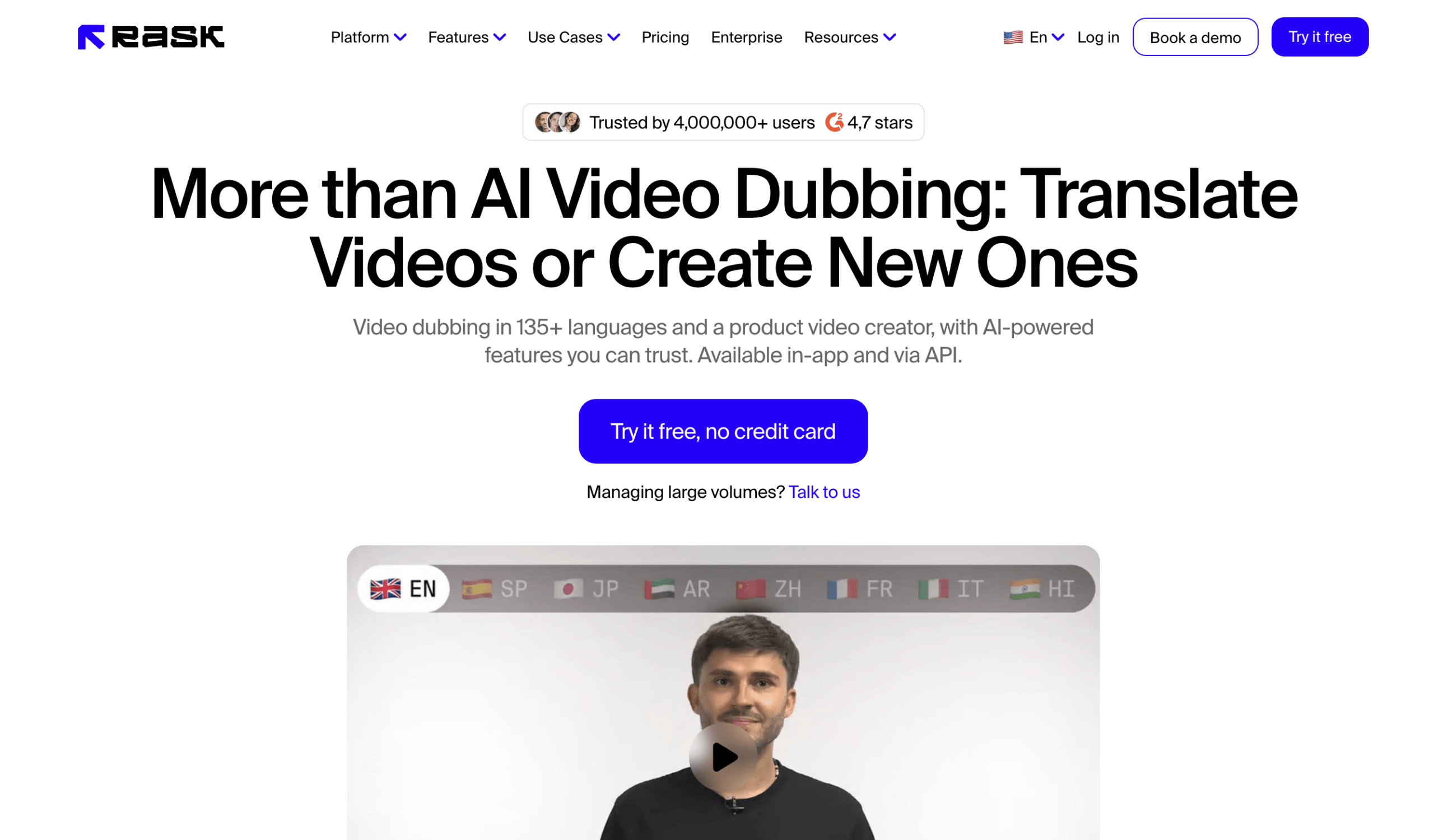
Використання Rask AI when there is time to process and approve a recording before viewers receive it. A live multilingual Q&A requires a different route.
Штучний інтелект Transync for Live Meetings and Presentations
Штучний інтелект Transync побудовано для переклад живої зустрічі, with bilingual captions and translated voice playback through its Голосовий перекладач зі штучним інтелектом. Hosts can add specialist vocabulary and background through Ключові слова та контекст помічника ШІ, then review Нотатки зі зустрічі зі штучним інтелектом після сесії.
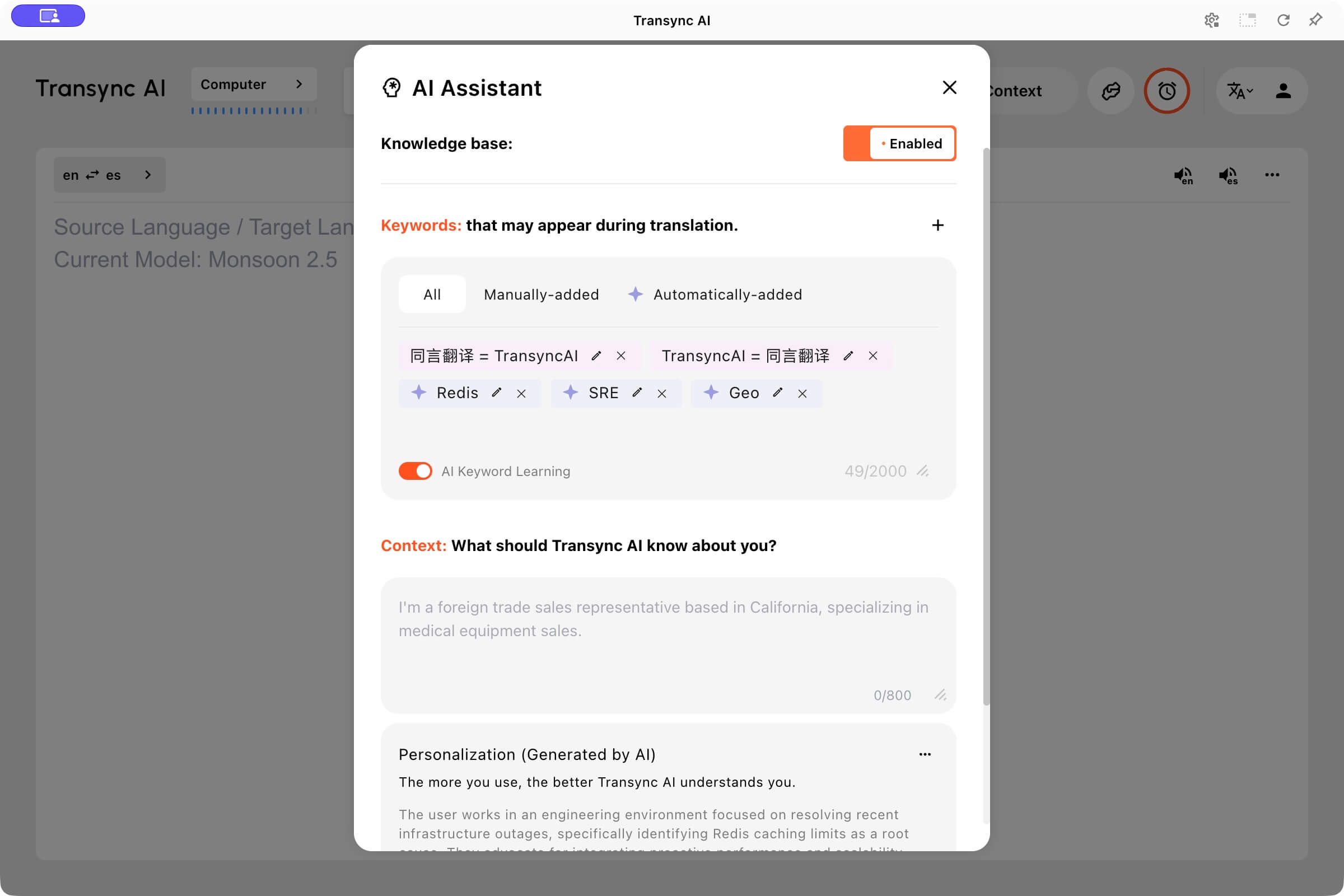 For a webinar, class, briefing, or one-to-many event, Штучний інтелект Transync Режим презентації lets attendees join by link, QR code, or Room ID. Each attendee can select from the languages enabled by the host and follow translated content on a personal device, including voice playback where available. This is useful when programs to translate happen in front of an audience rather than arriving as finished files.

Режим презентації дозволяє одному ведучому ділитися живою трансляцією з аудиторією на їхніх власних пристроях.
Спробуйте Transync AI безкоштовно
Штучний інтелект Transync is not a document localization environment or frame-accurate subtitle editor. It requires a network connection, and teams should rehearse audio routing, microphones, enabled languages, terminology, and audience joining before an important event. Its value is immediacy: participants can follow meaning while the conversation or presentation is still happening.
Compare the Four Programs to Translate Workflows
| Продукт | Strongest Input | Основний вихід | Human Review Point | Not the Best Fit For |
|---|---|---|---|---|
| MateCat | Documents and supported files | Editable translated document | Segment editing, terminology, and final layout | Live speech or software release management |
| Crowdin | Software strings, resource files, and product content | Reviewed localization ready for a product workflow | Context, approval, and in-product testing | Converting application logic between coding languages |
| Rask AI | Recorded video or audio | Subtitles, translated audio, and localized media | Transcript, timing, voices, and final playback | Interactive live meetings |
| Штучний інтелект Transync | Живий звук з мікрофона та комп'ютера | Bilingual captions, translated speech, and meeting notes | Audio rehearsal, live meaning, and post-session record | Finished-document translation or frame-level subtitle editing |
This programs to translate comparison is intentionally based on inputs and deliverables rather than a generic star rating. MateCat can be the better choice for a conference booklet while Штучний інтелект Transync is the better-shaped workflow for the conference presentation. Crowdin can localize the event app, while Rask AI can prepare an on-demand recording afterward.
The products may therefore be complementary. One event could legitimately use all four without any duplicated role.
The Four-Envelope Test
If a team still cannot select among programs to translate, create four small test packages. Do not upload confidential or regulated material during a trial unless the product, account configuration, contract, and data handling have already been approved.
Envelope A: The Program Booklet
Place a two-page agenda in the first envelope. Include a table, speaker names, a room number, a URL, a time zone, one repeated session title, and a last-minute correction. Success means the reviewer can revise the language efficiently and the exported layout remains usable.
This envelope tests the MateCat route. The scorecard should cover completeness, terminology reuse, editability, file export, and visual layout—not how quickly a single sentence appears.
Envelope B: The Software Interface
Place 20 strings in the second envelope. Include a placeholder, singular and plural forms, a short button, a long error, a string with markup, and two ambiguous words supported by screenshots. Change three source strings after translation begins.
This tests whether Crowdin preserves context and manages change. Inspect roles, suggestions, approvals, quality warnings, integration behavior, and the result inside a test build. A clean spreadsheet alone is not enough.
Envelope C: The Recorded Program
Place a 90-second video in the third envelope. Use two speakers, one proper name, a number, a specialist term, a brief overlap, and on-screen text. Success means the subtitles and translated audio remain understandable, timed, and editable after review.
This envelope tests Rask AI. Listen on headphones and on a phone speaker. Read subtitles without sound. Compare the source transcript with the finished language. Record every manual correction instead of judging only the most impressive ten seconds.
Envelope D: The Live Mini-Session
Run a five-minute live presentation for the fourth envelope. Ask audience members to join from their own devices, switch between enabled languages, follow a slide with specialist vocabulary, and submit one question after the speaker makes a verbal correction.
This tests Штучний інтелект Transync. Measure joining friction, readability, voice playback, terminology, the delay before usable meaning, and the quality of the record afterward. Rehearse the actual room and network whenever possible.
The four envelopes turn an ambiguous search into evidence. They also make procurement conversations clearer because every stakeholder can see the source, expected output, and acceptance test.
Privacy, Compliance, and Review Questions
Programs to translate may process personal data, confidential product plans, customer conversations, unreleased software, or copyrighted media. Before uploading production content, verify the current terms, privacy documentation, retention controls, model-training policy, storage locations, subprocessors, access controls, and deletion process that apply to the chosen plan.
Ask operational questions as well:
- Who can upload, edit, approve, download, and delete content?
- Can the team isolate private terminology and translation memory?
- Does the workflow keep a useful audit or revision history?
- Can personal data be removed before processing?
- What happens to source files, recordings, transcripts, and generated audio?
- What fallback exists if the network, integration, or media processing fails?
A product badge or feature claim does not replace the customer’s own legal, security, and accessibility review. High-stakes medical, legal, safety, employment, and financial communication may require qualified human translators or interpreters and formally approved records.
Часті запитання
What does “programs to translate” usually mean?
Programs to translate most often refers to translation software, but the grammar is incomplete enough to support other meanings. It can also describe event programs needing document translation, software applications needing localization, or recorded and live programs needing subtitles, dubbing, or interpretation. Add the source and desired result to make the request clear.
What are the best programs to translate documents?
For reviewed documents, a computer-assisted translation workflow such as MateCat is better shaped than a live speech tool. The right choice still depends on file support, confidentiality, translation memory, collaboration, and final layout. A human reviewer should inspect terminology, numbers, names, completeness, and exported pages.
Can translation software localize a software program?
Yes, when the user-facing strings are separated from code and managed through a localization platform such as Crowdin. Localization covers language, context, locale conventions, plural behavior, layout, and testing. It should not be confused with converting source code from one programming language into another.
Which programs to translate work for video?
For prerecorded video, Rask AI supports workflows involving translated subtitles and audio. Review transcripts, timing, pronunciation, speaker attribution, and the final mix before publishing. For a live webinar or presentation, Штучний інтелект Transync is the more relevant type of workflow because attendees need captions or translated voice while the speaker is talking.
Can one platform translate documents, apps, videos, and meetings equally well?
Not usually. Some platforms span multiple inputs, but each deliverable imposes different controls. Documents need layout and revision; apps need string context and release integration; video needs timeline editing; live meetings need fast delivery and audience access. Evaluate programs to translate against the hardest real task, not the broadest marketing description.
How should I test programs to translate before buying?
Use a small, representative sample that contains names, numbers, specialist terms, ambiguous language, and the format complications of the real job. Define acceptance criteria before the test, record manual corrections, involve the eventual reviewer, and examine the finished deliverable in its real environment.
A Clearer Search Produces a Better Result
The phrase programs to translate is useful only after the team names the object and the outcome. If the object is a booklet, build a document workflow. If it is an interface, build a localization workflow. If it is a recording, build a subtitle and dubbing workflow. If it is a live presentation, build an audience-access workflow.
That distinction saves more time than comparing dozens of overlapping feature lists. The most suitable programs to translate are the ones designed around the actual source, delivery moment, review process, and risk—not the products that simply promise the largest number of languages.
