

Googleの音声通訳サービスをお探しですか?電話、対面通訳、会議、字幕作成、多言語イベントなど、現在利用可能な6つのルートを比較してみましょう。.
あ Google音声通訳 これは、現在販売されている製品の正式名称ではありません。この検索語句は、少なくとも6つの異なるものを指し示す可能性があります。通話サービス、モバイル会話翻訳ツール、Pixelの通話機能、翻訳された字幕、音声会議翻訳、またはクロスプラットフォーム会議通訳ツールなどです。.
このルーティングガイドでは、それらのパスを分けています。 Google Voice, Google翻訳, ピクセル音声翻訳, Google Meet, 退職者 Googleアシスタント インタープリタモード。次に、それらを比較します。 Transync AI 多言語会議向けに、音声翻訳、議事録、聴衆向けプレゼンテーションを提供します。.
簡潔な回答: Google Voice これは、通話および電話番号サービスであり、一般的な翻訳通訳サービスではありません。. Google翻訳 個人的な傾聴と、順番に会話を行う方式に対応します。. ピクセル音声翻訳 Pixel 10以降の機種では、対応する電話通話の翻訳が可能です。. Google Meet プラットフォーム固有の翻訳字幕と音声翻訳を提供します。. Transync AI より強いルートは Google音声通訳 検索とは実際には「さまざまな会議プラットフォームで再利用可能な翻訳が必要だ」という意味です。“
その Google音声通訳 ルーティングデスク
| ユーザーが本当に求めているもの | 正しい製品または機能 | メイン出力 | 重要な境界線 |
|---|---|---|---|
| 国内通話または国際通話用の電話番号 | Google Voice | 通話、テキストメッセージ、ボイスメール、およびプランに応じた通話ツール | 一般的なライブ通訳者ではありません |
| 会話を翻訳する電話またはタブレット | Google翻訳ライブ翻訳 | 翻訳されたテキストとオプションの音声 | ターン制の個人ワークフロー。デバイスと言語のサポートは様々です。 |
| 発信者のような声で翻訳された電話 | ピクセル音声翻訳 | 対応通話中の双方向音声翻訳 | Pixel 10以降、英語と一部の言語の組み合わせ |
| 会議中の翻訳テキスト | Google Meetの翻訳字幕 | 画面上の翻訳字幕 | 対象となるプランとミーティング専用のワークフロー |
| 会議中の翻訳されたスピーチ | Google Meetの音声翻訳 | 話者の声に似た音声翻訳 | 1つの言語ペア、サポートされている英語ペア、プランと時間制限 |
| クロスプラットフォームの会議とプレゼンテーション | Transync AI | バイリンガル字幕、音声再生、コンテキスト、注釈、視聴者言語 | オンラインワークフロー、オーディオ設定、アカウントアクセスが重要 |
そのフレーズ Google音声通訳 どの行が意図されているのかはわかりません。まず、次の3つの質問から始めましょう。会話は電話で行われているのか、それとも会議で行われているのか?聞き手はテキスト出力と音声出力のどちらを必要としているのか?結果は1つのプラットフォーム以外でも動作する必要があるのか?
ルート1: Google Voice 通話サービスであり、通訳サービスではありません
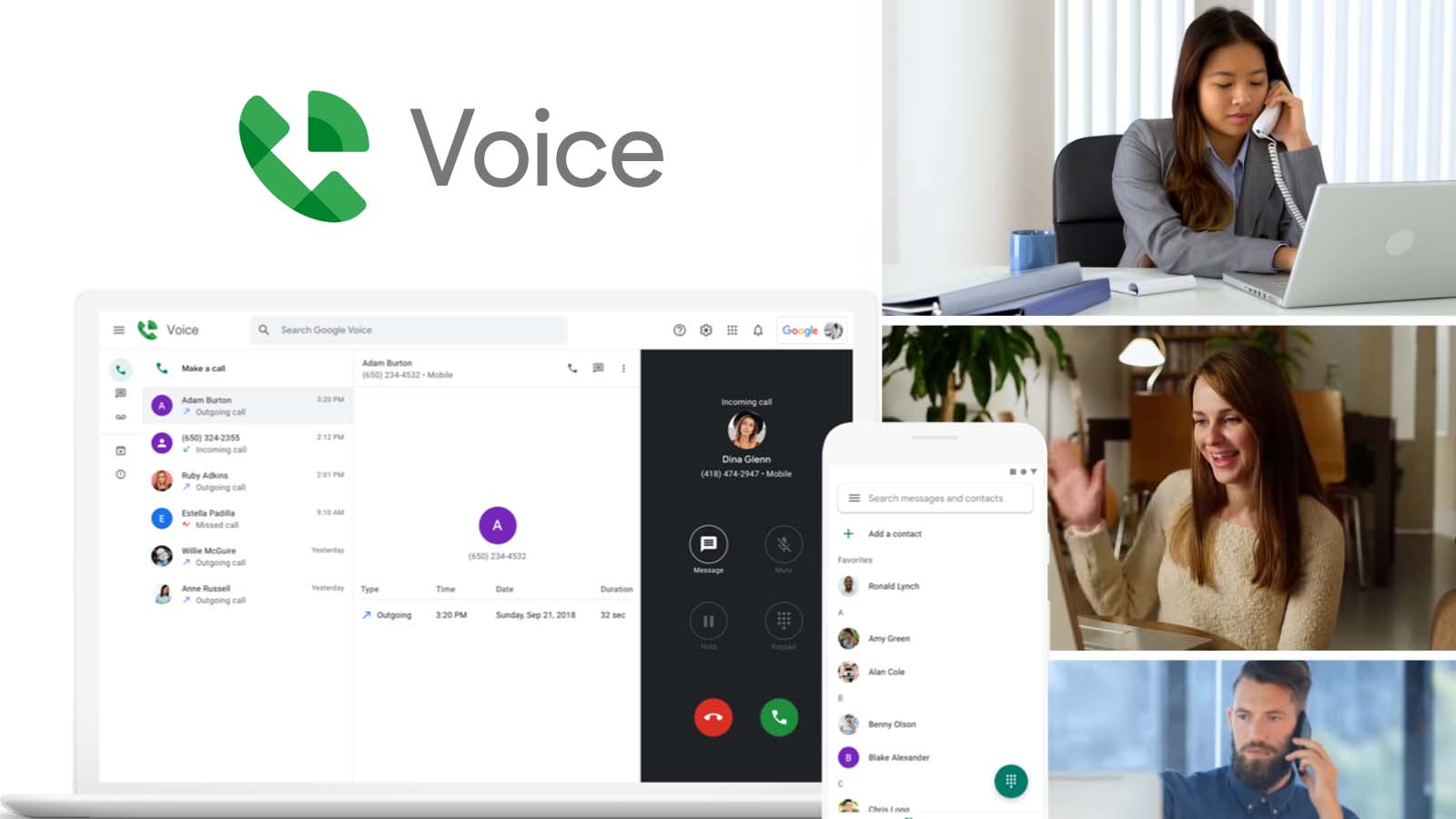
Google Voice 対応する個人アカウントおよびビジネスアカウントで、電話番号と通話機能を提供します。最新の公式ヘルプでは、国内通話と国際通話、テキストメッセージ、ボイスメールの文字起こし、通話ルーティング、および録音、要約、自動応答などのプラン依存機能について説明しています。.
これらは通信および通話管理機能です。 Google Voice 汎用的なリアルタイム言語通訳システムへと進化する。ユーザーは国際電話番号に発信できるが、通話がこのサービスを経由するからといって、相手の音声が自動的に翻訳されるわけではない。.
この違いは、料金設定とセットアップにおいて重要です。国際電話機能は、通話の発信方法と課金方法に関わるものであり、通訳機能は、音声の認識、翻訳、合成、配信方法に関わるものです。これらは異なるサービス層です。.
もしあなたの Google音声通訳 検索は、あなたが既に使用しているため開始されました Google Voice, 会話をサポート対象の翻訳製品に移行できるか、または承認済みの通訳ワークフローを別途追加できるかを判断してください。ボイスメールの文字起こし、通話概要、またはAI機能が、リアルタイムのバイリンガル音声に対応しているとは限らないことに注意してください。.
以下の場合はこのルートを選択してください: 必要なのは発信番号または通話管理サービスであり、翻訳は主要な要件ではありません。.
ルート2: Google翻訳 個人的な会話のためのライブ翻訳
対面での会話や個人的なリスニングの場合、, Google翻訳 これは通常、人々が意味する現在の製品です Google音声通訳.
最新のライブ翻訳に関するドキュメントでは、対応するスマートフォンやタブレットにおけるいくつかのモードについて説明しています。
- リスニングモードでは、ヘッドホンまたはデバイスを通してリアルタイムで翻訳された音声が再生されます。.
- 会話モードでは、人々が交互に話す際に翻訳音声が再生されます。.
- テキストのみのモードでは、音声を再生せずに翻訳が表示されます。.
- カスタム設定では、テキスト、スピーカー、またはヘッドホンを選択できます。.
- 対面モードでは、それぞれの言語が画面の左右に分かれて表示されます。.
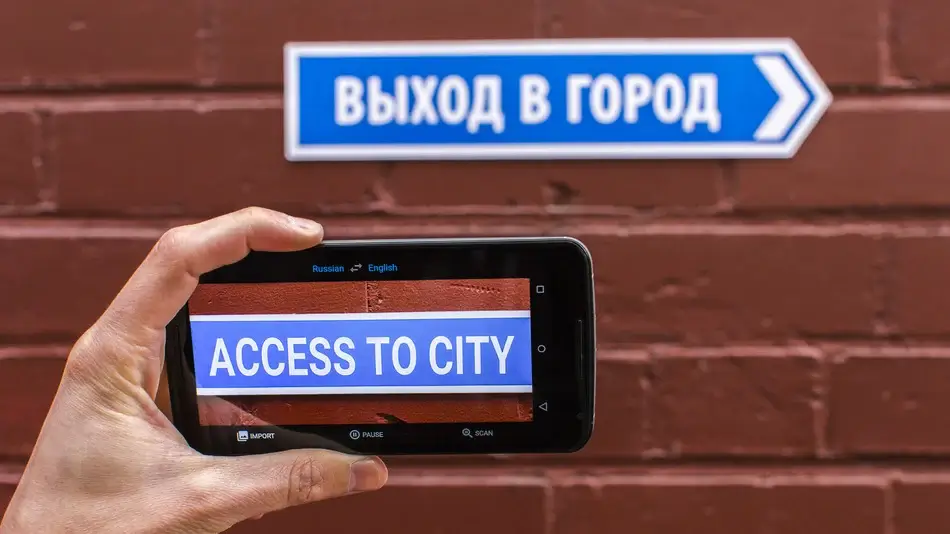
このアプリは、選択した言語の切り替えが自動的に行われ、もう一方の言語の切り替えが始まるタイミングを検知します。旅行、受付業務、短い顧客対応、授業でのリスニング、そして気軽な会話など、様々な場面で活用できる便利なツールです。.
これは自動的にビジネス会議システムになるわけではありません。専門的な会議では、コンピューターによる音声録音、用語集の作成、発言者管理、別のアプリでの字幕表示、音声の翻訳ルーティング、文字起こし、要約、アクセス制御、通話後の記録なども必要になる場合があります。.
実際の言語ペア、アプリのバージョン、デバイス、マイク、ヘッドホン、および背景ノイズをテストしてください。 Google音声通訳 評価は、声の自然さだけでなく、名前、数字、否定、タイミング、そして回復といった点に基づいて行うべきである。.
以下の場合はこのルートを選択してください: 必要なのは、便利なモバイル通話ツールまたはリスニングツールを1人だけ使用することであり、やり取りの時間が短いため、電話を中心としたワークフローで対応できる。.
ルート3: ピクセル音声翻訳 電話の場合
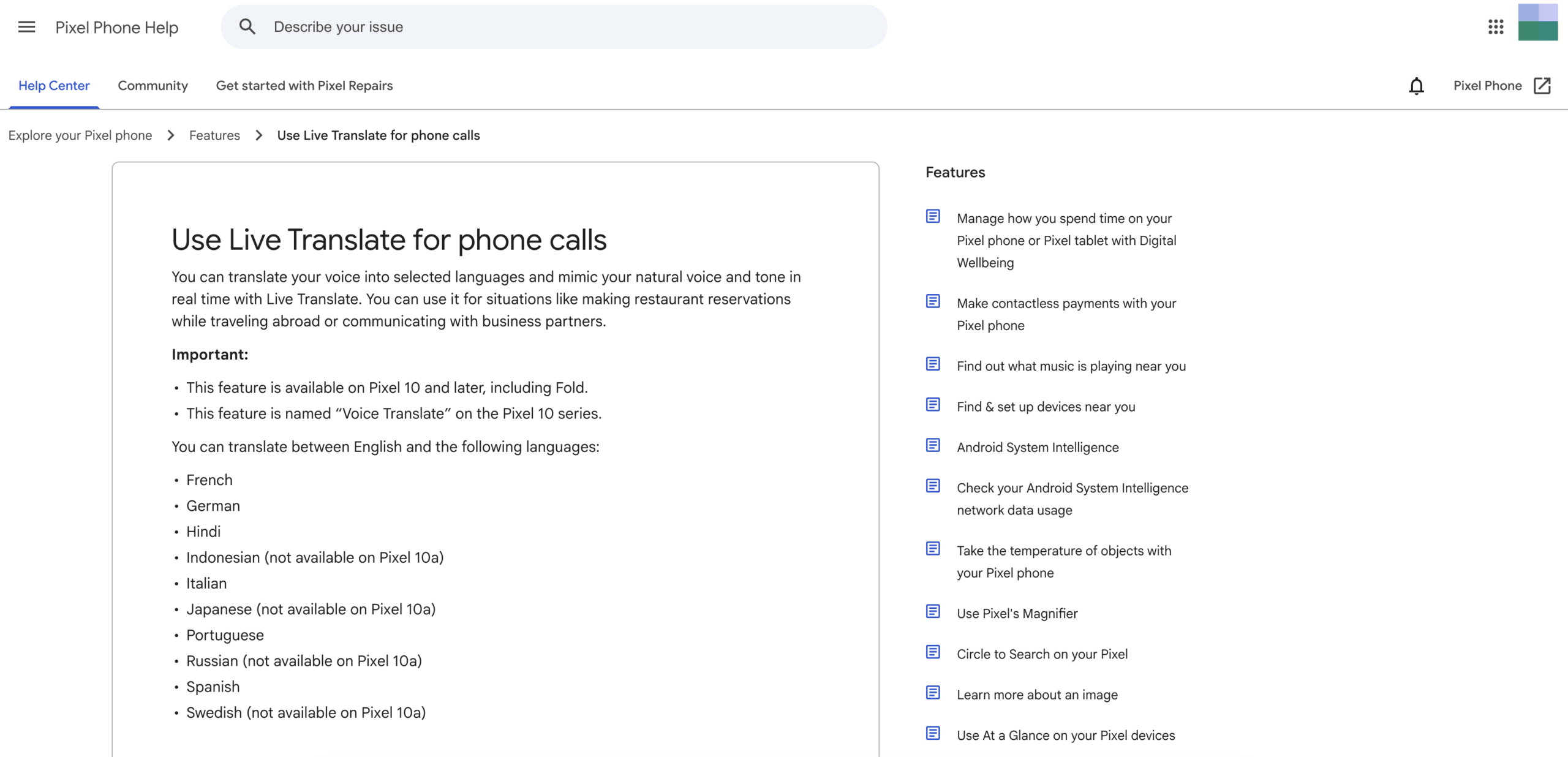
ピクセル音声翻訳 最も近い現在の一致は、文字通り Google音声通訳 通常の電話通話用。公式 Google Pixel ヘルプによると、この機能はユーザーの音声を選択した言語に翻訳し、リアルタイムで自然な声とトーンを再現するとのことです。.
現在の利用条件は限定されています。この機能は、Pixel 10以降の機種(Pixel 10 Pro Foldを含む)で利用可能です。英語と、フランス語、ドイツ語、ヒンディー語、イタリア語、ポルトガル語、スペイン語など、一部の言語間の翻訳に対応していますが、機種によっては例外もあります。.
ユーザーは、電話アプリの設定で音声翻訳を有効にし、必要なモデルをダウンロードし、通話を開始し、通話アシストを開いて、相手の言語を選択します。翻訳が始まる前に、両方の参加者にアナウンスが流れます。.
公式文書によると、この機能はインターネット接続なしでも動作するとのことです。会話の音声と文字起こしはデバイスに保存されず、 グーグル サーバー、または呼び出し後に取得可能。.
制約も同様に重要です。特定のハードウェアにしか対応しておらず、利用できる国や言語も限られており、互換性のある電話通話ワークフローに依存しています。企業は、すべての従業員、顧客、サプライヤーが対応機種のPixelを所有していると想定することはできません。.
誰かが Google音声通訳 「通話中の私の声にそっくり」という場合は、この機能を調べてみるべきです。多言語対応のビデオ会議、字幕の共有、より多くの言語の組み合わせ、または会議後の録音が必要な場合は、別の方法の方が適しています。.
以下の場合はこのルートを選択してください: デバイスと言語ペアの両方がサポートされており、主なタスクはPixel Phoneアプリを介して電話の通話を翻訳することです。.
ルート4: Google Meet 翻訳されたキャプション
オンライン会議中に合成音声を聞くのではなく、別の言語で文章を読みたいと考えるユーザーもいる。. Google Meet 翻訳された字幕は、テキスト優先という要件に対応しています。.
現在の公式ヘルプリストには、選択されたコンテンツの翻訳済み字幕が掲載されています。 Google Workspace ビジネススタンダード、ビジネスプラス、エンタープライズスタンダード、エンタープライズプラス、 Google AI Pro for Education. 利用可能性は、展開状況、管理者設定、デバイス、および地域によって異なる場合があります。.
会議中、ユーザーは会議の言語を選択し、翻訳字幕をオンにして、翻訳先の言語を選択します。字幕は、フォント、サイズ、色、背景などをカスタマイズできます。参加者は、字幕を有効にして参加した会議の部分についてのみ、以前に翻訳された字幕をスクロールして閲覧できます。.
翻訳された字幕は音声通訳ではありません。字幕は会議の内容を理解するのに役立ちますが、参加者全員が翻訳された音声を聞くことができるわけではありません。この違いは、アクセシビリティ、認知負荷、プレゼンテーションスタイル、共有コンテンツを視聴しながら応答する能力に影響を与えます。.
もし Google音声通訳 検索の意味が「Meet通話に英語字幕が必要」であれば、翻訳されたキャプションで十分かもしれません。「相手に自分の発言を相手の言語で聞いてもらいたい」という意味であれば、音声翻訳または専用の会議通訳サービスをご利用ください。.
以下の場合はこのルートを選択してください: 会議は屋内で行われます Google Meet, 対応プランと対応言語が利用可能であり、翻訳されたテキストで十分です。.
ルート5: Google Meet 音声翻訳
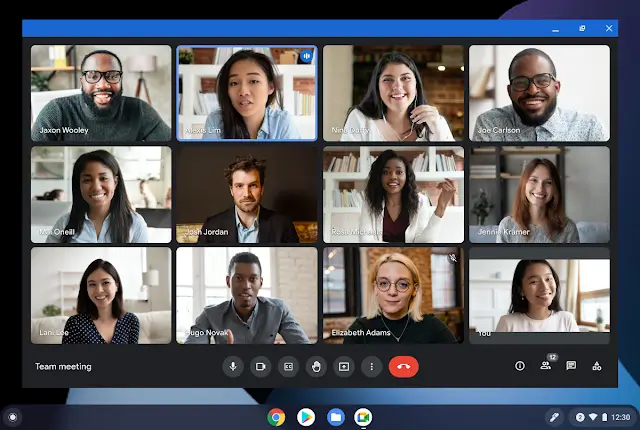
Google Meet 音声翻訳機能は、字幕だけでなく音声出力も提供します。現在の公式文書によると、参加者の発話をほぼリアルタイムで、その話者の声に似た音声に変換するとのことです。.
現在、文書化されている言語構成は、英語とフランス語、ドイツ語、ヒンディー語、イタリア語、ポルトガル語、またはスペイン語の組み合わせです。参加資格のあるユーザーは、会議全体で使用する言語ペアを1つ選択します。参加者は、自分が話す言語と聞きたい言語を設定し、自分の音声が翻訳されることを許可する必要があります。.
この機能は、特定の消費者、教育、 Google Workspace プラン。現在のヘルプには、会議ごとに90分の制限、完了のために数秒の遅延が発生すること、ライブストリームや録画では利用できないことが記載されています。対応デバイス、アカウントの開設時期、地域、管理者設定、参加者の同意もアクセスに影響を与える可能性があります。.
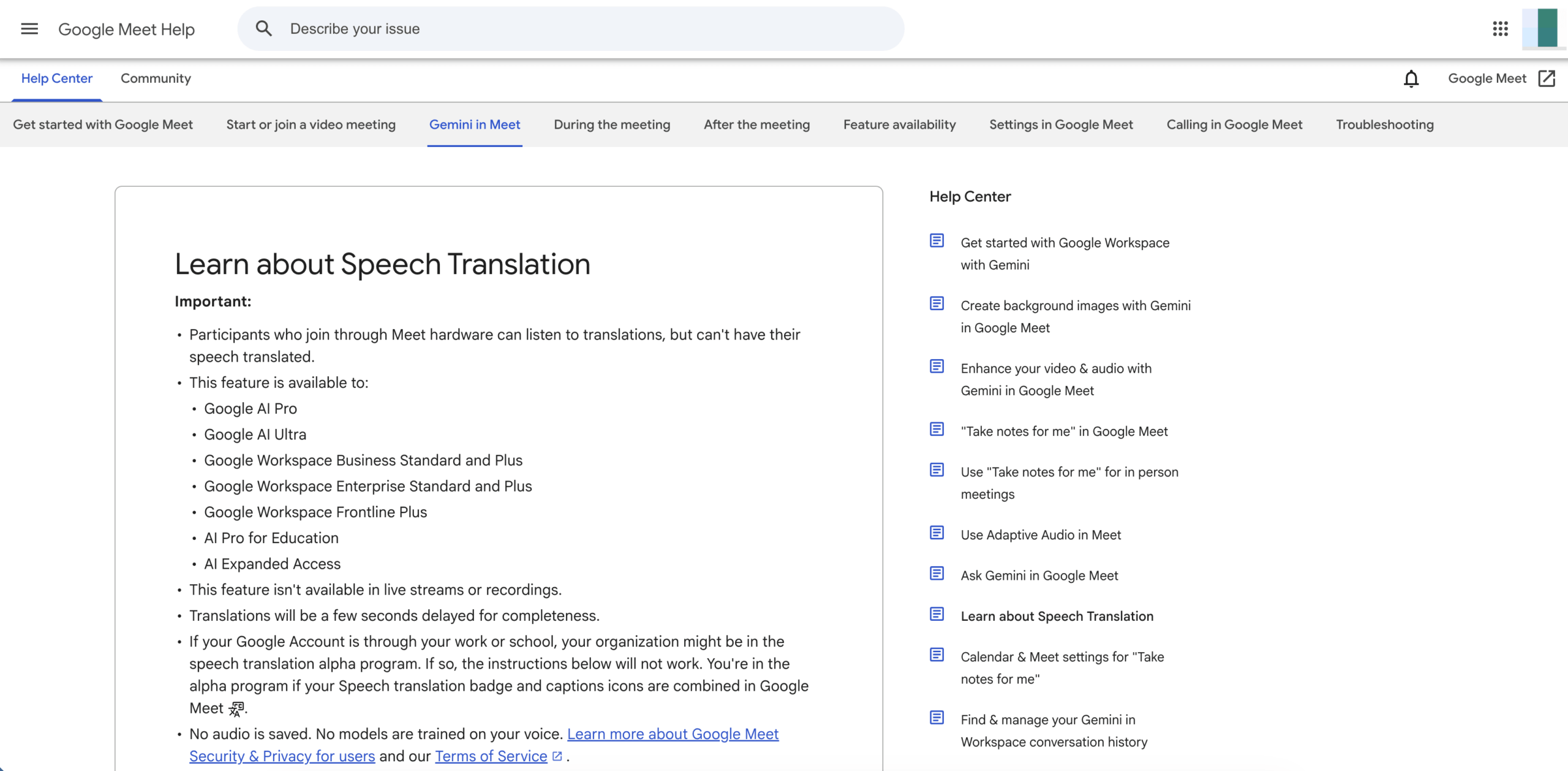
公式のトラブルシューティングガイドでは、文法エラー、聞き取れない単語、予期しないアクセント、名詞の性別、音声スタイルの変化、ネットワーク接続不良などの問題について警告しています。ユーザーは翻訳が完了するまで待つこと、不明瞭な表現を言い換えること、音声翻訳と字幕またはチャットを併用することを推奨しています。.
このルートは、ユーザーの意図に非常に近いものです。 Google音声通訳 通常の字幕よりも。主な制約はプラットフォームと言語アーキテクチャです。会議はプラットフォームと言語アーキテクチャ内で行われる必要があります。 Google Meet, また、同時にアクティブにできるサポートされている言語ペアは1つだけです。.
以下の場合はこのルートを選択してください: 適格な Google Meet 環境によっては、サポートされている英語の言語ペアのうち1つについて翻訳された音声が必要であり、90分という時間制限は許容範囲内です。.
ルート6: Transync AI クロスプラットフォーム会議向け
Transync AI 多くの会議の背後にあるより広範な問題を解決します Google音声通訳 検索機能。組織が単一のネイティブ会議機能に標準化する必要なく、さまざまな会議プラットフォームや対面での会話と並行して、リアルタイムの音声を翻訳するように設計されています。.
その リアルタイム翻訳 現在60言語に対応しています。 ライブ会議の翻訳ワークフロー 二言語対応のテキストを提供し、対応環境ではマイクまたは共有コンピューターの音声をキャプチャできます。.
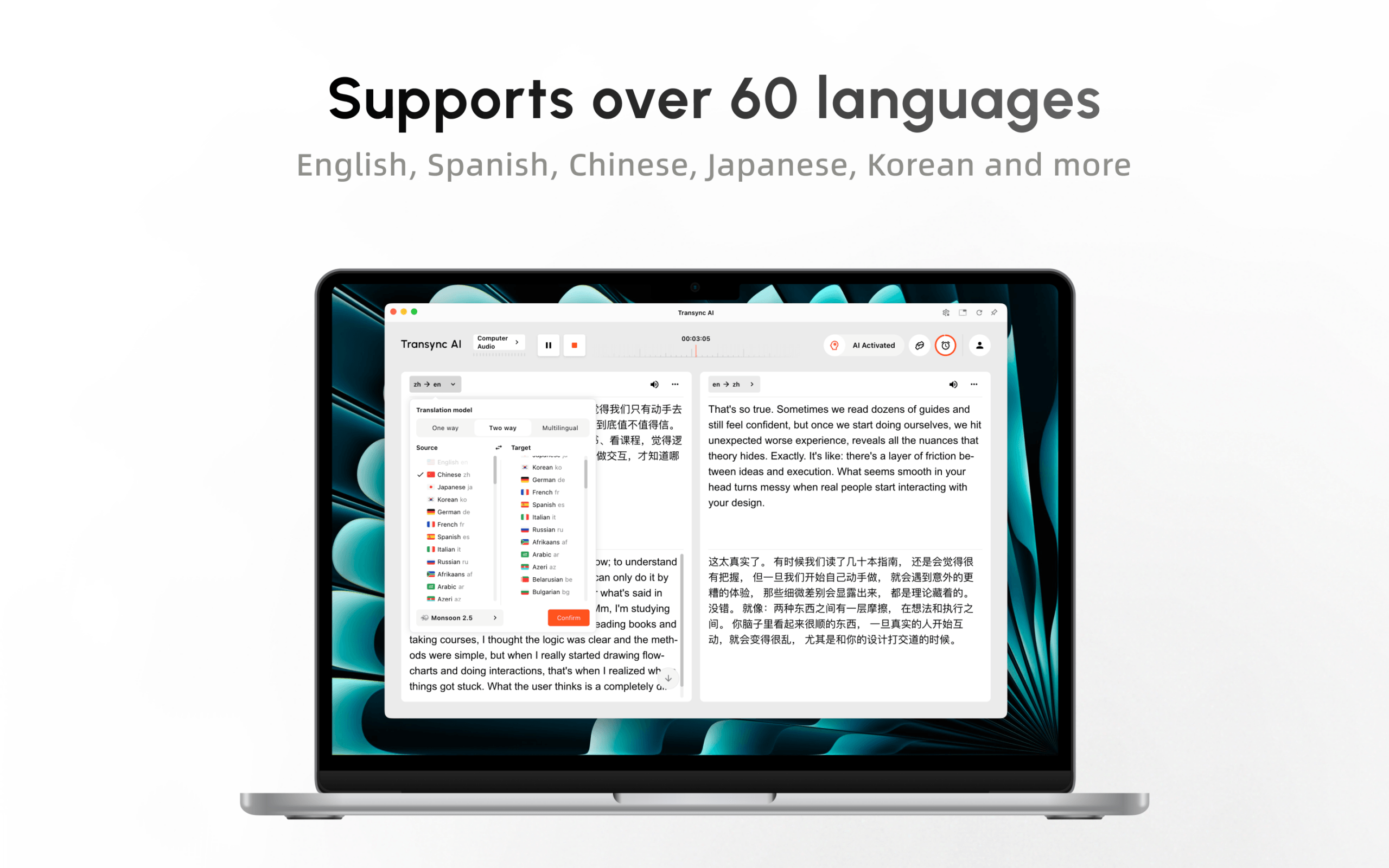
会議中、 AI音声翻訳 翻訳された音声を再生できます。. ピクチャーインピクチャー字幕 対応アプリケーション上でバイリンガルテキストを表示したままにします。会議の前に、ユーザーは名前、業界用語、経歴を入力できます。 キーワードとコンテキスト.

デスクトップとモバイルデバイス間でリアルタイムに浮動する字幕
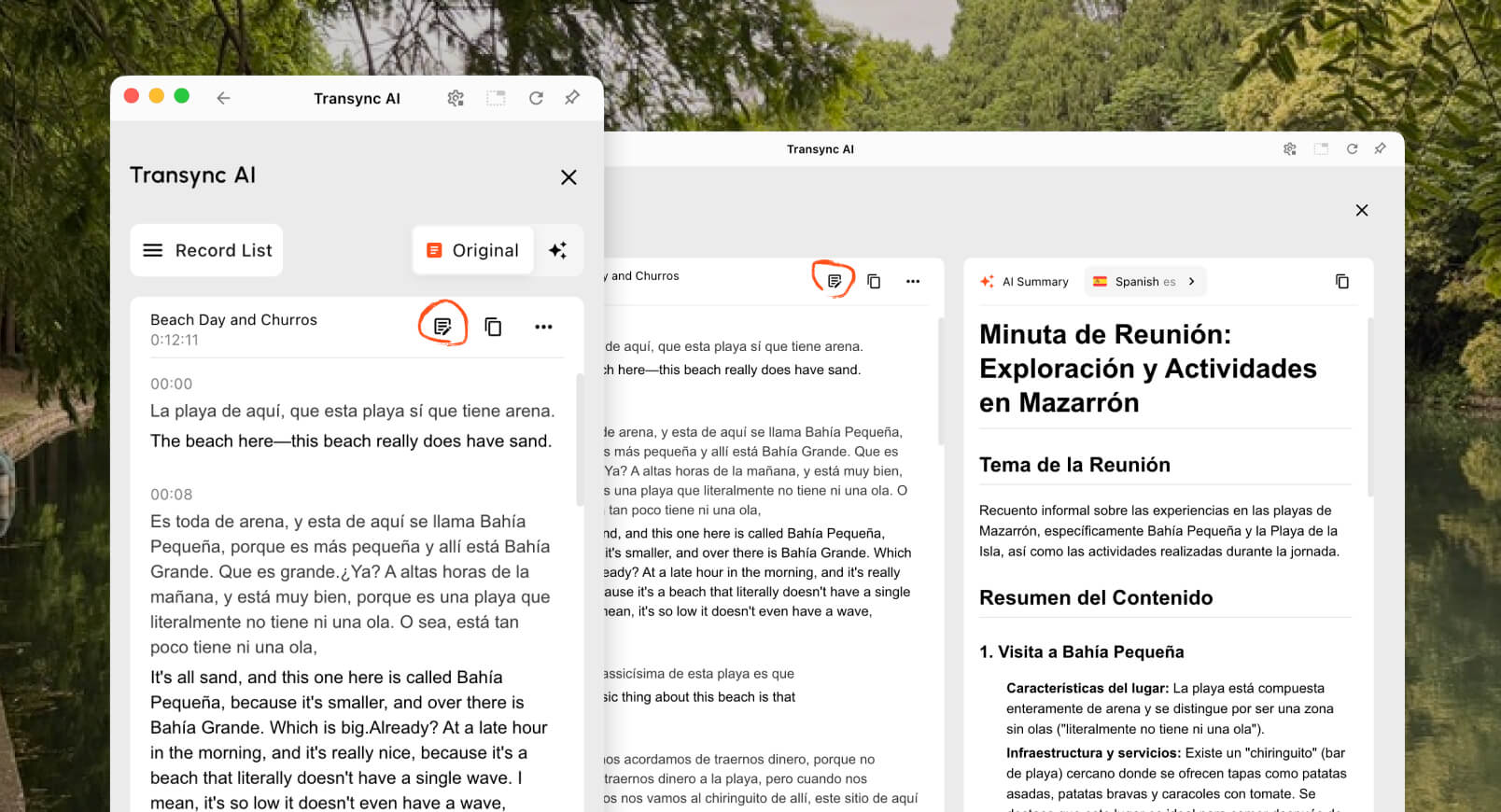
その後、, AI会議メモ 議事録と構造化された要約を提供できます。この継続性により、通話終了後に解釈が失われることなく、チームは決定事項、行動項目、価格、期限などを確認することができます。.
Transync AI 電話番号プロバイダーではありません Google Voice, オフラインのPixel通話機能、カメラ翻訳ツール、またはドキュメントCATツールなど。ライブパフォーマンスは、マイクの品質、オーディオルーティング、ネットワーク状況、ヘッドホン、専門用語、およびターンテーキングに依存します。.
しかし、クロスプラットフォームのビジネスチームにとっては、翻訳を特定の会議ベンダーや特定の電話モデルに縛り付けることを回避できます。これは多くの場合、次のような場合により良い解決策となります。 Google音声通訳 つまり、「異なる国の人々が定期的なオンライン会議で話し合う必要がある」という意味です。“
以下の場合はこのルートを選択してください: チームは、定期的な会議やプラットフォーム全体で、バイリンガル字幕、翻訳音声、用語集の準備、およびメモを必要としています。.
何が起こったのか Googleアシスタント 通訳モード?
古い記事では、ユーザーに「Hey」と言うように指示しているかもしれません。 グーグル, 「私の通訳になってください」 Googleアシスタント 電話、スピーカー、スマートディスプレイに表示される情報です。この情報は最新の情報として扱うべきではありません。.
公式の「 Googleアシスタント”このページには、通訳モードによるリアルタイム会話の翻訳機能が、今後サポートされなくなる機能として記載されています。単語やフレーズの翻訳は引き続き可能ですが、従来のリアルタイム会話機能は、現時点では推奨されません。.
この歴史は、 Google音声通訳 検索ボリューム。人々は便利なコマンドを覚えているが、今では異なる製品名やデバイス要件に遭遇する。現在の代替手段は Google翻訳 ライブ翻訳、, ピクセル音声翻訳, Google Meet 翻訳された字幕や音声翻訳、およびサードパーティの会議製品など Transync AI.
Google音声通訳 比較
| 能力 | Google Voice | Google翻訳ライブ翻訳 | ピクセル音声翻訳 | Google Meetの翻訳済み字幕 | Google Meetの音声翻訳 | Transync AI |
|---|---|---|---|---|---|---|
| 主な目的 | 通話と電話番号の管理 | 個人的な傾聴とターン制の会話 | 翻訳された電話 | 翻訳された会議テキストを読む | 会議でのスピーチの翻訳を聞く | クロスプラットフォーム会議およびプレゼンテーションの翻訳 |
| 出力 | 通話、テキストメッセージ、ボイスメール、プラン機能 | テキストとオプションの音声 | 発信者に似た声 | 翻訳されたキャプション | 話者に似た翻訳された音声 | バイリンガル字幕と翻訳音声 |
| ハードウェア依存性 | アカウントとサポートされている通話設定 | 対応機種:スマートフォンまたはタブレット | Pixel 10以降 | 対応しているMeetデバイス | 対応のMeetデバイスと対象アカウント | ウェブ、デスクトップ、またはモバイルのワークフロー |
| 言語アーキテクチャ | 翻訳者ではありません | 広範だがモード依存的 | 英語と選択された言語 | 字幕言語の幅広いリスト | 選択された言語から英語のペアを1組選択 | リアルタイム翻訳に対応した60言語 |
| プラットフォームの範囲 | 音声サービス | 翻訳アプリ | Pixel Phoneアプリの通話 | Google Meetのみ | Google Meetのみ | 複数の会議アプリと連携して動作します |
| 準備された用語集 | 解釈ワークフローなし | 会議の準備は限定的 | 会議用語集ワークフローなし | 限定 | 限定 | キーワードとコンテキスト |
| その後録音する | 通話履歴およびプラン固有の記録 | 最初に会うのではなく | 翻訳済みの会話は見つかりませんでした | 会議記録は計画によって異なる | 録画では利用できません | 文字起こしとAIノート |
| 最適なフィット感 | 通話サービス | 旅行と個人的な交流 | 1対1の電話通話に対応 | テキスト優先のMeet参加 | Meetでサポートされている音声ペア | 定期的な多言語会議 |
どの列もすべてのシナリオで勝つわけではありません。 Google音声通訳 経路は、呼び出しチャネル、デバイス、言語ペア、出力タイプ、およびレコードの必要性によって異なります。.
役に立つ Google音声通訳 比較を行う前に、実際のデバイス、言語ペア、または会議チャネルをサポートできないルートをすべて除外してから、利便性を比較してください。.
6つの質問でわかる意思決定ツリー
これを使って Google音声通訳 上から下へ進む決定木。最初の「はい」が、通常、テストすべき適切なカテゴリを特定する。.
1. 電話番号だけが必要ですか、それとも国際電話が必要ですか?
使用 Google Voice. 翻訳には別途製品または専門サービスが必要です。.
2. 2人が1台の電話を使って顔を合わせて話しているのですか?
試す Google翻訳 対応端末でのライブ翻訳または対面モード。.
3. そのやり取りは、対応するPixel端末での通常の電話通話と同じですか?
チェック ピクセル音声翻訳, その地域、そして正確な英語の言語ペア。.
4. 翻訳されたテキストは十分ですか? Google Meet?
使用 Google Meet アカウント、プラン、言語が対象であれば、翻訳された字幕が表示されます。.
5. 参加者は翻訳されたスピーチを必要としますか? Google Meet?
テスト Google Meet 音声翻訳について、その1ペアアーキテクチャ、同意フロー、遅延、および90分制限を含めて説明します。.
6. 翻訳は会議プラットフォーム間で機能するか、または対象となる聴衆に届く必要がありますか?
評価する Transync AI, 特に、チームが翻訳された音声、準備された用語、メモ、そして特定の会議プラットフォームに限定されないワークフローを必要とする場合に有効です。.
プレゼンテーションモード:一人が大勢に話しかける場合
基調講演、講義、ウェビナー、タウンホールミーティングなどは、電話での会話とは構造が異なります。司会者が一方的に話し、参加者はそれぞれ自分の言葉遣いを選択する必要があります。.
ベータ版 プレゼンテーションモード, 、 Transync AI ホストは最大 10 のターゲット言語を有効にできます。参加者は、QR コード、共有可能なリンク、またはルーム ID を使用して、電話またはコンピューターから参加します。ソフトウェアのインストールは不要ですが、参加者は登録またはサインインする必要があります。 Transync AI アカウント。.

プレゼンテーションモードでは、ホストがリアルタイムの翻訳を視聴者と各自のデバイスで共有できます。.
参加者はそれぞれ有効にする言語を選択し、リアルタイムの翻訳を読むか、音声再生を聞くことができます(音声再生が利用可能な場合)。参加者はホストのタスクに音声入力を送信することはできません。ホストは、セッション後に文字起こしとAI生成のメモを共有するかどうかを制御します。.
どちらでもない Google Voice 典型的な個人 Google音声通訳 ワークフローによってこのオーディエンスアーキテクチャが構築されます。. Google Meet これらの機能はMeet内の会議参加者向けに提供され、プレゼンテーションモードでは、言語を選択できる別のパネルが視聴者のデバイスに配信されます。.
音声通訳を公平にテストする方法
対象となるすべてのルートについて、同じ3分間のスクリプトを用意してください。
- 個人名2つと会社名1つ。.
- 日付、時刻、価格、パーセンテージ、および型番。.
- 業界用語5つ。.
- 「not」または「unless」を用いた否定文。“
- 訂正:「発送は火曜日…いえ、木曜日の午前中です。」“
- 中断が1回、説明を求める質問が1回ありました。.
次に記録します。
| テストレイヤー | 点検対象 |
|---|---|
| 音声キャプチャ | システムは意図したマイク音声または通話音声を受信しましたか? |
| 認識 | 情報源の名称、番号、および条件は正しく転記されましたか? |
| 翻訳 | 翻訳文は話し手の意図を正しく伝えていたか? |
| 声 | 発音は聞き取りやすく、適切なペースでしたか? |
| 遅れ | 会話が次の話題に移る前に、聞き手は返答できただろうか? |
| 回復 | ユーザーは間違いを訂正したり、同じフレーズを繰り返したりできるだろうか? |
| 配達 | 対象となる参加者は、実際に結果を聞いたり見たりしたのだろうか? |
| 記録 | 後から重要な詳細事項を検証することは可能だろうか? |
最高の Google音声通訳 候補者は、最も自然な音声サンプルを持つ者ではない。事実を正確に伝え、適切なタイミングで届け、聞き手に届き、誤りを指摘して訂正を促す者こそが、真の候補者なのだ。.
プライバシーはルートによって異なる
現在 ピクセル音声翻訳 ドキュメントによると、通話はオフラインで翻訳でき、会話の音声や文字起こしは保存も送信もされません。 グーグル サーバー。これはクラウド会議とは異なり、クラウド会議ではアカウント、管理者、同意、プラットフォームに関するポリシーが適用されます。.
現在 Google Meet 音声翻訳のドキュメントには、音声は保存されず、モデルはユーザーの声でトレーニングされないと記載されています。組織は、それでもなお、 Google Workspace 契約書、会議記録、チャット、字幕、参加者への通知、および適用される法律。.
現在 Transync AI 情報によると、ライブ翻訳の音声は処理後に削除され、処理済みのテキストは翻訳や会議の要約のために保持される場合があり、記録は削除される可能性があり、顧客データはデフォルトではAIトレーニングには使用されません。組織は現在の トラストセンター そして、それらの法的要件。.
プライバシーに関する結論をある人から別の人に転嫁しないでください Google音声通訳 別のルートにルーティングします。Pixel 通話の「デバイス上」という表現は、すべての Translate または Meet ワークフローを説明するものではありません。.
費用と入手可能性
Google Voice 価格設定は通話プランと国際通話料金に関するものであり、解釈に関するものではありません。. Google翻訳 幅広い消費者が利用できるが、機能のサポートはデバイスや言語によって異なる。. ピクセル音声翻訳 互換性のあるハードウェアが必要です。. Google Meet 翻訳は、対象となる個人向けまたはワークスペース向けのサブスクリプションによって異なります。.
完全な Google音声通訳 予算には、必要な電話機、サブスクリプションプラン、会議ライセンス、ヘッドホン、導入時間、会議後のレビュー費用を含める必要があります。.
現在 Transync AI 料金には、登録後40分の無料利用、パーソナルプレミアム(月額8.99ドル、10時間)、エンタープライズ(月額24.99ドル/シート、最大40時間)が含まれます。多言語セッションとプレゼンテーションモードのセッションは、料金計算方法が異なる場合がありますので、ご確認ください。 現在の料金と利用ルール.
総コストを比較してください。ハードウェア、サブスクリプション、スタッフの配置、会議時間、参加者、対象言語、人的レビュー、サポート、および失敗時のコストを含めてください。.
よくある質問
公式製品はありますか? Google音声通訳?
現在、その正式名称を使用している製品はありません。ユーザーは、 Google翻訳 ライブ翻訳、, ピクセル音声翻訳, Google Meet 音声翻訳、または別途会議通訳者を手配する。.
する Google Voice 通話を翻訳しますか?
Google Voice 通話機能や電話番号検索機能は提供するが、一般的なライブ言語通訳機能ではない。. ピクセル音声翻訳 これは、対象となるPixelデバイスでサポートされている関連する電話通話翻訳機能です。.
何が取って代わったのか Googleアシスタント 通訳モード?
遺産 Googleアシスタント ライブ会話通訳モードはサポート対象外となりました。現在のオプションは以下のとおりです。 Google翻訳 個人的な会話や、デバイスまたは会議に特化した翻訳機能を提供するライブ翻訳機能。.
できる Google音声通訳 オフラインでも作業できますか?
ピクセル音声翻訳 必要なモデルをダウンロードした後、対応するPixelモデルではインターネット接続なしで動作します。その他のルートでは、接続要件が異なります。. Transync AI そして Google Meet これらはオンライン会議のワークフローです。.
できる Google音声通訳 他の会議プラットフォームと連携できますか?
ネイティブ Google Meet 翻訳機能はMeetに限定されています。. Transync AI 複数の会議プラットフォームと連携するように設計されており、バイリンガル字幕、音声再生、コンテキスト情報、メモ機能を提供できます。.
一つの会議で複数の対象言語を使用することは可能ですか?
Google Meet 音声翻訳機能は現在、会議でサポートされている言語ペアを1つ使用しています。. Transync AI 多言語翻訳ワークフローをサポートし、プレゼンテーションモードでは、ホストが視聴者向けに最大10言語の翻訳対象言語を有効にすることができます。.
人間の通訳が必要となるのはどのような場合ですか?
法律、医療、規制、移民、金融、安全に関わる重要な事項、その他重大な結果を招く可能性のあるコミュニケーションには、資格のある通訳者を利用してください。 Google音声通訳 または、別の自動化ツールがアクセスを支援することはできますが、専門的な責任を負うことはできません。.
結論
あ Google音声通訳 これは検索意図であり、特定の製品ではありません。. Google Voice 電話に対応し、, Google翻訳 個人的な言語交換を扱い、, ピクセル音声翻訳 サポートされている電話通話を処理し、 Google Meet 独自の会議環境内で字幕または音声翻訳機能を提供する。.
選ぶ Transync AI 要件が1台の電話や1つの会議プラットフォームにとどまらない場合:バイリンガル字幕、翻訳された音声、準備された用語集、会議メモ、多言語対応の視聴者アクセス。.
まず、コミュニケーションチャネルの名前を決めます。次に、聞き手が翻訳されたテキスト、翻訳された音声、双方向の会話、会議の記録、または聴衆の言語選択を必要としているかどうかを判断します。これが、漠然とした情報から最も早く明確な情報へとたどり着く方法です。 Google音声通訳 実際にニーズに合ったツールを検索してください。.
次世代の体験をお求めなら、 Transync AI リアルタイムのAI翻訳で自然な会話の流れを実現します。 無料でお試しください 今。
