

Looking for a google voice interpreter? Compare 6 current routes for phone calls, face-to-face translation, meetings, captions, and multilingual events.
A google voice interpreter is not the official name of one current product. The search phrase can point to at least six different things: a calling service, a mobile conversation translator, a Pixel phone-call feature, translated captions, spoken meeting translation, or a cross-platform meeting interpreter.
This routing guide separates those paths. It covers Google Voice, Google Translate, Pixel Voice Translate, Google Meet, and the retired Google Assistant Interpreter Mode. It then compares them with Transync AI for multilingual meetings, translated voice, notes, and audience presentations.
The fast answer: Google Voice is a calling and phone-number service, not a general translation interpreter. Google Translate handles personal listening and turn-based conversations. Pixel Voice Translate can translate supported phone calls on Pixel 10 and later. Google Meet offers platform-specific translated captions and Speech Translation. Transync AI is the stronger route when a google voice interpreter search actually means “I need reusable translation across different meeting platforms.”
The Google Voice Interpreter Routing Desk
| What the User Really Wants | Correct Product or Feature | Main Output | Important Boundary |
|---|---|---|---|
| A phone number for domestic or international calls | Google Voice | Calling, texts, voicemail, and plan-dependent call tools | Not a general live interpreter |
| A phone or tablet that translates a conversation | Google Translate Live Translate | Translated text and optional audio | Turn-based personal workflow; device and language support vary |
| A phone call translated in a voice like the caller | Pixel Voice Translate | Two-way translated voice during supported calls | Pixel 10 and later; English paired with selected languages |
| Translated text inside a meeting | Google Meet translated captions | On-screen translated captions | Eligible plans and Meet-only workflow |
| Translated speech inside a meeting | Google Meet Speech Translation | Voice translation resembling the speaker | One language pair, supported English pairs, plan and time limits |
| Cross-platform meetings and presentations | Transync AI | Bilingual captions, voice playback, context, notes, audience languages | Online workflow; audio setup and account access matter |
The phrase google voice interpreter does not tell you which row is intended. Start with three questions: Is the conversation on a phone call or in a meeting? Does the listener need text or spoken output? Must the result work outside one platform?
Route 1: Google Voice Is a Calling Service, Not an Interpreter
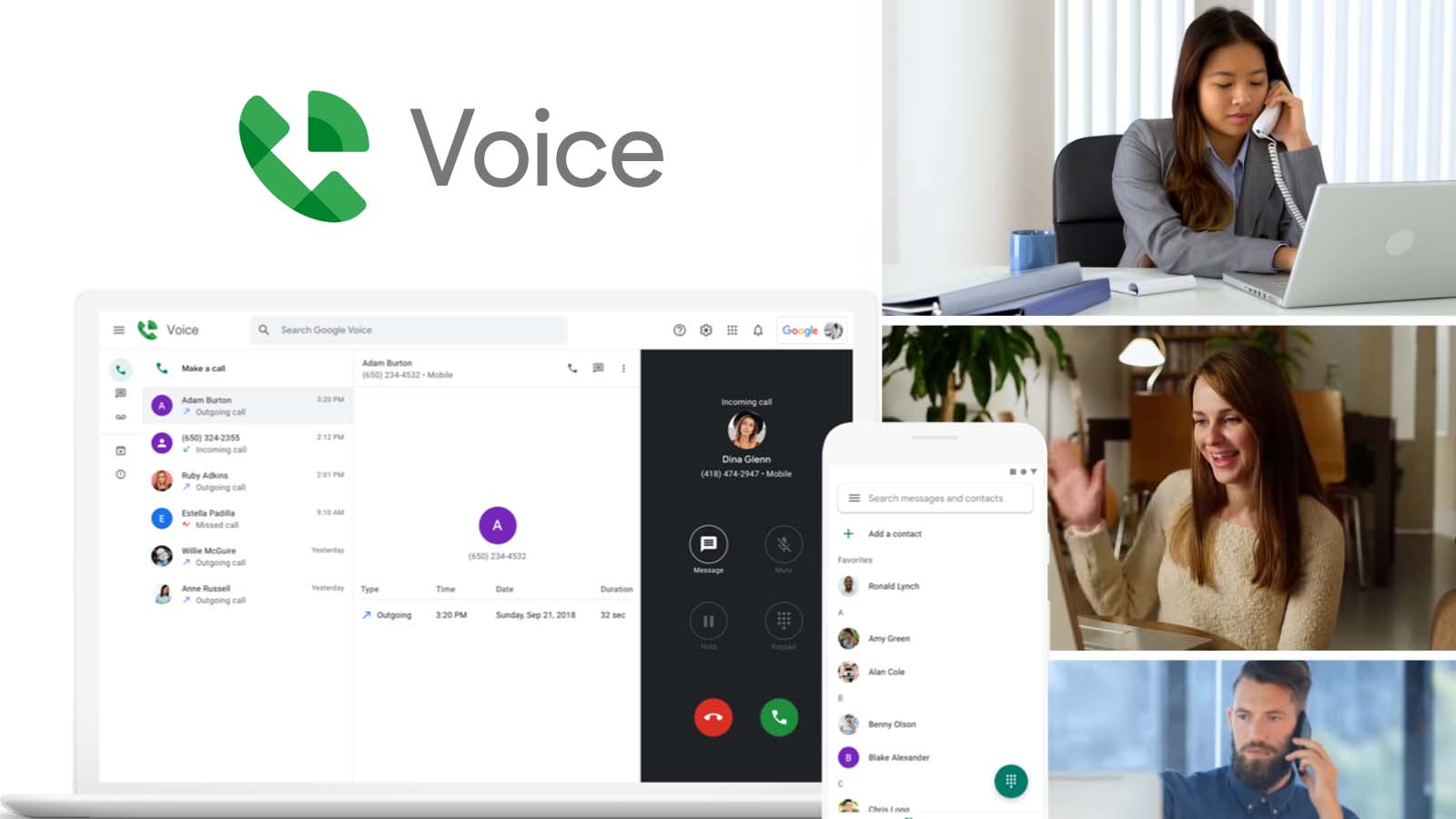
Google Voice provides a phone number and calling functions on supported personal and business accounts. Current official help describes domestic and international calls, texts, voicemail transcription, call routing, and plan-dependent features such as recording, summaries, and auto attendants.
Those are communication and call-management functions. They do not turn Google Voice into a general real-time language interpreter. A user can call an international number, but the other person’s speech is not automatically translated merely because the call passes through the service.
This distinction matters for pricing and setup. International calling capability concerns how a call is placed and charged; interpretation concerns how speech is recognized, translated, synthesized, and delivered. They are different service layers.
If your google voice interpreter search began because you already use Google Voice, decide whether you can move the conversation into a supported translation product or add a separate approved interpreter workflow. Do not assume that voicemail transcription, call summaries, or AI features imply live bilingual speech.
Choose this route when: You need a calling number or call-management service and translation is not the primary requirement.
Route 2: Google Translate Live Translate for Personal Conversations
For face-to-face speech or personal listening, Google Translate is usually the current product people mean by google voice interpreter.
Current Live Translate documentation describes several modes on supported phones and tablets:
- Listening mode delivers real-time translated audio through headphones or the device.
- Conversation mode plays translations aloud as people take turns speaking.
- Text-only mode shows translation without playing audio.
- Custom settings let the user choose text, speakers, or headphones.
- Face-to-face mode displays each language on a different half of the screen.
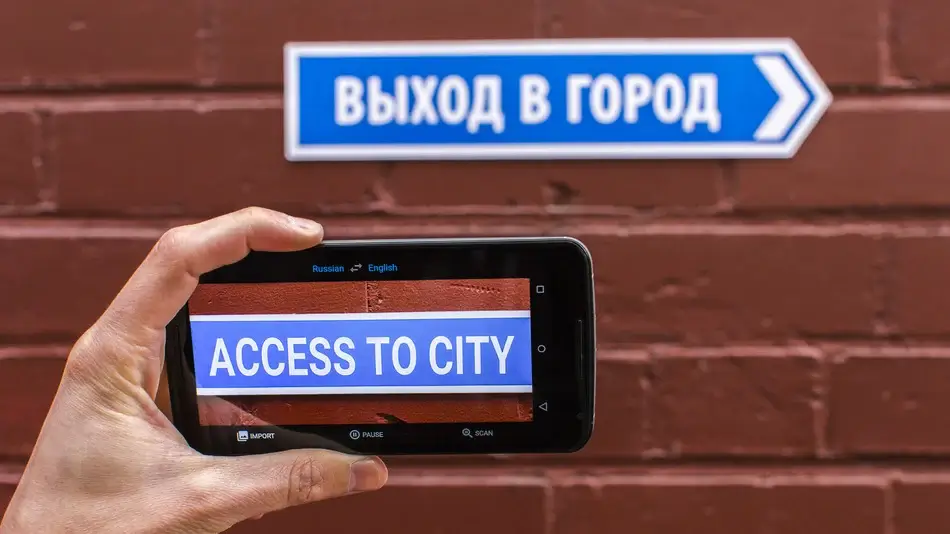
The app can automatically detect when one selected language stops and the other begins. It is a practical option for travel, reception desks, short customer exchanges, classroom listening, and informal conversations.
It is not automatically a business meeting system. A professional meeting may also need computer-audio capture, prepared terminology, speaker handling, captions over another app, translated voice routing, transcripts, summaries, access controls, and records after the call.
Test the real language pair, app version, device, microphone, headphones, and background noise. A google voice interpreter should be scored on names, numbers, negation, timing, and recovery—not only the naturalness of its voice.
Choose this route when: One person needs a convenient mobile conversation or listening tool and the interaction is short enough for a phone-centered workflow.
Route 3: Pixel Voice Translate for Phone Calls
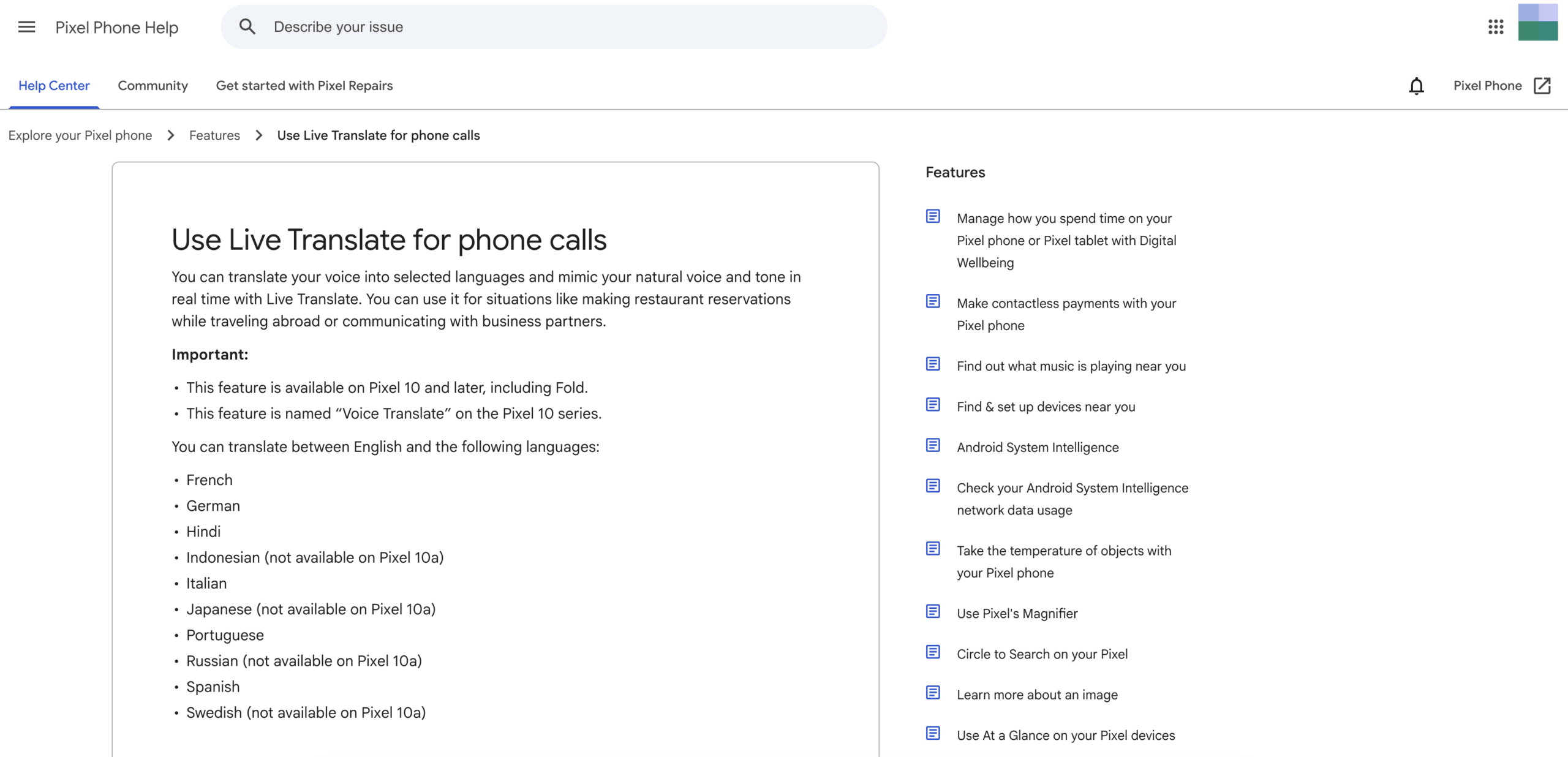
Pixel Voice Translate is the closest current match to a literal google voice interpreter for ordinary phone calls. Official Google Pixel help says it translates a user’s voice into a selected language and mimics natural voice and tone in real time.
Current eligibility is specific. The feature is available on Pixel 10 and later, including Pixel 10 Pro Fold. It supports translation between English and selected languages including French, German, Hindi, Italian, Portuguese, Spanish, and others, with some model-specific exceptions.
The user enables Voice Translate in the Phone app settings, downloads required models, starts a call, opens Call Assist, and selects the other person’s language. Both participants hear an announcement before translation begins.
Official documentation says the feature can work without an internet connection. Conversation audio and transcription are not stored on the device, sent to Google servers, or retrievable after the call.
The limitations are equally important. It is hardware-specific, available only in certain countries and languages, and tied to compatible phone-call workflows. A company cannot assume every employee, customer, or supplier owns a supported Pixel model.
When someone asks for a google voice interpreter that “sounds like me on a call,” this is the feature to investigate. When they need a multilingual video meeting, shared captions, more language combinations, or a record afterward, another route fits better.
Choose this route when: Both the device and language pair are supported, and the main task is translating a phone call through the Pixel Phone app.
Route 4: Google Meet Translated Captions
Some users want to read another language during an online meeting rather than hear synthesized speech. Google Meet translated captions address this text-first requirement.
Current official help lists translated captions for selected Google Workspace editions, including Business Standard, Business Plus, Enterprise Standard, Enterprise Plus, and Google AI Pro for Education. Availability may still depend on rollout, administrator settings, device, and region.
Inside a meeting, the user selects the meeting language, turns on translated captions, and chooses a target language. Captions can be customized for font, size, color, and background. A participant can scroll through previous translated captions only for portions of the meeting they attended with captions enabled.
Translated captions are not spoken interpretation. They help someone read the meeting, but they do not make every participant hear translated voice. That difference affects accessibility, cognitive load, presentation style, and the ability to respond while watching shared content.
If a google voice interpreter search means “I need English subtitles in my Meet call,” translated captions may be enough. If it means “I want the other person to hear my speech in their language,” continue to Speech Translation or a dedicated meeting translator.
Choose this route when: The meeting stays inside Google Meet, supported plans and languages are available, and translated text is sufficient.
Route 5: Google Meet Speech Translation
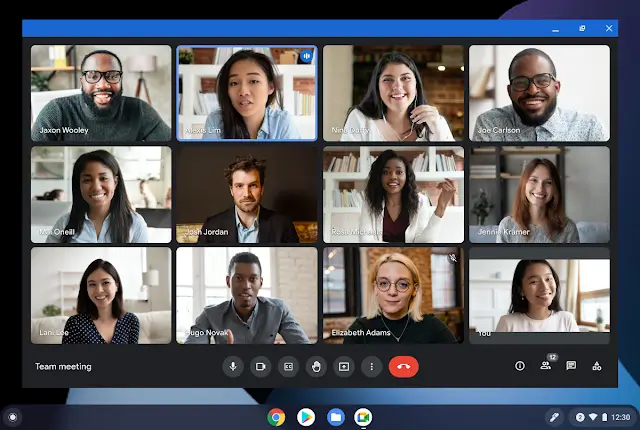
Google Meet Speech Translation adds spoken output rather than captions alone. Current official documentation says it translates a participant’s speech in near real time into a voice resembling that speaker.
At present, the documented language architecture is English paired with French, German, Hindi, Italian, Portuguese, or Spanish. An eligible user selects one language pair for the whole meeting. Participants configure the language they speak and prefer to hear, and they must allow their voice to be translated.
The feature is available on specified consumer, education, and Google Workspace plans. Current help also lists a 90-minute limit per meeting, a delay of a few seconds for completeness, and no availability in livestreams or recordings. Supported devices, account age, region, administrator settings, and participant consent can also affect access.
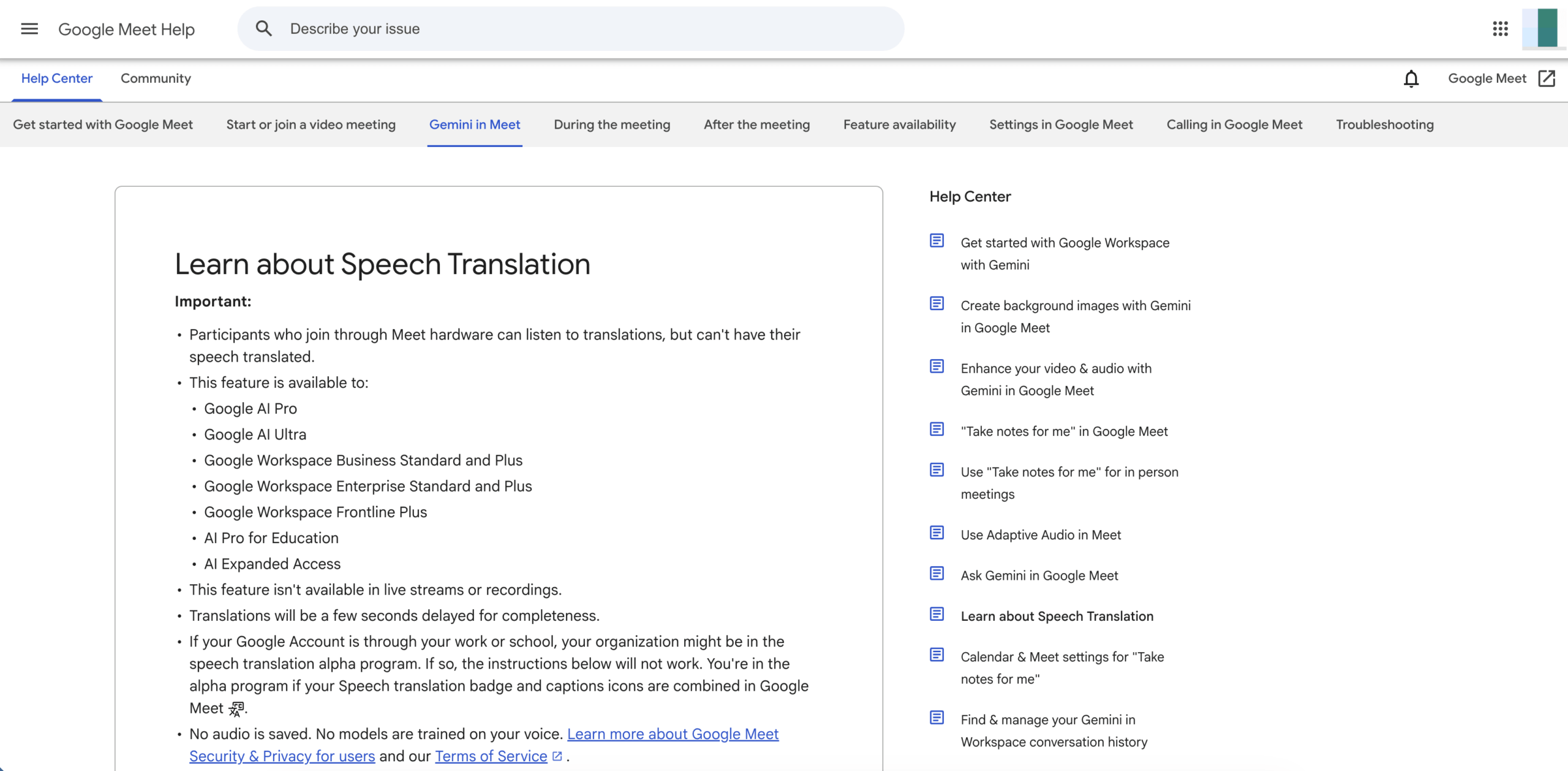
Explore Meet Speech Translation
Official troubleshooting guidance warns about grammatical errors, unintelligible words, unexpected accents, noun gender, changing voice style, and poor network connectivity. Users are encouraged to wait for translation to complete, rephrase unclear statements, and combine speech translation with captions or chat.
This route is much closer to the user intent behind google voice interpreter than ordinary captions. Its main boundary is platform and language architecture: the meeting must occur inside Google Meet, and only one supported language pair can be active for everyone at a time.
Choose this route when: An eligible Google Meet environment needs translated voice for one supported English language pair and the 90-minute limit is acceptable.
Route 6: Transync AI for Cross-Platform Meetings
Transync AI solves the broader meeting problem behind many google voice interpreter searches. It is designed to translate live speech alongside different meeting platforms and in-person conversations instead of requiring the organization to standardize on one native meeting feature.
Its real-time translation currently supports 60 languages. The live meeting translation workflow provides bilingual text and can capture microphone or shared computer audio in supported setups.
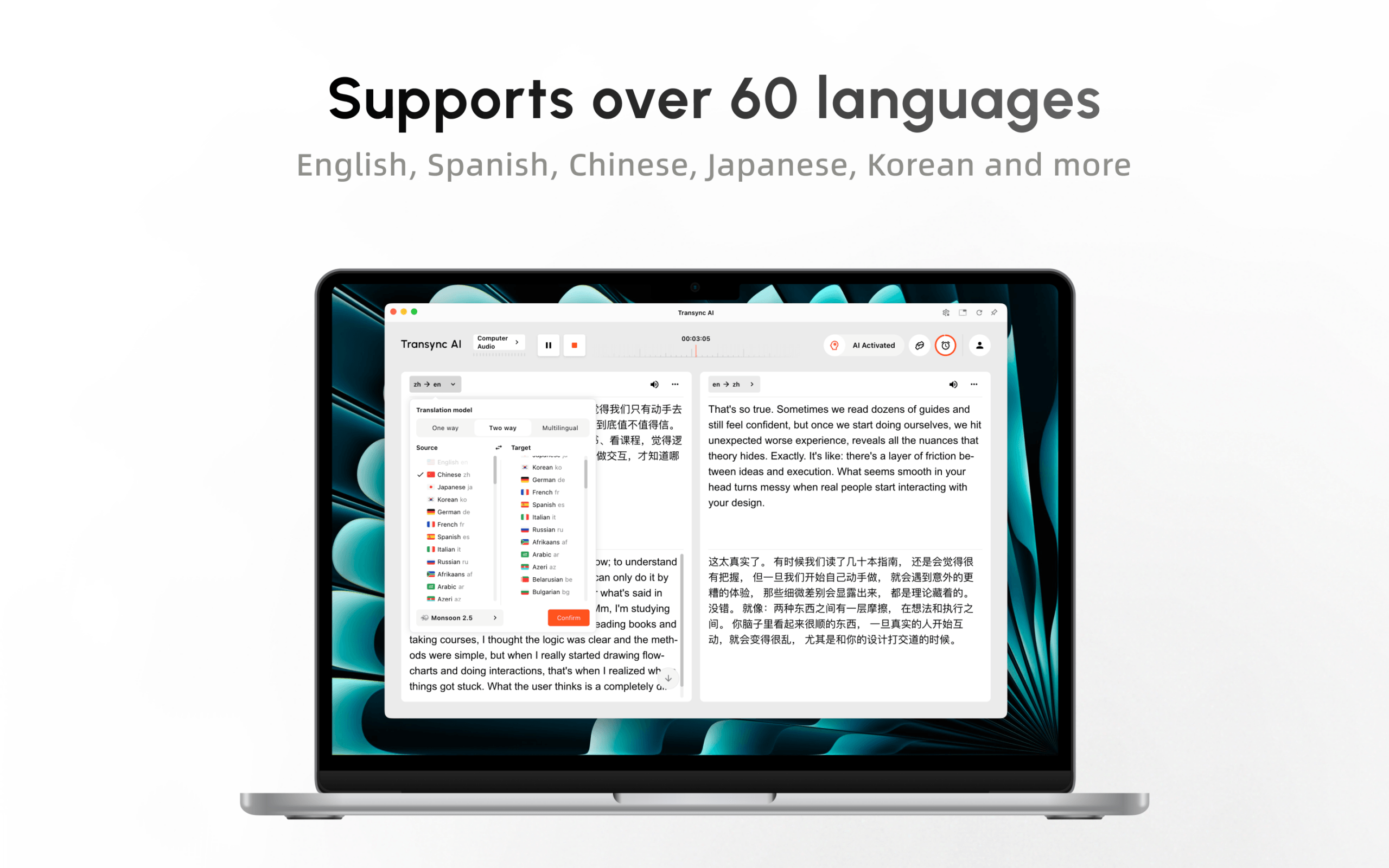
During a meeting, an AI voice translator can play translated speech. Picture-in-Picture subtitles keep bilingual text visible over supported applications. Before the meeting, users can enter names, industry terms, and background through keywords and context.

Real-time floating subtitles across desktop and mobile devices
Afterward, AI meeting notes can provide a transcript and structured summary. This continuity helps teams confirm decisions, action items, prices, and deadlines rather than losing the interpretation when the call ends.
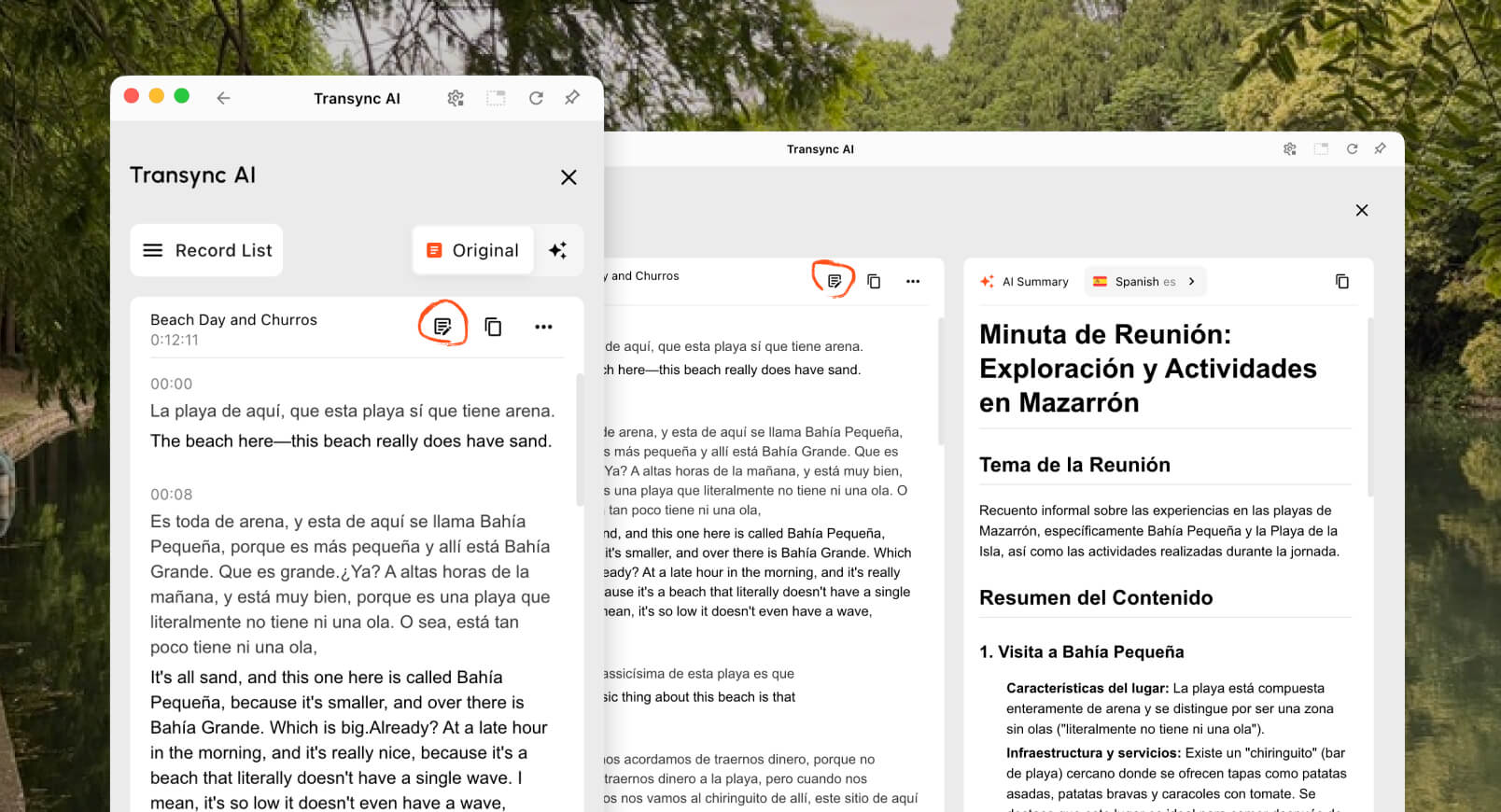
Transync AI is not a phone-number provider like Google Voice, an offline Pixel call feature, a camera translator, or a document CAT tool. Its live performance depends on microphone quality, audio routing, network conditions, headphones, terminology, and turn-taking.
For a cross-platform business team, however, it avoids tying translation to one meeting vendor or one model of phone. This is often the better answer when google voice interpreter actually means “people in different countries need to talk during regular online meetings.”
Choose this route when: Teams need bilingual captions, translated voice, terminology preparation, and notes across recurring meetings and platforms.
What Happened to Google Assistant Interpreter Mode?
Older articles may tell users to say “Hey Google, be my interpreter” to Google Assistant on a phone, speaker, or smart display. That advice should not be treated as current.
The official “Changes we’re making to Google Assistant” page lists the ability to translate a live conversation through Interpreter Mode among features that would no longer be supported. Translating a single word or phrase remains available, but the legacy live-conversation experience is not the current route to recommend.
This history explains part of the google voice interpreter search volume. People remember a convenient command but now encounter different product names and device requirements. The current alternatives are Google Translate Live Translate, Pixel Voice Translate, Google Meet translated captions or Speech Translation, and third-party meeting products such as Transync AI.
Google Voice Interpreter Comparison
| Capability | Google Voice | Google Translate Live Translate | Pixel Voice Translate | Google Meet Translated Captions | Google Meet Speech Translation | Transync AI |
|---|---|---|---|---|---|---|
| Main purpose | Calling and phone-number management | Personal listening and turn-based conversation | Translated phone calls | Read translated meeting text | Hear translated meeting speech | Cross-platform meeting and presentation translation |
| Output | Calls, texts, voicemail, plan features | Text and optional audio | Voice resembling the caller | Translated captions | Translated voice resembling speaker | Bilingual captions and translated voice |
| Hardware dependency | Account and supported calling setup | Supported phone or tablet | Pixel 10 or later | Supported Meet device | Supported Meet device and eligible account | Web, desktop, or mobile workflow |
| Language architecture | Not a translator | Broad but mode-dependent | English plus selected languages | Broad caption-language list | One English pair from selected languages | 60 languages for real-time translation |
| Platform scope | Voice service | Translate app | Pixel Phone app calls | Google Meet only | Google Meet only | Works alongside multiple meeting apps |
| Prepared terminology | No interpretation workflow | Limited meeting preparation | No meeting glossary workflow | Limited | Limited | Keywords and context |
| Record afterward | Call history and plan-specific records | Not meeting-first | No retrievable translated conversation | Separate meeting records depend on plan | Not available in recordings | Transcript and AI notes |
| Best fit | Calling service | Travel and personal exchange | Supported one-to-one phone calls | Text-first Meet participation | Supported voice pair in Meet | Recurring multilingual meetings |
No row wins every scenario. The correct google voice interpreter route depends on the calling channel, device, language pair, output type, and need for records.
For a useful google voice interpreter comparison, eliminate any route that cannot support the actual device, language pair, or meeting channel before comparing convenience.
A Decision Tree in Six Questions
Use this google voice interpreter decision tree from top to bottom; the first “yes” usually identifies the right category to test.
1. Do you merely need a phone number or international calling?
Use Google Voice. Translation requires a separate product or professional service.
2. Are two people talking face to face with one phone?
Try Google Translate Live Translate or face-to-face mode on a supported device.
3. Is the interaction a normal phone call on a compatible Pixel?
Check Pixel Voice Translate, its region, and the exact English language pair.
4. Is translated text enough inside Google Meet?
Use Google Meet translated captions if the account, plan, and languages are eligible.
5. Do participants need translated speech inside Google Meet?
Test Google Meet Speech Translation, including its one-pair architecture, consent flow, delay, and 90-minute limit.
6. Must translation work across meeting platforms or reach an audience?
Evaluate Transync AI, particularly when teams need translated voice, prepared terminology, notes, and a workflow that is not restricted to one meeting platform.
Presentation Mode: When One Person Speaks to Many
A keynote, class, webinar, or town hall has a different structure from a phone conversation. One host speaks while audience members need individual language choices.
In beta Presentation Mode, a Transync AI host can enable up to 10 target languages. Audience members join from phones or computers using a QR code, shareable link, or Room ID. No software installation is required, but attendees must register or sign in to a Transync AI account.

Presentation Mode lets one host share live translation with audience members on their own devices.
Each attendee chooses an enabled language and can read live translation or listen to voice playback when available. Audience members cannot send voice input into the host’s task. The host controls whether to share the transcript and AI-generated notes after the session.
Neither Google Voice nor the typical personal google voice interpreter workflow creates this audience architecture. Google Meet features serve meeting participants inside Meet, while Presentation Mode distributes a separate language-selectable panel to audience devices.
How to Test Voice Interpretation Fairly
Prepare the same three-minute script for every eligible route:
- Two people’s names and one company name.
- A date, time, price, percentage, and model number.
- Five industry terms.
- A negative statement using “not” or “unless.”
- A correction: “The shipment is Tuesday—sorry, Thursday morning.”
- One interruption and one clarification request.
Then record:
| Test Layer | What to Inspect |
|---|---|
| Audio capture | Did the system receive the intended microphone or call audio? |
| Recognition | Were source names, numbers, and conditions transcribed correctly? |
| Translation | Did the target preserve the speaker’s meaning? |
| Voice | Was pronunciation understandable and appropriately paced? |
| Delay | Could the listener respond before the conversation moved on? |
| Recovery | Could users correct a mistake or repeat a phrase? |
| Delivery | Did the intended participant actually hear or see the result? |
| Record | Could consequential details be verified afterward? |
The best google voice interpreter candidate is not the one with the most natural sample voice. It is the one that preserves facts, arrives in time, reaches the listener, and exposes mistakes for correction.
Privacy Depends on the Route
Current Pixel Voice Translate documentation says calls can be translated offline and conversation audio or transcription is neither stored nor sent to Google servers. That is different from a cloud meeting, where account, administrator, consent, and platform policies apply.
Current Google Meet Speech Translation documentation says no audio is saved and models are not trained on the user’s voice. Organizations should still examine their Google Workspace agreement, meeting records, chat, captions, participant notice, and applicable law.
Current Transync AI information says live translation audio is deleted after processing, processed text may be retained for translation or meeting summaries, records can be deleted, and customer data is not used for AI training by default. Organizations should review the current Trust Center and their legal requirements.
Do not transfer privacy conclusions from one google voice interpreter route to another. “On device” for a Pixel call does not describe every Translate or Meet workflow.
Cost and Availability
Google Voice pricing concerns calling plans and international call rates, not interpretation. Google Translate provides broad consumer access, but feature support varies by device and language. Pixel Voice Translate requires compatible hardware. Google Meet translation depends on eligible consumer or workspace subscriptions.
A complete google voice interpreter budget should include any required phone, subscription tier, meeting license, headphones, deployment time, and post-meeting review.
Current Transync AI pricing includes 40 free minutes after registration, Personal Premium at 8.99 per month with 10 hours, and Enterprise at 24.99 per month per seat with up to 40 hours. Multilingual and Presentation Mode sessions may be metered differently, so check current pricing and usage rules.
Compare total cost: hardware, subscriptions, staff setup, meeting length, participants, target languages, human review, support, and the cost of failures.
Frequently Asked Questions
Is there an official product called google voice interpreter?
No current product uses that exact official name. The user may mean Google Translate Live Translate, Pixel Voice Translate, Google Meet Speech Translation, or a separate meeting interpreter.
Does Google Voice translate calls?
Google Voice provides calling and phone-number functions, but it is not a general live language interpreter. Pixel Voice Translate is the relevant supported phone-call translation feature on eligible Pixel devices.
What replaced Google Assistant Interpreter Mode?
The legacy Google Assistant live-conversation Interpreter Mode is listed as no longer supported. Current options include Google Translate Live Translate for personal conversations and device- or meeting-specific translation features.
Can google voice interpreter work offline?
Pixel Voice Translate can work without internet on supported Pixel models after required models are downloaded. Other routes have different connectivity requirements. Transync AI and Google Meet are online meeting workflows.
Can google voice interpreter work with other meeting platforms?
Native Google Meet translation is limited to Meet. Transync AI is designed to work alongside multiple meeting platforms and can provide bilingual captions, voice playback, context, and notes.
Can one meeting use several target languages?
Google Meet Speech Translation currently uses one supported language pair for the meeting. Transync AI supports multilingual translation workflows, while Presentation Mode lets a host enable up to 10 target languages for an audience.
When is a human interpreter necessary?
Use a qualified human interpreter for legal, medical, regulatory, immigration, financial, safety-critical, or other high-consequence communication. A google voice interpreter or another automated tool can assist access but cannot accept professional responsibility.
The Bottom Line
A google voice interpreter is a search intention, not one product. Google Voice handles calls, Google Translate handles personal language exchange, Pixel Voice Translate handles supported phone calls, and Google Meet provides caption or speech translation inside its own meeting environment.
Choose Transync AI when the requirement extends beyond one phone or one meeting platform: bilingual subtitles, translated voice, prepared terminology, meeting notes, and multilingual audience access.
Name the communication channel first. Then decide whether the listener needs translated text, translated voice, two-way conversation, a meeting record, or an audience language selector. That is the shortest route from a vague google voice interpreter search to a tool that actually fits.
If you want a next-generation experience, Transync AI leads the way with real-time, AI-powered translation that keeps conversations flowing naturally. You can try it free now.
