

Vous recherchez un interprète vocal Google ? Comparez 6 solutions actuelles pour les appels téléphoniques, la traduction en face à face, les réunions, le sous-titrage et les événements multilingues.
UN interprète vocal Google Il ne s'agit pas du nom officiel d'un produit actuel. Cette requête peut désigner au moins six choses différentes : un service d'appel, un traducteur de conversations mobiles, une fonctionnalité d'appel téléphonique Pixel, des sous-titres traduits, la traduction vocale de réunions ou un interprète de réunion multiplateforme.
Ce guide de routage sépare ces chemins. Il couvre Google Voice, Google Traduction, Traduction vocale Pixel, Google Meet, et les retraités Assistant Google Mode interprète. Il les compare ensuite avec Transync AI pour les réunions multilingues, la traduction vocale, les notes et les présentations au public.
La réponse rapide : Google Voice est un service d'appel et de numéros de téléphone, et non un service d'interprétation et de traduction général. Google Traduction Gère l'écoute personnelle et les conversations à tour de rôle. Traduction vocale Pixel Peut traduire les appels téléphoniques compatibles sur Pixel 10 et versions ultérieures. Google Meet propose des sous-titres traduits spécifiques à la plateforme et la traduction vocale. Transync AI est la voie la plus sûre lorsqu'un interprète vocal Google En réalité, cette recherche signifie “ J'ai besoin d'une traduction réutilisable sur différentes plateformes de réunion. ”
Le Interprète vocal Google Bureau de routage
| Ce que l'utilisateur veut vraiment | Produit ou fonctionnalité correct(e) | Sortie principale | Limite importante |
|---|---|---|---|
| Un numéro de téléphone pour les appels nationaux ou internationaux | Google Voice | Appels, SMS, messagerie vocale et outils d'appel liés au forfait | Pas un interprète général en direct |
| Un téléphone ou une tablette qui traduit une conversation | Traduction en direct de Google Translate | Texte traduit et audio optionnel | Flux de travail personnel à tour de rôle ; la prise en charge des appareils et des langues varie |
| Un appel téléphonique traduit avec une voix similaire à celle de l'appelant | Traduction vocale Pixel | Traduction vocale bidirectionnelle pendant les appels pris en charge | Pixel 10 et versions ultérieures ; anglais associé à certaines langues |
| Texte traduit à l'intérieur d'une réunion | Sous-titres traduits de Google Meet | Sous-titres traduits à l'écran | Plans admissibles et flux de travail « Réunion uniquement » |
| Discours traduit lors d'une réunion | Traduction vocale de Google Meet | Traduction vocale ressemblant à celle du locuteur | Une paire de langues, paires d'anglais prises en charge, plan et limites de temps |
| Réunions et présentations multiplateformes | Transync AI | Sous-titres bilingues, lecture audio, contexte, notes, langues du public | Flux de travail en ligne ; configuration audio et accès au compte sont essentiels |
La phrase interprète vocal Google Cela ne vous indique pas quelle ligne est concernée. Commencez par vous poser trois questions : La conversation a-t-elle lieu par téléphone ou en réunion ? L’interlocuteur a-t-il besoin d’un texte ou d’un message vocal ? Le résultat doit-il être utilisable sur plusieurs plateformes ?
Route 1 : Google Voice Il s'agit d'un service d'appel, et non d'un service d'interprétation.
Google Voice Ce service offre un numéro de téléphone et des fonctions d'appel pour les comptes personnels et professionnels compatibles. L'aide officielle actuelle décrit les appels nationaux et internationaux, les SMS, la transcription des messages vocaux, le routage des appels et les fonctionnalités spécifiques à votre forfait, telles que l'enregistrement, les résumés et le standard automatique.
Ce sont des fonctions de communication et de gestion des appels. Elles ne se transforment pas en… Google Voice dans un interprète linguistique général en temps réel. Un utilisateur peut appeler un numéro international, mais la parole de son interlocuteur n'est pas automatiquement traduite du simple fait que l'appel transite par le service.
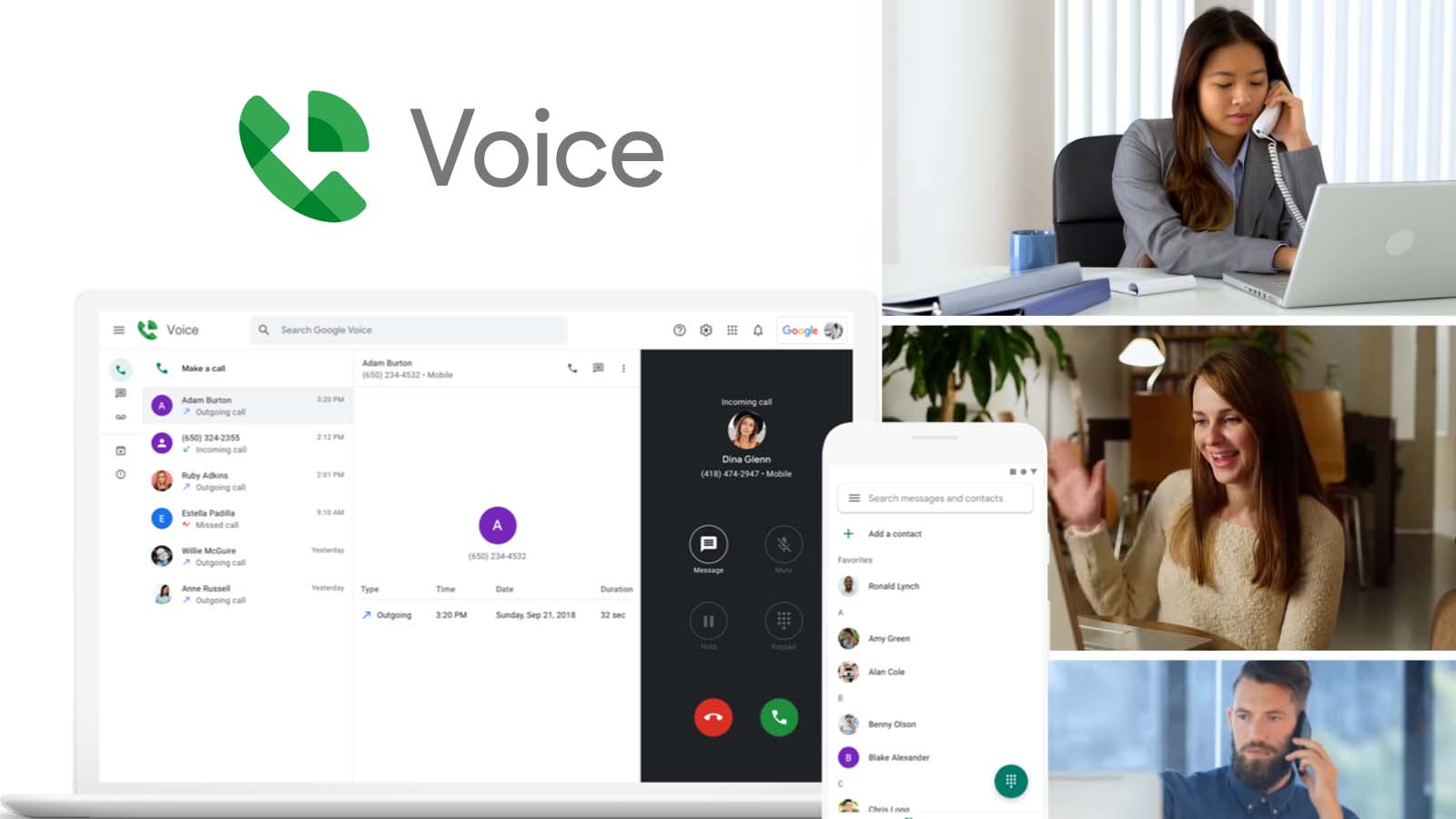
Cette distinction est importante pour la tarification et la configuration. La capacité d'appel international concerne la manière dont un appel est passé et facturé ; l'interprétation concerne la manière dont la parole est reconnue, traduite, synthétisée et diffusée. Il s'agit de deux niveaux de service différents.
Si votre interprète vocal Google La recherche a commencé parce que vous utilisez déjà Google Voice, Déterminez s'il est possible de transférer la conversation vers un produit de traduction compatible ou d'ajouter un flux de travail d'interprétation agréé distinct. Ne présumez pas que la transcription des messages vocaux, les résumés d'appels ou les fonctionnalités d'IA impliquent une conversation bilingue en direct.
Choisissez cet itinéraire lorsque : Vous avez besoin d'un numéro d'appel ou d'un service de gestion d'appels ; la traduction n'est pas la condition principale.
Route 2 : Google Traduction Traduction en direct pour les conversations personnelles
Pour la communication en face à face ou l'écoute personnelle, Google Traduction est généralement le produit actuel que les gens entendent par interprète vocal Google.
La documentation actuelle de Live Translate décrit plusieurs modes sur les téléphones et tablettes compatibles :
- Le mode d'écoute permet de diffuser l'audio traduit en temps réel via des écouteurs ou l'appareil.
- Le mode conversation diffuse les traductions à voix haute pendant que les participants prennent la parole à tour de rôle.
- Le mode texte seul affiche la traduction sans lire l'audio.
- Les paramètres personnalisés permettent à l'utilisateur de choisir entre le texte, les haut-parleurs ou les écouteurs.
- Le mode face-à-face affiche chaque langue sur une moitié différente de l'écran.
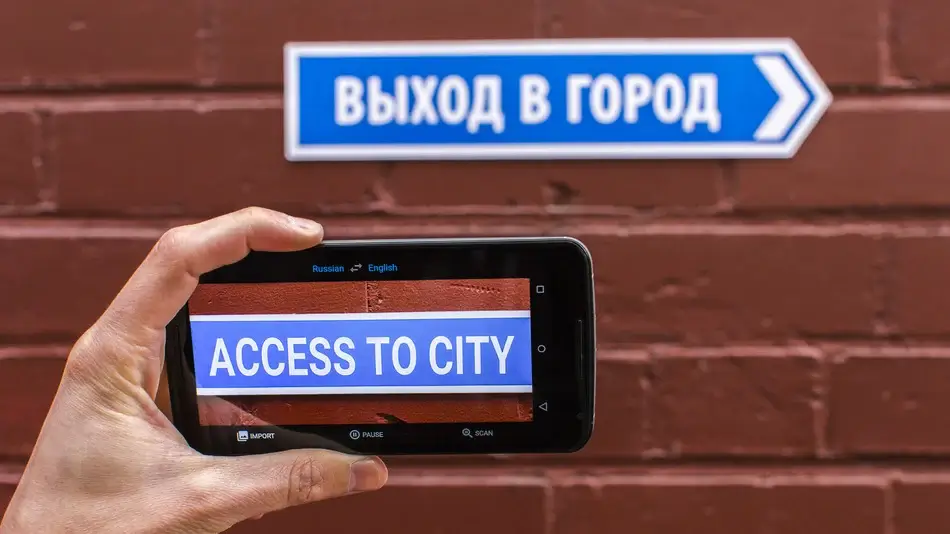
L'application détecte automatiquement la transition entre deux langues. Elle est particulièrement pratique en voyage, à l'accueil, lors d'échanges brefs avec les clients, en classe et pour les conversations informelles.
Ce n'est pas automatiquement un système de réunion d'affaires. Une réunion professionnelle peut également nécessiter l'enregistrement audio par ordinateur, une terminologie préparée, la gestion des intervenants, le sous-titrage via une autre application, la traduction vocale, la transcription, les résumés, les contrôles d'accès et l'enregistrement des échanges après la réunion.
Testez la paire de langues réelle, la version de l'application, l'appareil, le microphone, les écouteurs et le bruit de fond. interprète vocal Google L'évaluation doit porter sur les noms, les chiffres, la négation, le timing et la reprise, et non pas seulement sur le naturel de la voix.
Choisissez cet itinéraire lorsque : Une personne a besoin d'un outil mobile pratique pour converser ou écouter, et l'interaction est suffisamment courte pour un flux de travail centré sur le téléphone.
Route 3 : Traduction vocale Pixel pour les appels téléphoniques
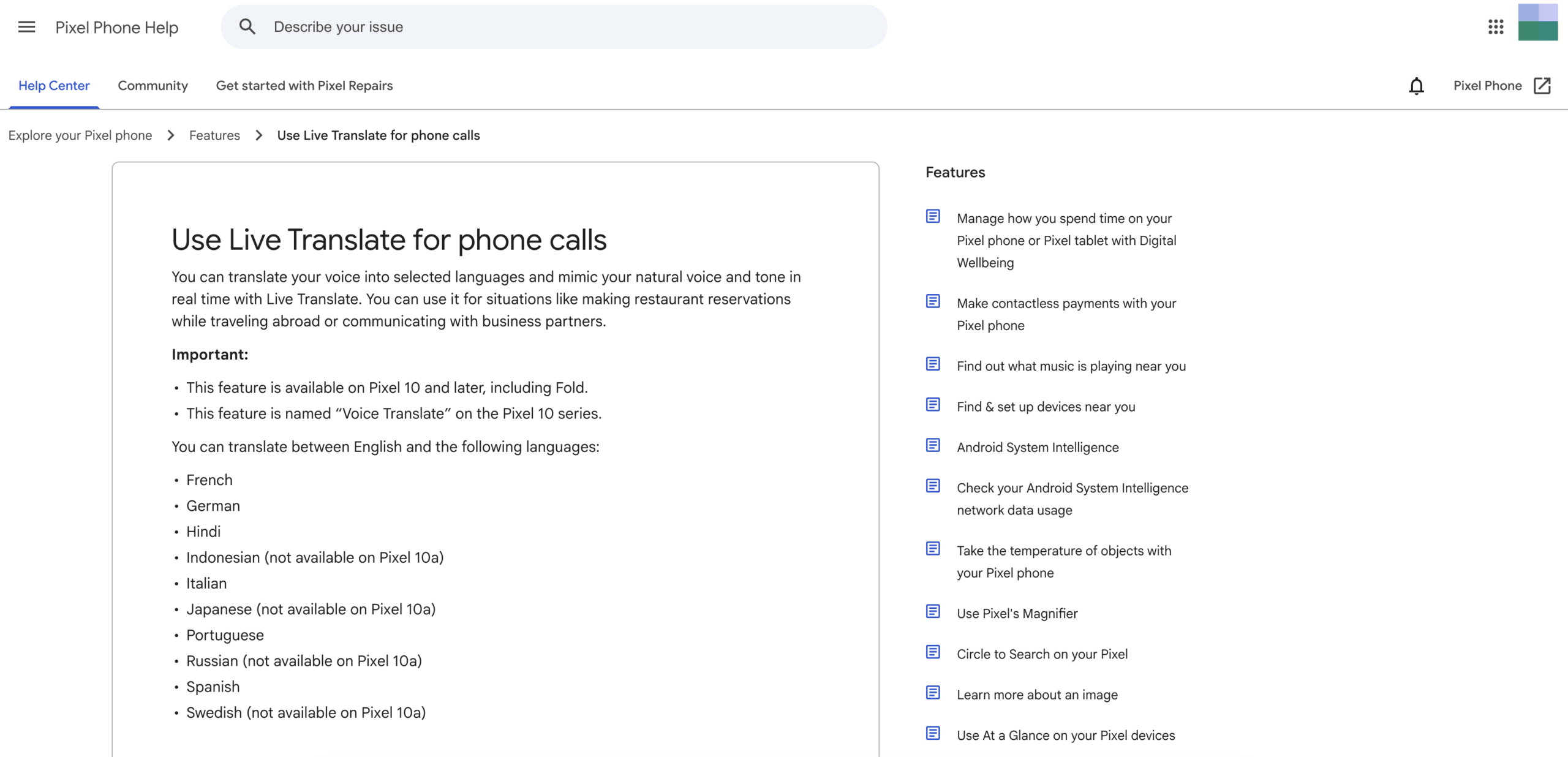
Traduction vocale Pixel est la correspondance actuelle la plus proche d'une littérale interprète vocal Google pour les appels téléphoniques ordinaires. Officiel Google Pixel L'aide indique qu'elle traduit la voix de l'utilisateur dans une langue sélectionnée et imite la voix et le ton naturels en temps réel.
L'éligibilité actuelle est soumise à des conditions spécifiques. Cette fonctionnalité est disponible sur le Pixel 10 et les modèles ultérieurs, y compris le Pixel 10 Pro Fold. Elle prend en charge la traduction entre l'anglais et certaines langues, dont le français, l'allemand, l'hindi, l'italien, le portugais, l'espagnol et d'autres, avec quelques exceptions selon les modèles.
L'utilisateur active la traduction vocale dans les paramètres de l'application Téléphone, télécharge les modèles requis, lance un appel, ouvre l'Assistant d'appel et sélectionne la langue de son interlocuteur. Les deux participants entendent une annonce avant le début de la traduction.
Explorez Pixel Voice Translate
La documentation officielle indique que cette fonctionnalité fonctionne sans connexion Internet. L'audio et la transcription des conversations ne sont pas stockés sur l'appareil, mais envoyés à Google serveurs, ou récupérables après l'appel.
Les limitations sont tout aussi importantes. Ce service est spécifique à certains matériels, disponible uniquement dans certains pays et langues, et lié à des flux de travail d'appels téléphoniques compatibles. Une entreprise ne peut pas supposer que chaque employé, client ou fournisseur possède un modèle Pixel compatible.
Quand quelqu'un demande un interprète vocal Google Si votre voix vous semble familière lors d'un appel, c'est cette fonctionnalité qu'il faut examiner. En revanche, si vous avez besoin d'une visioconférence multilingue, de sous-titres partagés, de combinaisons linguistiques plus nombreuses ou d'un enregistrement ultérieur, une autre solution sera plus appropriée.
Choisissez cet itinéraire lorsque : L'appareil et la paire langue sont tous deux pris en charge, et la tâche principale consiste à traduire un appel téléphonique via l'application Pixel Phone.
Route 4 : Google Meet Sous-titres traduits
Certains utilisateurs préfèrent lire une autre langue lors d'une réunion en ligne plutôt que d'entendre un discours synthétisé. Google Meet Les sous-titres traduits répondent à cette exigence de priorité au texte.
Les listes d'aide officielles actuelles contiennent les sous-titres traduits pour certains éléments. Espace de travail Google éditions, notamment Business Standard, Business Plus, Enterprise Standard, Enterprise Plus et Google AI Pro pour l'éducation. La disponibilité peut encore dépendre du déploiement, des paramètres de l'administrateur, de l'appareil et de la région.
Lors d'une réunion, l'utilisateur sélectionne la langue de la réunion, active les sous-titres traduits et choisit une langue cible. Les sous-titres sont personnalisables (police, taille, couleur et arrière-plan). Un participant peut consulter les sous-titres traduits uniquement pour les parties de la réunion auxquelles il a assisté avec les sous-titres activés.
Les sous-titres traduits ne constituent pas une interprétation orale. Ils permettent de suivre la réunion, mais ne garantissent pas que tous les participants entendent la traduction. Cette différence influe sur l'accessibilité, la charge cognitive, le style de présentation et la capacité à interagir avec le contenu partagé.
Si un interprète vocal Google Si votre recherche signifie “ J’ai besoin de sous-titres en anglais pour ma réunion Meet ”, une traduction automatique peut suffire. Si elle signifie “ Je veux que mon interlocuteur entende mon discours dans sa langue ”, veuillez consulter la section Traduction vocale ou faire appel à un interprète spécialisé pour vos réunions.
Choisissez cet itinéraire lorsque : La réunion se déroule à l'intérieur Google Meet, Des forfaits et des langues sont disponibles, et le texte traduit est suffisant.
Route 5 : Google Meet Traduction vocale
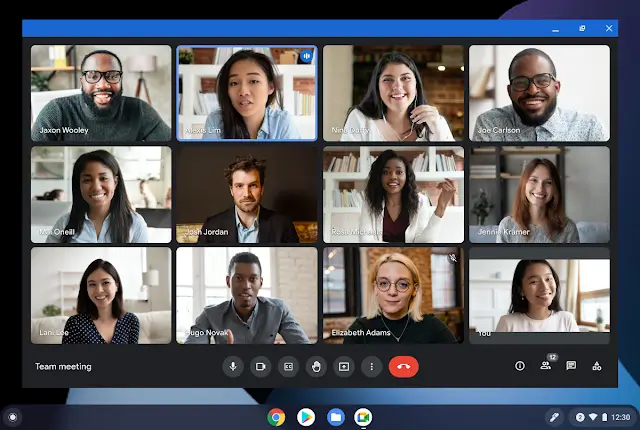
Google Meet La fonction de traduction vocale ajoute une sortie audio plutôt que de simples sous-titres. La documentation officielle actuelle indique qu'elle traduit la parole d'un participant en temps quasi réel en une voix ressemblant à celle de l'orateur.
Actuellement, l'architecture linguistique documentée propose l'anglais associé au français, à l'allemand, à l'hindi, à l'italien, au portugais ou à l'espagnol. Chaque utilisateur autorisé choisit une seule paire de langues pour toute la réunion. Les participants configurent la langue qu'ils parlent et celle qu'ils préfèrent entendre, et doivent autoriser la traduction de leur voix.
Cette fonctionnalité est disponible pour certains consommateurs, établissements d'enseignement et autres. Espace de travail Google Les plans. L'aide actuelle précise également une limite de 90 minutes par réunion, un délai de quelques secondes pour assurer la complétion, et l'indisponibilité de cette fonctionnalité en direct ou en différé. L'accès peut également dépendre des appareils compatibles, de l'ancienneté du compte, de la région, des paramètres d'administrateur et du consentement des participants.
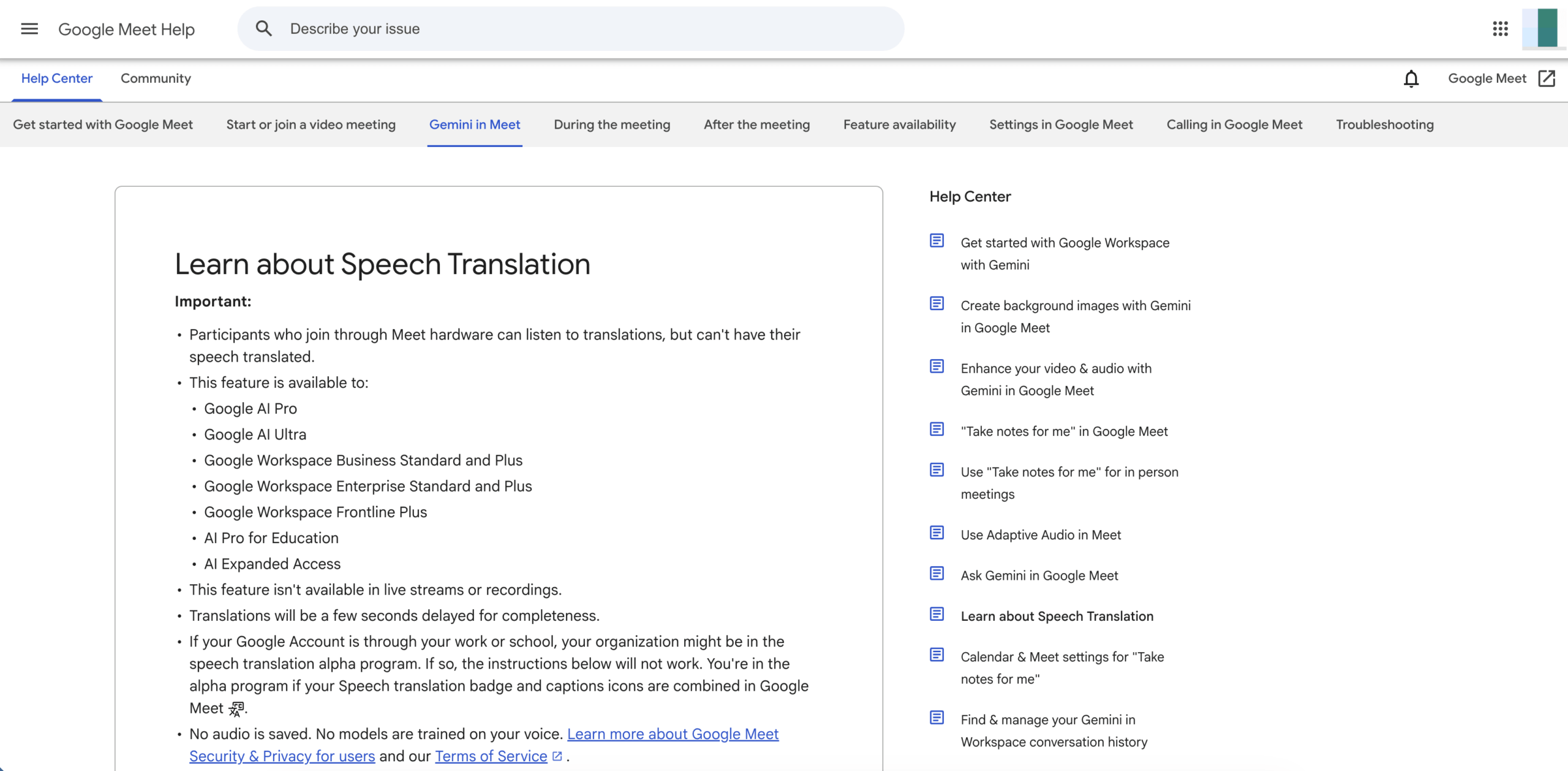
Explorez la traduction vocale de Meet
Les instructions de dépannage officielles signalent les erreurs grammaticales, les mots inintelligibles, les accents inattendus, les problèmes de genre des noms, les changements de style vocal et les problèmes de connexion réseau. Il est conseillé aux utilisateurs d'attendre la fin de la traduction, de reformuler les phrases peu claires et d'utiliser la traduction vocale avec les sous-titres ou le chat.
Cette voie est beaucoup plus proche de l'intention de l'utilisateur derrière interprète vocal Google que les légendes ordinaires. Sa principale limite réside dans l'architecture de la plateforme et du langage : la réunion doit avoir lieu à l'intérieur Google Meet, et une seule paire de langues prise en charge peut être active pour tous à la fois.
Choisissez cet itinéraire lorsque : Un candidat admissible Google Meet L'environnement nécessite une traduction vocale pour une paire de langues anglaises prise en charge et la limite de 90 minutes est acceptable.
Route 6 : Transync AI pour les réunions multiplateformes
Transync AI résout le problème plus général des réunions qui sous-tend de nombreux interprète vocal Google Il permet de réaliser des recherches. Il est conçu pour traduire la parole en direct sur différentes plateformes de réunion et lors de conversations en face à face, sans obliger l'organisation à se standardiser sur une seule fonctionnalité de réunion native.
C'est traduction en temps réel Elle prend actuellement en charge 60 langues. Flux de travail de traduction en direct pour les réunions Il fournit du texte bilingue et peut capturer l'audio du microphone ou de l'ordinateur partagé dans les configurations prises en charge.
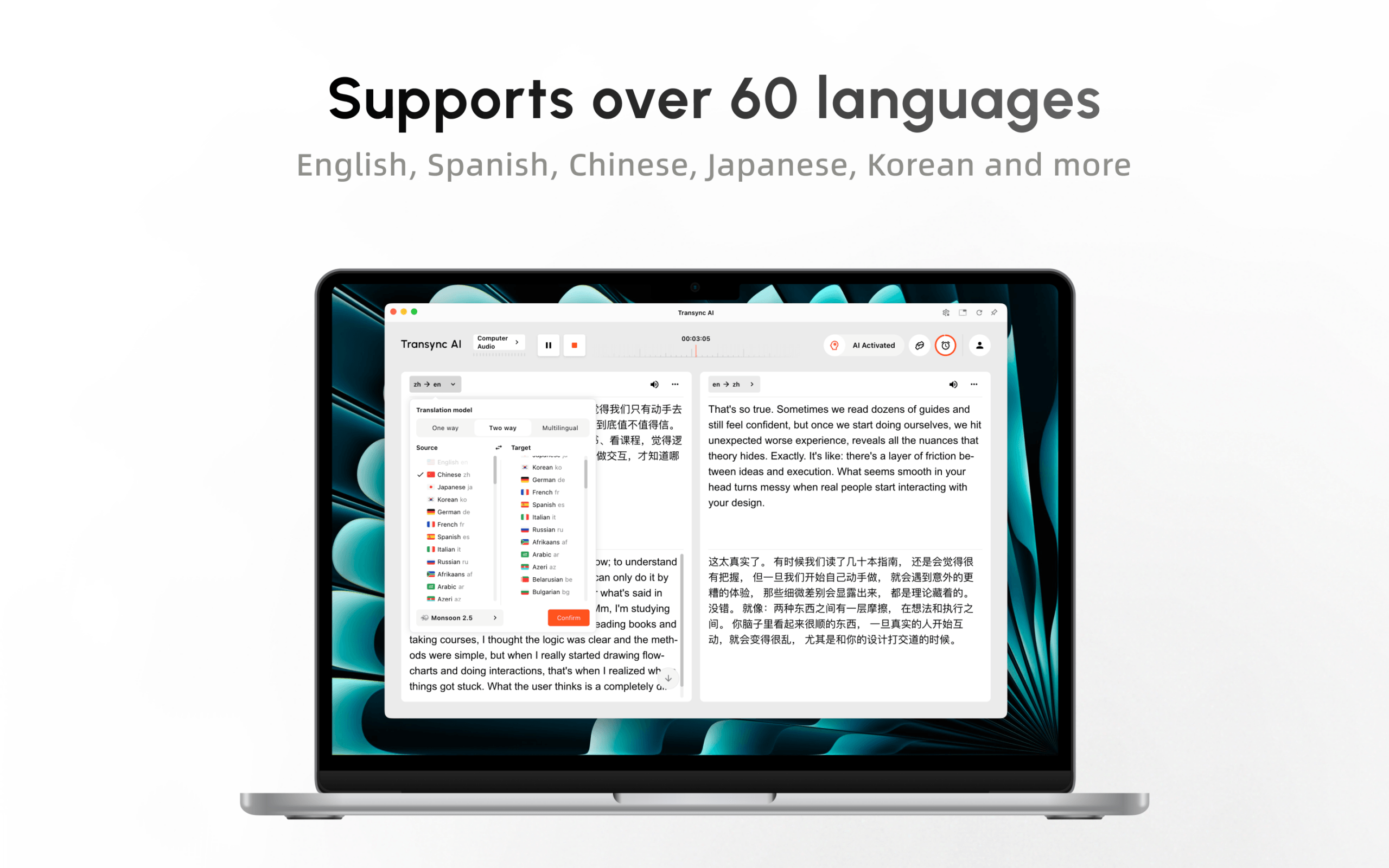
Essayez Transync AI gratuitement
Lors d'une réunion, un Traducteur vocal IA peut lire le discours traduit. Sous-titres en incrustation d'image Maintenir la visibilité du texte bilingue sur les applications compatibles. Avant la réunion, les utilisateurs peuvent saisir leurs noms, les termes techniques et leur parcours via mots-clés et contexte.

Sous-titres flottants en temps réel sur les appareils de bureau et mobiles
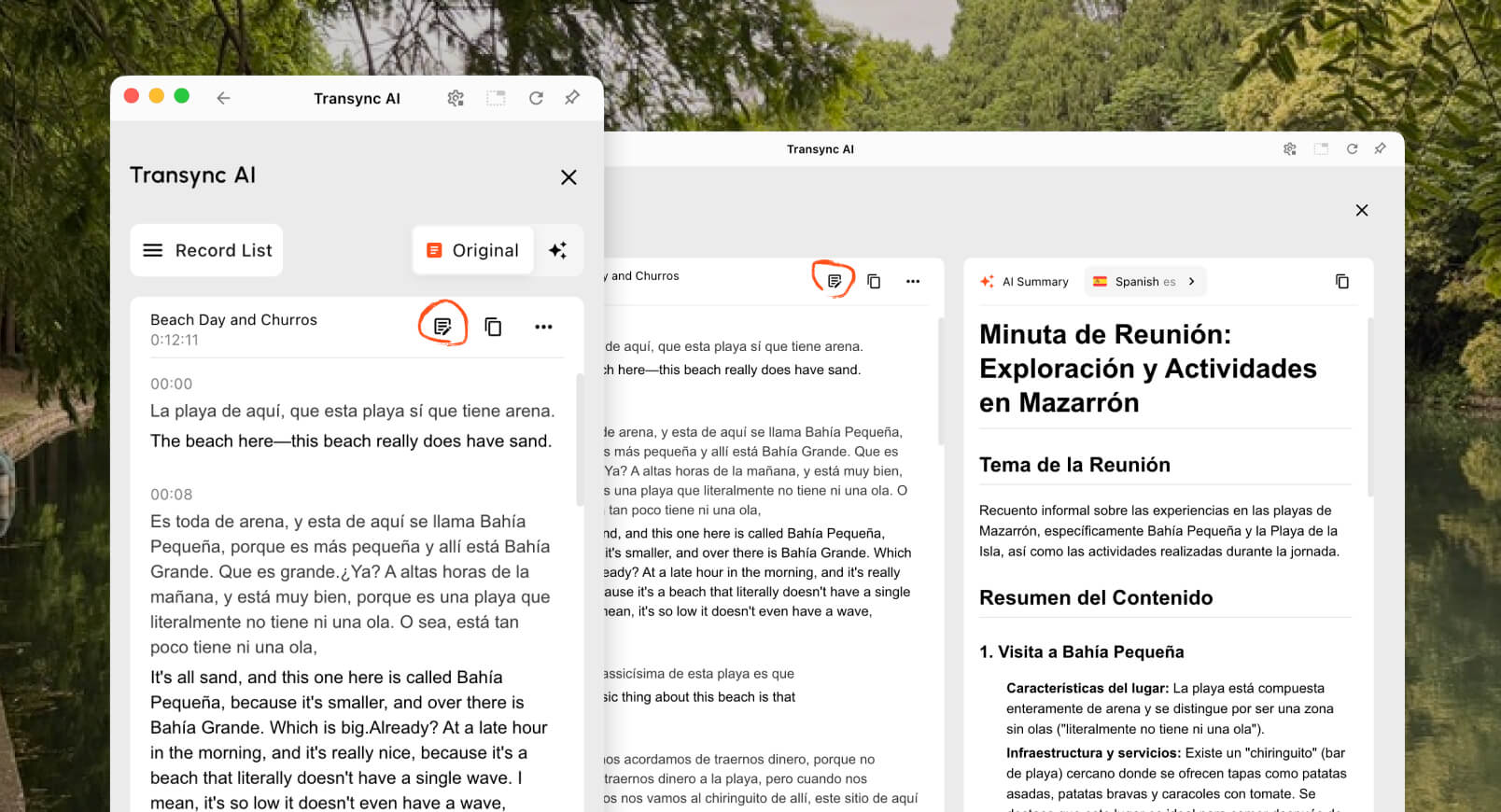
Après, Notes de réunion IA Nous pouvons fournir une transcription et un résumé structuré. Cette continuité permet aux équipes de confirmer les décisions, les actions à entreprendre, les prix et les échéances, évitant ainsi de perdre le fil de l'explication une fois l'appel terminé.
Transync AI n'est pas un fournisseur de numéros de téléphone comme Google Voice, Il peut s'agir d'une fonction d'appel Pixel hors ligne, d'un traducteur pour appareil photo ou d'un outil de TAO (traduction assistée par ordinateur) pour documents. Ses performances en direct dépendent de la qualité du microphone, du routage audio, des conditions du réseau, des écouteurs, de la terminologie et de la prise de parole.
Pour une équipe commerciale multiplateforme, cela évite toutefois de lier la traduction à un seul fournisseur de solutions de réunion ou à un seul modèle de téléphone. C'est souvent la meilleure solution lorsque interprète vocal Google Cela signifie en réalité que “ des personnes de différents pays doivent pouvoir communiquer lors de réunions en ligne régulières ”.”
Choisissez cet itinéraire lorsque : Les équipes ont besoin de sous-titres bilingues, de traductions vocales, de définitions terminologiques et de notes pour les réunions et plateformes récurrentes.
Qu'est-il arrivé à Assistant Google Mode interprète ?
Les articles plus anciens peuvent indiquer aux utilisateurs de dire “ Hey » Google, sois mon interprète ” à Assistant Google sur un téléphone, une enceinte ou un écran intelligent. Ces conseils ne doivent pas être considérés comme étant à jour.
Le document officiel “ Changements que nous apportons à Assistant Google”La page indique que la possibilité de traduire une conversation en direct via le mode Interprète fait partie des fonctionnalités qui ne seront plus prises en charge. La traduction d'un seul mot ou d'une seule phrase reste possible, mais l'expérience de conversation en direct traditionnelle n'est plus recommandée.
Cette histoire explique une partie du interprète vocal Google volume de recherche. Les utilisateurs se souviennent d'une commande pratique, mais sont désormais confrontés à des noms de produits et des exigences matérielles différents. Les alternatives actuelles sont : Google Traduction Traduction en direct, Traduction vocale Pixel, Google Meet sous-titres traduits ou traduction vocale, et produits de réunion tiers tels que Transync AI.
Interprète vocal Google Comparaison
| Capacité | Google Voice | Traduction en direct de Google Translate | Traduction vocale Pixel | Sous-titres traduits de Google Meet | Traduction vocale de Google Meet | Transync AI |
|---|---|---|---|---|---|---|
| Objectif principal | Gestion des appels et des numéros de téléphone | Écoute personnelle et conversation à tour de rôle | Appels téléphoniques traduits | Lire le texte traduit de la réunion | Écoutez la traduction du discours de la réunion | Traduction de réunions et de présentations multiplateformes |
| Sortir | Appels, SMS, messagerie vocale, fonctionnalités du forfait | Texte et audio optionnel | Voix ressemblant à celle de l'appelant | Sous-titres traduits | Voix traduite ressemblant à celle du locuteur | Sous-titres bilingues et voix traduite |
| Dépendance matérielle | Configuration du compte et des appels pris en charge | Téléphone ou tablette compatible | Pixel 10 ou version ultérieure | Appareil Meet compatible | Appareil Meet compatible et compte éligible | Flux de travail Web, de bureau ou mobile |
| Architecture du langage | Je ne suis pas traducteur. | Large mais dépendant du mode | Anglais et langues sélectionnées | Liste de langues de sous-titrage général | Une paire d'anglais parmi les langues sélectionnées | 60 langues pour la traduction en temps réel |
| Portée de la plateforme | Service vocal | Application de traduction | Appels d'application Pixel Phone | Google Meet uniquement | Google Meet uniquement | Fonctionne avec plusieurs applications de réunion |
| Terminologie préparée | Flux de travail sans interprétation | Préparation limitée aux réunions | Flux de travail du glossaire sans réunion | Limité | Limité | Mots-clés et contexte |
| Enregistrer ensuite | Historique des appels et enregistrements spécifiques au forfait | Pas de première rencontre | Aucune conversation traduite récupérable | Les comptes rendus de réunion séparés dépendent du plan | Non disponible dans les enregistrements | Notes de transcription et d'IA |
| Meilleure adaptation | Service d'appel | Voyages et échanges personnels | Prise en charge des appels téléphoniques individuels | Participation à la rencontre par SMS | Paire de voix prise en charge dans Meet | Réunions multilingues récurrentes |
Aucune rangée ne gagne dans tous les cas. La bonne réponse interprète vocal Google L'itinéraire dépend du canal d'appel, de l'appareil, de la paire de langues, du type de sortie et du besoin d'enregistrements.
Pour un utile interprète vocal Google Lors de la comparaison, éliminez tout itinéraire qui ne prend pas en charge l'appareil, la paire de langues ou le canal de réunion réels avant de comparer la commodité.
Un arbre de décision en six questions
Utilisez ceci interprète vocal Google Arbre de décision de haut en bas ; le premier “ oui ” identifie généralement la catégorie à tester.
1. Avez-vous simplement besoin d'un numéro de téléphone ou d'appels internationaux ?
Utiliser Google Voice. La traduction nécessite un produit ou un service professionnel distinct.
2. Deux personnes parlent-elles face à face avec un seul téléphone ?
Essayer Google Traduction Traduction instantanée ou mode face-à-face sur un appareil compatible.
3. S'agit-il d'un appel téléphonique normal sur un Pixel compatible ?
Vérifier Traduction vocale Pixel, sa région et la paire de langues anglaises exacte.
4. Le texte traduit est-il suffisant à l'intérieur ? Google Meet?
Utiliser Google Meet Sous-titres traduits si le compte, le forfait et les langues le permettent.
5. Les participants ont-ils besoin d'une traduction automatique des discours à l'intérieur ? Google Meet?
Test Google Meet La traduction vocale, y compris son architecture à une seule paire, son flux de consentement, son délai et sa limite de 90 minutes.
6. La traduction doit-elle fonctionner sur différentes plateformes de réunion ou s'adresser à un public spécifique ?
Évaluer Transync AI, notamment lorsque les équipes ont besoin d'une traduction vocale, d'une terminologie préparée, de notes et d'un flux de travail qui ne se limite pas à une seule plateforme de réunion.
Mode de présentation : lorsqu'une personne s'adresse à plusieurs personnes
Une conférence, un cours, un webinaire ou une assemblée publique a une structure différente d'une conversation téléphonique. Un animateur parle tandis que les participants ont besoin de choix linguistiques individuels.
En version bêta Mode de présentation, un Transync AI L'hôte peut activer jusqu'à 10 langues cibles. Les participants se connectent depuis leur téléphone ou leur ordinateur à l'aide d'un code QR, d'un lien partageable ou de l'identifiant de la salle. Aucune installation de logiciel n'est requise, mais les participants doivent s'inscrire ou se connecter à un compte. Transync AI compte.

Le mode Présentation permet à un animateur de partager une traduction en direct avec les membres du public sur leurs propres appareils.
Chaque participant choisit une langue parmi celles disponibles et peut lire la traduction en direct ou écouter l'enregistrement audio, le cas échéant. Les participants ne peuvent pas interagir vocalement avec l'animateur. Ce dernier décide de partager ou non la transcription et les notes générées par l'IA après la session.
Ni l'un ni l'autre Google Voice ni le personnel typique interprète vocal Google Le flux de travail crée cette architecture d'audience. Google Meet Les fonctionnalités sont destinées aux participants de la réunion au sein de Meet, tandis que le mode Présentation distribue un panneau distinct, dont la langue peut être sélectionnée, aux appareils du public.
Comment tester équitablement l'interprétation vocale
Préparez le même script de trois minutes pour chaque itinéraire admissible :
- Deux noms de personnes et un nom d'entreprise.
- Une date, une heure, un prix, un pourcentage et un numéro de modèle.
- Cinq termes industriels.
- Une déclaration négative utilisant “ not ” ou “ unless ”.”
- Rectification : “ L’expédition est prévue mardi… pardon, jeudi matin. ”
- Une interruption et une demande de clarification.
Ensuite, enregistrez :
| Couche de test | Que faut-il inspecter ? |
|---|---|
| Capture audio | Le système a-t-il reçu le signal audio du microphone ou de l'appel prévu ? |
| Reconnaissance | Les noms des sources, les numéros et les conditions ont-ils été transcrits correctement ? |
| Traduction | Le texte cible a-t-il préservé le sens voulu par l'orateur ? |
| Voix | La prononciation était-elle compréhensible et le rythme approprié ? |
| Retard | L'interlocuteur pouvait-il répondre avant que la conversation ne se poursuive ? |
| Récupération | Les utilisateurs peuvent-ils corriger une erreur ou répéter une phrase ? |
| Livraison | Le participant visé a-t-il réellement entendu ou vu le résultat ? |
| Enregistrer | Les détails importants pourraient-ils être vérifiés ultérieurement ? |
Le meilleur interprète vocal Google Le candidat n'est pas celui qui a la voix la plus naturelle. C'est celui qui retient les faits, arrive à temps, atteint l'auditeur et met en évidence les erreurs afin qu'elles puissent être corrigées.
La confidentialité dépend de l'itinéraire.
Actuel Traduction vocale Pixel La documentation indique que les appels peuvent être traduits hors ligne et que l'audio ou la transcription des conversations ne sont ni stockés ni envoyés. Google serveurs. Cela diffère d'une réunion dans le cloud, où s'appliquent les politiques relatives au compte, à l'administrateur, au consentement et à la plateforme.
Actuel Google Meet La documentation relative à la traduction vocale indique qu'aucun enregistrement audio n'est effectué et que les modèles ne sont pas entraînés sur la voix de l'utilisateur. Les organisations devraient néanmoins examiner leurs Espace de travail Google accord, procès-verbal de réunion, conversation, sous-titres, avis aux participants et loi applicable.
Actuel Transync AI Les informations indiquent que l'audio de la traduction en direct est supprimé après traitement, que le texte traité peut être conservé pour la traduction ou les comptes rendus de réunion, que les enregistrements peuvent être supprimés et que les données client ne sont pas utilisées par défaut pour l'entraînement de l'IA. Les organisations doivent consulter les informations actuelles. Centre de confiance et leurs obligations légales.
Ne transposez pas les conclusions relatives à la protection de la vie privée d'un cas à l'autre. interprète vocal Google L’expression “ sur l’appareil ” pour un appel Pixel ne décrit pas tous les flux de travail Translate ou Meet.
Coût et disponibilité
Google Voice La tarification concerne les forfaits d'appels et les tarifs des appels internationaux, et non l'interprétation. Google Traduction offre un large accès aux consommateurs, mais la prise en charge des fonctionnalités varie selon l'appareil et la langue. Traduction vocale Pixel Nécessite du matériel compatible. Google Meet La traduction dépend des abonnements consommateurs ou espaces de travail éligibles.
Un complet interprète vocal Google Le budget doit inclure tout téléphone nécessaire, le niveau d'abonnement, la licence de réunion, les écouteurs, le temps de déploiement et le compte rendu post-réunion.
Actuel Transync AI L'offre comprend 40 minutes gratuites après l'inscription, l'abonnement Personal Premium à 8,99 € par mois (10 heures) et l'abonnement Enterprise à 24,99 € par mois et par utilisateur (jusqu'à 40 heures). La facturation des sessions multilingues et en mode présentation peut varier ; veuillez consulter les informations complémentaires. règles actuelles en matière de tarification et d'utilisation.
Comparez le coût total : matériel, abonnements, mise en place du personnel, durée des réunions, participants, langues cibles, relecture humaine, assistance et coût des échecs.
Foire aux questions
Existe-t-il un produit officiel appelé interprète vocal Google?
Aucun produit actuel n'utilise ce nom officiel exact. L'utilisateur peut vouloir dire Google Traduction Traduction en direct, Traduction vocale Pixel, Google Meet Traduction vocale ou interprète distinct pour la réunion.
Fait Google Voice traduire les appels ?
Google Voice Il offre des fonctions d'appel et de numérotation téléphonique, mais ce n'est pas un interprète en direct général. Traduction vocale Pixel est la fonctionnalité de traduction d'appels téléphoniques prise en charge sur les appareils Pixel compatibles.
Qu'est-ce qui a remplacé Assistant Google Mode interprète ?
L'héritage Assistant Google Le mode interprète de conversation en direct n'est plus pris en charge. Les options actuelles incluent : Google Traduction Traduction en direct pour les conversations personnelles et fonctionnalités de traduction spécifiques à un appareil ou à une réunion.
Peut interprète vocal Google travailler hors ligne ?
Traduction vocale Pixel Fonctionne sans connexion Internet sur les modèles Pixel compatibles après téléchargement des modèles requis. Les autres itinéraires ont des exigences de connectivité différentes. Transync AI et Google Meet sont des flux de travail de réunions en ligne.
Peut interprète vocal Google Vous êtes compatible avec d'autres plateformes de réunion ?
Indigène Google Meet La traduction est limitée à Meet. Transync AI Il est conçu pour fonctionner avec de multiples plateformes de réunion et peut fournir des sous-titres bilingues, la lecture audio, le contexte et des notes.
Une réunion peut-elle utiliser plusieurs langues cibles ?
Google Meet La traduction vocale utilise actuellement une seule paire de langues prise en charge pour la réunion. Transync AI Il prend en charge les flux de travail de traduction multilingues, tandis que le mode Présentation permet à un hôte d'activer jusqu'à 10 langues cibles pour son public.
Quand un interprète humain est-il nécessaire ?
Utilisez un interprète humain qualifié pour les communications juridiques, médicales, réglementaires, d'immigration, financières, critiques pour la sécurité ou autres communications à forts enjeux. interprète vocal Google ou un autre outil automatisé peut faciliter l'accès, mais ne peut assumer aucune responsabilité professionnelle.
En résumé
UN interprète vocal Google Il s'agit d'une intention de recherche, et non d'un produit unique. Google Voice gère les appels, Google Traduction gère les échanges linguistiques personnels, Traduction vocale Pixel gère les appels téléphoniques pris en charge, et Google Meet propose des services de sous-titrage ou de traduction vocale au sein de son propre environnement de réunion.
Choisir Transync AI lorsque les besoins dépassent le cadre d'un seul téléphone ou d'une seule plateforme de réunion : sous-titres bilingues, voix traduite, terminologie préparée, notes de réunion et accès multilingue pour le public.
Commencez par définir le canal de communication. Ensuite, déterminez si l'interlocuteur a besoin d'une traduction écrite ou orale, d'une conversation bidirectionnelle, d'un compte rendu de réunion ou d'un sélecteur de langue. C'est le chemin le plus court pour répondre à une demande imprécise. interprète vocal Google rechercher un outil qui convient réellement.
Si vous voulez une expérience de nouvelle génération, Transync AI ouvre la voie avec une traduction en temps réel, optimisée par l'IA, qui assure un flux naturel des conversations. Vous pouvez essayez-le gratuitement maintenant.
