

Voice translator to English guide for live meetings, face-to-face conversations, recorded audio, subtitles, voice output, and AI notes.
A voice translator to English can solve very different problems. You may need to understand a customer in person, follow a multilingual Zoom call, or translate a recorded interview.
Those situations all involve spoken language, but they require different tools. Live conversations need low latency. Meetings need subtitles, two-way translation, and terminology support. Recorded files need transcription, speaker labels, editing, and export.
This guide explains how to choose the right voice translator to English by workflow rather than by language count alone.
Start with the Audio Source
| Situation | What matters most | Best tool type |
|---|---|---|
| Face-to-face conversation | Fast turn-taking | Conversation translator |
| Online meeting | Subtitles, voice, notes, and low latency | Meeting translator |
| Lecture | Stable long-session captions | Live transcription tool |
| Recorded interview | Speakers, timestamps, and editing | Audio transcription platform |
| Podcast or video | Translation, subtitles, and export | Media translation platform |
| Legal or medical discussion | Accuracy and accountability | Human interpreter |
A platform built for uploaded recordings may not help during a fast live call. A meeting translator may not offer the editing controls needed for post-production.
What Does a Voice Translator to English Do?
A voice translator to English usually captures spoken audio, recognizes the source language, converts speech into text, translates the meaning into English, and then displays subtitles or generates English voice output.
For live use, speed is critical because the conversation continues. For recorded audio, transcript quality and editing matter more than immediate output.
Four Different English Translation Workflows
| Tool | Main focus | Best for | Main trade-off |
|---|---|---|---|
| Transync AI | Real-time multilingual communication | Live meetings, English voice, and notes | Not designed for uploaded-media editing |
| DeepL Voice | Business voice translation | Face-to-face and selected meeting workflows | Access depends on product and plan |
| JotMe | Translation plus meeting productivity | Live captions, transcripts, and notes | Primarily meeting-focused |
| Sonix | Recorded audio and video | Transcription, English translation, and subtitles | Not designed for rapid two-way meetings |
Transync AI: Best When the Conversation Is Live
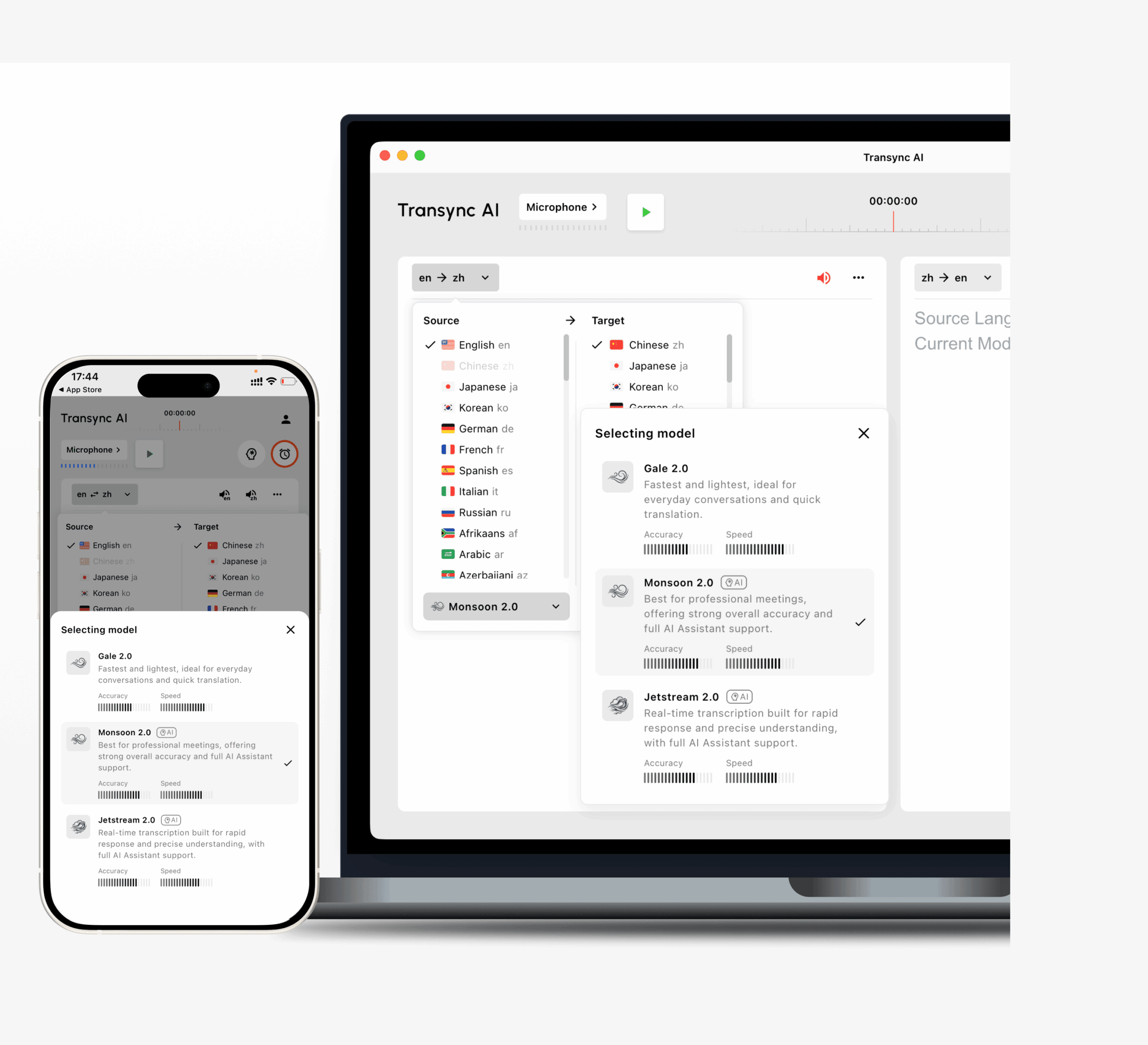 Transync AI is designed for real-time meetings and conversations.
It works alongside Zoom, Microsoft Teams, and Google Meet. Users can read bilingual subtitles, enable English voice playback, prepare keywords, and review AI meeting notes afterward.
This makes Transync AI a practical voice translator to English for:
- International sales calls
- Supplier meetings
- Online classes
- Interviews
- Product demonstrations
- Global-team discussions
It also supports two-way translation. The other participant’s speech can be translated into English, while the English response is translated back into the other language.
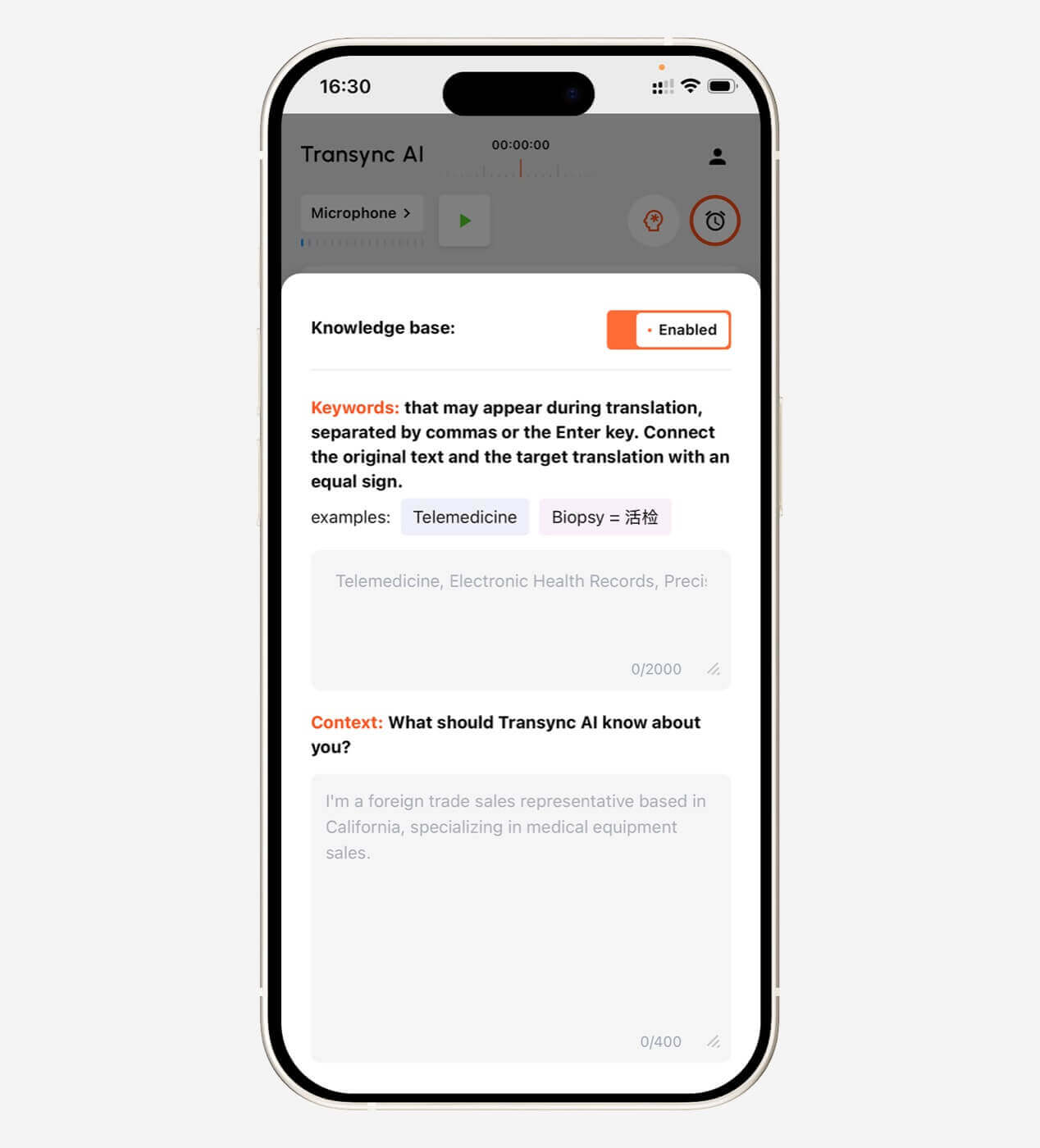
Key strengths include bilingual subtitles, voice playback, voice preview, voice cloning, keywords and context, floating captions, virtual microphone workflows, and meeting notes.
Its main limitation is specialization. It is not intended for camera translation, scanned documents, offline use, or detailed editing of uploaded recordings.
DeepL Voice: Best for Business Conversations
 DeepL Voice brings DeepL’s language technology into spoken communication.
Its conversation product is designed for face-to-face use, while its meeting product supports selected virtual-meeting environments. It may suit companies that already use DeepL for professional text and document translation.
DeepL Voice can be a good voice translator to English when language quality and enterprise controls are the priority. Users should confirm product availability, supported platforms, and pricing separately from standard DeepL text plans.
JotMe: Best When Notes Matter Too
 JotMe combines real-time translation, transcription, and meeting documentation.
During a meeting, users can follow translated captions. Afterward, they can review transcripts, summaries, and action items.
This makes JotMe useful for project meetings, research interviews, classes, client calls, and internal multilingual discussions.
Its main advantage is the post-meeting workflow. Its limitation is that it remains focused on meetings rather than travel, image translation, or media post-production.
Sonix: Best for Recorded Audio and Video
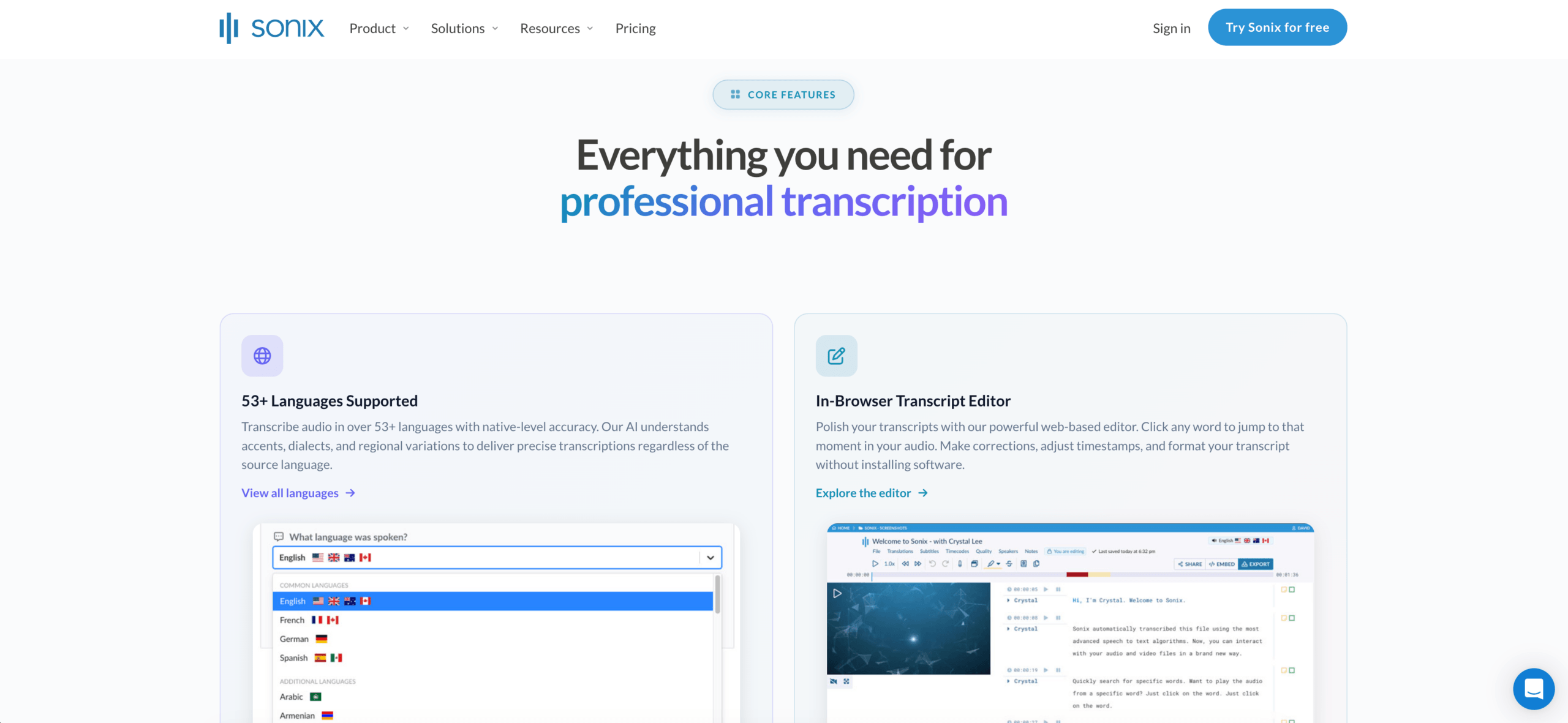 Sonix is a transcription-first platform for uploaded files.
Users can upload a recording, generate a time-coded transcript, identify speakers, translate the transcript into English, edit the text, and export subtitles or documents.
Sonix is a strong voice translator to English for recorded interviews, podcasts, lectures, research sessions, meeting recordings, and training videos.
Its advantage is control after transcription. Its limitation is timing: it is not primarily designed to help two people communicate during a live call.
Feature Comparison
| Feature | Transync AI | DeepL Voice | JotMe | Sonix |
|---|---|---|---|---|
| Live translation to English | Yes | Yes | Yes | Not primary |
| Two-way meeting translation | Yes | Product-dependent | Yes | No |
| Bilingual live subtitles | Yes | Yes | Yes | Recorded workflow |
| English voice output | Yes | Product-dependent | Product-dependent | Not primary |
| Meeting notes | Yes | Not core | Yes | AI analysis |
| Uploaded audio files | Not primary | No primary focus | Limited | Yes |
| Speaker labels | Meeting-dependent | Product-dependent | Yes | Yes |
| Subtitle export | Not primary | Not primary | Limited | Yes |
| Best fit | Live meetings | Business conversations | Meetings and notes | Recorded media |
How to Choose the Right Voice Translator to English
Ask five questions:
- Is the audio live or recorded? Choose a meeting translator for immediate understanding and a transcription platform for uploaded files.
- Do both sides need to speak? Two-way translation matters in meetings, interviews, and customer calls.
- Do you need subtitles, voice, or both? Subtitles help verify names and numbers. Voice output is better when users cannot watch a screen.
- Do you need a record afterward? Look for transcripts, summaries, action items, speaker labels, or subtitle exports.
- Does specialist terminology matter? A professional voice translator to English should support keywords, glossaries, dictionaries, or meeting context.
How to Test Before an Important Call
Use a realistic five-minute sample containing two speakers, a person’s name, a company name, a technical term, a model number, a price, a date, a correction, and mixed-language speech.
Then evaluate:
| Test area | What to check |
|---|---|
| Recognition | Did it capture the original speech? |
| Meaning | Did the English preserve the intent? |
| Latency | Did the result arrive before the topic changed? |
| Terminology | Were names and specialist terms consistent? |
| Subtitles | Were the English captions readable? |
| Voice | Was the English playback clear? |
| Two-way flow | Could both speakers respond naturally? |
| Record | Were the transcript or notes useful? |
Common Problems
A voice translator to English may struggle with overlapping speakers, weak microphones, room echo, unstable internet, regional slang, incomplete sentences, rapid language switching, and names that sound like ordinary words.
Always confirm important prices, dates, quantities, and commitments after the conversation.
FAQ
What is the best voice translator to English?
The best option depends on the audio. Transync AI fits live meetings, DeepL Voice fits business conversations, JotMe fits meetings with notes, and Sonix fits recorded files.
Can a voice translator translate meetings into English?
Yes. Meeting-focused products can produce English subtitles and, in some cases, English voice output during a live call.
Which tool is best for recorded audio?
Sonix is better suited to recordings because it provides transcription, speaker labels, translation, editing, and subtitle export.
Can AI replace an interpreter?
AI can support routine meetings, classes, interviews, and travel. Human interpreters remain the safer choice for legal, medical, financial, and other high-stakes communication.
Final Thoughts
The right voice translator to English depends on when the English result is needed.
Use a meeting-first platform when people need to understand and respond immediately. Use a recording-first platform when the priority is transcription, editing, subtitles, and export.
Transync AI is strongest for live multilingual meetings. DeepL Voice fits business conversation workflows, JotMe combines translation with notes, and Sonix is designed for recorded audio and video.
The best tool is the one that delivers clear English at the right moment.
If you want a next-generation experience, Transync AI leads the way with real-time, AI-powered translation that keeps conversations flowing naturally. You can try it free now.
 🤖
🤖