
ライブ会議、対面での会話、録音音声、字幕、音声出力、AIメモなどに対応した、英語への音声翻訳ガイド。.
あ 英語への音声翻訳 さまざまな問題を解決できます。顧客と直接話したり、多言語のZoom会議に参加したり、録音されたインタビューを翻訳したりする必要があるかもしれません。.
これらの状況はいずれも音声言語を伴いますが、それぞれ異なるツールが必要です。リアルタイムの会話には低遅延が求められます。会議には字幕、双方向翻訳、用語サポートが必要です。録音ファイルには文字起こし、話者ラベル、編集、エクスポート機能が必要です。.
このガイドでは、適切なものを選ぶ方法を説明します。 英語への音声翻訳 言語数だけではなく、ワークフローに基づいて判断する。.
音声ソースから始めましょう
| 状況 | 最も重要なことは | 最適なツールタイプ |
|---|---|---|
| 対面での会話 | 素早い順番交代 | 会話翻訳者 |
| オンライン会議 | 字幕、音声、メモ、低遅延 | 会議通訳 |
| 講義 | 安定した長時間のキャプション | リアルタイム文字起こしツール |
| 録音インタビュー | スピーカー、タイムスタンプ、編集 | 音声文字起こしプラットフォーム |
| ポッドキャストまたはビデオ | 翻訳、字幕、エクスポート | メディア翻訳プラットフォーム |
| 法律または医療に関する議論 | 正確性と説明責任 | 人間の通訳 |
アップロードされた録画用に構築されたプラットフォームは、高速なライブ通話には役立たない可能性がある。会議通訳ツールは、ポストプロダクションに必要な編集コントロールを提供しない可能性がある。.
英語への音声翻訳機は何をするものですか?
あ 英語への音声翻訳 通常、音声をキャプチャし、ソース言語を認識し、音声をテキストに変換し、意味を英語に翻訳し、字幕を表示したり、英語の音声を出力したりします。.
ライブ配信では、会話が途切れないためスピードが非常に重要です。録音音声の場合は、即時出力よりも文字起こしの質と編集の方が重要になります。.
4つの異なる英語翻訳ワークフロー
| 道具 | 主な焦点 | 最適な用途 | 主なトレードオフ |
|---|---|---|---|
| Transync AI | リアルタイム多言語コミュニケーション | ライブ会議、英語音声、メモ | アップロードされたメディアの編集には対応していません |
| DeepL音声 | ビジネス音声翻訳 | 対面および選択された会議のワークフロー | アクセス方法は製品とプランによって異なります |
| ジョットミー | 翻訳と会議の生産性向上 | ライブ字幕、文字起こし、メモ | 主に会議中心 |
| ソニックス | 録音された音声と映像 | 文字起こし、英語翻訳、字幕 | 双方向の迅速な会議には適していません |
Transync AI会話がライブで行われる時が最適
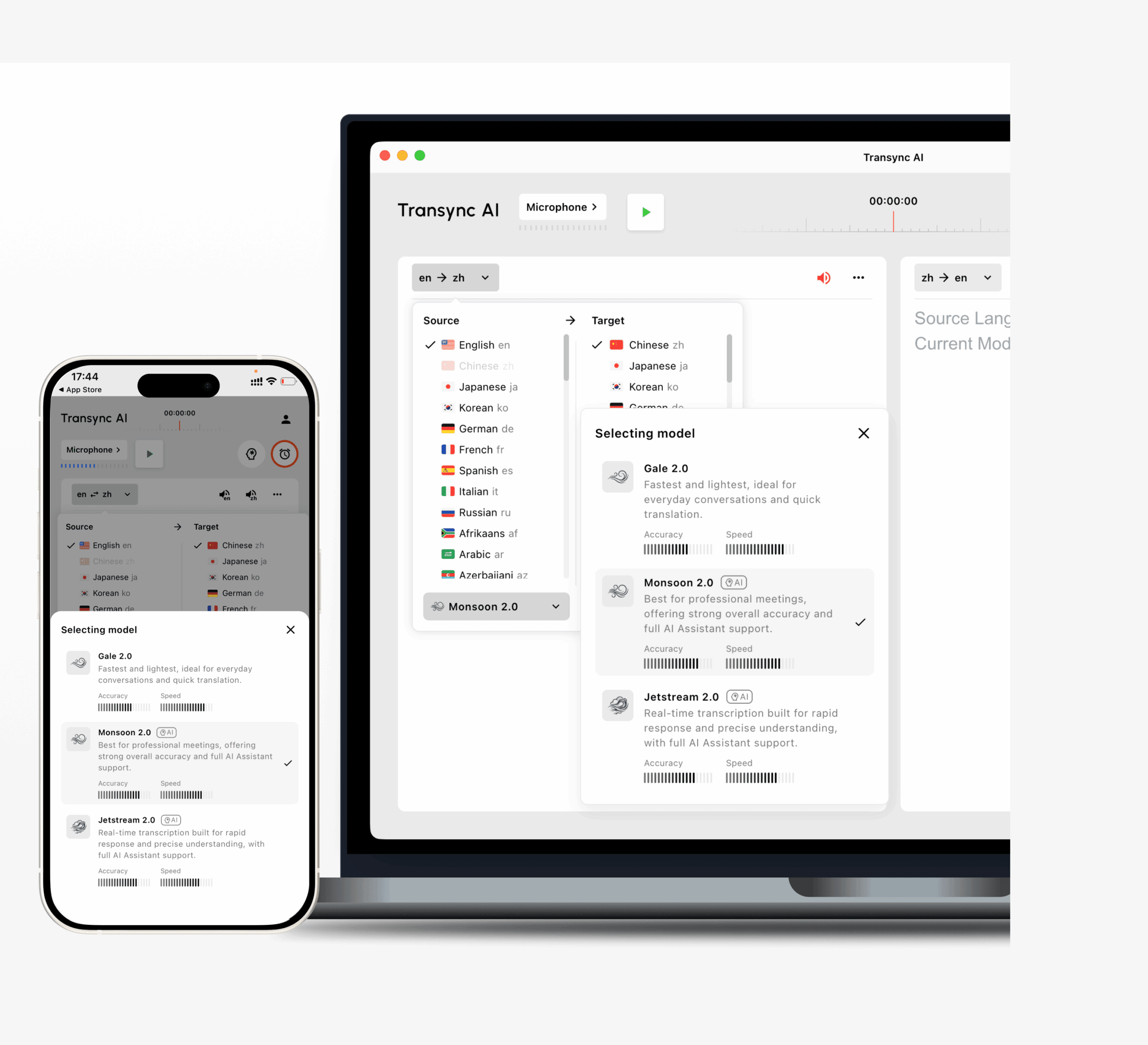 Transsync AIは、リアルタイムの会議や会話のために設計されています。.
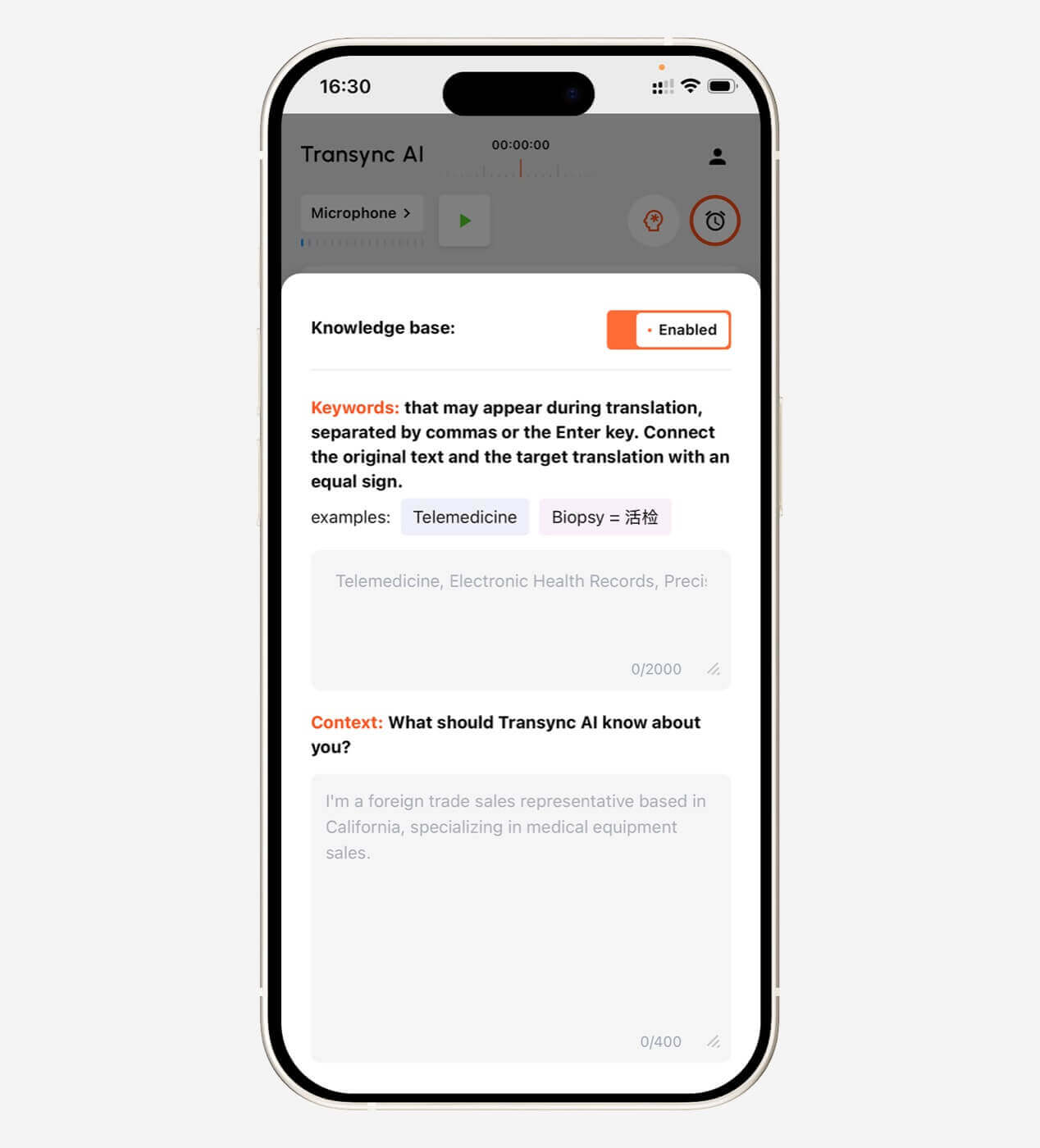
それは一緒に機能します Zoom、Microsoft Teams、Google Meet. ユーザーはバイリンガル字幕を読むことができ、英語を有効にできます。 音声再生, 、 準備する キーワード, 、そしてレビュー AI会議メモ その後。.
これにより、Transync AIは実用的なものとなる。 英語への音声翻訳 のために:
- 国際営業電話
- サプライヤーとの会議
- オンライン授業
- インタビュー
- 製品デモンストレーション
- グローバルチームでの議論
双方向翻訳にも対応しています。相手の発言は英語に翻訳され、英語での応答は元の言語に翻訳されます。.
主な強みとしては、バイリンガル字幕、音声再生、音声プレビュー、音声クローン、キーワードとコンテキストなどがあります。, フローティングキャプション, バーチャルマイク ワークフロー、および会議の議事録。.
主な制約は、その用途が限定されている点です。カメラ翻訳、スキャンした文書の処理、オフラインでの使用、アップロードした録画の詳細な編集には対応していません。.
DeepL音声ビジネス会話に最適
 DeepL Voiceは、DeepLの言語技術を音声コミュニケーションに活用するサービスです。.
同社の会話型製品は対面での使用を想定して設計されており、会議型製品は一部の仮想会議環境に対応しています。既にDeepLを業務文書翻訳に利用している企業に適しているかもしれません。.
DeepL Voiceは良いものになり得る 英語への音声翻訳 言語品質と企業レベルの管理を最優先事項とする場合。ユーザーは、製品の提供状況、対応プラットフォーム、および価格を、標準のDeepLテキストプランとは別に確認する必要があります。.
ジョットミー: 音符も重要な時に最適
 JotMeは、リアルタイム翻訳、文字起こし、会議記録作成機能を統合したサービスです。.
会議中は、ユーザーは翻訳された字幕を見ることができます。会議後には、議事録、要約、およびアクションアイテムを確認できます。.
これにより、JotMeはプロジェクト会議、調査インタビュー、授業、顧客との電話会議、社内での多言語による議論などに役立ちます。.
その最大の利点は、会議後のワークフローがスムーズであることです。一方、欠点としては、出張、画像翻訳、メディアのポストプロダクションではなく、会議に特化している点が挙げられます。.
ソニックス録音された音声とビデオに最適
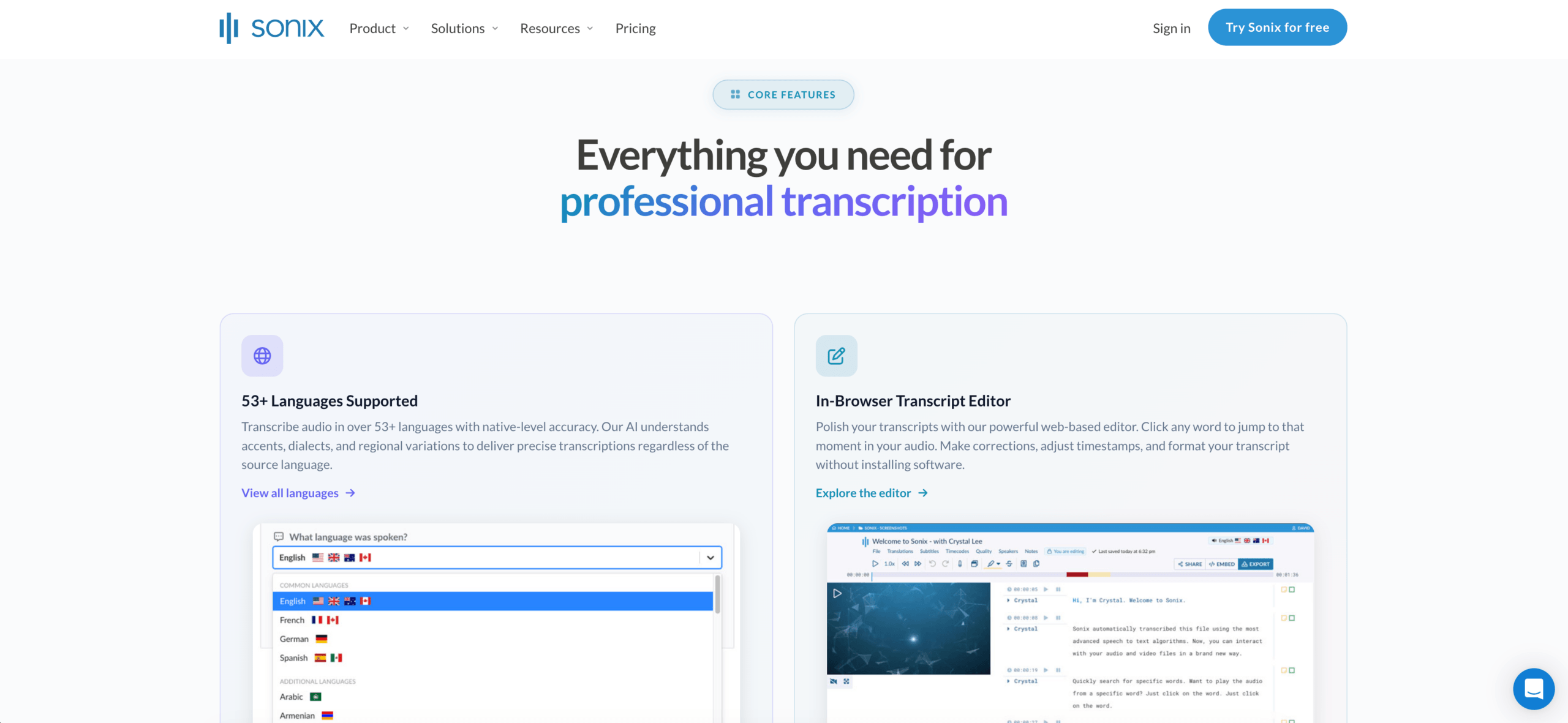 Sonixは、アップロードされたファイルを対象とした、文字起こしを最優先とするプラットフォームです。.
ユーザーは録音をアップロードし、タイムコード付きの文字起こしを作成し、話者を特定し、文字起こしを英語に翻訳し、テキストを編集し、字幕やドキュメントをエクスポートできます。.
ソニックスは強い 英語への音声翻訳 録音されたインタビュー、ポッドキャスト、講義、研究セッション、会議の録音、トレーニングビデオなどに使用できます。.
その利点は、文字起こし後の管理が可能であることだ。欠点はタイミングであり、主に生通話中の二者間のコミュニケーションを支援するようには設計されていない。.
機能比較
| 特徴 | Transync AI | DeepL音声 | ジョットミー | ソニックス |
|---|---|---|---|---|
| 英語へのライブ翻訳 | はい | はい | はい | 主要ではない |
| 双方向会議通訳 | はい | 製品によって異なる | はい | いいえ |
| バイリンガルのライブ字幕 | はい | はい | はい | 記録されたワークフロー |
| 英語音声出力 | はい | 製品によって異なる | 製品によって異なる | 主要ではない |
| 会議メモ | はい | コアではない | はい | AI分析 |
| アップロードされた音声ファイル | 主要ではない | 特に重点を置く分野はない | 限定 | はい |
| スピーカーラベル | 会議に依存する | 製品によって異なる | はい | はい |
| 字幕のエクスポート | 主要ではない | 主要ではない | 限定 | はい |
| 最適なフィット感 | ライブミーティング | ビジネス会話 | 会議と議事録 | 記録媒体 |
英語への適切な音声翻訳ツールの選び方
5つの質問をしてください。
- 音声は生放送ですか、それとも録音されたものですか? 会議内容を即座に理解するためには会議通訳ツールを、アップロードしたファイルには文字起こしプラットフォームを選びましょう。.
- 双方とも発言する必要があるのか? 双方向の通訳は、会議、面接、顧客との電話において重要です。.
- 字幕が必要ですか?音声が必要ですか?それとも両方必要ですか? 字幕は名前や数字を確認するのに役立ちます。画面を見ることができない場合は、音声出力の方が適しています。.
- 後で記録が必要ですか? 文字起こし、要約、アクションアイテム、話者ラベル、または字幕のエクスポートを探してください。.
- 専門用語は重要か? プロフェッショナル 英語への音声翻訳 キーワード、用語集、辞書、または会議のコンテキストをサポートする必要がある。.
重要な電話の前にテストする方法
2人の話者、人名、会社名、専門用語、型番、価格、日付、訂正、および複数の言語が混在した音声を含む、現実的な5分間のサンプルを使用してください。.
次に評価します。
| テストエリア | チェックすべき事項 |
|---|---|
| 認識 | 元のスピーチを正確に捉えていましたか? |
| 意味 | 英語は意図を忠実に伝えたのだろうか? |
| レイテンシー | 結果は話題が変わる前に届きましたか? |
| 用語 | 名称や専門用語は一貫していましたか? |
| 字幕 | 英語の字幕は読みやすかったですか? |
| 声 | 英語の再生音声は明瞭でしたか? |
| 双方向の流れ | 両方の話者は自然な返答をすることができたでしょうか? |
| 記録 | 議事録やメモは役に立ちましたか? |
よくある問題
あ 英語への音声翻訳 複数の話者が同時に話したり、マイクの性能が低かったり、部屋の反響音があったり、インターネット接続が不安定だったり、地域の方言があったり、文章が不完全だったり、言語の切り替えが速かったり、普通の単語のように聞こえる名前があったりすると、聞き取りにくくなる可能性がある。.
会話後は、重要な価格、日付、数量、および約束事項を必ず確認してください。.
よくある質問
英語への音声翻訳に最適なアプリは何ですか?
最適な選択肢は音声の種類によって異なります。Transync AIはライブ会議に適しており、DeepL Voiceはビジネス会話に適しており、JotMeはメモ付きの会議に適しており、Sonixは録音ファイルに適しています。.
音声翻訳ツールは会議の内容を英語に翻訳できますか?
はい。会議に特化した製品では、英語の字幕を表示したり、場合によってはライブ通話中に英語の音声を出力したりできます。.
録音音声に最適なツールはどれですか?
Sonixは、文字起こし、話者ラベル付け、翻訳、編集、字幕エクスポート機能を提供するため、録音作業に最適です。.
AIは通訳に取って代わることができるか?
AIは、日常的な会議、授業、面接、旅行などをサポートできます。しかし、法律、医療、金融など、リスクの高いコミュニケーションにおいては、人間の通訳の方が依然として安全な選択肢です。.
最後に
右 英語への音声翻訳 英語での結果が必要な時期によります。.
参加者がすぐに内容を理解し、対応する必要がある場合は、会議優先のプラットフォームを使用してください。文字起こし、編集、字幕作成、エクスポートを優先する場合は、録音優先のプラットフォームを使用してください。.
Transync AIは、多言語でのライブ会議において最も優れた性能を発揮します。DeepL Voiceはビジネス会話のワークフローに適しており、JotMeは翻訳とメモを組み合わせ、Sonixは録音された音声とビデオ向けに設計されています。.
最適なツールとは、適切なタイミングで明確な英語を提供できるツールである。.
次世代の体験をお求めなら、 Transync AI リアルタイムのAI翻訳で自然な会話の流れを実現します。 無料でお試しください 今。
 🤖
🤖