

Спростіть переклад з різних мов за допомогою 8 практичних рішень, що стосуються значення, зустрічей, документів, подорожей, субтитрів, термінології, конфіденційності та рецензування.
Одне й те саме речення може вимагати п'яти різних перекладів. Мандрівнику потрібна негайна відповідь. Юристу потрібна контрольована термінологія. Учаснику зустрічі потрібні субтитри та розмовний текст, перш ніж розмова продовжиться. Відеорежисеру потрібен текст із часовим діапазоном, який може прочитати аудиторія. Глобальній команді може знадобитися все це протягом одного тижня.
Ось чому переклад мов починається з рішення щодо роботи, а не з пошуку одного універсального додатку. Кількість мов має значення, але так само мають значення контекст, швидкість подачі, взаємодія з доповідачем, структура файлів, доступ аудиторії, конфіденційність та наслідки помилки.
Для зустрічей та презентацій, Штучний інтелект Transync перекладає мовлення в режимі реального часу, відображає оригінальний та перекладений текст, забезпечує відтворення голосу та зберігає сеанс для перегляду. Інші інструменти спеціалізуються на документах, перекладі з камери, субтитрах або локалізації транскриптів. У цьому посібнику використовується вісім рішень для узгодження робочого процесу з проблемою комунікації.
Коротка відповідь
Використання Штучний інтелект Transync коли переклад мов має допомагати людям спілкуватися під час живої зустрічі, співбесіди, заняття, дзвінка до служби підтримки чи презентації. Він поєднує двомовні субтитри, перекладений голос, контекст зустрічі, плаваючі субтитри, записи та донесення інформації до аудиторії через режим презентації.
Використовуйте перекладач тексту або документів, коли форматування та письмова термінологія важливіші за живу мову. Використовуйте мобільний інструмент камери для вивісок та коротких інтеракцій під час подорожей. Використовуйте платформу локалізації медіа, коли результатом мають стати субтитри, дубляж або публікуване багатомовне відео.
Найкращий інструмент — це той, який розроблений для кінцевого призначення перекладу.
Переклад мов за завданням
| Завдання | Краща відправна точка | Живий голос | Робочий процес для файлу або аудиторії | Основне обмеження тестування |
|---|---|---|---|---|
| Багатомовна зустріч або співбесіда | Штучний інтелект Transync | Так | Оригінал плюс переклад, збережений після сеансу | Маршрутизація аудіо, термінологія та точна мовна пара |
| Презентація «один до багатьох» | Штучний інтелект Transync Режим презентації | Так | Посилання, QR-код або ідентифікатор кімнати; до 10 мов перекладу | Коефіцієнти входу в обліковий запис та використання бета-версії |
| Текст, Word, PDF або PowerPoint | DeepL | Вивід тексту, а не голосова зустріч | Робочий процес перекладу документів та глосарію | Обмеження підтримуваних мов та форматів файлів |
| Текст, мовлення, рукописний текст або зображення з камери для подорожей | Google Перекладач | Доступні функції мовлення | Мобільні пристрої, веб-версії, версії для камери та вибрані офлайн-мовні версії | Контекст, дрібний текст, шум та доступність офлайн |
| Локалізація аудіо/відео транскриптів | Сонікс | Не основний робочий процес перекладу | Виправлення стенограми, переклад, збереження часу та спікерів | Переклад відповідає якості оригінального тексту |
| Субтитри, дубляж та локалізовані медіафайли | Маестра | Окремі живі продукти доступні | Редактор субтитрів, SRT/VTT, озвучування та дубляж | Плануйте пільги, терміни та остаточну перевірку людиною |
| Юридичні, медичні, безпечні або сертифіковані матеріали | Кваліфікований фахівець | Залежить від сервісу | Контрольована перевірка людиною та необхідна документація | Повноваження, юрисдикція, конфіденційність та відповідальність |
Використайте таблицю як карту маршрутизації. Успішно. переклад мов означає вибір правильного маршруту перед оцінкою плавності виводу.
Рішення 1: Чи є спілкування живим чи письмовим?
Живе спілкування та письмовий переклад відбуваються під різним тиском часу.
У живій розмові результат має надходити достатньо швидко, щоб хтось міг відповісти. Переклад, наданий із запізненням на 20 секунд, може бути лінгвістично точним, але непридатним для розмови. Користувачам також потрібно бачити, хто говорив, помічати помилкову цифру та відновлюватися після переривання.
Письмовий переклад створює більше можливостей для корекції джерела, дослідження термінології, редагування та перевірки. Робочий процес документообігу може зберігати заголовки, таблиці, форматування та затверджені записи глосарію. Швидкість все ще має значення, але читач не зникає, поки система обробляє файл.
Перший переклад мов питання, отже:
Чи має хтось зрозуміти та відповісти зараз, чи готовий текст має залишатися достовірним і пізніше?
Живий маршрут з Штучний інтелект Transync
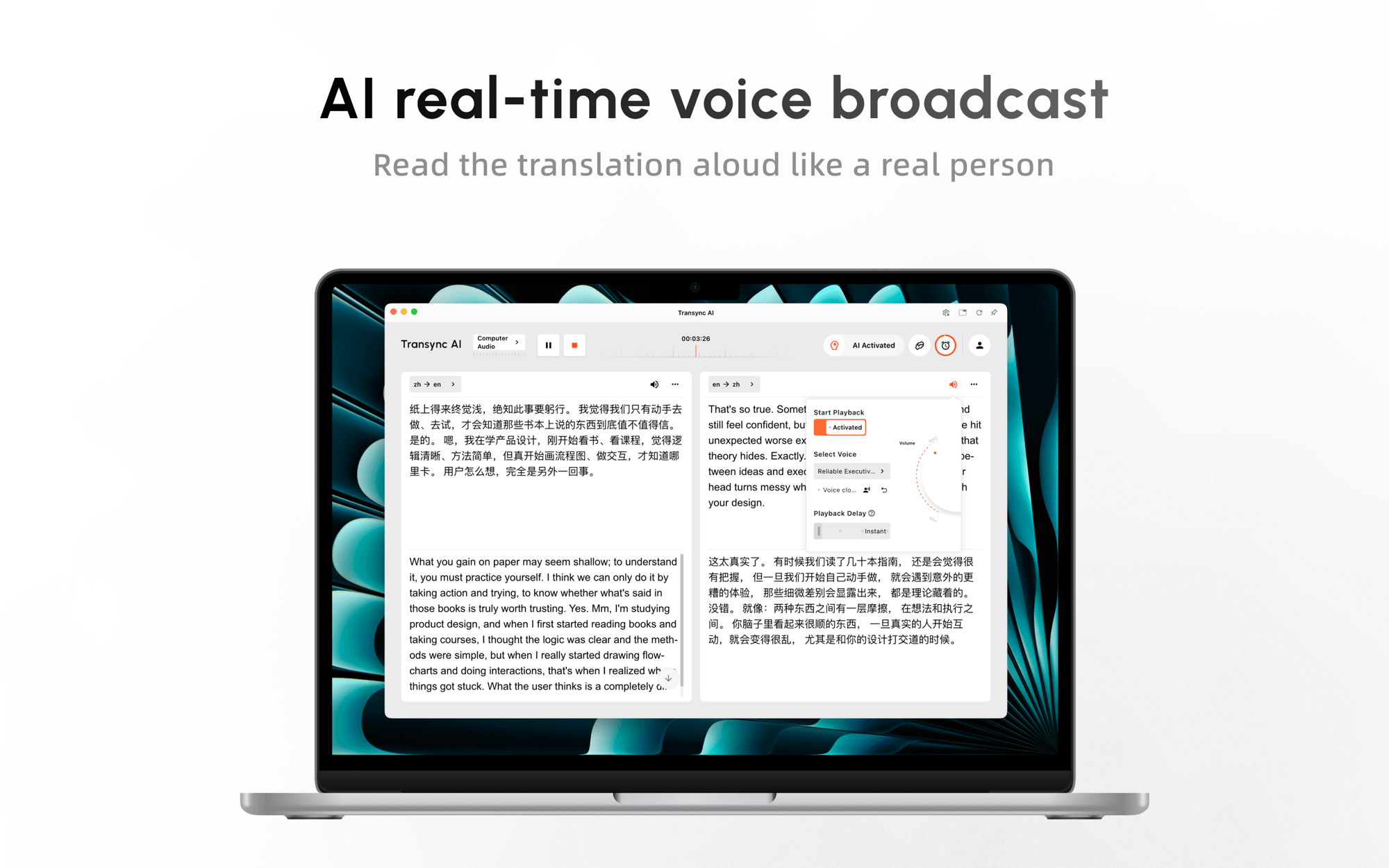
The інструмент перекладу в режимі реального часу показує розпізнану оригінальну мову поруч із її перекладом. Голосовий перекладач зі штучним інтелектом додає звуковий вихід, щоб учасникам не доводилося дивитися кожен субтитр.
Таке поєднання допомагає учаснику відстежувати хід обговорення, одночасно перевіряючи імена, цифри та технічні твердження в тексті. Односторонній, двосторонній та багатомовний режими підтримують різні моделі комунікації.
 Спробуйте Transync AI безкоштовно
Письмовий маршрут з DeepL
DeepL краще підходить для перекладу письмового тексту та підтримуваних документів. Його поточний продукт пропонує переклад тексту та робочі процеси з документами для таких форматів, як PDF, Word та PowerPoint, з глосарієм та опціями вищого рівня безпеки, доступними в рамках відповідних планів.
Це робить DeepL корисно, коли результатом є чернетка договору, звіт, презентація чи інший письмовий актив, а не активна багатомовна розмова. Покупці повинні підтвердити підтримувану мову оригіналу, мову перекладу, тип файлу, розмір, форматування та наявність глосарію.

Не змушуйте один шлях імітувати інший. Копіювання субтитрів зустрічі в перекладач документів втрачає живий контекст; використання програми для зустрічей як системи локалізації документів ігнорує вимоги до форматування та редагування.
Рішення 2: Чи потрібно людям говорити в обох напрямках?
Односторонні та двосторонні робочі процеси вирішують різні проблеми, коли переклад мов.
Програмна доповідь, лекція, екскурсія, проповідь чи оголошення компанії зазвичай мають одного основного доповідача та багатьох слухачів. Дзвінок з продажу, співбесіда, консультація чи розмова з питань підтримки вимагають запитань, відповідей, виправлень та швидкої зміни мовлення.
Для двостороннього зв'язку перевірте:
- Чи розрізняє система вибрані мови.
- Як він обробляє переривання та дублювання мовлення.
- Чи блокує перекладений звук наступний поворот.
- Чи можуть учасники ознайомитися з оригінальним текстом.
- Як швидко система відновлюється після корекції.
Штучний інтелект Transync розроблено для одностороннього, двостороннього та багатомовного зв'язку. Оператор вибирає режим, що відповідає зустрічі, та може прослуховувати перекладений голос, зберігаючи при цьому оригінальний та перекладений текст.
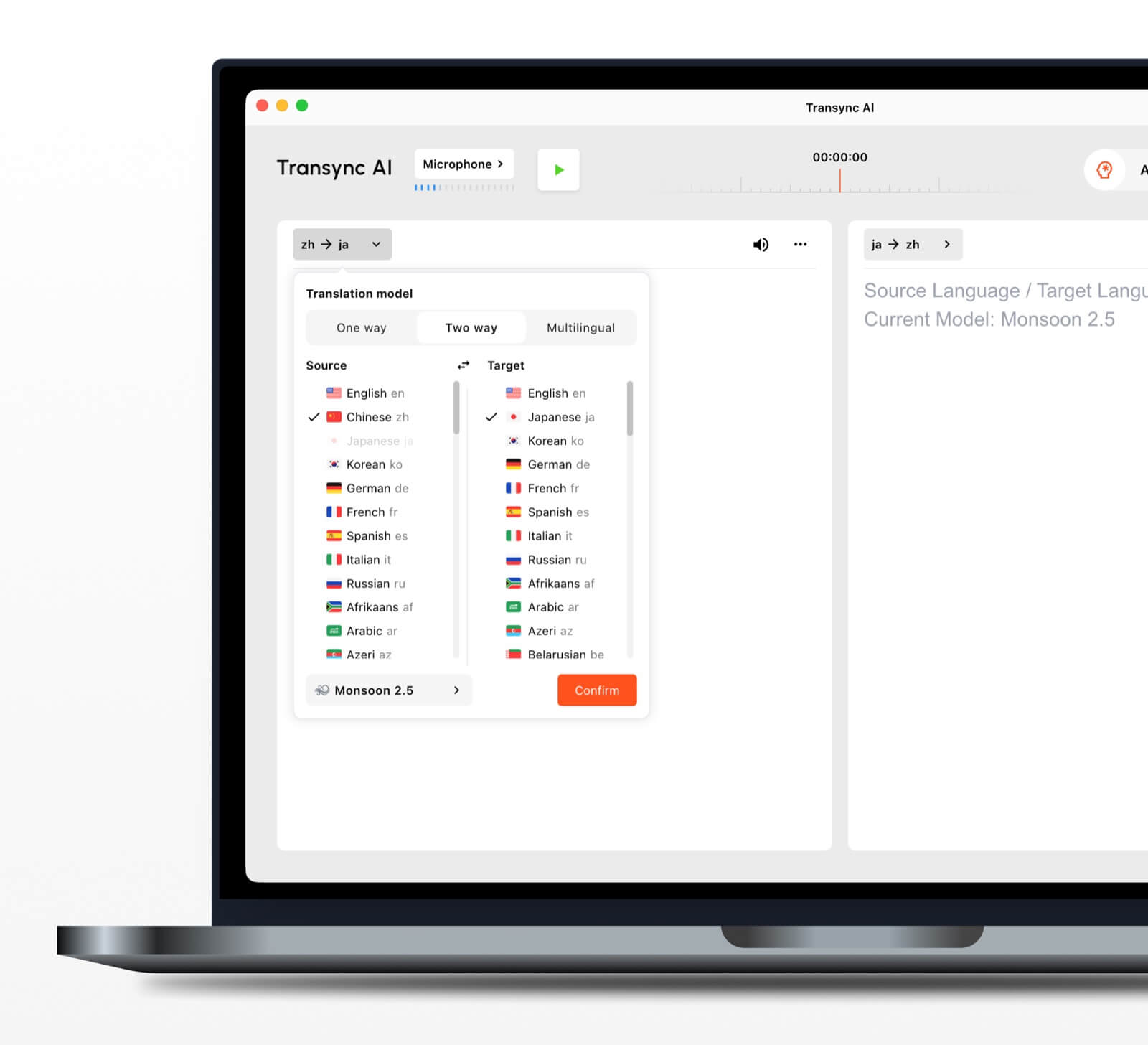 Для переклад мов У реальному дзвінку використовуйте тестовий сценарій, що містить вступ, ціну, дату, уточнення, заперечення та виправлену цифру. Відшліфований монолог не може довести, що продукт підтримує природну взаємодію.
Рішення 3: Чи слухає одна людина, чи вся аудиторія?
Донесення до аудиторії змінює технічну проблему. Переклад має бути доступний для багатьох пристроїв, не змушуючи всіх читати однією мовою на екрані доповідача.
The Функція режиму презентації дозволяє одному Штучний інтелект Transync Організатор дозволяє використовувати до 10 цільових мов. Учасники аудиторії приєднуються через активне посилання, QR-код або ідентифікатор кімнати та обирають одну з мов, налаштованих організатором.
Кожен учасник може читати субтитри в реальному часі або вмикати відтворення перекладеного голосу, коли воно доступне. Ведучий може налаштовувати голоси за мовою, регулювати затримку відтворення та гучність, а також використовувати функцію «Клонування голосу», де це підтримується.
Учасникам аудиторії не потрібно встановлювати програмне забезпечення, але вони повинні зареєструватися або увійти в Штучний інтелект Transync обліковий запис. Вони можуть читати, слухати та перемикати увімкнені мови, але не можуть надсилати голосовий ввід у завдання організатора. Тому режим презентації розроблений для спілкування «один до багатьох». переклад мов, а не багатомовна дискусія, керована аудиторією.

Режим презентації дозволяє одному ведучому ділитися живою трансляцією з аудиторією на їхніх власних пристроях.
Ця функція наразі перебуває в бета-версії. Використання залежить від пікової одночасної аудиторії та кількості ввімкнених цільових мов. Перш ніж оцінювати вартість заходу, перегляньте множник, зазначений у продукті.
Після сесії ведучий вирішує, чи ділитися стенограмою із запрошеними учасниками. Спільне використання є необов’язковим, а не автоматичним, що важливо для конфіденційного навчання та внутрішніх презентацій.
Рішення 4: Вхідний текст – це мовлення, рукописний текст чи зображення?
Формат оригіналу визначає, яка проблема розпізнавання виникає перед перекладом.
Друковане введення тексту зазвичай є найпростішим. Мовлення додає акценти, шум, помилки черги та розпізнавання. Почерк може бути неоднозначним. Переклад з камери додає складності освітленню, фокусу, куту, шрифту та фону.
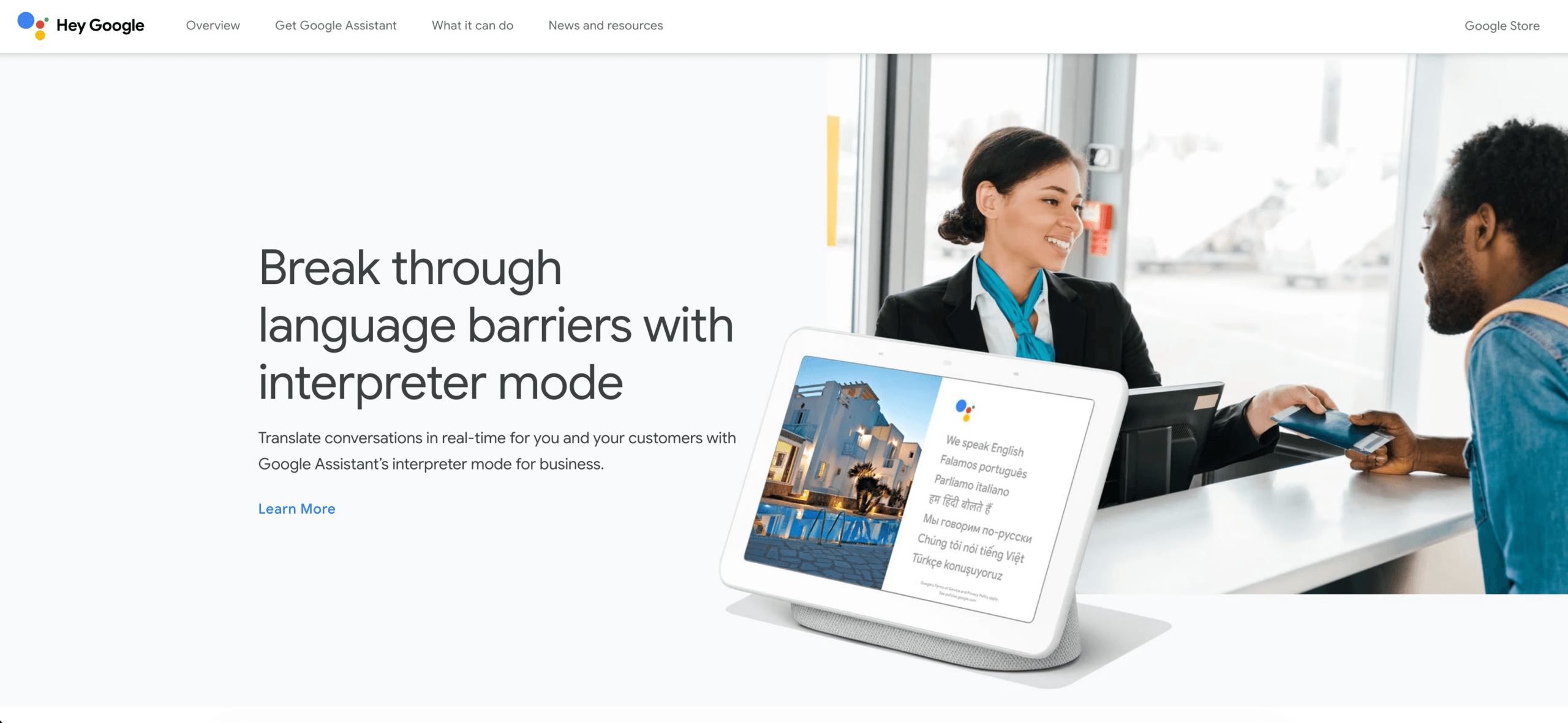
Google Перекладач Згідно з поточною довідковою документацією Android, камера підтримує текст, рукописний текст, фотографії та мовлення більш ніж 200 мовами. Вибрані мови можна завантажити для використання офлайн, а камера може перекладати знаки або текст на збережених зображеннях.
Ця широта робить Google Перекладач корисно для меню, вуличних знаків, етикеток, коротких повідомлень та щоденних подорожей. Це не автоматично правильна система для конфіденційного засідання правління, документа публікаційної якості або конференції з високим вмістом термінології.
 Ознайомтеся з Google Перекладачем
Коли переклад мов з камери, покращте джерело, перш ніж звинувачувати переклад:
- Використовуйте чіткий, рівномірно освітлений текст.
- Уникайте стилізованих або дуже дрібних шрифтів.
- Тримайте камеру паралельно поверхні.
- Підтвердьте автоматичне визначення мови.
- Перевірте імена, ціни, дати, алергени та попередження вручну.
- Перед подорожжю переконайтеся, що потрібна мова працює офлайн.
Перекладач зображень спочатку виконує візуальне розпізнавання, а потім переклад. Помилка на будь-якому етапі може змінити результат.
Рішення 5: Чи потрібен перекладу галузевий контекст?
Слова не мають одного універсального значення. “Свинець”, “заряд”, “облігація”, “елемент” та “маржа” змінюються у виробництві, юриспруденції, фінансах, медицині, продажах та повсякденній розмові.
The Функція ключових слів та контексту AI Assistant дозволяє Штучний інтелект Transync Користувачі надають очікувані імена, скорочення, термінологію та опис майбутньої зустрічі. Це корисно, коли тема змінюється від одного клієнта або проекту до іншого.
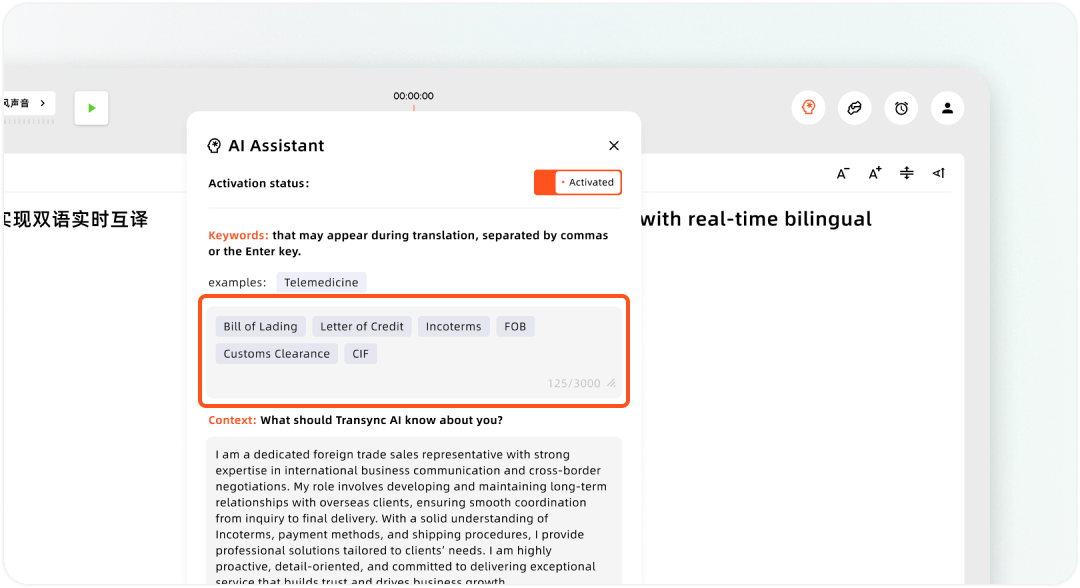
Налаштування власних ключових слів та контексту користувача в Transync AI Assistant
Для повторюваної письмової роботи глосарій може бути більш доречним. Запишіть:
| Вихідний термін | Затверджений цільовий термін | Ніколи не використовуйте | Контекст |
|---|---|---|---|
| Назва продукту | Офіційна локалізована форма | Дослівний переклад | Сторінки товарів та дзвінки з продажу |
| Акронім | Затверджена абревіатура або розширення | Винайдений еквівалент | Розширте інформацію про першу появу, якщо потрібно |
| Вимірювання | Збережений або перетворений блок | Неперевірена конверсія | Запишіть правило перетворення |
| Юридична фраза | Затверджене формулювання | Невимушений перефраз | Потрібна кваліфікована перевірка |
Добре переклад мов Практика також захищає терміни, які не слід перекладати: зареєстровані бренди, коди моделей, URL-адреси, адреси електронної пошти, назви команд та деякі мітки програмного забезпечення.
Виконайте пошук узгодженості після перекладу. Вільний документ, який використовує три різні назви для однієї й тієї ж функції, все одно створює плутанину.
Рішення 6: Чи має результат бути субтитрами, дубляжем чи стенограмою?
Медіапереклад додає вимог до термінів та виробництва, з якими звичайний переклад тексту не може впоратися.
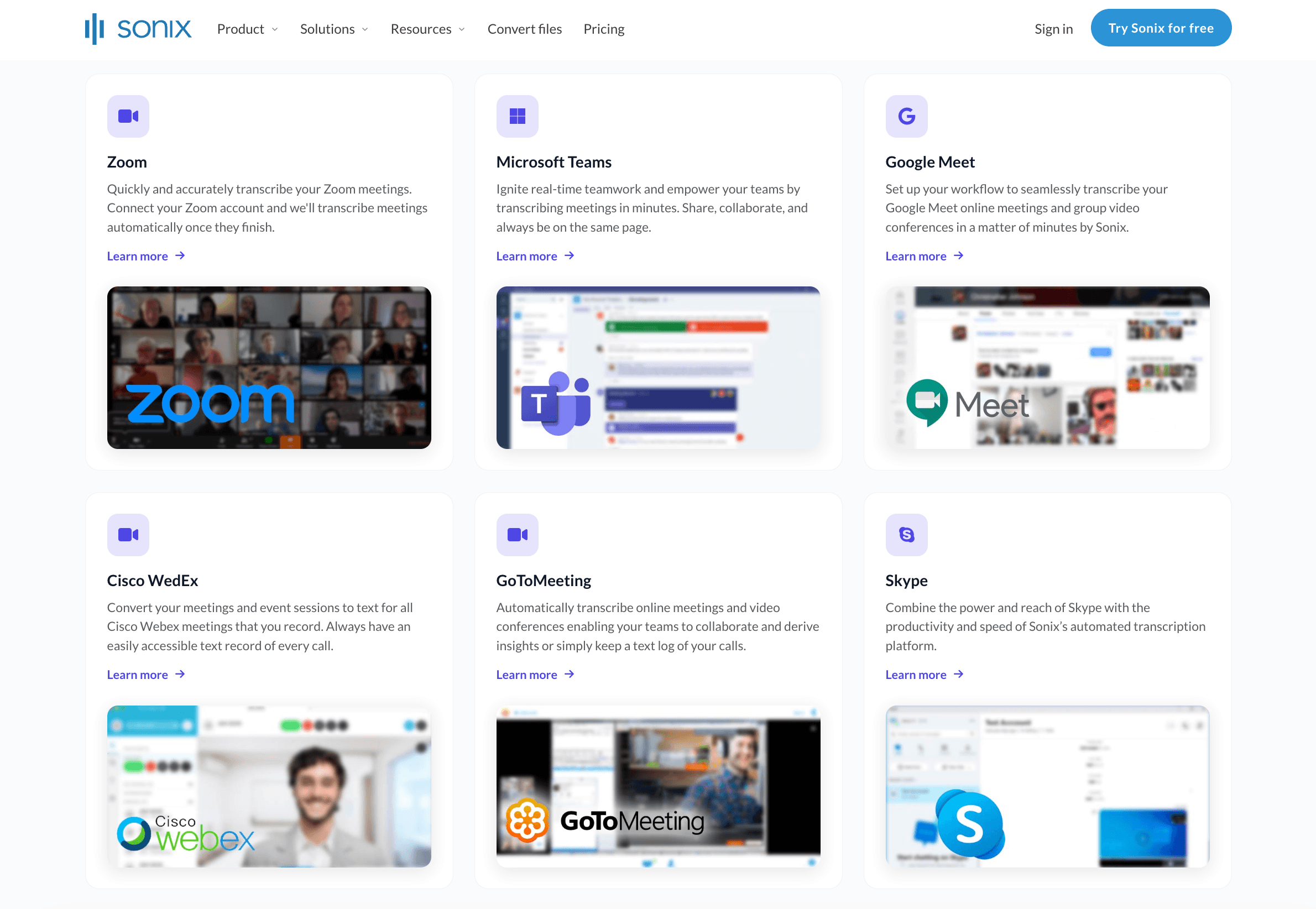
Сонікс дотримується робочого процесу, що передбачає використання стенограми. Користувачі завантажують аудіо- або відео, створюють та виправляють вихідну стенограму, а потім перекладають її. У поточних офіційних матеріалах зазначено, що переклади можуть зберігати позначки часу, мітки доповідачів та форматування, а також їх можна експортувати у формати субтитрів та документів.
Це робить Сонікс корисно, коли переклад мов починається із записаної мови, і команді потрібні стенограми з можливістю пошуку, синхронізований перегляд або багатомовні субтитри.
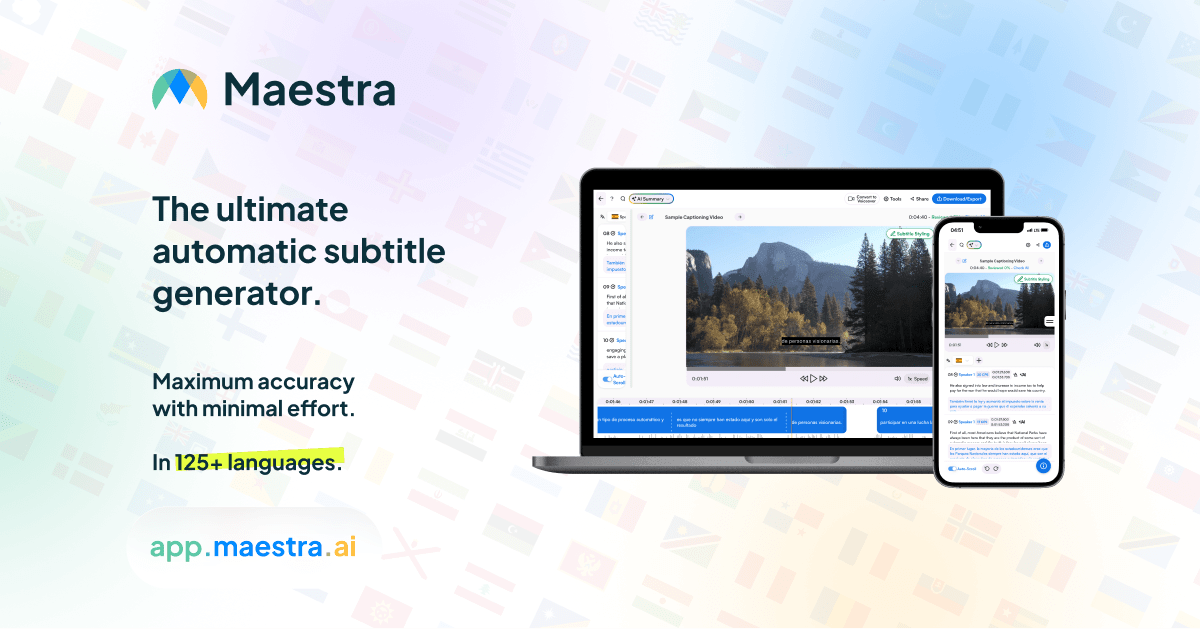
Маестра розширює можливості локалізації медіа. Його поточна платформа підтримує транскрипцію, переклад, створення та редагування субтитрів, експорт SRT/VTT, озвучування та дубляж більш ніж 125 мовами.
Виберіть Маестра коли перекладені слова потрібно виміряти за часом, стилізувати, озвучити, записати на відео або повторно використати як локалізовані медіафайли. Підтвердьте допустимі значення плану та перегляньте кінцевий результат у самому програвачі.
Для субтитрів перевірте швидкість читання, час введення тексту, довжину рядка, розриви рядків, зміну спікерів, текст на екрані та описи спеціальних можливостей. Мови перекладу часто розширюються або стискаються, тому оригінальна сегментація може бути нечитабельною.
Коли кінцевою вимогою є запис зустрічі, а не медіафайл, Функція нотаток зі зустрічей зі штучним інтелектом створює структурований зведення зі збережених Штучний інтелект Transync сеанс. Користувачі можуть повернутися до оригінальної мови та перекладів, не створюючи окремий проект субтитрів.
Рішення 7: Що станеться, якщо переклад неправильний?
Ризик має визначати зусилля щодо перегляду.
Використовуйте практичну драбину:
Низький ризик
Питання про подорожі, неформальне спілкування, мозковий штурм та внутрішня орієнтація часто можуть використовувати вивід ШІ зі швидким підтвердженням користувача.
Середній ризик
Зустрічі з клієнтами, дослідження, навчання, документація продукту та публічні субтитри потребують двомовного тематичного огляду, перевірки термінології та порівняння джерел.
Високий ризик
Для юридичного, медичного, безпекового, регуляторного, фінансового, імміграційного та договірно зобов'язуючого спілкування можуть знадобитися кваліфіковані перекладачі, професійні перекладачі, сертифікація або процедури, специфічні для певної юрисдикції.
Штучний інтелект корисний для переклад мов, але вільний виклад не є доказом юридичної обґрунтованості чи ідеальної точності. Рецензент повинен мати доступ до джерела та достатні знання предмета, щоб виявити правдоподібну помилку.
Як мінімум, перевірте:
- Імена, числа, ціни, дати та відсотки.
- Негативи, умови, зобов'язання та невизначеність.
- Особистість спікера та цитований матеріал.
- Технічна та нормативна термінологія.
- Одиниці вимірювання, валюта та форматування, специфічне для локалі.
- Чи змінює переклад рішення, яке прийняв би читач.
Не рекламуйте неперевірені машинні переклади як засвідчені.
Рішення 8: Як буде зберігатися та поширюватися переклад?
Фінал переклад мов рішення стосується управління інформацією.
Запитайте перед початком:
- Чи учасники погоджуються на запис, транскрипцію, переклад та зберігання, де це необхідно?
- Хто має доступ до вихідного аудіо, оригінального тексту, перекладів та коротких змістів?
- Як довго кожен запис має залишатися доступним?
- Чи може користувач виправити або видалити це?
- Чи слід копіювати, завантажувати, надсилати електронною поштою, публікувати або поширювати результат через контрольований обліковий запис?
- Чи має обраний постачальник право обробляти контент?
Після Штучний інтелект Transync сеанс, оригінальна мова та переклади зберігаються в обліковому записі. Записи перекладів можна перейменовувати, позначати зірочкою, упорядковувати в папки, шукати, керувати пакетами та видаляти. Це допомагає командам розділяти записи за клієнтом, проектом, мовою або статусом перевірки.
The Посібник з управління записами перекладів пояснює, як упорядковувати та видаляти збережені сеанси. Для конфіденційних зустрічей слід встановити правила іменування, власника, групу доступу, статус перевірки та дату видалення, перш ніж записи накопичуватимуться.
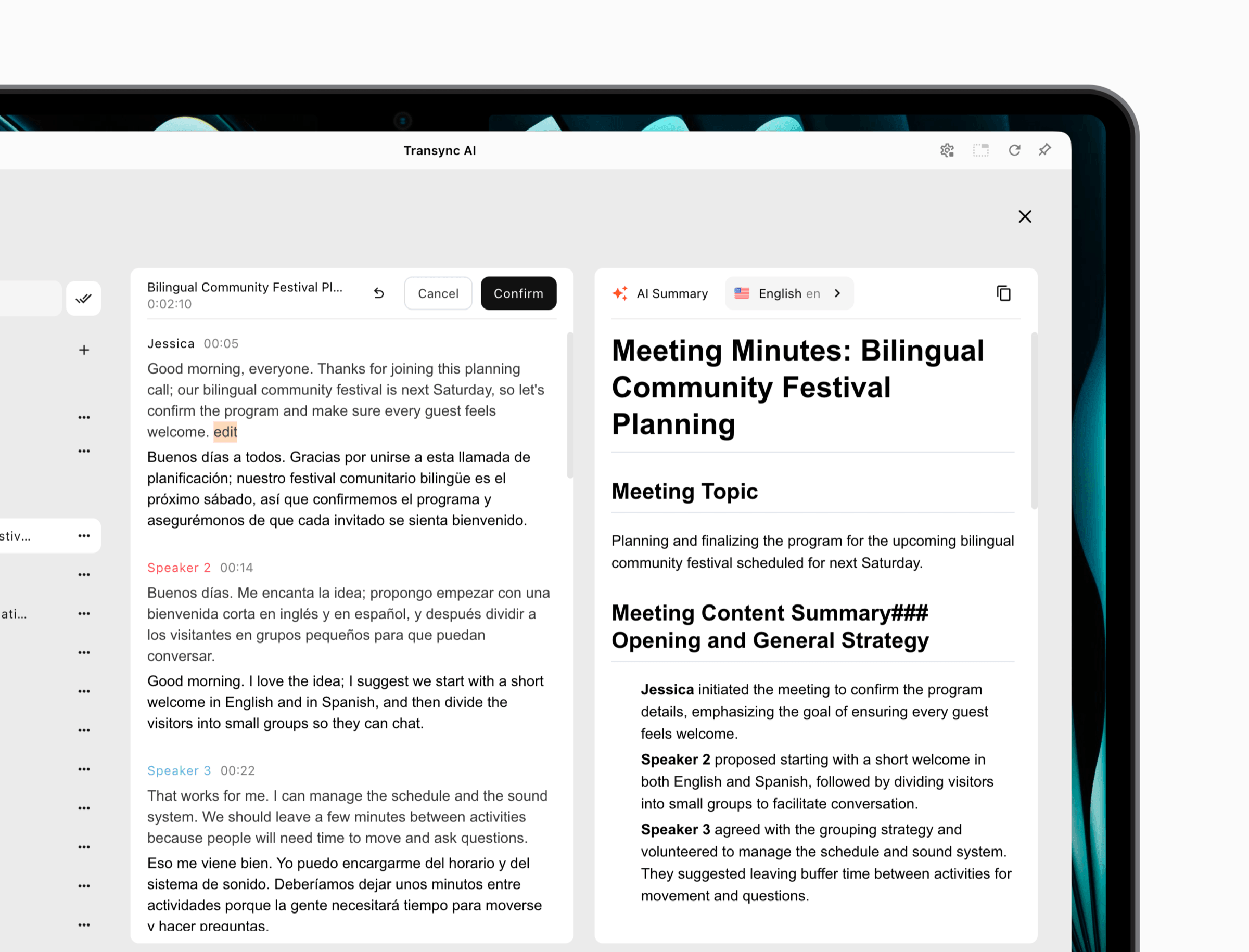 Режим презентації додає явний вибір щодо спільного доступу. Ведучий повинен ділитися стенограмою після сесії лише тоді, коли аудиторія має право її зберігати.
8-етапний робочий процес перекладу мов
- Визначте аудиторію, мовний напрямок, формат, термін виконання та ризик.
- Виберіть правильний маршрут: зустріч у реальному часі, презентація, документ, камера, стенограма або медіафайл.
- Покращте вихідний аудіо, зображення, текст або файл перед перекладом.
- Надайте контекст, назви, термінологію та вимоги до локалізації.
- Згенеруйте перший переклад, не відкидаючи джерело.
- Перегляньте значення, цифри, динаміків, форматування, час та тон.
- Перевірте результат у реальній зустрічі, документі, пристрої або відеоплеєрі.
- Застосуйте правила доступу, збереження, маркування та видалення перед доставкою.
Цей робочий процес підтримує переклад мов пов'язаний з реальним результатом комунікації.
Поширені проблеми під час перекладу мов
| Проблема | Ймовірна причина | Краща дія |
|---|---|---|
| Вільний вихід містить невірні факти | Помилка розпізнавання джерела | Спочатку виправте аудіотранскрипцію або розпізнавання зображень |
| Умови використання продукту змінюються в усьому файлі | Відсутній глосарій або контекст | Підготуйте затверджену термінологію та проведіть пошук узгодженості |
| Живий переклад здається неймовірно повільним | Неправильний робочий процес або аудіомаршрут | Перевірте затримку, пристрої та режим зустрічі перед покупкою |
| Аудиторія не може знайти свою мову | Проблема з доступом або конфігурацією | Репетиційні посилання, QR-коди, облікові записи та увімкнені мови |
| Текст субтитрів блимає занадто швидко | Цільовий текст перевищує тривалість сигналу | Пересегментуйте та перевірте швидкість читання в плеєрі |
| Розриви форматування документа | Інструмент або тип файлу не підходить | Використовуйте робочий процес документообігу та перевірте експортований файл |
| Переклад звучить більш певно, ніж оригінал | Тон або модальність були втрачені | Відновлення умов, хеджування та розмовного контексту |
| Конфіденційний запис потрапляє до невірної особи | Розподіл власності був незрозумілим | Призначте рішення хоста та політику доступу перед завершенням |
Виправте етап, який спричинив помилку. Переписування останнього речення не може надійно виправити хибне джерело.
Найчастіші запитання щодо перекладу мов
Як найкраще почати перекладати з різних мов?
Почніть з визначення завдання: жива розмова, презентація, документ, зображення, стенограма, субтитри або професійне спілкування з високими ставками. Потім виберіть інструмент, розроблений для цього призначення, і протестуйте точну мовну пару.
Який інструмент найкраще підходить для живих зустрічей?
Штучний інтелект Transync розроблено для живих багатомовних зустрічей, які потребують оригінальних та перекладених субтитрів, відтворення голосу, підготовки термінології, плаваючих субтитрів та збережених записів на поширених платформах.
Чи може аудиторія отримувати інформацію кількома мовами одночасно?
Так. Штучний інтелект Transync Режим презентації дозволяє одному ведучому ввімкнути до 10 цільових мов. Учасники аудиторії приєднуються за посиланням, QR-кодом або ідентифікатором кімнати та вибирають увімкнену мову для субтитрів або опціонального відтворення голосу.
Чи потрібно глядачам встановлювати Штучний інтелект Transync?
Встановлення програмного забезпечення не потрібне, але глядачі повинні зареєструватися або увійти в обліковий запис. Вони можуть читати та слухати, але не можуть надсилати голосові дані до завдання режиму презентації ведучого.
Який інструмент найкраще підходить для перекладу вивісок та фотографій?
Google Перекладач є практичною відправною точкою для зображень з камери, збережених фотографій, коротких текстів, рукописного тексту та мовлення під час подорожей. Слід перевірити чіткість зображення та доступність офлайн-мов.
Який інструмент найкраще підходить для перекладу документів?
DeepL є надійним варіантом для підтримуваних форматів письмового тексту та документів. Перевірте підтримку мов, форматування, доступ до глосарію, конфіденційність та обмеження плану перед обробкою важливих файлів.
Які інструменти найкраще підходять для перекладу субтитрів?
Сонікс корисний для виправлення та перекладу синхронізованих транскриптів. Маестра забезпечує розширений робочий процес субтитрів, озвучування, дубляжу та локалізації медіа. Перевірте експортований SRT або VTT у фінальному програвачі.
Чи може штучний інтелект замінити професійного перекладача?
Штучний інтелект може пришвидшити рутину переклад мов, але це не може гарантувати бездоганну оцінку, сертифікацію, культурні нюанси чи відповідальність за предметну область. Контент з високим рівнем ризику та критичним для публікації контентом потребує відповідної кваліфікованої перевірки.
Як можна покращити точність перекладу?
Покращте джерело, оберіть правильну мову введення, надайте контекст і термінологію, збережіть повні речення, порівняйте результат з оригіналом і розподіліть зусилля на перевірку відповідно до ризику.
Остаточне рішення щодо перекладу мов
Успішний переклад мов починається з узгодження робочого процесу з місцем призначення.
Виберіть Штучний інтелект Transync для зустрічей та презентацій, де людям потрібно негайно зрозуміти мовлення, отримати перекладений голос або субтитри та зберегти корисний запис. Виберіть DeepL для підтверджених письмових документів, Google Перекладач для щоденних потреб у текстових повідомленнях та роботі з камерою, Сонікс для локалізації з першим транскриптом, та Маестра для субтитрів та медіа-виробництва.
Жоден окремий мовний експерт не може прийняти це рішення за вас. Перевірте справжнє джерело, цільову аудиторію, термінологію, платформу, пристрій, формат та ризик. Найкращий переклад — це не просто вільний переклад, він допомагає цільовій особі зрозуміти задумане значення в той момент і формат, де це важливо.
Якщо ви хочете отримати досвід наступного покоління, Штучний інтелект Transync лідирує завдяки перекладу в режимі реального часу на базі штучного інтелекту, який забезпечує природний хід розмов. Ви можете спробуйте безкоштовно зараз.
