

Сравните Transync AI и Talo по 7 проверкам качества связи, охватывающим настройку совещаний, ботов, голос, субтитры, языки, платформы, запись разговоров и цены.
Два виртуальных переводчика могут гарантировать одинаковый результат — люди говорят на своих языках и понимают друг друга — используя при этом совершенно разную архитектуру совещания. Один может работать параллельно с звонком под управлением участника. Другой может войти в совещание как бот и переводить для всех участников.
Этот архитектурный выбор определяет Transync AI и Тало. Transync AI Это автономное приложение для проведения совещаний с двуязычными субтитрами, переводом голоса, контекстными инструментами, плавающими субтитрами и возможностью заметок к совещаниям. Тало Это переводчик для видеозвонков, чей ИИ-бот присоединяется к совещанию и озвучивает участников в режиме реального времени.
В данном обзоре оценивается Transync AI и Talo в ходе семи проверок качества звонков. Каждая проверка фокусируется на том, что покупатель может проверить, прежде чем полагаться на тот или иной продукт для телефонного звонка, собеседования, сессии поддержки, командного совещания или вебинара.
Быстрый выбор между Transync AI и Тало
Выбирать Transync AI Когда вам нужен переводчик, управляемый участниками, который работает совместно с платформами для проведения совещаний и может поддерживать личные беседы. Он особенно привлекателен, когда важны двуязычный текст, воспроизведение голоса, подготовка терминологии, ведение заметок на совещаниях и низкая ежемесячная плата.
Выбирать Тало Когда ваша команда готова пригласить ИИ-бота в поддерживаемые видеозвонки и хочет, чтобы бот слушал и озвучивал участников без необходимости для каждого участника создавать учетную запись или устанавливать программное обеспечение.
Решающий Transync AI и Talo Вопрос не только в качестве перевода. Важно и то, что организация предпочитает: локального помощника или бота для участников совещания.
Снимок качества звонка
| Проверять | Transync AI | Тало |
|---|---|---|
| вход на встречу | Работает параллельно с совещанием; видимый бот для перевода не требуется. | Один ИИ-бот присоединяется к встрече по предоставленной ссылке. |
| Основные платформы | Кроссплатформенное приложение-компаньон для распространенных инструментов проведения совещаний, а также для использования в очном режиме. | Предназначено для видеозвонков в Zoom, Microsoft Teams и Google Meet. |
| Текст в реальном времени | Двуязычные субтитлы, расположенные рядом, и возможность отображения плавающих субтитлов. | Функция субтитров в реальном времени рекомендуется для отдельных сценариев проведения совещаний. |
| Живой голос | Воспроизведение голоса с помощью ИИ с поддержкой компьютерного аудио и виртуальных микрофонов. | Бот озвучивает обе стороны поддерживаемого вызова в режиме реального времени. |
| Взаимодействие | Односторонний, двусторонний и многоязычный режимы | Примеры использования двустороннего голосового перевода и многоязычных совещаний. |
| Языковое позиционирование | Более 60 языков и более 1700 пар. | 60 языков или языковых пар, согласно текущим страницам товаров. |
| Контекст | Ключевые слова и подготовка контекста встречи | Настройки голоса доступны в соответствующих тарифных планах; подробная информация о функциях в глоссарии/контекстных элементах управления ограничена. |
| Устройства и ситуации | Веб, Windows, macOS, iOS, Android, онлайн-звонки и личные беседы. | Онлайн-видеозвонки, организованные на основе поддерживаемых платформ для проведения совещаний. |
| После звонка | Стенограмма и протокол совещания, подготовленные с помощью ИИ. | Дополнительные субтитры/стенограммы в зависимости от настроек; не предназначено для использования в качестве рабочего пространства для анализа совещаний. |
| Опубликованная индивидуальная запись | $8.99/месяц за 600 минут | Начальная цена $33 в месяц, оплата ежегодно за 120 минут в месяц. |
Информация о ценах и продукте проверена в августе 2026 года. Тарифные планы, включенные в них протоколы, требования к платформе и функции могут меняться; подтвердите текущую версию оформления заказа и протестируйте точный рабочий процесс проведения совещания.
Используйте это Transync AI и Talo Сделайте снимок экрана, чтобы выбрать наиболее важные проверки для вашей организации перед началом пробного периода.
Проверка 1: Как осуществляется перевод в ходе звонка?
Вступление в конференцию – это первый важный шаг. Transync AI и Talo Разница заключается в том, что она влияет на права доступа, видимость и на то, кто контролирует сессию.
The Transync AI Сопутствующая модель
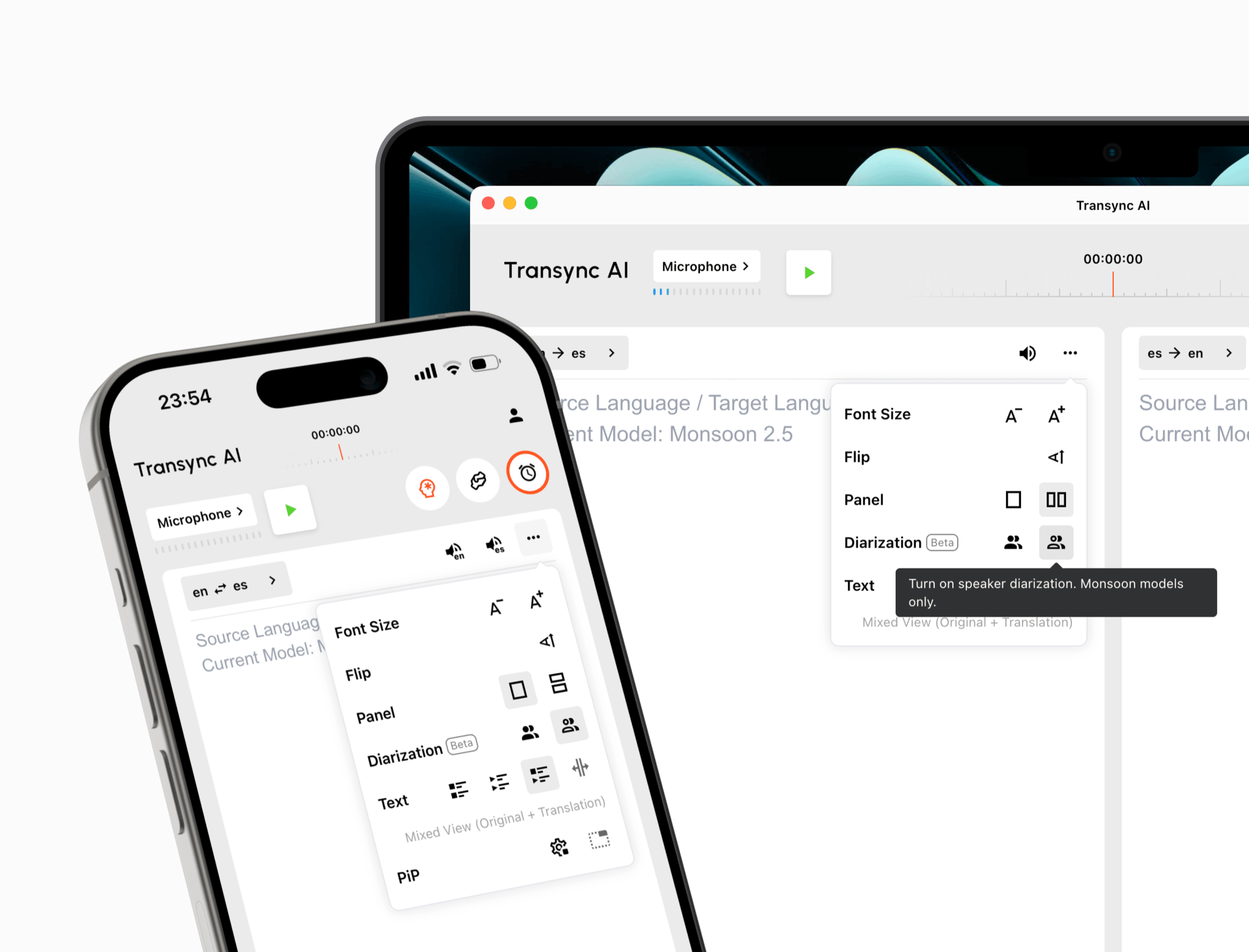
The функция перевода во время онлайн-встречи Работает отдельно от приложения для конференц-связи. Пользователь запускает переводчик, выбирает языковой режим, захватывает соответствующий микрофон или звук с компьютера и контролирует процесс перевода самостоятельно.
Переводчику не обязательно быть ботом в списке участников. Это может быть полезно, когда клиентам не нравятся автоматические участники, внешние гости не могут подключать интеграции или политика компании запрещает ботам участвовать в конфиденциальных звонках.
 Попробуйте Transync AI бесплатно
The Тало Модель бота
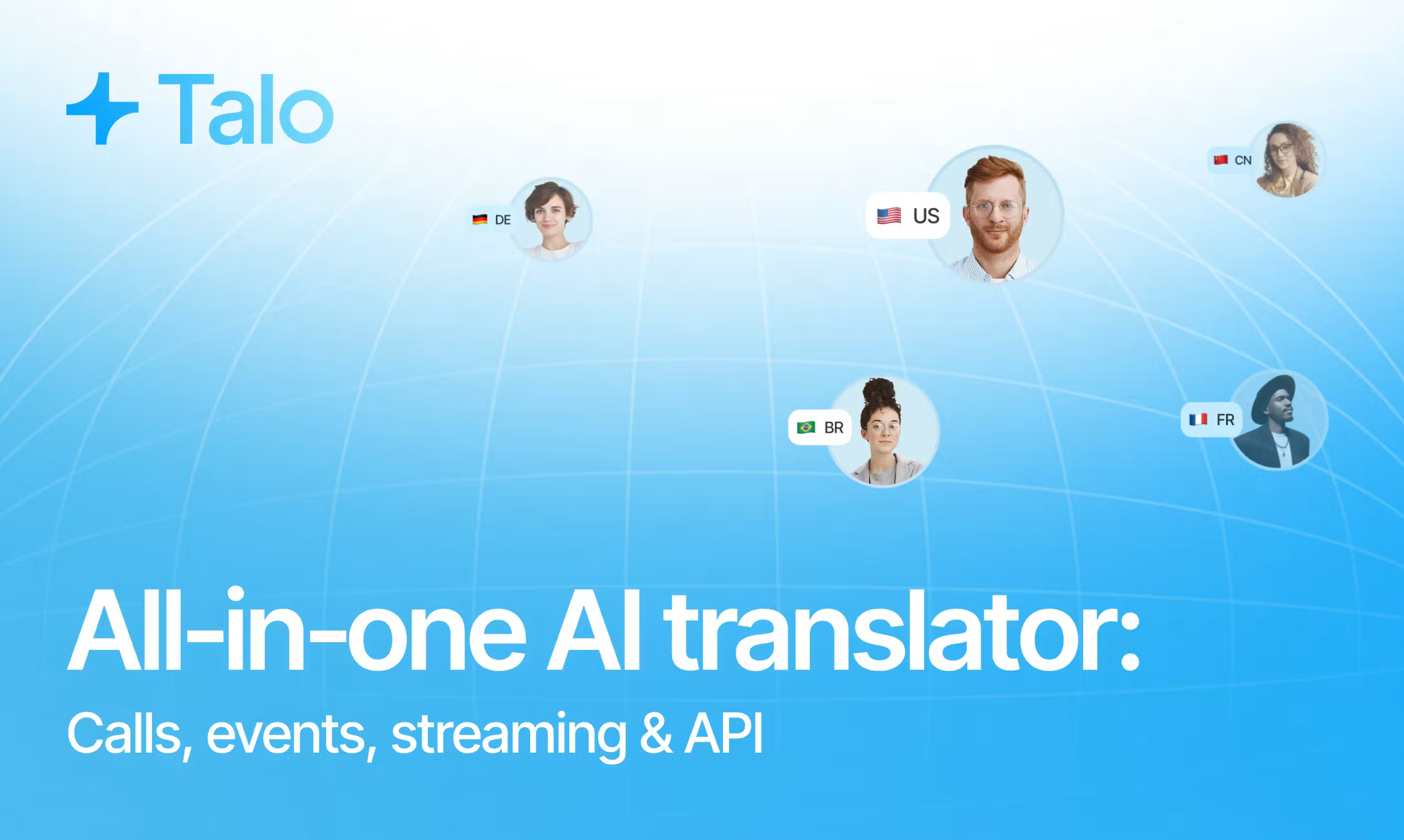
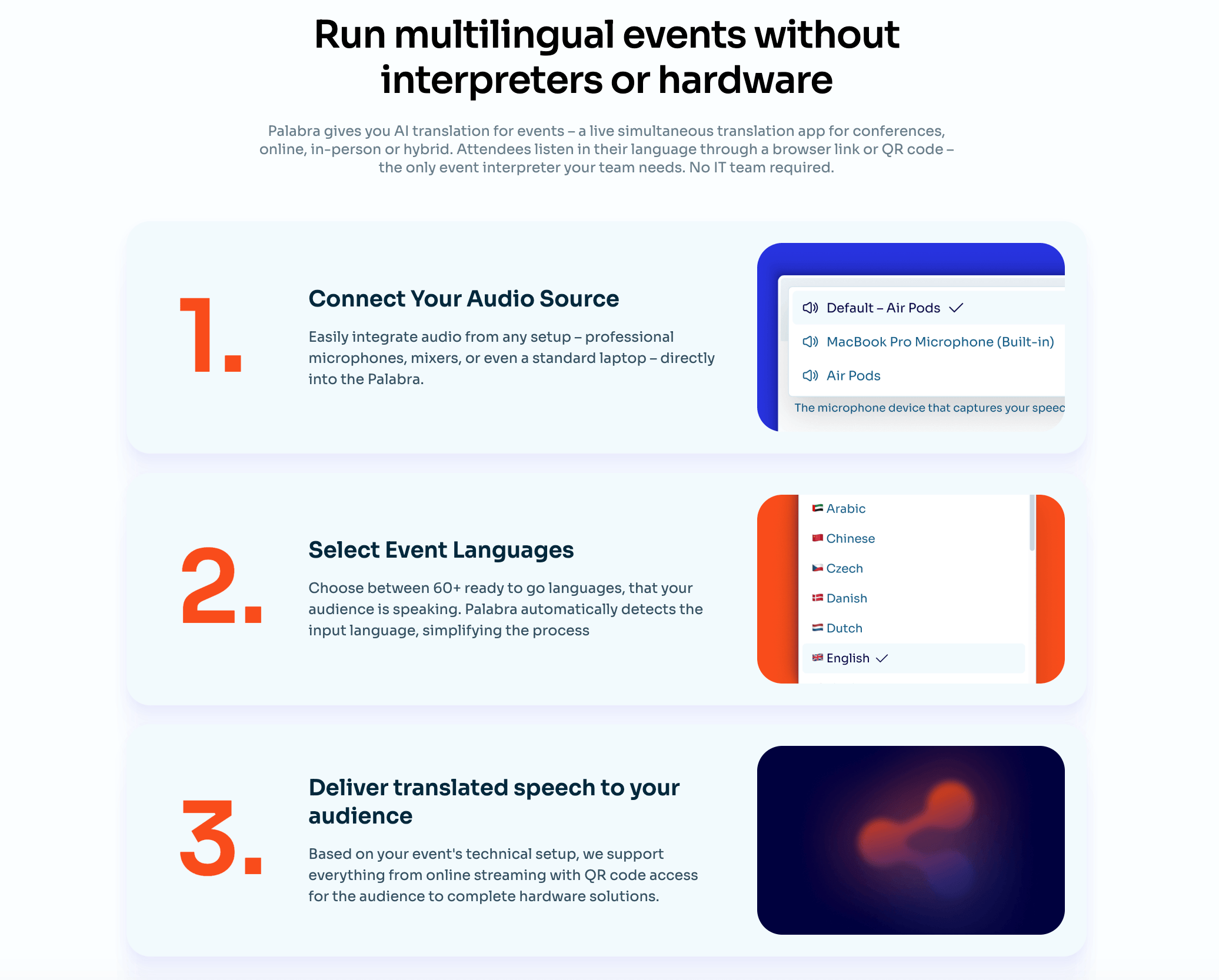
Тало Программа предлагает пользователю выбрать языковую пару и вставить ссылку на встречу в свой портал. Один бот с искусственным интеллектом присоединяется к звонку, прослушивает участников и озвучивает перевод. Другим участникам не требуются отдельные учетные записи, загрузки или плагины.
Это может упростить организацию групповых мероприятий, поскольку один участник сервиса управляет помещением. Это также означает, что организатору встречи, возможно, потребуется разрешить доступ боту, подтвердить его присутствие и убедиться, что организационные правила допускают автоматическую обработку.
Проверка звонков: Протестируйте внешнюю встречу, где покупатель не является организатором. Запишите, может ли бот присоединиться, как он идентифицируется, задерживает ли его присутствие зал ожидания и правильно ли записывает звук альтернативный вариант, управляемый участником.
Проверка 2: Какие платформы и ситуации необходимо охватить?
Логотипов платформы недостаточно. Полезный Transync AI и Talo Для сравнения необходимо указать точный тип учетной записи, права доступа организатора, операционную систему компьютера, гарнитуру и формат совещания.
Transync AI работает вместе Zoom, Microsoft Teams, Google Meet, а также другие инструменты для звонков и личные беседы. Поддерживаются веб-интерфейс, Windows, macOS, iOS и Android.
Эта более широкая модель устройства помогает пользователям, которые чередуют телефонные звонки клиентам, разговоры во время поездок, обсуждения в классе, телефонные звонки по громкой связи и личные встречи.

Совместимость с основными платформами для онлайн-встреч обеспечивает бесперебойный перевод в режиме реального времени.
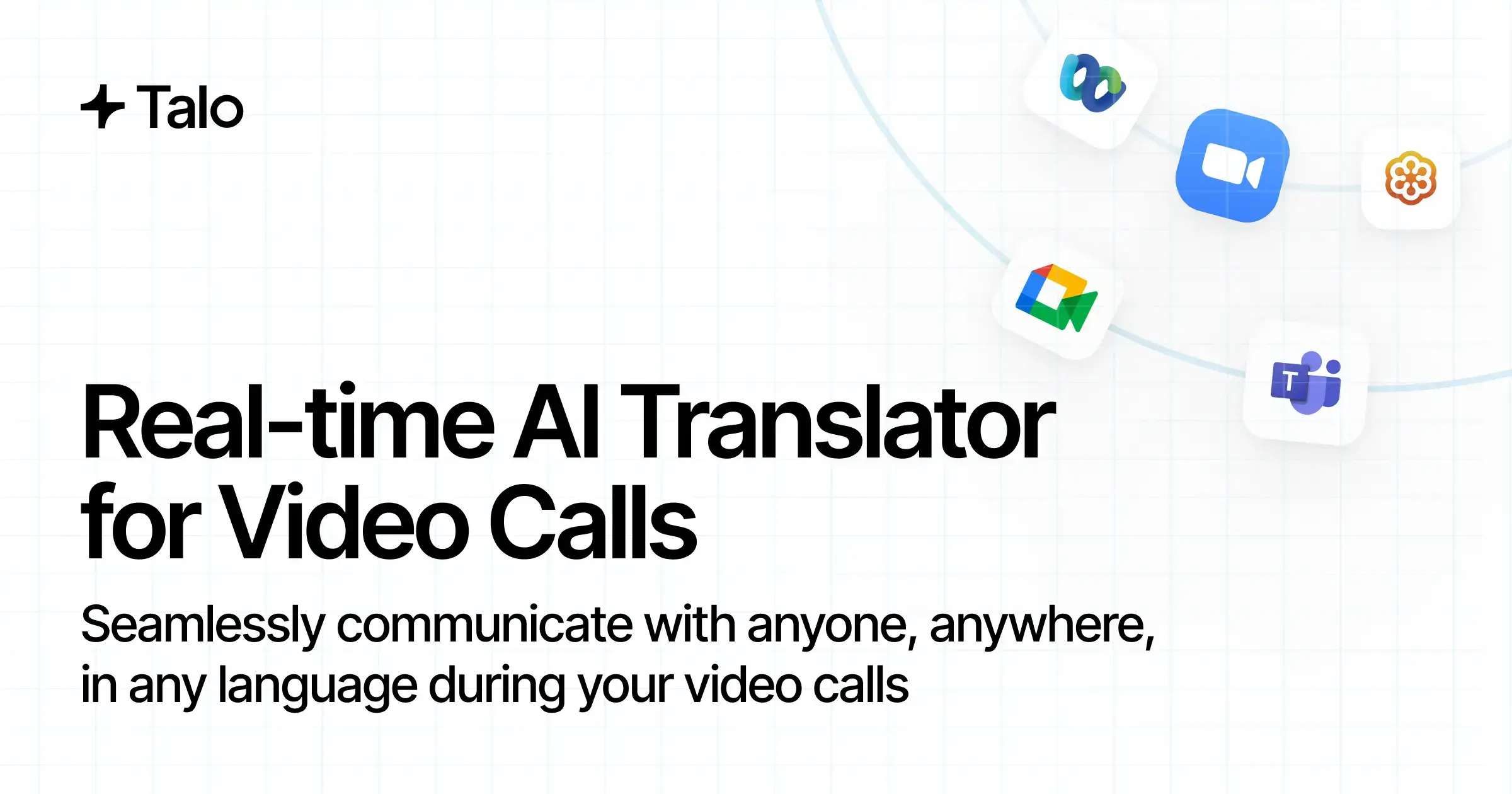
Тало специально предназначен для видеозвонков на Zoom, Microsoft Teams, и Google Meet. Его работа с ботом на основе портала разработана таким образом, чтобы подключаться к этим сессиям после того, как пользователь отправит ссылку на встречу.
Более узкая область применения может быть преимуществом, когда организация хочет использовать единый стандартизированный процесс онлайн-звонков. Однако это является ограничением, когда перевод необходимо продолжать вне поддерживаемых сред конференц-связи или на личном мобильном устройстве без ссылки на встречу.
 Проверка звонков: Проведите одно организованное совещание и одно совещание, организованное сторонним сервисом, на каждой необходимой платформе. Затем протестируйте очное общение. Не следует предполагать, что успех на одной платформе гарантирует работоспособность других рабочих процессов.
Тест этой платформы продолжает Transync AI и Talo привязано к фактическому разрешению покупателя на проведение встречи, а не к демонстрации, контролируемой поставщиком услуг.
Проверка 3: Что читают и слышат участники?
Живое взаимодействие — это сердце всего. Transync AI и Talo потому что оба продукта предназначены для устранения пауз в многоязычном общении.
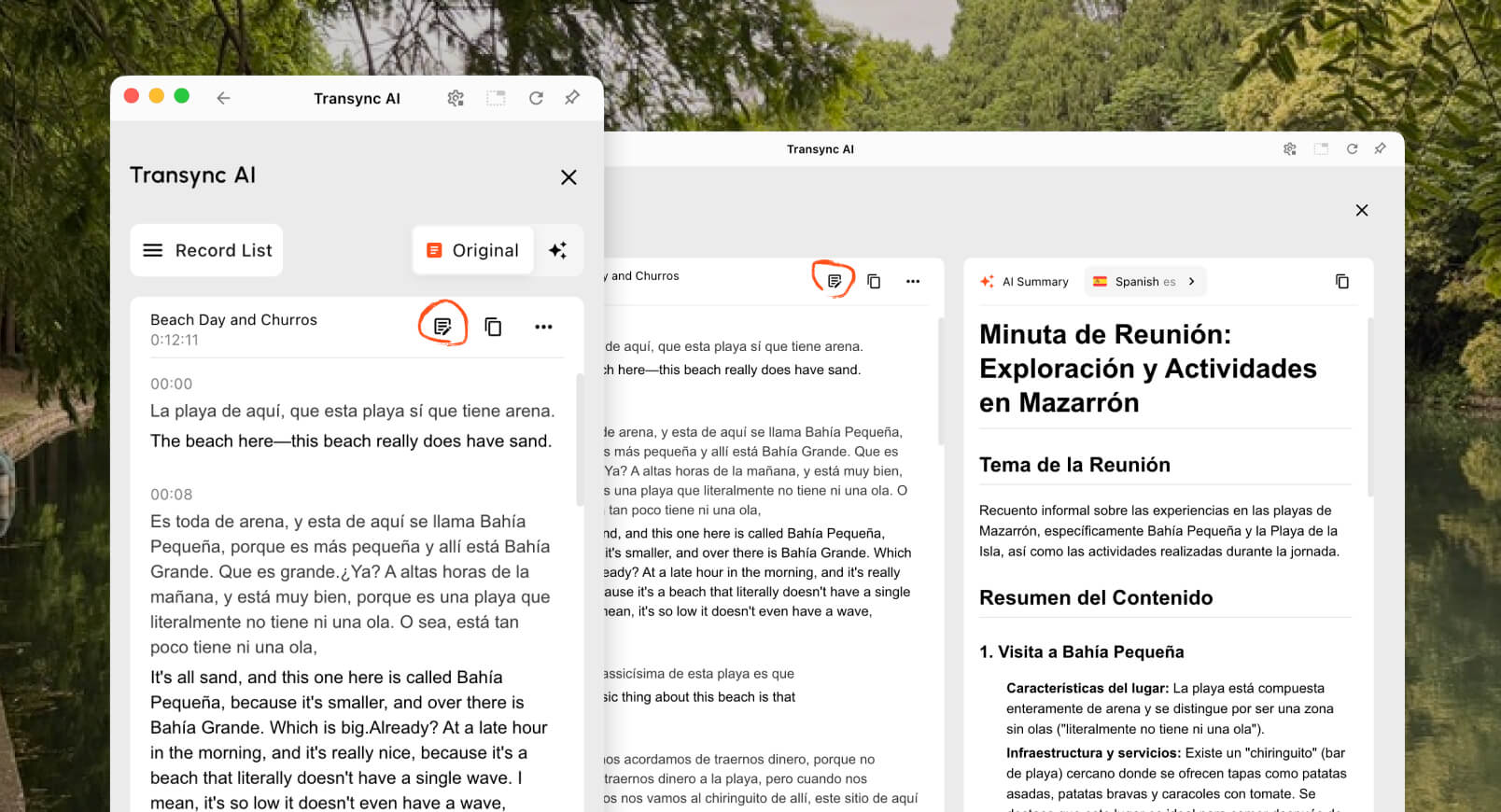
The инструмент перевода в реальном времени Отображает распознанный исходный текст и перевод одновременно. Это дает участнику возможность заметить неправильное имя, число или фразу до того, как ответить.
The Голосовой переводчик с искусственным интеллектом Добавляет естественный речевой вывод. Пользователи могут прослушивать перевод локально и использовать поддерживаемые рабочие процессы совместного использования аудио или виртуального микрофона, когда необходимо слышать переведенную речь во время звонка.
The Функция двуязычных субтитров «картинка в картинке» Позволяет отображать оригинальные и переведенные субтитры поверх других приложений на поддерживаемых устройствах. Это полезно во время демонстраций, презентаций, интервью и работы с CRM-системами.

Плавающие субтитлы в реальном времени на настольных и мобильных устройствах
Тало Особое внимание уделяется интерпретации голоса в реальном времени. Бот прослушивает совещание и озвучивает участников на выбранных языках, а на страницах продукта рекламируется доставка за доли секунды и субтитры в реальном времени для соответствующих сценариев использования. Поскольку аудио передается внутри совещания, участники могут сосредоточиться на обсуждении, а не на управлении отдельным приложением для перевода.
 Устный перевод может звучать плавно, но при этом содержать ошибки в переводе цифры или термина. Поэтому покупателям следует проверить, доступны ли в предполагаемом плане исходные и переведенные субтитры, а также имеют ли участники возможность проверить важные детали, прежде чем принимать решение.
Проверка звонков: Укажите цену, дату, URL-адрес, номер модели, название, аббревиатуру и исправление. Оценивайте как разборчивость текста, так и четкость голоса, а не только естественность звучания аудиозаписи.
Вопрос 4: Насколько эффективно работает двусторонний разворот?
Двусторонний диалог является общей целью Transync AI и Talo, Однако качество обмена репликами зависит от маршрутизации звука и характера прерываний.
Transync AI Предлагает односторонний, двусторонний и многоязычный режимы. В поддерживаемых двусторонних настройках может различать языки в выбранной паре, отображать обе стороны и воспроизводить переведенную речь. Пользователи могут приостанавливать, прерывать или просматривать текст из собственного интерфейса.
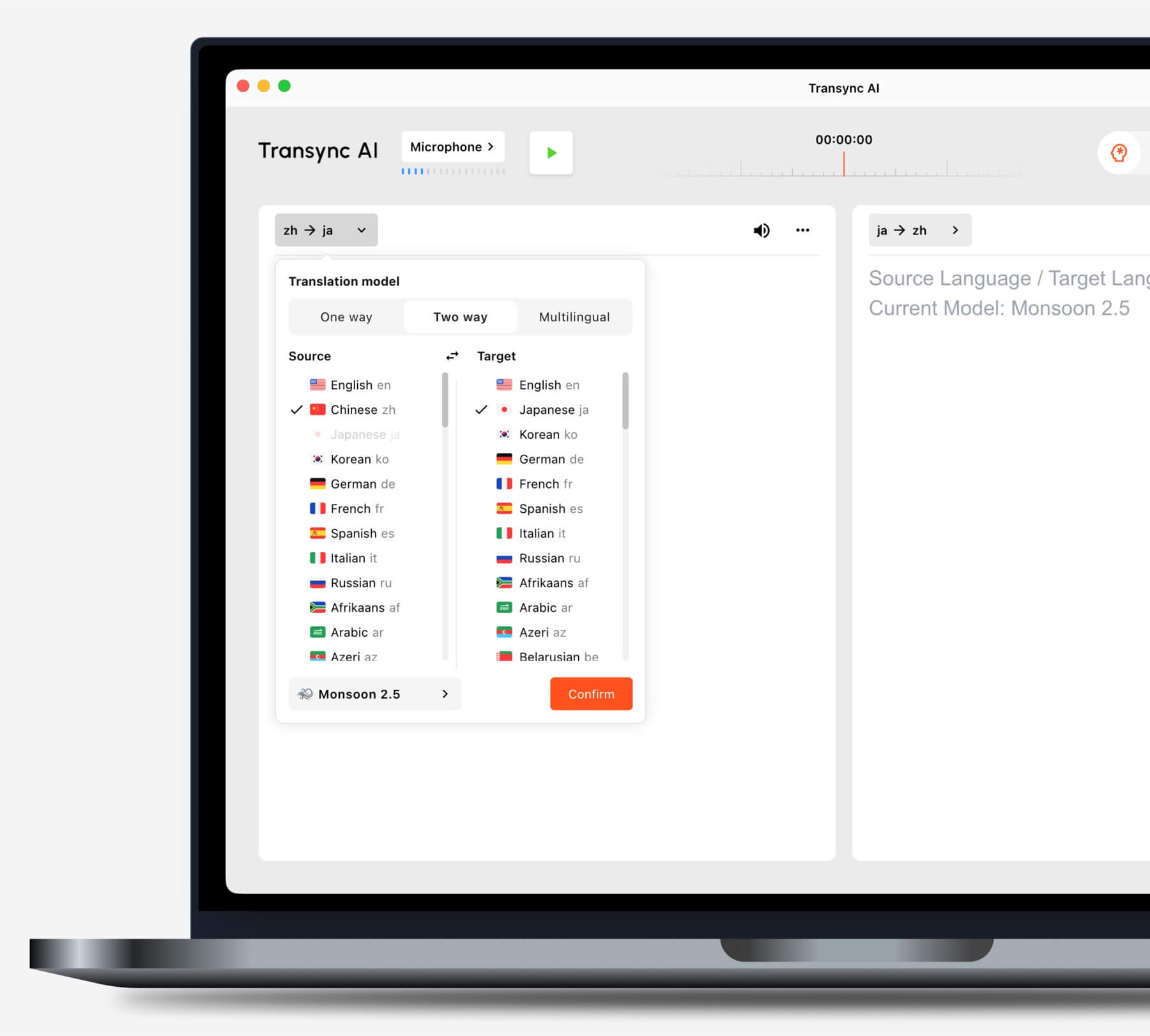
Перед началом выполнения задачи выберите режим перевода, соответствующий вашей ситуации.
Тало Компания позиционирует своего бота для двустороннего голосового перевода в телефонных переговорах с клиентами, службе поддержки, пользовательских интервью, процессе подбора персонала и внутренних совещаниях. Бот получает речь из звонка и озвучивает ее на другом языке, позволяя обеим сторонам продолжить разговор без необходимости вручную передавать устройство.
 В реальных совещаниях присутствуют наложения реплик, смех, неполные предложения, демонстрация экрана и разговоры, в которых собеседники меняют язык посреди предложения. Эти условия имеют большее значение, чем заученная демонстрация продукта.
Проверка звонков: Пусть два говорящих прервутся один раз, изменят темп, исправят неправильно понятое число и сразу же попросят уточнить. Оцените, не блокирует ли переведенный аудиоматериал следующего говорящего или не приводит ли к тому, что разговор отстает.
Проверка 5: Может ли переводчик обрабатывать бизнес-контекст?
Контекст — это то, где находится Transync AI и Talo Сравнение становится чем-то большим, чем просто соревнование по количеству изучаемых языков.
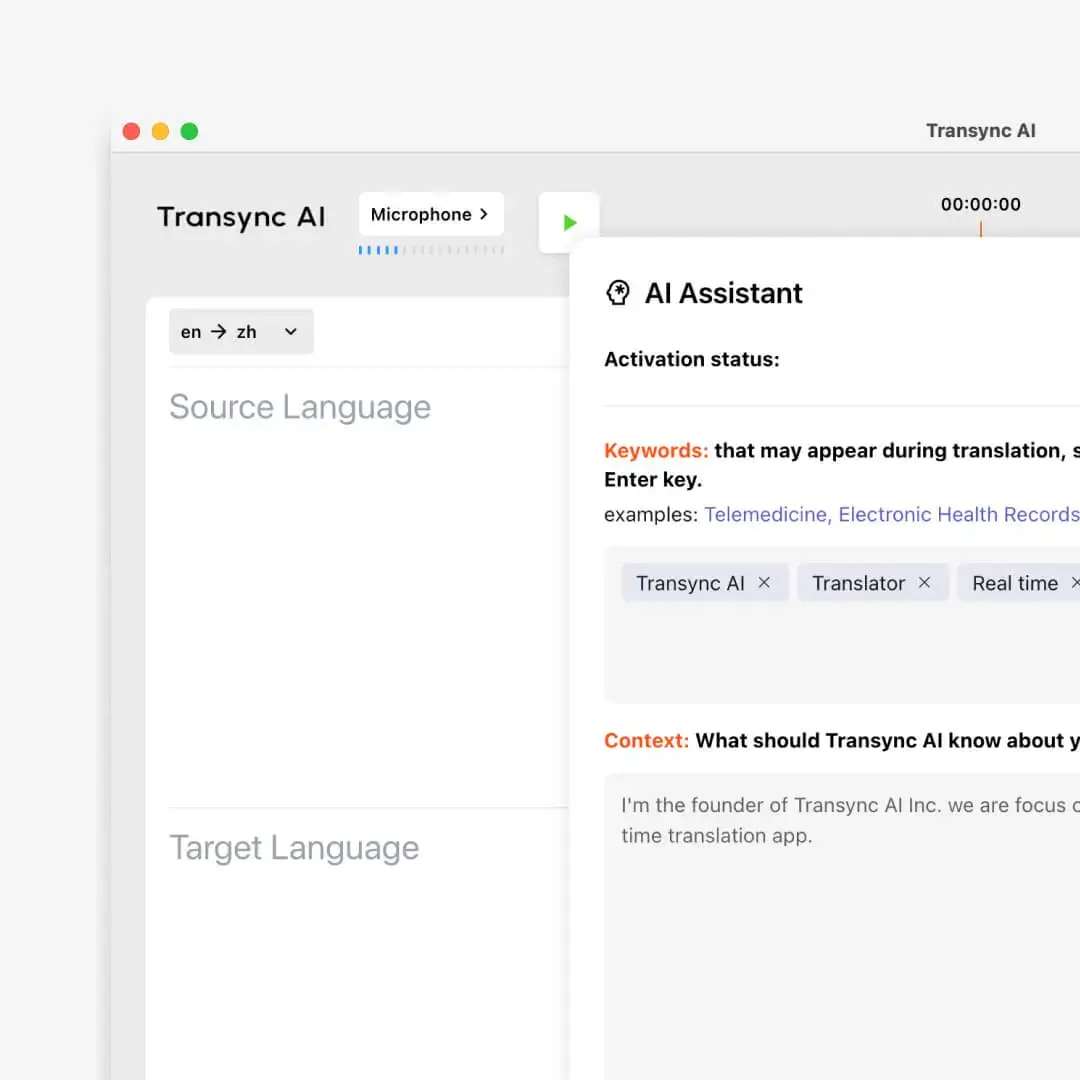
The Функция ключевых слов и контекста для ИИ-помощника давайте Transync AI Пользователи добавляют ожидаемые имена и терминологию, а также описывают тему встречи. Такая подготовка полезна для демонстрации продуктов, технической поддержки, исследовательских интервью и профессиональных дискуссий.
Тало В списке поддерживаемых языков указано 60, а настройки голоса доступны в более дорогих тарифных планах, однако текущие публичные цены и главная страница сайта содержат меньше информации о глоссариях, управляемых покупателем, или о подготовке к совещанию. Это не доказывает отсутствие такой возможности; это означает, что покупатель должен уточнить её во время пробного периода или у провайдера.
 Оба продукта следует тестировать с использованием одной и той же языковой пары. Заголовок типа “60 языков” не раскрывает информацию о поддержке региональных акцентов, особенностях терминологии или о том, имеют ли все пары одинаковые голосовые и субтитровые характеристики.
Проверка звонков: Подготовьте десять терминов, специфичных для вашей компании, и одно неоднозначное предложение. Протестируйте совещание один раз без подготовки и один раз с использованием каждого доступного контекста или словарного запаса. Запишите, какие ошибки можно исправить до следующего звонка.
Проверка 6: Что происходит с протоколом собрания?
Результат выполнения вызова создает еще один Transync AI и Talo различие.
The Функция создания заметок на совещаниях с использованием ИИ Создает стенограмму и структурированное резюме после переведенной встречи. Это помогает в дальнейшей работе, такой как анализ принятых решений, выявление возражений клиентов и определение дальнейших шагов.
 Тало Этот тарифный план позиционируется в первую очередь как программа для перевода видеозвонков в режиме реального времени, а не как полноценный пакет программного обеспечения для анализа совещаний. В условиях использования обсуждаются дополнительные функции субтитров в режиме реального времени и сохранения стенограмм, а также отмечается, что сохраненные стенограммы могут быть видны авторизованным участникам рабочего пространства в зависимости от настроек. Покупателям следует уточнить, какие функции записи, субтитров, стенограмм, экспорта и хранения включены в выбранный тарифный план.
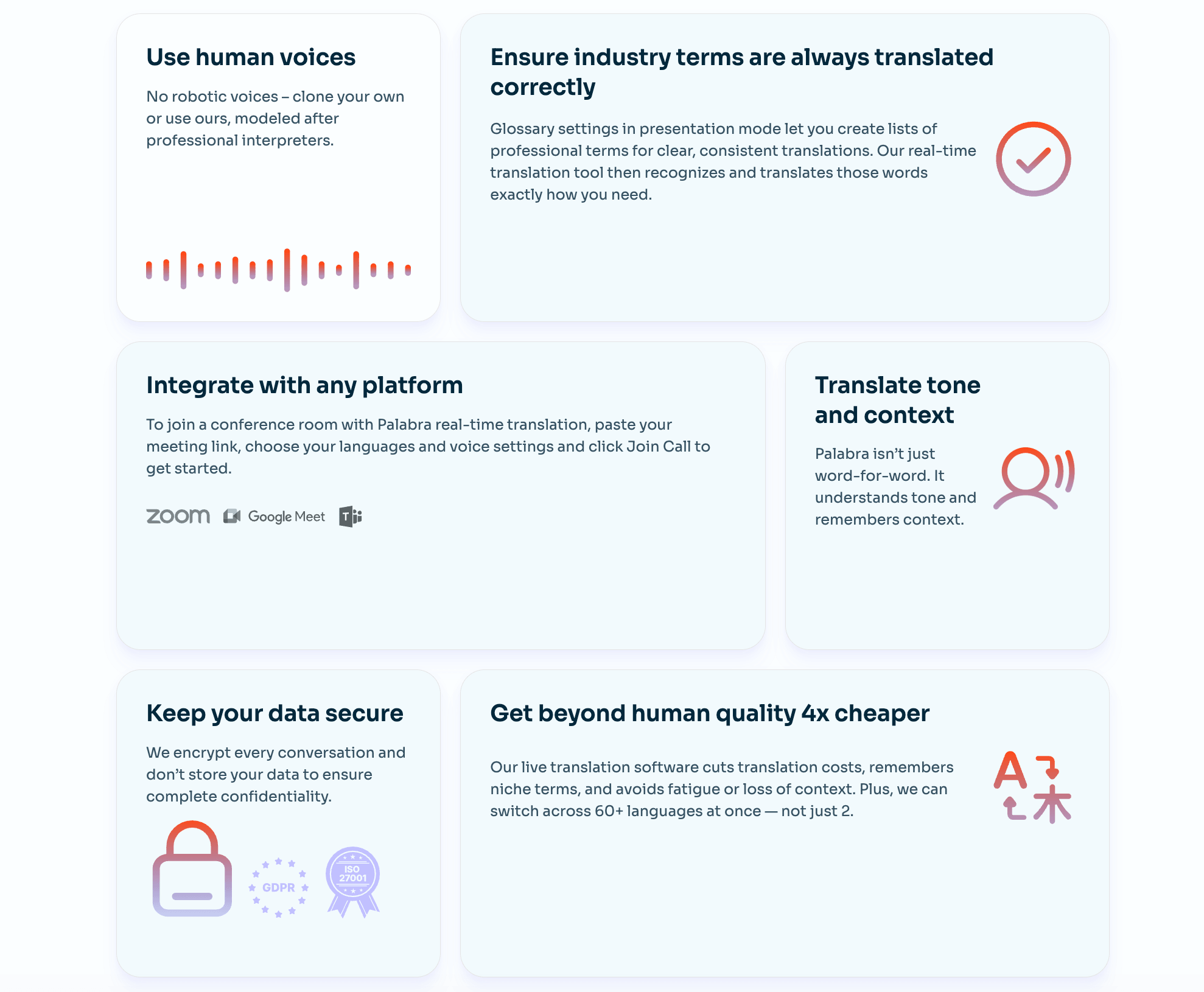 Здесь есть важный нюанс, касающийся конфиденциальности. Тало На общедоступном сайте указано, что он не хранит и не сохраняет данные совещаний, в то время как в условиях использования поясняется, что стенограммы и субтитры могут храниться, если эти функции включены, и сохраняться до тех пор, пока они больше не понадобятся или не будут удалены. Это может быть согласовано, если хранение данных является необязательным, но организация должна задокументировать свою точную конфигурацию.
Transync AI и Talo Пользователи также обязаны получить любое требуемое по закону согласие перед записью, расшифровкой или обработкой речи участников. Отключение хранения данных не снимает обязанности уведомлять людей в соответствующих случаях.
Проверка звонков: Включайте только те функции, которые организация планирует использовать, затем проверяйте, что отображается в учетной записи после звонка, кто имеет к ней доступ, как она удаляется и полезны ли заметки.
Проверка 7: Как это работает? Transync AI и Тало Сравним цены?
Государственное ценообразование создает значительную, измеримую разницу между Transync AI и Talo.
Текущие цены и условия использования
| План | Опубликованная цена | Включая время перевода | Эффективная стоимость при полной загрузке |
|---|---|---|---|
| Transync AI Бесплатно | $0 | через 40 минут после регистрации | Бесплатный первичный тест |
| Transync AI Персональная премия | $8.99/месяц | 600 минут | Примерно $0,015/минуту |
| Transync AI Предприятие | $24.99/месяц за место | 2400 минут в месяц на одно место | Примерно $0,010/минуту |
| Тало Пробный | $0 | 20 минут в течение 7-дневного испытания | Бесплатный первичный тест |
| Тало Стартовый годовой | 33 в месяц, оплата 396 в год | 120 минут в месяц | Примерно $0,275/минуту |
| Тало Про-месячная | $100/месяц | 400 минут в месяц | Примерно $0,25/минуту |
| Тало Про годовой | 80 в месяц, оплата 960 в год. | 4800 минут в год | Примерно $0,20/минуту |
| Тало Ежемесячный командный сбор | $500/месяц | 400 минут в месяц для указанного командного плана | Примерно $1,25/минуту, не считая стоимости места. |
| Тало Ежегодный командный | 400 в месяц, годовой счет 4800. | 30 000 минут в год | Примерно $0,16/минуту, не считая стоимости места. |
| Тало Предприятие | Обычай | Без ограничений согласно прайс-листу. | Требуется расчет стоимости. |
Источники: Transync AI официальная страница с ценами, Тало официальная страница с ценами, и Тало условия судебного разбирательства. Проверено в августе 2026 года.
Справедливый обзор цен Transync AI и Talo Необходимо учитывать как время перевода, так и операционную ценность доставки контента с помощью ботов.
Где находится Transync AI У вас есть ценовое преимущество?
При полном объеме включенных функций, Transync AI Стоимость персонального премиум-тарифа составляет приблизительно 0,015 за минуту. Стоимость годового тарифа **Talo** Starter составляет около 0,275 за минуту, месячного тарифа Pro — около 0,25, а годового тарифа Pro — около 0,20.
На основании этих опубликованных надбавок, Transync AI Примерная стоимость индивидуальной страховой премии составляет:
- 94,5% ниже в минуту, чем Тало Стартовый годовой сертификат.
- 94% дешевле в минуту, чем Тало Ежемесячно.
- 92,5% ниже в минуту, чем Тало Процентный годовой.
Ежемесячная абонентская плата также на $24.01 ниже, чем Тало В тарифе Starter отображается эквивалентное количество минут в месяц, причем в пять раз больше, чем в предыдущем тарифе.
Это не означает, что модели доставки идентичны. Тало Бот может войти в поддерживаемое совещание и обеспечить голосовой перевод для всех участников, не требуя от каждого из них использования переводчика. Планы для команд и предприятий также включают места, администрирование, брендинг, поддержку или пользовательские условия, которые не учитываются простым поминутным расчетом.
Для отдельного человека или небольшой команды, оплачивающих в основном время перевода в режиме реального времени, Transync AI имеет более высокую заявленную цену. Для организации, которая специально хочет использовать бот для проведения совещаний, дополнительная цена будет выше. Тало Затраты могут быть оправданы сокращением времени на подготовку участников.
Ответственный Transync AI и Talo В бюджет следует включить разрешения для ботов, количество пользователей, включенное время, плату за превышение лимита, годовой контракт, настройки голосовой связи, записи совещаний, поддержку и время, необходимое персоналу для выполнения каждого рабочего процесса.
12-минутный тест для Transync AI и Тало
Справедливая Transync AI и Talo Судебное разбирательство может быть завершено за один тщательно спланированный звонок.
Минуты 1–2: подготовка
Начните встречу в качестве внешнего гостя. Измерьте время, необходимое для настройки автономного переводчика, а также время, необходимое для отправки запроса, подтверждения участия и активации бота.
3–5 минут: контролируемая речь
Прочитайте текст, содержащий имена, числа, даты, URL-адреса и терминологию. Сравните распознавание источника, смысл перевода, видимость субтитров и четкость речи.
6–8 минут: непринужденная беседа
Задавайте уточняющие вопросы, прерывайте разговор один раз, меняйте темп речи и исправляйте ошибки. Следите за задержкой звука, путаницей в речи говорящего или отсутствием информации.
9–10 минут: нагрузка на платформу
Демонстрируйте системный звук или короткое видео, меняйте активного докладчика и тестируйте чат совещания или режим презентации. Запишите, как работают субтитры и переведенный голос.
11–12 минут: дальнейшее наблюдение
Завершите сессию и проверьте стенограммы, заметки, настройки хранения данных, оставшееся время и любые данные об использовании. Повторите тест на всех необходимых платформах перед приобретением годового плана. Стабильная работа Transync AI и Talo В ходе тестирования необходимо сохранить тех же говорящих, языковую пару, оборудование и сетевые условия.
Transync AI и Тало Часто задаваемые вопросы
Является Transync AI Дешевле, чем Тало?
Да, исходя из действующих опубликованных индивидуальных лимитов. Transync AI В одном из продуктов указано 600 минут за 8,99 долларов в месяц, а в **Talo** Starter – 120 минут в месяц, что эквивалентно 33 минутам в месяц при ежегодной оплате. В этих продуктах используются разные модели ввода данных о встречах, но... Transync AI Имеет существенно более низкую стоимость за минуту включенного обслуживания.
Делает Тало Присоединиться к встрече в качестве бота?
Да. Пользователь вставляет ссылку на встречу в... Тало К поддерживаемому видеозвонку подключается ИИ-бот, который прослушивает звонок и предоставляет перевод. Необходимо протестировать одобрение организатора, правила зала ожидания и политику организации в отношении ботов.
Делает Transync AI Нужен бот для проведения совещаний?
Нет. Transync AI Запускается как автономное приложение-компаньон и захватывает выбранный звук с микрофона или компьютера, не отображаясь при этом как именованный участник бота.
Какой продукт лучше подходит для двустороннего голосового перевода?
Оба продукта поддерживают двустороннюю многоязычную беседу. Transync AI предоставляет пользователю прямой контроль над субтитрами, озвучкой, режимами и контекстом. Тало Встраивает процесс голосового перевода в конференцию с помощью своего бота. Предпочтительная архитектура зависит от прав доступа и удобства использования для участников.
Какой продукт подходит для использования вне видеозвонков?
Transync AI Это более универсальный вариант для личного общения и использования на разных устройствах: веб-браузере, настольном компьютере, iOS и Android. Тало Предназначен в первую очередь для поддерживаемых онлайн-платформ для видеозвонков.
Делает Тало Сохранить расшифровку?
В условиях использования описывается, что субтитры в реальном времени и сохранение стенограмм являются настройками, которые можно включить, при этом доступ и срок действия зависят от конфигурации рабочего пространства. Покупателям следует подтвердить выбранный тарифный план и сопоставить эти настройки с публичным позиционированием без сохранения данных.
Какой продукт обеспечивает более эффективную обратную связь после встреч?
Transync AI Очевидно, что в его рабочий процесс, ориентированный на проведение совещаний, включены стенограммы и заметки с совещаний, созданные с помощью ИИ. Тало Основное внимание уделяется переводу речи в режиме реального времени; покупателям следует подтвердить наличие функций расшифровки, экспорта, составления сводных отчетов и хранения данных для требуемого тарифного плана.
Окончательное решение о качестве звонка
Выбор между Transync AI и Talo Начинается со встречи с архитекторами.
Выбирать Transync AI Когда участник хочет контролировать двуязычные субтитры в реальном времени, переведенный голос, контекст терминологии, плавающие субтитры, заметки к совещанию, выбор устройства и получать недорогой ежемесячный лимит без добавления видимого бота.
Выбирать Тало Если команда предпочитает вставлять ссылку на встречу, можно разрешить использование одного бота-переводчика и позволить этому боту озвучивать участников в поддерживаемых видеозвонках, не требуя от каждого участника использования отдельного программного обеспечения для перевода.
Для лиц, чувствительных к цене, для регулярных встреч, для смешанного использования онлайн и очных мероприятий, а также для организаций, ограничивающих использование ботов, Transync AI является более надежной отправной точкой. Для поддерживаемых онлайн-звонков, где использование ботов для осуществления звонков является приемлемым с операционной точки зрения, Тало Предлагает упрощенную альтернативу, которую стоит протестировать с реальными правами доступа организатора и реальным звуком участников.
Если вы хотите получить опыт нового поколения, Transync AI Лидер в сфере перевода в режиме реального времени с помощью искусственного интеллекта, который поддерживает естественное течение общения. Вы можете попробуйте бесплатно сейчас.
