

Compare Transync AI and Talo through 7 call-quality checks covering meeting setup, bots, voice, captions, languages, platforms, records, and pricing.
Two live voice translators can promise the same outcome—people speak their own languages and understand one another—while using completely different meeting architecture. One can run beside the call under the control of a participant. The other can enter the meeting as a bot and translate the room for everyone.
That architectural choice defines Transync AI and Talo. Transync AI is a standalone meeting companion with bilingual subtitles, translated voice, context tools, floating captions, and meeting notes. Talo is a video-call interpreter whose AI bot joins the meeting and voices participants in real time.
This review evaluates Transync AI and Talo through seven call-quality checks. Each check focuses on something a buyer can verify before relying on either product for a sales call, interview, support session, team meeting, or webinar.
The Fast Choice Between Transync AI and Talo
Choose Transync AI when you want a participant-controlled translator that works alongside meeting platforms and can also support in-person conversations. It is especially attractive when bilingual text, voice playback, terminology preparation, meeting notes, and a low monthly price matter.
Choose Talo when your team is comfortable inviting an AI bot into supported video calls and wants the bot to listen to and voice participants without requiring every attendee to create an account or install software.
The decisive Transync AI and Talo question is not only translation quality. It is whether the organization prefers a local companion or a meeting participant bot.
Call-Quality Snapshot
| Check | Transync AI | Talo |
|---|---|---|
| Meeting entry | Runs beside the meeting; no visible translation bot required | One AI bot joins through the submitted meeting link |
| Main platforms | Cross-platform companion for common meeting tools plus in-person use | Designed for Zoom, Microsoft Teams, and Google Meet video calls |
| Live text | Side-by-side bilingual subtitles and floating caption option | Live captions are promoted for selected meeting use cases |
| Live voice | AI voice playback with supported computer-audio and virtual-microphone workflows | Bot voices both sides of a supported call in real time |
| Interaction | One-way, two-way, and multilingual modes | Two-way voice interpretation and multilingual meeting use cases |
| Language positioning | 60+ languages and 1,700+ pairs | 60 languages or language pairs according to current product pages |
| Context | Keywords and meeting-context preparation | Voice settings on applicable plans; public feature details on glossary/context controls are limited |
| Devices and situations | Web, Windows, macOS, iOS, Android, online calls, and in-person conversations | Online video-call workflow centered on supported meeting platforms |
| After the call | Transcript and AI meeting notes | Optional captions/transcripts according to settings; not positioned as a meeting-intelligence workspace |
| Published individual entry | $8.99/month for 600 minutes | Starter at $33/month billed annually for 120 minutes per month |
Pricing and product information checked in August 2026. Plans, included minutes, platform requirements, and features can change; confirm the current checkout and test the exact meeting workflow.
Use this Transync AI and Talo snapshot to select the most important checks for your organization before starting a trial.
Check 1: How Does Translation Enter the Call?
Meeting entry is the first major Transync AI and Talo difference because it affects permissions, visibility, and who controls the session.
The Transync AI Companion Model
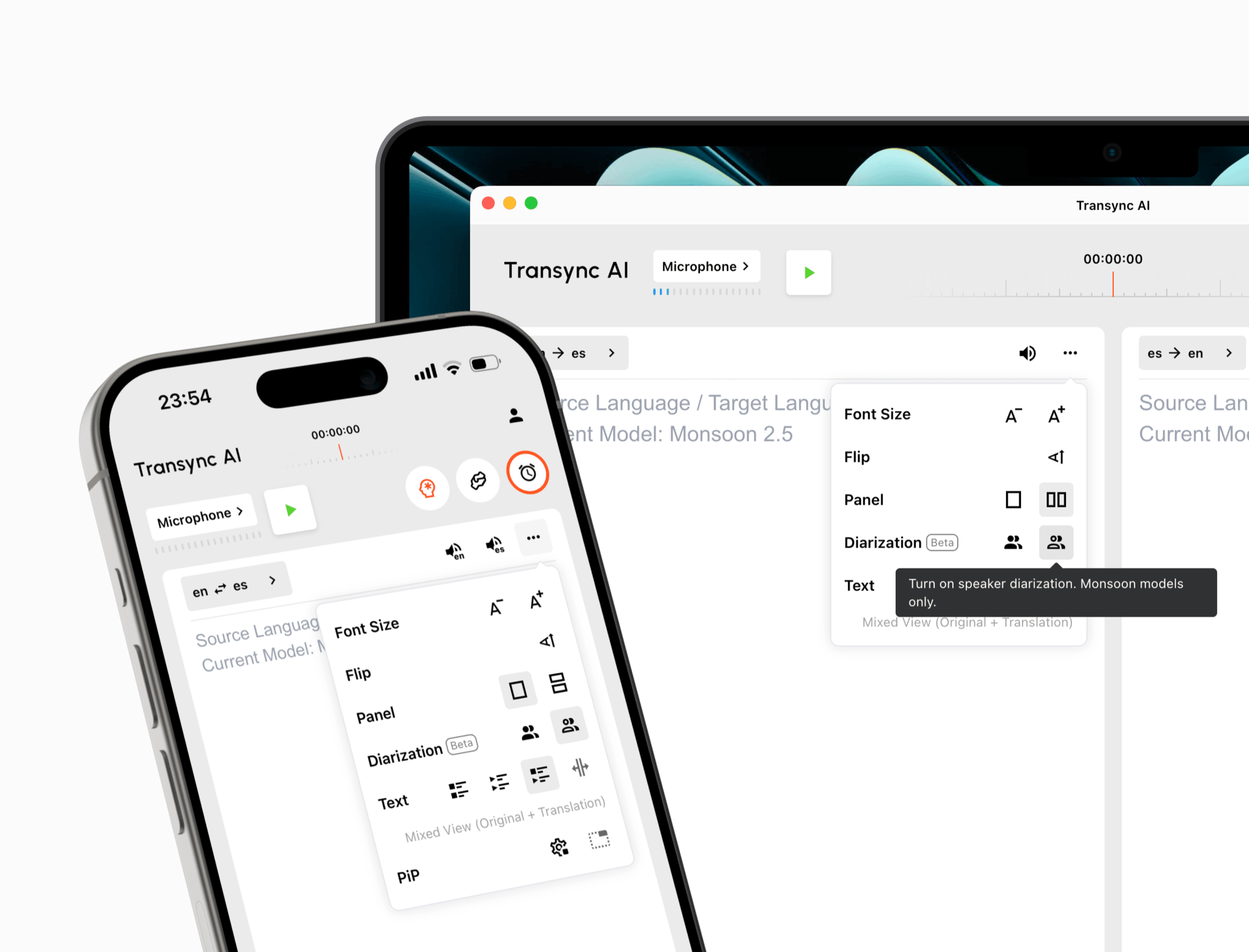
The live meeting translation feature runs separately from the conferencing application. A user launches the translator, selects a language mode, captures the relevant microphone or computer audio, and keeps translation under their own control.
The translator does not have to appear in the participant list as a bot. This can be useful when clients dislike automated attendees, external guests cannot admit integrations, or company policy restricts bots from confidential calls.
The Talo Bot Model
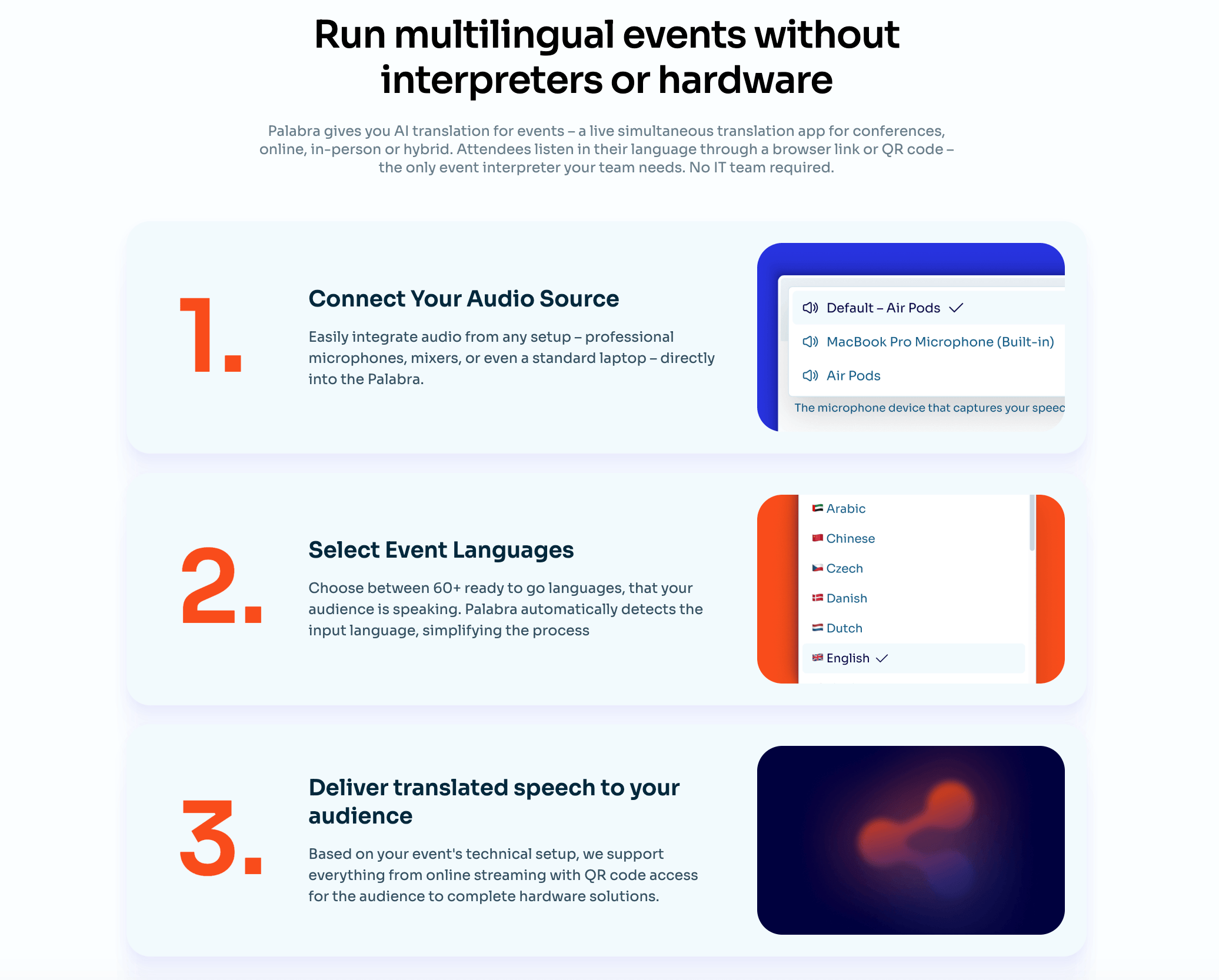
Talo asks the user to choose a language pair and paste the meeting link into its portal. One AI-powered bot joins the call, listens to the participants, and voices the translation. Other attendees do not need separate accounts, downloads, or plugins.
This can simplify group delivery because one service participant handles the room. It also means the meeting host may need to admit the bot, approve its presence, and ensure that organizational policies allow automated processing.
Call check: Test an external meeting where the buyer is not the host. Record whether the bot can join, how it is identified, whether a waiting room delays it, and whether the participant-controlled alternative captures audio correctly.
Check 2: Which Platforms and Situations Must Be Covered?
Platform logos are not enough. A useful Transync AI and Talo comparison must include the exact account type, host permissions, desktop operating system, headset, and meeting format.
Transync AI works alongside Zoom, Microsoft Teams, Google Meet, other calling tools, and in-person conversations. It supports web, Windows, macOS, iOS, and Android workflows.
That broader device model helps users who alternate between customer calls, mobile travel conversations, classroom discussions, phone calls on speaker, and face-to-face meetings.

Compatible with major online meeting platforms for seamless real-time translation
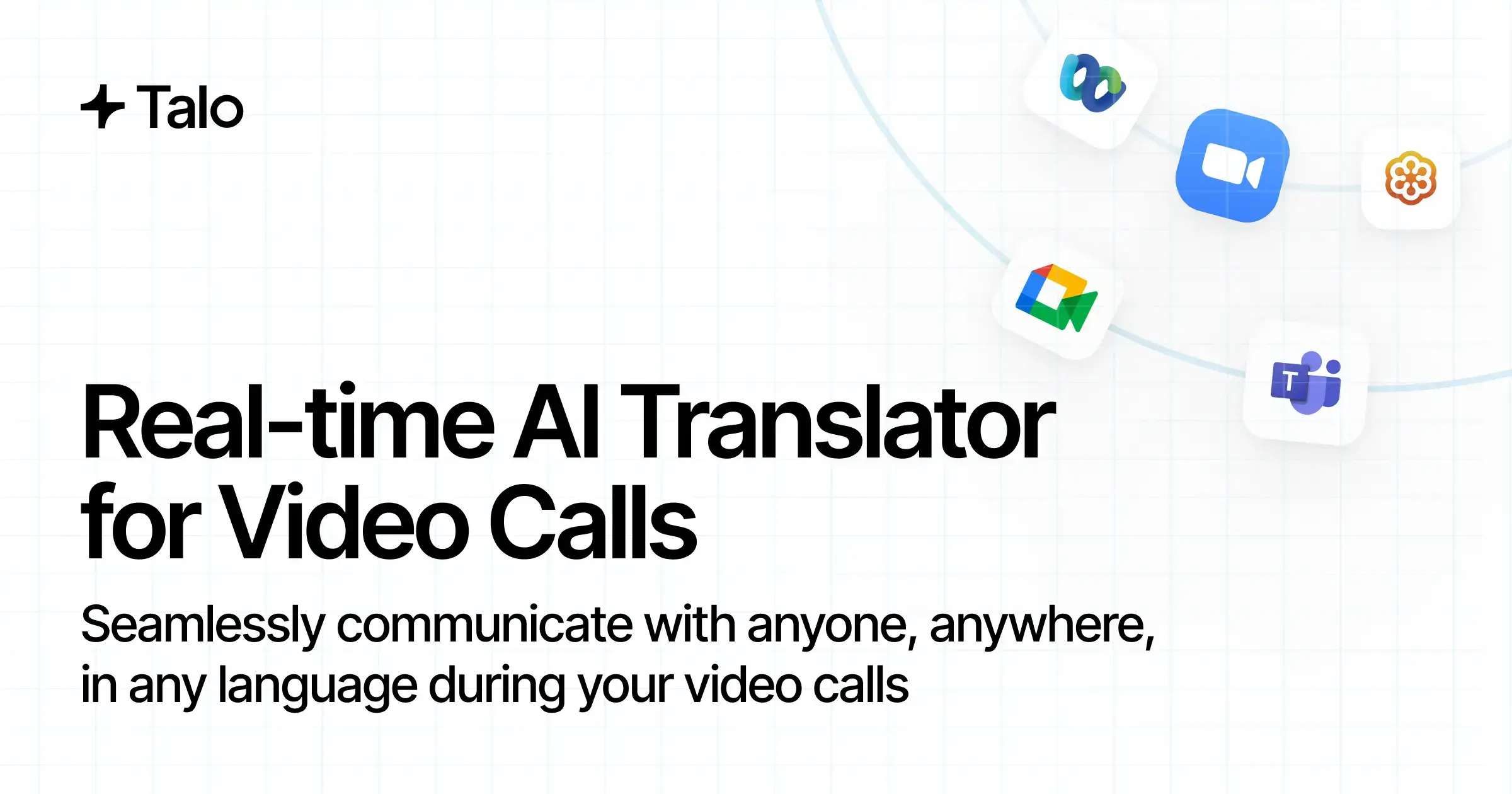
Talo is specifically positioned for video calls on Zoom, Microsoft Teams, and Google Meet. Its portal-based bot workflow is designed to enter these sessions after the user submits the meeting link.
The narrower scope can be an advantage when the organization wants one standardized online-call process. It is a limitation when translation must continue outside supported conferencing environments or on a personal mobile device without a meeting link.
 Call check: Run one hosted meeting and one externally hosted meeting on every required platform. Then test an in-person conversation. Do not assume that success on one platform proves the other workflows.
This platform test keeps Transync AI and Talo tied to the buyer’s actual meeting permissions rather than a provider-controlled demonstration.
Check 3: What Do Participants Read and Hear?
The live experience is the heart of Transync AI and Talo because both products are intended to remove pauses from multilingual conversation.
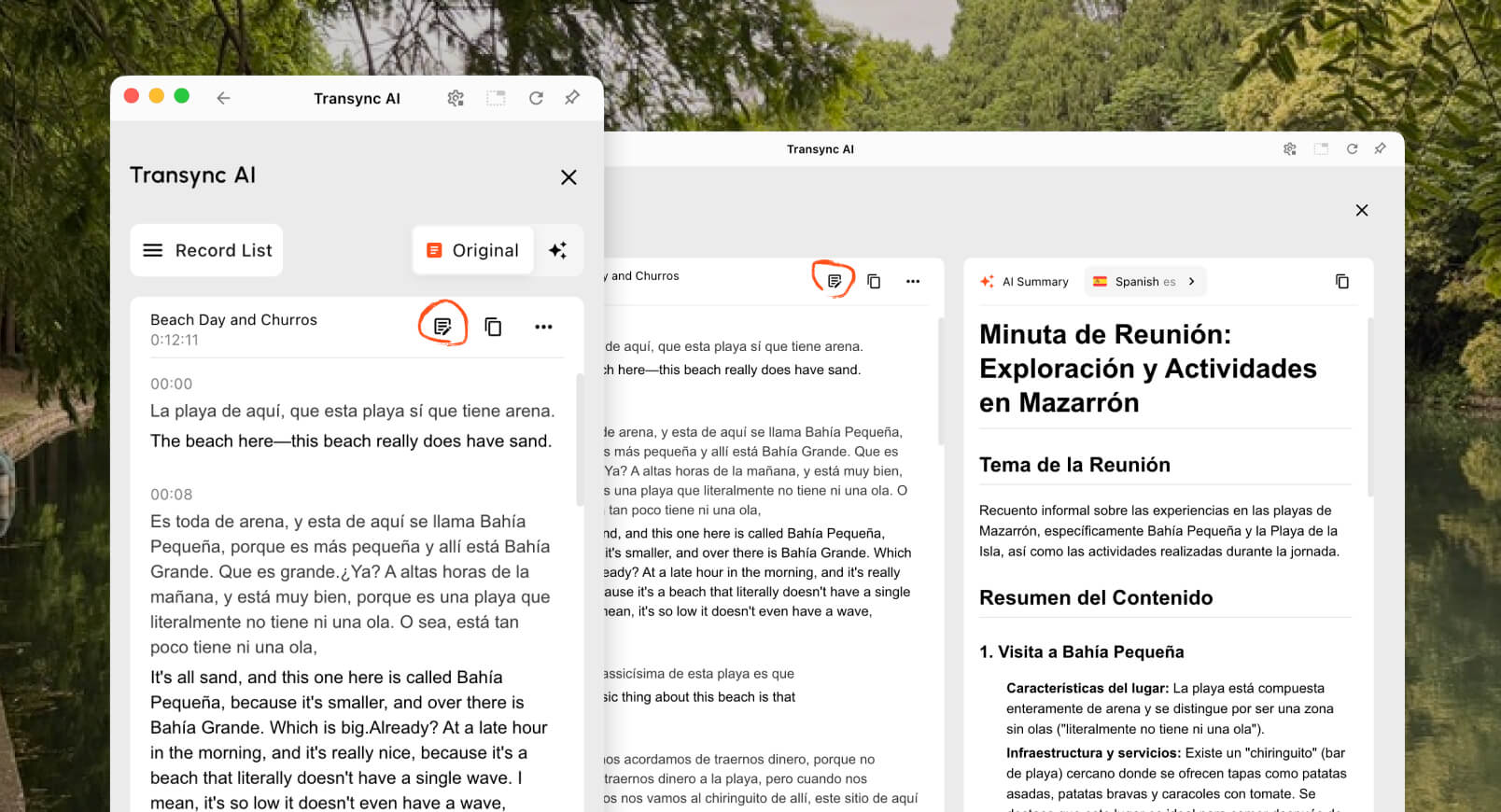
The real-time translation tool displays the recognized source speech and translation together. This gives a participant a chance to notice an incorrect name, number, or phrase before responding.
The AI voice translator adds natural spoken output. Users can listen to translation locally and use supported audio-sharing or virtual-microphone workflows when translated speech needs to be heard inside the call.
The Picture-in-Picture bilingual subtitles feature can keep original and translated captions above other applications on supported devices. This is helpful during demonstrations, presentations, interviews, and CRM work.

Real-time floating subtitles across desktop and mobile devices
Talo emphasizes real-time voice interpretation. Its bot listens to the meeting and voices participants in the selected languages, with product pages promoting sub-second delivery and live captions for relevant use cases. Because audio is delivered inside the meeting, attendees can focus on the discussion rather than manage a separate translation application.
 A spoken translation can sound smooth while still mistranslating a figure or term. Buyers should therefore test whether source and translated captions are available in the intended plan and whether participants can verify critical details before acting.
Call check: Include a price, date, URL, model number, name, abbreviation, and correction. Score both readable evidence and voice clarity instead of judging only how natural the audio sounds.
Check 4: How Well Does Two-Way Turn-Taking Work?
Two-way dialogue is a shared goal of Transync AI and Talo, but turn-taking quality depends on audio routing and interruption behavior.
Transync AI offers one-way, two-way, and multilingual modes. In supported two-way settings, it can distinguish the languages in the selected pair, display both sides, and play translated speech. Users can pause, interrupt, or review text from their own interface.
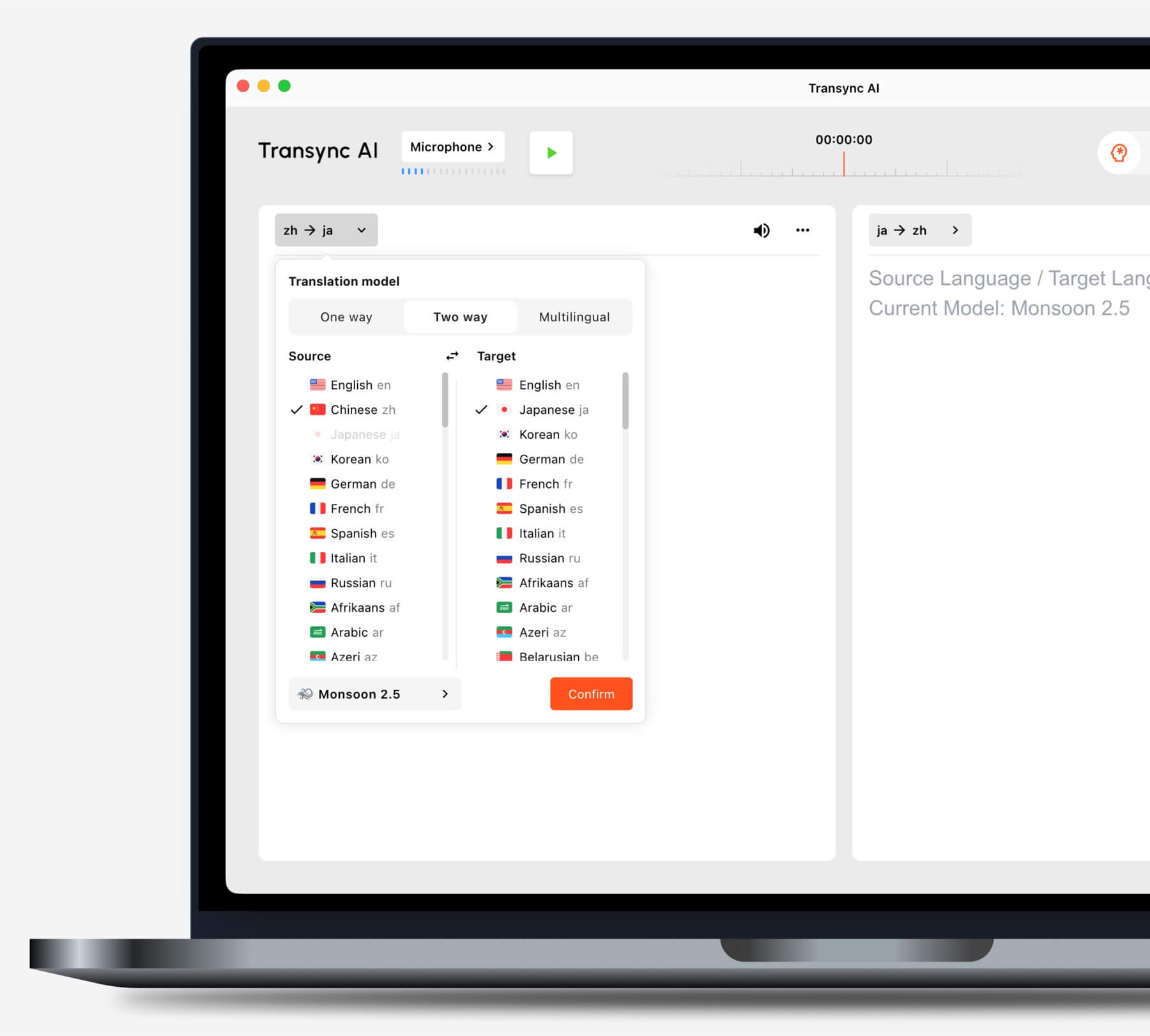
Choose the translation mode that matches your scenario before starting a task.
Talo markets its bot for two-way voice translation in sales calls, customer support, user interviews, recruiting, and internal meetings. The bot receives speech from the call and voices it in the other language, allowing both sides to continue without manually passing a device.
 Real meetings contain overlap, laughter, incomplete sentences, screen-share audio, and speakers who change languages mid-sentence. These conditions matter more than a scripted product demonstration.
Call check: Have two speakers interrupt once, change pace, correct a misunderstood number, and ask a follow-up immediately. Measure whether translated audio blocks the next speaker or causes the conversation to drift behind.
Check 5: Can the Translator Handle Business Context?
Context is where the Transync AI and Talo comparison becomes more than a language-count contest.
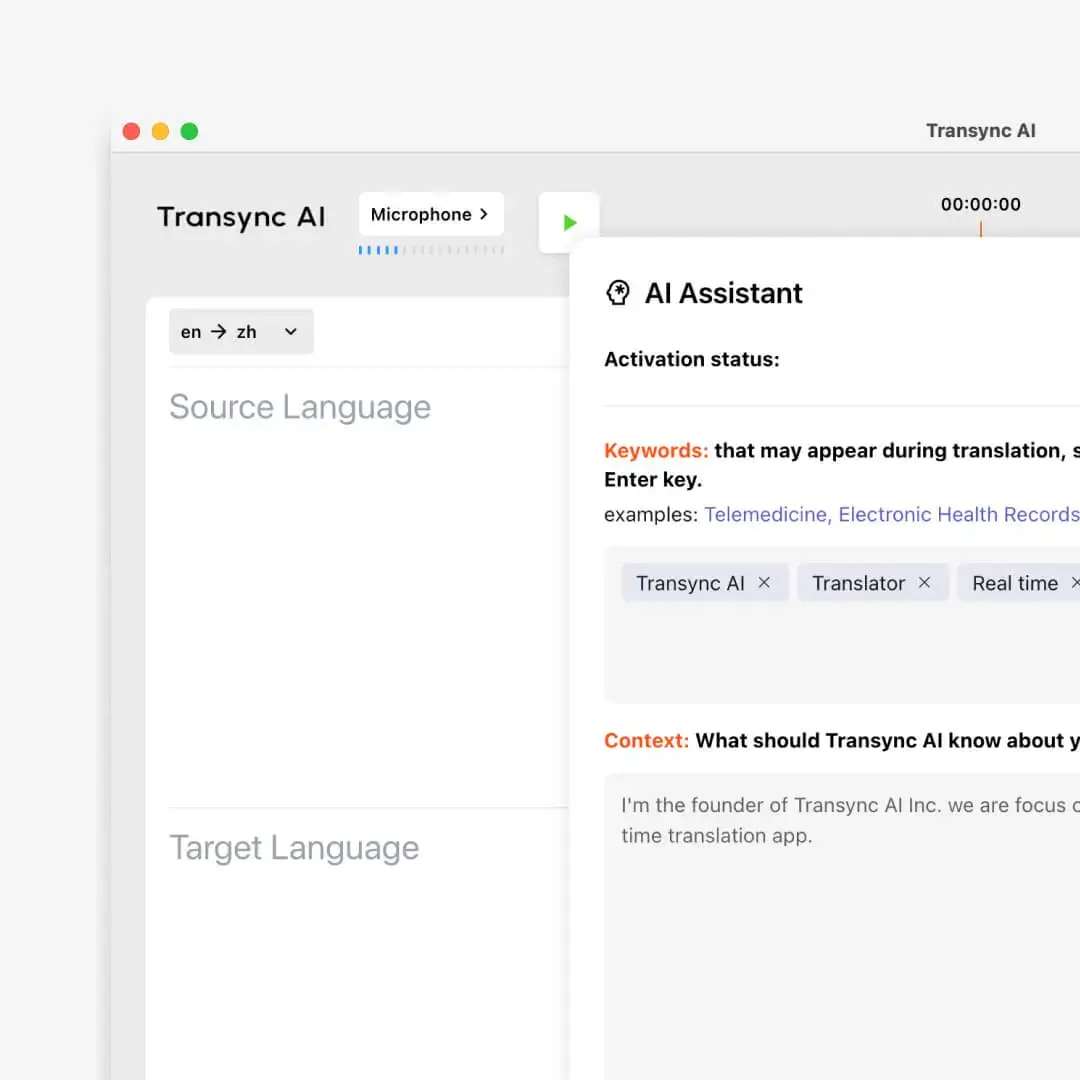
The AI Assistant Keywords and Context feature lets Transync AI users add expected names and terminology and describe the meeting subject. This preparation is useful for product demonstrations, technical support, research interviews, and professional discussions.
Talo lists 60 languages and provides voice settings on higher plans, but its current public pricing and home pages provide less detail about buyer-managed glossaries or meeting-context preparation. That does not prove the capability is absent; it means a buyer should confirm it during the trial or with the provider.
 Both products should be tested with the exact language pair. A headline such as “60 languages” does not reveal regional accent support, terminology behavior, or whether every pair has the same voice and caption features.
Call check: Prepare ten company-specific terms and one ambiguous sentence. Test the meeting once without preparation and once with every available context or vocabulary control. Record which errors can be corrected before the next call.
Check 6: What Happens to the Meeting Record?
Post-call output creates another Transync AI and Talo distinction.
The AI meeting notes feature produces a transcript and structured summary after the translated meeting. This supports follow-up work such as reviewing decisions, recalling customer objections, and assigning next steps.
 Talo is primarily marketed as a live video-call interpreter rather than a full meeting-intelligence suite. Its terms discuss optional live captions and transcript saving, and note that saved transcripts may be visible to authorized workspace members depending on settings. Buyers should confirm which recording, caption, transcript, export, and retention features are included in the selected plan.
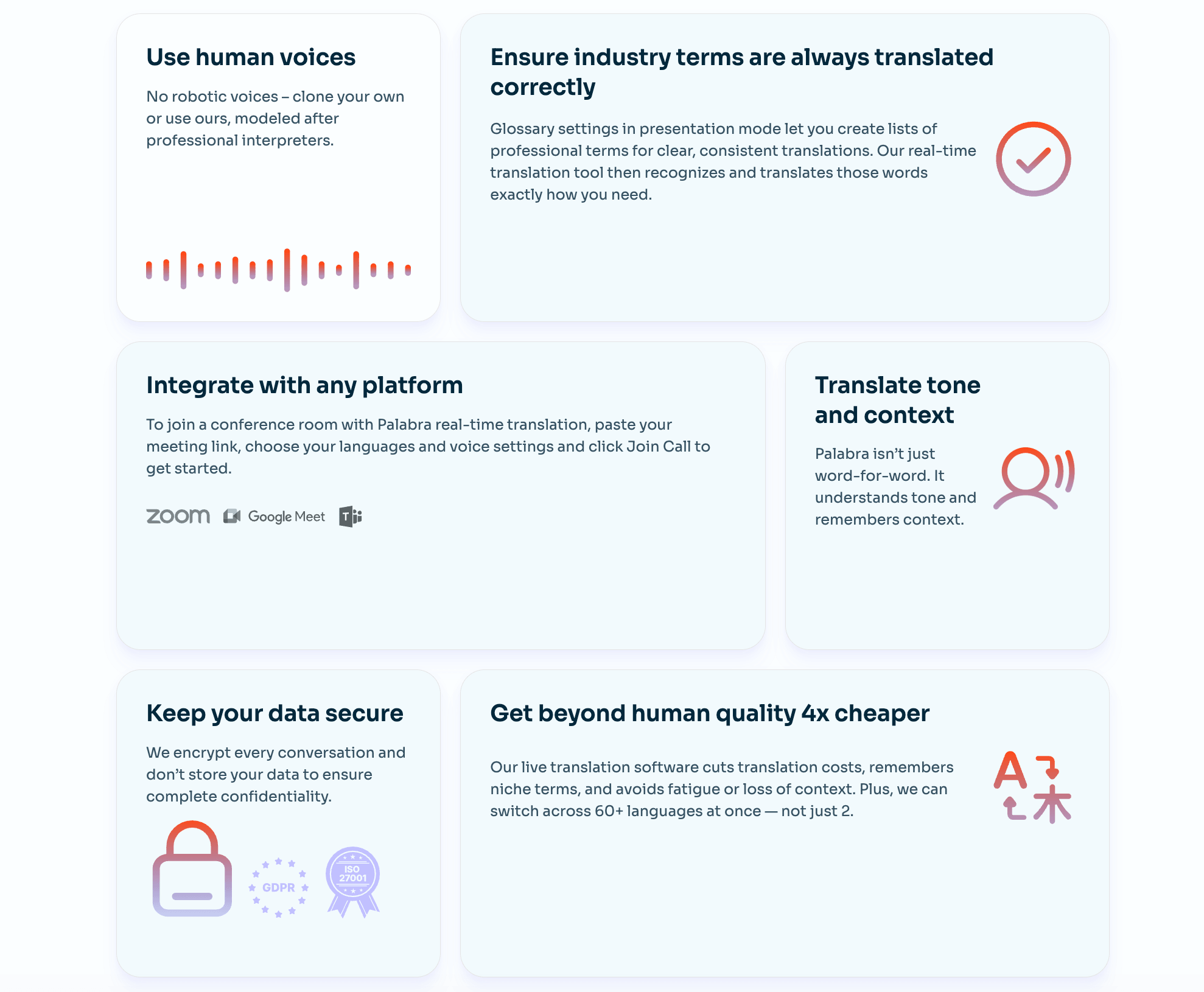 There is an important privacy nuance. Talo’s public site states that it does not store or retain meeting data, while its terms explain that transcripts and captions can be stored when those features are enabled and retained until no longer needed or deleted. This can be consistent if storage is optional, but the organization should document its exact configuration.
Transync AI and Talo users must also obtain any legally required consent before recording, transcribing, or processing participant speech. A no-storage setting does not remove the obligation to notify people where applicable.
Call check: Enable only the features the organization plans to use, then verify what appears in the account after the call, who can access it, how it is deleted, and whether notes are useful.
Check 7: How Does Transync AI and Talo Pricing Compare?
The public pricing creates a large, measurable difference between Transync AI and Talo.
Current pricing and usage
| Plan | Published price | Included translation time | Effective cost at full usage |
|---|---|---|---|
| Transync AI Free | $0 | 40 minutes after sign-up | Free initial test |
| Transync AI Personal Premium | $8.99/month | 600 minutes | About $0.015/minute |
| Transync AI Enterprise | $24.99/month per seat | 2,400 minutes per month per seat | About $0.010/minute |
| Talo Trial | $0 | 20 minutes during a 7-day trial | Free initial test |
| Talo Starter annual | 33/month, billed 396 annually | 120 minutes per month | About $0.275/minute |
| Talo Pro monthly | $100/month | 400 minutes per month | About $0.25/minute |
| Talo Pro annual | 80/month, billed 960 annually | 4,800 minutes per year | About $0.20/minute |
| Talo Team monthly | $500/month | 400 minutes per month for the listed team plan | About $1.25/minute before considering seat value |
| Talo Team annual | 400/month, billed 4,800 annually | 30,000 minutes per year | About $0.16/minute before considering seat value |
| Talo Enterprise | Custom | Unlimited according to the pricing table | Quote required |
Sources: Transync AI official pricing page, Talo official pricing page, and Talo trial terms. Checked in August 2026.
A fair pricing review of Transync AI and Talo must account for both translation time and the operational value of bot-based delivery.
Where Does Transync AI Have the Price Advantage?
At full included usage, Transync AI Personal Premium costs approximately 0.015 per minute. **Talo** Starter annual costs about 0.275 per minute, Pro monthly about 0.25, and Pro annual about 0.20.
On these published allowances, Transync AI Personal Premium is approximately:
- 94.5% lower per included minute than Talo Starter annual.
- 94% lower per included minute than Talo Pro monthly.
- 92.5% lower per included minute than Talo Pro annual.
The monthly entry price is also $24.01 lower than Talo Starter’s displayed monthly equivalent, and it includes five times as many minutes per month.
This is not a claim that the delivery models are identical. Talo’s bot can enter a supported meeting and provide voice interpretation to the room without requiring each participant to operate the translator. Team and enterprise plans also involve seats, administration, branding, support, or custom terms that are not captured by a simple per-minute calculation.
For an individual or small team paying primarily for live translation time, Transync AI has the stronger published price. For an organization that specifically wants a bot-mediated meeting workflow, the additional Talo cost may be justified by reduced participant setup.
A responsible Transync AI and Talo budget should include bot permissions, number of users, included minutes, overage fees, annual commitment, voice settings, meeting records, support, and the staff time needed to operate each workflow.
A 12-Minute Test for Transync AI and Talo
A fair Transync AI and Talo trial can be completed in one carefully designed call.
Minutes 1–2: setup
Start the meeting as an external guest. Measure the time required to configure the standalone translator and the time required to submit, admit, and activate the bot.
Minutes 3–5: controlled speech
Read a script containing names, numbers, dates, URLs, and terminology. Compare source recognition, translation meaning, caption visibility, and voice clarity.
Minutes 6–8: natural conversation
Ask follow-up questions, interrupt once, change speaking speed, and correct a mistake. Watch for delayed audio, speaker confusion, or missing content.
Minutes 9–10: platform stress
Share system audio or a short video, change the active speaker, and test the meeting chat or presentation view. Record how subtitles and translated voice behave.
Minutes 11–12: follow-up
End the session and inspect transcripts, notes, retention controls, remaining minutes, and any usage charge. Repeat the test on every required platform before purchasing an annual plan. A consistent Transync AI and Talo test should preserve the same speakers, language pair, equipment, and network conditions.
Transync AI and Talo FAQ
Is Transync AI Cheaper Than Talo?
Yes based on current published individual allowances. Transync AI lists 600 minutes for 8.99 per month, while **Talo** Starter lists 120 minutes per month at a 33 monthly equivalent billed annually. The products use different meeting-entry models, but Transync AI has a substantially lower cost per included minute.
Does Talo Join the Meeting as a Bot?
Yes. The user pastes the meeting link into the Talo portal, and one AI bot joins the supported video call to listen and provide translated voice. Host approval, waiting-room rules, and organizational bot policies should be tested.
Does Transync AI Require a Meeting Bot?
No. Transync AI runs as a standalone companion and captures selected microphone or computer audio without appearing as a named bot participant.
Which product is better for two-way voice translation?
Both products support two-way multilingual conversation. Transync AI gives the user direct control over subtitles, voice, modes, and context. Talo places the voice-translation workflow inside the meeting through its bot. The preferred architecture depends on permissions and participant experience.
Which product works outside video calls?
Transync AI is the broader option for in-person conversations and cross-device use across web, desktop, iOS, and Android. Talo is primarily designed for supported online video-call platforms.
Does Talo Save Transcripts?
Its terms describe live captions and transcript saving as settings that can be enabled, with access and retention depending on workspace configuration. Buyers should confirm the selected plan and reconcile those settings with the public no-retention positioning.
Which product provides stronger meeting follow-up?
Transync AI clearly includes transcripts and AI meeting notes in its meeting-focused workflow. Talo focuses more strongly on live voice interpretation; buyers should confirm its transcript, export, summary, and retention capabilities for the required plan.
Final Call-Quality Decision
The choice between Transync AI and Talo begins with meeting architecture.
Choose Transync AI when a participant wants control over live bilingual subtitles, translated voice, terminology context, floating captions, meeting notes, device choice, and a low-cost monthly allowance without adding a visible bot.
Choose Talo when the team prefers to paste a meeting link, admit one translation bot, and let that bot voice participants inside supported video calls without requiring every attendee to operate separate translation software.
For price-sensitive individuals, recurring meetings, mixed online and in-person use, or organizations that restrict bots, Transync AI is the stronger starting point. For supported online calls where bot-based delivery is operationally acceptable, Talo offers a streamlined alternative worth testing with real host permissions and real participant audio.
If you want a next-generation experience, Transync AI leads the way with real-time, AI-powered translation that keeps conversations flowing naturally. You can try it free now.
