ネイティブ YouTubeの文字起こし この機能は、特定の引用を探したり、テンポの速い動画を視聴したりするのに非常に便利です。しかし、専門家、研究者、そして世界中の視聴者にとって、YouTubeのデフォルトのインターフェースには厳しい制限があります。タブを切り替えてメモを取ろうとすると、静的な文字起こしが消えてしまいます。また、公式のクローズドキャプション(CC)がないライブストリームや外国語の動画を視聴している場合、ネイティブツールは全く役に立たなくなります。.
2026年には、基本的なブラウザに依存して YouTubeの文字起こし もはや文字起こしは必要ありません。高度なAIツールは進化を遂げ、文字起こしを瞬時に抽出・要約したり、デスクトップやモバイルデバイス上でリアルタイムに表示されるフローティング字幕を生成することで、文字起こしを完全に省略したりできるようになりました。.
このガイドでは、YouTubeコンテンツの視聴方法を一変させるトップ5のAIツールを紹介し、最新の翻訳エンジンが持つ革新的なピクチャー・イン・ピクチャー(PiP)機能について詳しく解説します。.
動画生産性マトリックス
動画、音声、文字起こしとの連携に特化した上位5つのプラットフォームを評価しました。1時間におよぶドキュメンタリーの要約が必要な場合でも、海外のライブ配信にリアルタイム翻訳を重ねて表示したい場合でも、最適な技術スタックをご紹介します。.
| ソフトウェア | コアアーキテクチャ | ライブフローティング字幕 | 主な機能 | 最良のビジネスシナリオ |
| Transync AI | エンドツーエンド音声 | ✅ はい(Mac、Windows、iOS) | リアルタイムライブ翻訳 | 多言語ライブ配信を視聴する |
| グラスプ | ブラウザ拡張機能 | ❌ 静的テキストのみ | 速報 | 長尺動画エッセイの要約 |
| 説明 | メディア制作 | ❌ スタジオエディター | テキストベースのビデオ編集 | YouTubeコンテンツの再利用 |
| ノッタ | AI会議記録係 | ❌ クラウドダッシュボード | 音声テキスト化アーカイブ | ダウンロードした動画の文字起こし |
| マエストラ | メディアローカライゼーション | ❌ ウェブスタジオ | 字幕生成 | クリエイターチャンネルの翻訳 |
詳細なツールレビュー
1. Transync AI: フローティング字幕エンジン
最適な用途: 外国語のYouTubeライブ配信やチュートリアルをリアルタイムで翻訳したり、フローティングキャプションを表示させたりしながら、同時に他のアプリでメモを取りたい視聴者や研究者向け。.
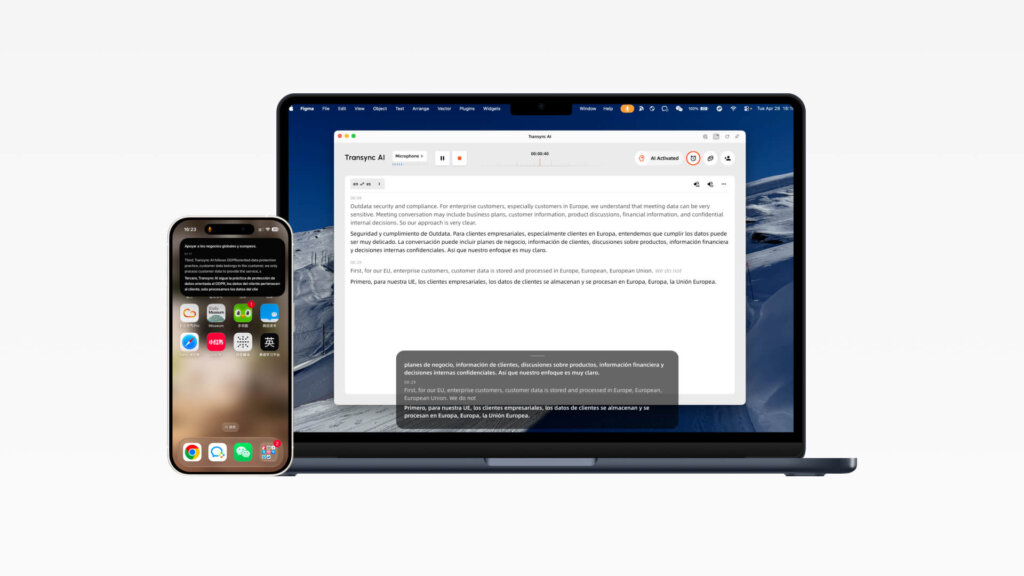
YouTube がネイティブを提供しない場合 YouTubeの文字起こし 正確な字幕表示を実現するため、Transync AIは究極のリアルタイム視聴者サポートツールとして活躍します。ウェブブラウザに閉じ込められることなく、Transync AIはMac、Windows、iOSでリアルタイム翻訳を実現するピクチャーインピクチャーのフローティング字幕を提供します。これにより、プレゼンテーション、ビデオ再生、モバイルでの会話中、アプリの上にバイリンガル字幕が表示されます。.
ピクチャー・イン・ピクチャー(PiP)字幕の詳細解説:
- 翻訳済み字幕をすべてのアプリの上部に表示し続ける: Transync AIのピクチャーインピクチャー字幕機能を使えば、元の音声と翻訳されたテキストがコンパクトなフローティングウィンドウに表示されます。デスクトップでスライドプレゼンテーションを行っているときも、Notionでメモを取っているときも、モバイルでアプリを切り替えているときも、ワークフローを中断することなくリアルタイム翻訳を表示し続けることができます。.
- MacとWindowsでのフローティング字幕: デスクトップ版では、翻訳作業開始後に右上隅からピクチャーインピクチャー字幕を有効にできます。黒いフローティングウィンドウは現在使用しているアプリの上に常に表示されます。これは、多言語のYouTubeディスカッションを視聴したり、作業中にソフトウェアのデモを行ったりする場合に特に便利です。.
- iOSでのフローティング字幕: iPhoneでは、翻訳バーの右上隅からフローティング字幕ウィンドウを起動できます。Transync AIをバックグラウンドにすると、iOSが自動的にフローティングウィンドウを開き、原文と翻訳内容をリアルタイムで表示することも可能です。.
- 使用方法: Transync AIを開き、言語ペアを選択して、リアルタイム翻訳タスクを開始するだけです。YouTube動画の再生が始まったら、ピクチャーインピクチャーコントロールをクリックして、黒いフローティング字幕ウィンドウを有効にします。.
評決: Transync AIはネイティブの制限を完全に回避します YouTubeの文字起こし. 字幕をブラウザウィンドウから切り離すことで、外国語の動画コンテンツを視聴しながらマルチタスクを行うための最高のツールとなります。.
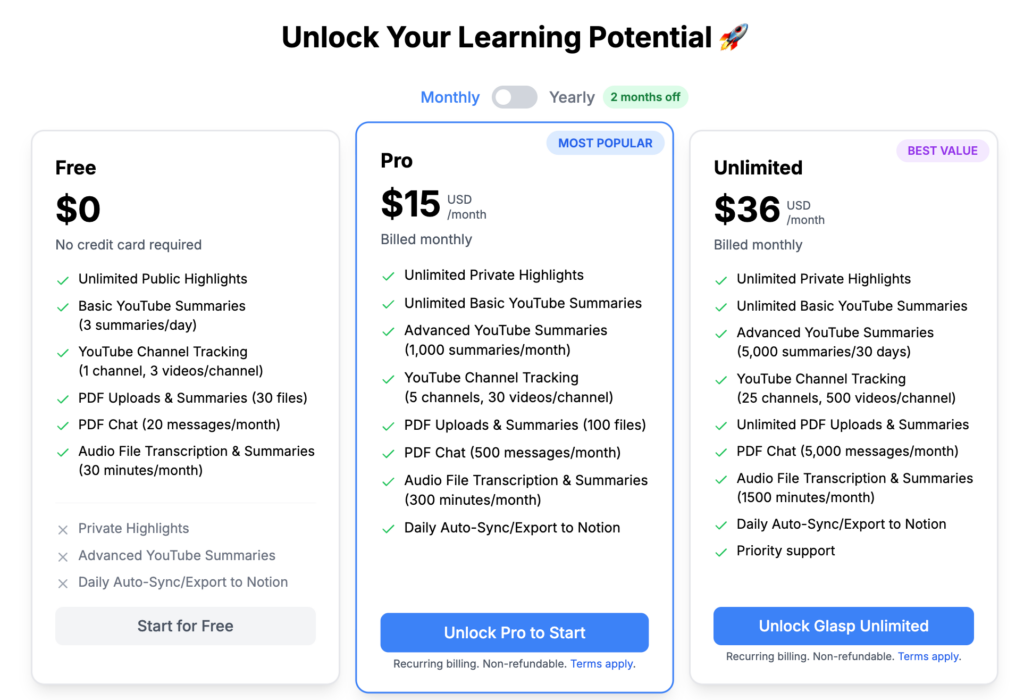
2. グラスプインスタントサマライザー
最適な用途: ネイティブの音声を抽出する必要がある学生や専門家 YouTubeの文字起こし そして、AIを使って瞬時に要約する。.
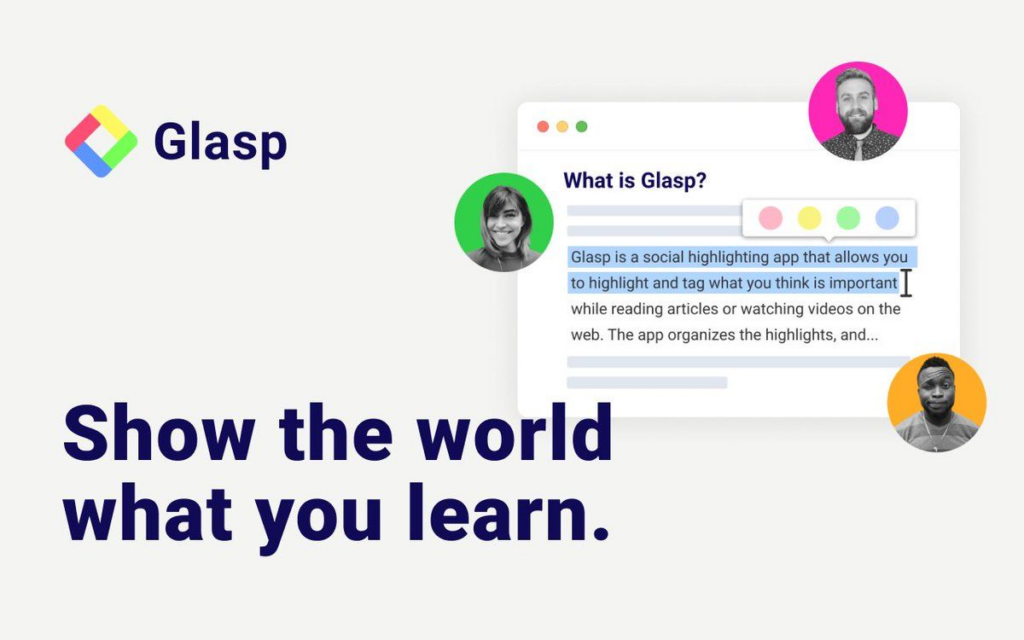
YouTube動画に既に英語の音声トラックが含まれている場合、動画全体を視聴するのは時間の無駄かもしれません。Glaspは、テキストを瞬時に抽出するために設計された非常に人気のあるブラウザ拡張機能です。.
詳細分析:
- ワンクリック抽出: GlaspはYouTube動画プレーヤーの横にウィジェットを配置します。ワンクリックで、動画全体をキャプチャします。 YouTubeの文字起こし, タイムスタンプ付きで、クリップボードにコピーされます。.
- AI統合: ChatGPTやClaudeといったツールとシームレスに連携し、文字起こし内容を瞬時に箇条書きに要約するため、40分の動画をわずか3分で理解することができます。.
評決: 既存の静的動画の文字起こしを抽出・要約するための、最も効率的な無料ブラウザ拡張機能。.
3. 説明テキストベースのビデオエディター
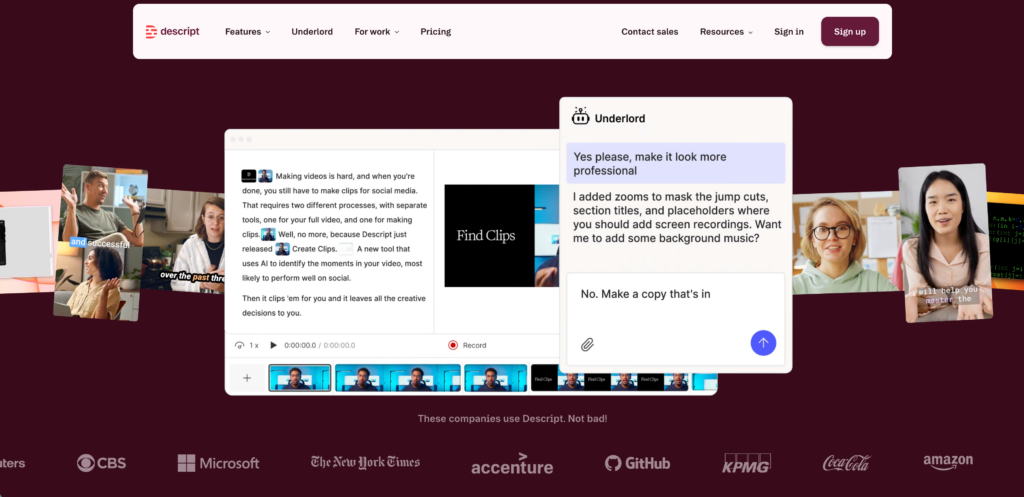
最適な用途: 自動生成されたコンテンツと直接やり取りすることで、自分の YouTube 動画を編集したいコンテンツ クリエイター YouTubeの文字起こし.
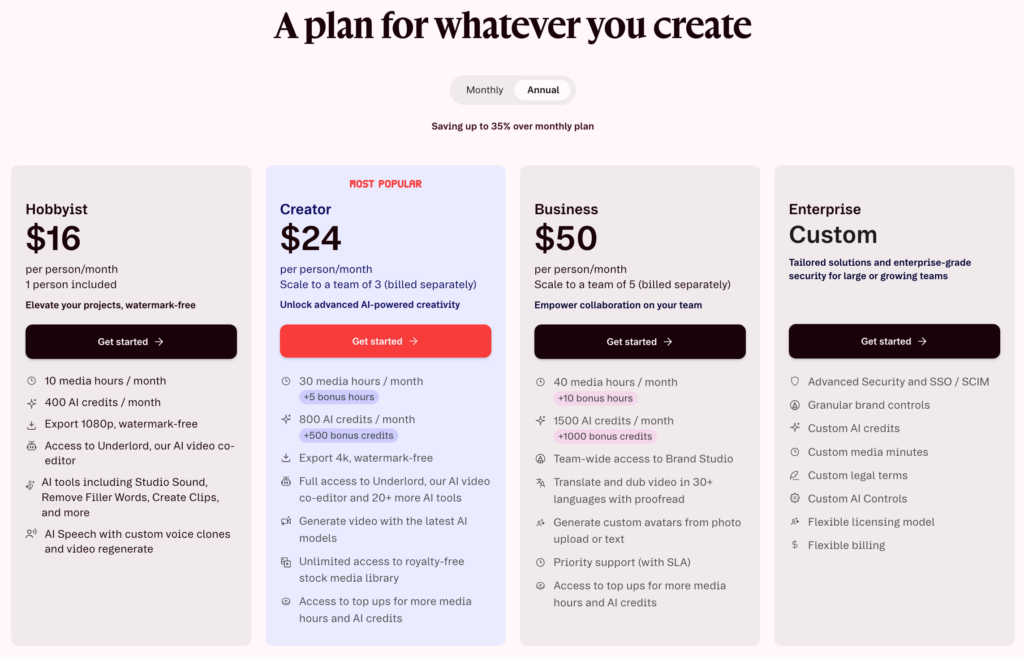
Descriptは、ビデオのタイムラインをテキスト文書と全く同じように扱うことで、従来のビデオ編集ワークフローを根本から覆します。.
詳細分析:
- テキストからビデオへの編集: 動画をインポートすると、Descriptは非常に精度の高い文字起こしを生成します。テキスト内の文章を選択して削除すると、ソフトウェアは対応する動画クリップをタイムラインから自動的に削除します。.
- スタジオサウンド: マイクの音質が悪い場合でも、瞬時にプロのスタジオで録音したかのような音質に向上させ、YouTubeにアップロードする最終的な動画の音質を完璧なものにします。.
評決: ポストプロダクション編集ワークフローを高速化したいYouTubeクリエイターにとって、まさに画期的なツールです。.
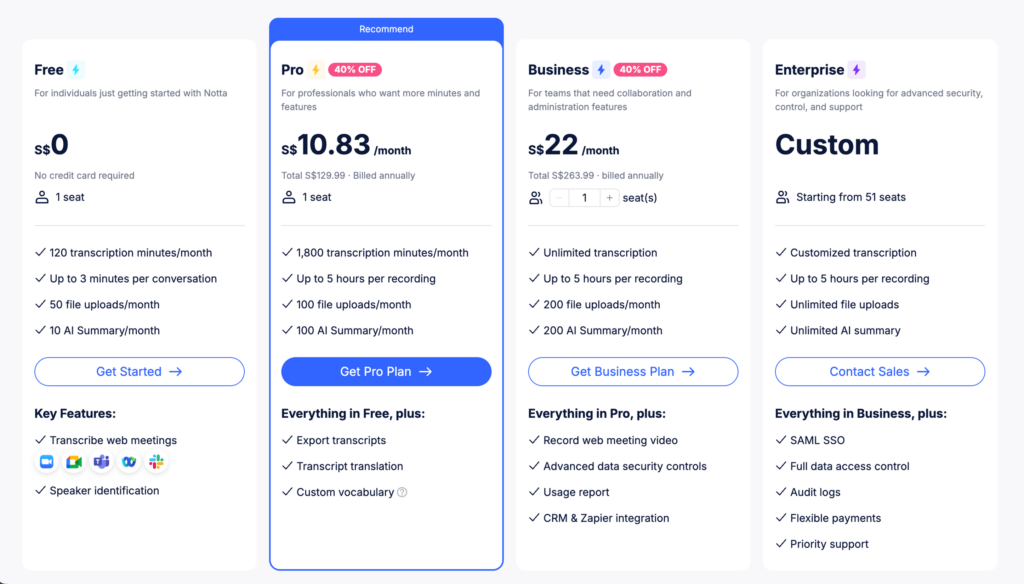
4. ノッタ: 非同期音声アーカイブ
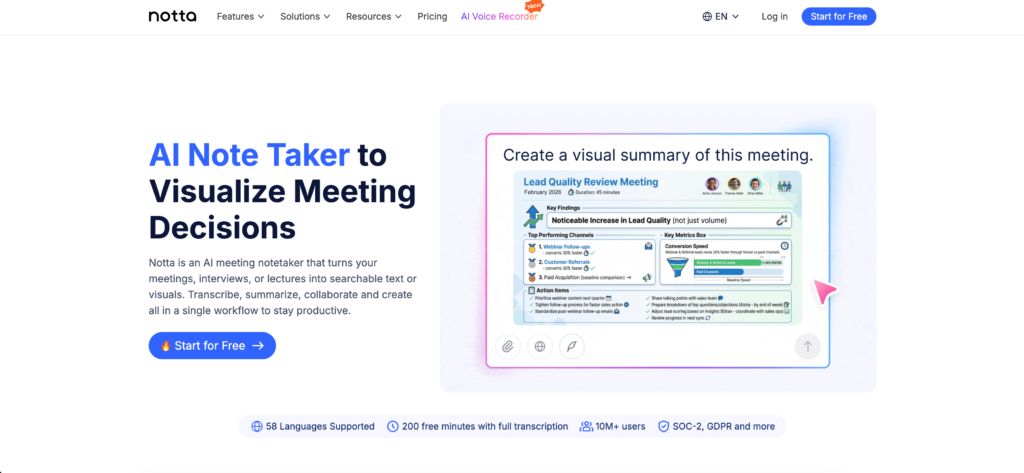
最適な用途: YouTubeの音声をダウンロードして、検索可能な大規模な文字起こしデータベースを構築したい研究者。.
企業や学術機関の長期的な研究のために、動画に含まれる知識をアーカイブしておく必要がある場合もあります。.
詳細分析:
- 高精度文字起こし: Nottaは音声ファイルを処理し、話者ごとに分類された非常に精度の高い文字起こしを生成します。.
- 多言語要約: 長い英語の音声ファイルを入力として受け取り、50以上の言語で簡潔かつ実用的な要約を生成できます。.
評決: 非同期メディアを整理された検索可能なテキストデータベースに変換するための、堅牢なクラウドプラットフォーム。.
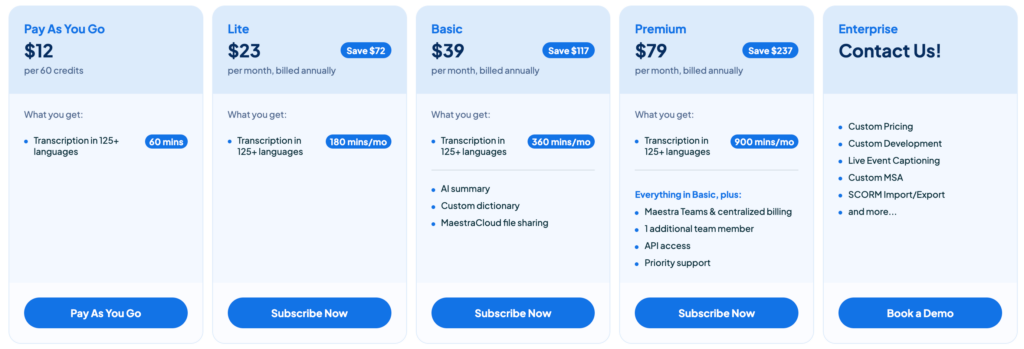
5. マエストラ: クリエイターズ・ローカライズ・スタジオ
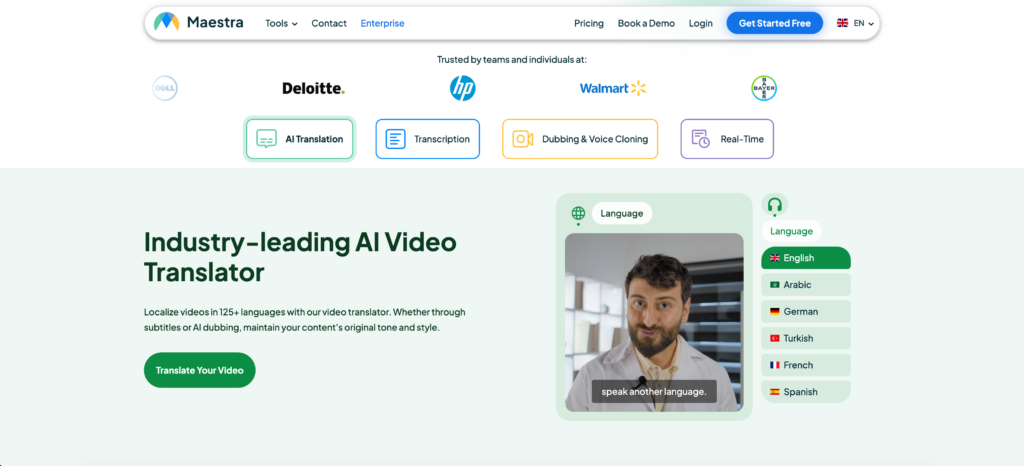
最適な用途: 世界中の視聴者にリーチするために、英語の動画を複数の言語に翻訳したいと考えているYouTubeチャンネルのオーナー向け。.
Transync AIは視聴者向けに動画を翻訳するのに対し、Maestraは動画制作者向けに動画を翻訳する。
詳細分析:
- 自動字幕作成: クリエイターは完成した動画をアップロードでき、Maestraは自動的に高精度な YouTubeの文字起こし そして、それを標準的な字幕ファイル(SRT、VTT)にフォーマットします。.
- AI吹き替え: これにより、クリエイターは数十の言語でAI音声を生成できるようになり、チャンネルのグローバルなリーチを大幅に拡大できます。.
評決: 母国語圏を超えて視聴者層を拡大したいYouTubeクリエイターのための、最高峰のローカライズスタジオ。.
結論:ビデオ体験を向上させる
デフォルト設定のみに依存する YouTubeの文字起こし 生産性をブラウザのタブ1つに限定してしまう。2026年にオンライン動画の真の価値を引き出すには、ツールセットをアップグレードする必要がある。.
自分でコンテンツを編集するクリエイターにとって、Descriptは画期的なツールです。英語の講義を瞬時に要約する必要がある場合は、Glaspが驚異的なスピードを提供します。しかし、リアルタイムで世界中のコンテンツを視聴する場合、特にライブ配信に公式の字幕がない場合は、Transync AIが比類のない存在です。クロスプラットフォーム対応のピクチャーインピクチャーのフローティング字幕を活用することで、翻訳された単語を一つも見逃すことなく、メモを取ったりデジタルワークスペースを操作したりしながら、世界中のビデオコンテンツを視聴できるようになります。.
次世代の体験をお求めなら、 Transync AI リアルタイムのAI翻訳で自然な会話の流れを実現します。 無料でお試しください 今。