देसी यूट्यूब ट्रांसक्रिप्ट यह फ़ीचर खास कोटेशन ढूंढने या तेज़ गति वाले वीडियो को समझने के लिए बेहद उपयोगी है। हालांकि, पेशेवरों, शोधकर्ताओं और दुनिया भर के दर्शकों के लिए, YouTube का डिफ़ॉल्ट इंटरफ़ेस सीमित है। नोट्स लेने के लिए टैब बदलते ही स्टैटिक ट्रांसक्रिप्ट गायब हो जाता है, और अगर आप लाइव स्ट्रीम देख रहे हैं या बिना आधिकारिक क्लोज्ड कैप्शन (CC) वाला कोई विदेशी भाषा का वीडियो देख रहे हैं, तो नेटिव टूल्स पूरी तरह से बेकार हो जाते हैं।.
2026 में, एक बुनियादी ब्राउज़र-आधारित प्रणाली पर निर्भर रहना यूट्यूब ट्रांसक्रिप्ट अब इसकी आवश्यकता नहीं रही। उन्नत एआई उपकरण विकसित हो चुके हैं जो इन लिपियों को या तो तुरंत निकाल कर सारांशित कर देते हैं या फिर डेस्कटॉप और मोबाइल उपकरणों पर आपके साथ-साथ चलने वाले वास्तविक समय के, फ्लोटिंग सबटाइटल उत्पन्न करके इन्हें पूरी तरह से दरकिनार कर देते हैं।.
इस गाइड में, हम उन शीर्ष 5 एआई टूल्स की समीक्षा करेंगे जो आपके YouTube कंटेंट को देखने के तरीके को बदल देंगे, जिसमें आधुनिक अनुवाद इंजनों की क्रांतिकारी पिक्चर इन पिक्चर (पीआईपी) क्षमताओं का गहन विश्लेषण शामिल है।.
वीडियो उत्पादकता मैट्रिक्स
हमने वीडियो, ऑडियो और ट्रांसक्रिप्ट के साथ इंटरैक्ट करने के लिए डिज़ाइन किए गए शीर्ष 5 प्लेटफॉर्मों का मूल्यांकन किया है। चाहे आपको एक घंटे की डॉक्यूमेंट्री का सारांश बनाना हो या किसी विदेशी लाइव स्ट्रीम पर लाइव अनुवाद दिखाना हो, यहाँ आपको बेहतरीन तकनीकी समाधान मिलेंगे।.
| सॉफ़्टवेयर | कोर आर्किटेक्चर | लाइव फ्लोटिंग सबटाइटल | बेसिक कार्यक्रम | सर्वोत्तम व्यावसायिक परिदृश्य |
| Transync AI | संपूर्ण भाषण | ✅ हाँ (मैक, विंडोज, आईओएस) | रीयल-टाइम लाइव अनुवाद | बहुभाषी लाइव स्ट्रीम देखना |
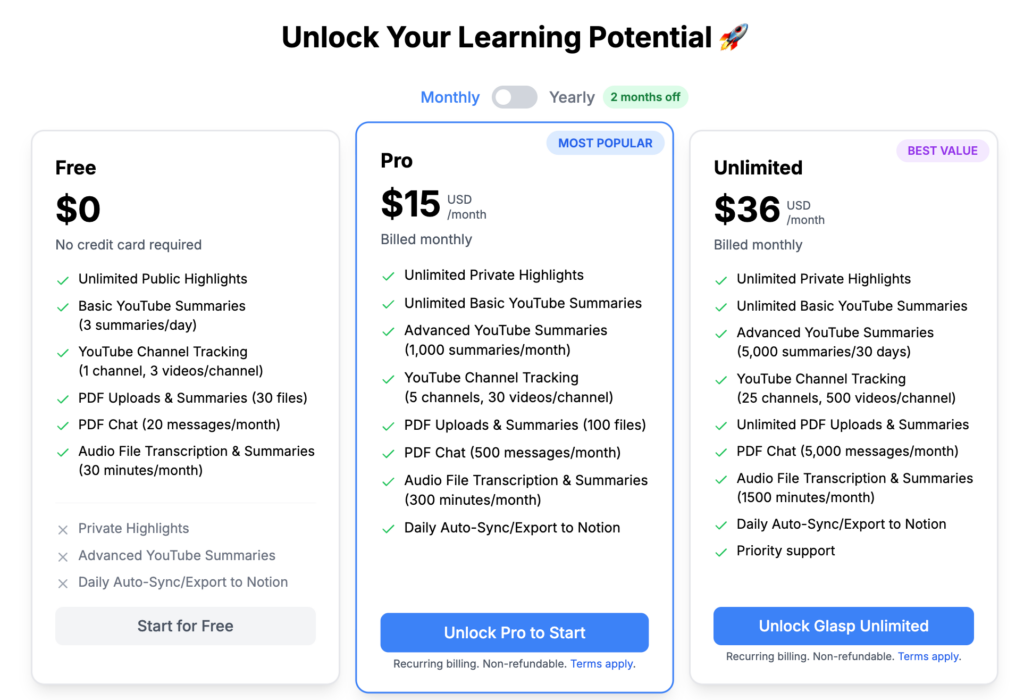
| ग्लास्प | ब्राउज़र एक्सटेंशन | ❌ केवल स्थिर पाठ | त्वरित सारांश | लंबे वीडियो निबंधों का सारांश |
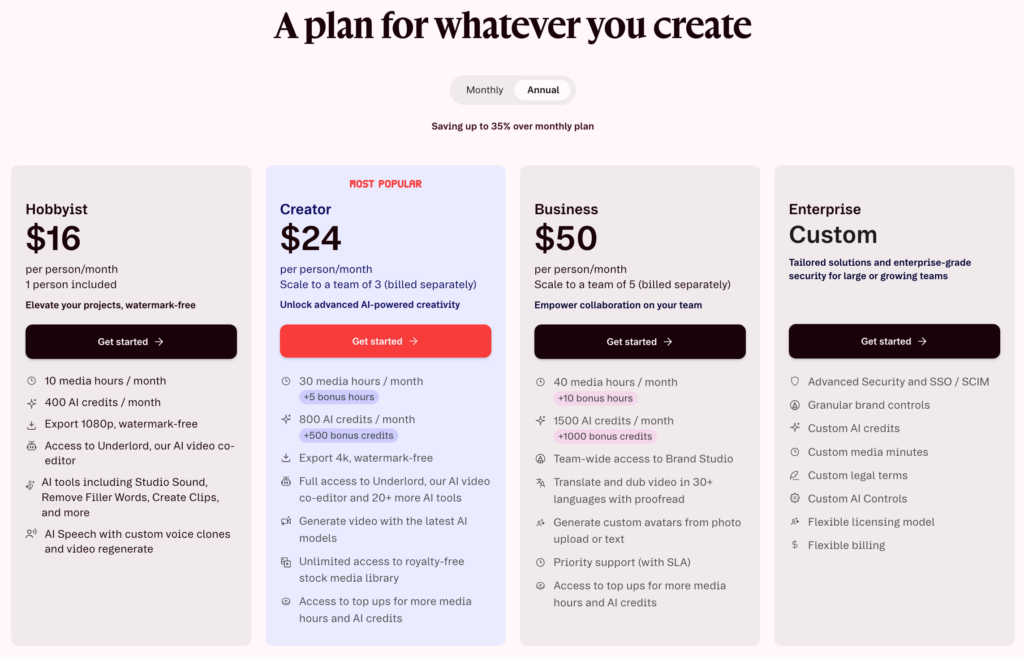
| वर्णन करें | मीडिया उत्पादन | ❌ स्टूडियो संपादक | टेक्स्ट-आधारित वीडियो संपादन | YouTube सामग्री का पुनः उपयोग करना |
| नोटा | एआई मीटिंग स्क्राइब | ❌ क्लाउड डैशबोर्ड | ऑडियो से टेक्स्ट संग्रह | डाउनलोड किए गए वीडियो का प्रतिलेखन |
| मेस्त्रा | मीडिया स्थानीयकरण | ❌ वेब स्टूडियो | उपशीर्षक निर्माण | क्रिएटर चैनलों का अनुवाद करना |
विस्तृत टूल समीक्षाएँ
1. Transync AI: फ्लोटिंग सबटाइटल इंजन
इसके लिए सर्वश्रेष्ठ: ऐसे दर्शक और शोधकर्ता जिन्हें विदेशी YouTube लाइव स्ट्रीम या ट्यूटोरियल के लिए रीयल-टाइम अनुवाद और फ्लोटिंग कैप्शन की आवश्यकता होती है, साथ ही साथ अन्य ऐप्स में नोट्स भी लेते हैं।.
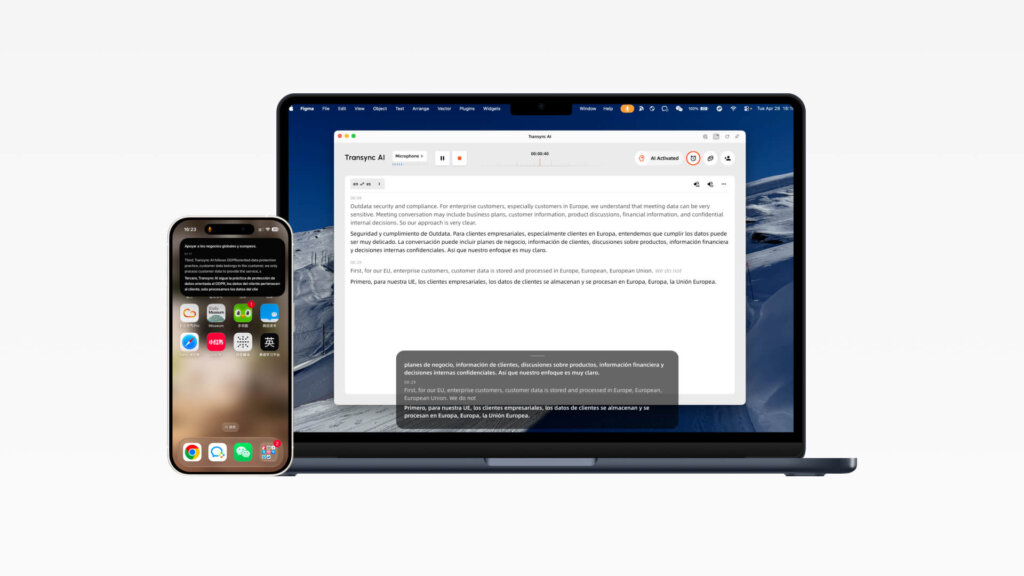
जब YouTube कोई नेटिव विकल्प प्रदान नहीं करता है यूट्यूब ट्रांसक्रिप्ट सटीक क्लोज्ड कैप्शन के लिए, ट्रांससिंक एआई एक बेहतरीन रीयल-टाइम व्यूअर साथी के रूप में सामने आता है। आपको वेब ब्राउज़र तक सीमित रखने के बजाय, ट्रांससिंक एआई मैक, विंडोज और आईओएस पर रीयल-टाइम अनुवाद के लिए पिक्चर इन पिक्चर फ्लोटिंग सबटाइटल प्रदान करता है। इससे प्रस्तुतियों, वीडियो प्लेबैक और मोबाइल बातचीत के दौरान आपके ऐप्स के ऊपर द्विभाषी कैप्शन दिखाई देते रहते हैं।.
पिक्चर इन पिक्चर (पीआईपी) सबटाइटल्स का गहन विश्लेषण:
- अनुवादित उपशीर्षकों को हर ऐप के ऊपर हमेशा दिखाई देते रहें: Transync AI पिक्चर-इन-पिक्चर सबटाइटल के साथ, मूल भाषण और अनुवादित पाठ एक कॉम्पैक्ट फ्लोटिंग विंडो में दिखाई देते हैं। चाहे आप डेस्कटॉप पर स्लाइड प्रस्तुत कर रहे हों, Notion में नोट्स टाइप कर रहे हों या मोबाइल पर ऐप्स स्विच कर रहे हों, आप अपने वर्कफ़्लो को बाधित किए बिना रीयल-टाइम अनुवाद देख सकते हैं।.
- मैक और विंडोज पर फ्लोटिंग सबटाइटल: डेस्कटॉप पर, प्रत्येक अनुवाद कार्य शुरू होने के बाद ऊपरी दाएं कोने से पिक्चर इन पिक्चर सबटाइटल चालू किए जा सकते हैं। काली फ्लोटिंग विंडो आपके वर्तमान ऐप के ऊपर रहती है। बहुभाषी YouTube चर्चाओं का अनुसरण करते समय या काम करते समय सॉफ़्टवेयर का प्रदर्शन करते समय यह विशेष रूप से उपयोगी होता है।.
- iOS पर फ्लोटिंग सबटाइटल: iPhone पर, आप अनुवाद बार के ऊपरी-दाएँ कोने से फ़्लोटिंग सबटाइटल विंडो को सक्रिय कर सकते हैं। जब आप Transync AI को बैकग्राउंड में भेजते हैं, तो iOS स्वचालित रूप से एक फ़्लोटिंग विंडो खोल सकता है, जिसमें मूल पाठ और अनुवादित सामग्री दोनों वास्तविक समय में दिखाई देती हैं।.
- इसका उपयोग कैसे करना है: बस Transync AI खोलें, अपनी पसंद की भाषा चुनें और रीयल-टाइम अनुवाद शुरू करें। YouTube वीडियो चलने के बाद, पिक्चर इन पिक्चर बटन पर क्लिक करके काले रंग की फ्लोटिंग सबटाइटल विंडो खोलें।.
फैसला: ट्रांससिंक एआई मूल प्रणालियों की सीमाओं को पूरी तरह से दरकिनार कर देता है। यूट्यूब ट्रांसक्रिप्ट. सबटाइटल को ब्राउज़र विंडो से अलग करके, यह विदेशी भाषा के वीडियो कंटेंट को देखते समय मल्टीटास्किंग के लिए सबसे बेहतरीन टूल है।.
2. ग्लास्पत्वरित सारांशक
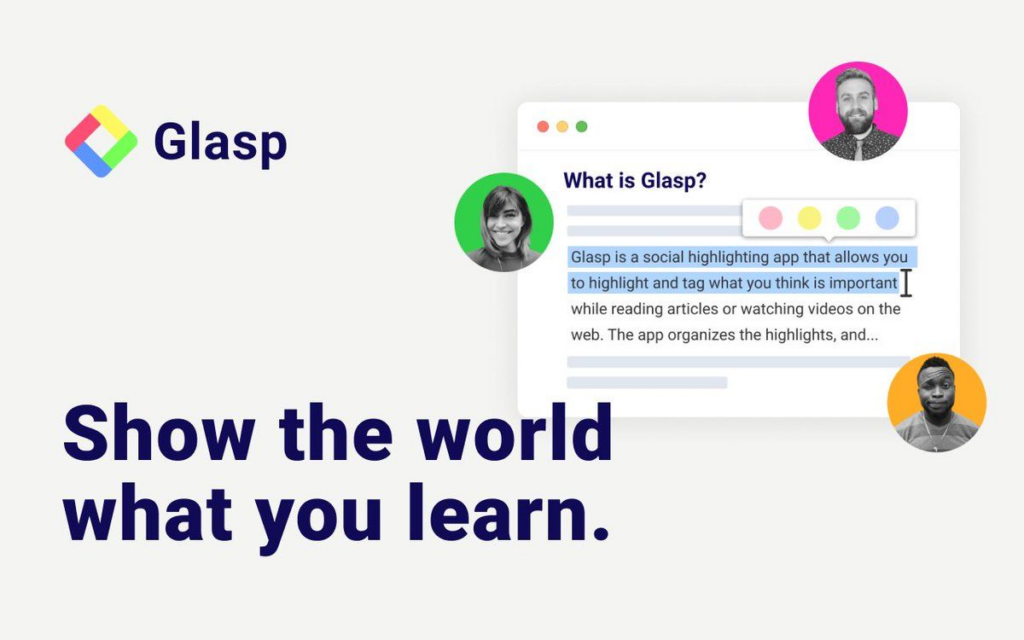
इसके लिए सर्वश्रेष्ठ: वे छात्र और पेशेवर जिन्हें मूल भाषा का पाठ निकालने की आवश्यकता होती है यूट्यूब ट्रांसक्रिप्ट और एआई का उपयोग करके इसे तुरंत संक्षेप में प्रस्तुत करें।.
यदि किसी YouTube वीडियो में पहले से ही अंग्रेजी ऑडियो ट्रैक मौजूद है, तो पूरा वीडियो देखना समय की बर्बादी हो सकती है। Glasp एक बेहद लोकप्रिय ब्राउज़र एक्सटेंशन है जिसे टेक्स्ट को तुरंत निकालने के लिए डिज़ाइन किया गया है।.
गहन विश्लेषण:
- एक क्लिक में निष्कर्षण: ग्लास्प यूट्यूब वीडियो प्लेयर के बगल में एक विजेट लगाता है। एक क्लिक से यह पूरा कंटेंट कैप्चर कर लेता है। यूट्यूब ट्रांसक्रिप्ट, यह फ़ाइल टाइमस्टैम्प सहित अपलोड करता है और इसे आपके क्लिपबोर्ड पर कॉपी कर देता है।.
- एआई एकीकरण: यह चैटजीपीटी या क्लाउड जैसे टूल के साथ सहजता से जुड़ता है और ट्रांसक्रिप्ट को तुरंत बुलेट पॉइंट्स में सारांशित कर देता है, जिससे आप 40 मिनट के वीडियो को तीन मिनट में समझ सकते हैं।.
फैसला: स्थिर, पहले से मौजूद वीडियो ट्रांसक्रिप्ट को निकालने और सारांशित करने के लिए सबसे कुशल मुफ्त ब्राउज़र एक्सटेंशन।.
3. वर्णन करें: टेक्स्ट आधारित वीडियो संपादक
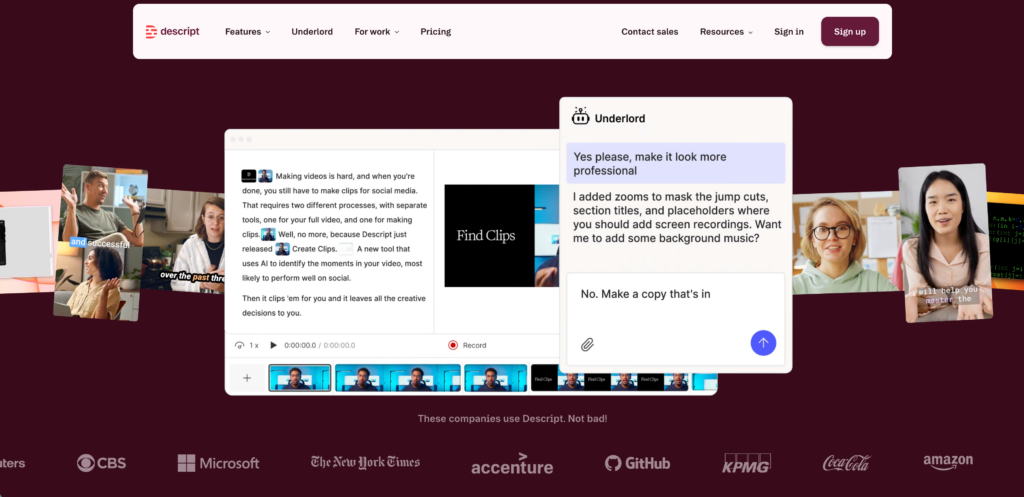
इसके लिए सर्वश्रेष्ठ: जो कंटेंट क्रिएटर ऑटो-जेनरेटेड आउटपुट के साथ सीधे इंटरैक्ट करके अपने YouTube वीडियो को खुद एडिट करना चाहते हैं, वे ऐसा कर सकते हैं। यूट्यूब ट्रांसक्रिप्ट.
डिस्क्रिप्ट वीडियो टाइमलाइन को बिल्कुल टेक्स्ट डॉक्यूमेंट की तरह मानकर पारंपरिक वीडियो एडिटिंग वर्कफ़्लो को उलट देता है।.
गहन विश्लेषण:
- टेक्स्ट-टू-वीडियो एडिटिंग: वीडियो इंपोर्ट करने के बाद, डिस्क्रिप्ट एक सटीक ट्रांसक्रिप्ट तैयार करता है। यदि आप टेक्स्ट में किसी वाक्य को हाईलाइट करके डिलीट करते हैं, तो सॉफ्टवेयर स्वचालित रूप से उस संबंधित वीडियो क्लिप को आपकी टाइमलाइन से काट देता है।.
- स्टूडियो साउंड: यह खराब माइक्रोफोन की गुणवत्ता को तुरंत बेहतर बनाकर ऐसी ध्वनि उत्पन्न करता है जैसे कि इसे किसी पेशेवर स्टूडियो में रिकॉर्ड किया गया हो, जिससे यह सुनिश्चित होता है कि आपका अंतिम YouTube अपलोड बिल्कुल साफ-सुथरा सुनाई दे।.
फैसला: यह उन YouTube क्रिएटर्स के लिए एक गेम-चेंजर है जो अपने पोस्ट-प्रोडक्शन एडिटिंग वर्कफ़्लो को तेज करना चाहते हैं।.
4. नोटा: अतुल्यकालिक ऑडियो संग्रह
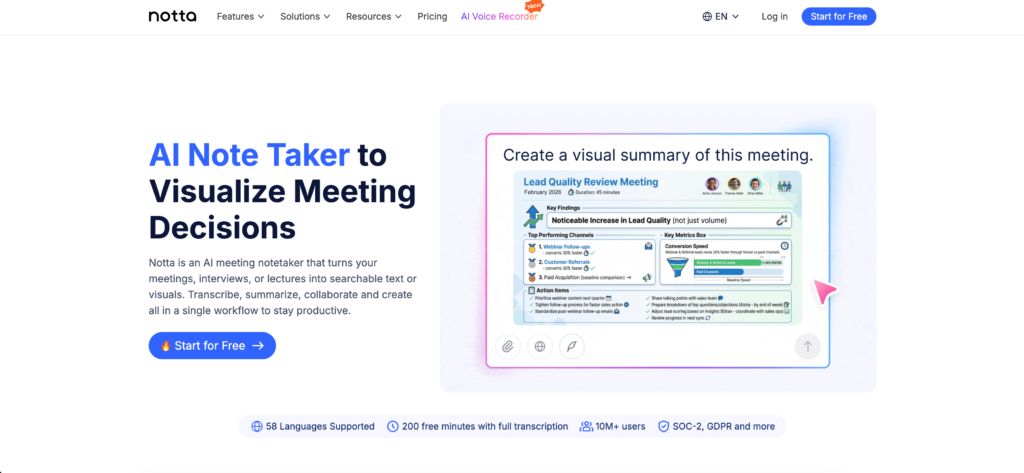
इसके लिए सर्वश्रेष्ठ: वे शोधकर्ता जो यूट्यूब ऑडियो डाउनलोड करना चाहते हैं और ट्रांसक्रिप्ट का एक विशाल, खोज योग्य डेटाबेस बनाना चाहते हैं।.
कभी-कभी आपको किसी वीडियो में मौजूद ज्ञान को दीर्घकालिक कॉर्पोरेट या अकादमिक अनुसंधान के लिए संग्रहित करने की आवश्यकता होती है।.
गहन विश्लेषण:
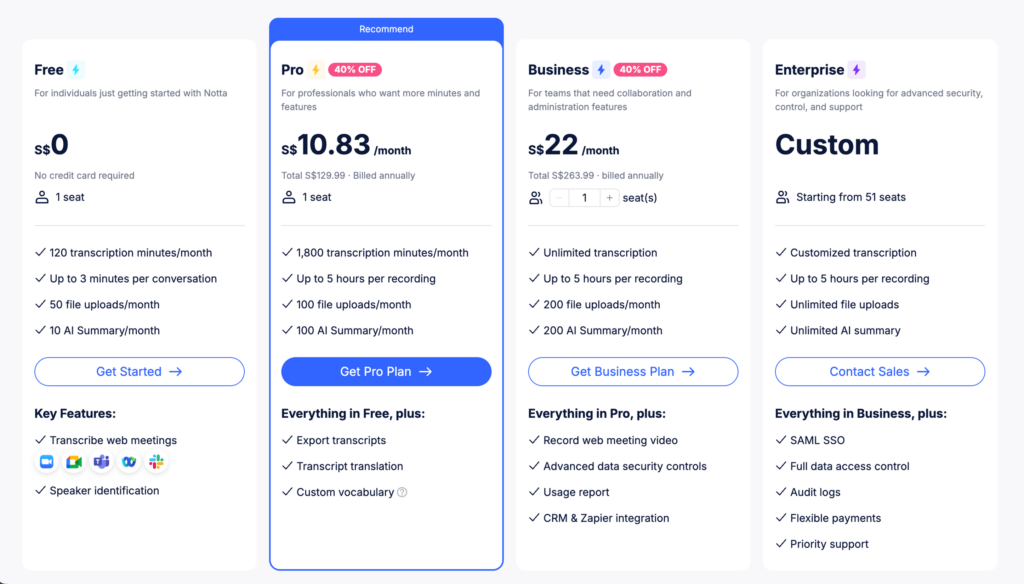
- उच्च गुणवत्ता वाली प्रतिलेखन: नोट्टा आपको ऑडियो फाइलों को प्रोसेस करने और स्पीकर के अनुसार अलग-अलग अत्यधिक सटीक ट्रांसक्रिप्ट तैयार करने की सुविधा देता है।.
- विभिन्न भाषाओं के सारांश: यह एक लंबी अंग्रेजी ऑडियो फाइल ले सकता है और 50 से अधिक भाषाओं में एक संक्षिप्त, उपयोगी सारांश तैयार कर सकता है।.
फैसला: असिंक्रोनस मीडिया को एक व्यवस्थित, खोज योग्य टेक्स्ट डेटाबेस में परिवर्तित करने के लिए एक मजबूत क्लाउड प्लेटफॉर्म।.
5. मेस्त्रा: क्रिएटर का लोकलाइज़ेशन स्टूडियो
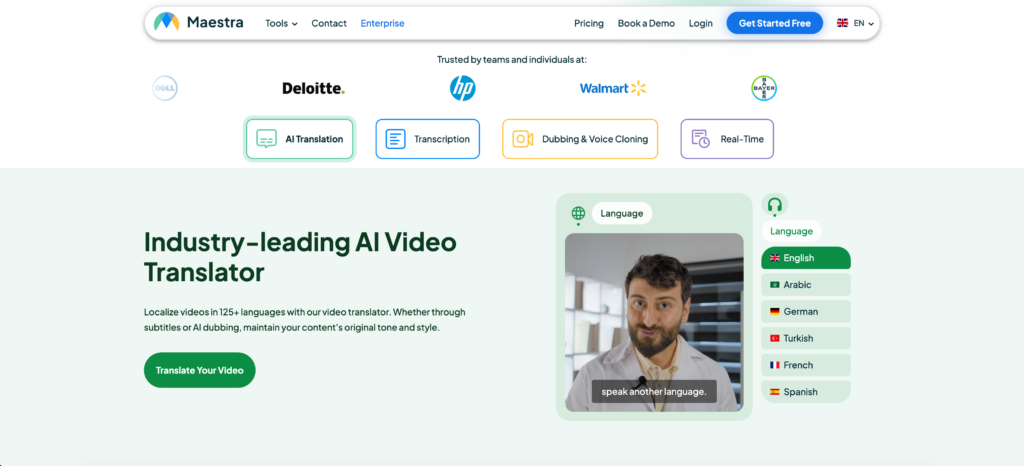
इसके लिए सर्वश्रेष्ठ: यूट्यूब चैनल के मालिक जो अपने अंग्रेजी वीडियो को कई भाषाओं में अनुवाद करके वैश्विक दर्शकों तक पहुंचना चाहते हैं।.
जहां ट्रांससिंक एआई दर्शकों के लिए वीडियो का अनुवाद करता है, वहीं माएस्ट्रा वीडियो निर्माता के लिए वीडियो का अनुवाद करता है।.
गहन विश्लेषण:
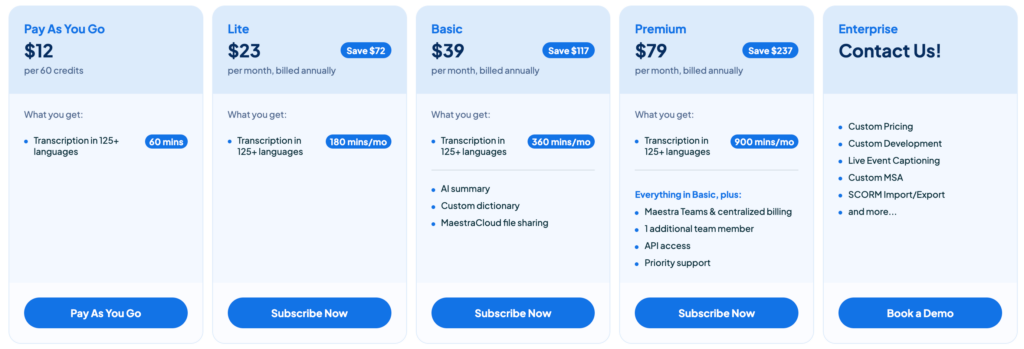
- ऑटो-सबटाइटलिंग: क्रिएटर्स अपना फाइनल वीडियो अपलोड कर सकते हैं, और Maestra स्वचालित रूप से एक अत्यंत सटीक परिणाम उत्पन्न करेगा। यूट्यूब ट्रांसक्रिप्ट और इसे मानक उपशीर्षक फ़ाइलों (SRT, VTT) में प्रारूपित करें।.
- एआई डबिंग: यह क्रिएटर्स को दर्जनों भाषाओं में एआई वॉइसओवर तैयार करने की सुविधा देता है, जिससे उनके चैनल की वैश्विक पहुंच में काफी विस्तार होता है।.
फैसला: यूट्यूब क्रिएटर्स के लिए अग्रणी लोकलाइजेशन स्टूडियो, जो अपनी मातृभाषा से परे अपने दर्शकों का विस्तार करना चाहते हैं।.
निष्कर्ष: अपने वीडियो अनुभव को बेहतर बनाना
केवल डिफ़ॉल्ट पर निर्भर रहना यूट्यूब ट्रांसक्रिप्ट यह आपकी उत्पादकता को एक ही ब्राउज़र टैब तक सीमित कर देता है। 2026 में ऑनलाइन वीडियो का सही मायने में लाभ उठाने के लिए, आपको अपने टूलसेट को अपग्रेड करना होगा।.
यदि आप अपने कंटेंट को एडिट करने वाले क्रिएटर हैं, तो Descript एक क्रांतिकारी समाधान है। यदि आपको किसी अंग्रेजी लेक्चर का तुरंत सारांश चाहिए, तो Glasp अविश्वसनीय गति प्रदान करता है। हालांकि, वास्तविक समय में वैश्विक स्तर पर देखने के लिए—विशेष रूप से जब लाइव स्ट्रीम में आधिकारिक कैप्शन उपलब्ध न हों—Transync AI बेजोड़ है। इसके क्रॉस-प्लेटफ़ॉर्म पिक्चर इन पिक्चर फ्लोटिंग सबटाइटल का लाभ उठाकर, आप अंततः वैश्विक वीडियो कंटेंट का आनंद लेते हुए, नोट्स ले सकते हैं और अपने डिजिटल वर्कस्पेस को बिना किसी अनुवादित शब्द को छोड़े आसानी से नेविगेट कर सकते हैं।.
यदि आप अगली पीढ़ी का अनुभव चाहते हैं, Transync AI वास्तविक समय, AI-संचालित अनुवाद के साथ अग्रणी है जो बातचीत को स्वाभाविक रूप से प्रवाहित रखता है। आप मुफ्त में आजमाएं अब।