

Gli strumenti di traduzione vocale delle app trasformano il parlato in testo e audio tradotti in tempo reale. Scopri 9 casi d'uso intelligenti e confronta Transync AI con sei alternative.
Quando le persone cercano “"app di traduzione vocale"” Solitamente, le persone desiderano un'app in grado di ascoltare il linguaggio parlato e tradurlo immediatamente in testo o audio. L'espressione inglese più naturale è "app di traduzione vocale", ma l'intento è lo stesso: parlare in una lingua e aiutare un'altra persona a capire in un'altra.
Sembra semplice. In pratica, lo strumento giusto dipende dal fatto che tu stia ordinando cibo dall'estero, negoziando con un fornitore estero, frequentando un corso multilingue, gestendo un webinar o partecipando a una videochiamata internazionale. Questa guida utilizza nove scenari reali per mostrare cosa conta davvero e dove si colloca Transync AI tra le alternative più diffuse.
Risposta rapida: Cosa può fare un'app di traduzione vocale?
UN app traduttore vocale Lo strumento in genere esegue quattro passaggi:
Ascoltare → riconoscere il parlato → tradurre il significato → visualizzare o pronunciare il risultato
Uno strumento di base gestisce frasi brevi. Un traduttore vocale basato sull'intelligenza artificiale più completo può offrire anche:
- Rilevamento bidirezionale della lingua.
- Sottotitoli originali e tradotti.
- Riproduzione vocale con traduzione naturale.
- Contesto per nomi e vocabolario specialistico.
- Compatibilità con le piattaforme per riunioni online.
- Trascrizioni, riassunti e punti d'azione.
La domanda importante non è semplicemente "Si può tradurre?", ma "Si può tradurre nel modo richiesto da questa conversazione?".“
9 modi intelligenti per utilizzare lo strumento di traduzione vocale di un'app
1. Partecipa a un incontro d'affari internazionale
Le chiamate di lavoro spesso implicano un rapido susseguirsi di turni, nomi di prodotti, numeri e decisioni. In questo scenario, è consigliabile optare per una traduzione a bassa latenza, sottotitoli bilingue, audio tradotto e verbali della riunione.
Transync AI È stato progettato attorno a questo flusso di lavoro. Funziona in parallelo con Zoom, Microsoft Teams, Google Meet, le chiamate WhatsApp e altri strumenti di chiamata, senza fungere da plugin specifico per una singola piattaforma. I partecipanti possono leggere il discorso originale e tradotto, ascoltare la registrazione vocale e rivedere gli appunti dopo la chiamata.
 2. Interagisci con i clienti in tempo reale
 2. Interagisci con i clienti in tempo reale
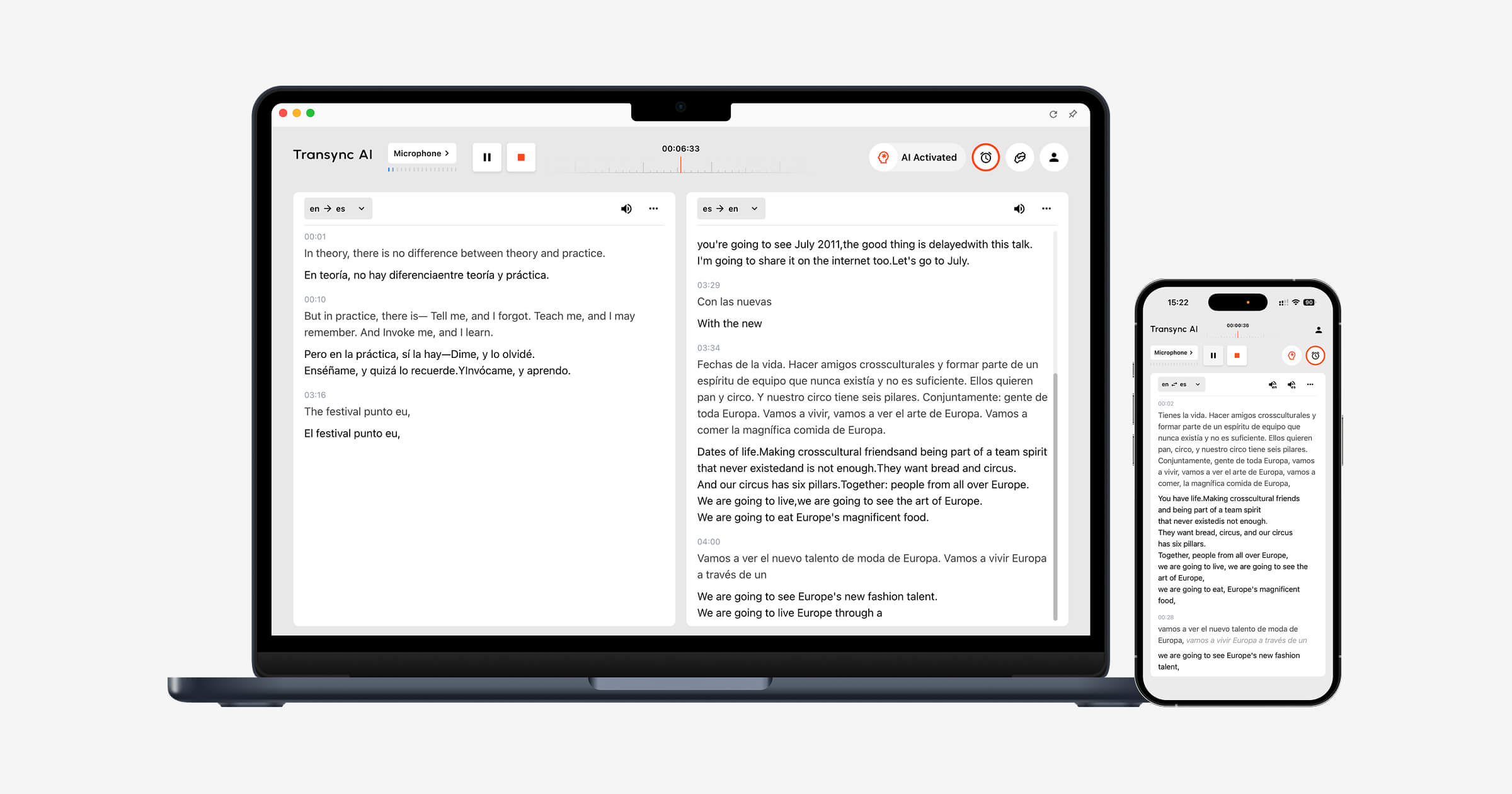
Nelle conversazioni di vendita e assistenza clienti internazionali, la semplice sostituzione letterale delle parole non basta. Il nome di un prodotto o un termine tecnico possono cambiare il significato di una risposta.
Transync AI consente agli utenti di aggiungere parole chiave e contestuali Informazioni preliminari prima di una conversazione. Un addetto all'assistenza, ad esempio, può inserire il nome del prodotto, i codici di errore più comuni e una breve descrizione del problema. Questo fornisce al sistema di traduzione informazioni più utili sulla discussione.
 3. Comunicare durante il viaggio
 3. Comunicare durante il viaggio
Per taxi, ristoranti, negozi e semplici indicazioni stradali, la velocità e la comodità mobile contano più degli appunti degli incontri. Un'app incentrata sul consumatore come Talkao Oppure Google Traduttore potrebbe essere la scelta più pratica, soprattutto quando è importante la traduzione automatica o la traduzione di frasi informali.
Ricorda che Transync AI non offre riconoscimento delle immagini, traduzione solo del testo o modalità offline. È più adatto alle conversazioni vocali in tempo reale che alla traduzione di un menu o di un cartello stradale.
 4. Seguire una lezione o una conferenza multilingue
 4. Seguire una lezione o una conferenza multilingue
Gli studenti hanno bisogno di comprendere spiegazioni più lunghe, non solo frasi isolate. I sottotitoli affiancati aiutano gli studenti a confrontare il discorso originale con la sua traduzione, mentre la trascrizione fornisce materiale per il ripasso.
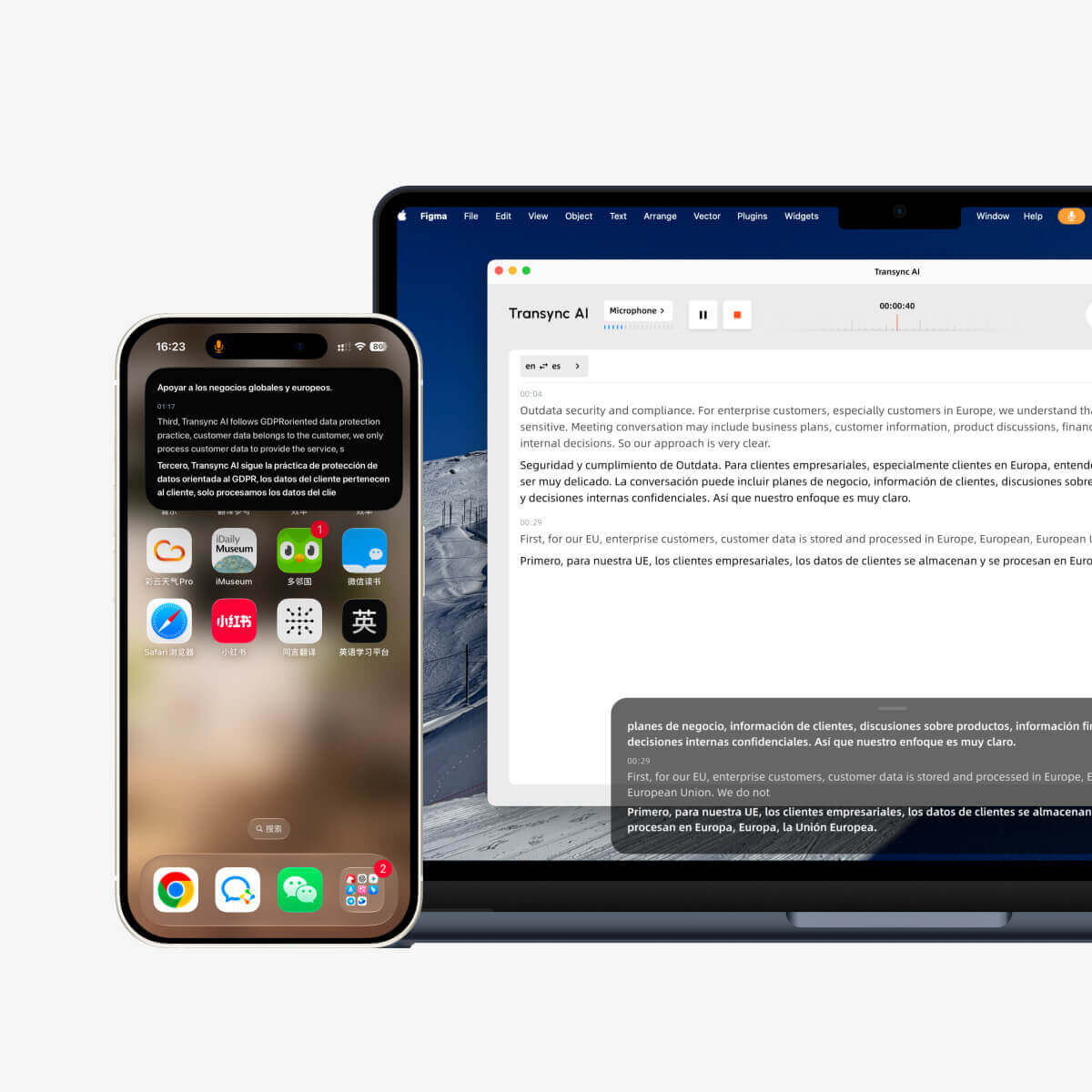
Transync AI supporta sottotitoli bilingue in tempo reale e registrazioni generate dall'IA. Immagine nell'immagine Questa modalità consente di mantenere visibili i sottotitoli anche quando si sovrappongono ad altre app sui dispositivi supportati, il che risulta utile quando si seguono le diapositive o si prendono appunti.
 5. Presentare a un pubblico estero
 5. Presentare a un pubblico estero
Seguire una presentazione diventa più difficile quando i sottotitoli tradotti scompaiono dietro le diapositive. I sottotitoli fluttuanti riducono il passaggio da un'app all'altra, mentre la traduzione vocale aiuta gli ascoltatori che preferiscono l'audio.
Per una presentazione personale o una normale chiamata di team, Transync AI offre un flusso di lavoro mirato. Per una grande conferenza in cui molti partecipanti necessitano di accedere tramite un link o un codice QR, una piattaforma per eventi come Mondano potrebbe essere più adatto.
 6. Parla in modo naturale con la tua voce
 6. Parla in modo naturale con la tua voce
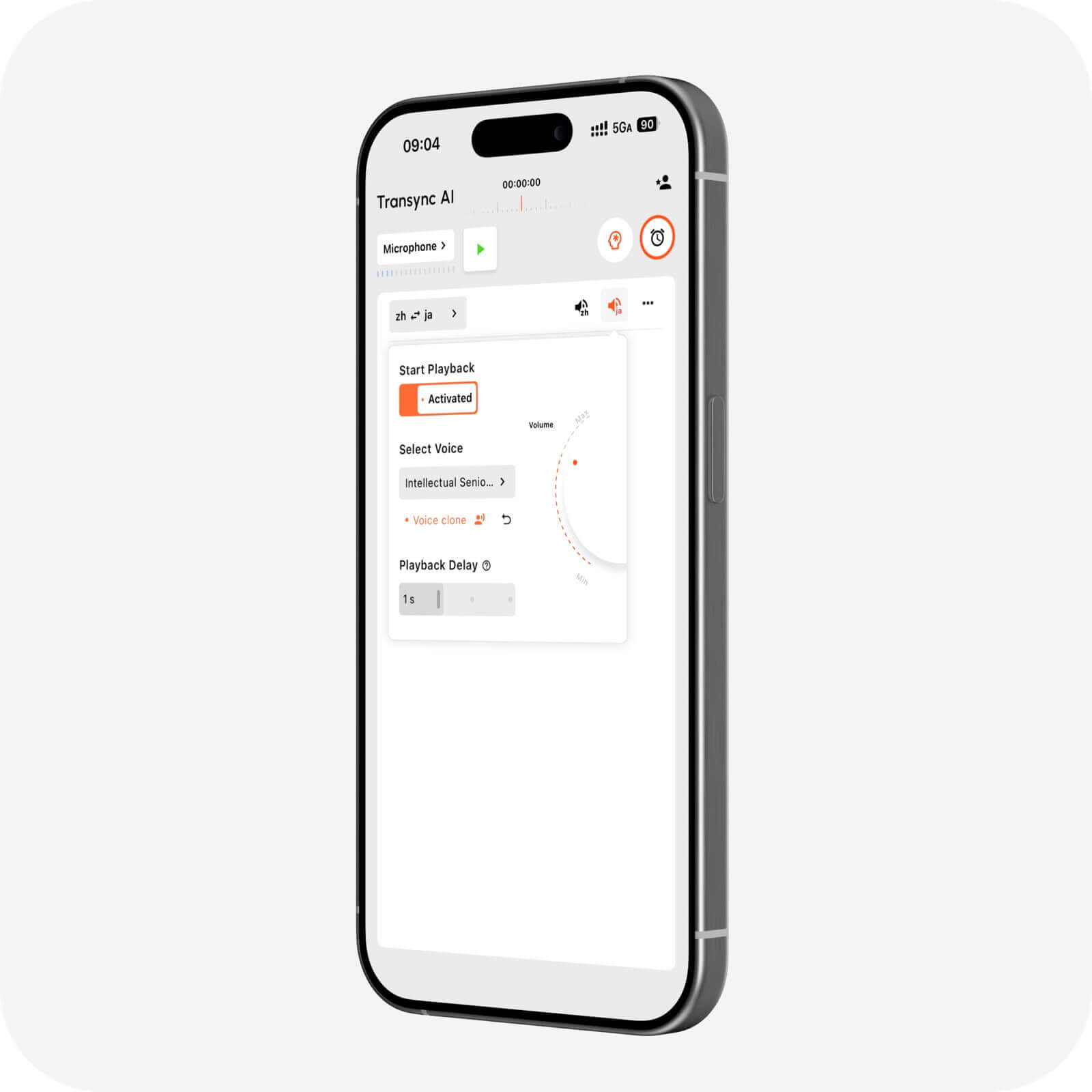
La sintesi vocale standard può risultare distaccata da chi parla. La clonazione vocale mira a rendere la riproduzione tradotta più personale, creando una voce basata su quella dell'utente.
Transync AI include la clonazione vocale insieme a diverse stili vocali e velocità di riproduzione. Questo può essere utile per dimostrazioni, lezioni, conversazioni con i clienti e altre situazioni in cui il tono è importante quanto il significato.
 7. Tradurre webinar, video o contenuti multimediali
 7. Tradurre webinar, video o contenuti multimediali
Le conversazioni dal vivo e la localizzazione dei contenuti multimediali si sovrappongono, ma i flussi di lavoro di produzione sono diversi. I team multimediali potrebbero aver bisogno di editing dei sottotitoli, doppiaggio, esportazione dei file e contenuti tradotti riutilizzabili.
Maestra È progettato per un'ampia gamma di applicazioni multimediali: traduzione, trascrizione, sottotitoli, doppiaggio, webinar ed eventi dal vivo. Se l'obiettivo principale è la post-produzione, potrebbe essere più adatto di un'app pensata per le riunioni. Se invece la priorità è una discussione di lavoro bidirezionale in tempo reale, Transync AI rappresenta una scelta più mirata e diretta.
 8. Integrare la traduzione vocale in un prodotto
 8. Integrare la traduzione vocale in un prodotto
Gli sviluppatori che creano agenti vocali o applicazioni multilingue in genere necessitano di un'API piuttosto che di un'interfaccia di riunione già pronta. Sonix Offre funzionalità di riconoscimento vocale, sintesi vocale e traduzione per i team di sviluppo di prodotti tecnici.
Scegli una piattaforma API quando il tuo obiettivo è quello di sviluppare. Scegli Transync AI quando il tuo team desidera un prodotto pronto all'uso senza dover assemblare e gestire uno stack di traduzione vocale personalizzato.
 9. Conserva una registrazione utile dopo la conversazione
 9. Conserva una registrazione utile dopo la conversazione
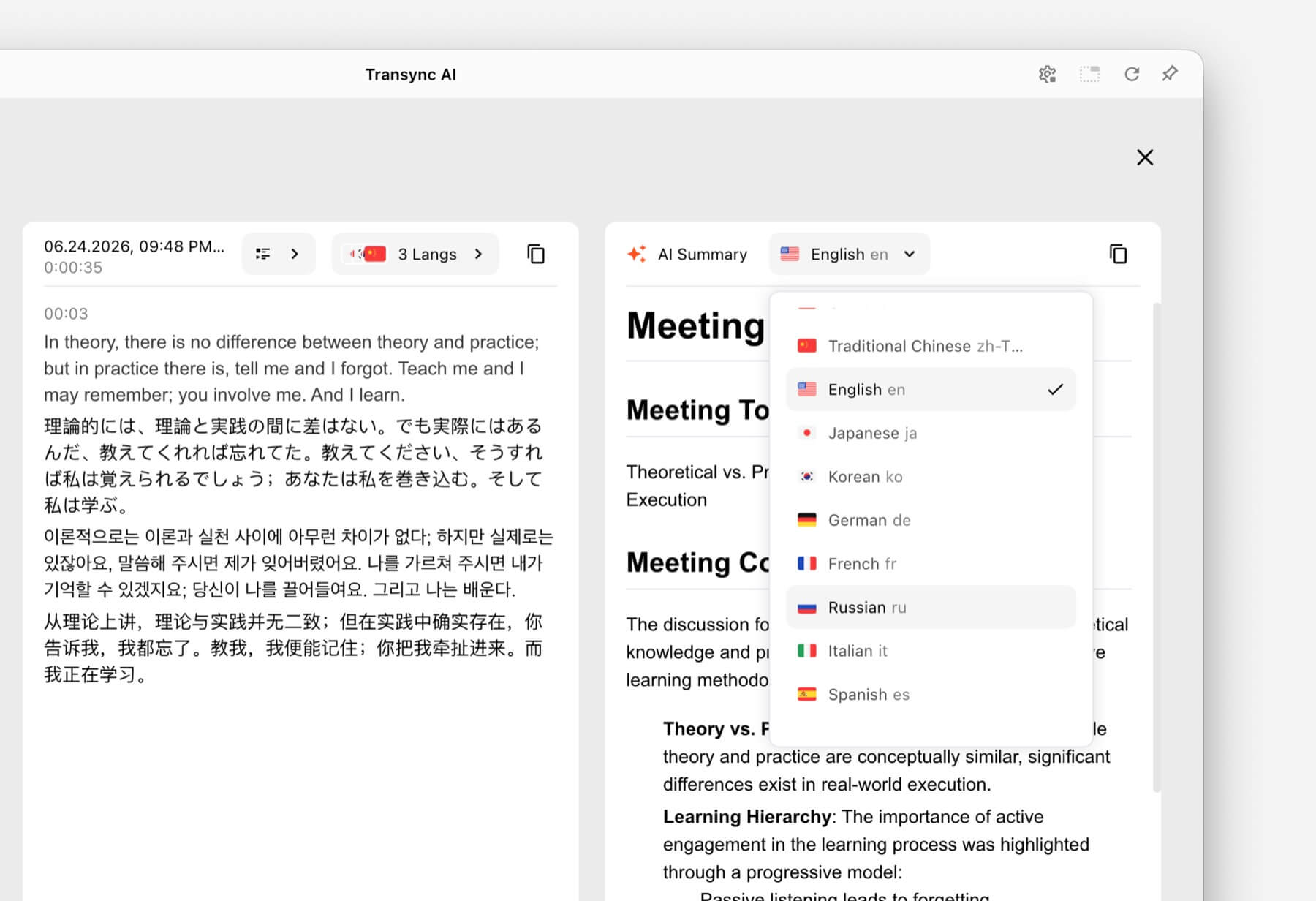
Durante una chiamata multilingue, è facile perdere dettagli importanti. Una trascrizione preserva la conversazione, mentre un riepilogo aiuta i partecipanti a identificare le decisioni prese e i passi successivi.
Transync AI combina la traduzione in tempo reale con Appunti della riunione di intelligenza artificiale. Ciò lo rende utile per le conversazioni commerciali ricorrenti in cui il follow-up è importante quanto la comprensione in tempo reale.
 Confronto vocale dell'app di traduzione a colpo d'occhio
 Confronto vocale dell'app di traduzione a colpo d'occhio
La tabella seguente confronta il posizionamento dei prodotti anziché decretare un vincitore assoluto. Caratteristiche e disponibilità possono variare, pertanto si consiglia di verificare i requisiti fondamentali con ciascun fornitore.
| Attrezzo | Progettato principalmente per | Output della traduzione vocale | Flusso di lavoro incentrato sulle riunioni | Il motivo migliore per sceglierlo |
|---|---|---|---|---|
| Transync AI | Riunioni, telefonate e conversazioni di persona | Sottotitoli bilingue e riproduzione audio con traduzione | SÌ | Comunicazione bidirezionale in tempo reale, con contesto e note della riunione. |
| Talkao | Viaggi, utilizzo dei dispositivi mobili e apprendimento delle lingue | Riproduzione delle conversazioni sul cellulare | Limitato | Ampia gamma di articoli dedicati ai consumatori e ai viaggi. |
| Mondano | Conferenze, webinar e grandi eventi | Sottotitoli e audio tradotto | Sì, soprattutto gli eventi | Accesso dei partecipanti tramite link o codici QR |
| Sonox | Prodotti vocali e integrazioni per sviluppatori | Funzionalità vocali dell'API/app | Dipendente dal prodotto | Creazione di un'applicazione vocale personalizzata |
| Maestra | Localizzazione multimediale, doppiaggio e contenuti in diretta | Funzionalità di doppiaggio e voce dal vivo | SÌ | Unire la traduzione simultanea alla produzione multimediale. |
| DeepL | Testi, documenti, lavori in linguaggio aziendale e casi d'uso vocali selezionati | Disponibile tramite i prodotti DeepL Voice | Dipendente dal prodotto | Flussi di lavoro più ampi per lingua e documenti. |
| Google Traduttore | Traduzione rapida di tutti i giorni | Riproduzione audio per le traduzioni | NO | Accesso libero e familiare per attività occasionali |
Fonti ufficiali del prodotto: Talkao, Mondano, Sonox, Maestra, DeepL, E Google Traduttore.
Quali caratteristiche sono più importanti per la traduzione vocale in tempo reale?
Velocità che favorisce la conversazione
Il ritardo nella traduzione interrompe il ritmo naturale di una discussione. Prova lo strumento utilizzando il tuo microfono, la tua rete, il tuo accento e la tua combinazione linguistica reali. Una dimostrazione ben fatta non può rappresentare ogni ambiente di lavoro.
Sottotitoli e audio insieme
L'audio contribuisce a rendere la conversazione più naturale, mentre il testo aiuta gli utenti a confermare nomi, numeri e parole sconosciute. Una soluzione per riunioni efficace dovrebbe consentire di utilizzare facilmente uno o entrambi i metodi.
Transync AI fornisce sottotitoli bilingui affiancati e riproduzione vocale naturale. Traduttore vocale AI è progettato per la comunicazione orale dal vivo.
Supporto per coppie linguistiche
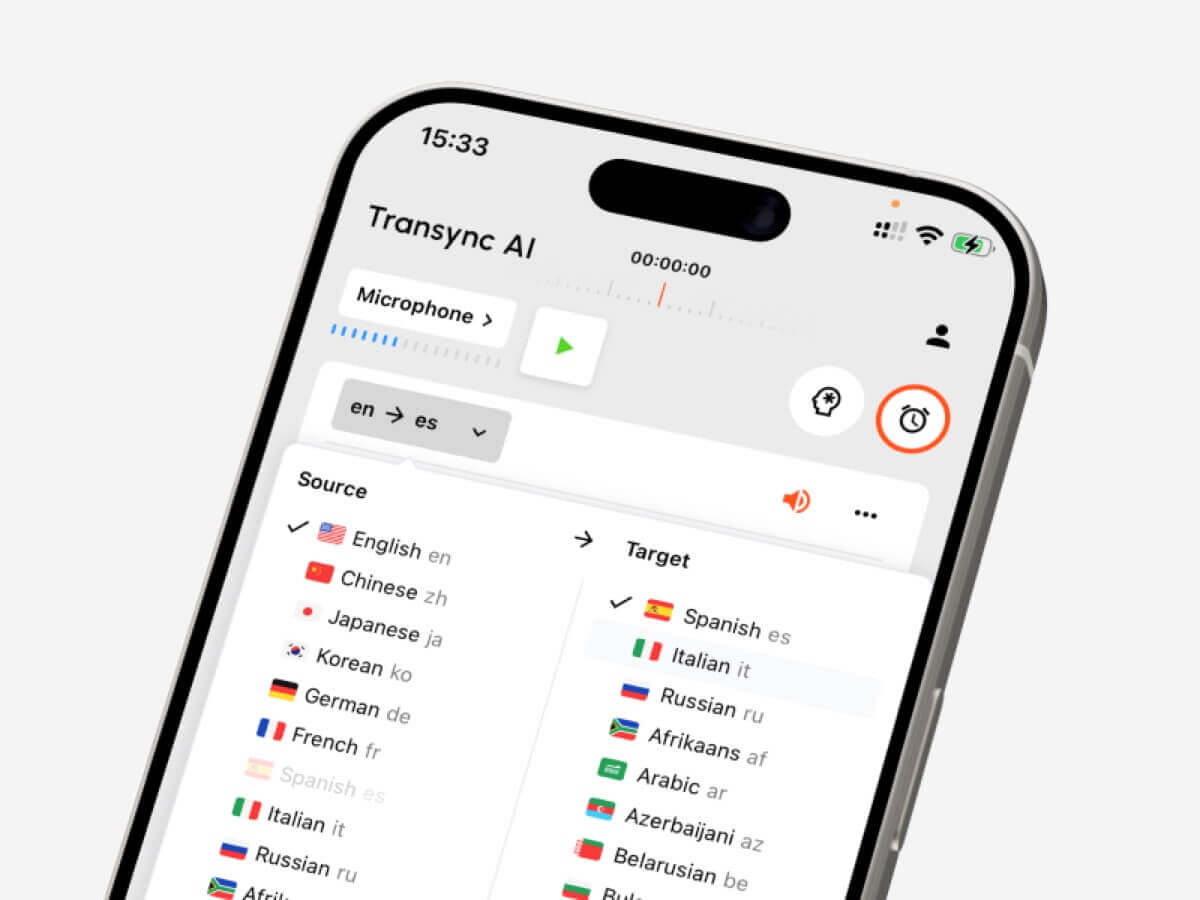
Un numero totale di lingue elevato è utile solo se è supportata la coppia di lingue esatta di cui hai bisogno. Transync AI supporta più di 60 lingue e oltre 1.000 coppie di lingue. Controlla il suo lingue supportate prima di una sessione importante.
 Contesto e terminologia specialistica
 Contesto e terminologia specialistica
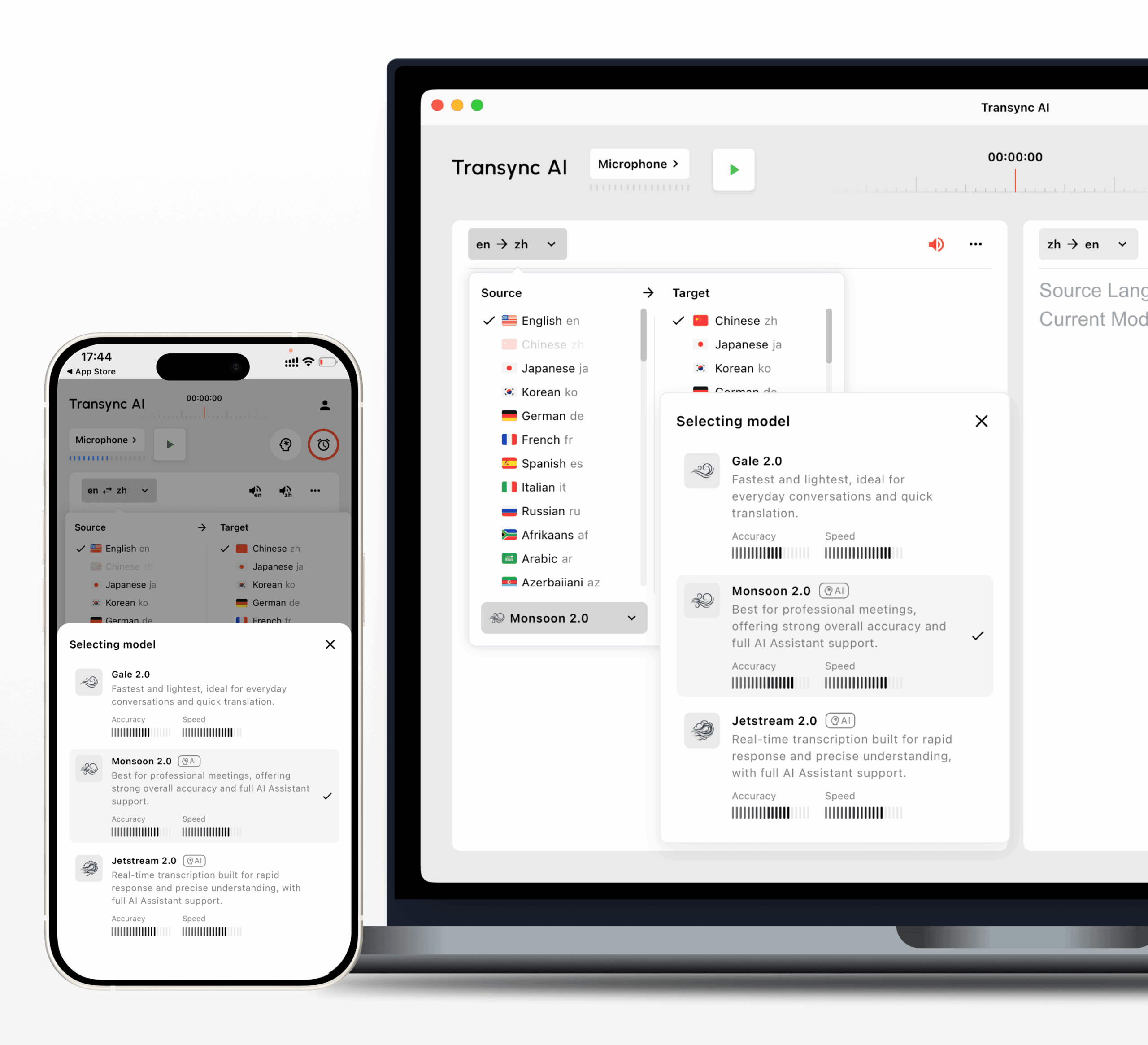
Il vocabolario di settore, i nomi propri, i marchi e gli acronimi possono confondere i sistemi di traduzione generici. Transync AI consente agli utenti di specificare parole chiave e contesto della riunione per guidare il riconoscimento e la traduzione.
Compatibilità del dispositivo e della riunione
Verifica se il servizio funziona nel luogo in cui avviene la conversazione. Transync AI supporta flussi di lavoro su web, Windows, macOS, iOS e Android. Un singolo account può essere utilizzato su diversi dispositivi, con il consumo calcolato in modo cumulativo.
Privacy e trattamento dei dati
I dati vocali e il contenuto delle riunioni possono essere sensibili. Esamina l'attuale politica sulla privacy del fornitore, le regole di conservazione, i controlli dell'amministratore e la documentazione di conformità. Transync AI afferma che i dati dei clienti non vengono utilizzati per l'addestramento dell'IA per impostazione predefinita e che l'audio viene eliminato dopo l'elaborazione. Le organizzazioni dovrebbero verificare i dettagli nel Centro di fiducia sull'IA di Transync contro le loro stesse esigenze.
Una semplice guida alle decisioni
Utilizza questo percorso rapido per restringere le opzioni:
- Hai bisogno di frasi di viaggio rapide o di informazioni sulle funzioni della fotocamera? Inizia con Talkao o Google Traduttore.
- Hai bisogno di sottotitoli per un vasto pubblico? Valutare Worldly.
- Hai bisogno di un'API per la tua applicazione? Valutare Soniox.
- Hai bisogno di doppiaggio e localizzazione multimediale? Valutare Maestra.
- Hai bisogno di flussi di lavoro per testi e documenti? Valutare DeepL.
- Hai bisogno di riunioni in diretta con sottotitoli, traduzione audio, contesto e note? Inizia con Transync AI.
Come avviare una sessione di traduzione con Transync AI
- Apri Transync AI su un dispositivo supportato.
- Seleziona le due lingue utilizzate nella conversazione.
- Selezionare il microfono o la sorgente audio di sistema corretta.
- Aggiungi nomi, marchi, termini tecnici e una breve descrizione dell'argomento.
- Avvia la traduzione e verifica che entrambi i pannelli dei sottotitoli si aggiornino correttamente.
- Attiva la riproduzione della voce tradotta quando l'altro partecipante deve ascoltare il risultato.
- Utilizza le didascalie Picture-in-Picture se hai bisogno di tradurre le diapositive sopra le diapositive o in un'altra applicazione.
- Dopo la sessione, si prega di rivedere la trascrizione e gli appunti della riunione sull'IA.
IL Guida alla traduzione per riunioni in diretta spiega in modo più dettagliato il flusso di lavoro orientato alle riunioni.

Compatibile con le principali piattaforme per riunioni online, per una traduzione in tempo reale senza interruzioni.
Quali fattori possono compromettere la qualità della traduzione?
Anche un capace app traduttore vocale la soluzione potrebbe presentare problemi con:
- Più persone che parlano contemporaneamente.
- Stanze rumorose o microfoni deboli.
- Una connessione internet instabile.
- Abbreviazioni e termini specialistici non spiegati.
- Frasi lunghe e ambigue.
- Accenti insoliti o alternanza di codice linguistico.
Chiedete ai relatori di alternarsi, utilizzate un microfono affidabile e, quando possibile, fornite parole chiave o contesto. Per discussioni di natura medica, legale, relative alla sicurezza o di natura contrattuale, prendete in considerazione l'utilizzo di un interprete umano qualificato o una revisione professionale.
Domande frequenti sull'app di traduzione vocale
"App Translate Voice" è la stessa cosa di un'app di traduzione vocale?
SÌ. App di traduzione vocale è una frase di ricerca comunemente usata da chi cerca un'app che traduca il parlato. "App di traduzione vocale", "traduttore vocale" e "traduttore vocale basato sull'IA" descrivono la stessa categoria generale in modo più naturale.
È possibile utilizzare un'app per tradurre la voce durante una chiamata Zoom o Teams?
Sì, se è progettato per riunioni dal vivo. Transync AI funziona con Zoom, Microsoft Teams e Google Meet e può fornire sottotitoli bilingue e riproduzione vocale tradotta senza essere un plugin specifico per una singola piattaforma.
Transync AI è in grado di rilevare automaticamente entrambe le lingue?
Transync AI è in grado di distinguere la lingua dell'interlocutore all'interno della coppia di lingue supportate selezionata, riducendo la necessità di passare manualmente da una lingua all'altra durante una conversazione bidirezionale.
Transync AI funziona offline?
No. Transync AI richiede una connessione a Internet e non offre una modalità offline. I viaggiatori che necessitano di una traduzione offline dovrebbero valutare altri prodotti e verificare il supporto linguistico offline offerto da questi ultimi.
Posso tradurre cartelli o documenti con Transync AI?
Transync AI non offre riconoscimento di immagini né traduzione di documenti di solo testo. È progettato principalmente per la comunicazione vocale in tempo reale. Google Traduttore o DeepL potrebbero essere più adatti a tali scopi, a seconda del contenuto.
Qual è la migliore app di traduzione vocale per le riunioni?
Transync AI è un'ottima scelta per le riunioni perché combina traduzione bidirezionale, sottotitoli bilingue, riproduzione vocale tradotta, contesto delle parole chiave, utilizzo su diversi dispositivi e note di riunione generate dall'IA. Prima di scegliere un piano, testa sempre la combinazione linguistica e la configurazione della riunione.
Raccomandazione finale
UN app traduttore vocale Una ricerca può portare a molti prodotti dall'aspetto simile ma rivolti a pubblici diversi. Un viaggiatore, un organizzatore di eventi, uno sviluppatore, un produttore multimediale e un team di vendita internazionale non dovrebbero scegliere automaticamente lo stesso strumento.
Per traduzioni brevi e quotidiane, Google Traduttore o Talkao potrebbero essere sufficienti. Wordly è più adatto a eventi con un vasto pubblico, Soniox allo sviluppo, Maestra alla localizzazione di contenuti multimediali e DeepL a lavori più ampi su testi e documenti.
Per le riunioni multilingue in diretta, Transync AI offre una combinazione mirata di sottotitoli bilingue in tempo reale, riproduzione vocale naturale, compatibilità con le riunioni, contesto terminologico e note post-riunione. Mettilo alla prova in una conversazione reale per valutare se si adatta al modo in cui tu e il tuo team comunicate.
Se desideri un'esperienza di nuova generazione, Transync AI apre la strada alla traduzione in tempo reale basata sull'intelligenza artificiale, che mantiene le conversazioni fluide e naturali. Puoi provalo gratis Ora.
 🤖
🤖