

Las herramientas de traducción de voz de las aplicaciones convierten el habla en texto y audio traducidos en tiempo real. Descubre 9 casos de uso inteligentes y compara Transync AI con seis alternativas.
Cuando la gente busca “aplicación para traducir voz”,” Por lo general, buscan una aplicación que pueda escuchar el lenguaje hablado y traducirlo inmediatamente a texto o audio. La expresión más común en inglés es "aplicación de traducción de voz", pero la intención es la misma: hablar en un idioma y ayudar a otra persona a comprender en otro.
Suena sencillo. En la práctica, la herramienta adecuada depende de si se trata de pedir comida en el extranjero, negociar con un proveedor internacional, asistir a una clase multilingüe, organizar un seminario web o participar en una videollamada internacional. Esta guía utiliza nueve ejemplos reales para mostrar qué es importante y dónde se sitúa Transync AI entre las alternativas más populares.
Respuesta rápida: ¿Qué puede hacer una aplicación de traducción de voz?
Un aplicación traduce voz La herramienta normalmente completa cuatro pasos:
Escuchar → reconocer el habla → traducir el significado → mostrar o pronunciar el resultado
Una herramienta básica maneja frases cortas. Un traductor de voz con IA más completo también puede ofrecer:
- Detección de idioma bidireccional.
- Subtítulos originales y traducidos.
- Reproducción de voz traducida natural.
- Contexto para nombres y vocabulario especializado.
- Compatibilidad con plataformas de reuniones en línea.
- Transcripciones, resúmenes y puntos de acción.
La pregunta importante no es simplemente "¿Se puede traducir?", sino "¿Se puede traducir de la manera que requiere esta conversación?".“
9 maneras inteligentes de usar una aplicación de traducción de voz
1. Participa en una reunión de negocios internacional.
Las llamadas de negocios suelen implicar turnos de palabra rápidos, nombres de productos, números y decisiones. Para este tipo de situaciones, busque traducción de baja latencia, subtítulos bilingües, audio traducido y notas de la reunión.
Transync AI Está diseñado en torno a este flujo de trabajo. Funciona junto con Zoom, Microsoft Teams, Google Meet, llamadas de WhatsApp y otras herramientas de llamadas, sin ser un complemento específico de ninguna plataforma. Los participantes pueden leer el audio original y traducido, escuchar la grabación de voz y revisar las notas después de la llamada.
 2. Habla con los clientes en tiempo real.
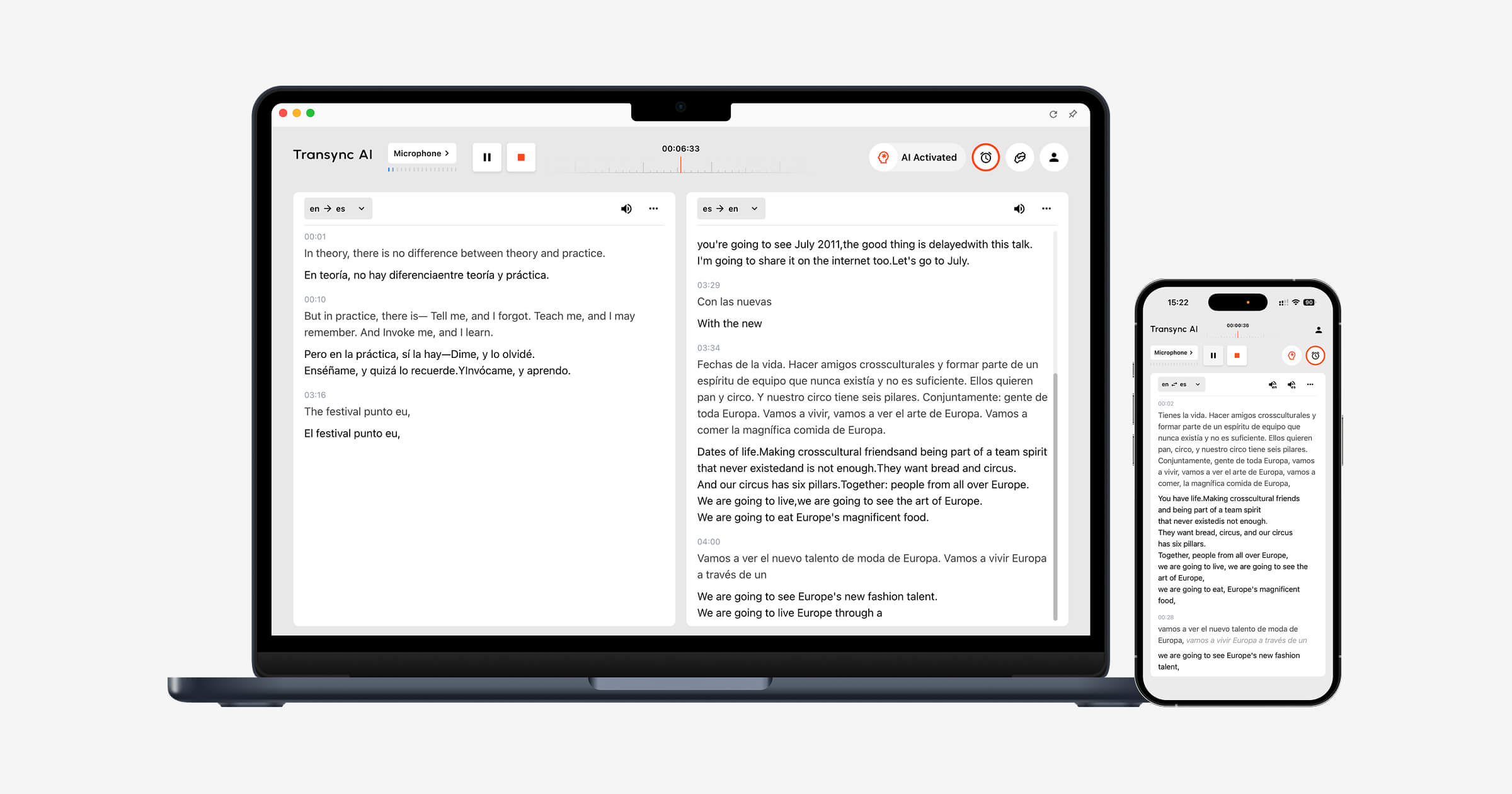 2. Habla con los clientes en tiempo real.
Las conversaciones internacionales de ventas y atención al cliente requieren más que un simple cambio de palabras. El nombre de un producto o un término técnico pueden modificar el significado de una respuesta.
Transsync AI permite a los usuarios agregar palabras clave y contexto Información de contexto antes de una conversación. Por ejemplo, un agente de soporte puede introducir el nombre del producto, los códigos de error más comunes y una breve descripción del problema. Esto proporciona al sistema de traducción información más útil sobre la conversación.
 3. Comunícate mientras viajas.
 3. Comunícate mientras viajas.
Para taxis, restaurantes, tiendas e indicaciones sencillas, la velocidad y la comodidad móvil importan más que las notas de reuniones. Una aplicación centrada en el consumidor como Talkao o bien, Google Translate puede ser la opción más práctica, especialmente cuando la traducción de la cámara o la traducción de frases informales es importante.
Recuerda que Transync AI no ofrece reconocimiento de imágenes, traducción de texto únicamente ni modo sin conexión. Es más adecuada para conversaciones habladas en directo que para traducir un menú o un letrero de la calle.
 4. Seguir una clase o conferencia multilingüe.
 4. Seguir una clase o conferencia multilingüe.
Los estudiantes necesitan comprender explicaciones más extensas, no solo frases aisladas. Los subtítulos en paralelo ayudan a los alumnos a comparar el discurso original con su traducción, mientras que la transcripción proporciona material para repasar.
Transync AI admite subtítulos bilingües en tiempo real y grabaciones generadas por IA. Imagen dentro de imagen Este modo permite mantener los subtítulos visibles sobre otra aplicación en dispositivos compatibles, lo cual resulta útil al seguir diapositivas o tomar notas.
 5. Presentar ante un público extranjero.
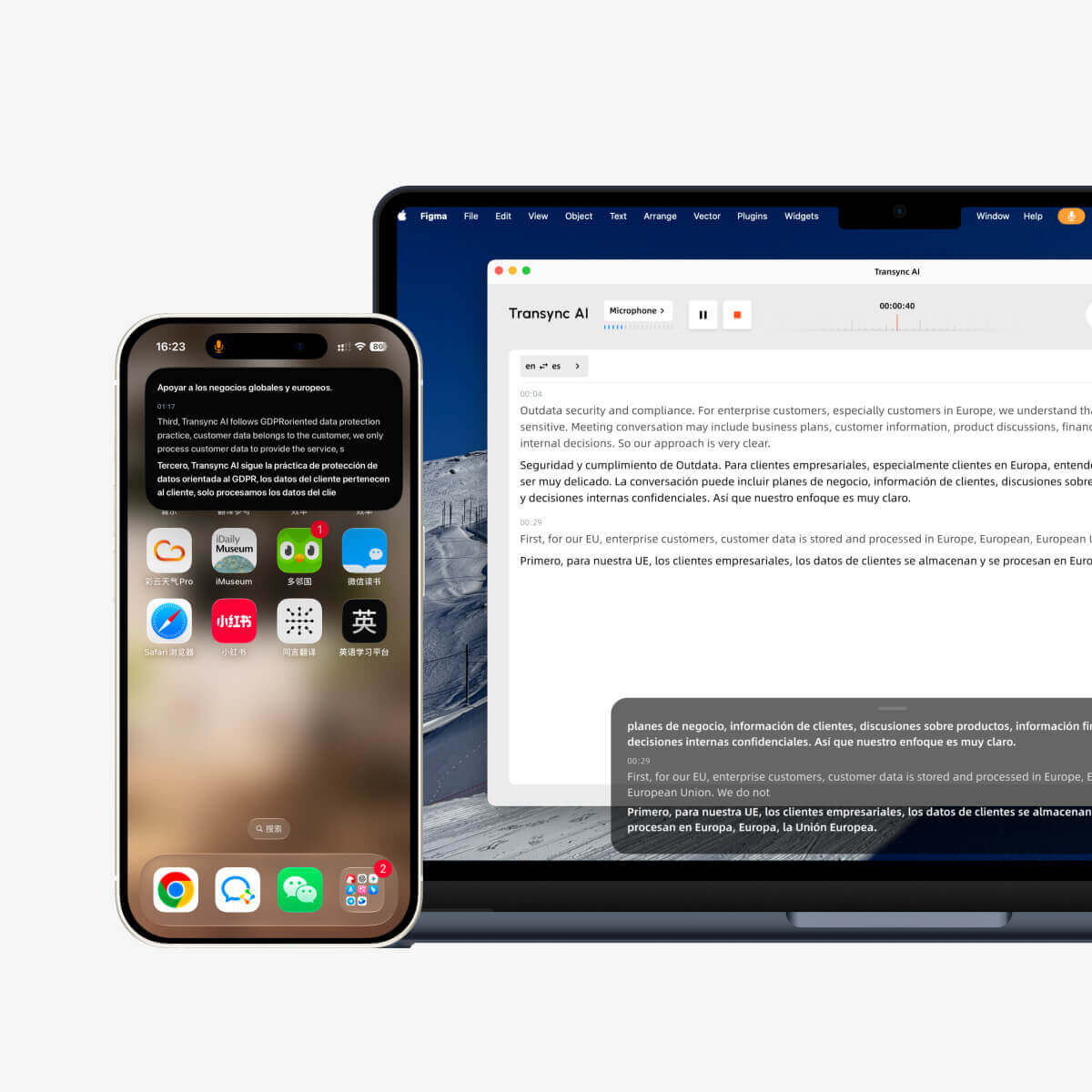 5. Presentar ante un público extranjero.
Una presentación se vuelve más difícil de seguir cuando los subtítulos traducidos desaparecen detrás de las diapositivas. Los subtítulos flotantes reducen el cambio de aplicación, mientras que la transcripción de la voz ayuda a los oyentes que prefieren el audio.
Para una presentación personal o una llamada de equipo regular, Transync AI ofrece un flujo de trabajo enfocado. Para una gran conferencia en la que muchos asistentes necesitan acceso a través de un enlace o código QR, una plataforma de eventos como Mundo Puede que encaje mejor.
 6. Habla con naturalidad, con tu propia voz.
 6. Habla con naturalidad, con tu propia voz.
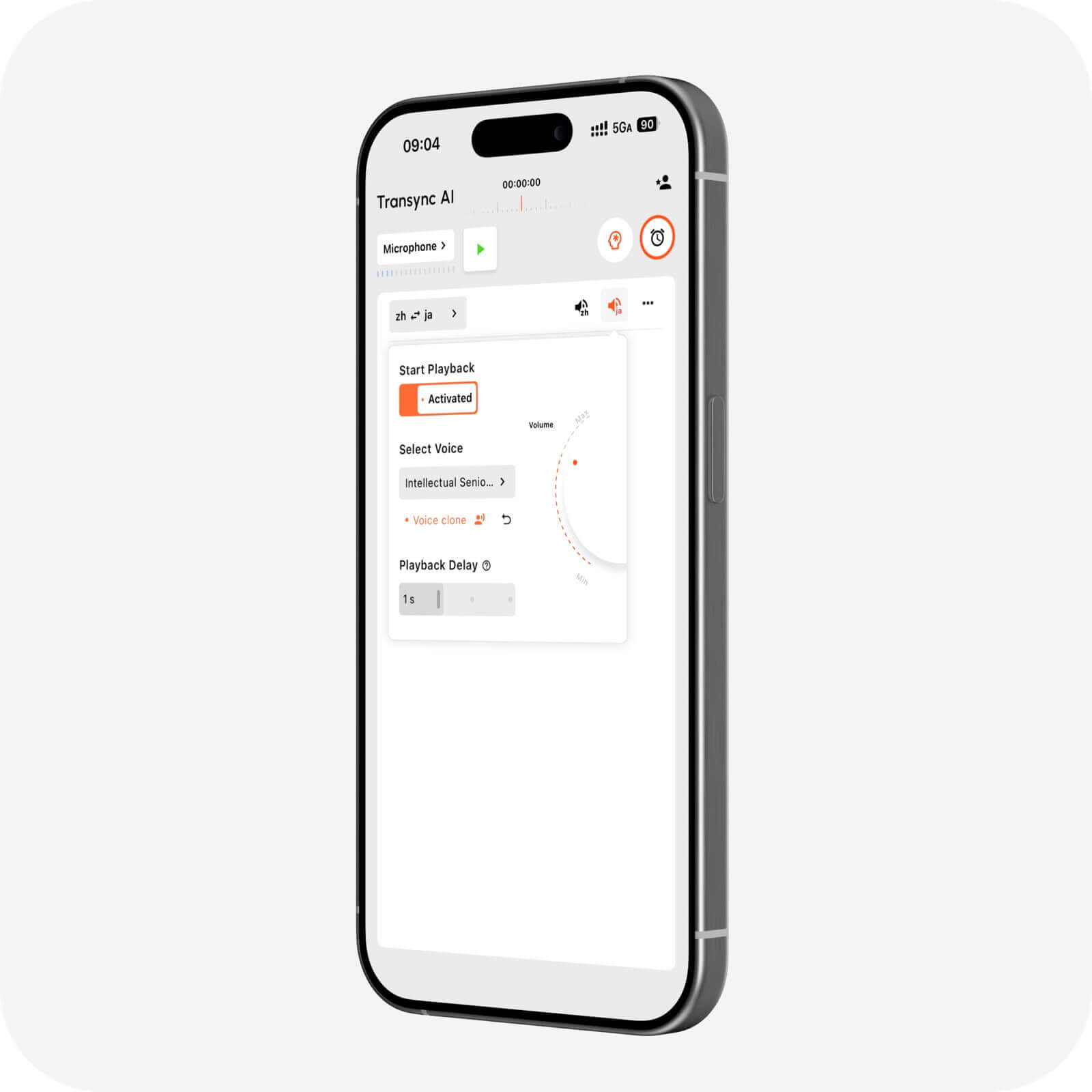
El habla sintetizada estándar puede sonar ajena a la del hablante. La clonación de voz busca que la reproducción traducida se sienta más personal mediante la creación de una voz basada en la del usuario.
Transync AI incluye clonación de voz junto con varias estilos de voz y velocidades de reproducción. Esto puede resultar útil para demostraciones, lecciones, conversaciones con clientes y otras situaciones en las que el tono importa tanto como el significado.
 7. Traducir seminarios web, vídeos o contenido multimedia.
 7. Traducir seminarios web, vídeos o contenido multimedia.
Las conversaciones en directo y la localización de medios se solapan, pero los flujos de trabajo de producción son diferentes. Los equipos de medios pueden necesitar edición de subtítulos, doblaje, exportación de archivos y contenido traducido reutilizable.
Maestra Está diseñada para la traducción, transcripción, subtítulos, doblaje, seminarios web y eventos en directo de diversos medios. Si la postproducción es la tarea principal, puede ser más adecuada que una aplicación centrada en reuniones. Si la prioridad es una conversación empresarial bidireccional en directo, Transync AI es la opción más específica y directa.
 8. Integrar la traducción de voz en un producto.
 8. Integrar la traducción de voz en un producto.
Los desarrolladores que crean agentes de voz o aplicaciones multilingües generalmente necesitan una API en lugar de una interfaz de reunión ya preparada. Sonix Proporciona funciones de conversión de voz a texto, de texto a voz y de traducción para equipos de desarrollo de productos técnicos.
Elige una plataforma API cuando tu objetivo sea desarrollar. Elige Transync AI cuando tu equipo desee un producto listo para usar sin tener que ensamblar ni mantener una pila de traducción de voz personalizada.
 9. Mantén un registro útil después de la conversación.
 9. Mantén un registro útil después de la conversación.
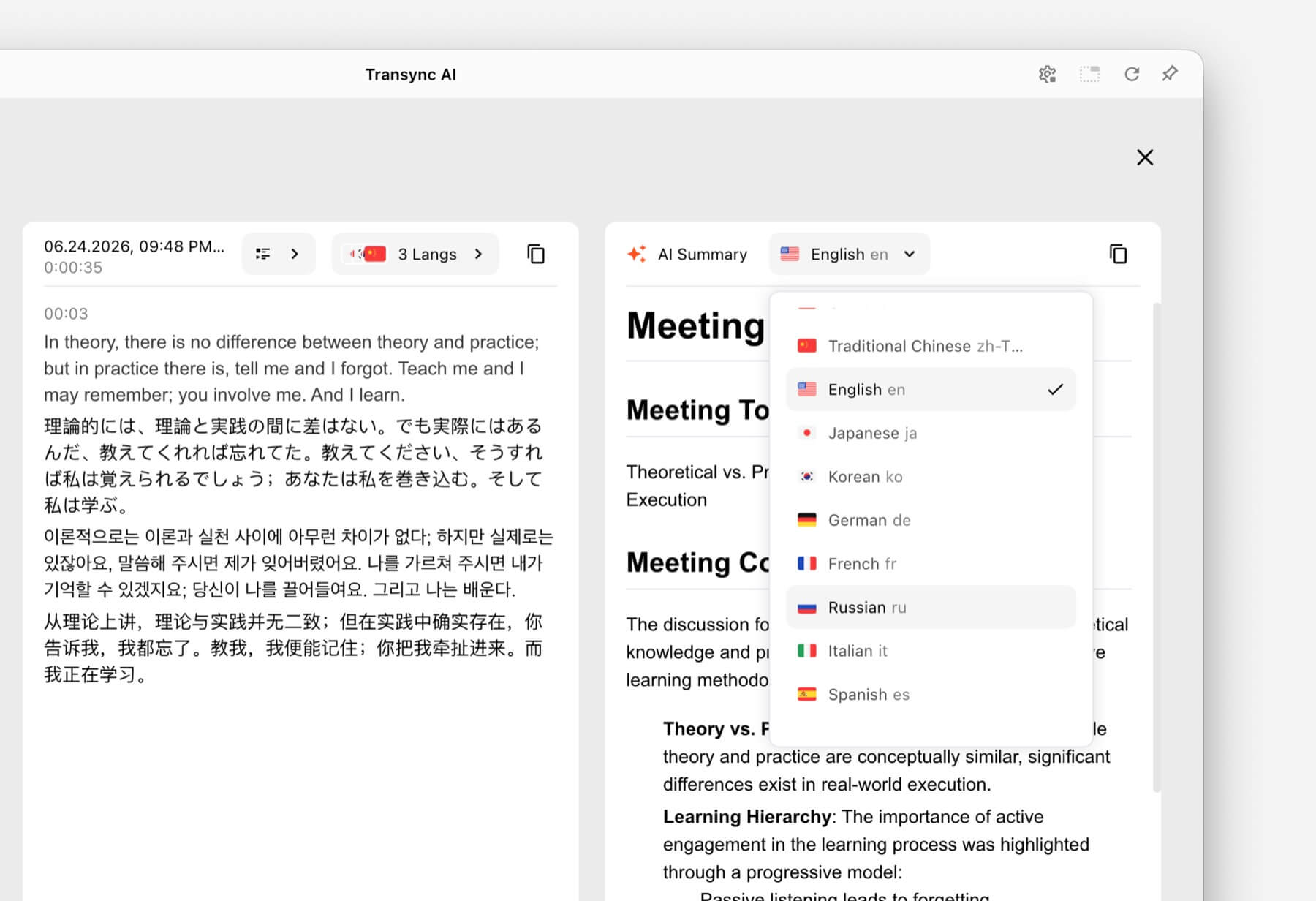
Tras una llamada multilingüe, es fácil perder detalles importantes. Una transcripción conserva la conversación, mientras que un resumen ayuda a los participantes a identificar las decisiones y los próximos pasos.
Transync AI combina la traducción en vivo con Notas de la reunión de IA. Esto lo hace útil para conversaciones comerciales recurrentes en las que el seguimiento es tan importante como la comprensión en tiempo real.
 Comparación de voz de aplicaciones de un vistazo
 Comparación de voz de aplicaciones de un vistazo
La siguiente tabla compara el posicionamiento de los productos, sin declarar un ganador absoluto. Las características y la disponibilidad pueden variar, por lo que conviene confirmar los requisitos clave con cada proveedor.
| Herramienta | Diseñado principalmente para | Salida de traducción hablada | Flujo de trabajo centrado en las reuniones | La mejor razón para elegirlo |
|---|---|---|---|---|
| Transync AI | Reuniones, llamadas y conversaciones en persona. | Subtítulos bilingües y reproducción de voz traducida | Sí | Comunicación bidireccional en directo, además de contexto y notas de la reunión. |
| Talkao | Viajes, uso de dispositivos móviles y aprendizaje de idiomas | Reproducción de conversaciones móviles | Limitado | Amplias características para el consumidor y los viajes. |
| Mundo | Conferencias, seminarios web y grandes eventos | Subtítulos y audio traducido | Sí, especialmente los eventos | Acceso para los asistentes mediante enlaces o códigos QR. |
| Soniox | Productos de voz e integraciones para desarrolladores | Capacidades de voz de la API/aplicación | Depende del producto | Creación de una aplicación de voz personalizada |
| Maestra | Localización de medios, doblaje y contenido en directo | Funciones de voz en directo y doblaje | Sí | Combinando la traducción en directo con la producción audiovisual. |
| DeepL | Texto, documentos, trabajo lingüístico empresarial y casos de uso de voz seleccionados | Disponible a través de los productos DeepL Voice. | Depende del producto | Flujos de trabajo más amplios relacionados con el lenguaje y los documentos. |
| Google Translate | Traducción rápida para el día a día | Reproducción de audio para traducciones | No | Acceso gratuito y familiar para tareas informales. |
Fuentes oficiales del producto: Talkao, Mundo, Soniox, Maestra, DeepL, y Google Translate.
¿Qué características son las más importantes para la traducción de voz en directo?
Velocidad que facilita la conversación
El retraso en la traducción interrumpe el ritmo natural de una conversación. Pruebe la herramienta con su micrófono, red, acentos y combinación de idiomas reales. Una demostración impecable no puede representar todos los entornos de trabajo.
Subtítulos y audio juntos
El audio contribuye a que la conversación se sienta natural, mientras que el texto ayuda a los usuarios a confirmar nombres, cifras y palabras desconocidas. Una buena solución para reuniones debería facilitar el uso de una o ambas opciones.
Transync AI proporciona subtítulos bilingües en paralelo y reproducción de voz natural. Traductor de voz con IA Está diseñado para la comunicación oral en directo.
Compatibilidad con pares de idiomas
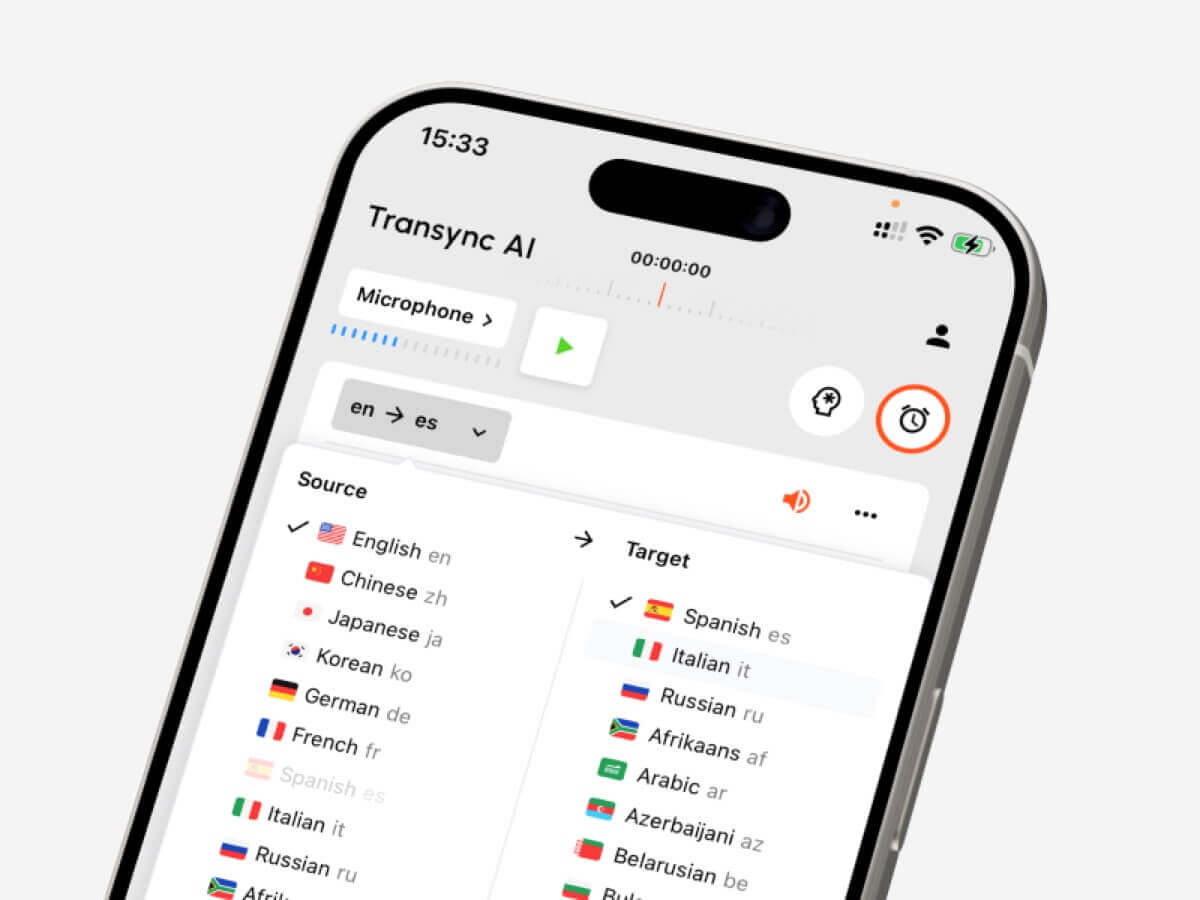
Un número elevado de idiomas en total solo es útil si se admite el par de idiomas exacto que necesita. Transync AI admite más de 60 idiomas y más de 1000 pares de idiomas. Compruébelo. idiomas soportados antes de una sesión importante.
 Contexto y términos especializados
 Contexto y términos especializados
El vocabulario específico del sector, los nombres propios, las marcas comerciales y las siglas pueden confundir a los sistemas de traducción convencionales. Transync AI permite a los usuarios especificar palabras clave y el contexto de la reunión para guiar el reconocimiento y la traducción.
Compatibilidad del dispositivo y de la reunión
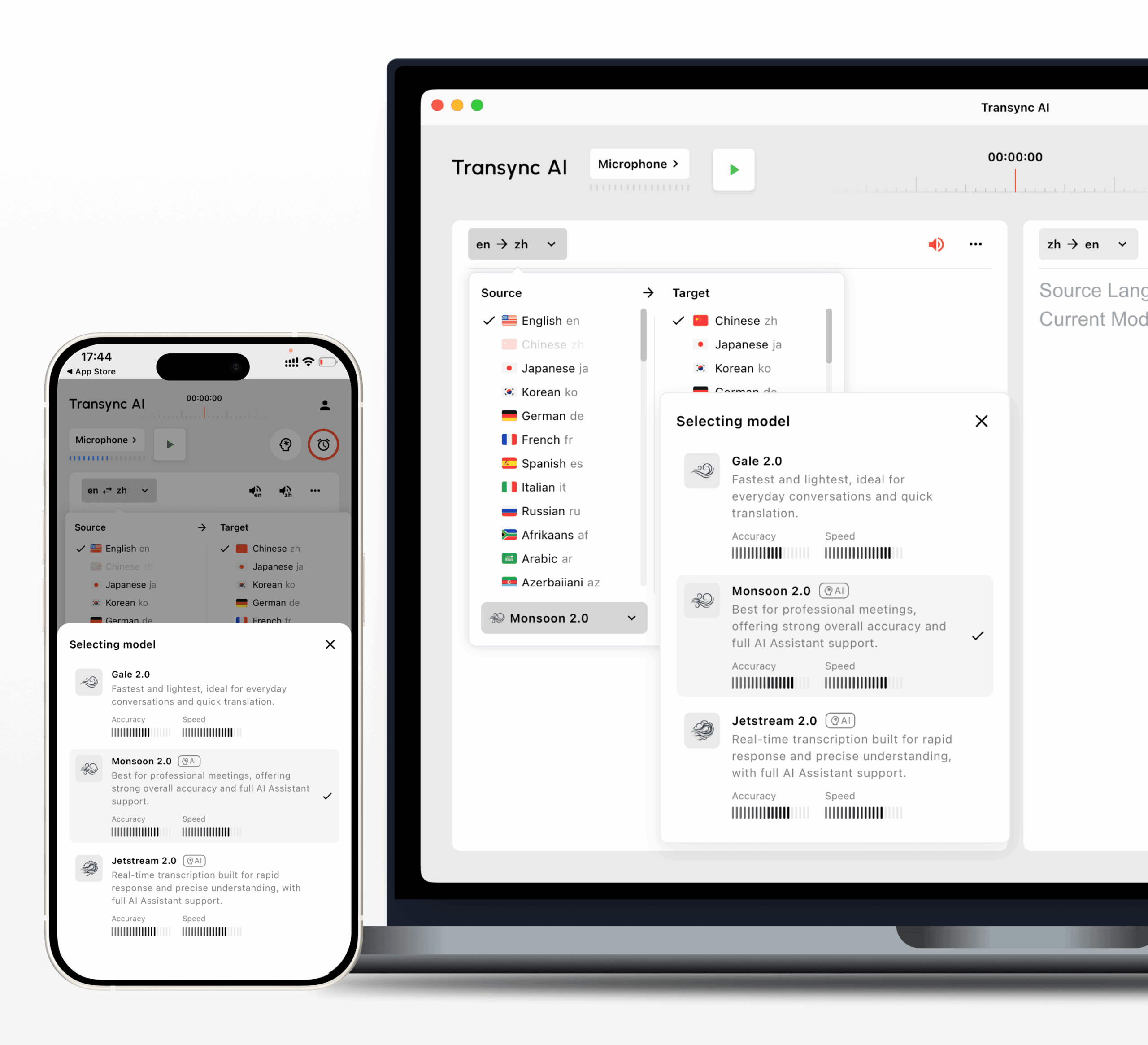
Comprueba si el servicio funciona en la plataforma donde se produce la conversación. Transync AI es compatible con flujos de trabajo web, Windows, macOS, iOS y Android. Una sola cuenta se puede usar en todos los dispositivos, y el uso se calcula de forma acumulativa.
Privacidad y manejo de datos
Los datos de voz y el contenido de las reuniones pueden ser confidenciales. Revise la política de privacidad, las reglas de retención, los controles de administrador y la documentación de cumplimiento vigentes del proveedor. Transync AI afirma que los datos del cliente no se utilizan para el entrenamiento de IA de forma predeterminada y que el audio se elimina después del procesamiento. Las organizaciones deben verificar los detalles en la Centro de confianza de Transsync AI en contra de sus propios requisitos.
Una guía de decisiones sencilla
Utilice este método rápido para reducir las opciones:
- ¿Necesitas frases de viaje rápidas o información sobre las funciones de la cámara? Empieza con Talkao o Google Translate.
- ¿Necesitas subtítulos para una gran audiencia? Evalúa Wordly.
- ¿Necesitas una API para tu propia aplicación? Evaluar Soniox.
- ¿Necesitas doblaje y localización de medios? Evaluar a Maestra.
- ¿Necesitas flujos de trabajo para texto y documentos? Evaluar DeepL.
- ¿Necesita reuniones en directo con subtítulos, voz traducida, contexto y notas? Empieza con Transsync AI.
Cómo iniciar una sesión de traducción con IA de Transync
- Abra Transync AI en un dispositivo compatible.
- Selecciona los dos idiomas utilizados en la conversación.
- Seleccione el micrófono o la fuente de audio del sistema correctos.
- Añade nombres, marcas, vocabulario técnico y una breve descripción del tema.
- Inicie la traducción y confirme que ambos paneles de subtítulos se estén actualizando.
- Habilite la reproducción de voz traducida cuando el otro participante necesite escuchar el resultado.
- Utilice la función de imagen en imagen si necesita traducción sobre las diapositivas o en otra aplicación.
- Revise la transcripción y las notas de la reunión de IA después de la sesión.
El Guía de traducción para reuniones en directo Explica con más detalle el flujo de trabajo orientado a las reuniones.

Compatible con las principales plataformas de reuniones en línea para una traducción en tiempo real sin interrupciones.
¿Qué puede reducir la calidad de la traducción?
Incluso una persona capaz aplicación traduce voz La solución puede tener dificultades con:
- Varias personas hablando al mismo tiempo.
- Habitaciones ruidosas o micrófonos débiles.
- Una conexión a internet inestable.
- Abreviaturas sin explicación y términos especializados.
- Oraciones largas y ambiguas.
- Acentos poco comunes o alternancia de códigos.
Pida a los oradores que intervengan por turnos, utilicen un micrófono fiable y proporcionen palabras clave o contexto siempre que sea posible. Para conversaciones sobre temas médicos, legales, de seguridad crítica o contractuales vinculantes, considere la posibilidad de contar con un intérprete humano cualificado o una revisión profesional.
Preguntas frecuentes sobre la aplicación Traductor de voz
¿"App Translate Voice" es lo mismo que una aplicación de traducción de voz?
Sí. Aplicación de traducción de voz es una frase de búsqueda comúnmente utilizada por personas que buscan una aplicación que traduzca voz. "Aplicación de traducción de voz", "traductor de voz" y "traductor de voz con IA" describen la misma categoría general de forma más natural.
¿Puede una aplicación traducir la voz durante una llamada de Zoom o Teams?
Sí, si está diseñado para reuniones en directo. Transync AI funciona con Zoom, Microsoft Teams y Google Meet, y puede proporcionar subtítulos bilingües y reproducción de audio traducida sin necesidad de un complemento específico de la plataforma.
¿Puede la IA de Transync detectar ambos idiomas automáticamente?
La IA de Transync puede distinguir el idioma del hablante dentro del par de idiomas compatibles seleccionado, lo que reduce la necesidad de cambiar manualmente de idioma durante una conversación bidireccional.
¿Transyn AI funciona sin conexión?
No. Transync AI requiere conexión a internet y no ofrece modo sin conexión. Los viajeros que necesiten traducción sin conexión deben evaluar otros productos y verificar su compatibilidad con idiomas sin conexión.
¿Puedo traducir letreros o documentos con Transync AI?
Transync AI no ofrece reconocimiento de imágenes ni traducción de documentos solo de texto. Está diseñado principalmente para la comunicación oral en tiempo real. Google Translate o DeepL podrían ser más adecuados para esas tareas, dependiendo del contenido.
¿Cuál es la mejor opción de traducción de voz para reuniones en una aplicación?
Transync AI es una excelente opción para reuniones, ya que combina traducción bidireccional, subtítulos bilingües, reproducción de audio traducida, contexto de palabras clave, compatibilidad con múltiples dispositivos y notas de reunión con IA. Siempre pruebe la combinación exacta de idiomas y la configuración de la reunión antes de elegir un plan.
Recomendación final
Un aplicación traduce voz Una búsqueda puede arrojar muchos productos que parecen similares, pero que están dirigidos a públicos diferentes. Un viajero, un organizador de eventos, un desarrollador, un productor multimedia y un equipo de ventas internacionales no deberían elegir automáticamente la misma herramienta.
Para traducciones cortas del día a día, Google Translate o Talkao pueden ser suficientes. Wordly se adapta mejor a eventos de gran envergadura, Soniox al desarrollo, Maestra a la localización de medios y DeepL a trabajos más amplios de texto y documentos.
Para reuniones multilingües en directo, Transync AI ofrece una combinación precisa de subtítulos bilingües en tiempo real, reproducción de voz natural, compatibilidad con reuniones, contexto terminológico y notas posteriores a la reunión. Pruébalo en una conversación real para decidir si se adapta a la forma en que tú y tu equipo os comunicáis.
Si quieres una experiencia de próxima generación, Transync AI lidera el camino con la traducción en tiempo real impulsada por IA que permite que las conversaciones fluyan con naturalidad. Puedes Pruébalo gratis ahora.
 🤖
🤖