
Im Jahr 2026 sind Sprachbarrieren keine gültige Ausrede mehr für mangelhafte globale Zusammenarbeit. Ob Sie ein internationales Webinar veranstalten, einen grenzüberschreitenden Vertrag aushandeln oder mehrsprachige Kundeninterviews führen – das richtige Echtzeit-Übersetzungstool kann Ihre Kommunikation grundlegend verändern.
In diesem Leitfaden werden wir die herausragendsten erkunden. Dolmetscher-Apps Wir werden die wichtigsten Funktionen, Vor- und Nachteile sowie die Preise der verschiedenen Angebote auf dem Markt analysieren, um Ihnen zu helfen, die perfekte Lösung für Ihr Team zu finden – sowohl unter den kostenlosen als auch unter den kostenpflichtigen Optionen.
Was zeichnet die besten Dolmetscher-Apps aus?
Moderne Übersetzungssoftware geht weit über die einfache Wort-für-Wort-Textersetzung hinaus. Sie basiert auf fortschrittlicher Verarbeitung natürlicher Sprache (NLP) und Deep-Learning-Architekturen (wie beispielsweise dem weit verbreiteten …). HiFi-GANHochwertige Tools verstehen komplexe Fachbegriffe und erzeugen einen äußerst natürlichen, menschenähnlichen Klang. So entsteht ein authentisches Simultandolmetscherlebnis ohne den roboterhaften Unterton vergangener Zeiten.
Vergleich der 10 besten Dolmetscher-Apps
Um Ihnen einen klaren Überblick zu geben, finden Sie hier eine Vergleichstabelle der 10 besten Tools und ihrer jeweiligen Besonderheiten:
| Software | Herausragendes Merkmal | Kompatibilität mit Live-Meetings | Am besten für |
| Transync AI | Dual-Screen & nahezu latenzfreie Funktion | ✅ Zoom, Teams, Meet (Keine Plug-ins erforderlich) | Globale Geschäftstreffen |
| Maestra | Live-Transkripte in mehreren Sprachen | ✅ Zoom, Teams | Webinare & Vorträge |
| Weltlich | Hochskalierbare KI-Interpretation | ✅ Webex, Zoom, Cvent | Große virtuelle Gipfeltreffen |
| Otter | Englische Besprechungsnotizen & KI-Chat | ✅ Zoom, Teams, Meet | Interviews mit überwiegend englischer Sprache |
| DeepL | Höchste Dokumentengenauigkeit | ❌ Kein Live-Bot | Hochpräzise schriftliche Texte |
| Lob | Menschlicher Dolmetscher + KI-Hybrid | ✅ Zoom, Teams | Diplomatische und hochkarätige Ereignisse |
| Google Übersetzer | Kostenloses Tool für den täglichen Austausch | ❌ Nur mobile Dialoge | Reisen & lockere Gespräche |
| Microsoft Translator | geräteübergreifende Synchronisierung vor Ort | ❌ Schwache Unterstützung für Online-Meetings | Präsenz-Gruppendiskussionen |
| iTranslate | Offline-Sprachfunktionen | ❌ Nur für Mobilgeräte | Reisende ohne Internet |
| VoicePing | Hardware-Software-Kombination | ✅ Verschiedene | Fernarbeiter in lauten Umgebungen |
1. Transsync AI
Am besten geeignet für: Professionelle, globale Teams, die latenzfreie, zweisprachige Kommunikation und strikte Datensicherheit benötigen.
G2-Bewertung: Nicht zutreffend (Nachwuchsführungskraft)
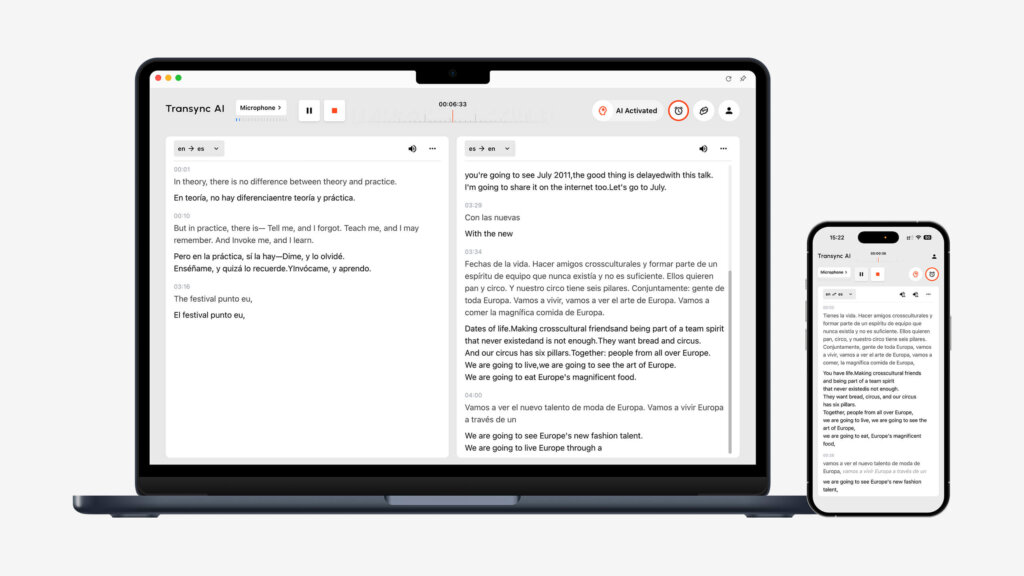
Transync AI ist eine leistungsstarke, eigenständige Übersetzungssoftware, die auf einem umfassenden Sprachmodell basiert. Ihr größter Vorteil ist die Unabhängigkeit von Drittanbieter-Plugins, wodurch eine nahezu latenzfreie Dual-Screen-Anzeige ermöglicht wird.
Hauptmerkmale:
- Umfassende Sprachabdeckung: Bietet nahtlose KI-Echtzeitübersetzung Das erkennt die Sprache des Sprechers automatisch. Sie können alle Funktionen ganz einfach einsehen. Unterstützte Sprachen online.
- Besprechungskompatibilität: Als eigenständige App funktioniert sie einwandfrei. KI-Live-Meeting-Übersetzung für Zoom, Teams und Google Meet Integriert sich nahtlos in Ihren Arbeitsablauf und benötigt keinerlei Plug-ins.
- Intelligente Zusammenfassungen: Es beinhaltet ein KI-Besprechungsnotizen Funktion zur präzisen Extraktion von Kernpunkten und Maßnahmen.
- Natürlicher Klang: Verhält sich wie ein außergewöhnlich natürliches KI-Sprachübersetzer, wodurch mechanische Töne eliminiert werden.
- Benutzerdefiniertes Vokabular: Der Schlüsselwörter des KI-Assistenten Kontext ermöglicht es Ihnen, Branchenbegriffe zu definieren und die Genauigkeit über 95% hinaus zu steigern.
Vorteile:
- Das einzigartige Dual-Screen-Layout verbessert die Leseeffizienz.
- Kompromissloser Datenschutz (Daten werden niemals zum Trainieren von Modellen verwendet), detailliert beschrieben in ihren Konformitätsbericht.
- Synchronisierung über mehrere Geräte hinweg: Mac, PC, iOS, Android und Web.
Nachteile:
- Unterstützt keine Offline-Übersetzung oder kamerabasierte Erkennung.
- Die Textübersetzung per Kopieren und Einfügen wird nicht unterstützt.
Preisgestaltung: Das kostenlose Angebot umfasst 40 Minuten nach der Anmeldung. Flexibel Preise Die Preise beginnen bei $8,99/Monat für Einzelpersonen und $24,99/Benutzer/Monat für Organisationen.
Endgültiges Urteil:
Wenn Sie ein unabhängiges, hochpräzises Werkzeug benötigen, ist dies das Richtige. Lesen Sie die... Schnellstart Führer oder Sehen Sie, wie Transync AI in einer Vielzahl von Anwendungsfällen außergewöhnlich gut abschneidet.. Große Teams können die Unternehmen Plan und der Leitfaden für Unternehmen.
2. Maestra
Am besten geeignet für: Webinare, die mehrsprachige Untertitel und Transkripte in Echtzeit erfordern.
G2-Bewertung: 4.8/5
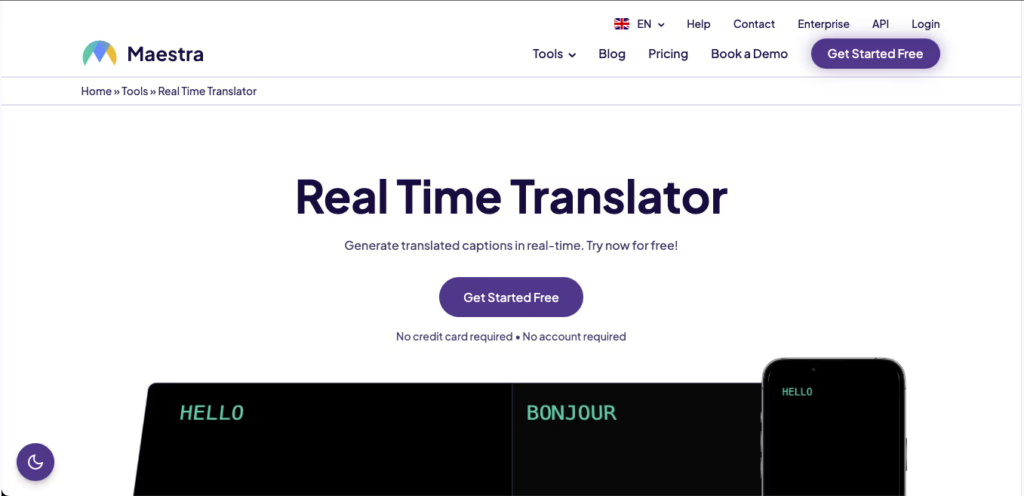
Maestra Es vereint Echtzeit-Notizen, Transkription und Übersetzung in einem einzigen Arbeitsbereich und eignet sich daher ideal für die Präsentation zweisprachiger Untertitel für unterschiedliche Zielgruppen.
Hauptmerkmale:
- Zweisprachige Live-Untertitel: Zeigt während der Besprechung sowohl den Quelltext als auch den übersetzten Text an.
- Mehrsprachige Ausgabe: Wandelt Sprache sofort in Audio um – in über 125 Sprachen.
- KI-Zusammenfassungen: Erstellt automatisch Notizen und extrahiert Schlüsselwörter.
Vorteile:
- Sehr übersichtliche und benutzerfreundliche Oberfläche.
- Unterstützt das Hochladen vorab aufgezeichneter Videodateien zur nachträglichen Synchronisation.
Nachteile:
- Erweiterte Zusammenfassungsfunktionen sind nur in höheren Preisstufen verfügbar.
Preisgestaltung: Die kostenpflichtigen Tarife beginnen bei $39 pro Monat bei jährlicher Abrechnung.
Endgültiges Urteil: Maestra ist äußerst zuverlässig, wenn Ihr Hauptziel die Erstellung mehrsprachiger Transkripte und Untertitel für Webinare ist.
3. Weltlich
Am besten geeignet für: Groß angelegte virtuelle Gipfeltreffen, Präsenzkonferenzen und Hybridveranstaltungen.

G2-Bewertung: 4.6/5
Weltlich ist darauf ausgelegt, Großveranstaltungen inklusiv zu gestalten. Es ermöglicht den Teilnehmern, live übersetzte Audioinhalte über ihre eigenen Mobilgeräte anzuhören, ohne eine App herunterladen zu müssen.
Hauptmerkmale:
- Sofortiger Zugriff: Die Teilnehmer scannen einen QR-Code oder klicken auf einen Link, um dem Übersetzungskanal beizutreten.
- Zwei-Wege-Übersetzung: Unterstützt Echtzeit-Dolmetschen in über 60 Sprachen.
Vorteile:
- Hervorragend skalierbar für Veranstaltungen mit Tausenden von Teilnehmern.
- Sehr einfache Backend-Konfiguration für Organisatoren.
Nachteile:
- Die Preise sind im Allgemeinen zu hoch für kleine Teams oder gelegentliche Nutzung.
Preisgestaltung: Individuelle Pakete basierend auf Veranstaltungsdauer und Teilnehmerzahl (bitte wenden Sie sich an den Vertrieb).
Endgültiges Urteil: Wordly ist die optimale Wahl für Veranstalter, die mühelos Dolmetschleistungen für ein großes und vielfältiges Publikum bereitstellen müssen.
4. Otter (Otter.ai)
Am besten geeignet für: Echtzeit-Transkription, KI-Zusammenfassungen und interne, überwiegend englischsprachige Besprechungen.

G2-Bewertung: 4.4/5
Während Otter ist vor allem für seine englischsprachigen Besprechungsnotizen bekannt; seine robuste Live-Aufnahmefunktion und der dialogorientierte KI-Assistent machen es zu einem leistungsstarken Werkzeug für die Besprechungsdokumentation.
Hauptmerkmale:
- OtterPilot: Automatische Verknüpfung mit Ihren Kalenderereignissen zur Audioaufnahme und zum Schreiben von Notizen.
- Otter AI Chat: Stellen Sie der KI während des Meetings Fragen, wie zum Beispiel “Fassen Sie die Aktionspunkte zusammen”.”
- Benutzerdefiniertes Vokabular: Um die Genauigkeit zu verbessern, sollte der KI spezifische Namen und Fachbegriffe beigebracht werden.
Vorteile:
- Fantastische Kalenderautomatisierung – einmal einrichten und vergessen.
- Hervorragend im Verfassen von Follow-up-E-Mails nach Meetings.
Nachteile:
- Sehr eingeschränkte Sprachunterstützung (nicht geeignet für komplexe mehrsprachige Übersetzungen).
Preisgestaltung: Kostenloser Tarif verfügbar. Kostenpflichtige Tarife beginnen bei $8,33/Nutzer/Monat bei jährlicher Abrechnung.
Endgültiges Urteil: Otter eignet sich perfekt für Teams, die hauptsächlich auf Englisch arbeiten und ihre Gespräche automatisch dokumentieren und strukturieren möchten.
5. DeepL
Am besten geeignet für: Unübertroffene Genauigkeit bei schriftlichen Dokumenten, Verträgen und Lokalisierung.
G2-Bewertung: 4.6/5
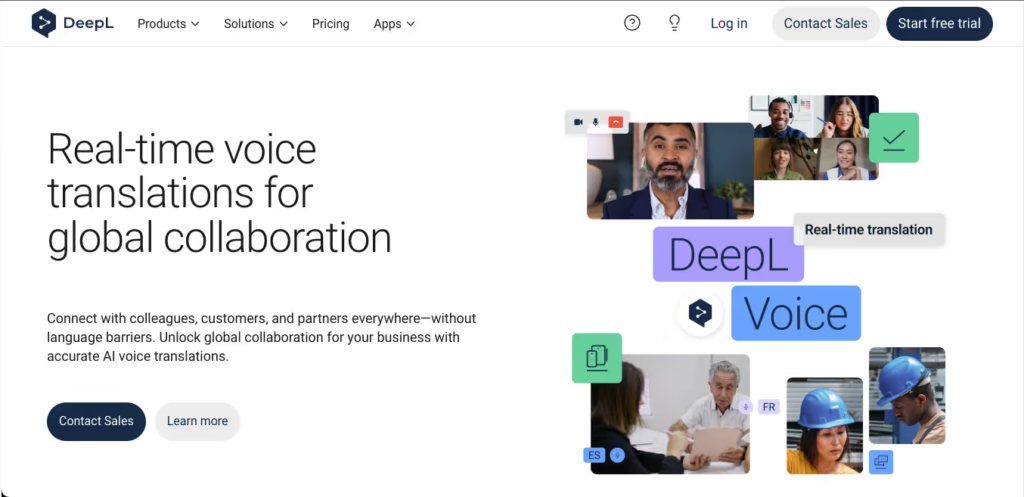
Wenn es um geschriebene Texte geht, DeepL nutzt firmeneigene neuronale Netze, um Übersetzungen zu liefern, die sich exakt so lesen, als wären sie von einem Muttersprachler verfasst worden.
Hauptmerkmale:
- Umfassende Anpassungsmöglichkeiten: Die Markenkonventionen sollten mithilfe gemeinsamer Glossare beibehalten werden.
- Dokumentenübersetzung: Übersetzen Sie vollständige PDFs, Word-Dokumente und PowerPoint-Präsentationen unter Beibehaltung der ursprünglichen Formatierung.
Vorteile:
- Branchenführende Genauigkeit bei der Textübersetzung und Kontextsensitivität.
- Großzügiges Gratisangebot für grundlegende Textübersetzungen.
Nachteile:
- Fehlt ein Live-Sprachbot für die Echtzeit-Übertragung von Meetings.
Preisgestaltung: Kostenlose Version verfügbar. Pro-Abos ab $8,74/Nutzer/Monat.
Endgültiges Urteil: Für hochpräzise, nicht in Echtzeit erfolgende Dokumentenübersetzungen bleibt DeepL der unangefochtene König der Textübersetzung.
6. Lob
Am besten geeignet für: Hochriskante diplomatische Ereignisse, die sowohl menschliches Feingefühl als auch die Geschwindigkeit von KI erfordern.
G2-Bewertung: 4.2/5
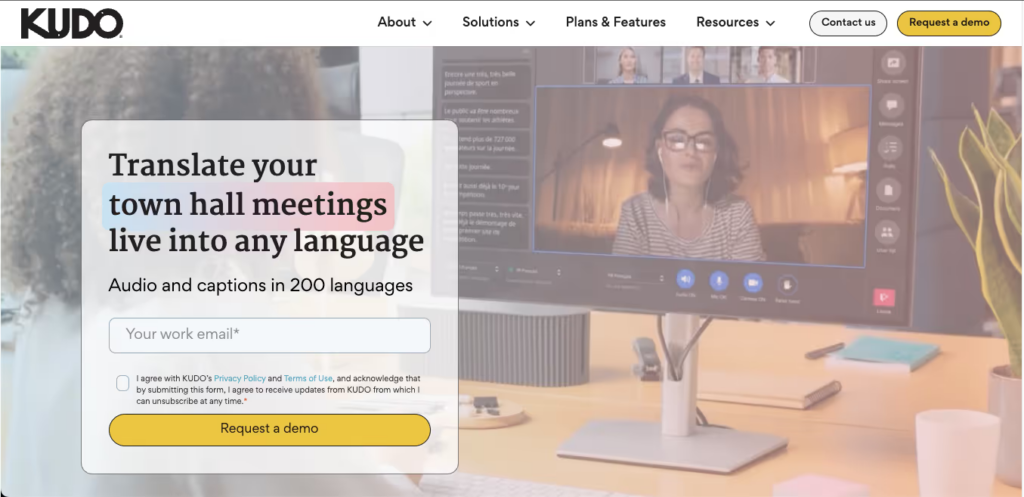
Lob bietet eine Hybridplattform, die es Organisatoren ermöglicht, nahtlos zwischen blitzschneller KI-Übersetzung und zertifizierten menschlichen professionellen Dolmetschern zu wechseln.
Hauptmerkmale:
- Dolmetschernetzwerk: Treten Sie direkt mit Fachleuten in Kontakt, die über 200 gesprochene und Gebärdensprachen abdecken.
- Nahtloser Kanalwechsel: Die Teilnehmer können den Sprachkanal wechseln, ohne den Ablauf der Besprechung zu unterbrechen.
Vorteile:
- Unübertroffene emotionale und kulturelle Genauigkeit bei der Verwendung menschlicher Dolmetscher.
Nachteile:
- Die administrative Benutzeroberfläche erfordert eine steile Lernkurve.
- Die starke Abhängigkeit von menschlichen Dolmetschern erhöht die Kosten drastisch.
Preisgestaltung: Individuelle Preisgestaltung basierend auf den benötigten Sitzungen und Dolmetschern.
Endgültiges Urteil: Kudo ist die Premium-Option für kritische diplomatische oder geschäftliche Veranstaltungen, bei denen die kontextbezogene Nuance von 100% zwingend erforderlich ist.
7. Google Translate
Am besten geeignet für: Kostenlose Übersetzungsdienste für Alltagsgespräche und Reisen.

G2-Bewertung: 4.6/5
Als das weltweit am weitesten verbreitete Werkzeug, Google Übersetzer ist ein Lebensretter für persönliche Begegnungen.
Hauptmerkmale:
- Konversationsmodus: Automatische Erkennung gesprochener Sprachen auf Mobilgeräten.
- Kameraübersetzung: Physische Speisekarten oder Straßenschilder lassen sich im Handumdrehen übersetzen.
Vorteile:
- Komplett kostenlos mit einer riesigen Sprachbibliothek.
- Unterstützt herunterladbare Offline-Sprachpakete.
Nachteile:
- Kann nicht in Online-Videokonferenzsoftware integriert werden und funktioniert nicht parallel dazu.
Preisgestaltung: 100% Kostenlos.
Endgültiges Urteil: Es ist der beste Reisebegleiter in der Hosentasche, aber für professionelle Online-Meetings ist es nicht optimal geeignet.
8. Microsoft Translator
Am besten geeignet für: Persönliche, mehrsprachige Gruppendiskussionen und Gesprächsrunden.
G2-Bewertung: 4.5/5
Microsoft Translator bietet eine einzigartige Synchronisierungsfunktion für mehrere Geräte, die sich besonders für den Einsatz in physischen Konferenzräumen eignet.
Hauptmerkmale:
- Konversation über mehrere Geräte: Bis zu 100 Personen können über ihre eigenen Handys einem Raum beitreten und Übersetzungen in ihrer Muttersprache sehen.
Vorteile:
- Ideal für persönliche Brainstorming-Sitzungen mit multinationalen Teams.
- Tiefe Integration in das Office 365-Ökosystem.
Nachteile:
- Weniger komfortabel für reine Online-Meetings via Zoom oder Teams im Vergleich zu dedizierten Meeting-Apps.
Preisgestaltung: Kostenlos für den persönlichen Gebrauch.
Endgültiges Urteil: Wenn sich Ihr Team häufig persönlich im selben Büro trifft, aber unterschiedliche Sprachen spricht, ist diese App genau das Richtige.
9. iTranslate
Am besten geeignet für: Häufige Geschäftsreisende, die eine Offline-Sprachübersetzung benötigen.
G2-Bewertung: 4.3/5
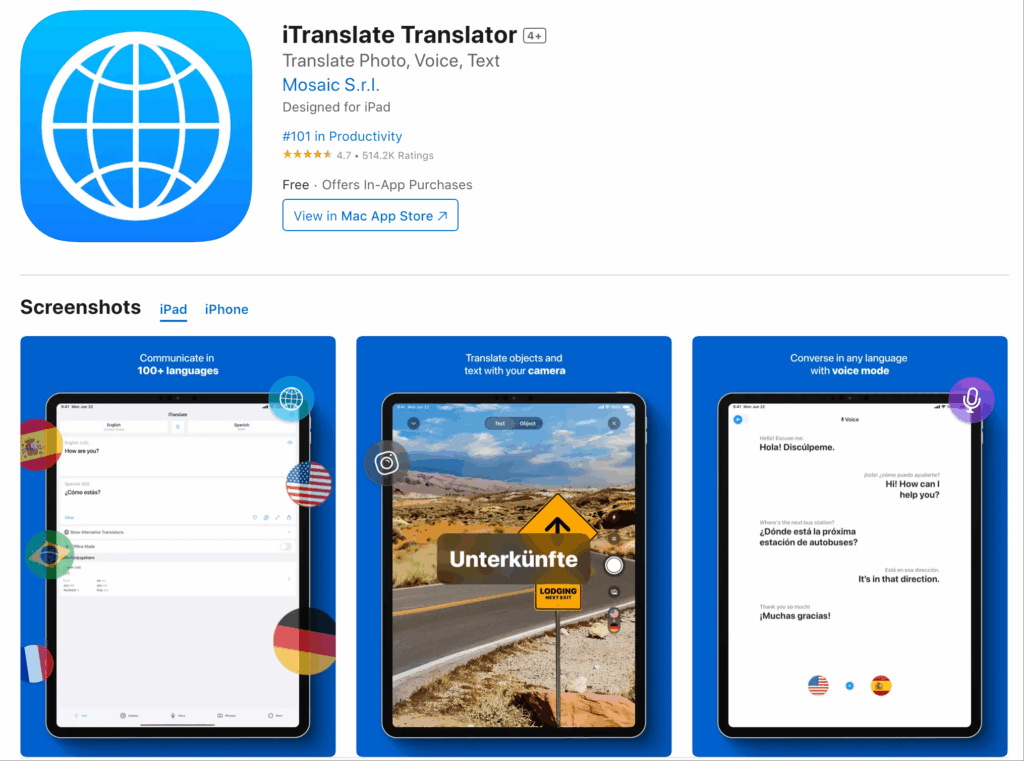
iTranslate ist stark für mobile Nutzer optimiert und bietet auch ohne Internetverbindung eine zuverlässige Spracherkennung.
Hauptmerkmale:
- Offline-Modus: Übersetzen Sie Dutzende von Sprachen ohne WLAN oder mobile Daten.
- Dialektumschaltung: Erkennt regionale Unterschiede präzise (z. B. britisches vs. amerikanisches Englisch).
Vorteile:
- Hervorragende mobile Benutzeroberfläche und Kompatibilität mit der Apple Watch.
Nachteile:
- Es fehlen Funktionen für die Zusammenarbeit in Meetings auf Unternehmensebene.
Preisgestaltung: Kostenlose Basisversion. PRO ist ab ca. 1,4 Tsd. 5,99 €/Monat erhältlich.
Endgültiges Urteil: Eine unverzichtbare App für Berufstätige, die mit dem Flugzeug unterwegs sind oder sich in Gebieten mit schlechtem Empfang aufhalten.
10. VoicePing
Am besten geeignet für: Fernarbeiter in lauten Umgebungen, die Hardwareintegration bevorzugen.
G2-Bewertung: 4.0/5
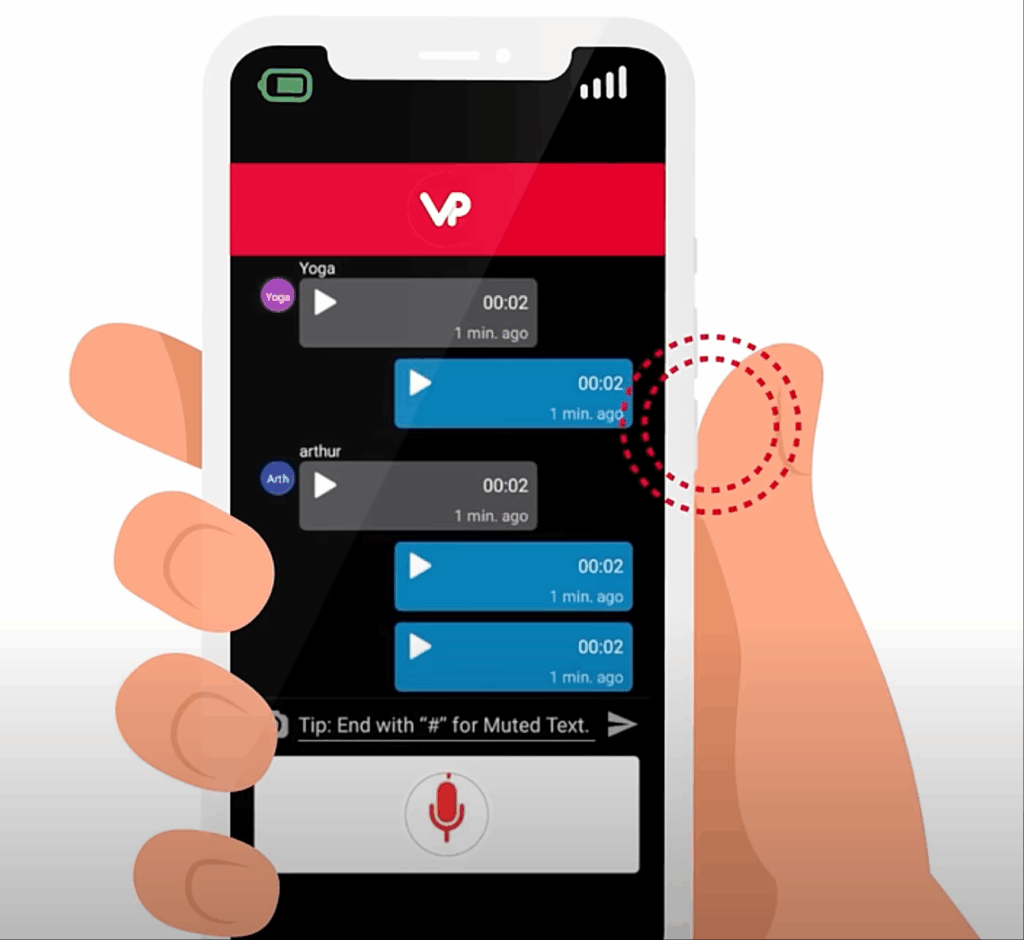
VoicePing kombiniert seine Übersetzungssoftware mit spezieller Hardware, wie Headsets mit physischen Sprechtasten, und schafft so ein immersives Erlebnis.
Hauptmerkmale:
- Push-to-Talk-Übersetzung: Kommunikation im Walkie-Talkie-Stil für sofortige Sprachübersetzung.
- Hardware-Synergie: Reduziert Hintergrundgeräusche erheblich in Kombination mit den dazugehörigen Spezial-Headsets.
Vorteile:
- Hervorragend geeignet für Logistik, Bauwesen oder laute, abgelegene Umgebungen.
Nachteile:
- Für ein optimales Nutzungserlebnis ist der Kauf bestimmter Hardware erforderlich.
Preisgestaltung: Software-Testversion verfügbar; für die Vollversion ist der Kauf von Hardware erforderlich.
Endgültiges Urteil: Für Außendienstmitarbeiter, die nicht an traditionellen Schreibtischen arbeiten, bietet VoicePing eine einzigartige, praktische Lösung.
Wie wählt man die richtigen Dolmetscher-Apps aus?
Bei der Bewertung dieser Dolmetscher-Apps—in einem Markt, der voraussichtlich einen 24,6 Milliarden US-Dollar bis 2034—Stellen Sie sich drei entscheidende Fragen:
- Benötigen Sie Live-Meeting-Kompatibilität? Wenn Sie täglich grenzüberschreitende Telefonkonferenzen abhalten, wählen Sie eine eigenständige App wie Transync AI, die reibungslos mit Ihrer Konferenzsoftware zusammenarbeitet und keine riskanten Plug-ins benötigt.
- Wie wichtig ist eine geringe Latenz? Für natürliche Verhandlungen sollten Sie nach Tools suchen, die durchgängige KI-Modelle nutzen, die eine Echtzeit-Sprachausgabe auf zwei Bildschirmen ermöglichen.
- Benötigen Sie eine Besprechungsdokumentation? Die besten modernen Tools übersetzen nicht nur, sondern generieren nach dem Anruf automatisch mehrsprachige Zusammenfassungen und Aktionspunkte.
Abschluss
Das perfekte finden Dolmetscher-Apps Es geht darum, Übersetzungsgeschwindigkeit, Kontextgenauigkeit und Workflow-Kompatibilität optimal in Einklang zu bringen. Während DeepL für Textübersetzungen unübertroffen ist und Wordly sich hervorragend für Großveranstaltungen eignet, bietet Transync AI die intelligenteste, eigenständige Lösung mit geringer Latenz für alltägliche Geschäftstreffen. Mit dem richtigen Tool stellen Sie sicher, dass Sprache eine Brücke zum globalen Erfolg und keine Barriere darstellt.
Wenn Sie ein Erlebnis der nächsten Generation wünschen, Transync AI ist führend mit Echtzeit-Übersetzungen auf KI-Basis, die einen natürlichen Gesprächsfluss gewährleisten. Sie können kostenlos testen Jetzt.

