

Compare Transync AI and JotMe in 8 meeting scenarios covering captions, translated voice, no-bot setup, context, notes, devices, and pricing.
Some product comparisons are really comparisons between different categories. This one is not. Both products are designed to help individuals understand multilingual meetings as they happen, work across common conferencing platforms without adding a visible meeting bot, and preserve useful information after the call.
That makes Transync AI and JotMe one of the closest pairings in this series. The meaningful differences appear in the live interface, translated voice workflow, device-specific capabilities, meeting intelligence, included minutes, and price.
This review puts Transync AI and JotMe into eight recognizable meeting scenarios. The goal is not to declare one universal winner, but to identify which product starts with the better fit for each job.
The Quick Read on Transync AI and JotMe
Choose Transync AI when live bilingual communication is the priority. It provides side-by-side subtitles, translated voice playback, language distinction, terminology context, floating captions, virtual-microphone workflows, and meeting notes. Its $8.99 monthly plan includes 10 hours of real-time translation, giving it a strong price and usage advantage.
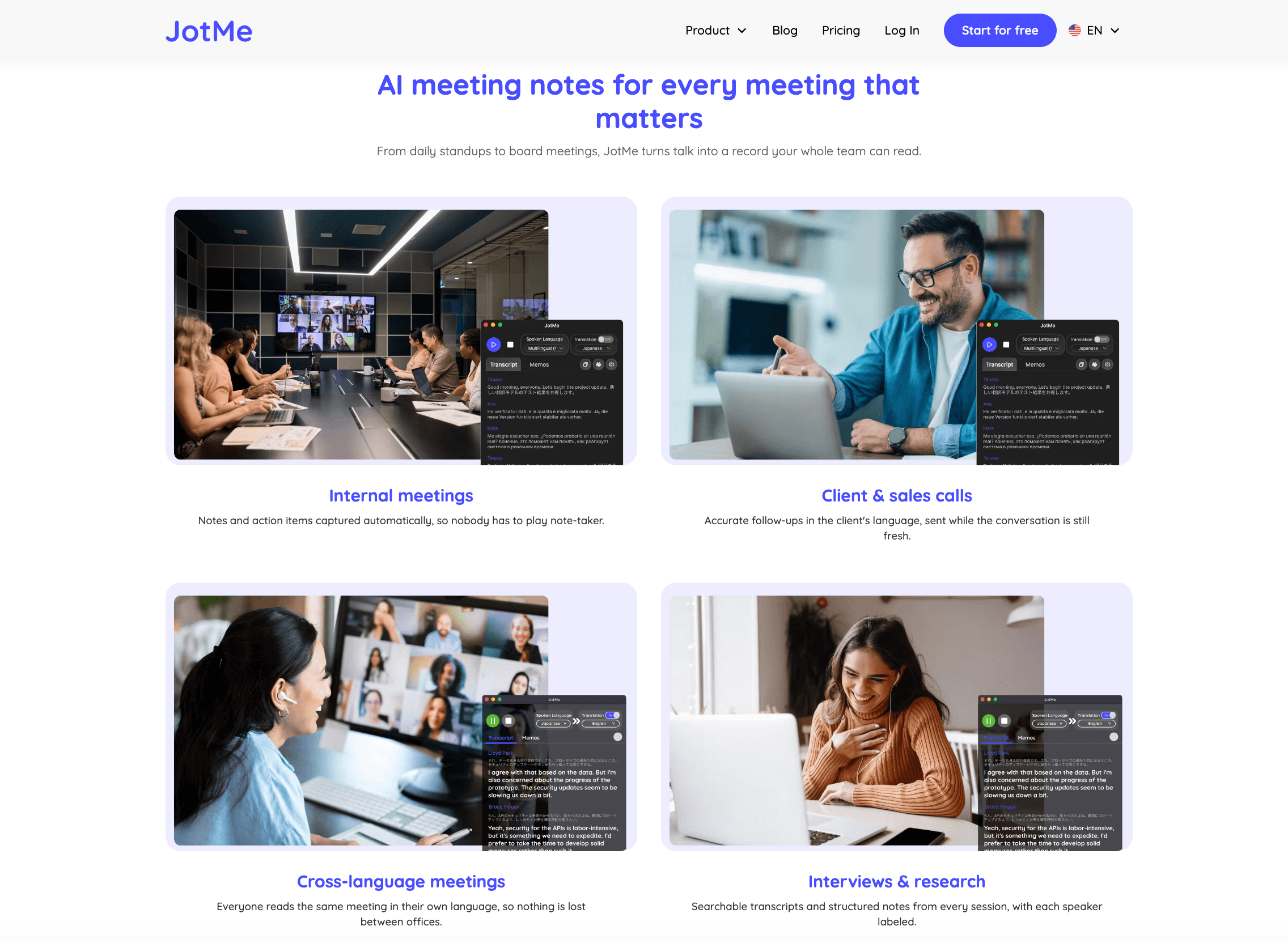
Choose JotMe when you want translation inside a broader multilingual meeting workspace. In addition to live captions and voice translation, it emphasizes recording, transcription, real-time AI search, custom meeting notes, transcript translation, cross-language follow-up, and multiple application formats.
The practical choice between Transync AI and JotMe is whether the live bilingual experience or the wider meeting-intelligence workspace should receive the most weight.
Transync AI and JotMe at a Glance
| Decision area | Transync AI | JotMe |
|---|---|---|
| Primary positioning | Real-time translation for meetings and conversations | Multilingual translation, transcription, recording, AI search, and meeting notes |
| Meeting entry | Standalone companion; no visible meeting bot | Desktop or mobile app and browser extension; no visible meeting bot in primary workflows |
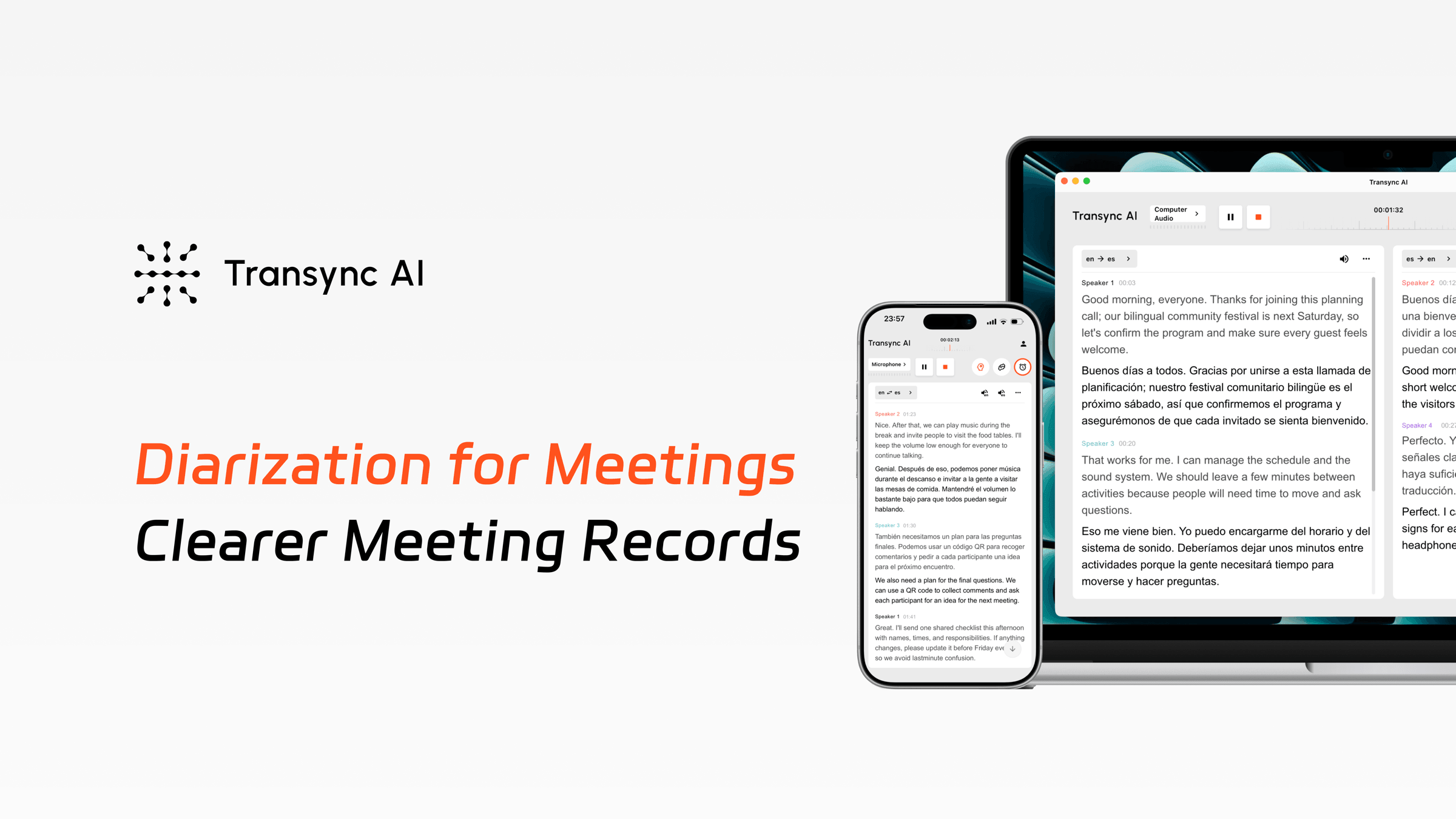
| Live text | Side-by-side original and translated subtitles | Live translated captions and transcripts |
| Translated voice | AI voice playback and supported routing into calls | Two-way AI voice translation and cloned-voice workflows, with capabilities varying by application |
| Context control | Keywords and meeting context | Conversation context, custom vocabulary, and replacement terms |
| Floating display | Picture-in-Picture bilingual captions on supported devices | Application-dependent live caption interface |
| Meeting intelligence | Transcript and AI meeting notes | Recording, transcript, summaries, notes, AI search, translation, and action items |
| Platforms | Web, Windows, macOS, iOS, and Android | Windows, macOS, iOS, Android, plus a limited-feature Chrome extension |
| Published monthly individual price | $8.99 for 600 minutes | 20 for 200 minutes on Pro; 30 for 500 minutes on Premium |
| Best starting point | Frequent multilingual communication at a lower cost | Users wanting a broader multilingual meeting workspace |
Pricing and feature information checked in August 2026. Product capabilities can differ by desktop, mobile, or browser workflow and may change; verify the exact language pair, device, and plan before purchasing.
Use this Transync AI and JotMe table as an orientation, then choose the scenario that most closely resembles the real meeting.
Scenario 1: A Weekly International Client Call
The first Transync AI and JotMe scenario is a recurring customer call where both sides must ask questions, confirm details, and respond naturally.
Transync AI is particularly well aligned with this job. Its real-time translation tool displays the source speech and translation together, helping users check recognition before acting on a translated number, deadline, or product requirement. One-way, two-way, and multilingual modes support different conversation patterns.
The AI voice translator adds spoken output, reducing the need to watch captions continuously. Automatic language distinction in a supported pair can make turn-taking feel less mechanical than manually switching the microphone language after every response.
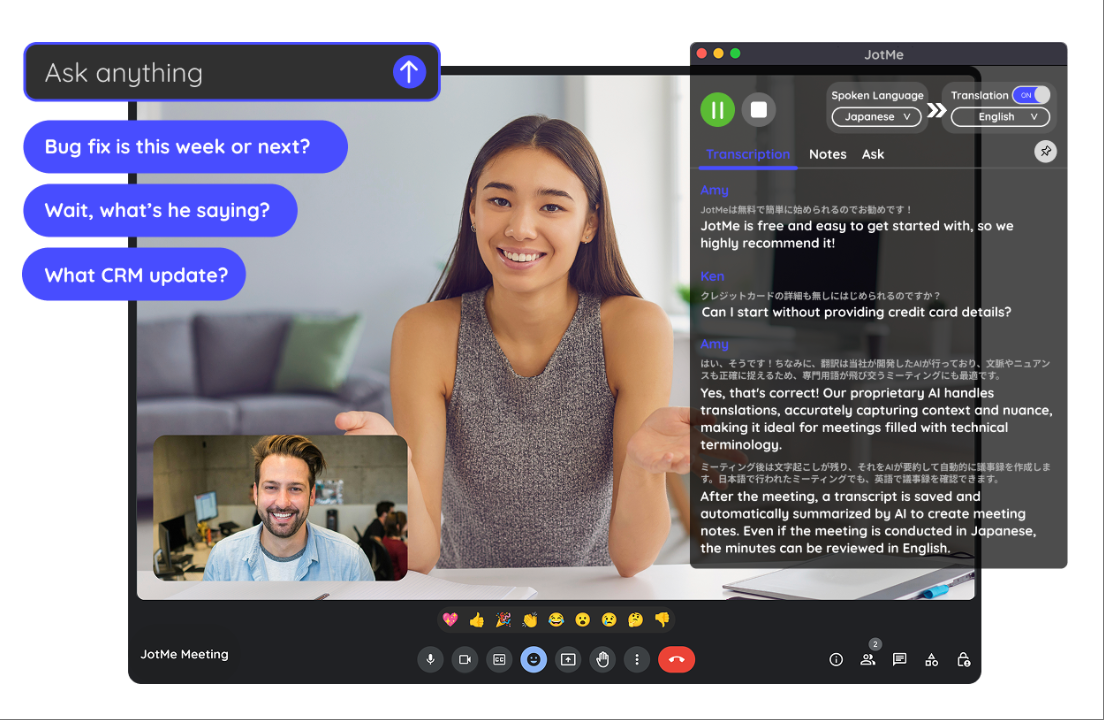
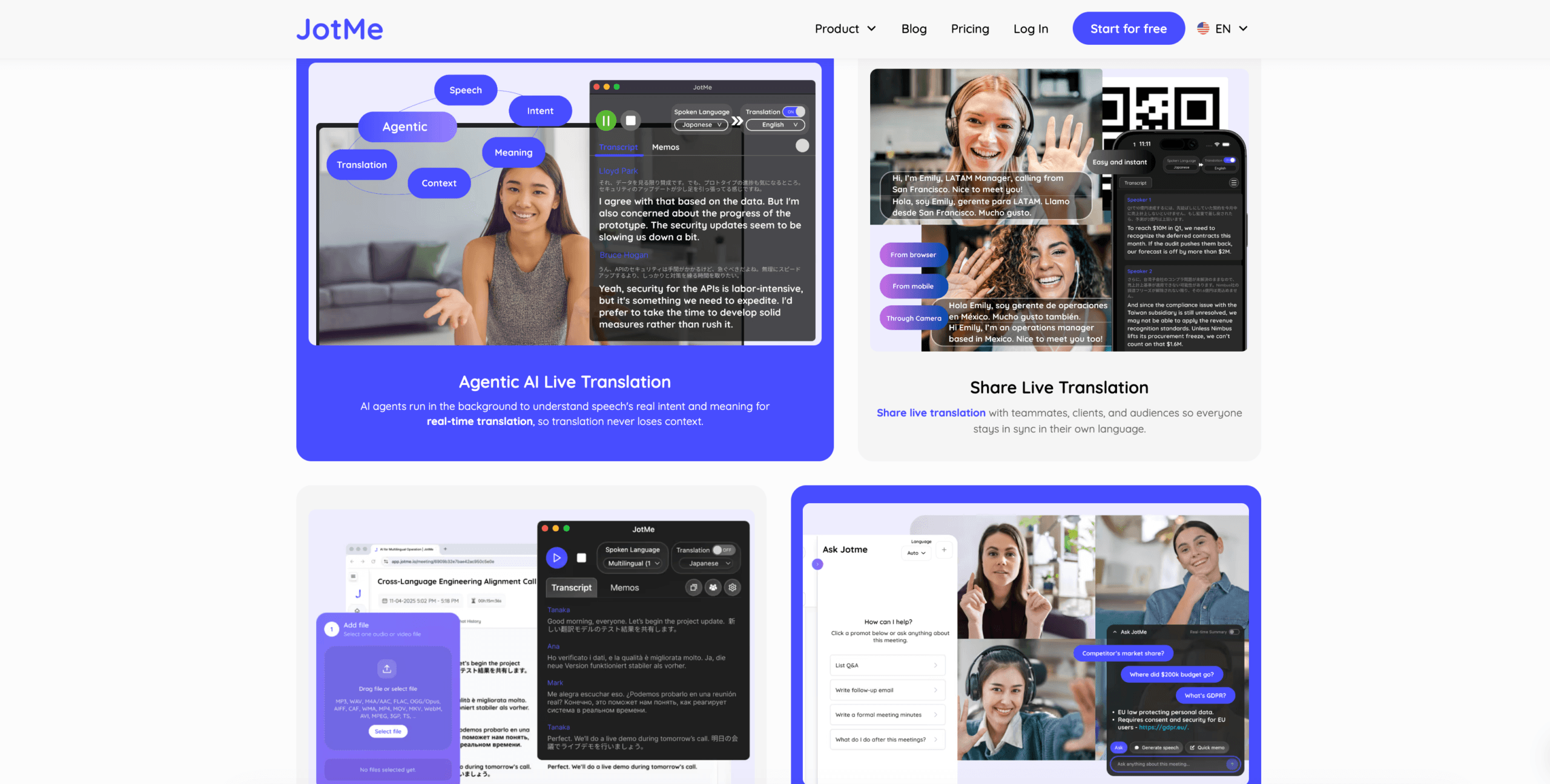
JotMe also supports continuous, context-aware translation and two-way voice workflows. Its wider meeting workspace becomes useful when the customer call also needs recording, AI questions during the session, customized notes, or extensive transcript follow-up.
Scenario recommendation: Start with Transync AI when immediate bilingual conversation and predictable translation time matter most. Start with JotMe when recording and searchable meeting intelligence are equally important.
Transync AI now provides its own one-to-many audience workflow through the Presentation Mode feature. A host can enable up to 10 target languages and invite audience members using a link, QR code, or Room ID. Each person follows from a personal device and can read translated subtitles or listen to voice playback when available.
No software installation is required, although audience members must register or sign in to a Transync AI account. The audience panel is designed for viewing and listening rather than two-way participation. This means QR or link-based audience access should no longer be treated as a JotMe-only advantage; buyers should compare account requirements, language limits, voice availability, session controls, and post-session sharing.

Presentation Mode lets one host share live translation with audience members on their own devices.
Scenario 2: A Company That Does Not Allow Meeting Bots
Both products address this concern, so the no-bot comparison of Transync AI and JotMe is closer than it first appears.
Transync AI runs as a separate translation companion. It can capture speech through the selected microphone or computer-audio sharing without joining the meeting as a named participant. Other attendees do not need to approve or admit a translation bot.

Compatible with major online meeting platforms for seamless real-time translation
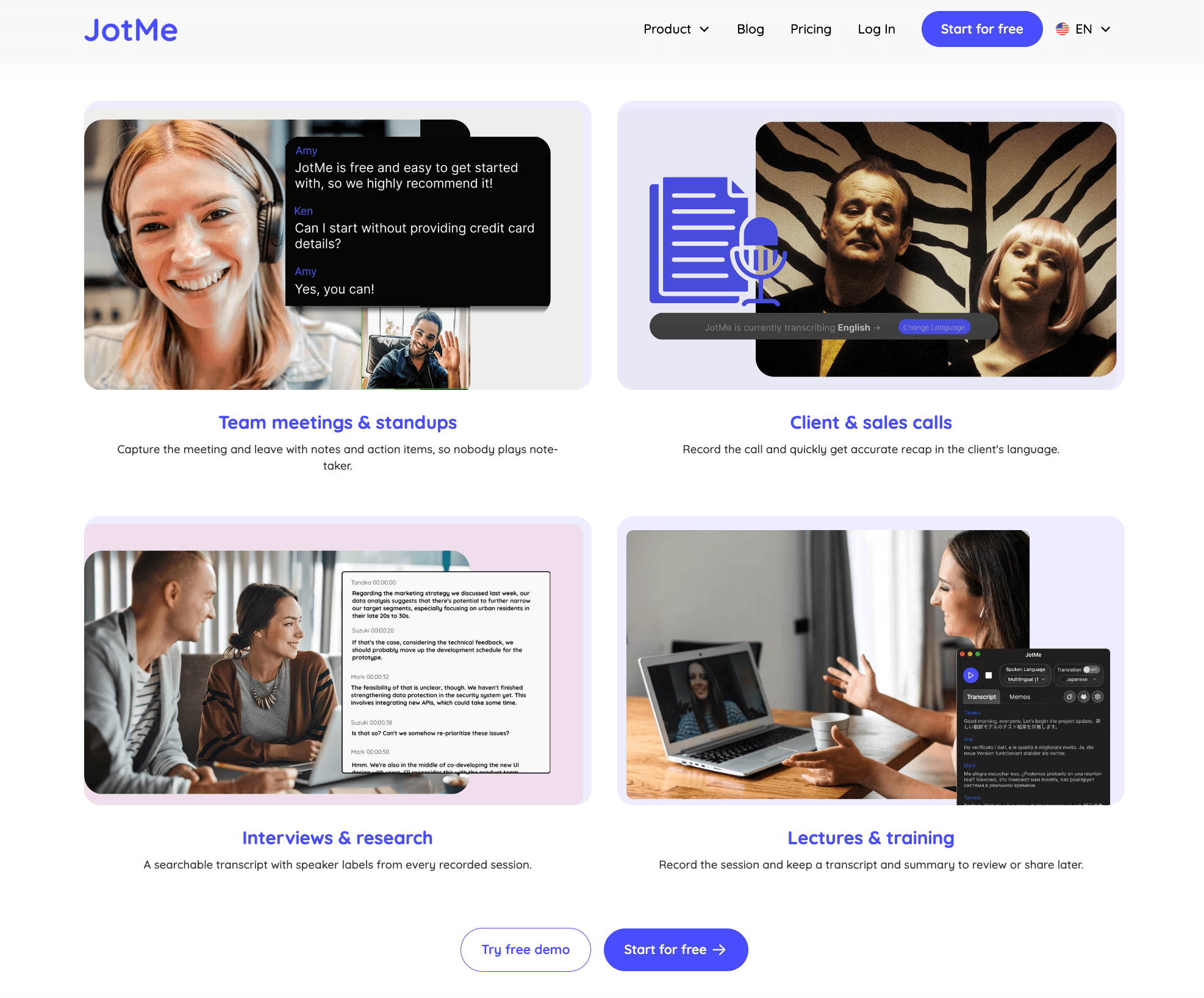
JotMe similarly states that its desktop workflow captures system audio in the background, so no bot joins the call and meeting guests do not need to install a plugin. This can reduce the awkwardness and administrative friction associated with automated meeting participants.
 No-bot does not mean no privacy review. The organization should still examine recording consent, data retention, encryption, account permissions, meeting notices, and whether employees are allowed to process confidential audio through an external service.
Scenario recommendation: Both are suitable starting points for a no-bot policy. Decide through audio capture reliability, privacy terms, device management, and whether the meeting should be recorded.
Scenario 3: A User Who Must Read Other Applications During the Call
The screen experience becomes important when a salesperson must update a CRM, a consultant must review a document, or a presenter must follow slides while translation continues.
The Picture-in-Picture bilingual subtitles feature gives Transync AI a clear workflow advantage on supported devices. Original and translated captions can remain visible over the meeting window or another application, so the user does not have to keep returning to the translator interface.

Real-time floating subtitles across desktop and mobile devices
JotMe displays live translation through its desktop application or supported browser workflow. It can still work across meetings, but users should test how the active caption view behaves with their usual window arrangement, screen-sharing setup, and device.
 This Transync AI and JotMe scenario should be tested on the real monitor configuration. A feature that works well on a large external display may feel different on a small laptop or during full-screen presentations.
Scenario recommendation: Choose Transync AI when persistent bilingual captions above other work are a primary requirement. Evaluate JotMe when the broader dashboard and meeting record matter more than a floating bilingual view.
Scenario 4: A Technical Meeting Full of Names and Acronyms
Professional terminology exposes errors that general language demonstrations often hide. Both Transync AI and JotMe provide ways to improve domain-specific output, but they frame the preparation differently.
The AI Assistant Keywords and Context feature lets Transync AI users add important names or terms and describe the subject of the meeting. This gives the live translation system relevant information before the conversation starts.

JotMe emphasizes context-aware translation that uses previous conversation, participants, domain, and intent. Its plans also include different quantities of custom terms, while meeting-note tools offer custom dictionary or replacement features.
 A fair test should include company names, abbreviations, model numbers, currencies, dates, domain-specific verbs, and terms that have a different everyday meaning. Compare the source transcript first; a translation system cannot reliably recover a technical term that speech recognition captured incorrectly.
Scenario recommendation: Both deserve a hands-on test. Choose Transync AI for a focused pre-meeting keywords-and-context workflow. Choose JotMe when custom vocabulary should extend into a larger transcript, note, and AI-search system.
Scenario 5: An In-Person Conversation or Mobile Meeting
The mobile comparison of Transync AI and JotMe matters for travel, client visits, interviews, classrooms, and conversations away from a laptop.
Transync AI supports web, Windows, macOS, iOS, and Android workflows with one account across devices. Users can place a phone or computer near the speakers, select the required language mode, and use subtitles or voice playback during the conversation.
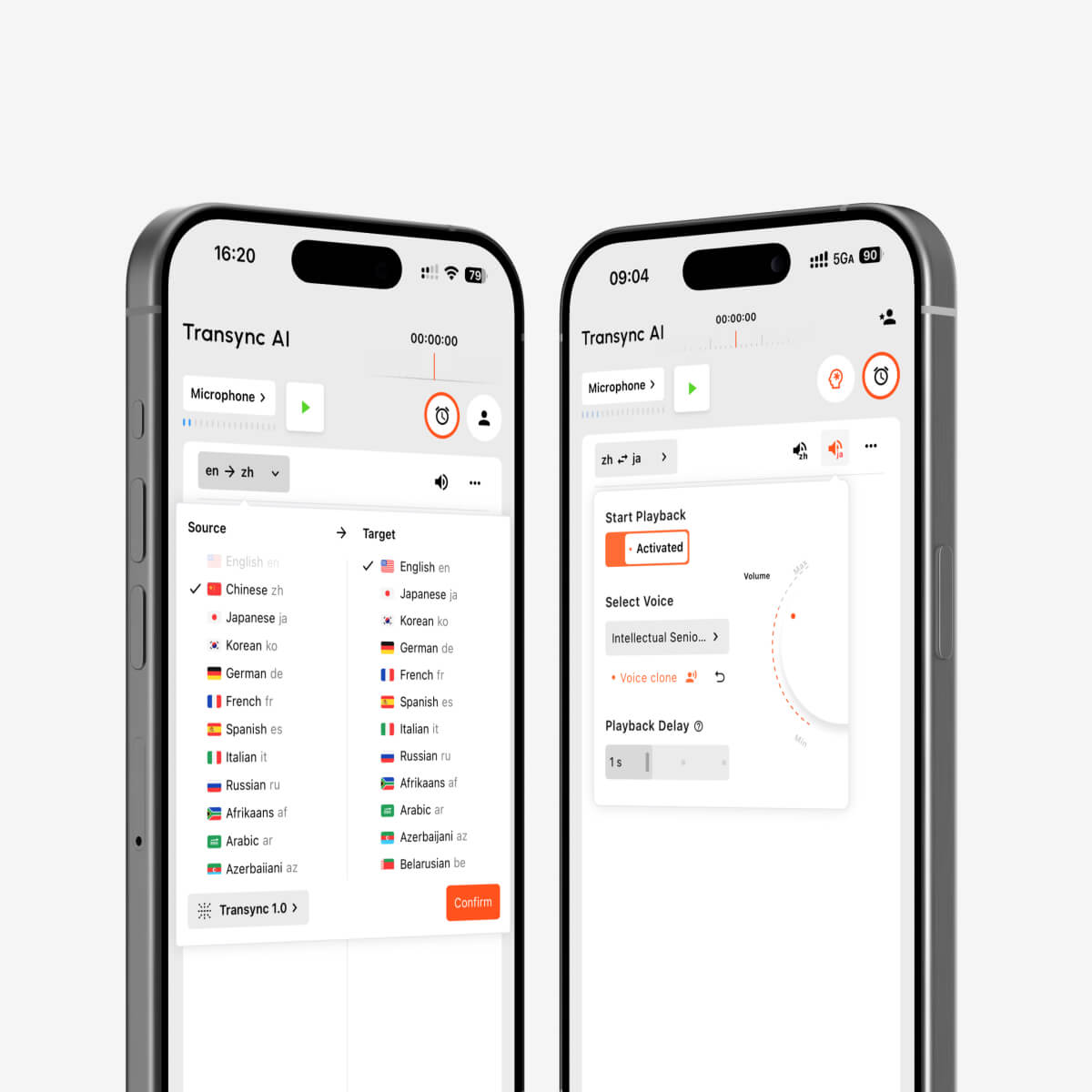
AI voice playback and voice cloning for multilingual real-time interpretation
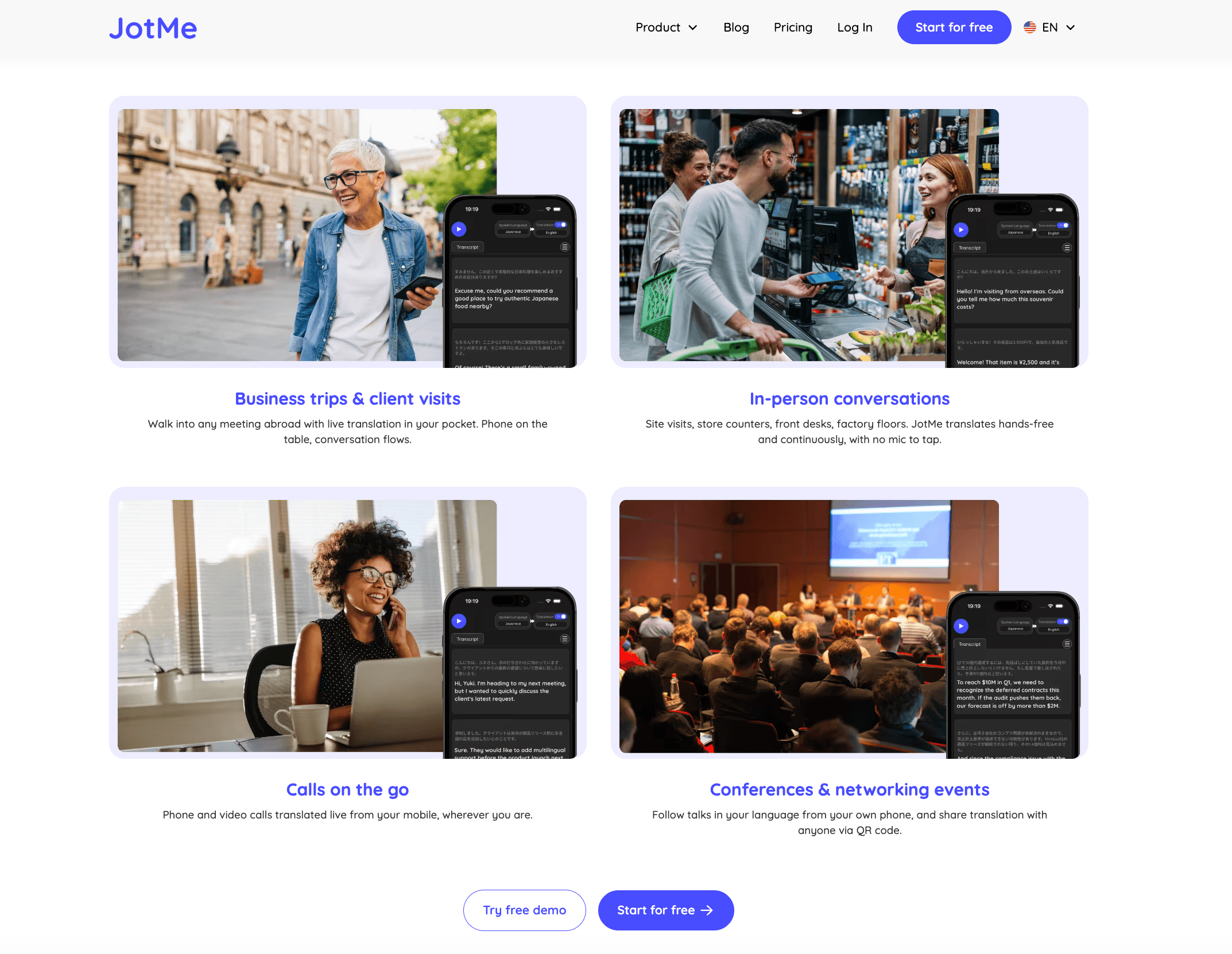
JotMe offers iPhone and Android applications alongside its Mac and Windows desktop apps. Its mobile product materials emphasize hands-free continuous translation, captions, and AI-generated speech for face-to-face conversations. Some attendee-following workflows can also use a link or QR code.
 Device coverage alone does not prove feature parity. JotMe states that its Chrome extension has limited features, and official pages describe different language counts for general translation, live voice, desktop, and browser experiences. Transync AI and JotMe buyers should confirm that the exact output—captions, cloned voice, notes, recording, or AI search—is available on the chosen device.
Scenario recommendation: Both support mobile conversation use. Test battery consumption, microphone pickup, speaker volume, background noise, offline limitations, and the exact language pair before travel or fieldwork.
Scenario 6: A Team That Moves Between Meeting Platforms
A translator should not force a user to rebuild the workflow every time the meeting host changes platforms.
The live meeting translation feature is designed to work alongside common meeting applications. Transync AI can be used with Zoom, Microsoft Teams, Google Meet, other calling tools, and in-person conversations without depending on one native integration.
JotMe also positions its desktop app as a cross-platform tool for Zoom, Google Meet, Microsoft Teams, Webex, LINE, and in-person use. It additionally offers a Chrome extension focused on Google Meet, although current materials describe that extension as having limited features and recommend the desktop app for the broader experience.
The practical Transync AI and JotMe test should include system audio on both Windows and macOS, the organization’s browser restrictions, headset use, screen sharing, and what happens when the user changes from a desktop call to a mobile conversation.
Scenario recommendation: Both are credible cross-platform options. Choose based on the preferred desktop audio workflow, mobile continuity, and whether a Google Meet extension adds meaningful convenience.
Scenario 7: A Team That Wants More Than Translation
This is where the product scope of Transync AI and JotMe begins to separate.
The AI meeting notes feature produces a transcript and structured meeting summary. It supports the meeting-first workflow: understand the conversation, retain decisions, and review the record afterward.
JotMe goes further into a meeting-intelligence workspace. Depending on the application and plan, its product materials include meeting recording, multilingual transcription, live translation, real-time summaries, AI search, note generation, action items, transcript translation, text translation tokens, custom note formats, speaker separation, and access to stored recordings.
That wider scope can be valuable to research, customer-success, sales, and operations teams that want to ask questions about meetings or maintain a searchable record. It also creates more plan variables: live translation minutes, transcription minutes, AI credits, text tokens, vocabulary limits, and recording retention must all be considered.
Scenario recommendation: Choose Transync AI for a focused translation-and-notes experience. Choose JotMe when recording, AI questions, extensive transcription, customized notes, and multilingual follow-up justify a broader workspace.
Scenario 8: A Buyer Comparing Monthly Cost
Pricing gives Transync AI and JotMe a measurable difference because both publish self-serve individual plans.
Current published pricing
| Plan | Monthly price | Live translation allowance | Other notable allowances |
|---|---|---|---|
| Transync AI Free | $0 | 40 minutes after sign-up | Meeting features available for initial testing |
| Transync AI Personal Premium | $8.99 | 600 minutes during the membership period | Voice, context, meeting notes, and cross-device access |
| Transync AI Enterprise | $24.99 per seat | Up to 2,400 minutes per month per seat | Organization management and unified knowledge features |
| JotMe Free | $0 | 20 minutes per month | 50 transcription minutes, 5 AI credits, and access to the last 5 recordings |
| JotMe Pro monthly | $20 | 200 minutes per month | 500 transcription minutes, 20 AI credits, text tokens, and 20 custom terms |
| JotMe Premium monthly | $30 | 500 minutes per month | 2,000 transcription minutes, 50 AI credits, text tokens, and unlimited recording access |
| JotMe Pro annual | 10/month, billed 120 annually | 200 minutes per month | Same core Pro allowances at the published annual discount |
| JotMe Premium annual | 15/month, billed 180 annually | 500 minutes per month | Same core Premium allowances at the published annual discount |
Sources: Transync AI official pricing page and JotMe official pricing section. Checked in August 2026.
A fair cost review of Transync AI and JotMe must separate live translation minutes from transcription, recording, AI credits, and text-processing allowances.
Which plan offers more live translation for the price?
At full included usage, Transync AI Personal Premium costs approximately $0.015 per live translation minute.
The JotMe monthly Pro plan costs 0.10 per included translation minute, while monthly Premium costs 0.06. With annual billing, Pro works out to 0.05 per included minute and Premium to 0.03.
On live translation alone, Transync AI is therefore:
- About 85% lower per included minute than monthly JotMe Pro.
- About 75% lower per included minute than monthly JotMe Premium.
- About 70% lower per included minute than annual JotMe Pro.
- About 50% lower per included minute than annual JotMe Premium.
It also lists 600 minutes at 8.99, compared with 500 minutes at 15 on JotMe Premium’s annual plan or $30 on its monthly plan.
This calculation does not make the plans identical. JotMe includes separate transcription minutes, AI credits, text translation tokens, vocabulary limits, and recording access. Those extras may justify the higher price for a user who needs a meeting-intelligence workspace. For someone primarily buying live meeting translation, Transync AI provides the stronger published unit economics.
The free plans have a different trade-off. Transync AI provides 40 minutes after sign-up, while JotMe lists 20 live translation minutes per month. The first offers more time for an initial realistic test; the second provides a smaller recurring free allowance.
An 8-Point Test Card for Transync AI and JotMe
A close Transync AI and JotMe comparison should use the same meeting, language pair, equipment, and speakers.
Score each product from one to five on:
- Source speech recognition.
- Preservation of meaning and terminology.
- Delay before captions become useful.
- Delay and clarity of translated voice.
- Subtitle readability while using other applications.
- Setup across the required meeting platforms and devices.
- Accuracy and usefulness of the transcript, notes, and action items.
- Total cost for the expected translation, transcription, recording, and AI usage.
Include a name, acronym, product number, price, date, interruption, and request for clarification. A reliable Transync AI and JotMe result requires the same audio conditions; do not compare one product on a quiet recording and the other in a noisy live call.
Transync AI and JotMe FAQ
Is Transync AI Cheaper Than JotMe?
In the published paid allowances for Transync AI and JotMe, Transync AI is cheaper for live translation. It lists 600 minutes for 8.99 per month, while **JotMe** lists 200 minutes for 20 monthly on Pro and 500 minutes for $30 monthly on Premium. JotMe’s annual rates lower its effective price, but Transync AI still has the lower cost per included translation minute.
Does Either Product Add a Bot to the Meeting?
Their primary desktop workflows do not require a visible meeting bot. Both operate around the meeting and capture selected microphone or system audio. Organizations should still apply their normal consent, privacy, and recording policies.
Which product is better for translated voice?
Both support translated speech. Transync AI emphasizes natural AI voice playback and audio-routing workflows for meetings. JotMe promotes two-way voice translation and cloned voice, but availability and language coverage can vary across desktop, mobile, and browser products. Test the exact workflow before choosing.
Which product has better meeting notes?
Transync AI provides transcripts and AI meeting notes as part of a focused translation workflow. JotMe provides a wider set of meeting-intelligence functions, including recordings, AI search, custom notes, action items, transcript translation, and plan-based AI credits.
Which product supports more languages?
The providers publish language figures using different scopes. Transync AI lists more than 60 languages and over 1,700 pairs for real-time translation. JotMe promotes more than 200 languages and 39,000 pairs across its broader platform, while some pages list smaller counts for live voice, desktop, or extension modes. Confirm the exact pair, device, and output instead of comparing headline totals alone.
Can both products work for in-person conversations?
Yes. Both provide mobile workflows that can listen to nearby speech and deliver translated text or voice. Microphone distance, room noise, speaker volume, battery use, and network quality should be tested in the intended environment.
Which product is better for Google Meet?
Both work with Google Meet. Transync AI uses its cross-platform companion workflow. JotMe offers both a desktop application and a dedicated Chrome extension, although the extension is described as having limited features compared with the desktop product.
Final Scenario Verdict
The choice between Transync AI and JotMe is close because both products address the same fundamental job: helping individuals understand and retain multilingual conversations without adding a visible meeting bot.
Choose Transync AI when bilingual meeting communication is the center of the purchase. Its side-by-side subtitles, translated voice, context preparation, floating captions, cross-platform use, 600 included minutes, and $8.99 monthly price create a strong live-translation package.
Choose JotMe when translation is one part of a larger meeting-intelligence workflow. Recording, extensive transcription, AI search, custom notes, transcript translation, stored meeting access, and broader AI allowances may justify its higher price.
For most users paying primarily for live meeting translation, Transync AI offers the better published value. For users who want a multilingual workspace for everything that happens during and after a meeting, JotMe deserves a full trial with the intended device and plan.
If you want a next-generation experience, Transync AI leads the way with real-time, AI-powered translation that keeps conversations flowing naturally. You can try it free now.
