

Need to translate to portuguese? Follow a practical field manual for meetings, documents, travel, events, video, APIs, regional tone, and review.
Suppose your team has one English message: “We will launch the updated service next Thursday.” Now you need to translate to Portuguese for a sales call, customer email, webinar, training video, and product interface.
The words may begin in the same place, but the translation should not follow one identical route.
A live meeting needs fast bilingual speech. An email needs consistent terminology and tone. A webinar must reach many attendees. A video needs editable subtitles or dubbing. A product team may need an API. This field manual follows that message through each handoff and shows where different tools fit.
Field Note 1: “Portuguese” Is Still an Incomplete Request
Before anyone starts translating, identify the target audience.
Brazilian and European Portuguese are mutually understandable, but they differ in vocabulary, pronunciation, rhythm, common grammatical patterns, and expectations of formality. A user in São Paulo and a client in Lisbon may understand the same sentence while judging its tone differently.
Complete this one-line brief:
Translate to Portuguese for [country or region], for [audience], in a [formal/neutral/conversational] tone, delivered as [text/live captions/voice/video].
Examples:
- Brazilian Portuguese for first-time app users, clear and friendly, delivered as interface text.
- European Portuguese for a client in Lisbon, professional and concise, delivered as live speech and captions.
- Portuguese for a multilingual conference audience, delivered as captions and audio.
That sentence prevents more mistakes than a long list of generic translator features.
Handoff One: The Message Enters a Live Meeting
The sales team needs to present in English while the client follows Portuguese subtitles and translated speech. They also want a record after the call.
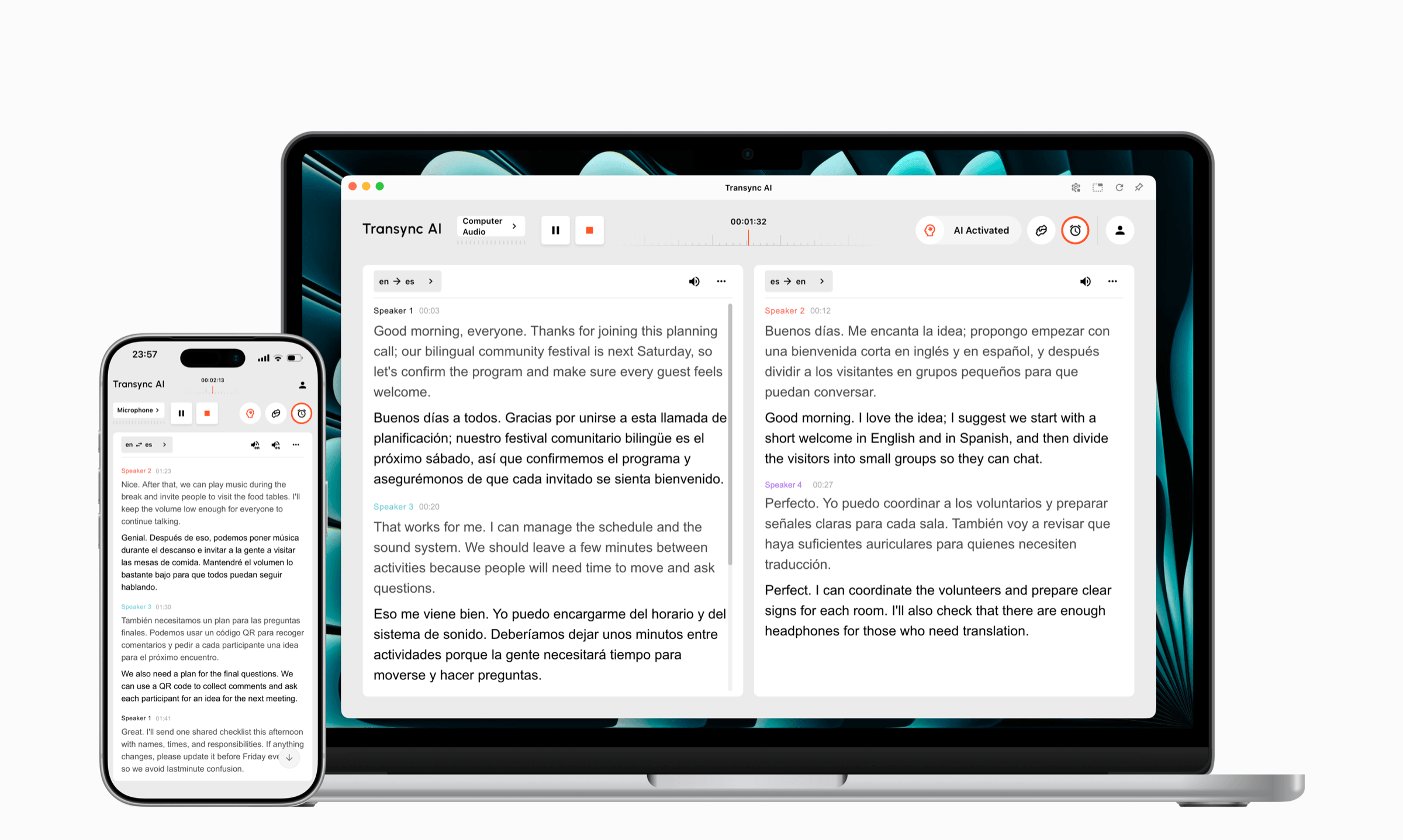
Transync AI is designed around this type of live workflow. Its real-time translation tool displays source speech and translation together. The AI voice translator can speak the Portuguese result aloud, and the AI meeting notes feature turns the discussion into a transcript and structured notes.
Before the meeting, the team can enter product names, preferred terminology, participant roles, and regional context through the AI Assistant Keywords and Context feature.
This is the first rule of live translation: do not wait for the speaker to pronounce a difficult product term before telling the system what it means.
 Handoff Two: The Message Becomes a Customer Email
 Handoff Two: The Message Becomes a Customer Email
The same launch sentence now belongs in an email. Speed matters less than wording, consistency, and review.
DeepL provides text, file, voice, API, and broader enterprise language workflows. For written content, teams can focus on glossary use, document formatting, tone, and editing rather than meeting audio.
When you translate to Portuguese for email, review the entire message rather than one sentence at a time. Pronouns, formality, and calls to action depend on the relationship established across the email.
The final check should ask:
- Is the Portuguese variety correct?
- Does the greeting fit the relationship?
- Are feature names consistent?
- Does the call to action sound natural?
- Are dates, prices, and links correct?
A document tool can accelerate the first draft. A native reviewer should approve important public or customer-facing copy.
 Handoff Three: The Message Appears During Travel
 Handoff Three: The Message Appears During Travel
Now imagine the message is no longer a product launch. It is a traveler asking, “Does this train stop in Porto?”
Google Translate supports common consumer workflows involving text, voice, images, websites, and documents. It is practical when someone needs to translate a short phrase, read a sign, or check an unfamiliar word.
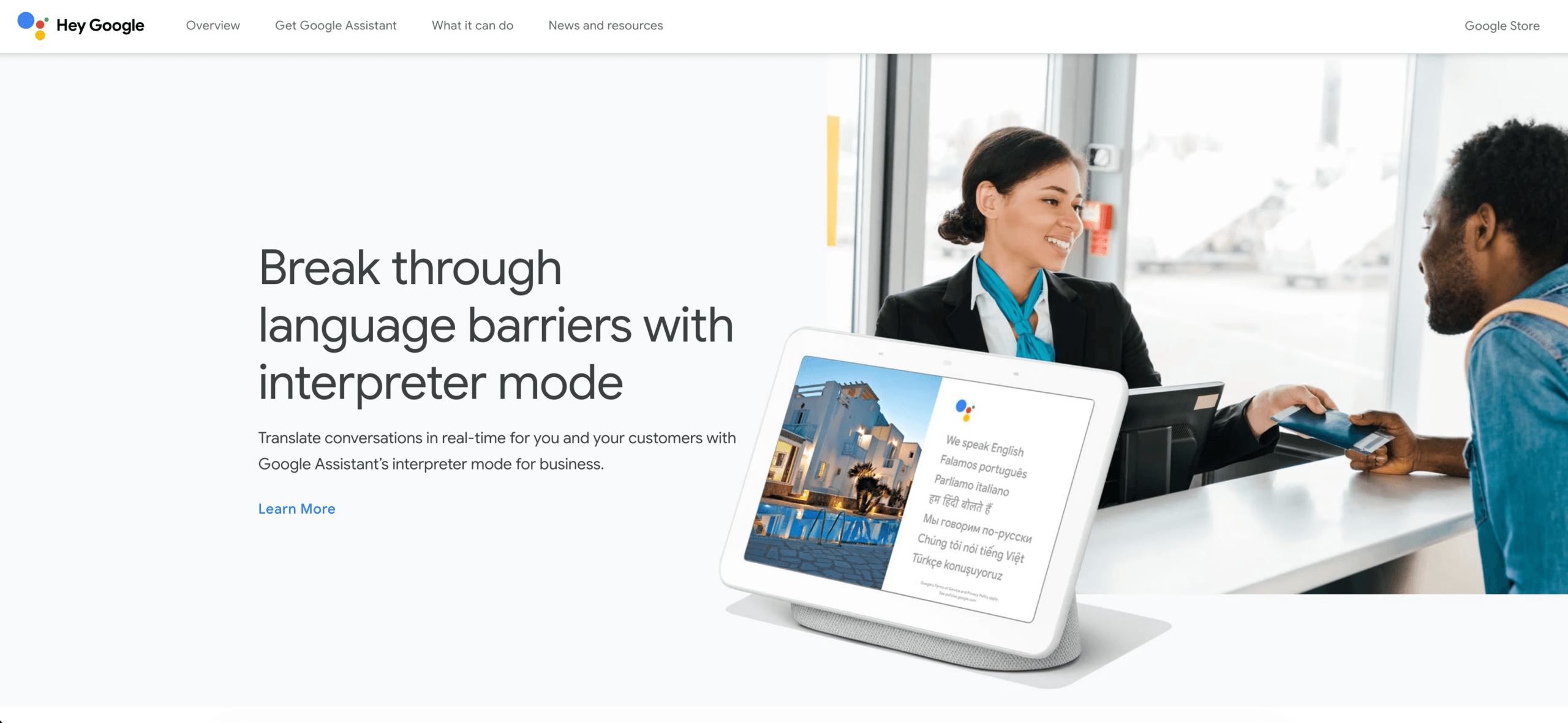 Talkao is positioned around mobile translation, voice input, travel, and language-learning features. It belongs in the consumer and travel category rather than the meeting-notes category.
For quick travel tasks, the best way to translate to Portuguese may be the fastest tool already available on a phone. Before relying on offline or camera features, check whether the required Portuguese option and input mode are currently supported.
 Handoff Four: The Message Reaches a Conference Hall
 Handoff Four: The Message Reaches a Conference Hall
At an event, the translation problem changes again. One speaker may need to reach hundreds of attendees, each selecting a preferred output language on a personal device.
Wordly focuses on live translation and captions for meetings, conferences, webinars, and events. Its attendee-oriented workflow is useful when organizers must distribute captions or translated audio at scale.
 To translate to Portuguese at an event, planners should test:
- Room microphones and mixer output.
- Attendee access by device.
- Portuguese caption readability.
- Translated audio delay.
- Instructions shown before the session.
- Transcript and summary requirements afterward.
The translator is only one part of the system. Venue audio and attendee onboarding can determine whether the translation is usable.
Handoff Five: The Message Becomes a Video
The launch announcement must now appear in an on-demand training video. The team needs Portuguese subtitles, voiceover, timing, and downloadable files.
Maestra combines translation, transcription, subtitles, dubbing, and live or recorded media workflows. This production approach is different from following a private conversation in real time.
 When teams translate to Portuguese for video, they should decide:
- Subtitle character length and reading speed.
- Brazilian or European voice.
- Voiceover, dubbing, or subtitles only.
- Whether on-screen text must also be localized.
- How names and technical terms should be pronounced.
- Which subtitle and media formats the publishing platform requires.
A fluent translation is not finished until it fits the timing and visual context of the video.
Handoff Six: The Message Enters a Product
A software company may want users to speak, receive Portuguese translation, and continue inside a custom support product.
Soniox provides speech recognition, translation, text-to-speech, and related capabilities for developers. An API is appropriate when engineers need control over the interface and integration.
 Building is different from buying. A custom implementation requires:
- Audio capture and device handling.
- Language selection.
- Error and retry states.
- Latency monitoring.
- Usage controls.
- Privacy and retention decisions.
- Caption and voice interface design.
Choose an API to build a differentiated product—not simply because it sounds more flexible than a finished application.
The Route Map
The brands were linked in their first natural paragraphs. The table keeps brand names bold but link-free.
| The message becomes | Tool to evaluate | What the workflow prioritizes |
|---|---|---|
| A live bilingual conversation | Transync AI | Subtitles, translated voice, terminology, audio routing, and notes |
| A customer email or document | DeepL | Written translation, formatting, glossary use, tone, and review |
| A travel phrase, sign, or quick check | Google Translate or Talkao | Mobile access and broad consumer inputs |
| A conference or webinar | Wordly | Attendee access, captions, translated audio, and event delivery |
| A training video or media asset | Maestra | Subtitles, timing, dubbing, editing, and export |
| A custom voice product | Soniox | APIs, engineering control, and product integration |
The route map does not declare one universal winner. It prevents a user from choosing a document translator for a meeting problem or an event platform for a private travel phrase.
Inside the Live-Meeting Route
Check the current Portuguese options on the supported languages page before an important session.
The live meeting translation feature works alongside Zoom, Microsoft Teams, and Google Meet. Transync AI is standalone software rather than a platform-specific plugin.
The computer-audio sharing feature captures remote participant speech. The virtual microphone feature helps send translated output into the meeting. The Picture-in-Picture bilingual subtitles feature can keep captions visible over other applications on supported devices.
Run a short rehearsal:
- Select the correct Portuguese option.
- Add names and terminology.
- Test both speaking directions.
- Mention a price, date, and product code.
- Ask for clarification.
- Confirm what remote participants can hear.
- Review the notes before sharing them.
The purpose of rehearsal is not to create a perfect demonstration. It is to reveal where the real meeting setup fails.

Compatible with major online meeting platforms for seamless real-time translation
The Portuguese Handoff Sheet
Copy this block into a project ticket whenever content must translate to Portuguese:
| Field | Decision |
|---|---|
| Audience | |
| Country or region | |
| Brazilian or European Portuguese | |
| Formality | |
| Content type | |
| Live or recorded | |
| Text, captions, voice, or multiple outputs | |
| Terms to preserve in English | |
| Approved Portuguese terms | |
| Names and pronunciation notes | |
| Human reviewer | |
| Final delivery format |
This turns translation into a managed handoff instead of an isolated prompt.
What a Human Reviewer Should Check
Even when AI produces the first version, a reviewer should examine:
- Regional vocabulary.
- Forms of address.
- Literal English sentence structures.
- Inconsistent terminology.
- Names, figures, and measurements.
- Humor, idioms, and cultural assumptions.
- Legal, medical, financial, or safety implications.
If the content affects a contract, diagnosis, payment, public policy, or personal safety, professional review is not optional.
The goal is not to remove AI from the process. It is to use the right level of review for the consequence of an error.
Translate to Portuguese FAQ
Should I choose Brazilian or European Portuguese?
Choose the variety used by the audience. Brazilian and European Portuguese are mutually understandable, but vocabulary, pronunciation, grammar preferences, and tone can make one version feel wrong for the other market.
What is the best way to translate to Portuguese during a meeting?
Use a meeting-first workflow that combines bilingual subtitles, translated voice, terminology preparation, meeting audio, and post-call records. Transync AI covers those stages in one product, but the exact language option and meeting setup should be tested first.
What should I use for documents?
DeepL is oriented toward text, files, APIs, and broader enterprise language work. Google Translate also supports consumer document translation. Verify formatting, terminology, and privacy requirements before uploading sensitive files.
What should I use for Portuguese video subtitles?
Maestra is designed for transcription, translation, subtitles, dubbing, and media localization. Test timing, subtitle length, voice selection, and required export formats.
How can an event audience receive Portuguese translation?
Wordly is designed for attendee-facing meetings and events. Test venue audio, access instructions, devices, captions, and translated audio before the event.
Does Portuguese translation work offline?
Offline support depends on the product, device, and language option. Transync AI requires an internet connection and does not offer offline mode. Check consumer app availability before traveling.
Can AI replace a Portuguese translator or interpreter?
AI can accelerate routine travel, education, media, and business communication, but it cannot guarantee perfect regional tone or high-stakes accuracy. Qualified professionals remain important for sensitive or consequential content.
Final Field Rule
Do not ask only, “Which tool can translate to Portuguese?” Ask:
What is the message becoming next?
If it becomes a meeting, choose a live conversation workflow. If it becomes an email, prioritize written review. If it becomes an event, plan attendee delivery. If it becomes a video, plan timing and media output. If it becomes a product, plan the complete technical experience.
Translation succeeds when the language fits the audience and the workflow fits the destination.
If you want a next-generation experience, Transync AI leads the way with real-time, AI-powered translation that keeps conversations flowing naturally. You can try it free now.
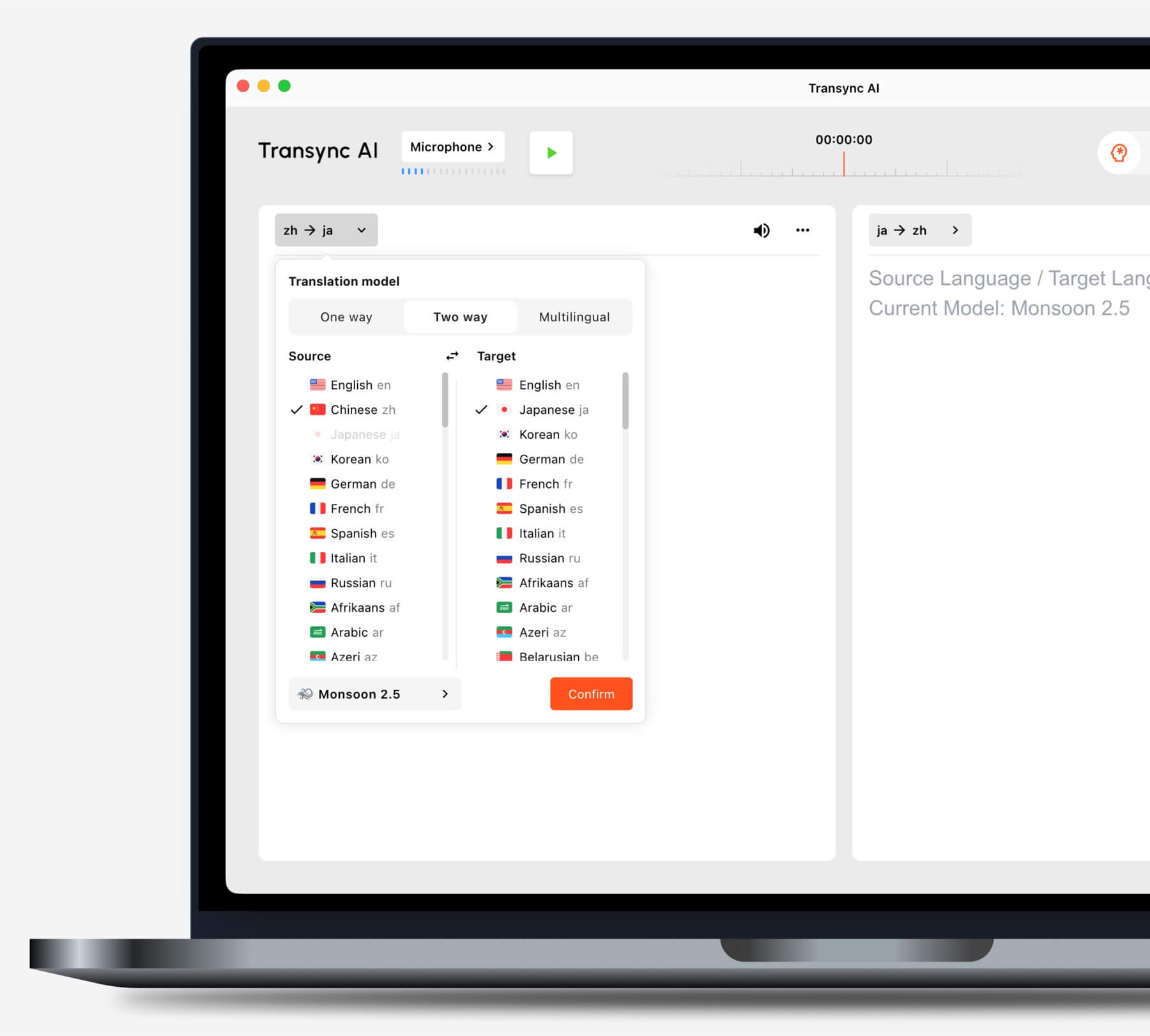
Choose the translation mode that matches your scenario before starting a task.
