

Looking for a portuguese translator? Compare 7 tools for live meetings, travel, events, APIs, documents, and media, then choose the right workflow.
A Portuguese translator can mean several completely different products. One person wants to order lunch in Lisbon. Another needs Brazilian Portuguese captions for a webinar. A global team wants two-way voice translation during a meeting, while a developer needs a speech API.
Those users should not choose the same tool.
This visual buyer’s guide treats each product as a separate editorial card. Every card is short enough to sit beside a screenshot, product image, or workflow illustration. After the gallery, a compact comparison table helps match the product to the task.
First, Choose the Portuguese You Actually Need
“Portuguese” is not a complete localization brief. Brazilian and European Portuguese are mutually understandable, but they differ in vocabulary, pronunciation, rhythm, grammar preferences, and everyday tone.
Before opening a Portuguese translator, write down:
- Target country or region.
- Spoken or written content.
- Live or recorded input.
- One-way or two-way communication.
- Formal, neutral, or conversational tone.
- Human review requirements.
For example, “European Portuguese for a formal customer call in Porto” is far more useful than “translate to Portuguese.”
The Portuguese Translator Gallery
Transync AI — for live meetings and conversations
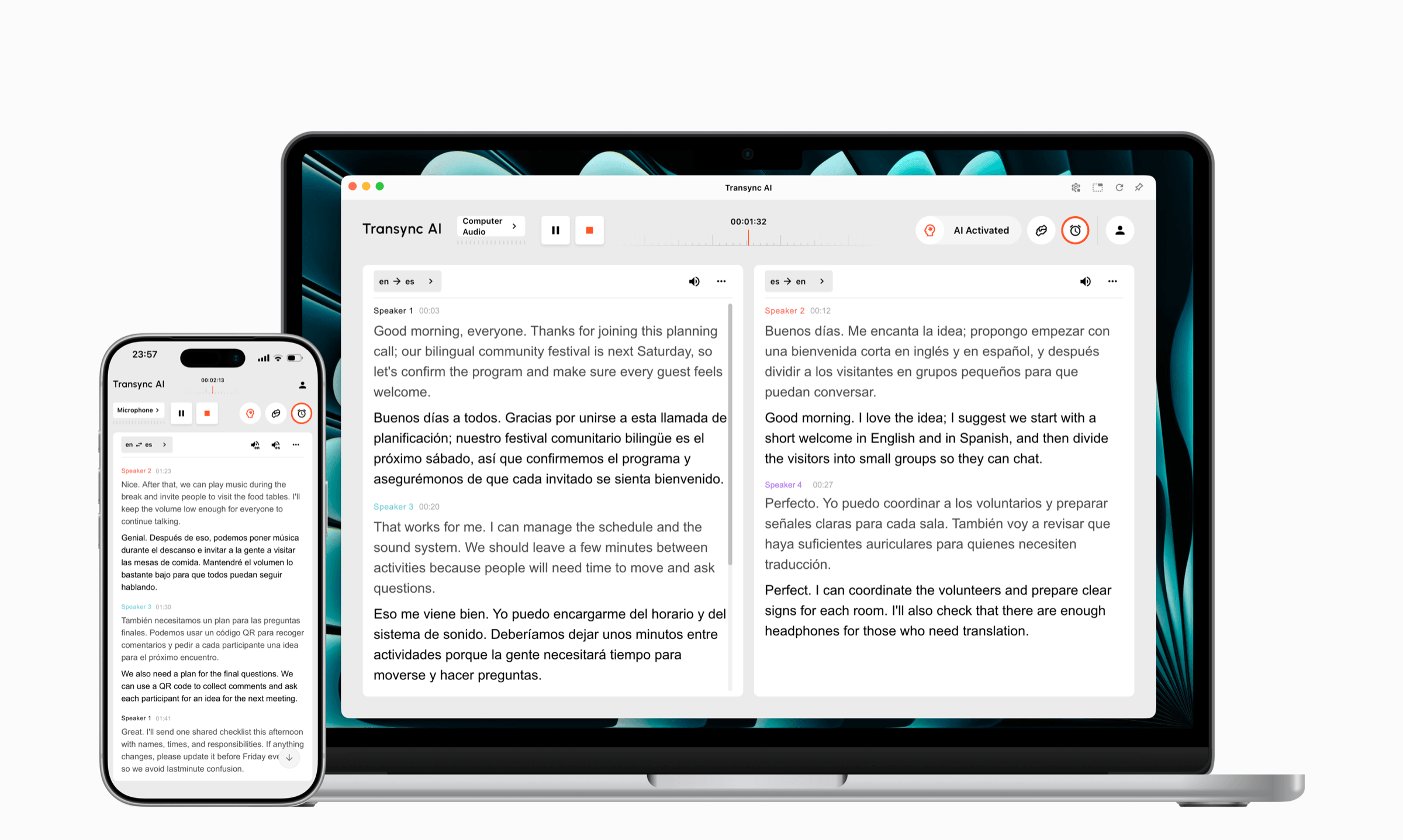
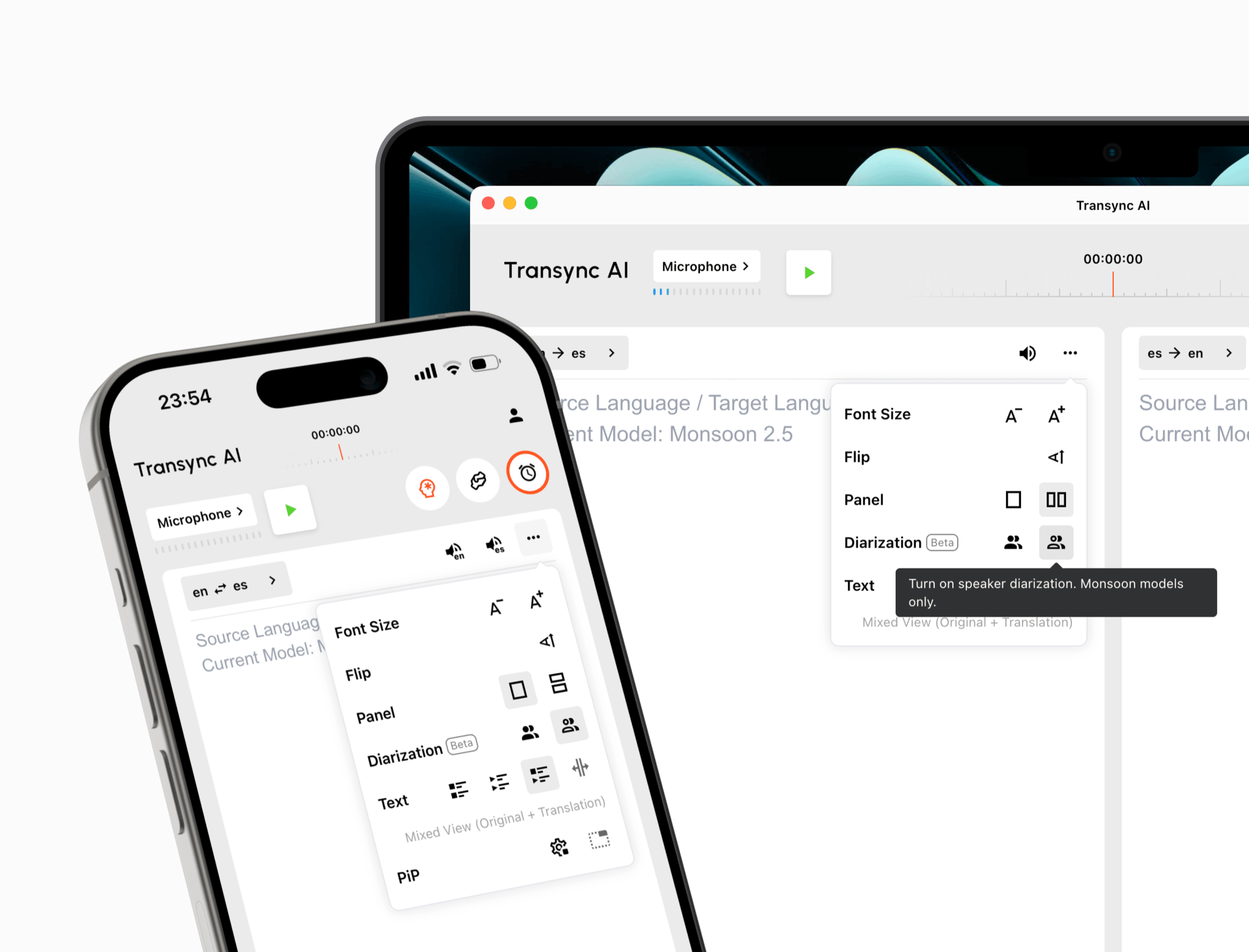
Transync AI is the meeting-first option in this gallery. Its real-time translation tool displays original and translated speech together, while the AI voice translator plays translated output aloud. Teams can prepare terminology with the AI Assistant Keywords and Context feature and review the conversation through AI meeting notes afterward.
It is best suited to multilingual meetings, live calls, classes, demonstrations, and longer in-person conversations—not image translation or offline travel use.
Talkao — for mobile and travel translation
Talkao is positioned around consumer translation, travel, language learning, voice input, and mobile features. It makes more sense when the user wants help with short everyday exchanges rather than a full meeting record.
Consider it for travel phrases, casual conversations, and mobile-first use. A buyer whose main task is a weekly international business call should compare its meeting workflow carefully against a dedicated live-meeting product.

Wordly — for conferences and large audiences
Wordly focuses on live translation and captions for meetings, conferences, webinars, and events. Attendees can access translated audio or text from their own devices, which is useful when one speaker must reach many listeners.
This workflow differs from a personal Portuguese translator. The organizer is managing audience access, event audio, accessibility, and multiple output languages rather than only one private conversation.

Soniox — for developers building speech products
Soniox is aimed at developers and product teams working with real-time speech recognition, translation, text-to-speech, and related APIs. It is relevant when Portuguese translation must become part of a voice agent, support platform, or custom application.
An API is not automatically the better choice. It gives engineers control, but the company must design the interface, manage integration, monitor usage, and maintain the final product.

Maestra — for subtitles, dubbing, and media
Maestra combines translation, transcription, subtitles, dubbing, and live or recorded media workflows. It is a stronger fit when Portuguese output must be edited, timed, published, or reused as localized content.
A content team translating videos needs different controls from a salesperson joining a bilingual call. Subtitle editing, dubbing, voice selection, and export matter more than two-way meeting interaction.

DeepL — for text, documents, and enterprise language work
DeepL is broadly positioned around text translation, documents, writing support, APIs, enterprise language workflows, and selected voice products. It is useful when written Portuguese matters more than a meeting-specific interface.
Choose a document-focused workflow when formatting preservation, editing, approved terminology, or large volumes of written content drive the project. A live voice meeting requires a different test.

Google Translate — for quick everyday translation
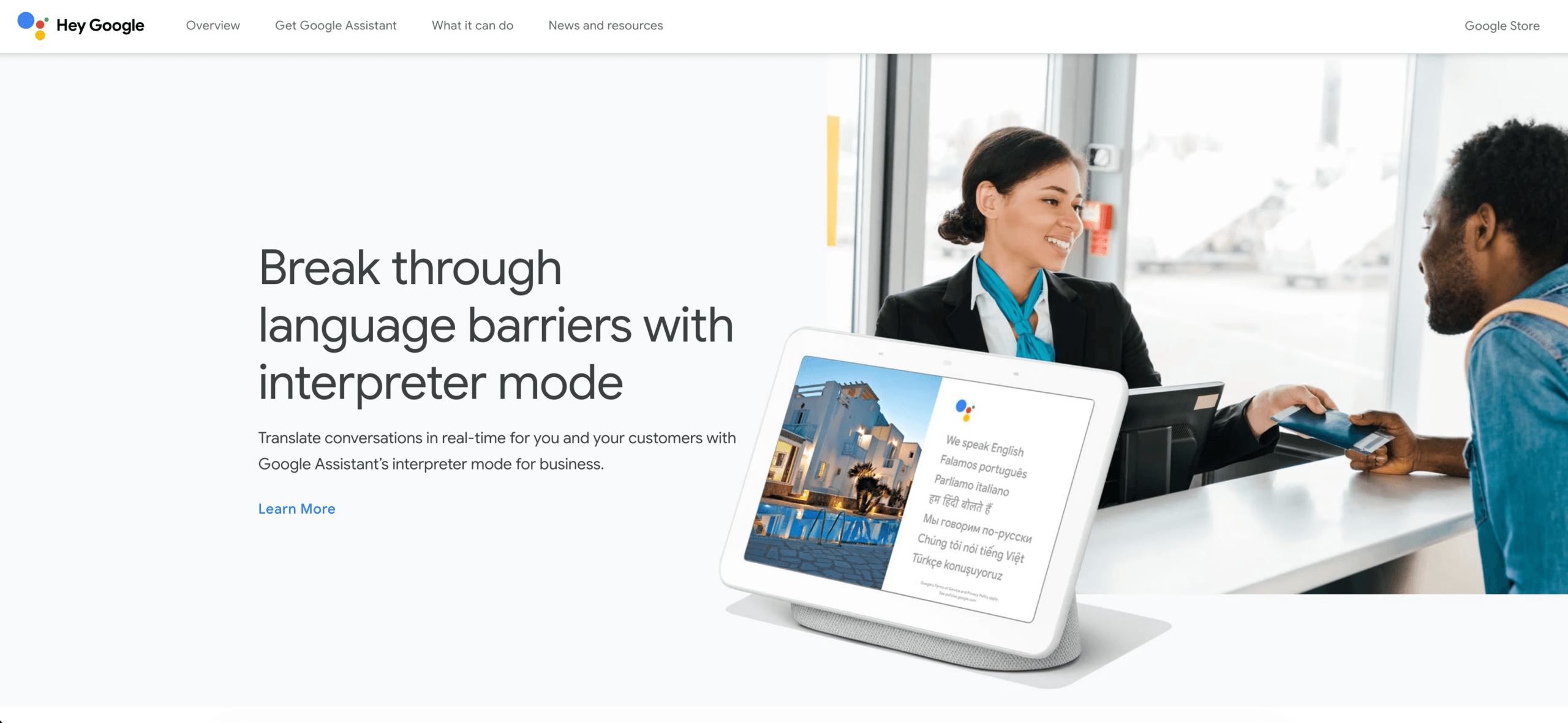
Google Translate is the broad consumer option in this gallery. It supports common everyday workflows involving text, speech, images, websites, and documents.
It is useful for a quick phrase, sign, menu, or informal check. It is not a substitute for testing a complete multilingual meeting workflow with terminology preparation, audio routing, translated voice, and post-call notes.
One Table, Seven Different Jobs
Brand names remain link-free in the table so readers can scan it without visual clutter.
| Tool | Choose it for | Main output | Less suitable when |
|---|---|---|---|
| Transync AI | Live meetings, calls, classes, and in-person conversations | Bilingual subtitles, translated voice, transcripts, and notes | Images, offline use, or text-only documents are the main need |
| Talkao | Travel, mobile translation, and language learning | Quick mobile translation and voice playback | A complete business-meeting workflow is required |
| Wordly | Conferences, webinars, and audience-scale events | Attendee captions, translated audio, transcripts, and summaries | Only one person needs a private translator |
| Soniox | Custom speech and translation products | APIs and implementation components | The user wants a finished end-user meeting product |
| Maestra | Video, audio, subtitles, dubbing, and localization | Editable media, subtitles, and translated voice | The task is only a recurring two-way call |
| DeepL | Text, documents, APIs, and enterprise language work | Written translation and selected voice workflows | Meeting audio routing and participant interaction are central |
| Google Translate | Everyday text, speech, image, and travel tasks | Quick text and audio translation | Business meetings require preparation and follow-up |
The Live-Meeting Route
For a Portuguese-language meeting, confirm the current language option on the supported languages page. Specify whether the audience expects Brazilian or European Portuguese, then add names, industry terms, and meeting context.
The live meeting translation feature works alongside Zoom, Microsoft Teams, and Google Meet. Transync AI is standalone software rather than a platform-specific plugin.
The computer-audio sharing feature captures remote participant speech. The virtual microphone feature helps send translated output into the call, while the Picture-in-Picture bilingual subtitles feature keeps captions visible over other applications on supported devices.
Run a rehearsal with the real headset, network, meeting platform, regional accents, and terminology. A Portuguese translator that works in a quiet phone demonstration may behave differently when several remote participants speak through compressed meeting audio.

Compatible with major online meeting platforms for seamless real-time translation
The Document Route
For proposals, manuals, webpages, and contracts, begin with a glossary and style guide. Decide:
- Brazilian or European Portuguese.
- Formality and preferred forms of address.
- Terms that must remain in English.
- Date, time, number, and currency formats.
- Whether the document requires legal or specialist review.
DeepL and Google Translate serve broader written workflows than Transync AI, which focuses on live speech. Public, legal, medical, and contractually binding material should receive qualified human review.
The Event Route
For an event, ask how attendees will receive translation. Do they need Portuguese captions on a room display, translated audio on personal devices, or multiple languages at once?
Wordly is designed around attendee access and event-scale delivery. Maestra becomes relevant when the event content must later become translated video, subtitles, or dubbed media. A personal meeting tool solves a different problem.
A Portuguese Translator Scorecard
Score each category from 1 to 5 using your real content.
| Test area | What to evaluate |
|---|---|
| Regional fit | Brazilian or European vocabulary, pronunciation, and tone |
| Speech recognition | Accents, speed, names, numbers, and background noise |
| Translation quality | Meaning, terminology, formality, and consistency |
| Voice output | Clarity, pace, pronunciation, and listener comfort |
| Subtitle experience | Readability, delay, and side-by-side context |
| Workflow fit | Meeting, event, document, media, travel, or API requirements |
| Follow-up | Transcript quality, summaries, exports, and review process |
| Privacy | Audio handling, retention, access, and organizational requirements |
Do not combine the scores immediately. A low score in the category central to the task should eliminate the tool even if its overall average looks good.
Portuguese Translator FAQ
Should I choose Brazilian or European Portuguese?
Choose the variety used by the target audience. A general “Portuguese” setting may not provide the vocabulary, pronunciation, or tone expected in a specific market.
What is the best Portuguese translator for meetings?
Transync AI is the meeting-first product in this comparison because it brings real-time bilingual subtitles, translated speech, terminology context, meeting audio, and post-call notes into one workflow. Test the exact language option and meeting setup before purchasing.
What is the best Portuguese translator for travel?
Google Translate and Talkao are more closely aligned with quick consumer and mobile workflows. Check current offline and camera-language availability before relying on either during a trip.
What is the best choice for Portuguese conferences?
Wordly is positioned for meetings and events where many attendees need captions or translated audio. The best event solution also depends on venue audio, attendee devices, accessibility needs, and language count.
What should media teams use?
Maestra is designed for translation, transcription, subtitles, dubbing, and media localization. Compare its editing and export workflow with the formats required by the production team.
When does an API make sense?
Soniox is relevant when developers need speech and translation capabilities inside a custom product. An API makes sense when the organization has the engineering resources to build and maintain the final experience.
Can AI replace a professional Portuguese translator?
AI can support many everyday, educational, media, and business tasks, but it cannot guarantee perfect regional tone, specialist meaning, or cultural judgment. High-stakes content may require a qualified translator or interpreter.
Final Selection
The right Portuguese translator depends on the job:
- Use Transync AI for live meetings and two-way conversations.
- Use Talkao or Google Translate for quick consumer and travel tasks.
- Use Wordly for attendee-scale meetings and events.
- Use Soniox for custom speech applications.
- Use Maestra for subtitles, dubbing, and media localization.
- Use DeepL for text, documents, and enterprise language work.
Then test the Portuguese variety, real input, desired output, and follow-up workflow. A strong result should not merely be understandable Portuguese. It should fit the audience, setting, device, and decision the user is trying to make.
If you want a next-generation experience, Transync AI leads the way with real-time, AI-powered translation that keeps conversations flowing naturally. You can try it free now.
 🤖
🤖