

Fix english to spanish translation audio problems with 8 practical checks for speech, microphones, meetings, voice playback, recordings, and live events.
English to Spanish translation audio can mean four very different jobs: translating a live conversation, sending translated speech into an online meeting, converting a recording into Spanish subtitles, or producing a polished Spanish voice track. Confusing those jobs is the first reason a translation setup fails.
This troubleshooting lab compares Transync AI, Google Translate, Microsoft Translator, and Sonix. Instead of ranking them with one score, it diagnoses eight common failures and identifies the workflow that fits each one.
The 20-Second Diagnosis
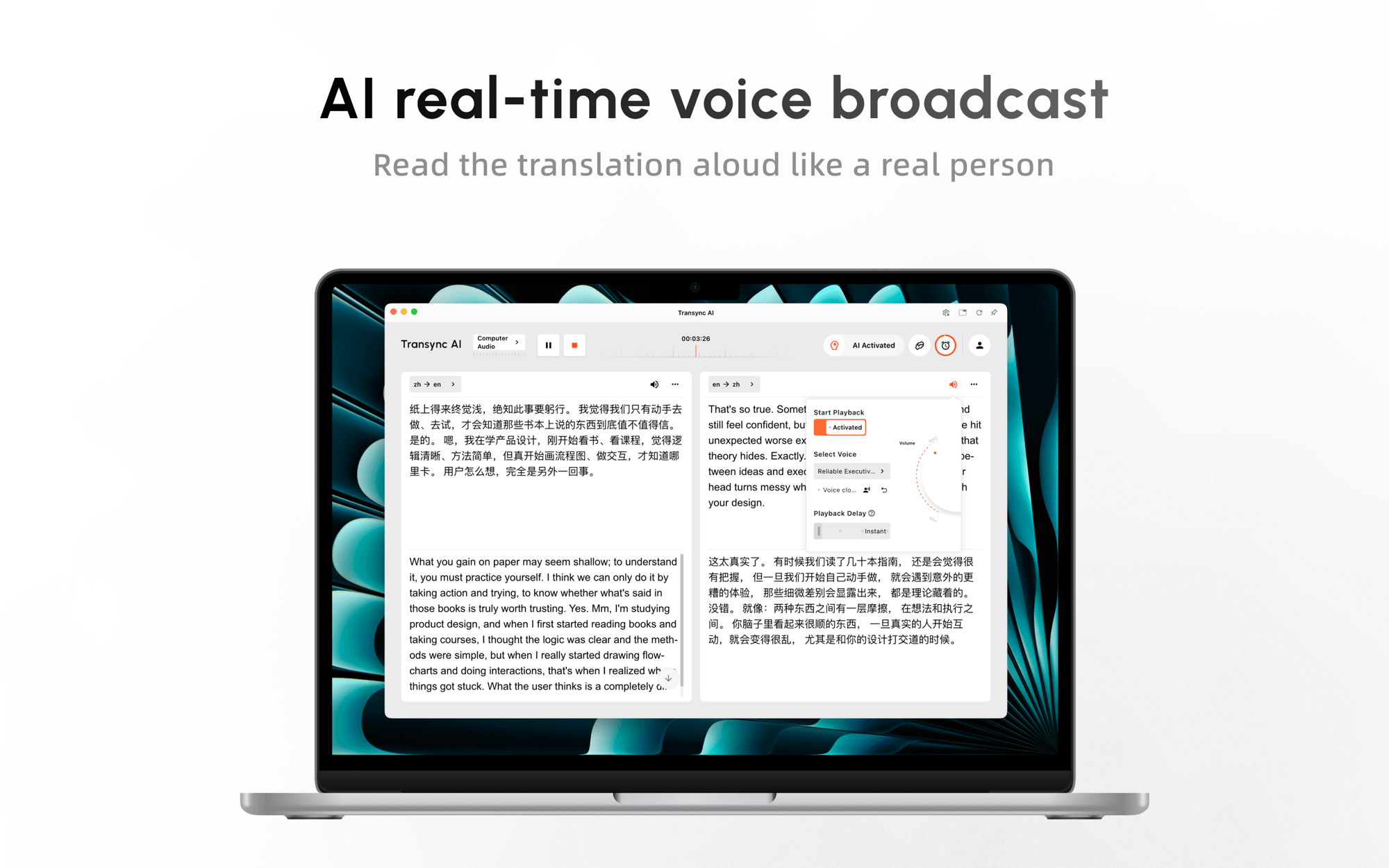
Choose Transync AI when English to Spanish translation audio must happen live in a meeting, call, class, presentation, or face-to-face conversation. It combines bilingual subtitles, Spanish voice playback, meeting audio routing, contextual terminology, and records afterward.
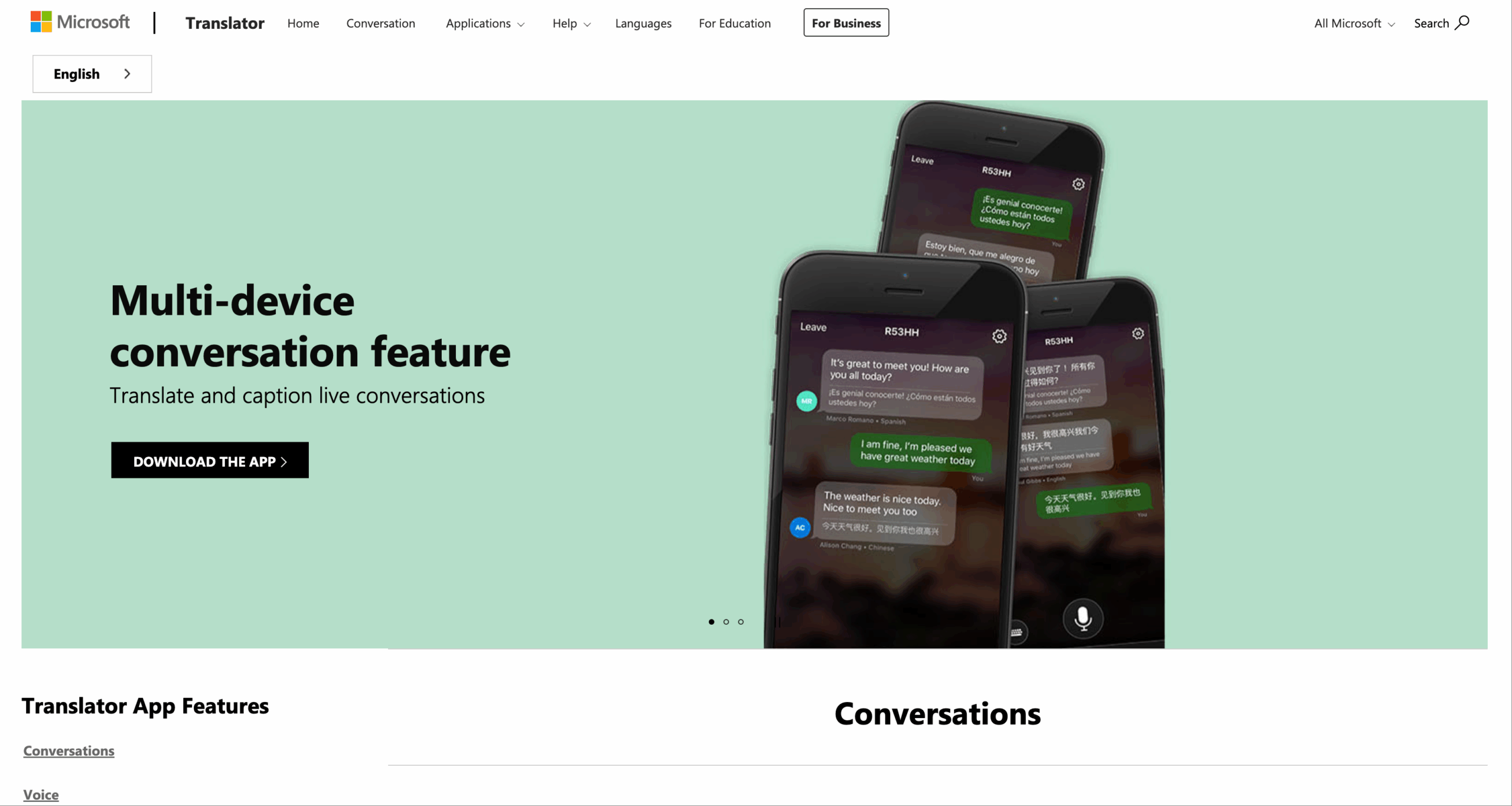
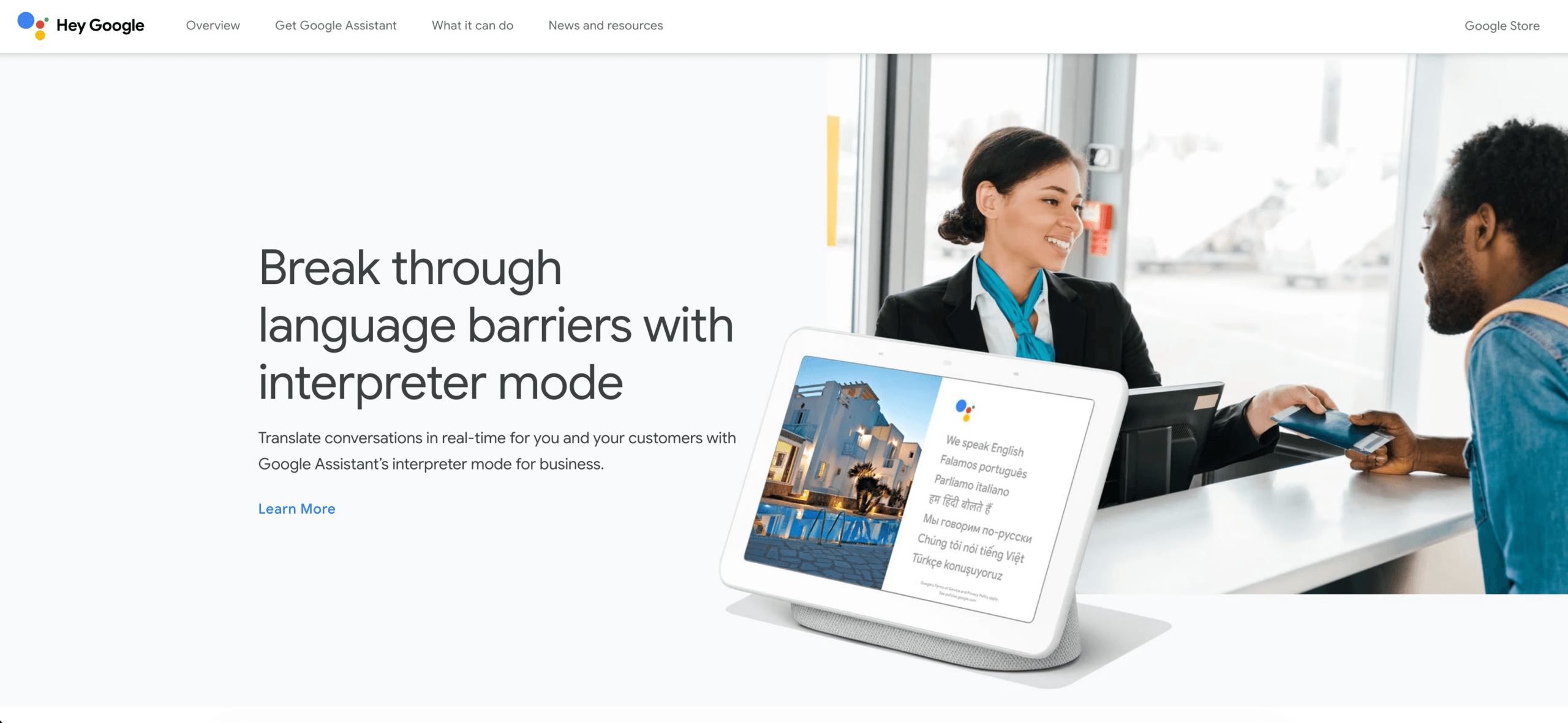
Choose Google Translate for a quick speech-to-speech exchange on a supported mobile device. Its current Live Translate documentation lists both English and Spanish and offers listening, conversation, and text-only modes.
Choose Microsoft Translator when two or more people need a split-screen or multi-device conversation. Its language table lists Spanish for text, speech, text-to-speech, and multi-device conversation.
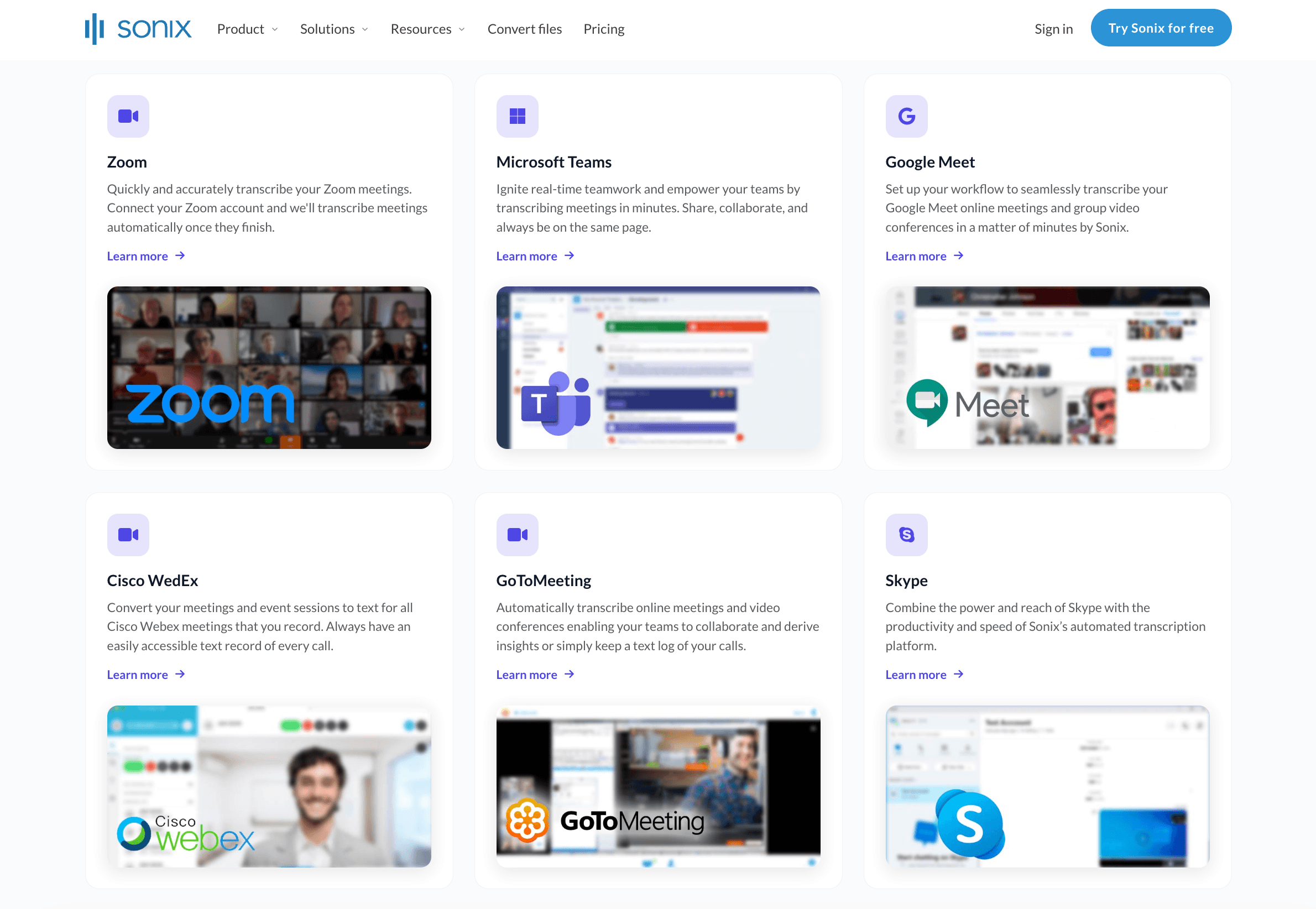
Choose Sonix when the source is a recorded MP3, WAV, MP4, MOV, podcast, interview, or video. Its workflow transcribes the source file first and then translates the editable transcript. It is not the same job as interpreting a live meeting.
English to Spanish Translation Audio Workflow Map
| Your Input | Output You Need | Strong Starting Point | Why |
|---|---|---|---|
| Live English speech | Spanish subtitles and voice | Transync AI | Meeting-ready real-time workflow with voice playback |
| Short face-to-face exchange | Spoken Spanish response | Google Translate or Microsoft Translator | Lightweight mobile conversation modes |
| Online meeting microphone | Spanish audio heard by remote participants | Transync AI Virtual Microphone | Routes translated playback into the meeting input |
| Lecture or event audio | Personal Spanish subtitles or voice | Transync AI Presentation Mode | Audience joins from personal devices |
| Recorded audio or video | Spanish transcript or subtitles | Sonix | Upload, transcribe, edit, and translate workflow |
| Polished dubbed production | Reviewed Spanish script and recorded voice track | Dubbing workflow plus native reviewer | Requires timing, performance, and final quality control |
| Medical, legal, or safety conversation | Accountable interpretation | Qualified human interpreter | High consequences require expert judgment |
The right english to spanish translation audio solution starts with input and delivery. A live interpreter app should not be judged like a post-production dubbing platform, and an audio-file translator should not be expected to manage turn-taking in a sales call.
Fix 1: Define English to Spanish Translation Audio
Failure signal
You found a tool that produces Spanish text, but the listener expected spoken Spanish. Or you found live voice playback when the real deliverable was a downloadable Spanish subtitle file.
Root cause
“Audio translation” can describe at least four stages:
- Speech recognition: English audio becomes English text.
- Translation: English meaning becomes Spanish text.
- Voice synthesis: Spanish text becomes spoken Spanish.
- Delivery: The Spanish audio reaches a phone, meeting, audience device, or exported media file.
A product may perform only some of these stages. Before selecting an english to spanish translation audio tool, finish this sentence:
English speech will come from __. Spanish must be delivered as __ within __, and afterward we need __.
For example: “English speech will come from my real microphone. Spanish must be delivered as translated voice to a customer in a video meeting with low conversational delay, and afterward we need notes.” That requirement points toward a live meeting workflow.
Transync AI supports real-time translation across English, Spanish, and many other languages. Its strength is continuous communication, not producing a studio-ready dubbed video file.
Fix 2: Clean English to Spanish Translation Audio Input
Failure signal
The Spanish voice says the wrong number, name, or product term even though its grammar sounds natural.
Root cause
Every english to spanish translation audio pipeline depends on the source transcript. If the system hears “fifteen” as “fifty,” translation and voice synthesis simply carry the error forward.
Run a 90-second recognition test containing:
- Two names and one company name.
- A date, time, price, and percentage.
- A sentence with a correction.
- Five industry terms.
- A short question and answer.
- Moderate room noise.
Watch the English transcript before listening to Spanish. If the source is wrong, move closer to the microphone, reduce echo, disable competing audio inputs, slow down slightly, and speak in complete sentences.
For specialized language, Transync AI lets users add AI Assistant keywords and context before the session. Product names, acronyms, customer details, and meeting background give the system more evidence than raw audio alone.
Audio quality matters for files too. Sonix explains that translation begins with transcription, and users can edit the source transcript before generating the translated version. Correcting names and figures at that stage prevents a known error from entering the Spanish transcript.
Fix 3: Match English to Spanish Translation Audio to Its Audience
Failure signal
The Spanish is understandable but sounds unnatural, overly formal, or mismatched to the listener’s market.
Root cause
Spanish varies across countries and communities. Pronunciation, vocabulary, forms of address, and everyday expressions may differ between Spain, Mexico, Argentina, Colombia, the Caribbean, and the United States. “Neutral Spanish” can help a broad audience, but it does not eliminate regional preference.
Before starting english to spanish translation audio, identify:
- The listener’s country or region.
- Formal or informal relationship.
- Business, educational, travel, or public-service context.
- One listener or a geographically mixed audience.
- Whether natural local phrasing matters more than broad neutrality.
Use the same 20-sentence test for every candidate voice. Ask native listeners from the target market to score clarity, pace, pronunciation, terminology, and tone. A voice that sounds polished to an English speaker may still feel unfamiliar to a Spanish listener.
Transync AI provides different voice styles and supports Spanish voice playback. Its current Voice Clone documentation also lists Spanish as a supported target language. Voice Clone can make playback sound closer to the user’s voice, but teams should test it and obtain appropriate consent before professional use.
Do not confuse a familiar-sounding voice with accurate meaning. The transcript, translation, and voice should be reviewed as separate layers.
 Fix 4: Configure English to Spanish Translation Audio Output
 Fix 4: Configure English to Spanish Translation Audio Output
Failure signal
The subtitles are correct, but no Spanish sound plays—or Spanish audio plays in both directions and people hear confusing duplicates.
Root cause
Voice playback is an output setting, not an automatic consequence of translation. In a two-way session, each direction can have different playback requirements.
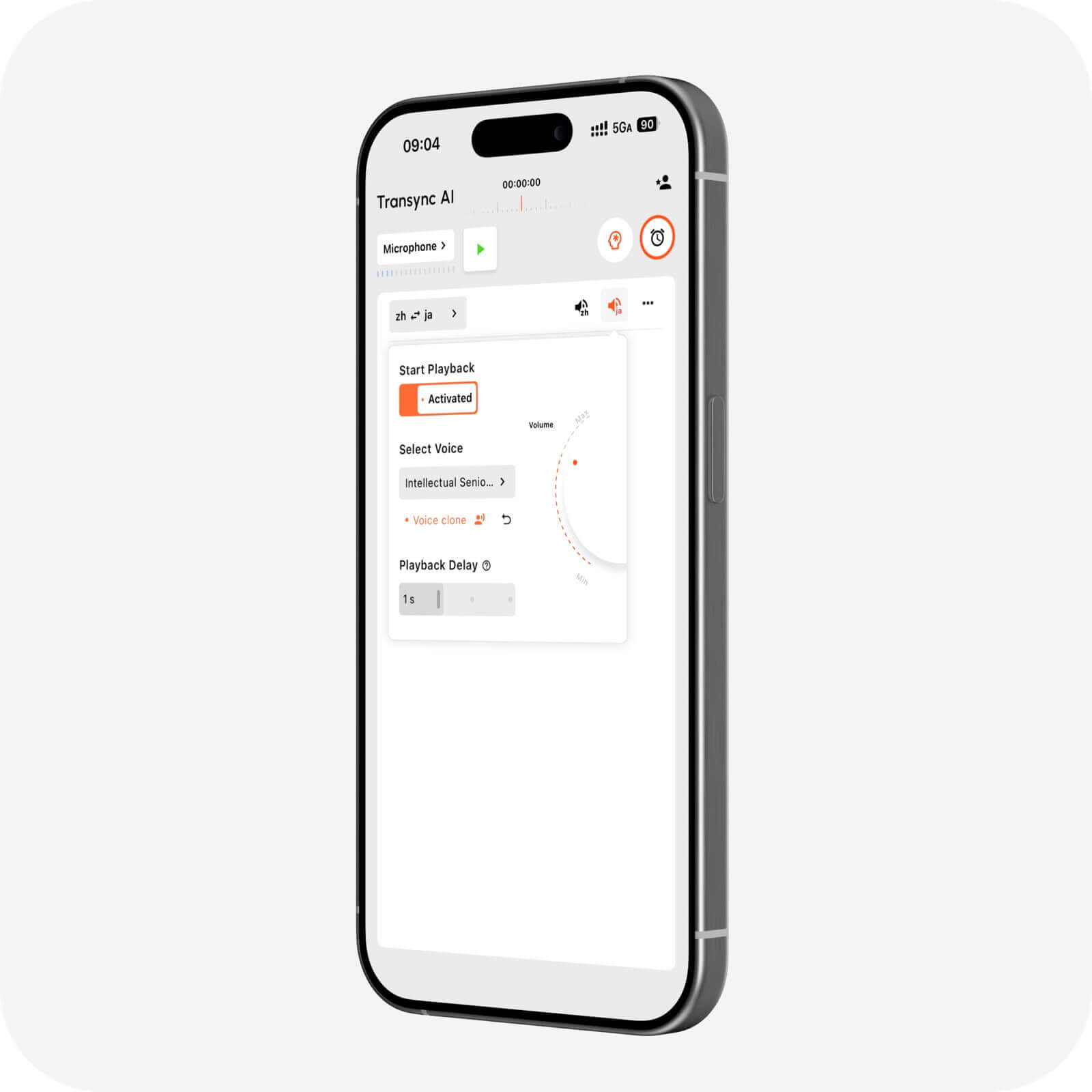
For english to spanish translation audio in Transync AI:
- Select English as the source and Spanish as the target.
- Start the appropriate one-way or two-way translation mode.
- Open the Spanish-side voice settings.
- Enable AI voice playback.
- Choose a voice style and suitable volume.
- Test whether playback should be instant or slightly delayed.
If you only want an English speaker’s words broadcast in Spanish, enable playback for English → Spanish. Do not automatically enable Spanish → English playback through the same outbound path, or the Spanish participant may hear their own speech translated back from your side.
Google Translate offers a lighter mobile approach. Its Live Translate mode supports English and Spanish, with listening, conversation, and text-only options. Conversation mode plays translations aloud on the device or connected headphones, making it useful for short exchanges rather than a managed meeting record.
Fix 5: Stop the Speaker–Microphone Feedback Loop
Failure signal
The translated Spanish is captured again by the microphone, translated a second time, or played back with echo. The conversation becomes increasingly delayed and confusing.
Root cause
The physical speaker is too close to the active microphone, or the meeting is capturing both original and translated audio without a clear routing plan.
Use this hierarchy of fixes:
- Wear headphones for a two-way online meeting.
- Select one real microphone inside the translation app.
- Avoid placing two active devices beside each other with speakers on.
- Enable only the playback direction the listener needs.
- Reduce speaker volume if physical playback must be used.
- Use a virtual audio route instead of playing translated speech into the room.
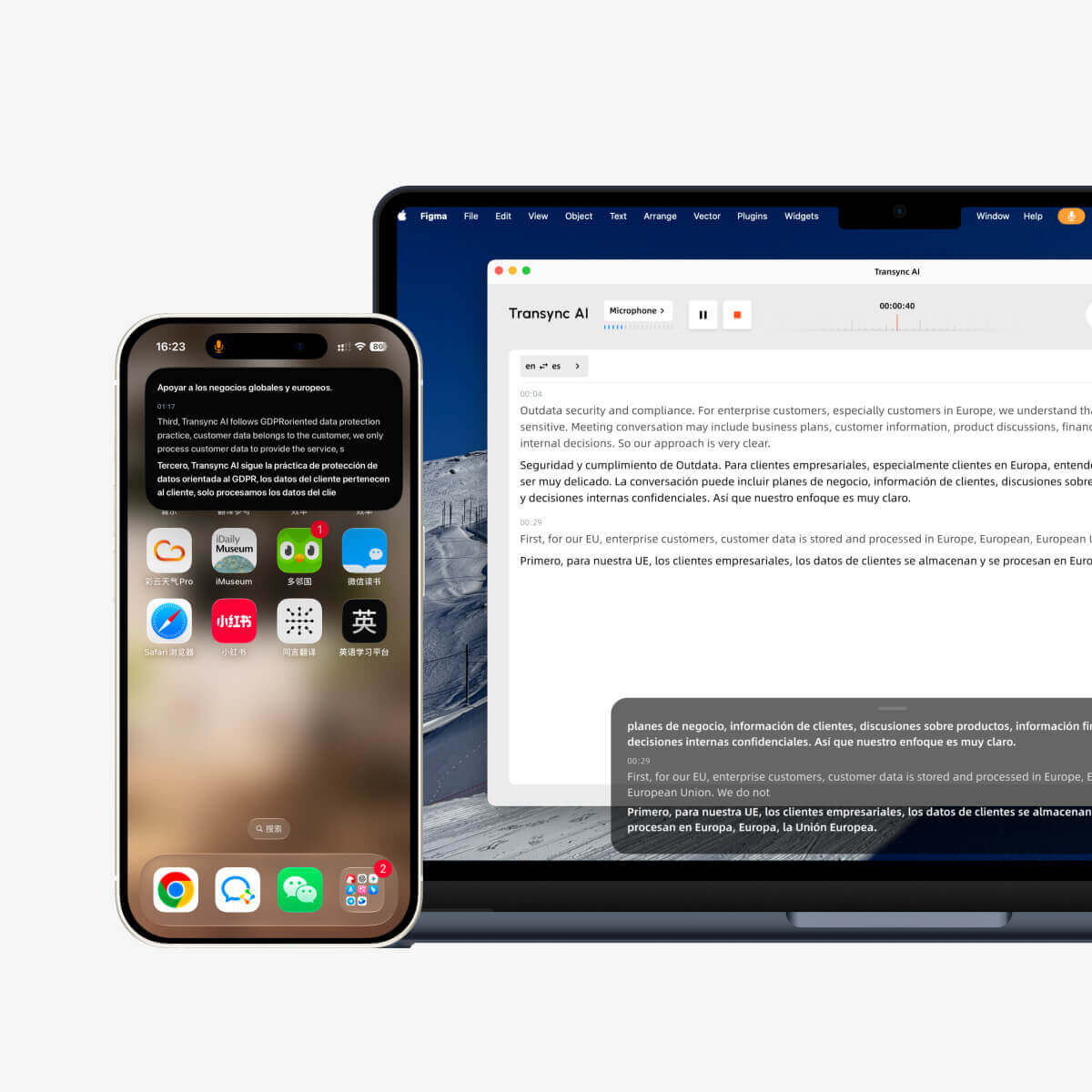
The Picture-in-Picture bilingual subtitles in Transync AI can reduce dependence on loud audio when the participant can comfortably read. Keeping subtitles visible over another app also helps users verify a suspicious name or number without interrupting the call.
For a face-to-face exchange on one device, take turns and allow the translated audio to finish. Simultaneous speech is difficult for both people and machines.
 English to Spanish Translation Audio Inside Meetings
 English to Spanish Translation Audio Inside Meetings
Failure signal
You can hear the Spanish translation locally, but the customer in the online meeting hears only your original English—or hears nothing.
Root cause
Local playback and meeting input are different audio routes. A laptop speaker does not automatically become the microphone signal sent to remote participants.
Transync AI offers a live meeting translation workflow for Zoom, Microsoft Teams, and Google Meet. There are two main ways to share Spanish audio:
Option A: Share computer audio
When screen sharing, enable the meeting platform’s computer-audio option. Participants may hear computer playback along with the shared content. The exact behavior depends on the platform and sharing setup.
Option B: Use Transync AI Translation Mic
The Virtual Microphone guide describes a cleaner route on the supported desktop setup. Transync AI captures speech from the real microphone, creates Spanish playback, and sends that playback to a virtual microphone selected inside the meeting platform.
The key configuration is:
- Inside Transync AI: choose the actual physical microphone.
- Inside the meeting app: choose Transync AI Translation Mic.
- Voice direction: enable English → Spanish playback only if that is what remote participants should hear.
The current main guide documents Virtual Microphone for the macOS desktop app. Check the latest documentation and product interface for other platforms rather than assuming identical availability.
Run a rehearsal with a second person on another device. A local self-test cannot prove what the remote participant receives.
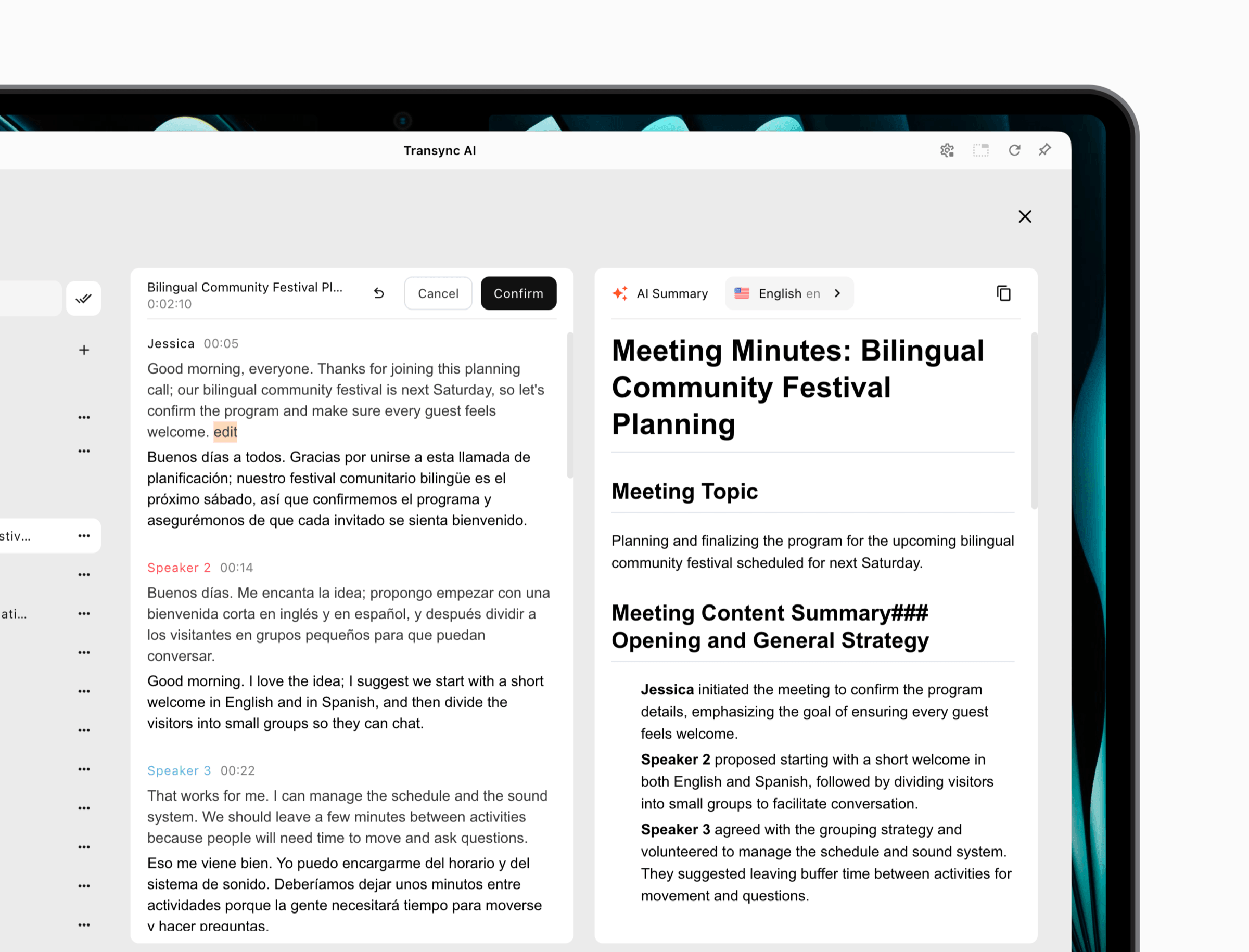
After the call, AI meeting notes can turn the transcript into a more usable summary of decisions and next steps. Review important figures and commitments against the bilingual record.
 Fix 7: Separate English to Spanish Translation Audio From Dubbing
 Fix 7: Separate English to Spanish Translation Audio From Dubbing
Failure signal
You uploaded a podcast but expected immediate spoken dubbing, or you selected a live translator and expected editable Spanish subtitle files.
Root cause
Recorded-media translation normally follows a production pipeline:
- Upload the English audio or video.
- Transcribe it in English.
- Correct the source transcript.
- Translate the approved transcript into Spanish.
- Review Spanish wording and timing.
- Export subtitles or create a voice track.
Sonix is designed for the early and middle stages of that workflow. Its current product page supports uploaded audio and video formats, source transcription, an editable transcript, Spanish translation, and subtitle-oriented outputs. This makes it a better fit for recordings than a live meeting translator.
However, a translated transcript is not automatically a polished Spanish dub. Production dubbing may require a native editor, timing adjustments, voice talent or carefully governed synthetic voice, audio mixing, pronunciation review, and permission to recreate a person’s voice.
Use Transync AI when the audio needs to be understood during the live interaction. Use Sonix when the source already exists as a recording and the primary deliverable is a translated transcript or subtitles. This distinction prevents an english to spanish translation audio project from being forced into the wrong product category.
Fix 8: Scale English to Spanish Translation Audio for an Audience
Failure signal
A stage speaker can hear the Spanish test, but attendees cannot join, choose Spanish, or control their own listening volume.
Root cause
One-to-many english to spanish translation audio needs an audience-access layer. The organizer must share a stable entry point, and each attendee needs a personal language and output choice.
In the beta Presentation Mode, Transync AI lets one host configure up to 10 target languages, including Spanish. Audience members join from a phone or computer using a QR code, shareable link, or Room ID. No software installation is required, but registration or sign-in to a Transync AI account is required.
After joining, each attendee selects an enabled language and can read live subtitles or listen to translated voice. Audience members cannot send voice input in this mode. Different participants can follow the same talk in Spanish or other enabled languages.
The host controls whether the original transcript and AI-generated notes are shared after the event. Sharing is optional, not automatic. This Presentation Mode can support lectures, training, conferences, company all-hands meetings, tours, and worship services.
Test the audience path before opening the doors:
- Scan the QR code on multiple phone models.
- Complete registration or sign-in.
- Confirm Spanish is enabled and selectable.
- Test subtitles, voice, volume, and headphones.
- Explain that audience members cannot speak back through this mode.
- Estimate usage using peak audience and target-language settings.
An organizer’s successful laptop test is not evidence that 100 attendees will have a smooth first minute.

Presentation Mode lets one host share live translation with audience members on their own devices.
English to Spanish Translation Audio Tool Comparison
| Product | Best Input | Spanish Audio Output | Meeting Fit | File Workflow | Main Limitation |
|---|---|---|---|---|---|
| Transync AI | Live speech and meeting audio | Voice playback; Spanish supports Voice Clone | Strong, including audio routing and Presentation Mode | Not positioned as a post-production dubbing editor | Requires internet and audio setup |
| Google Translate | Short mobile speech | Live Translate conversation playback | Better for quick exchanges than meeting management | Not a full media-production workflow | Features vary by device and mode |
| Microsoft Translator | Personal or group conversation | Spanish speech and TTS listed | Shared-code conversations | Not focused on dubbing production | Separate conversation workflow |
| Sonix | Uploaded audio or video | Primarily translated transcript and subtitle workflow | Asynchronous rather than live | Strong for transcription, editing, and translation | Translated text is not automatically a finished dub |
| Human interpreter | Live high-risk speech | Human Spanish interpretation | Strong when expertise and accountability matter | Separate post-production process | Higher cost and scheduling needs |
The best english to spanish translation audio choice depends on whether “audio” is the source, the output, or both.
A Five-Minute Audio Health Check
Use this checklist before every important session:
| Check | Pass Condition | If It Fails |
|---|---|---|
| Source microphone | English transcript matches names and numbers | Select the correct mic and reduce noise |
| Language direction | English → Spanish is visibly selected | Correct the source and target settings |
| Voice playback | Spanish is audible at a comfortable volume | Enable target-side playback and select a voice |
| Feedback control | Playback is not recaptured | Use headphones or a virtual route |
| Meeting delivery | A remote tester hears Spanish | Select computer audio or Translation Mic correctly |
| Terminology | Product names survive translation | Add keywords and context |
| Audience access | A second device joins and selects Spanish | Recheck link, QR code, sign-in, and host settings |
| Record | Transcript or notes can be reviewed | Confirm record and sharing settings |
This short check catches more practical failures than reading a generic accuracy score.
Review Spanish According to Risk
English to Spanish translation audio can sound confident even when it contains a subtle error. Review intensity should rise with consequence.
- Low risk: Travel questions and informal conversation—confirm names, places, times, and prices.
- Moderate risk: Sales calls, training, and customer support—use a bilingual reviewer for promises, terms, and next steps.
- High risk: Medical, legal, safety, immigration, and regulatory communication—use a qualified human interpreter or translator who remains responsible.
For recordings, preserve the original English transcript and track every Spanish edit. For meetings, repeat critical numbers aloud and invite immediate correction. For synthetic or cloned voice, obtain consent and document how the voice may be used.
According to current Transync AI product information, live audio recordings are not stored, text transcripts may be retained for meeting-note generation, users can delete them, and voice data is not used for AI training. Organizations should still review the Transync AI Trust Center and the terms that apply to their plan.
Pricing and Complete Workflow Cost
The current Transync AI pricing page lists 40 free minutes after sign-up, Personal Premium at 8.99 per month with 10 hours, and Enterprise at 24.99 per month per seat with up to 40 hours. Multilingual and Presentation Mode usage follows different metering, so check the current pricing calculator before estimating an event.
Google Translate and Microsoft Translator are accessible for consumer conversations, but a free interface does not automatically solve remote audio routing, terminology, records, or organizational controls.
Sonix uses an audio-file workflow and publishes separate usage pricing. Calculate source duration, transcription, translation, review, subtitle export, and any later dubbing cost. Do not compare a price per recorded hour directly with the cost of a live meeting translator without comparing the completed deliverable.
Frequently Asked Questions
What is english to spanish translation audio?
It is a workflow that converts spoken English into Spanish text, Spanish speech, or both. Depending on the use case, it may operate live in a conversation or asynchronously on a recorded audio or video file.
How can I hear an English sentence translated into Spanish?
For a quick exchange, use Google Translate Live Translate or Microsoft Translator where supported. For a continuing meeting, Transync AI combines live translation with Spanish voice playback and bilingual subtitles.
Can English to Spanish translation audio work in Zoom?
Yes. Transync AI can translate live meeting audio and deliver Spanish playback through computer-audio sharing or its supported Virtual Microphone workflow. Test the setup with a remote participant before the real call.
Can I translate an MP3 from English to Spanish?
Yes. Sonix supports an upload-transcribe-edit-translate workflow for recorded files. The result is a translated transcript or subtitle-oriented asset; producing a polished Spanish dub requires additional voice and audio-production steps.
Does Spanish support Transync AI Voice Clone?
Yes, Spanish appears in the current Transync AI Voice Clone documentation. Test the voice before use and obtain appropriate consent, especially for public or commercial content.
Why does the other meeting participant not hear Spanish?
Local voice playback is probably not being routed into the meeting. Share computer audio where appropriate or select Transync AI Translation Mic as the meeting microphone on the supported desktop setup.
How do I prevent translated audio from translating itself again?
Use headphones, avoid multiple active speakers near the microphone, enable only the required playback direction, and use a virtual audio route when possible.
Can an audience listen to Spanish through a QR code?
Yes. Transync AI Presentation Mode lets attendees join by QR code, link, or Room ID and choose Spanish when the host has enabled it. Attendees need an account but do not need to install software.
Can AI replace a Spanish interpreter?
AI can support many everyday and business conversations, but a qualified human interpreter should remain responsible when an error could create medical, legal, financial, regulatory, or safety harm.
Final Diagnosis
English to Spanish translation audio fails most often at the edges: the wrong microphone, an incorrect source transcript, a mismatched Spanish voice, playback enabled in both directions, speaker feedback, or audio that never enters the meeting.
Use Google Translate or Microsoft Translator for a short personal exchange. Use Sonix when an existing recording needs transcription and Spanish translation. Use Transync AI when English and Spanish speakers must communicate live through subtitles, translated voice, meeting audio routing, contextual terminology, or audience access.
The winning setup is not simply the one that can generate Spanish audio. It is the one that captures the right English, preserves the meaning, delivers Spanish to the intended ears, and leaves a reviewable result when the conversation ends.
If you want a next-generation experience, Transync AI leads the way with real-time, AI-powered translation that keeps conversations flowing naturally. You can try it free now.
