

Detect language to English for speech, meetings, travel, and media. Compare 7 tools and learn how automatic language recognition works and fails.
People searching “detect language to english” usually want a tool that can identify an unknown spoken or written language and translate it into English. This is useful when a traveler hears an unfamiliar language, a support team receives multilingual calls, or a meeting includes speakers who switch between languages.
The natural phrasing is “detect a language and translate it into English,” but the search intent is clear. Users want two tasks completed together: identify the source language, then produce an accurate English result.
This guide explains how automatic language recognition works, where it can fail, and how seven translation tools fit meetings, travel, events, media, documents, and custom applications.
Quick Answer: How Do You Detect Language to English?
Use this basic process:
- Capture a clear speech sample or paste enough written text.
- Let the tool identify the likely source language.
- Confirm the detected language when possible.
- Select English as the target language.
- Translate the content as text, subtitles, or voice.
- Check names, numbers, terminology, and regional expressions.
Short samples are harder to identify than complete sentences. Background noise, mixed languages, similar language varieties, and borrowed words can also reduce confidence.
For an online meeting, use a product designed for live speech and audio routing. For an image or document, choose a product that supports those input types.
How Does Automatic Language Detection Work?
Language detection systems analyze patterns in the input. For text, these patterns can include characters, spelling, common words, and word sequences. For speech, the system must first interpret audio features and spoken words before determining the likely language.
A live voice workflow generally follows this sequence:
Capture audio → detect speech patterns → identify language → recognize words → translate into English → show or speak the result
Some products require users to select a language pair in advance. Others can identify a language from a broader set. Pair-based recognition is often useful in two-way meetings because the system knows which two languages to expect, reducing uncertainty.
7 Ways to Detect a Language and Translate It into English
1. Detect languages during a bilingual meeting
In a known bilingual meeting, participants usually know the two languages but do not want to switch the input setting after every speaker.
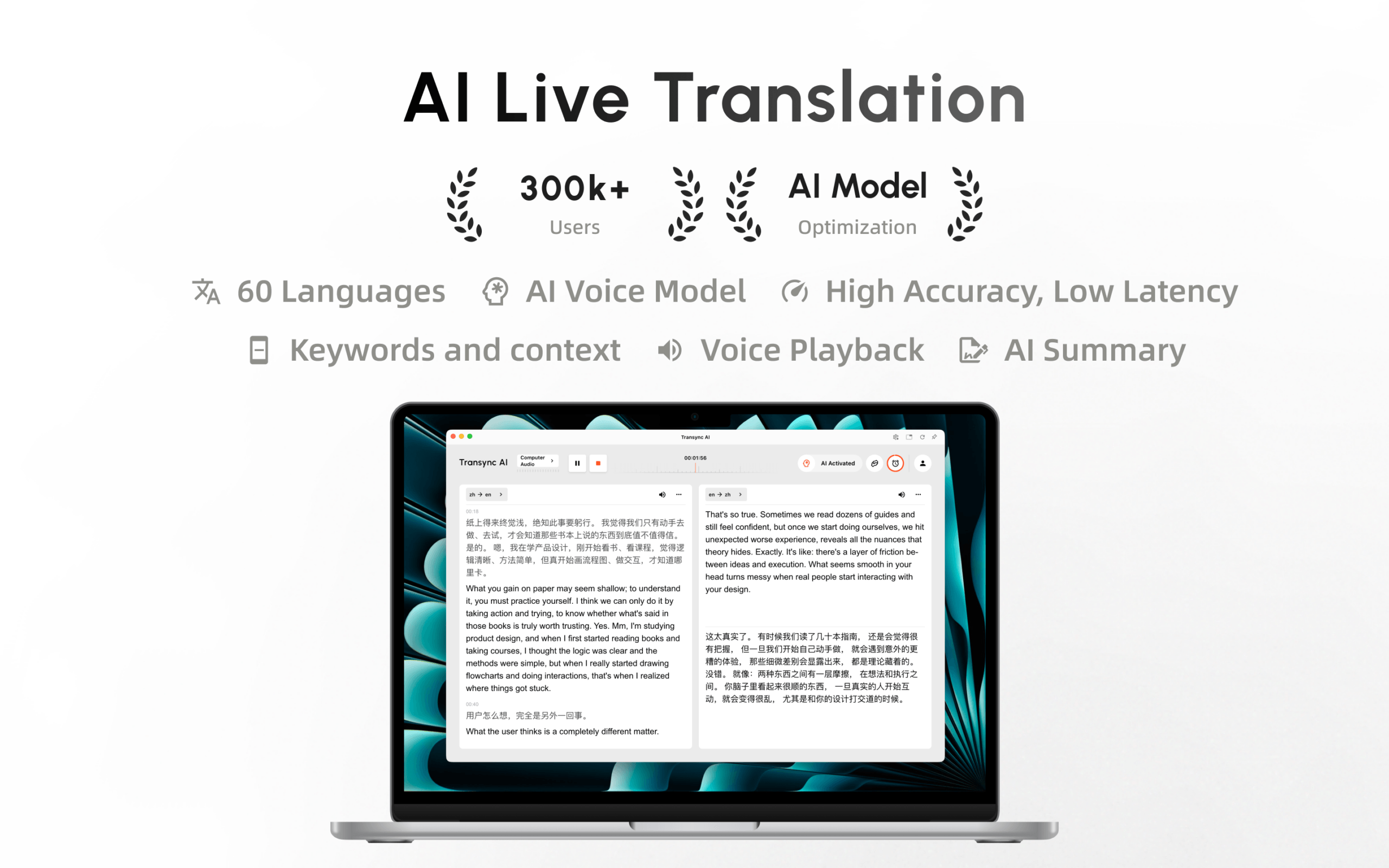
Within a selected supported language pair, Transync AI can distinguish which of the two languages is being spoken. Its real-time translation tool then displays the original speech and English translation with low latency.
This pair-based workflow supports natural turn-taking in sales calls, interviews, classes, and internal meetings. It is different from unrestricted detection of any unknown language, so users should select the expected pair before the session.
 2. Hear an English translation during a conversation
 2. Hear an English translation during a conversation
Text is useful for verification, but audible translation lets participants follow a conversation without staring continuously at a screen.
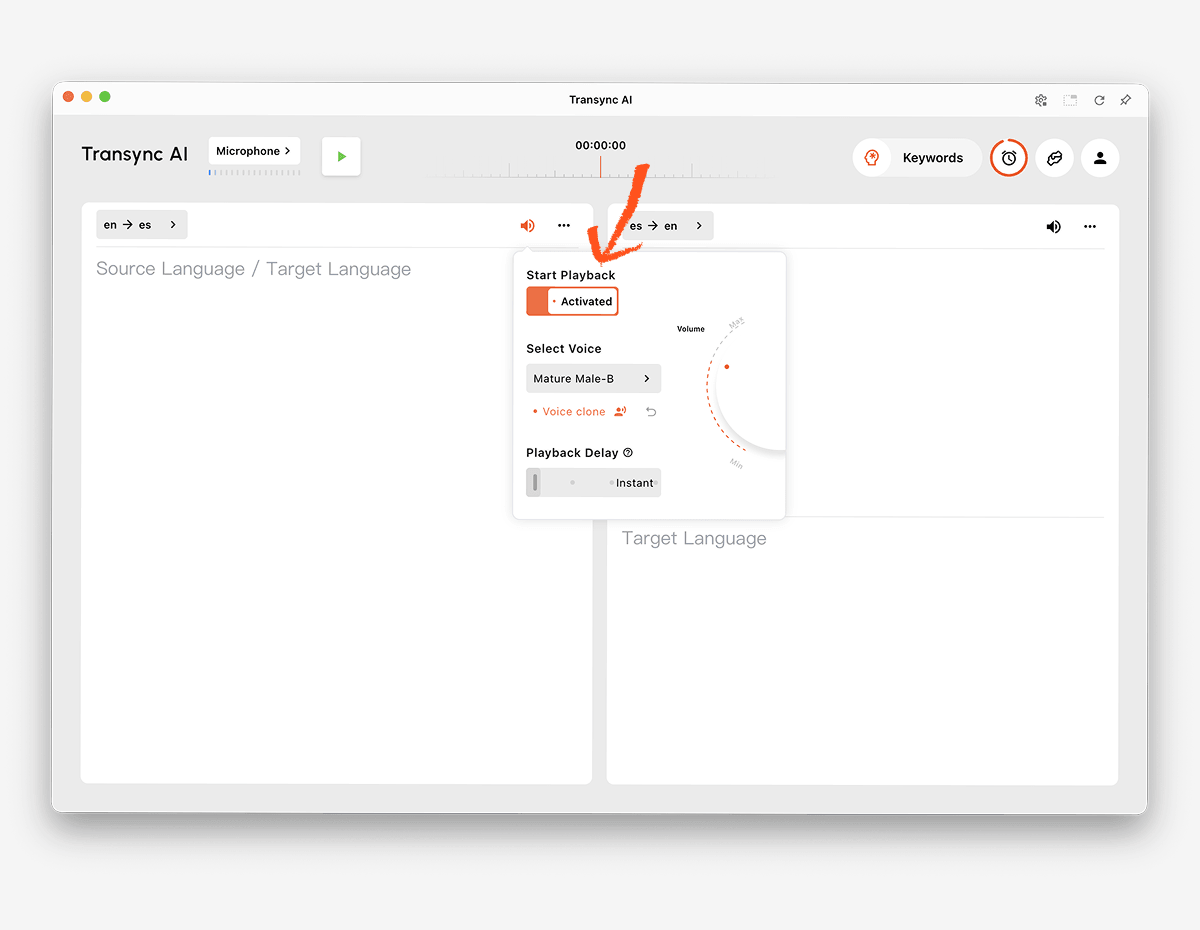
The AI voice translator can speak the English translation aloud using natural voice options. Users can listen to the result while checking bilingual subtitles for names, numbers, or technical terms.
The voice cloning feature can also generate translated playback in a voice modeled on the user, helping presentations and personal conversations feel more consistent with the original speaker.
 3. Identify and translate speech in an online meeting
 3. Identify and translate speech in an online meeting
Video calls add an audio-routing challenge. The translation product must capture remote participants, process their speech, and return translated output without interfering with the meeting.
The live meeting translation feature works alongside Zoom, Microsoft Teams, and Google Meet. Transync AI is standalone software rather than a platform-specific plugin.
The computer-audio sharing feature captures speech from remote participants. The virtual microphone feature helps send translated English speech back into the call.

Compatible with major online meeting platforms for seamless real-time translation
4. Detect an unfamiliar language while traveling
A traveler may receive a short spoken phrase, sign, menu, or written message without knowing the source language. Broad automatic detection and camera input can be more important than meeting notes.
Google Translate offers broad consumer translation for text, images, websites, documents, and speech. Talkao is positioned around mobile translation, travel, camera and AR features, and language learning.
These products may be more convenient for unknown text, signs, and quick travel exchanges. Transync AI is designed for live spoken communication within a selected language pair and does not provide offline mode, image recognition, or text-only document translation.
5. Translate multilingual customer-support calls
A global support team may receive calls in several languages. Once the correct language is identified, product names, error codes, and technical terms must still be translated consistently.
The AI Assistant Keywords and Context feature lets users provide names, brands, terminology, and background information before a conversation. For scheduled calls, teams can select the customer’s expected language and prepare the relevant context.
When the language is completely unknown, first use a broad detector or intake process to identify it. Then start the appropriate pair in Transync AI for the live English conversation.
 6. Deliver English translation at an event
 6. Deliver English translation at an event
At conferences and webinars, many attendees may need English captions or translated audio at the same time. The important requirement is not only detection but also easy audience access.
Wordly is designed for meetings and events, with attendee access through links or QR codes. It can be a stronger fit for conferences, hybrid events, and webinars where translation must reach many listeners.
 Choose Transync AI for personal and team-based meetings. Choose Wordly when large-scale attendee distribution is the primary workflow.
7. Detect and translate media or product audio
Recorded media may require transcription, language identification, English subtitles, dubbing, editing, and export. A custom software product may instead require programmable speech recognition and translation.
Maestra is positioned for media translation, subtitles, dubbing, webinars, and live content.
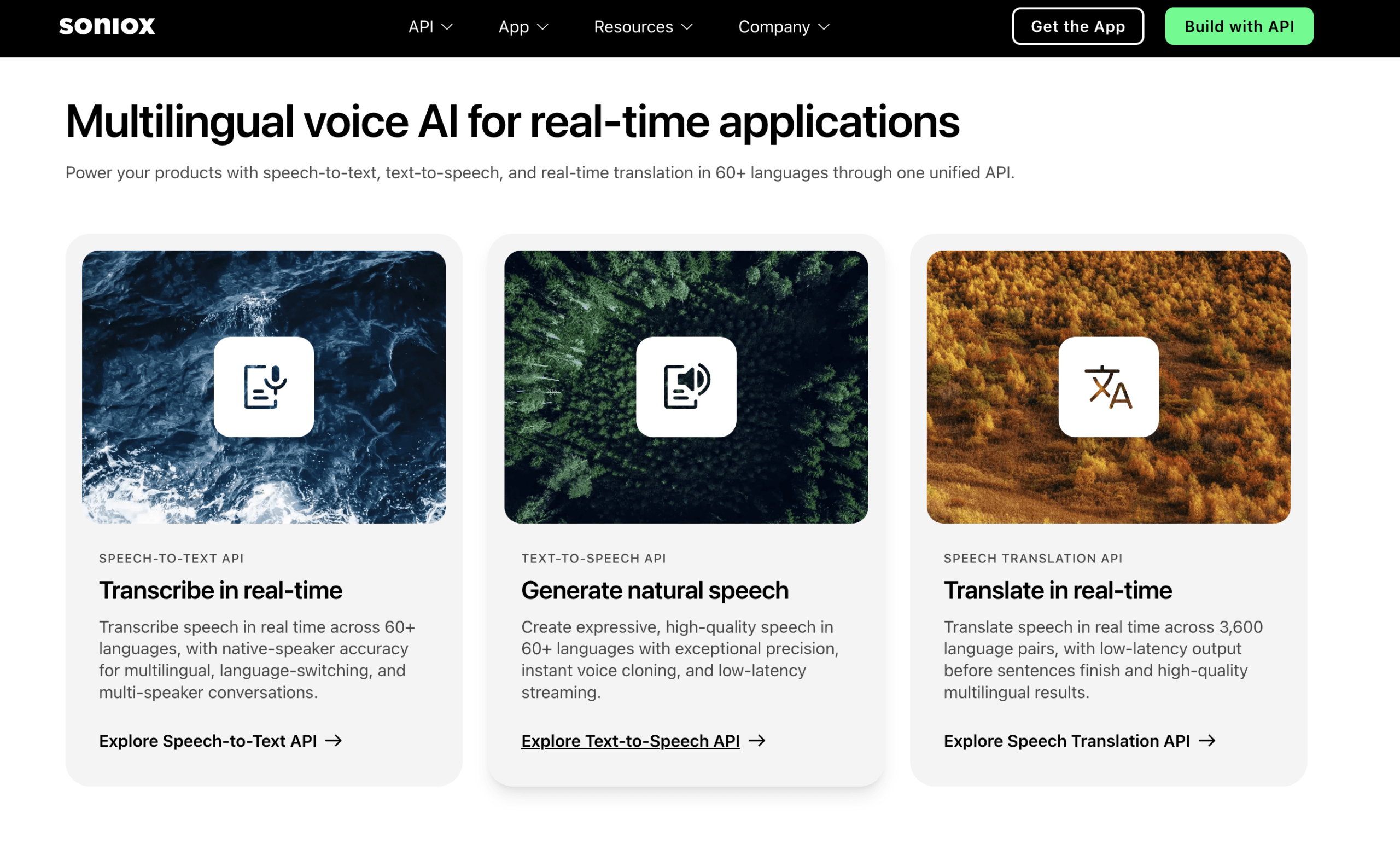
 Soniox provides speech recognition, translation, and text-to-speech capabilities for developer applications.
 DeepL provides APIs and broader text, document, enterprise, and selected voice workflows.
 Choose Transync AI when users need a finished meeting translator. Choose a media suite or API when the detected content must enter a production or custom software pipeline.
Language Detection and English Translation Comparison
The table compares typical product positioning. Features, supported languages, and plans may change, so verify critical requirements through the official websites.
| Tool | Best detection-to-English use case | Input types | Live English output | Main limitation or distinction | Best for |
|---|---|---|---|---|---|
| Transync AI | Bilingual meetings with a selected language pair | Live speech and meeting audio | Bilingual subtitles and translated voice | Pair-based live communication rather than unrestricted image or document detection | Teams and individuals in multilingual meetings |
| Talkao | Travel and mobile language identification | Voice, text, camera, and mobile inputs | App-dependent | Consumer-focused rather than meeting-first | Travelers and language learners |
| Wordly | Conferences and multilingual events | Live event speech | Captions and translated audio | Optimized for audience distribution | Event organizers |
| Soniox | Detection and translation inside custom products | API and app audio | API/app dependent | Requires product implementation | Developers and product teams |
| Maestra | Identifying and localizing recorded or live media | Video, audio, and live content | Subtitles, translation, and dubbing | Media-production workflow | Content and localization teams |
| DeepL | Written language and enterprise workflows | Text, documents, APIs, and selected voice products | Product-dependent | Not primarily a meeting detection tool | Text-heavy enterprise work |
| Google Translate | Quick detection of everyday text and speech | Text, images, websites, documents, and voice | Text and audio playback | Not a complete meeting workflow | Free casual and travel use |
Why Can Language Detection Fail?
The sample is too short
A single word may exist in multiple languages. Names, numbers, greetings, and borrowed terms provide little evidence. Use a complete sentence when possible.
The speaker mixes languages
People may switch languages within one sentence, especially in international workplaces and multilingual communities. A detector may label the entire sample according to the dominant language and miss shorter segments.
The languages are closely related
Closely related languages can share vocabulary, grammar, and sound patterns. Regional varieties may also be classified under a broader language label even when speakers view them as distinct.
The audio is unclear
Background noise, echo, compression, a distant microphone, or overlapping speakers can damage speech recognition. If the system cannot identify the words reliably, it cannot confidently identify the language.
The content contains names or technical terms
A sentence filled with brands, product codes, personal names, and English loanwords may look or sound like another language. Provide a longer sample and use the AI Assistant Keywords and Context feature once the expected language pair is known.
The detector confuses script with language
A writing system may be shared by several languages. Latin, Cyrillic, Arabic, and other scripts do not identify a single language by themselves. Detection should consider word patterns and context, not only characters.
How to Improve Detection-to-English Accuracy
- Use a complete sample. Provide one or more natural sentences instead of a single word.
- Capture clean audio. Move the microphone closer and reduce background noise.
- Ask speakers to take turns. Avoid overlapping voices.
- Separate mixed-language segments. Translate each section independently when possible.
- Confirm the region. Accent and vocabulary can help distinguish language varieties.
- Select a pair after detection. A known source language improves the live workflow.
- Add specialist terminology. Define names, products, acronyms, and preferred English translations.
- Verify key details. Check dates, prices, addresses, and contractual language.
- Test both directions. Confirm that participants can respond in English or the other language.
- Review the transcript. A smooth live result may still contain errors in the saved record.
For medical, legal, safety-critical, or contractually binding communication, automatic detection should not be the only safeguard. Confirm the language with the speaker and use a qualified human interpreter when appropriate.
How to Use Transync AI After Identifying the Language
- Identify the source language using a reliable sample or confirm it with the speaker.
- Open Transync AI on the web, Windows, macOS, iOS, or Android.
- Select the identified source language and English as the language pair.
- Check the supported languages page to confirm current availability.
- Choose the correct microphone or computer-audio source.
- Add names and terminology through the AI Assistant Keywords and Context feature.
- Start the real-time translation tool.
- Confirm that the original speech and English result appear in the bilingual subtitle view.
- Enable the AI voice translator when the English translation should be spoken aloud.
- Use the Picture-in-Picture bilingual subtitles feature while working in another app.
- Review the session through the AI meeting notes feature.
Run a short test before an important meeting. Confirm the chosen language pair, accents, terminology, audio routing, and voice output.
Detect Language to English FAQ
What does “detect language to English” mean?
Detect language to English is a search phrase for identifying an unknown source language and translating it into English. The input may be text, speech, an image, a document, or media, depending on the tool.
Can a tool detect any spoken language automatically?
Capabilities vary. Some consumer and API products attempt broad language identification. Transync AI distinguishes between the two selected supported languages during a live conversation rather than promising unrestricted detection of every unknown language.
Can detected speech be translated into English audio?
Yes. After the source language is selected, the AI voice translator from Transync AI can speak the English result aloud. Bilingual subtitles provide a text reference at the same time.
Can I detect and translate languages during a video call?
Yes, when the likely language pair is known. The live meeting translation feature from Transync AI works alongside Zoom, Microsoft Teams, and Google Meet.
What is the best option for an unknown sign or document?
Google Translate supports broad consumer inputs, including images and documents. DeepL is positioned for text, document, and enterprise workflows. Transync AI focuses on live speech and does not offer image recognition or text-only document translation.
Why does automatic detection choose the wrong language?
The sample may be too short, noisy, mixed with another language, filled with names, or drawn from a closely related language variety. Provide a longer, cleaner sample and confirm the result with the speaker when possible.
Does language detection work offline?
Offline support depends on the provider, device, and language. Transync AI requires an internet connection and does not provide offline mode.
Can AI detection replace a human interpreter?
No. AI can help identify and translate many routine conversations, but it cannot guarantee perfect detection, accuracy, cultural understanding, or professional judgment. High-stakes discussions may require a qualified interpreter.
Final Recommendation
Choose according to the input and audience:
- Choose Talkao or Google Translate for unknown travel text, images, short speech, and everyday content.
- Choose Wordly for conferences and large multilingual audiences.
- Choose Soniox for speech detection and translation inside custom products.
- Choose Maestra for recorded media, subtitles, dubbing, and localization.
- Choose DeepL for text, documents, APIs, and enterprise language workflows.
- Choose Transync AI after selecting the expected language pair for live meetings requiring bilingual subtitles, English voice playback, terminology context, audio routing, and post-call notes.
To detect language to English successfully, begin with enough clean input, confirm the source language when possible, and then use a translation workflow designed for the content. Detection identifies the starting point; context, audio quality, and the right product determine whether the English result is useful.
If you want a next-generation experience, Transync AI leads the way with real-time, AI-powered translation that keeps conversations flowing naturally. You can try it free now.
Transync AI is now available on the Mac App Store. Download it easily, receive automatic updates, and start real-time translation on Mac.
