

Translate Spanish to English in meetings, travel, classes, and calls. Compare 7 tools and learn how to improve live voice translation accuracy.
To translate Spanish to English effectively, first decide whether you need a quick word, a written document, a live voice conversation, or a complete meeting workflow. A free translator may handle a menu or short message, but a multilingual business call may also require bilingual subtitles, translated voice playback, terminology context, and notes after the meeting.
Spanish and English are used across many countries, industries, and regional communities. Accents, vocabulary, speaking speed, and cultural context can vary significantly. The right tool should therefore match both the language pair and the situation.
This practical guide covers nine common scenarios, compares seven translation products, and explains how to improve live Spanish-to-English communication.
What Is the Best Way to Translate Spanish to English?
Use the simplest workflow that fits the content:
- A word or short sentence: Use a general text translator.
- A menu, sign, or image: Use a tool with camera translation.
- A document: Use a document-translation platform that preserves formatting.
- A face-to-face conversation: Use a two-way voice translator.
- An online meeting: Use a meeting-first translator with audio routing and bilingual captions.
- A conference: Use an attendee-focused event platform.
- A video or podcast: Use a media-localization and dubbing tool.
- A custom application: Use a translation or speech API.
Choosing by task is more reliable than choosing only by the total number of supported languages.
9 Ways to Translate Spanish to English
1. Translate a live business meeting
A Spanish-English business call can include product names, figures, deadlines, and questions from multiple speakers. Copying text between apps interrupts the discussion and loses the tone of the conversation.
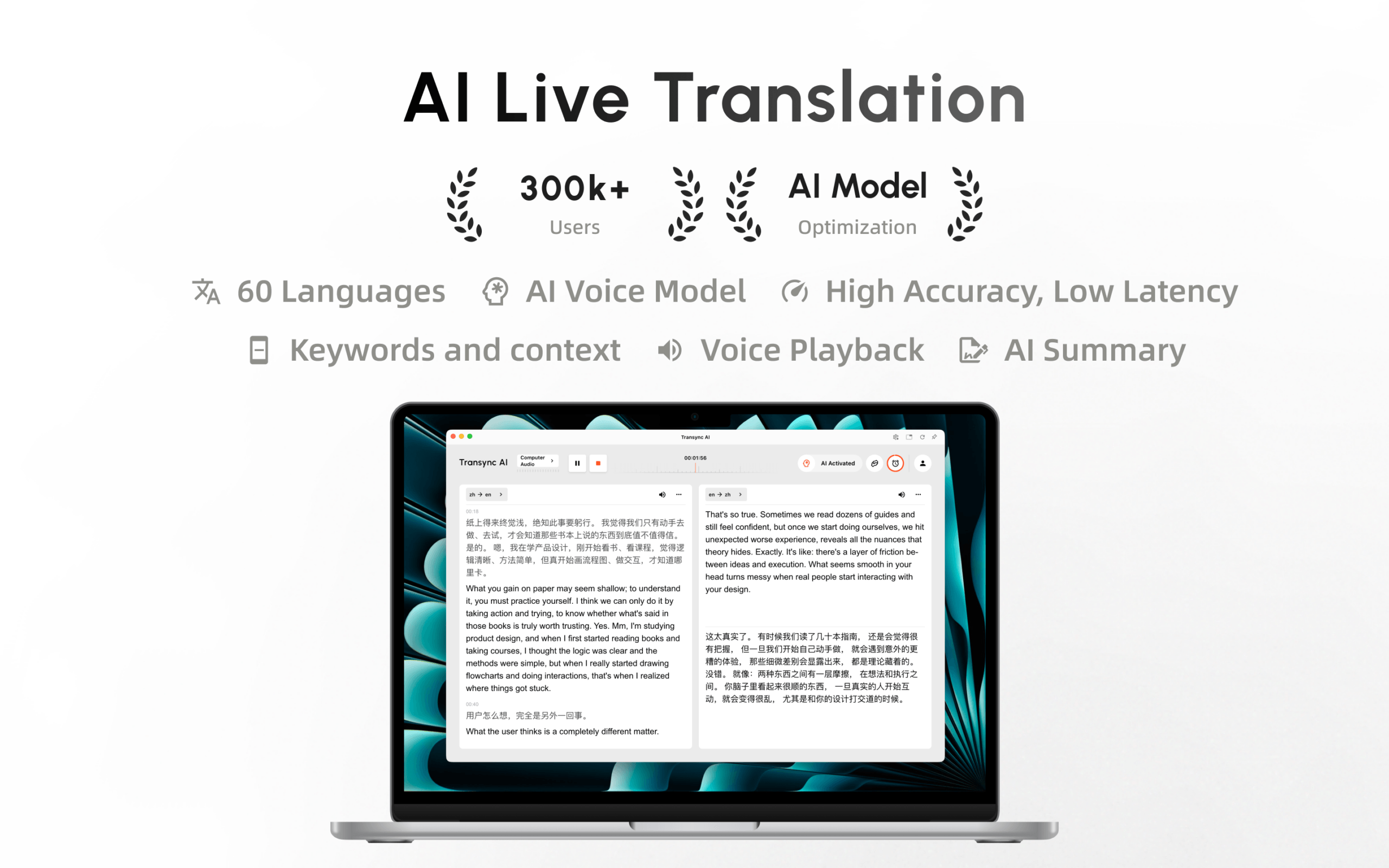
Transync AI is designed for this scenario. Its real-time translation tool can display Spanish speech and English translation side by side with low latency. The AI voice translator speaks translated content aloud so participants can listen as well as read.
After the call, the AI meeting notes feature provides a transcript and structured record for review and follow-up.
 2. Translate an English response back into Spanish
 2. Translate an English response back into Spanish
Good communication is two-way. A Spanish speaker should be able to talk in Spanish, and an English speaker should be able to answer in English without repeatedly changing settings.
Within the selected English-Spanish language pair, Transync AI can distinguish which language is being spoken. This reduces manual switching and supports a more natural back-and-forth conversation.
Users should still speak clearly and avoid talking over one another. Automatic language recognition does not remove the difficulty of overlapping audio.
3. Translate Spanish during a video call
Online meetings require the translation tool to process voices from remote participants and return translated speech to the call.
The live meeting translation feature works alongside Zoom, Microsoft Teams, and Google Meet. Transync AI operates as standalone software rather than a platform-specific plugin.
The computer-audio sharing feature captures Spanish speech from other call participants. The virtual microphone feature helps send English translated voice into the meeting.

Compatible with major online meeting platforms for seamless real-time translation
4. Follow a Spanish presentation or class
Students and conference participants often need to view slides while following translated speech. A translation window that disappears behind the presentation is difficult to use.
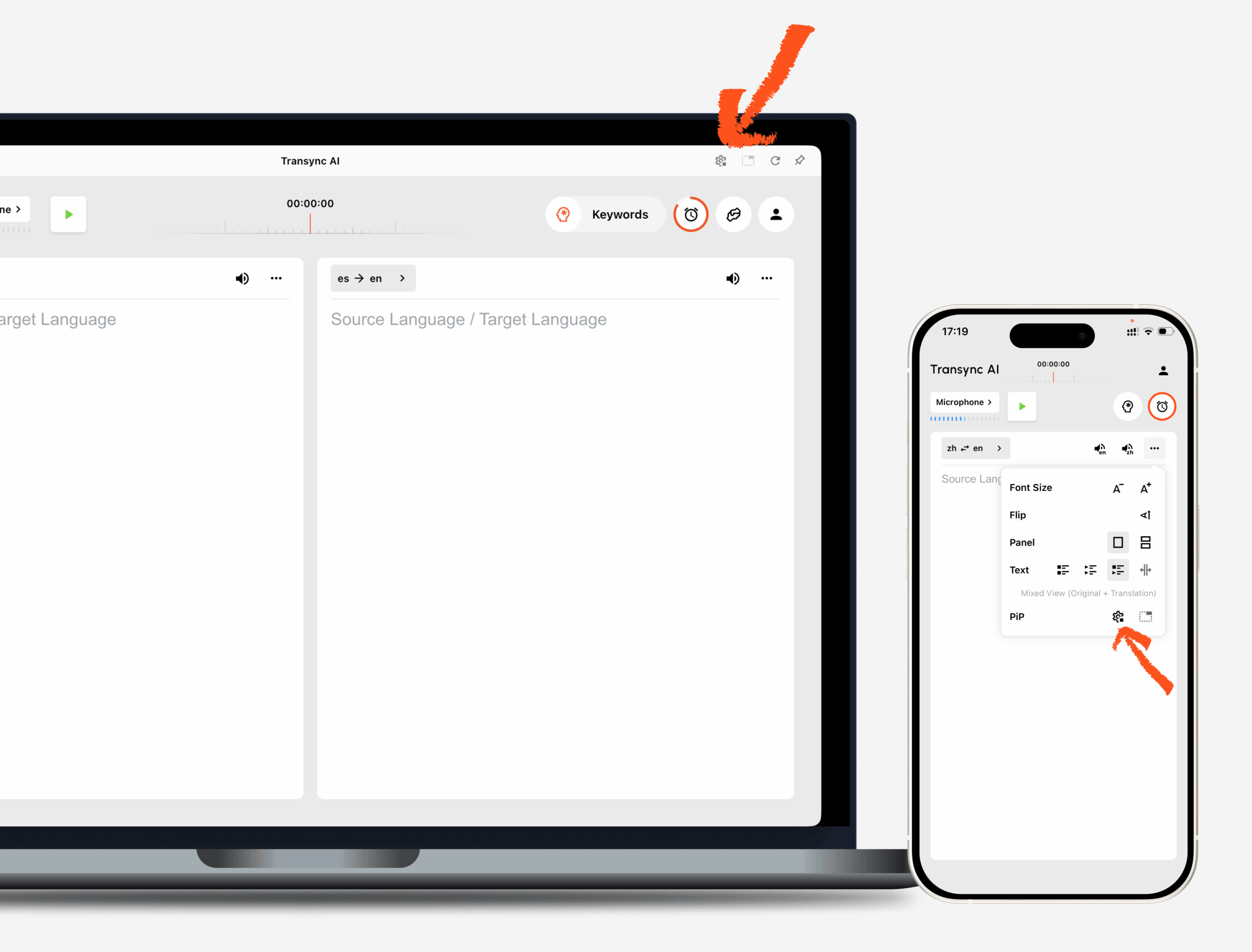
The Picture-in-Picture bilingual subtitles feature keeps Spanish and English captions visible above other apps on supported devices. Users can continue viewing slides, course materials, or notes without repeatedly switching windows.

Real-time floating subtitles across desktop and mobile devices
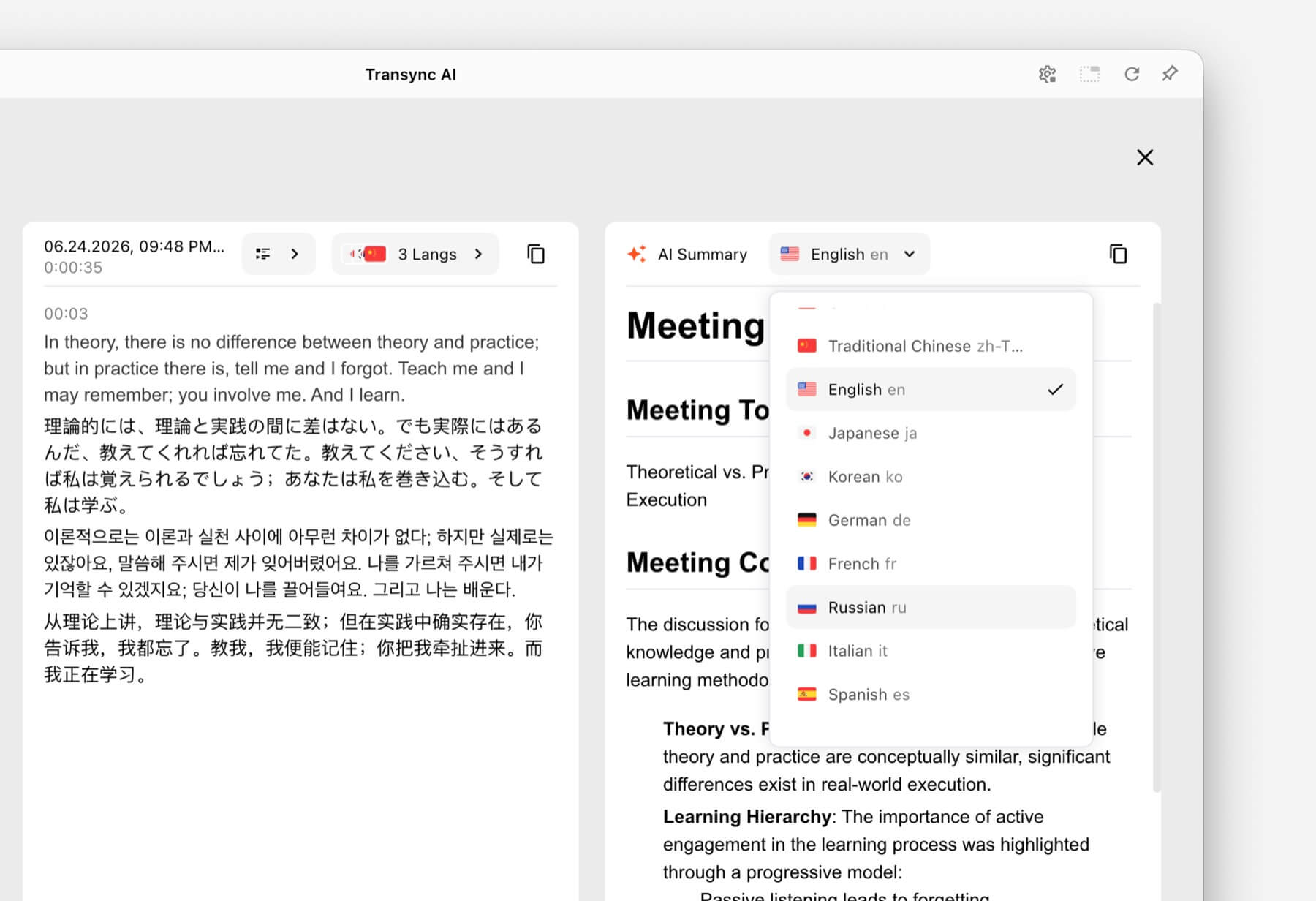
For later review, the AI meeting notes feature can turn the session into a transcript and structured notes. Important academic definitions and assessment instructions should still be checked against official course materials.
 5. Translate customer-support conversations
 5. Translate customer-support conversations
Customer service includes names, model numbers, account terms, and technical vocabulary. A general translator may recognize the words but misunderstand what they mean in a specific product context.
The AI Assistant Keywords and Context feature allows users to enter product names, common issues, specialist terms, and a short description of the conversation before it begins.
For example, a support agent can define a Spanish product name and its preferred English equivalent. This gives the translation system additional context and can reduce terminology errors.
 6. Translate while traveling
 6. Translate while traveling
For hotel check-ins, restaurant orders, taxis, and directions, users often need quick mobile translation rather than meeting notes.
Talkao is positioned for consumer mobile translation, travel, camera and AR features, and language learning. Google Translate is widely accessible for text, image, website, document, and casual spoken translation.
 These tools may be better suited to menus, signs, and short travel phrases. Transync AI can support longer spoken conversations but does not offer offline mode, image recognition, or text-only document translation.
7. Translate a Spanish-language conference
At a large event, hundreds of people may need English captions or translated audio on their own phones. A personal meeting translator may not provide the easiest attendee-distribution workflow.
Wordly is designed for conferences, webinars, hybrid events, and large meetings. Attendees can access translation through a link or QR code.
Choose Wordly when audience scale and attendee access are the priority. Choose Transync AI for personal and team-based Spanish-English meetings that need voice playback, contextual terminology, and notes.
 8. Translate Spanish video and audio content
 8. Translate Spanish video and audio content
Video localization requires more than understanding speech live. Content teams may need subtitles, timing, editing, dubbing, transcripts, and export options.
Maestra is positioned for media translation, subtitles, dubbing, webinars, and live content. It may be a better fit for Spanish videos, podcasts, and recorded media that must be published in English.
 For a two-way sales call, interview, or internal meeting, Transync AI offers a more focused live communication workflow.
9. Build Spanish-English translation into an app
Developers creating voice agents, support systems, or multilingual products need APIs rather than only a finished meeting interface.
Soniox provides speech-to-text, translation, and text-to-speech capabilities for technical product teams.
 DeepL provides APIs and broader text, document, writing, enterprise, and selected voice workflows.
 Choose Transync AI when people need a ready-to-use product. Choose an API platform when engineers will design, integrate, and maintain the Spanish-English translation experience.
Spanish-to-English Translator Comparison
The following table compares typical product use cases. Features and plans can change, so verify current capabilities on each official website.
| Tool | Best Spanish-English use case | Live subtitles | Translated voice | Additional workflow | Best for |
|---|---|---|---|---|---|
| Transync AI | Meetings, calls, classes, and in-person conversations | Bilingual | Yes | Context, transcripts, and AI meeting notes | Teams and individuals needing live two-way communication |
| Talkao | Travel and mobile translation | App-dependent | Yes | Camera, AR, and learning features | Consumers and travelers |
| Wordly | Spanish-language conferences and webinars | Yes | Yes | Attendee links, transcripts, and summaries | Event organizers |
| Soniox | Spanish-English speech products | API/app capability | TTS/API capability | Developer implementation | Product and engineering teams |
| Maestra | Spanish video, audio, subtitles, and dubbing | Yes | Yes | Media localization | Content and production teams |
| DeepL | Spanish text, documents, enterprise language work, and selected voice use | Product-dependent | Voice-product dependent | Documents, writing, and APIs | Text-heavy business workflows |
| Google Translate | Quick everyday Spanish-English translation | Not meeting-first | Translation playback | Text, images, websites, and documents | Free casual use |
Why Spanish-to-English Speech Translation Can Be Difficult
Regional vocabulary
Spanish vocabulary varies across Spain, Mexico, the Caribbean, Central America, South America, and other Spanish-speaking communities. The same object or action may have different everyday terms.
A useful translation should interpret the sentence in context rather than assuming that one regional word is universal.
Formal and informal address
Spanish distinguishes between forms such as “tú” and “usted,” while English often uses “you” for both. Translating into English can remove information about formality, and translating back into Spanish requires a tone choice.
For professional conversations, provide the business context and review important client-facing language.
Gender and agreement
Spanish nouns and adjectives often carry grammatical gender and agreement that English does not express in the same way. Ambiguous references may require broader sentence context.
Fast speech and connected sounds
In natural conversation, words blend together and sounds may be reduced. Speaking speed, accent, room noise, and microphone distance affect speech recognition before translation even begins.
Names, brands, and technical terms
Names and specialist vocabulary may sound like common words. Add them through the AI Assistant Keywords and Context feature before a business meeting, class, or support call.
How to Improve Spanish-to-English Translation Accuracy
- Select the correct language pair. Confirm that Spanish and English are set in the appropriate directions.
- Use a clear microphone. Place it close to the speaker and reduce echo.
- Ask speakers to take turns. Overlapping voices are harder to recognize.
- Provide regional context. Mention the country, industry, and conversation topic when relevant.
- Add terminology. Enter names, product terms, acronyms, and preferred translations.
- Use complete sentences. Fragmented speech can be ambiguous in either language.
- Check figures and dates. Verify prices, deadlines, measurements, and addresses.
- Test before the meeting. Use the actual platform, device, network, and accents.
The supported languages page lists the current language coverage for Transync AI. Always confirm the required pair before a critical session.
How to Translate Spanish to English with Transync AI
- Open Transync AI on the web, Windows, macOS, iOS, or Android.
- Select Spanish and English as the conversation languages.
- Choose the correct microphone or computer-audio source.
- Add names and terminology with the AI Assistant Keywords and Context feature.
- Start the real-time translation tool.
- Confirm that the Spanish speech and English translation appear in the bilingual subtitle view.
- Enable the AI voice translator if the English result should be spoken aloud.
- Use the Picture-in-Picture bilingual subtitles feature while working in another app.
- For an online call, configure the computer-audio sharing feature and virtual microphone feature.
- Review the session through the AI meeting notes feature.
Run a short test before inviting customers or colleagues. Confirm that both translation directions, audio sources, voice output, and specialist terms work as expected.
Translate Spanish to English FAQ
What is the best way to translate Spanish to English during a meeting?
Use a meeting-first translator that provides two-way language recognition, bilingual subtitles, translated voice, and post-call notes. Transync AI combines real-time bilingual translation, voice playback, floating subtitles, terminology context, and AI meeting notes.
Can Spanish speech be translated into English audio?
Yes. The AI voice translator from Transync AI can play translated content aloud using natural voice options. Users can also explore the voice cloning feature for translated output in a voice modeled on their own.
Can I translate Spanish during a video call?
Yes. The live meeting translation feature from Transync AI works alongside Zoom, Microsoft Teams, and Google Meet.
Can the translation work in both directions?
The real-time translation tool from Transync AI can distinguish Spanish and English within the selected language pair, supporting two-way conversation without constant button switching.
Can I translate Spanish signs or documents?
Google Translate supports broad consumer inputs such as images and documents, while DeepL is positioned strongly for text and document workflows. Transync AI focuses on live speech and does not provide image recognition or text-only document translation.
Does Spanish-to-English translation work offline?
Offline support varies by product and language. Transync AI requires an internet connection and does not offer offline mode. Check offline language availability directly with a travel-focused provider before relying on it.
Can AI replace a Spanish-English interpreter?
AI can support many travel, educational, and business conversations, but it cannot guarantee perfect accuracy, judgment, or cultural nuance. Medical, legal, safety-critical, and contractually binding discussions may require a qualified human interpreter.
Final Recommendation
The best way to translate Spanish to English depends on the content:
- Choose Talkao or Google Translate for travel, images, quick text, and everyday phrases.
- Choose Wordly for Spanish-language conferences and attendee-facing events.
- Choose Soniox for Spanish-English speech APIs and custom applications.
- Choose Maestra for Spanish video localization, subtitles, and dubbing.
- Choose DeepL for Spanish documents, writing, APIs, and enterprise language workflows.
- Choose Transync AI for live Spanish-English meetings that need bilingual subtitles, translated voice, terminology context, audio routing, and notes afterward.
For recurring international calls, test the real accents, terminology, equipment, and meeting platform before choosing. A successful Spanish-to-English workflow should help people understand, respond, confirm important details, and retain what was decided.
If you want a next-generation experience, Transync AI leads the way with real-time, AI-powered translation that keeps conversations flowing naturally. You can try it free now.
Transync AI is now available on the Mac App Store. Download it easily, receive automatic updates, and start real-time translation on Mac.
