

Compare Transync AI and Maestra for live meeting translation, voice, captions, events, media workflows, and pricing to find the better fit.
Two teams can ask for “live meeting translation” and need completely different products. One may run recurring sales calls where two people need to understand each other immediately. Another may host a multilingual webinar that must later become subtitled, dubbed, and reusable content.
That distinction explains the choice between Transync AI and Maestra. Both can support conversations and distribute live translation to an audience. Transync AI combines participant-controlled meeting translation with a Presentation Mode for self-service one-to-many delivery. Maestra extends further into event presentation, subtitle production, dubbing, media editing, and publishing translated content after the live session.
The Short Answer on Transync AI and Maestra
Choose Transync AI when the primary job is a recurring bilingual or multilingual conversation. It combines live bilingual subtitles, translated voice playback, terminology context, floating captions, and meeting notes in a cross-platform workflow. Its lower entry price is especially attractive to individuals and teams that translate meetings regularly.
Choose Maestra when the live session is only one stage of a larger content or event workflow. It is better positioned for attendee access, QR-based language channels, live event delivery, subtitles, dubbing, voice cloning, and publishing translated media after the session.
Neither answer is universal. When evaluating Transync AI and Maestra, the better product depends on whether the meeting is primarily a conversation, an event, or a future media asset.
Transync AI and Maestra at a Glance
| Decision area | Transync AI | Maestra | ||
|---|---|---|---|---|
| Core orientation |
|
Live translation plus events and media localization | ||
| Best fit |
|
|
||
| Meeting delivery |
|
Browser sessions, extensions, integrations, links, and QR attendee access | ||
| Live text | Side-by-side bilingual subtitles | Live captions and translated attendee channels | ||
| Translated voice | AI voice playback and virtual-microphone workflow | Live translated voice, selected AI voices, and voice-cloning workflows | ||
| Terminology support | Keywords and context prepared for the conversation | Custom dictionary, prompts, and higher-plan glossary options | ||
| After the meeting | Transcript and AI meeting notes | Transcripts, summaries, subtitles, translated audio, dubbing, and media reuse | ||
| Published individual entry price | $8.99/month for Personal Premium | $79/month for real-time translation on Premium with yearly billing selected | ||
| Strongest advantage |
|
Wider event and media production ecosystem | ||
| Main trade-off | Not a managed large-event or full media-localization suite | Wider feature set and higher comparable translation entry price |
Pricing checked in August 2026. Prices, taxes, billing periods, included credits, and plan features can change. Confirm the current checkout terms before purchasing.
1. Are You Translating a Conversation or Producing an Event?
This is the most important difference between Transync AI and Maestra.
Transync AI treats translation as part of the conversation. A participant opens the product, selects the required language mode, routes the meeting audio, and follows the original and translated text while listening to translated speech. That model suits customer calls, internal meetings, interviews, lessons, demonstrations, and face-to-face discussions.
Maestra treats live translation as part of a broader communication system. Organizers can provide language access for an audience and continue working with the session as media. This becomes valuable when a webinar needs translated subtitles, a conference needs multiple attendee channels, or a recording must later be dubbed and published.
The practical question is simple: are people trying to talk to one another now, or is the organization delivering content to an audience before, during, and after the session?
2. How Does Each Product Enter the Meeting?
The setup model affects privacy rules, participant experience, and the amount of coordination required. A practical comparison of Transync AI and Maestra therefore starts with how audio enters the translation workflow.
The Transync AI Workflow
The live meeting translation feature runs alongside commonly used meeting software. Users can capture remote speech through computer-audio sharing, display original and translated subtitles, and use a virtual microphone or shared system audio when translated speech needs to enter the call.
This companion approach is useful when teams move between Zoom, Microsoft Teams, Google Meet, and other calling tools. It does not require every meeting participant to install the same application, and it is not tied to one conferencing ecosystem.

Compatible with major online meeting platforms for seamless real-time translation
The Maestra Workflow
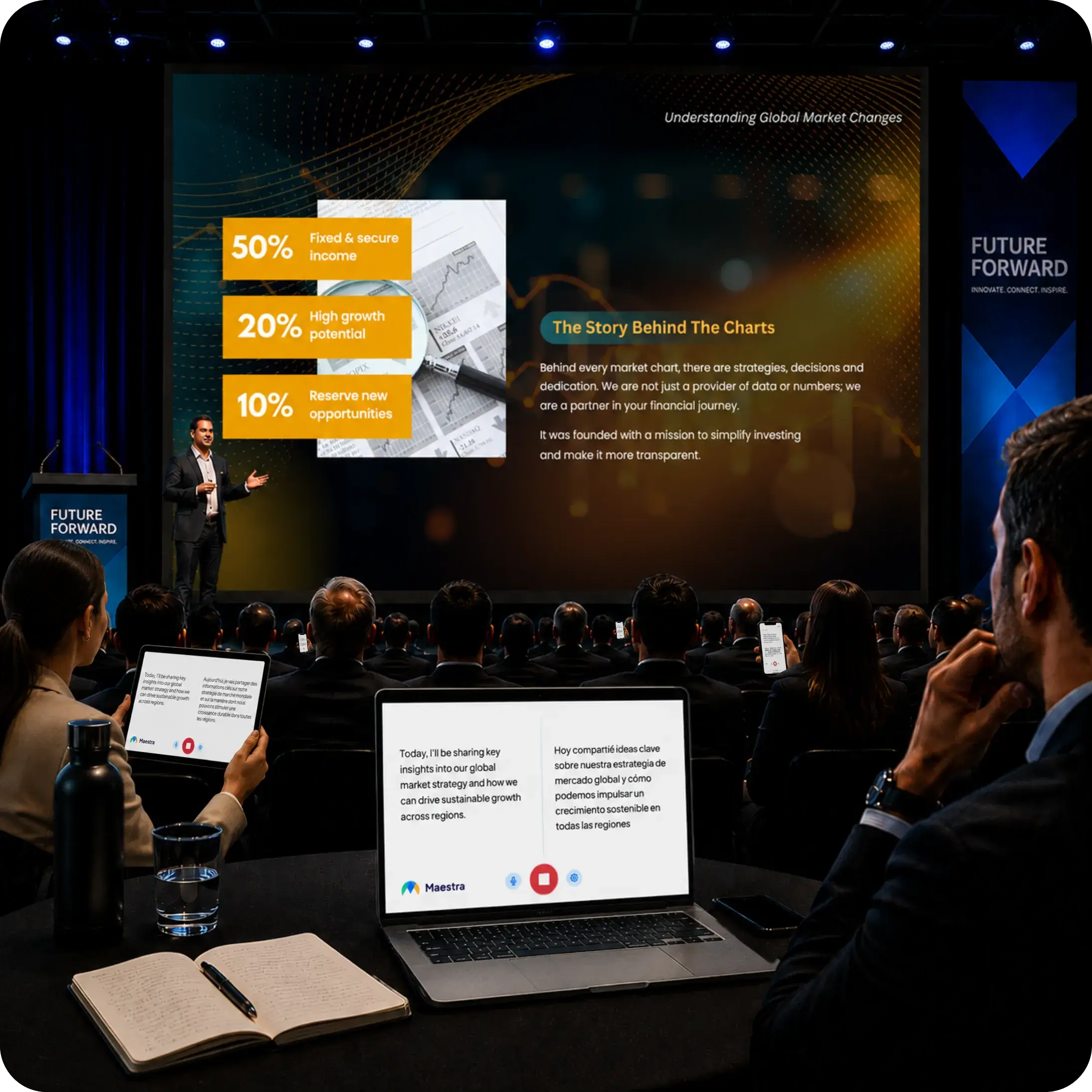
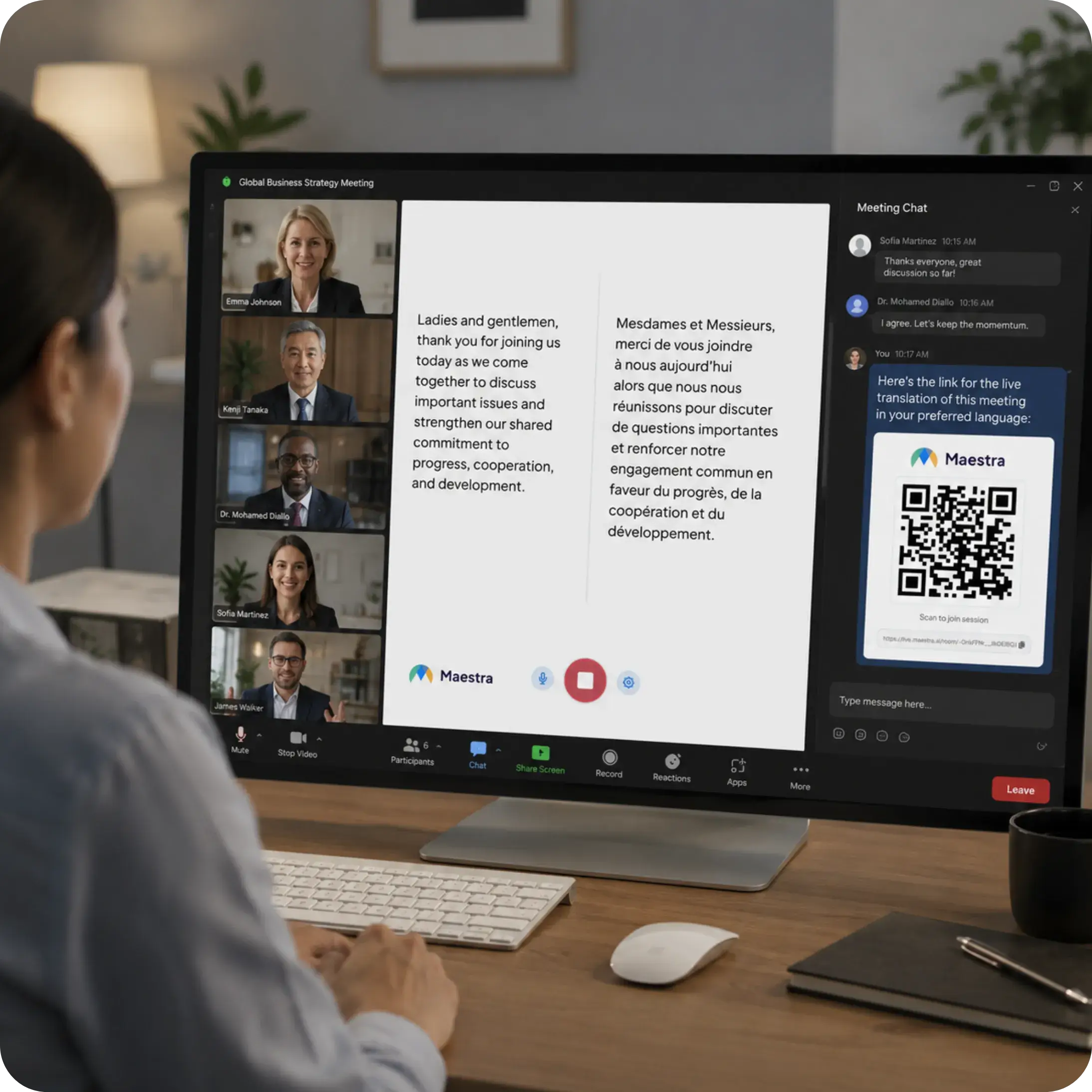
Maestra supports live browser sessions and meeting or broadcast integrations. For events, attendees can use a link or scan a QR code, select a language, and follow translated captions or audio on their own devices. This reduces the need to distribute receivers or require app installations at a venue.
That attendee-access model is a meaningful advantage for conferences, hybrid events, government meetings, training sessions, and webinars. For a private recurring call, however, it may introduce capabilities that the participant does not need.
3. What Do Participants See and Hear Live?
The live experience from Transync AI and Maestra can provide more than a translated transcript, but their interfaces serve different audiences.
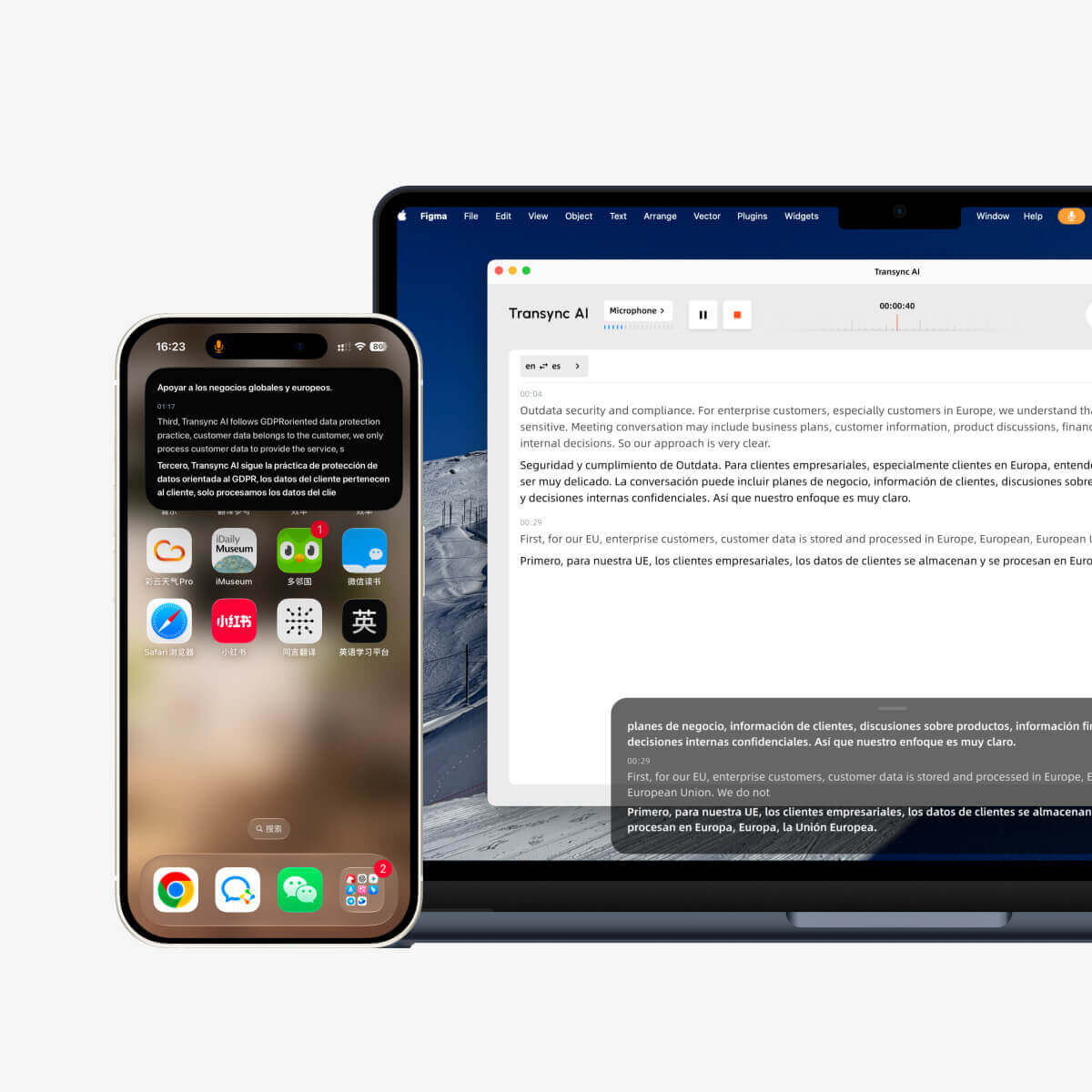
Transync AI presents the source speech and translation together. Its real-time translation tool is designed for people who need to check what was heard, read the translated meaning, and respond without losing the conversational thread. AI voice playback adds an audible translation, while automatic language distinction reduces manual switching in supported modes.
The Picture-in-Picture bilingual subtitles feature keeps captions visible above other applications on supported devices. This is particularly useful when the user must read a presentation, CRM record, shared document, or meeting chat at the same time.
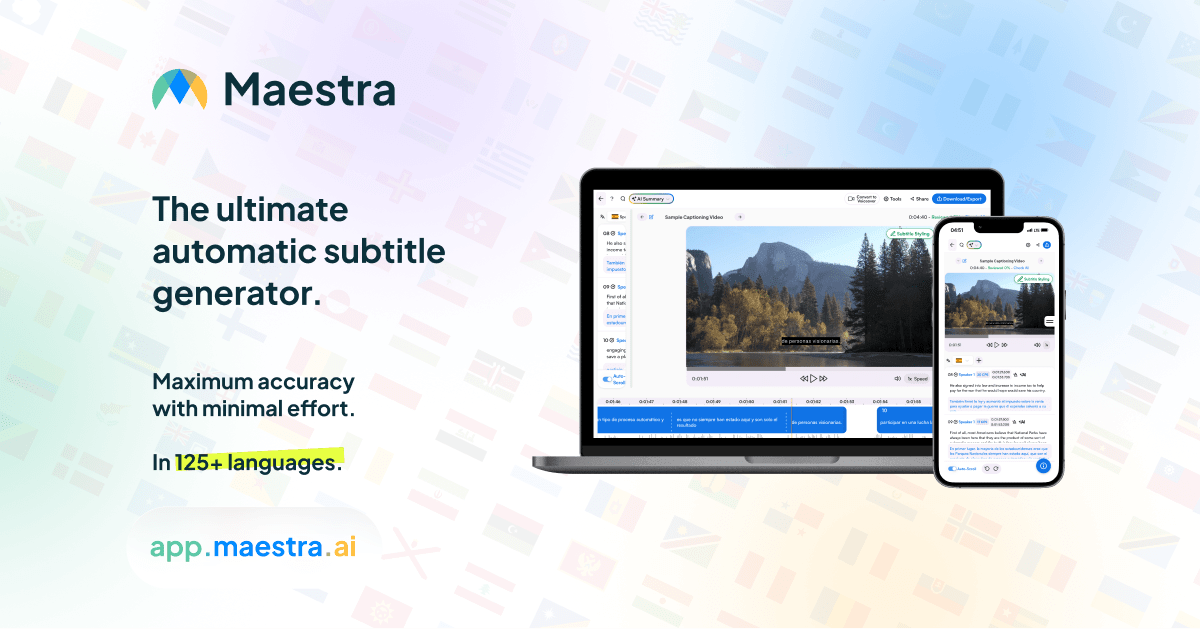
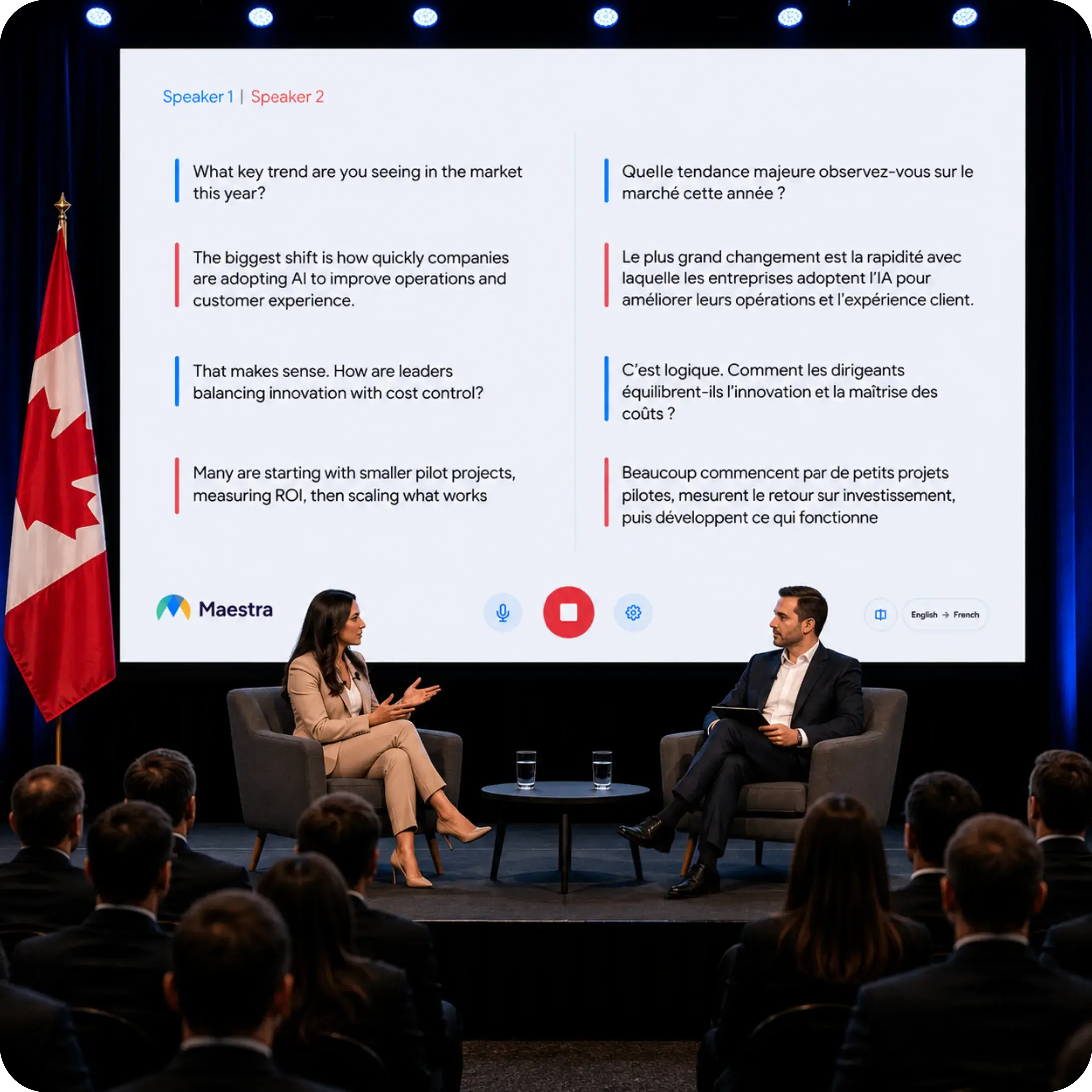
Maestra can deliver live captions and translated voice channels to attendees. Its event materials emphasize browser access, simultaneous language options, speaker-aware workflows, and AI voice or cloned-voice output. For organizers, the important benefit is not only what one user sees, but how many audience members can enter the correct language channel with minimal friction.
For a two-person conversation, the bilingual participant view may matter most. For a conference, distributing different languages to many devices may be the decisive capability.
4. How Do They Handle Names and Specialist Language?
Generic language counts do not reveal how well a product handles a company name, acronym, medication, product code, or industry phrase. Terminology is often where a practical test of Transync AI and Maestra becomes more valuable than a feature list.
Transync AI provides an AI Assistant Keywords and Context feature. Before the meeting, users can add important terms and describe the conversation context. This is designed to improve live output without requiring a complex localization project.

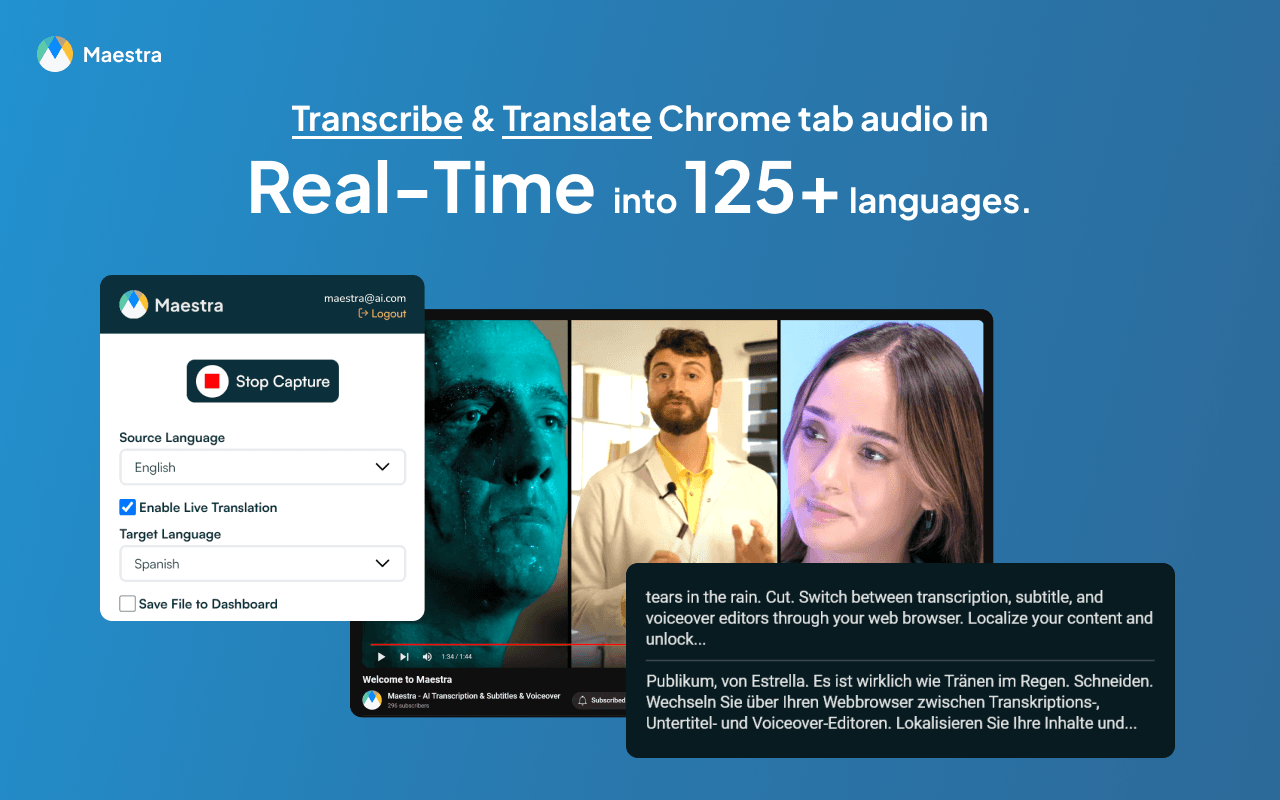
Maestra offers custom dictionary features and, depending on the plan and workflow, translation prompts or glossary-related controls. Those capabilities fit teams managing repeated terminology across subtitles, translations, and published media.
For both products, a fair test should include real customer names, abbreviations, product terminology, numbers, dates, and sentences with ambiguous meanings. Marketing-language accuracy claims are less useful than a controlled sample from the buyer’s actual meetings.
5. What Happens After the Meeting Ends?
This is where the distance between Transync AI and Maestra becomes more visible.
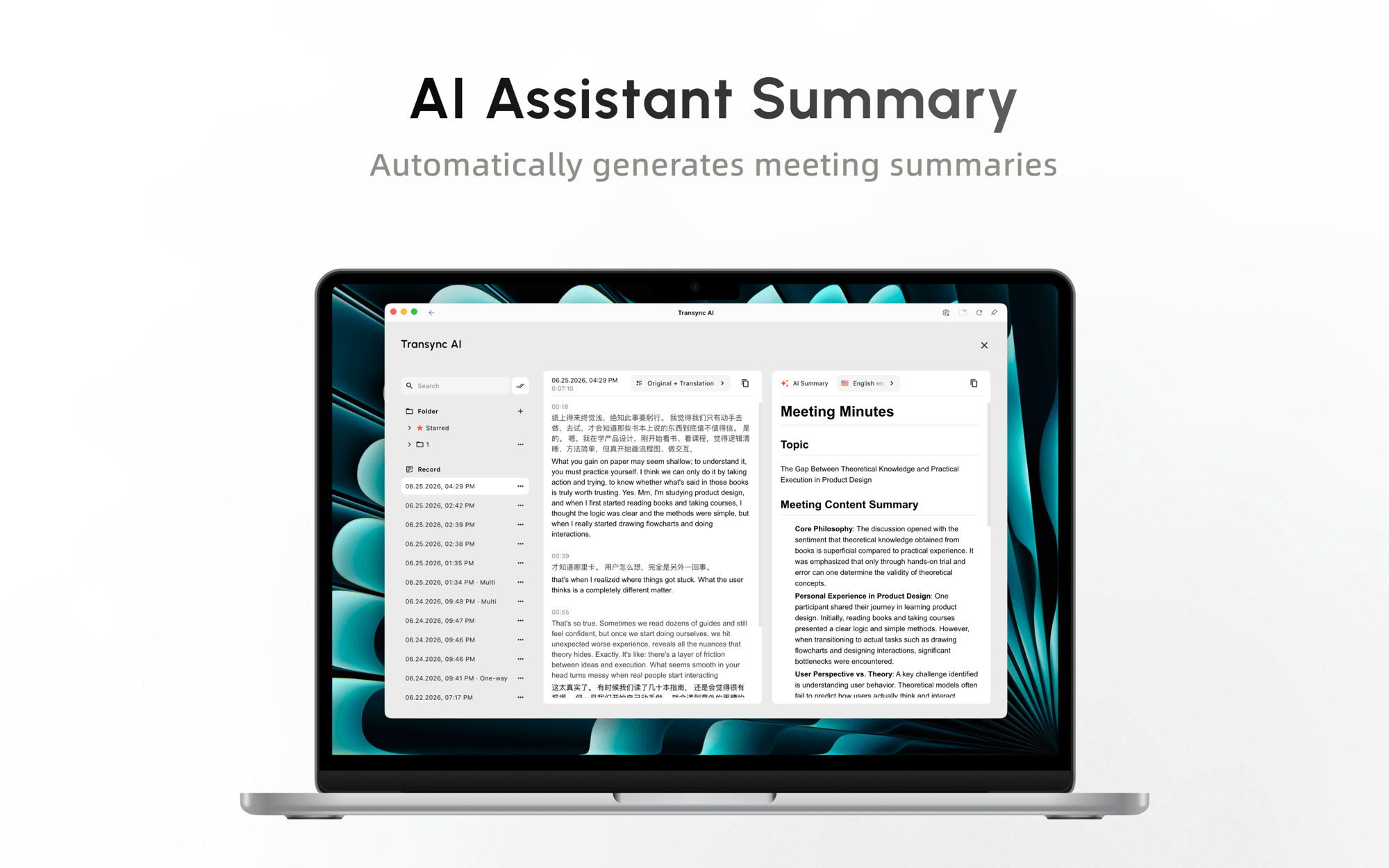
The AI meeting notes feature turns the conversation into a transcript and structured follow-up record. This is useful when the goal is to recall decisions, review a multilingual exchange, or continue work after a customer or team call.
Maestra extends further into content production. A live session can feed workflows for subtitles, translated audio, dubbing, voice cloning, editing, exporting, and media publishing. A marketing, training, education, or media team may value this continuity more than a participant-focused meeting interface.
 Choose based on the required deliverable. If the output is “decisions and next steps,” a meeting-note workflow is efficient. If the output is “a localized video in several languages,” a media suite has the clearer advantage.
6. Which Product Fits Larger Audiences?
For an ordinary meeting, audience scale may mean five or ten people. For an event, it can mean an in-room and remote audience, several target languages, personal listening devices, technical operators, and content that must be reused afterward.
The Presentation Mode feature lets a Transync AI host enable up to 10 target languages and invite audience members through a link, QR code, or Room ID. Each person follows on their own device, chooses an enabled language, and receives live subtitles or optional voice playback. Audience members do not need to install software, but they must register or sign in to an account. They can read and listen but cannot speak into the host’s presentation task.
This means audience access is no longer exclusive to Maestra in this comparison. The remaining difference is workflow depth. Transync AI offers a lower-cost, self-operated route for presentations, training, lectures, conferences, tours, and community events. Maestra is stronger when the live event must continue into branded captions, subtitle editing, dubbing, translated media, broadcast integrations, and publishing workflows.
For high-stakes or public events, test the venue microphone, network, audience sign-in, enabled languages, voice playback, attendee devices, and usage calculation. Presentation Mode is currently in beta, and Transync AI consumption changes with peak audience size and the number of target languages.
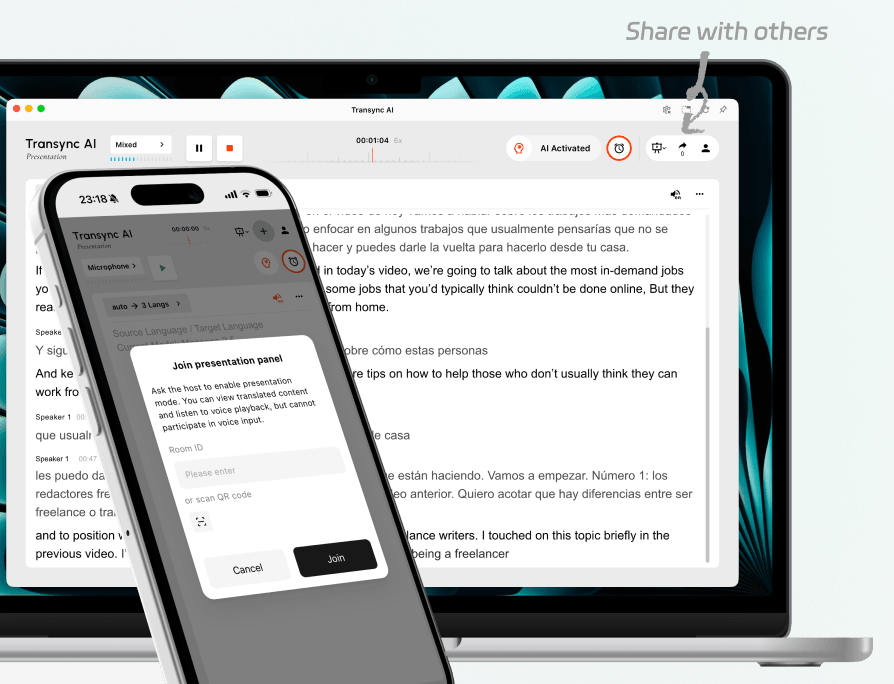
Invite in-room and remote audience members to the same live presentation.
7. How Does Transync AI and Maestra Pricing Compare?
Pricing is one of the clearest differences between Transync AI and Maestra, but the comparison must use the correct Maestra category. Its 39 Basic real-time plan is listed for real-time captions; the official pricing page lists real-time translation under the 79 Premium plan when yearly billing is selected.
Published pricing comparison
| Plan | Published price | Included usage most relevant to meetings | Important note |
|---|---|---|---|
| Transync AI Free | $0 | 40 minutes after sign-up | Useful for testing the real meeting workflow |
| Transync AI Personal Premium | $8.99/month | 10 hours of real-time translation during the membership period | Includes meeting-focused voice, context, notes, and cross-device access |
| Transync AI Enterprise | $24.99/month per seat | Up to 40 hours per month per seat | Adds organization management and unified knowledge features |
| Maestra Real-Time Basic | $39/month with yearly billing selected | 360 minutes of real-time captions | Captions are listed, but real-time translation is not included in this tier’s published feature list |
| Maestra Real-Time Premium | $79/month with yearly billing selected | 900 caption minutes or 180 real-time translation minutes per language | Adds team features, prompts, and priority support |
| Maestra Real-Time Business | $159/month with yearly billing selected | 360 translation minutes per language or 180 dubbing minutes | Adds session sharing and broader terminology features |
| Maestra Real-Time Business Plus | $359/month with yearly billing selected | 900 translation minutes per language or 450 dubbing minutes | Built for higher-volume and team workflows |
Sources: Transync AI official pricing page and Maestra official pricing page. Checked in August 2026.
What does the price difference mean in practice?
Using the published individual rates, Transync AI Personal Premium is $70.01 less per month than Maestra Real-Time Premium’s displayed yearly-billing rate. That makes the headline monthly price about 88.6% lower.
If a user consumes all listed translation time, Transync AI works out to roughly 0.015 per included minute, while **Maestra** Premium works out to roughly 0.439 per included real-time translation minute per language. On that narrow calculation, Transync AI provides about 29 times as many included translation minutes per dollar.
This price comparison of Transync AI and Maestra is not a claim that the plans are identical. Maestra bundles a broader localization, team, event, and content-production environment, and its translation allowance is described per language. Transync AI offers fewer production tools but provides stronger value when the buyer mainly needs live meeting translation.
For an individual, consultant, teacher, salesperson, or small cross-border team, paying for unused event and media capabilities rarely makes sense. For a content team that would otherwise buy separate tools for captions, translation, dubbing, and attendee access, the broader Maestra subscription may consolidate several workflows.
Which Product Should You Choose?
Choosing between Transync AI and Maestra is easiest when the required live experience and the post-meeting deliverable are written down first.
Choose Transync AI When You Need:
- Frequent two-way multilingual meetings.
- Bilingual subtitles visible during the conversation.
- Translated voice playback for participants.
- A standalone tool that works across meeting platforms and devices.
- Keywords and context for names or specialist language.
- AI meeting notes after the call.
- A lower-cost individual or team entry point.
Choose Maestra When You Need:
- Multilingual webinars, conferences, or hybrid events.
- Attendee access through links or QR codes.
- Live sessions that later become translated media.
- Subtitles, dubbing, voice cloning, and localization in one environment.
- Custom styling, broadcast integrations, or event-oriented delivery.
- A broader team production workflow that justifies the higher price.
A Five-Minute Test for Transync AI and Maestra
Run the same short meeting through both products before subscribing. A controlled Transync AI and Maestra test prevents different audio conditions from distorting the result.
- Use the real meeting platform, headset, speakers, and network.
- Include two speakers, natural interruptions, an accent, three product terms, a price, and a deadline.
- Measure the delay before translated text and voice become usable.
- Check whether names, numbers, and terminology survive the translation.
- Ask a second participant to rate subtitle readability and voice clarity.
- Compare setup time and whether another user needs an account, link, or special audio route.
- Review the transcript, summary, recording, and export options after the call.
If the use case is an event, repeat the test with multiple attendee devices and language channels. A private laptop test cannot prove that an event workflow will succeed in a venue.
Transync AI and Maestra FAQ
Is Transync AI Cheaper Than Maestra for Live Translation?
Yes, based on the public prices checked in August 2026. Transync AI Personal Premium is listed at 8.99 per month with 10 hours of usage, while Maestra lists real-time translation on its 79 Premium tier with 180 minutes per language when yearly billing is selected. The plans contain different capabilities, so buyers should compare required features as well as price.
Which one is better for everyday meetings?
Transync AI is the more direct fit for recurring calls where participants need bilingual captions, translated speech, terminology preparation, and notes. Its cross-platform participant workflow and lower entry price reduce friction for everyday use.
Which one is better for conferences and webinars?
Transync AI is a strong self-service choice when one host needs to distribute up to 10 translated languages through links, QR codes, or a Room ID. Audience members can receive live subtitles and optional voice playback on their own devices without installing software, although an account is required.
Maestra becomes the stronger choice when the event is also a media-production project requiring custom presentation, broadcast integrations, subtitle editing, dubbing, localization, and publication after the session. The decision is no longer based on audience access alone.
Can both products provide translated speech?
Yes, in their supported workflows. Transync AI provides AI voice playback and methods for routing translated speech during calls. Maestra provides live translated audio and offers selected or cloned AI voices for live and media workflows. Test the exact language, platform, plan, and audio path before an important meeting.
Which product provides better post-meeting output?
It depends on the intended output. Transync AI is better aligned with meeting transcripts and actionable notes. Maestra provides the broader path from a live session to subtitles, dubbing, translated audio, and published media.
Does Maestra’s $39 Real-Time Plan Include Translation?
Its current pricing page lists the 39 Basic plan with real-time captions. Real-time translation is listed under the 79 Premium tier. Buyers should check the live pricing page because allowances and billing options can change.
Final Decision
Choose Transync AI when translation must support everyday multilingual conversations or a self-managed one-to-many presentation. It combines bilingual meeting tools with audience access through links, QR codes, or a Room ID, while maintaining a substantially lower published entry price.
Choose Maestra when the live event must continue into a broader media workflow. Its higher price supports subtitle production, dubbing, voice cloning, branded presentation, localization, and reusable published content.
The fairest conclusion is that Transync AI offers stronger meeting and self-service presentation value, while Maestra offers the broader event-to-media production environment.
If you want a next-generation experience, Transync AI leads the way with real-time, AI-powered translation that keeps conversations flowing naturally. You can try it free now.
