
Dear user,
We’re excited to introduce Transync AI v2.3, featuring our new Presentation Mode (Beta) — designed for conferences, lectures, training sessions, and other one-to-many multilingual presentations. With one translation task, you can now speak once and let your audience follow the presentation in different languages from their own devices.

Presentation Mode lets one host share live translation with audience members on their own devices.
Present Once, Reach Everyone
Start Presentation Mode, select the languages your audience needs, and speak as usual. Transync AI translates your presentation in real time and delivers it directly to each attendee.
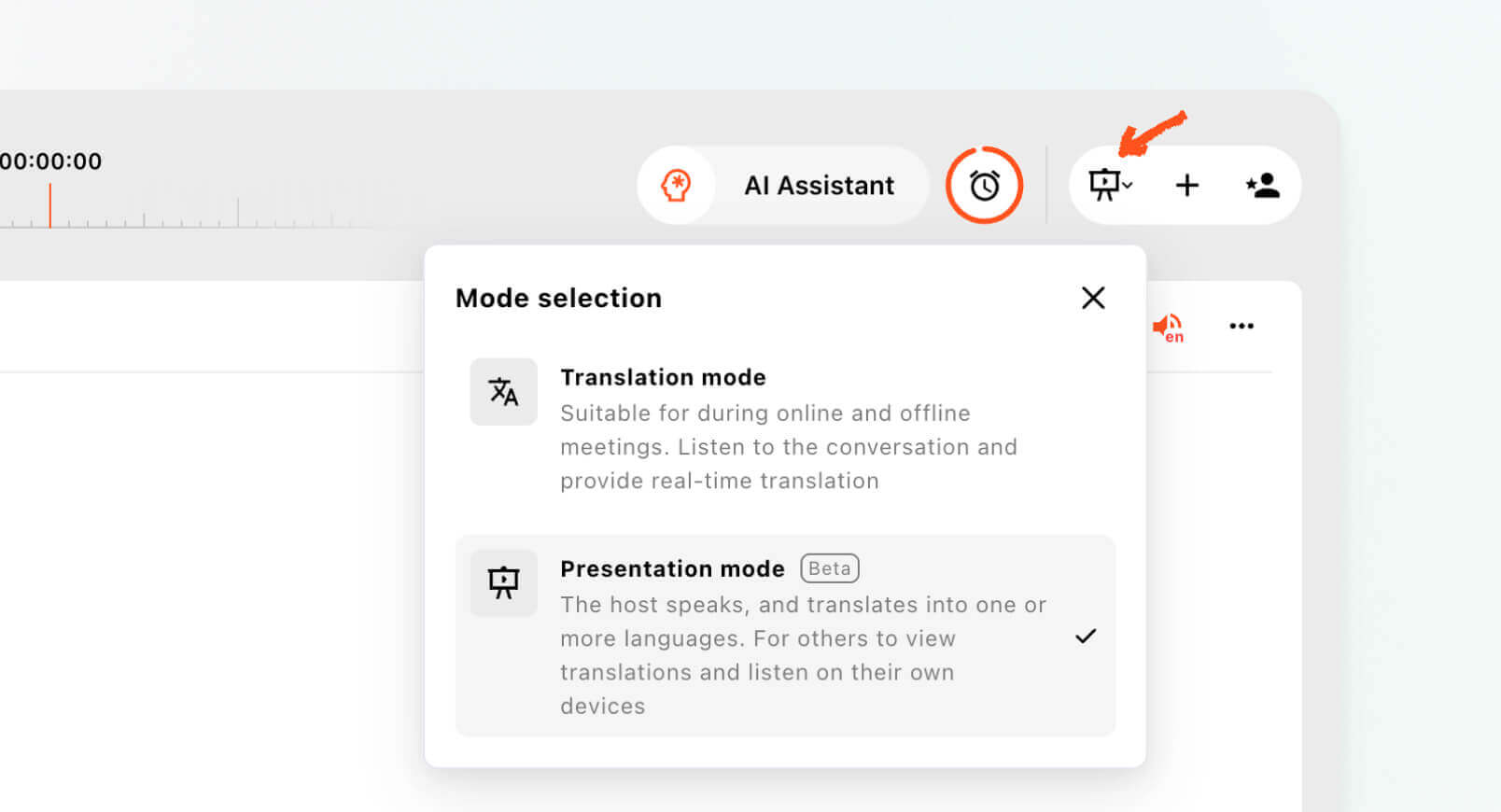
Easy for Your Audience to Join
Attendees can join using a link, QR code, or Room ID. Once connected, each person can independently choose their preferred language without affecting the presenter or other attendees.
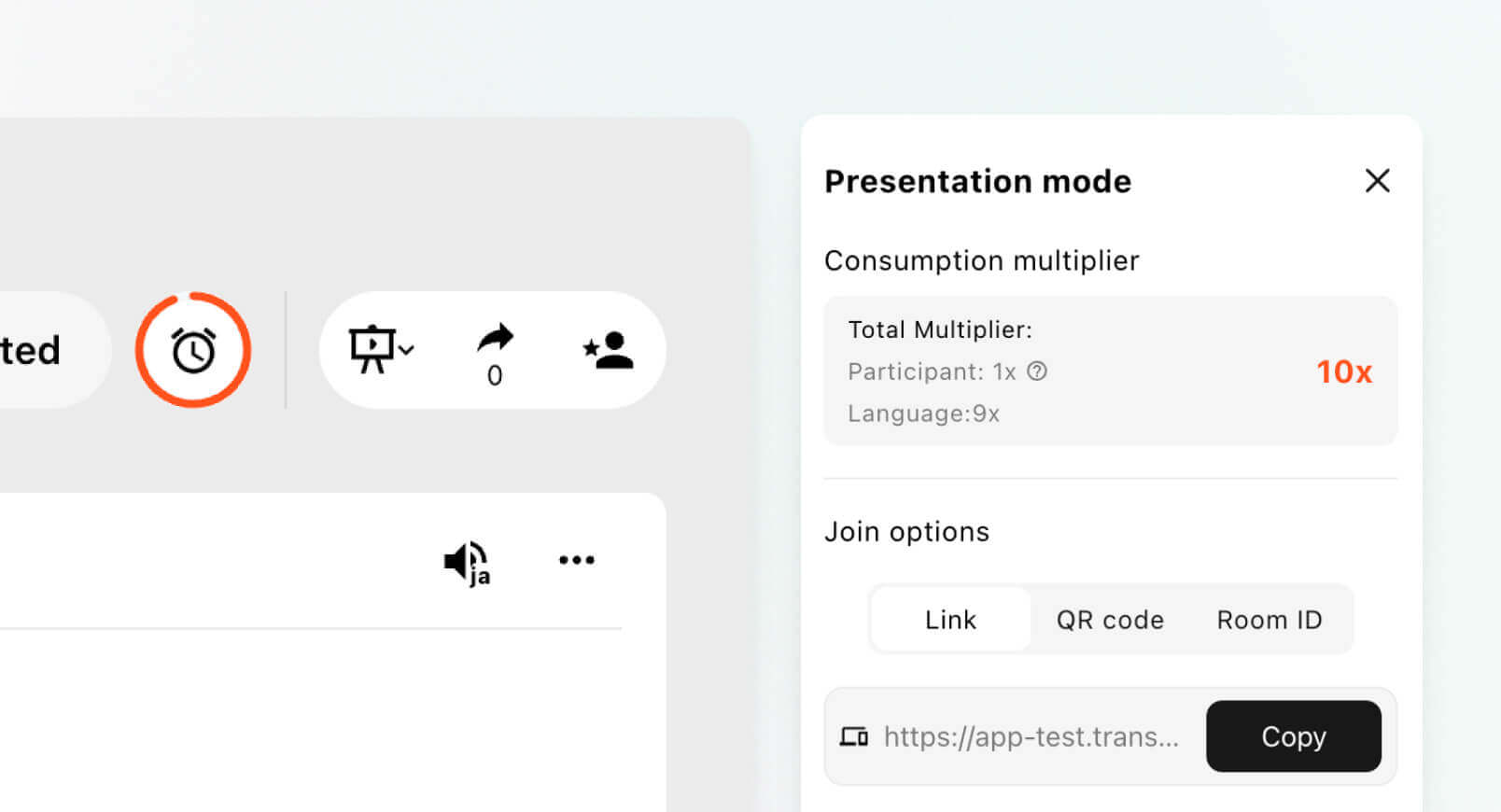
Live Subtitles & Voice Playback
Each attendee can follow real-time translated subtitles on their own device and, when enabled, listen to translated voice playback in their selected language.
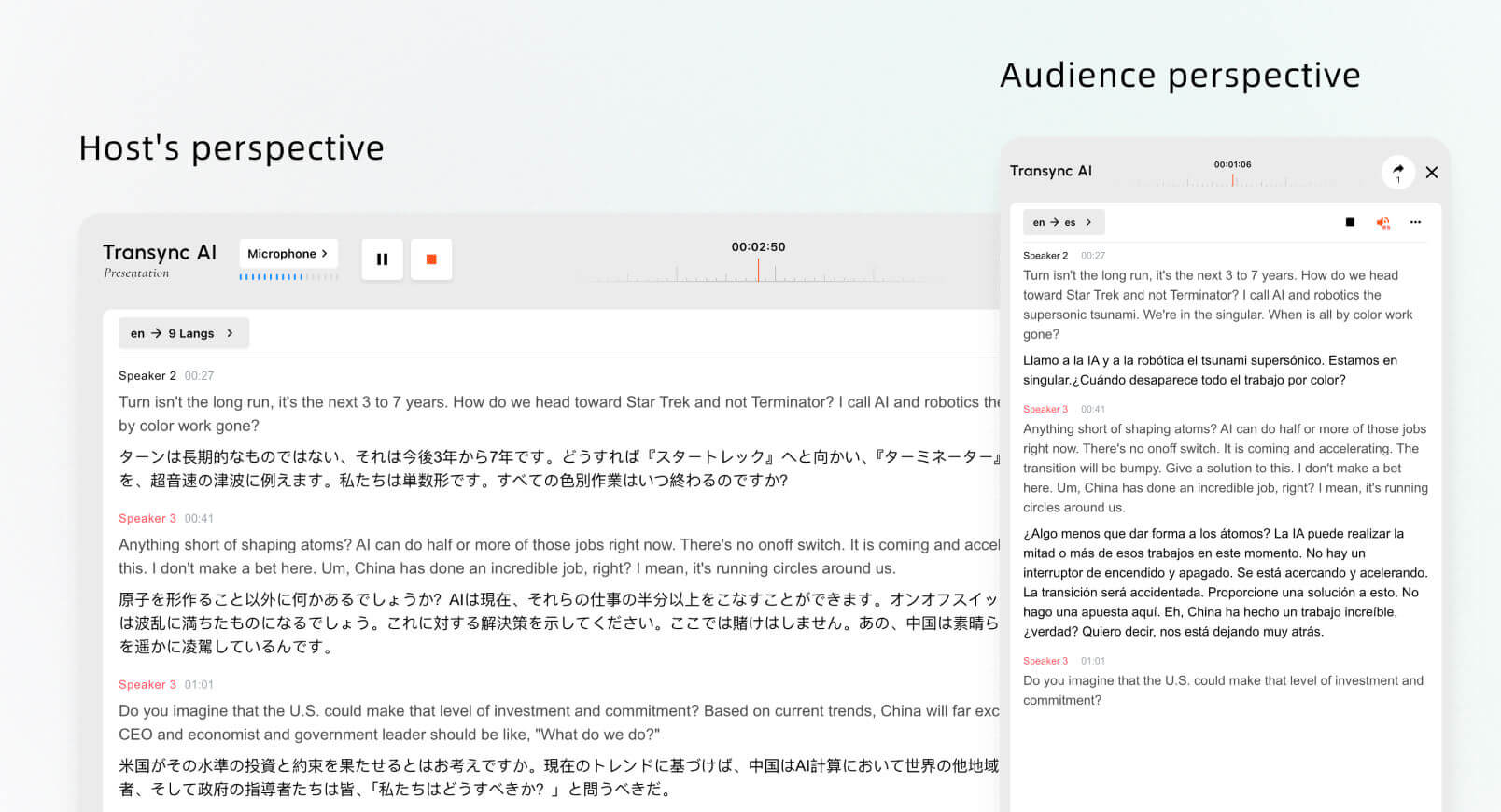
Share Meeting Records After the Session
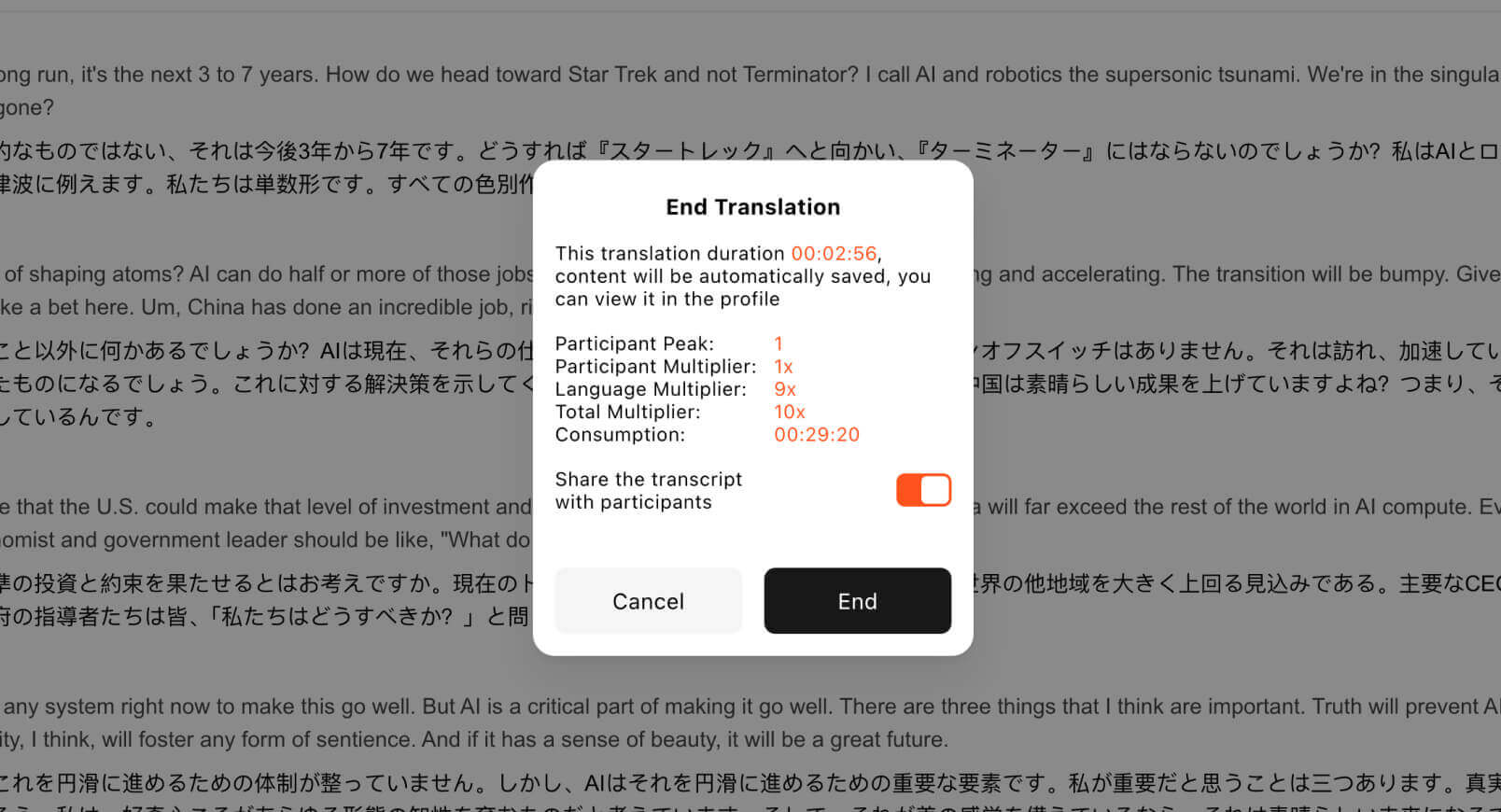
Keep the content accessible after the presentation ends. The host can choose to share the original transcript and meeting notes with attendees, who can then review the content directly on their own devices. This makes it easier to revisit key information after lectures, presentations, training sessions, and events.
With Presentation Mode, Transync AI v2.3 lets you speak once, reach a multilingual audience, and keep important content accessible even after the session ends.
Thank you for using Transync AI. We’ll continue making multilingual meetings, presentations, and events easier to connect. Smarter translation starts today.
✍️ Team Transync AI
f you want a next-generation experience, Transync AI leads the way with real-time, AI-powered translation that keeps conversations flowing naturally. You can try it free now.
