

Compare Transync AI and Wordly across meeting translation, attendee access, voice, captions, events, follow-up, and pricing before you buy.
A bilingual sales call and a 500-person conference can both require live translation, but they create very different buying decisions. The first needs a participant to understand and respond naturally. The second needs an organizer to distribute several languages to an audience with minimal setup.
That is the clearest way to understand Transync AI and Wordly. Both provide real-time text and audio translation, and both can distribute translation to audience members on their own devices. Transync AI combines participant-controlled meeting translation with a Presentation Mode for one-to-many delivery, while Wordly is built more broadly around organizer-managed meetings, conferences, and recurring event programs.
This buyer’s brief evaluates Transync AI and Wordly through six practical questions: who operates the translation, how participants join, what they see and hear, how the tools scale, what remains after the session, and how pricing affects the purchase.
The Fast Decision on Transync AI and Wordly
Choose Transync AI when an individual or team needs bilingual subtitles, translated voice playback, terminology context, floating captions, and meeting notes across frequent online or in-person conversations. Its transparent $8.99 monthly individual plan makes it easier to start without committing to an annual block of event hours.
Choose Wordly when an organizer needs to provide translated audio and captions to many attendees through their own phones, tablets, or computers. Its annual hour packages, shared glossaries, transcripts, summaries, and optional event support are designed for repeat organizational use.
The choice between Transync AI and Wordly is therefore less about which product has the longest feature list and more about who owns the translation experience: the meeting participant or the event organizer.
Decision Snapshot
| Buying question | Transync AI | Wordly |
|---|---|---|
| Primary user | Individual participant, team, presenter, or self-service event host | Meeting and event organizer serving attendees |
| Best fit | Recurring calls, interviews, classes, training, lectures, presentations, and self-managed events | Conferences, webinars, town halls, government meetings, and recurring hybrid-event programs |
| Delivery model | Standalone meeting companion plus Presentation Mode access by link, QR code, or Room ID | Host session plus attendee access by link, QR code, or integrated event workflow |
| Live captions | Side-by-side bilingual subtitles | Same-language captions and translated text selected by each attendee |
| Translated audio | AI voice playback and meeting audio-routing workflow | Personal translated audio channel on attendee devices |
| Terminology | Keywords and contextual preparation | Glossaries and blocklists across organizational sessions |
| After the meeting | Transcript and AI meeting notes | Transcripts, summaries, transcript translation, and higher-plan voice transcripts |
| Published entry model | Free trial allowance, then $8.99 monthly individual plan | Minimum 10-hour annual package; current public page directs buyers to quote or online account purchase |
| Strongest advantage | Low-cost meeting translation plus self-service audience delivery | Mature organizer workflow for recurring multilingual events |
| Main trade-off | Not designed as a managed event distribution platform | Annual package structure may be excessive for one person’s recurring calls |
Pricing and package information checked in August 2026. Providers can change rates, allowances, and plan terms; confirm the current checkout or sales quote before purchasing.
Use this Transync AI and Wordly snapshot as a routing guide, then validate the selected workflow with an actual meeting or event.
Question 1: Who Is Responsible for Translation?
The first difference between Transync AI and Wordly is operational ownership.
With Transync AI, the user who needs translation opens the product and manages the language mode. That person can follow bilingual subtitles, listen to translated speech, and keep a record of the meeting. This participant-led model suits international salespeople, consultants, teachers, support agents, interviewers, and distributed team members who move between meetings throughout the week.
With Wordly, an organizer creates and manages the session. Attendees then access the required language from their own devices. This organizer-led model is useful when one team must make a town hall, conference, training program, public meeting, or webinar accessible to a multilingual audience.
A buyer should identify the operator before comparing accuracy or language counts. If every user is responsible for their own conversations, a personal meeting companion is simpler. If one organization must distribute translation to many people, an attendee-access platform is easier to govern. This first Transync AI and Wordly decision often eliminates the wrong operating model immediately.
Question 2: How Does Translation Enter the Meeting?
A feature can look convenient in a product demo but create friction under real meeting policies. Comparing Transync AI and Wordly requires looking at the complete audio and access path.
The Transync AI Participant Workflow
For one-to-many communication, the Presentation Mode feature lets one host distribute live translation to audience members without adding a meeting bot. The host can enable up to 10 target languages and invite people through an active link, QR code, or Room ID.
Audience members follow the presentation on their own computers or phones, choose one of the enabled languages, and receive real-time subtitles or optional voice playback. No software installation is required, although each audience member must register or sign in to a Transync AI account. The audience panel is designed for reading and listening; audience members cannot send voice input into the host’s translation task.
Presentation Mode is currently in beta. Usage depends on the peak simultaneous audience and the number of enabled target languages, so organizers should check the displayed multiplier before starting a public session.

Presentation Mode lets one host share live translation with audience members on their own devices.
The Wordly Attendee Workflow
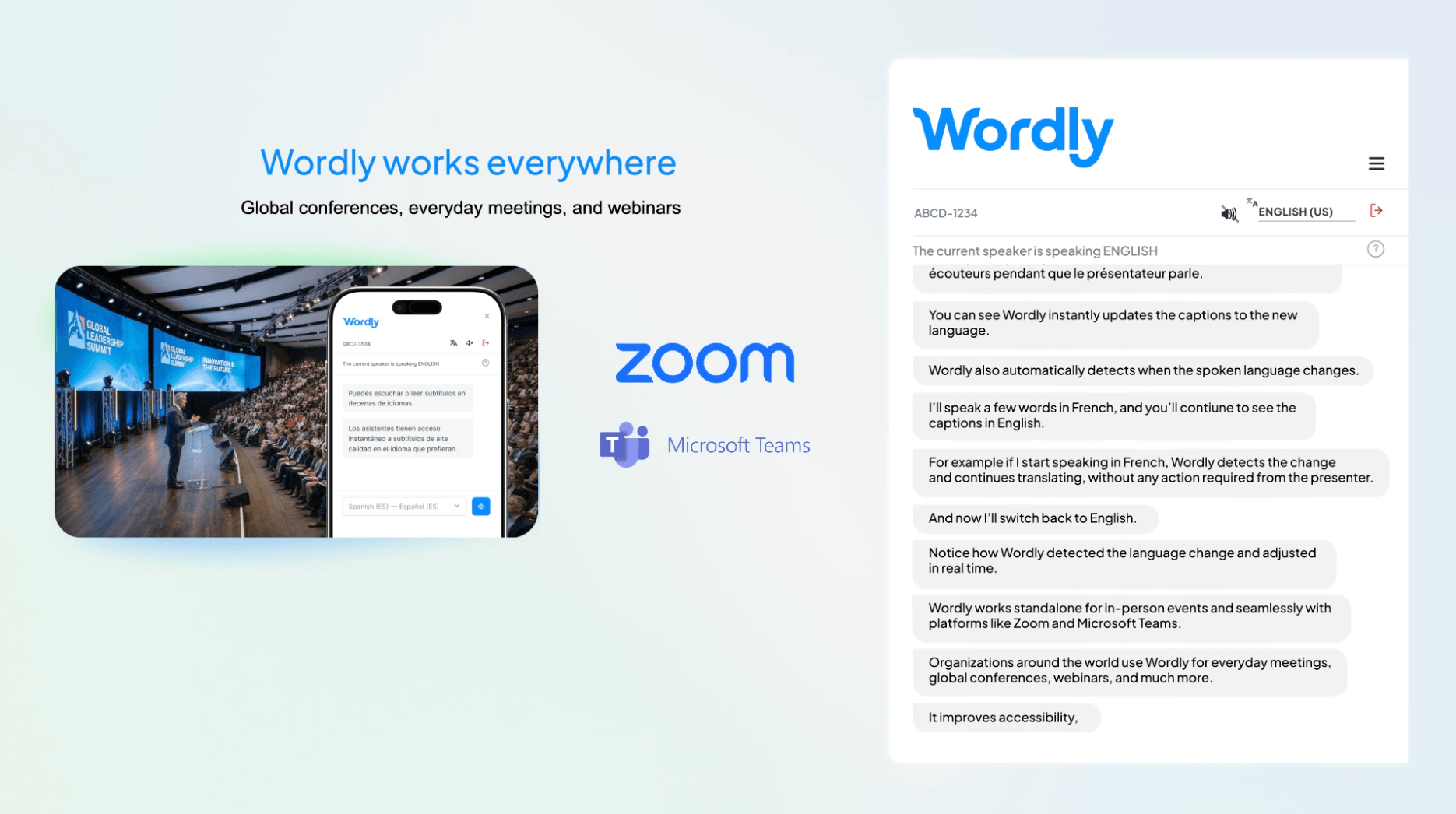
Wordly is built around a host session and attendee access. In an in-person event, participants can scan a QR code, select a language, and receive translated audio or captions on a phone. For virtual and hybrid sessions, they can open a shared link on a computer or personal device.
This approach avoids distributing interpretation receivers and allows different attendees to choose different languages. It also separates the audience experience from the presenter’s main screen, which can be valuable in a multilingual venue.
Question 3: What Will Participants See and Hear?
The live output of Transync AI and Wordly includes both text and audio, but it is presented for different types of participation.
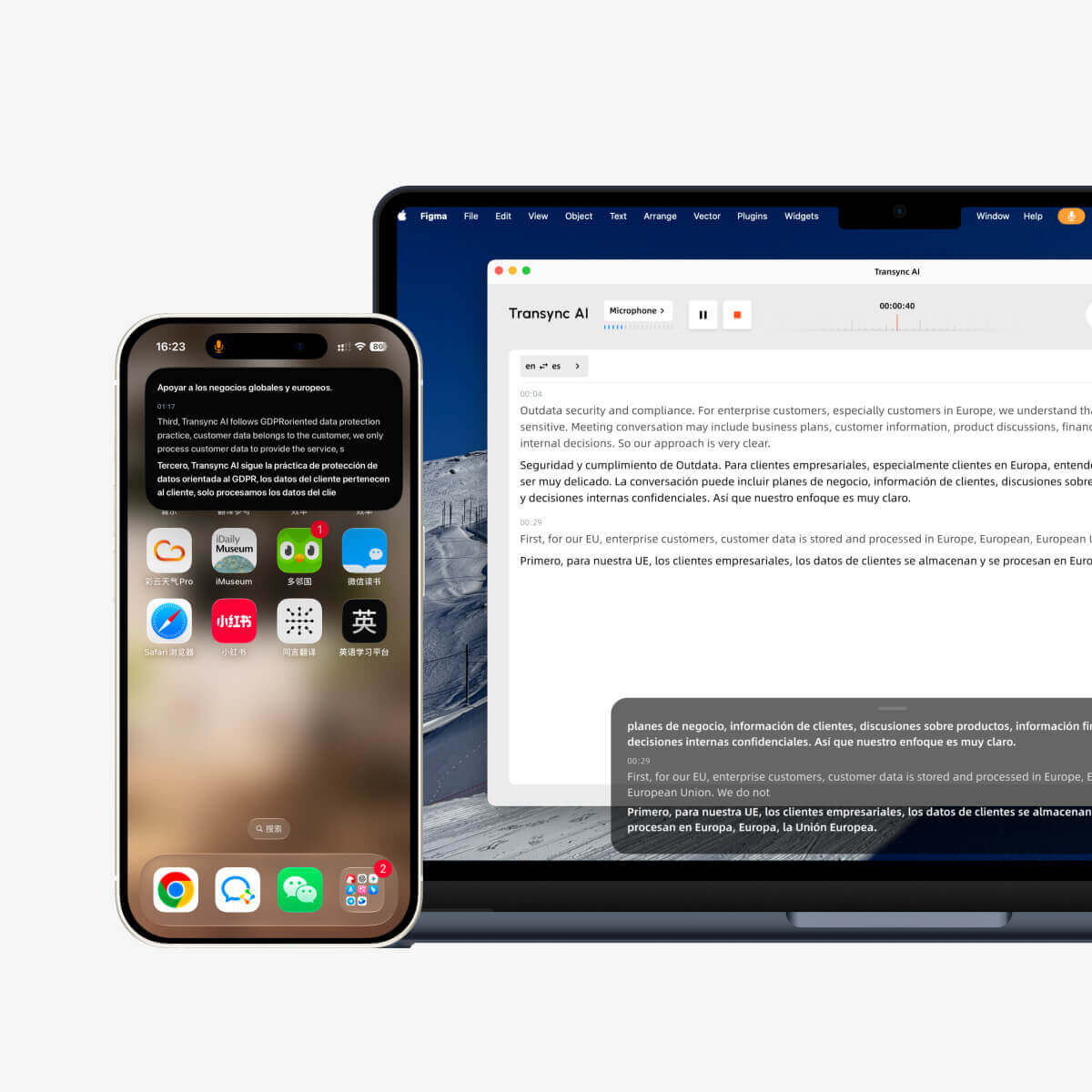
Transync AI keeps the source and translated text together. Its real-time translation tool helps a participant verify what was recognized while reading the translated meaning. The AI voice translator provides natural spoken output, which is useful when users cannot watch captions continuously.
The Picture-in-Picture bilingual subtitles feature can keep the conversation visible above other applications on supported devices. This matters during demonstrations, shared presentations, CRM work, interviews, or lessons where the user must look at something other than the translator window.
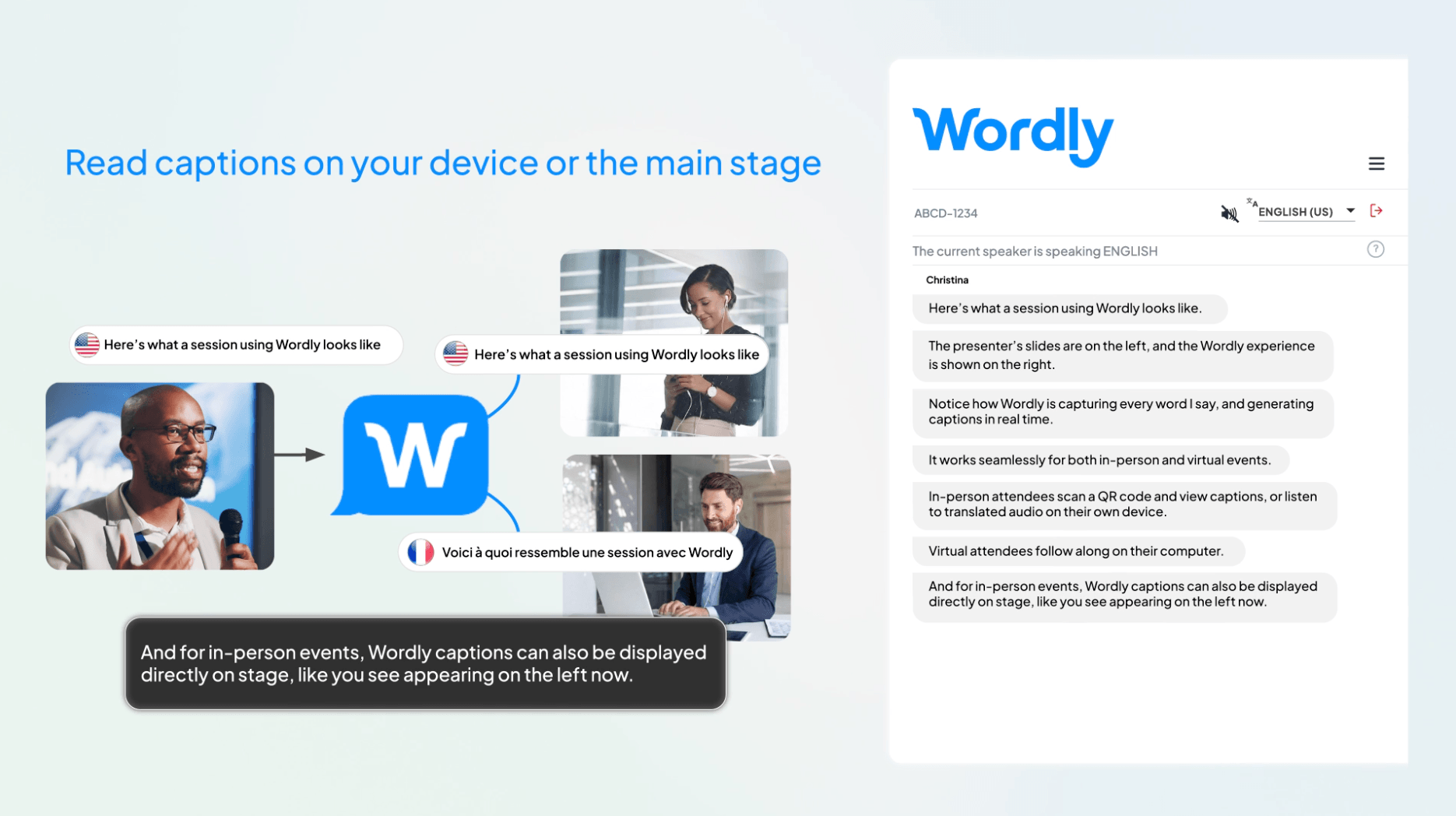
Wordly allows attendees to listen to translated audio, read translated subtitles, or use same-language captions. Each person can select a preferred language on a personal device, and organizers can also display captions on venue monitors. This is less about one bilingual working view and more about distributing individualized access across an audience.
For a recurring negotiation, Transync AI’s bilingual participant view helps an active speaker verify the original wording before responding. For a one-to-many presentation, its Presentation Mode gives each audience member a personal language choice, translated subtitles, and optional voice playback. Wordly provides a similar attendee-oriented experience but places it within a more established organizer and event-program workflow. The live-experience decision between Transync AI and Wordly is therefore no longer personal translation versus audience distribution; it is a self-service meeting-and-presentation product versus a platform centered more extensively on recurring events and organizational administration.
Question 4: How Do the Products Handle Languages, Terms, and Scale?
Raw language totals can make Transync AI and Wordly look interchangeable, but coverage and delivery scale answer different questions.
Transync AI publicly supports more than 60 languages and over 1,700 language pairs. It also provides an AI Assistant Keywords and Context feature so users can prepare company names, specialist terms, abbreviations, and the subject of the conversation.
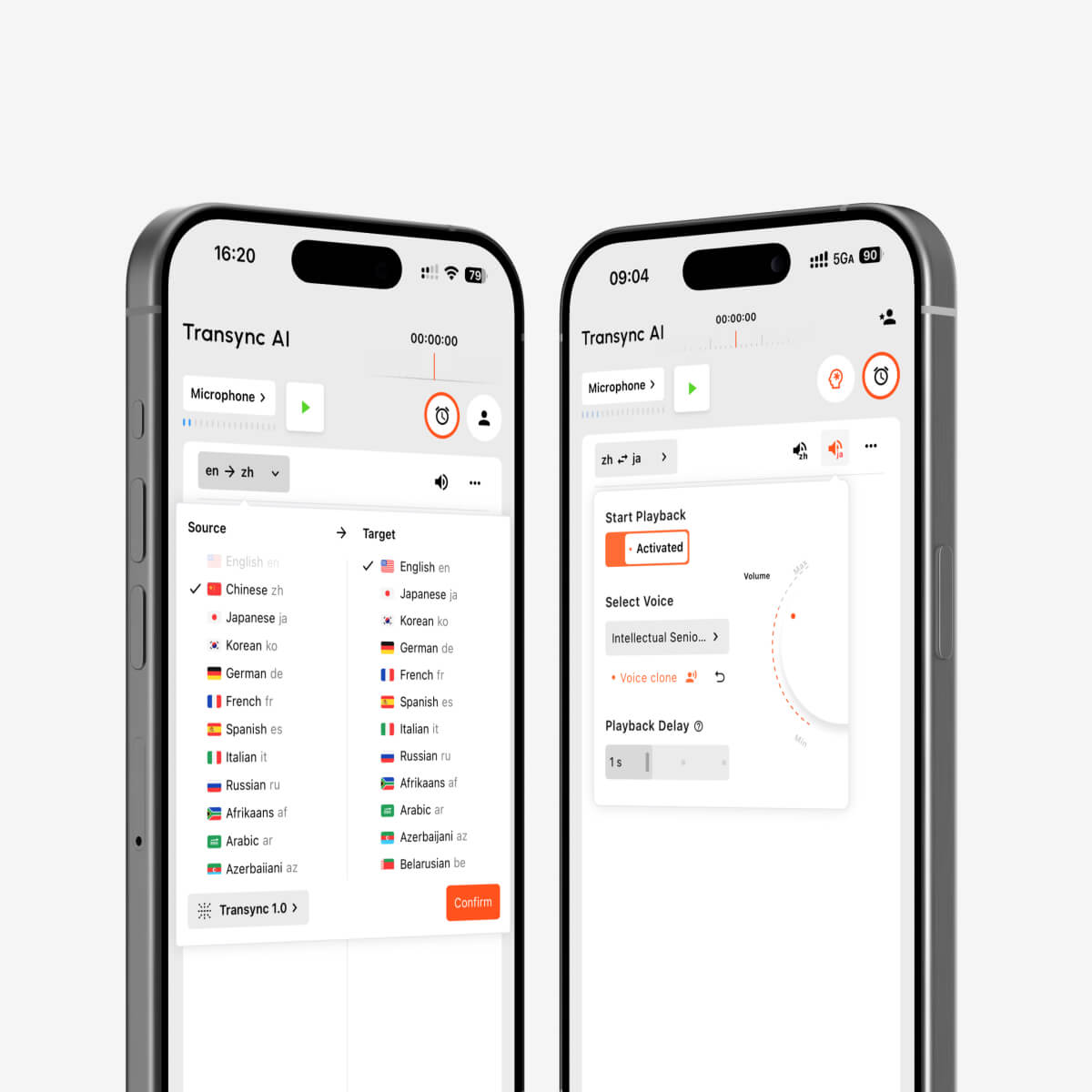
AI voice playback and voice cloning for multilingual real-time interpretation
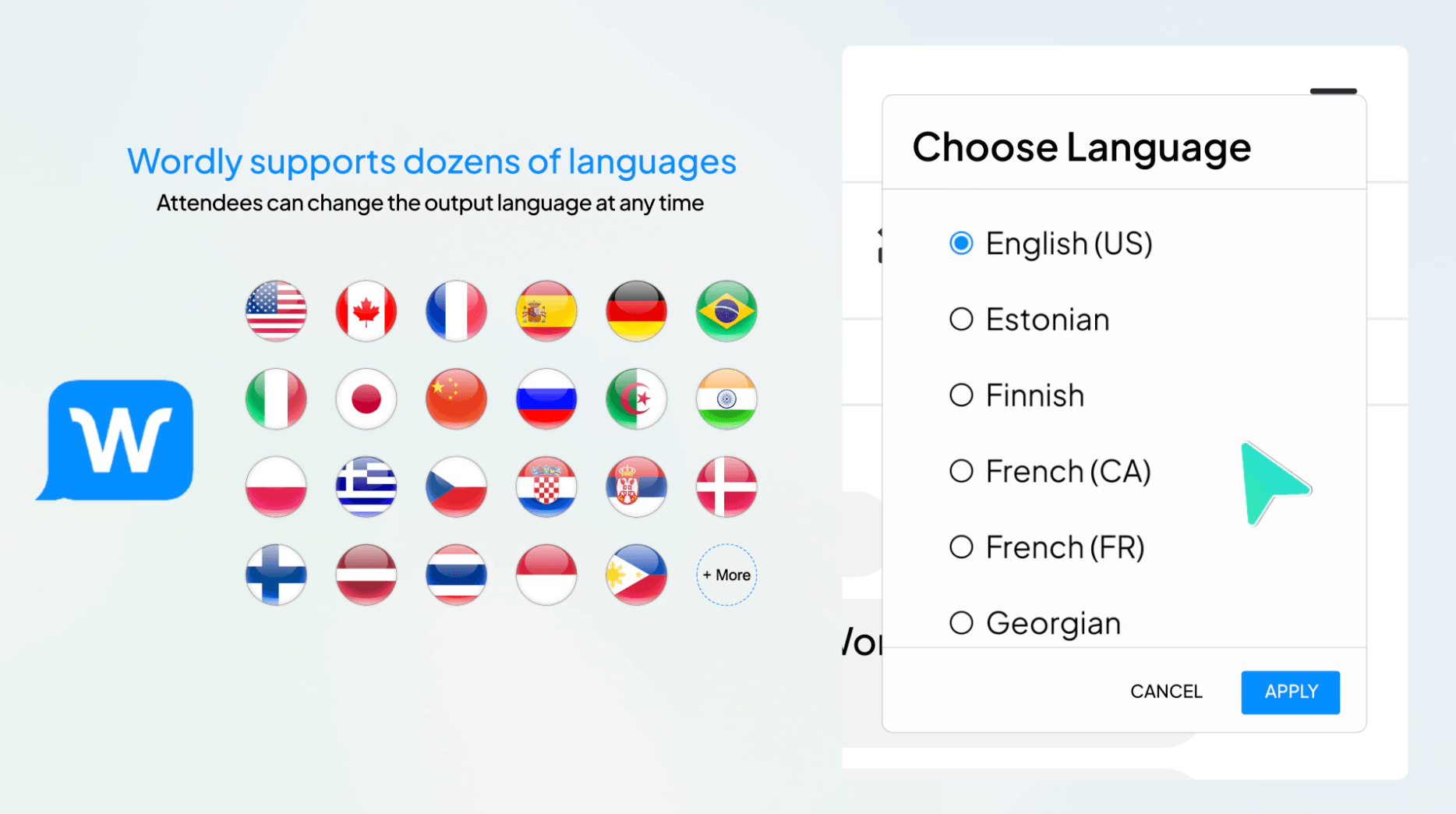
Wordly advertises dozens of languages and more than 3,000 language pairs. Its packages include glossaries and blocklists, while higher tiers add ways to share glossaries and minutes across an organization. Its attendee model is designed to provide several available languages without hiring an interpreter for each channel.
 The better test is not “Which number is larger?” Ask instead:
- Does the exact source and target language pair work in the required output mode?
- Can the tool handle names, acronyms, numbers, and industry vocabulary?
- Does it detect speaker or language changes in the intended workflow?
- Can every required attendee access the language without support delays?
- Does additional language use change the included allowance or quote?
For a two-person technical call, context control may be decisive. For a multilingual conference, attendee capacity, concurrent language access, venue audio, and onboarding become equally important.
Question 5: What Remains After the Session?
Post-meeting output changes the long-term value of Transync AI and Wordly.
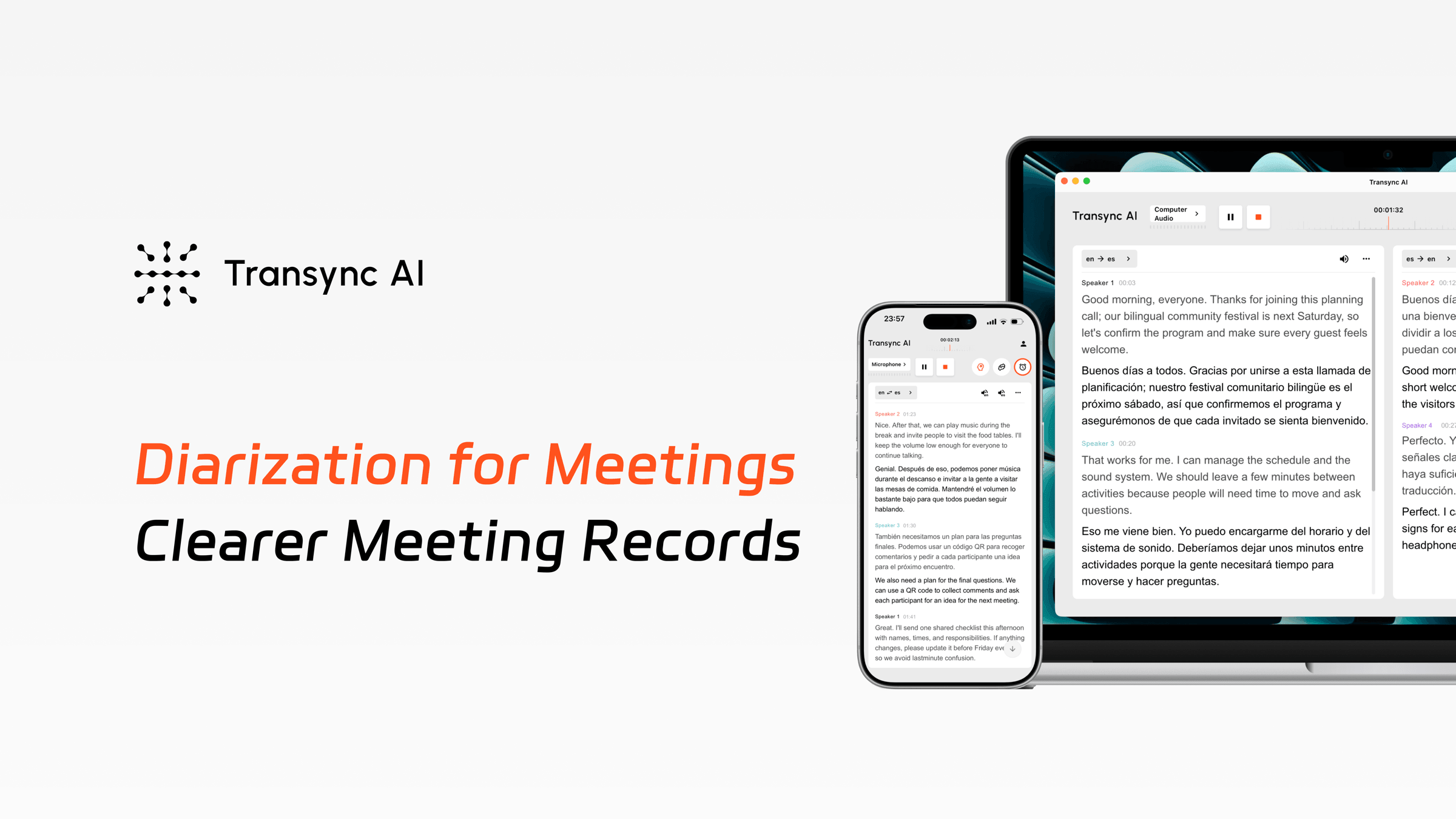
The AI meeting notes feature produces a transcript and structured summary for reviewing decisions and continuing work. This aligns with the daily meeting loop: talk, understand, confirm next steps, and return to the record when needed.
 Wordly packages translation, captions, session transcripts, and summaries together. Depending on the selected tier, organizations can also gain transcript translation, downloadable voice transcripts, shared glossaries and minutes, workspaces, configurable storage, or optional video-caption services.
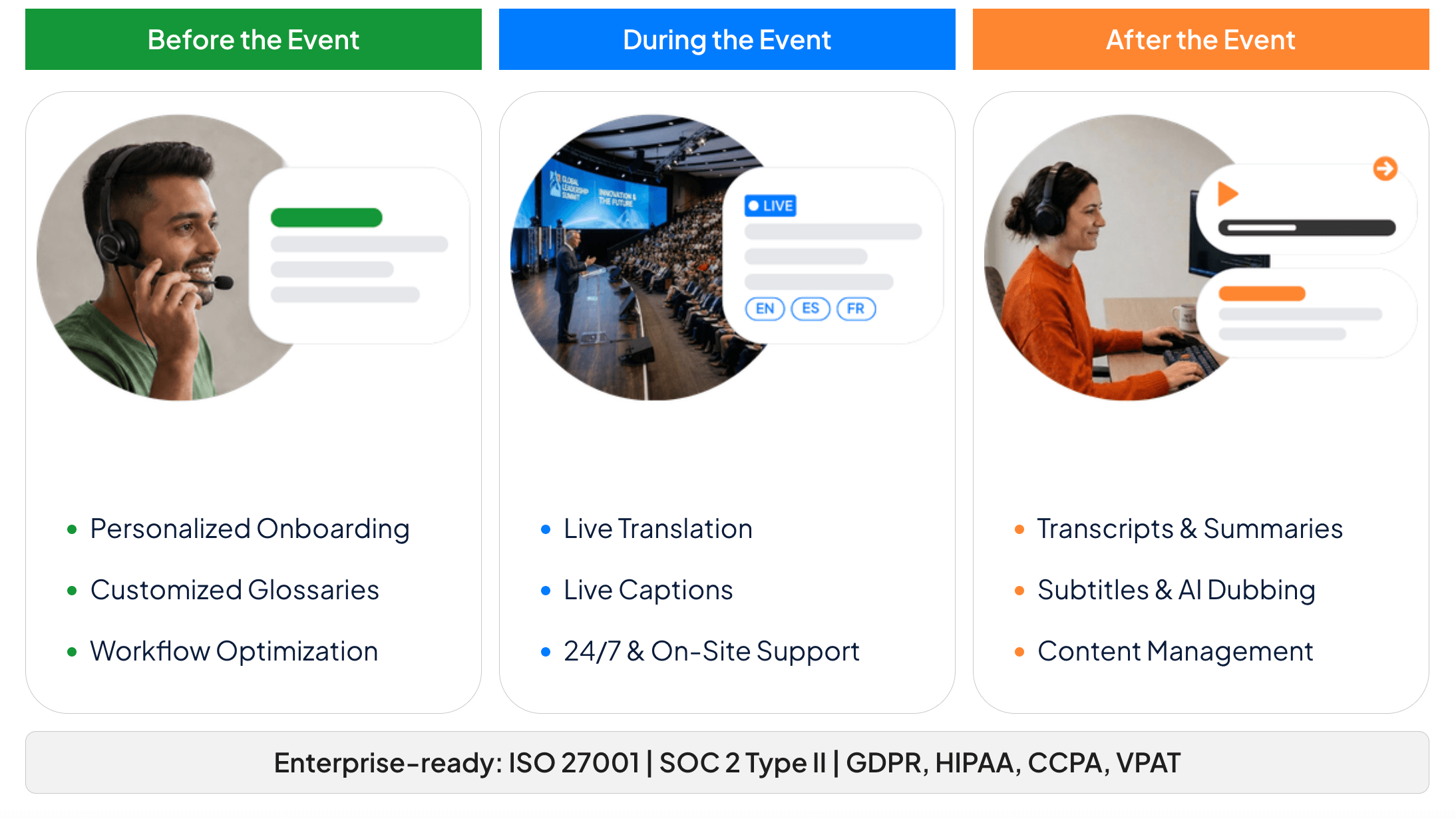 The distinction is subtle but useful. Transync AI turns a multilingual conversation into an actionable meeting record. Wordly turns an organizer-run session into reusable accessibility and communication output for a wider audience.
Before buying, ask who needs the record. A salesperson may want decisions and action items. A government or association team may need translated transcripts for distribution. An event marketer may need summaries for post-event communication. The post-session value of Transync AI and Wordly depends on which of these records must be delivered.
Question 6: How Does Transync AI and Wordly Pricing Work?
The pricing structures reflect the products’ different buyers. Transync AI and Wordly should not be compared as though one monthly app subscription and one annual event-hours package were identical.
Published pricing and package structure
| Product or plan | Public price | Included usage or term | Buying implication |
|---|---|---|---|
| Transync AI Free | $0 | 40 minutes after sign-up | Test the live meeting workflow before paying |
| Transync AI Personal Premium | $8.99/month | 10 hours of real-time translation during the membership period | Transparent entry point for individuals and frequent meeting users |
| Transync AI Enterprise | $24.99/month per seat | Up to 40 hours per month per seat | Organization management with a predictable seat price |
| Wordly Starter | Quote or account purchase | 10 hours usable across sessions for up to 12 months | Minimum annual package listed on the public pricing page |
| Wordly Pro | Quote or account purchase | 25 annual hours | Adds shared glossary and minutes features according to the plan table |
| Wordly Pro+ | Quote or account purchase | 50 annual hours | Adds transcript translation and voice transcripts according to the plan table |
| Wordly Corporate | Quote or account purchase | 100 annual hours | Higher-volume organizational use |
| Wordly Corporate+ | Quote or account purchase | 250 annual hours | Larger meeting and event programs |
| Wordly Enterprise | Contact sales | 500+ annual hours | Enterprise workspace, SSO, storage, and support options |
Sources: Transync AI official pricing page and Wordly official pricing page. Checked in August 2026.
A responsible pricing review of Transync AI and Wordly should compare both the purchase commitment and the number of people who receive value from each session.
Where Does Transync AI Have the Price Advantage?
Transync AI publishes a 8.99 monthly individual price with 10 hours of real-time translation during the membership period. At full included usage, that is roughly 0.015 per minute. A user can also begin with 40 free minutes after registration.
Wordly publishes its annual hour tiers and package features but does not display dollar amounts on the current public pricing table. Its minimum listed package contains 10 hours usable over 12 months, and new buyers are encouraged to request a proposal or purchase through an account. Volume, multi-year, nonprofit, NGO, and educational discounts are available under stated conditions.
This gives Transync AI a clear advantage in price transparency and low initial commitment for an individual or small team. There is no need to request a quote or purchase an annual block of event hours to begin regular meeting translation.
It would be misleading to claim an exact percentage saving against Wordly without a current quote for the required attendee count and usage. Wordly can still be the better-value procurement choice when one organizer needs to serve many attendees and languages, because its package combines translated audio, captions, transcripts, and summaries.
The fair pricing question is therefore:
Are you buying translation time for a person who attends meetings, or language access for an audience attending an event?
A Scenario-Based Buying Map
The following Transync AI and Wordly scenarios translate product positioning into recognizable buying situations.
| Your situation | Better starting point | Reason |
|---|---|---|
| Weekly bilingual customer calls | Transync AI | Participant-focused subtitles, voice, context, notes, and monthly pricing |
| Individual consultant working across meeting apps | Transync AI | One companion across platforms and devices |
| Cross-border support or product demonstrations | Transync AI | Two-way meeting workflow and terminology preparation |
| Classes or in-person conversations | Transync AI | Mobile, desktop, web, text, and voice options |
| Multilingual conference | Wordly | Attendees select audio or captions on personal devices |
| Town hall or government meeting | Wordly | Organizer-managed access and accessibility output |
| Hybrid webinar with several target languages | Wordly | Link-based remote access plus live language channels |
| Annual program of multilingual events | Wordly | Hour packages can be distributed across sessions for 12 months |
How to Test Transync AI and Wordly Fairly
A fair Transync AI and Wordly test should use one script but two appropriate delivery setups. Testing an attendee platform only as a personal app—or testing a personal companion as though it were a managed conference service—will produce a meaningless result.
Use the same language sample
Include two speakers, one accent, four company terms, an abbreviation, a price, a date, overlapping speech, and a request for clarification. Measure recognition, translation meaning, latency, caption stability, and voice clarity.
Test the participant workflow
For Transync AI, record how long it takes one user to start translation, capture meeting audio, read bilingual captions, enable voice output, and retrieve meeting notes.
Test the organizer workflow
For Wordly, record how long it takes to create a session, distribute the link or QR code, let several attendees choose different languages, monitor the session, and retrieve transcripts and summaries.
Calculate the complete cost
Include subscription or package cost, unused hours, attendee volume, onboarding, rehearsal time, venue audio, optional support, and staff administration. The lowest sticker price and the lowest total operating cost are not always the same.
Transync AI and Wordly FAQ
Is Transync AI Cheaper Than Wordly?
In a public-price review of Transync AI and Wordly, Transync AI has the clearer low-cost entry point: $8.99 per month for Personal Premium, with 40 free minutes available after sign-up. Wordly publishes a minimum 10-hour annual package but requires an online account purchase or quote for the current dollar amount. An exact price comparison requires a Wordly quote for the expected hours and attendees.
Which product is better for ordinary online meetings?
Transync AI is generally the more direct fit for an individual or team running recurring calls. It combines bilingual subtitles, translated voice, contextual preparation, floating captions, and meeting notes without requiring an event-access workflow.
Which product is better for conferences?
Transync AI is now a credible self-service option for conferences, lectures, training sessions, presentations, and other one-to-many events. Its Presentation Mode supports up to 10 target languages and lets audience members join by link, QR code, or Room ID to receive subtitles or voice playback on personal devices.
Wordly remains the stronger starting point when the organization needs a mature event-centered workflow, annual hour packages, shared organizational resources, event support, and repeated delivery across conferences, town halls, webinars, government meetings, or hybrid programs.
Do both products provide translated audio?
Yes. Transync AI provides AI voice playback and supported methods for routing translated speech during calls. Wordly lets attendees listen to translated audio on their own devices. Test the exact languages, device audio, network, and meeting format before an important session.
Does Wordly Require Every Attendee to Install an App?
No. Its official workflow allows attendees to scan a QR code or open a link in a browser, select a language, and receive audio or captions without downloading an application.
Can One Wordly Package Be Used for Multiple Meetings?
Yes. Its pricing page states that package hours can be used across multiple sessions for up to 12 months. Only the actual session time used is deducted, without rounding up, according to the current pricing notes.
Which product offers better meeting follow-up?
Transync AI is oriented toward participant transcripts and AI meeting notes. Wordly combines transcripts and summaries with organizer-oriented options such as shared glossaries, transcript translation, voice transcripts, and workspaces at applicable tiers.
Final Recommendation
The decision between Transync AI and Wordly is a decision between two operating models.
Choose Transync AI when the buyer is the person having multilingual conversations. Its bilingual meeting interface, translated speech, terminology context, notes, cross-platform flexibility, and transparent $8.99 monthly price make it the stronger value for recurring calls.
Choose Wordly when the buyer is responsible for multilingual audience access. Its link and QR workflow, personal attendee language channels, annual hour packages, glossaries, transcripts, summaries, and optional event support make it better suited to organized meetings and events at scale.
For most individuals and small teams, Transync AI is the simpler and more economical starting point. For event and communications teams, Wordly may justify a larger annual commitment by solving the distribution problem that a personal meeting translator is not designed to manage.
If you want a next-generation experience, Transync AI leads the way with real-time, AI-powered translation that keeps conversations flowing naturally. You can try it free now.
