
Yes, you can get live speech translation in Microsoft Teams without Copilot or Teams Premium. Teams’ own options (Interpreter and translated captions) each sit behind a licence. A Teams Interpreter alternative such as Transync AI runs beside Teams on your computer, with no bot and no plugin, so you can translate guest and supplier calls where the other side will never get Copilot.
Try Transync AI free (40 minutes)
“世界上有成千上萬個翻譯應用程序,但只有 Transync AI 真正與眾不同,而且極其穩定。”
——一位Transync AI客戶(譯自中文翻譯)
Quick answer: Can Teams translate without Copilot?
Can Microsoft Teams translate in real time without Copilot?
It depends which feature you mean. Teams Interpreter is speech-to-speech translation inside Teams and, per Microsoft Learn checked on 28 October 2026, needs an eligible Microsoft 365 base license, a Teams license, and a Microsoft Copilot license (or Teams Rooms Pro on Rooms devices), with about 20 interpretation hours per user per month. Live translated captions are a separate feature tied to Teams Premium or Copilot on Microsoft’s support pages. If you do not have those licenses, a side-by-side tool such as Transync AI can translate the meeting audio on your computer without joining as a bot.
| 特徵 | What you get | Licence gate (Microsoft, checked 2026-10-28) |
|---|---|---|
| Interpreter agent | Spoken translation (speech-to-speech) | Microsoft 365 + Teams + Microsoft Copilot, or Teams Rooms Pro (Microsoft Learn) |
| 即時翻譯字幕 | Translated text captions | Teams Premium or Microsoft Copilot (Microsoft Support, live captions article) |
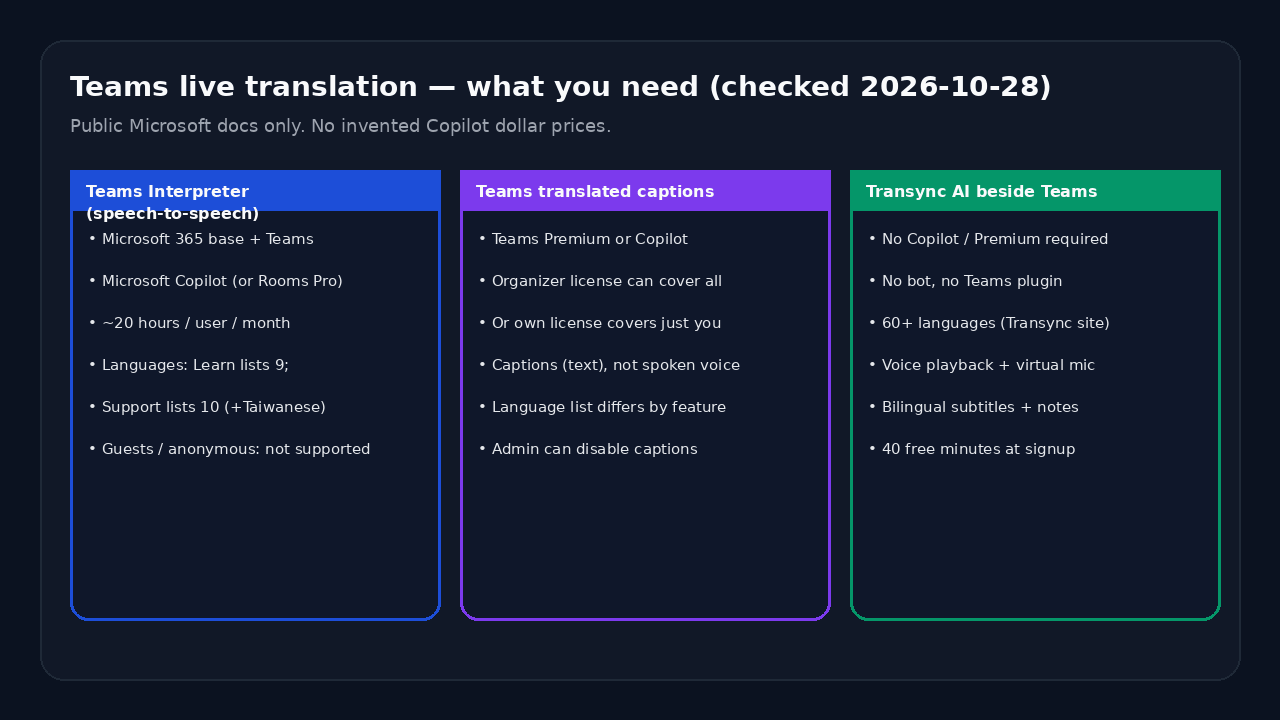
What Microsoft Teams offers today (checked 2026-10-28)
Interpreter agent (speech-to-speech)
根據 Microsoft Learn 和 Microsoft Support:
- Licences: an eligible Microsoft 365 base licence, an eligible Teams licence and Microsoft Copilot. Teams Rooms Pro covers Rooms devices.
- Hours: 20 hours per user per month. Use beyond that is subject to capacity.
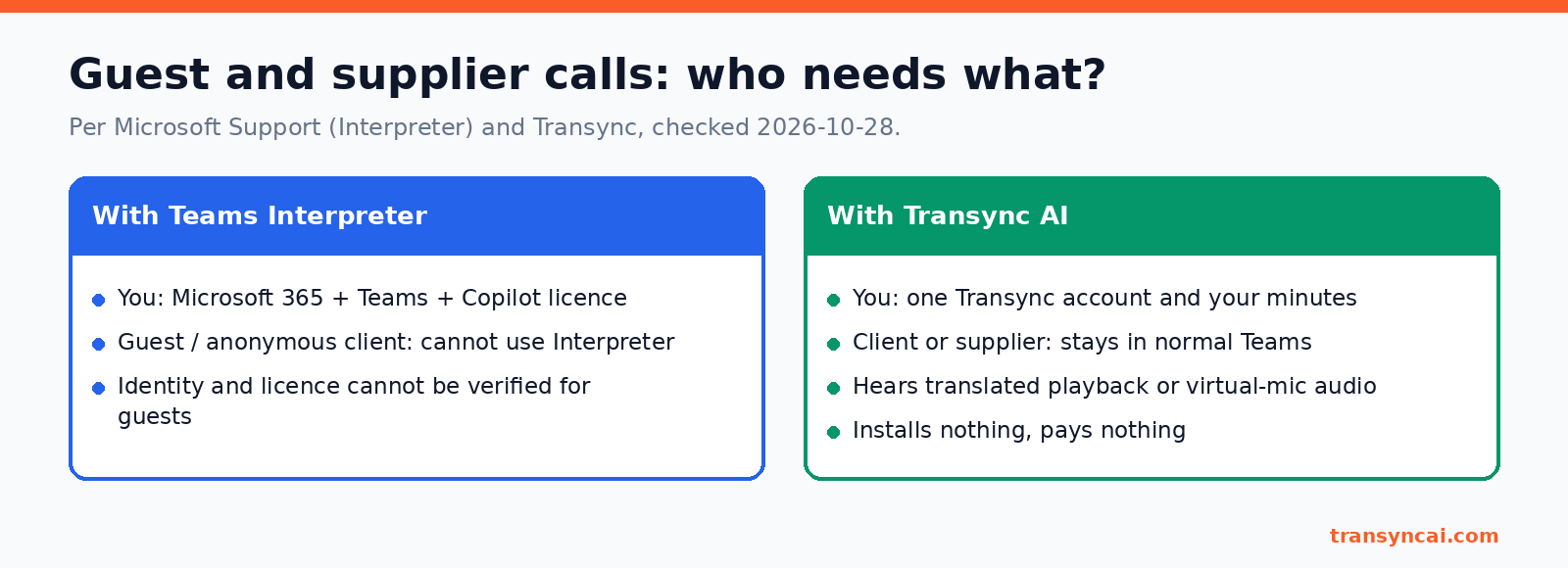
- Guests: people who join anonymously or as guests cannot use Interpreter.
- Not supported: ad-hoc meetings, town halls, webinars, Teams Free, 1:1 PSTN calls and several Rooms and events cases.
即時翻譯字幕
Microsoft Support describes live translated captions as part of Teams Premium and Microsoft Copilot. An organizer’s licence can cover everyone in the meeting. An individual licence covers only that person. Captions are text, not spoken voice.
Which languages? Two Microsoft pages, two lists
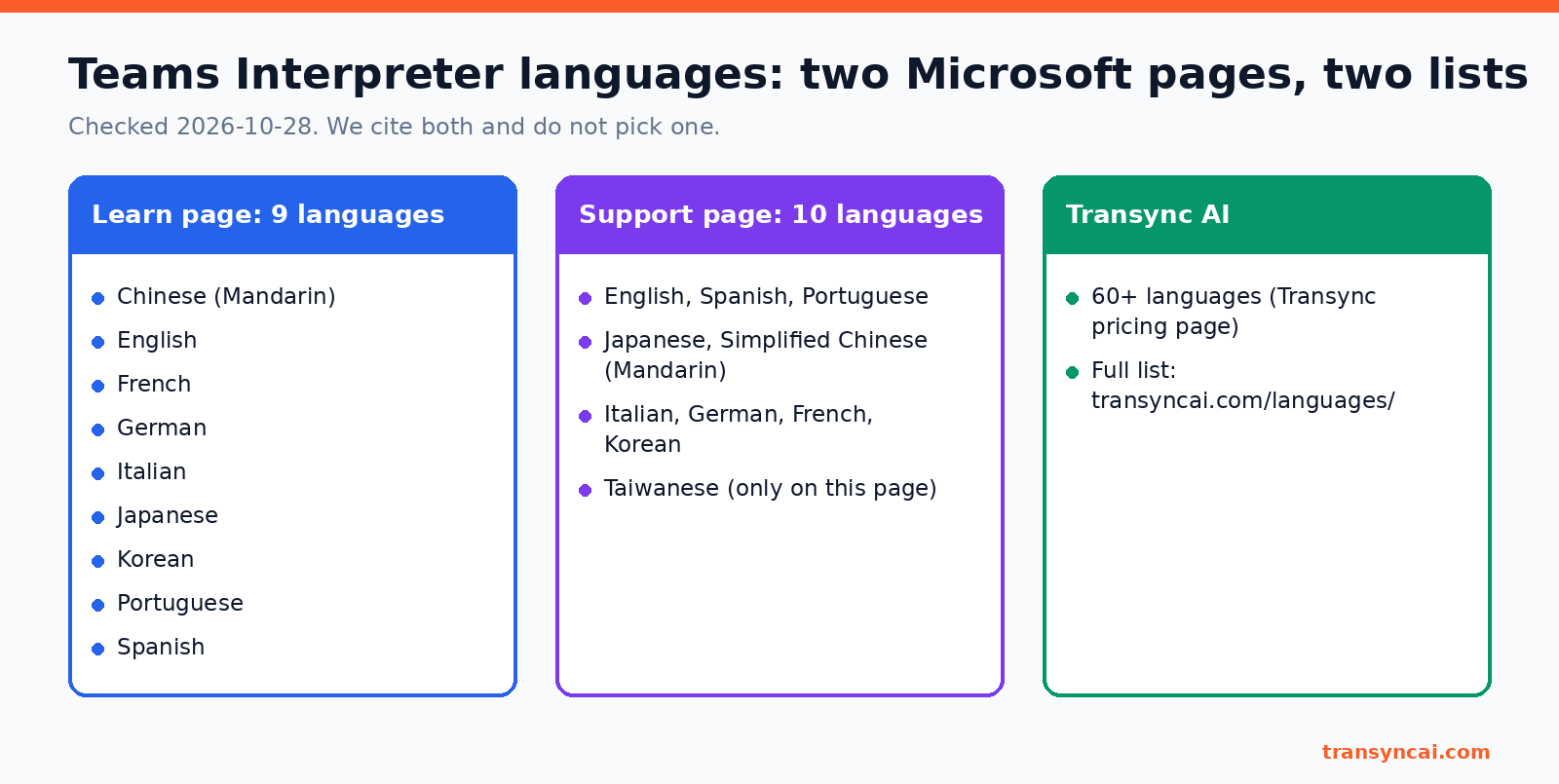
Microsoft’s own pages do not agree (both checked 2026-10-28):
- Microsoft Learn (admin page) lists 9 Interpreter languages: Chinese (Mandarin), English, French, German, Italian, Japanese, Korean, Portuguese and Spanish.
- Microsoft Support (user page) lists 10: the same set plus Taiwanese.
We cite both and do not pick one. Check the live pages before you plan a meeting.
Why people search for a Teams Interpreter alternative
Most people look for a Teams Interpreter alternative for one of these reasons:
- Guest and supplier calls. Your client or supplier joins as a guest, so Interpreter is not available to them.
- No Copilot seats. IT has no budget for Copilot for everyone who needs translation.
- Languages. The meeting language is not on Microsoft’s published Interpreter list.
- More than Teams. You also meet on Zoom, Google Meet or WhatsApp.
- One bill. You want only the salesperson or consultant to pay, not every participant.
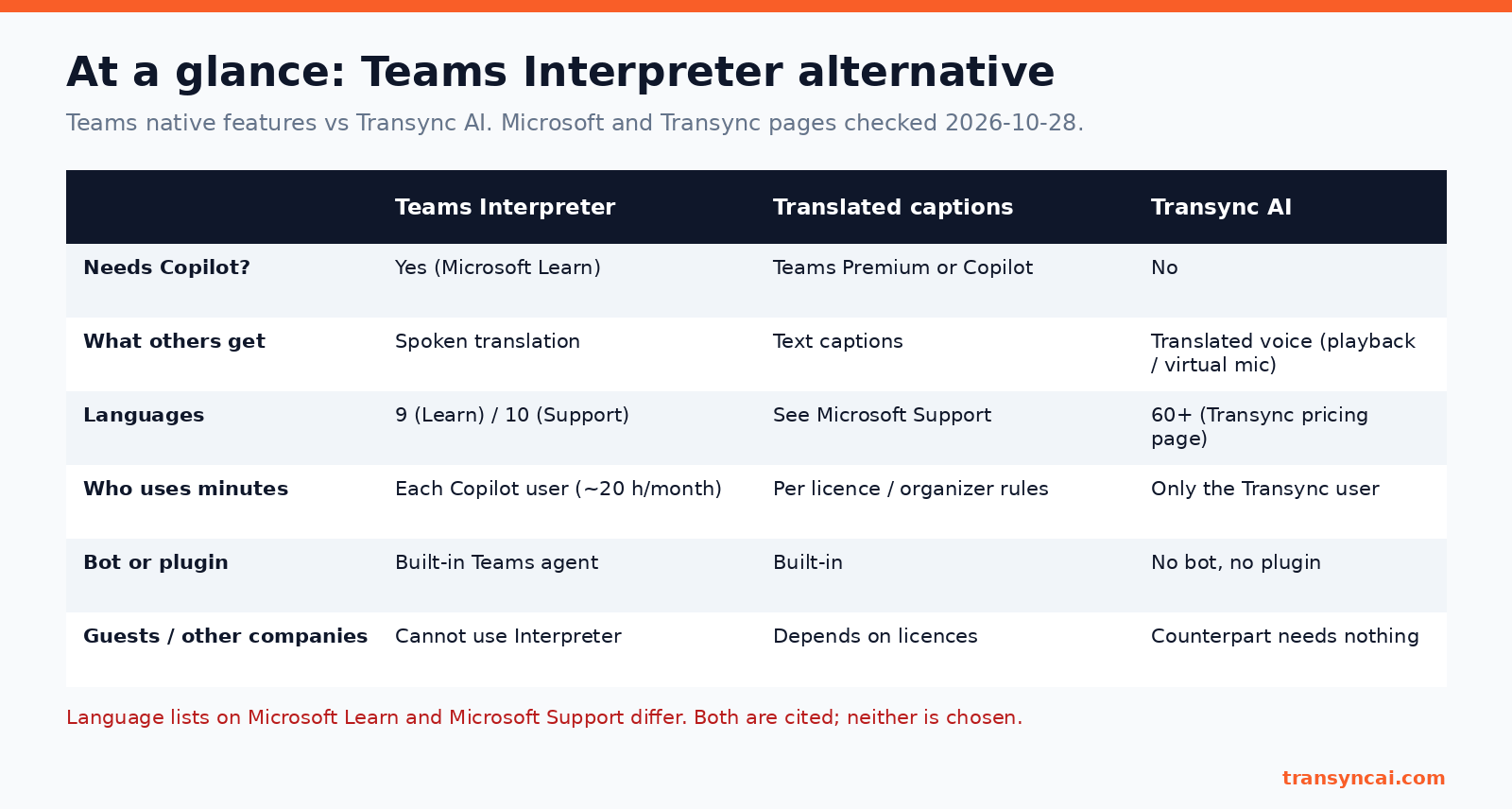
At a glance: Teams native vs Transync AI
| Teams Interpreter | 翻譯後的字幕 | Transync AI | |
|---|---|---|---|
| Needs Copilot? | Yes (Learn) | Teams Premium or Copilot (Microsoft Support) | No (同步) |
| What others get | Spoken translation (支援) | Text captions (Microsoft Support) | Translated voice via playback or virtual mic (同步) |
| 語言 | 9 (Learn) / 10 (支援) | See Microsoft Support | 60+ (同步) |
| Who uses minutes | Each Copilot user, 20 h/month (Learn) | Per licence / organizer rules (Microsoft Support) | Only the Transync user (同步) |
| Bot or plugin | Built-in Teams agent (Learn) | Built-in (Microsoft Support) | No bot, no plugin (同步) |
| Guests / other companies | Cannot use Interpreter (支援) | Depends on licences (Microsoft Support) | Counterpart needs nothing (同步) |
How Transync AI works as a Teams Interpreter alternative
Is Transync AI a good Teams Interpreter alternative?
Yes when you need live speech translation in Microsoft Teams without buying Copilot for every listener, when guests or other companies cannot use Interpreter, or when you need languages beyond Microsoft’s published Interpreter list. Transync AI runs beside Teams with no plugin, supports 60+ languages, shows bilingual subtitles, and can play translated voice into the call (voice playback and voice clone are included on every plan, including Free, per Transync on 28 October 2026). Native Teams Interpreter is often simpler if your organization already has Copilot for everyone who needs it and Microsoft’s language list covers the meeting.
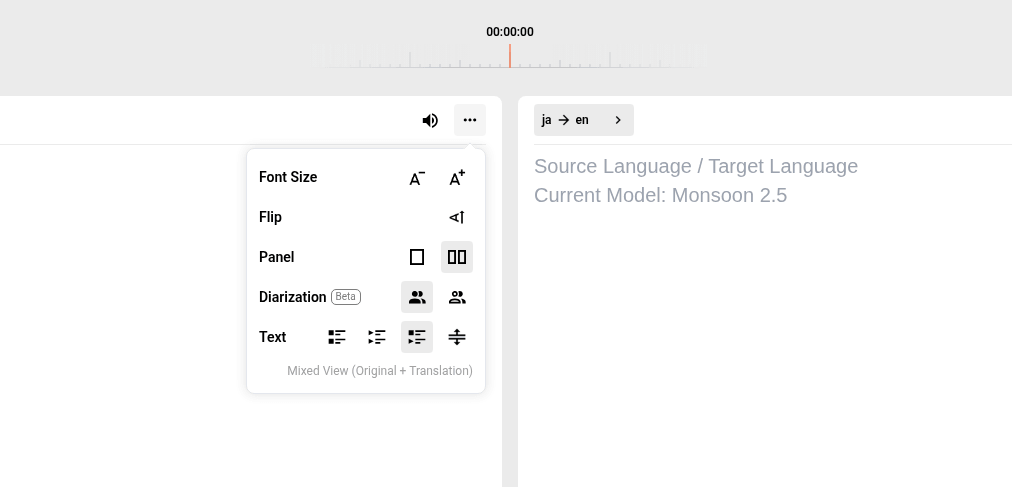
You see bilingual subtitles
Transync listens to your computer audio and shows the original and the translation side by side. You can change the subtitle display to suit your screen. Need subtitles above other windows? See Picture in Picture floating subtitles.
[Screenshot to come: live scrolling bilingual subtitles during a Teams call]
[Screenshot to come: Picture in Picture / floating subtitles over Teams (desktop and mobile)]
They hear translated voice
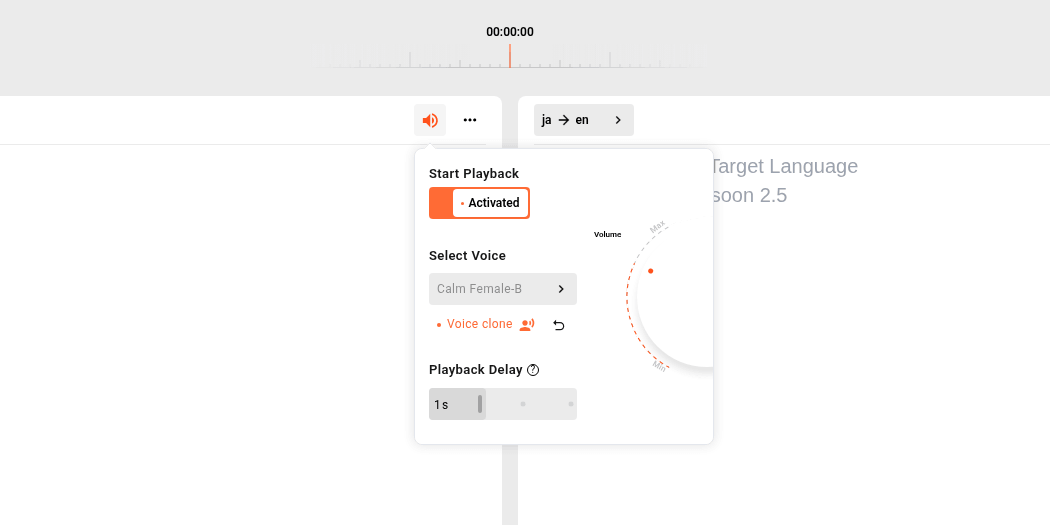
Turn on voice playback, or send translated speech into Teams through the Transync虛擬麥克風. Voice playback and voice clone work on all platforms and all plans, including Free (Transync, 2026-10-28). More on the AI 語音翻譯.
Only your minutes are used
Other attendees do not need a Transync AI account and are not charged. Only the person running Transync uses minutes, so with this Teams Interpreter alternative only your side is billed, not every listener.
No bot, no plugin
Nothing joins the meeting and nothing is installed in Teams. The same Teams Interpreter alternative also works with Zoom, Google Meet 和 WhatsApp on Mac, PC, iOS, Android and the web. Transync can also produce AI 會議記錄 通話結束後。
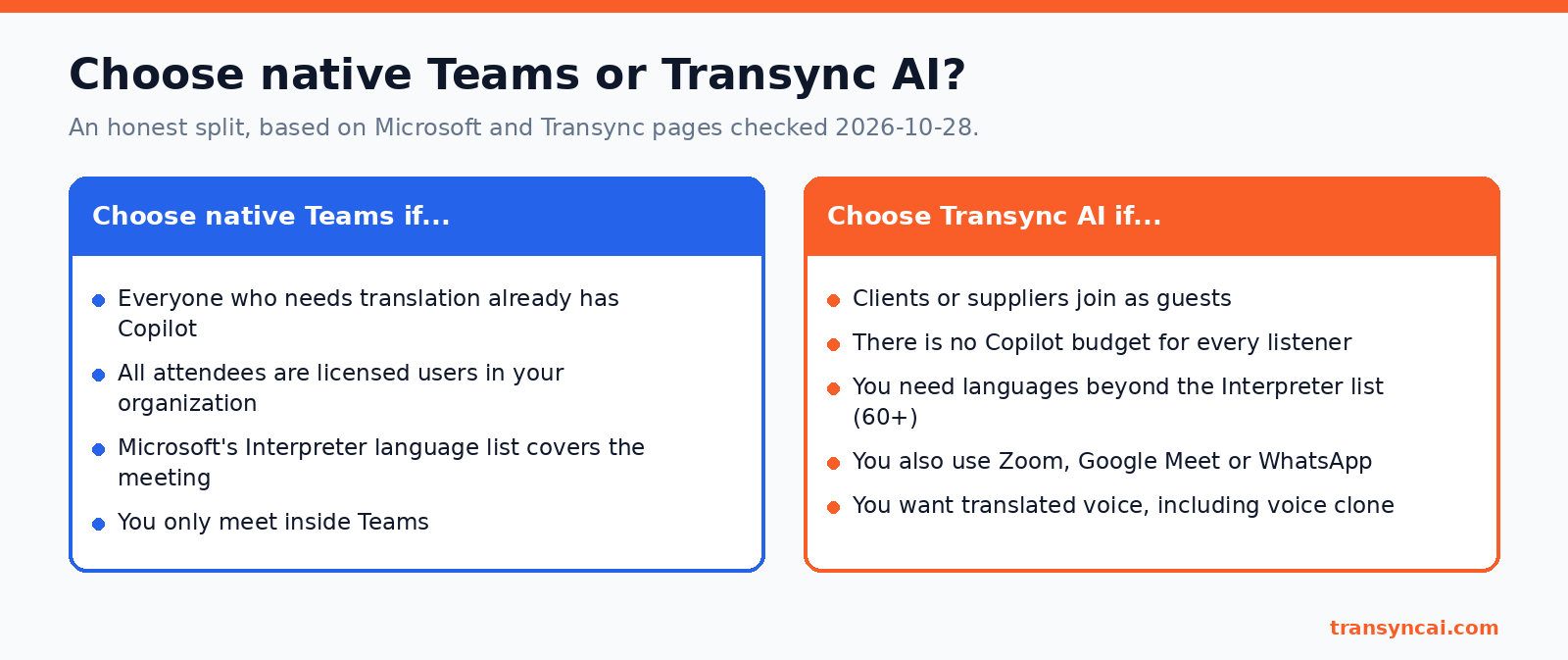
Choose native Teams if… / Choose Transync AI if…
A Teams Interpreter alternative is not always the right call. Here is the honest split.
Choose native Teams if:
- Everyone who needs translation already has Copilot.
- All attendees are licensed users in your organization.
- Microsoft’s Interpreter language list covers the meeting.
若符合下列條件,請選擇 Transync AI:
- Clients or suppliers join as guests (sales and supplier meetings).
- There is no Copilot budget for every listener.
- You need 60多種語言.
- You also meet outside Teams, or want translated voice with voice clone.
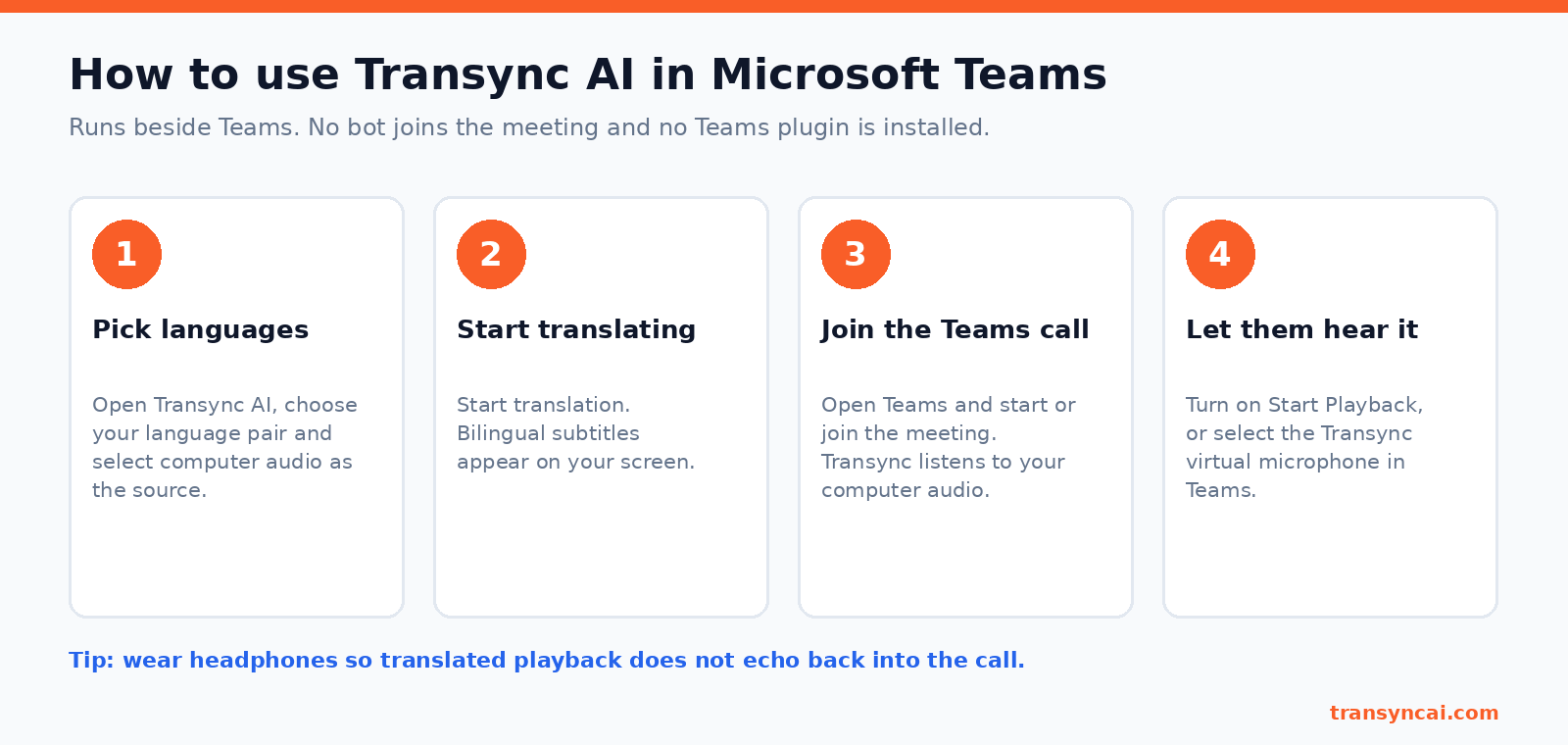
Set up your Teams Interpreter alternative in Microsoft Teams (4 steps)
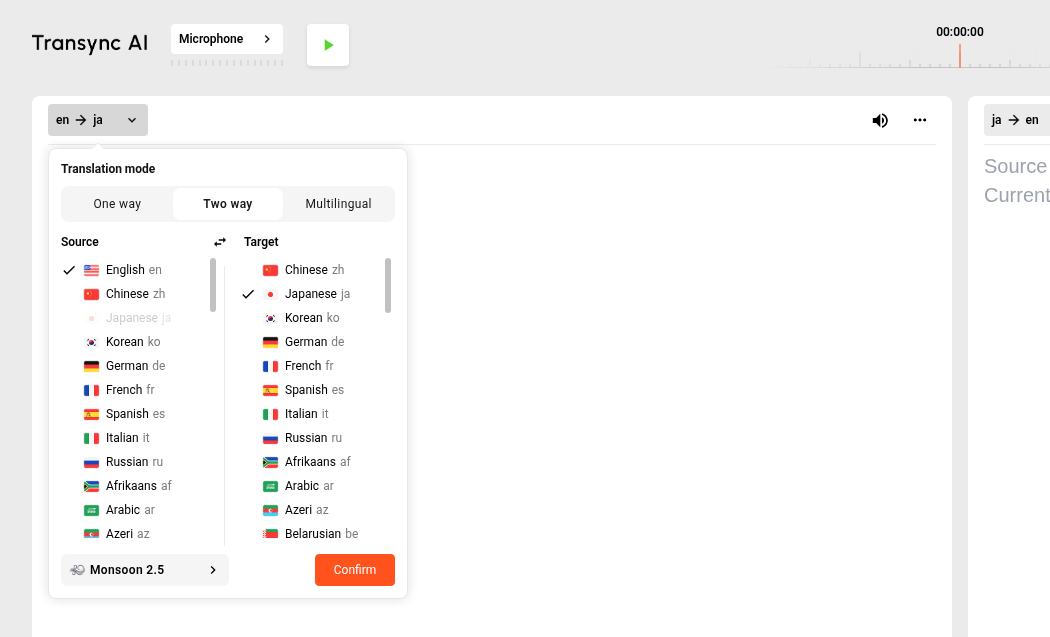
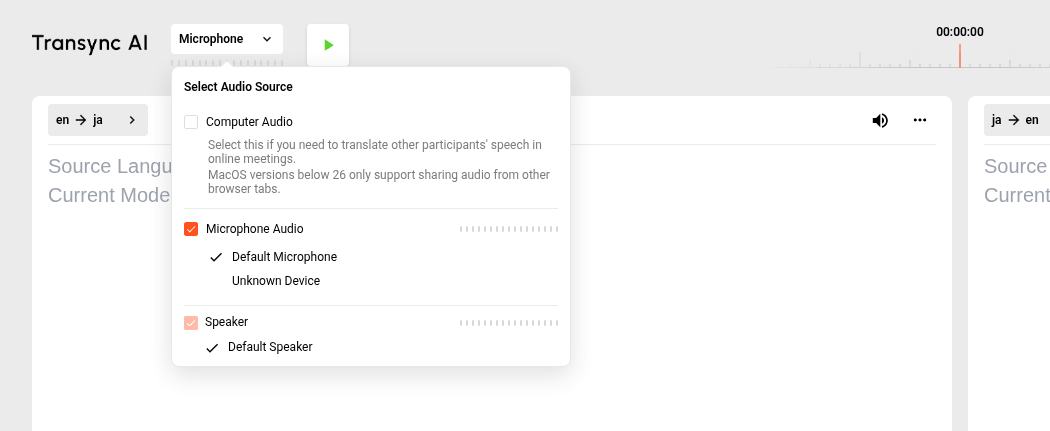
- Pick languages. Open Transync AI, choose your language pair and select computer audio as the source.
- Start translating. Bilingual subtitles appear on your screen.
- Join the Teams call. Transync listens to your computer audio and translates in real time.
- Let them hear it. 打開 開始播放, or select the Transync virtual microphone as your microphone in Teams. If you share your screen, choose “include computer sound” so others hear the playback.
Tip: wear headphones so translated playback does not echo back into the call.
For the full step-by-step setup, see How to set up Transync in Teams.
[Screenshot to come: selecting the Transync virtual microphone in Microsoft Teams device settings]
隱私與合規
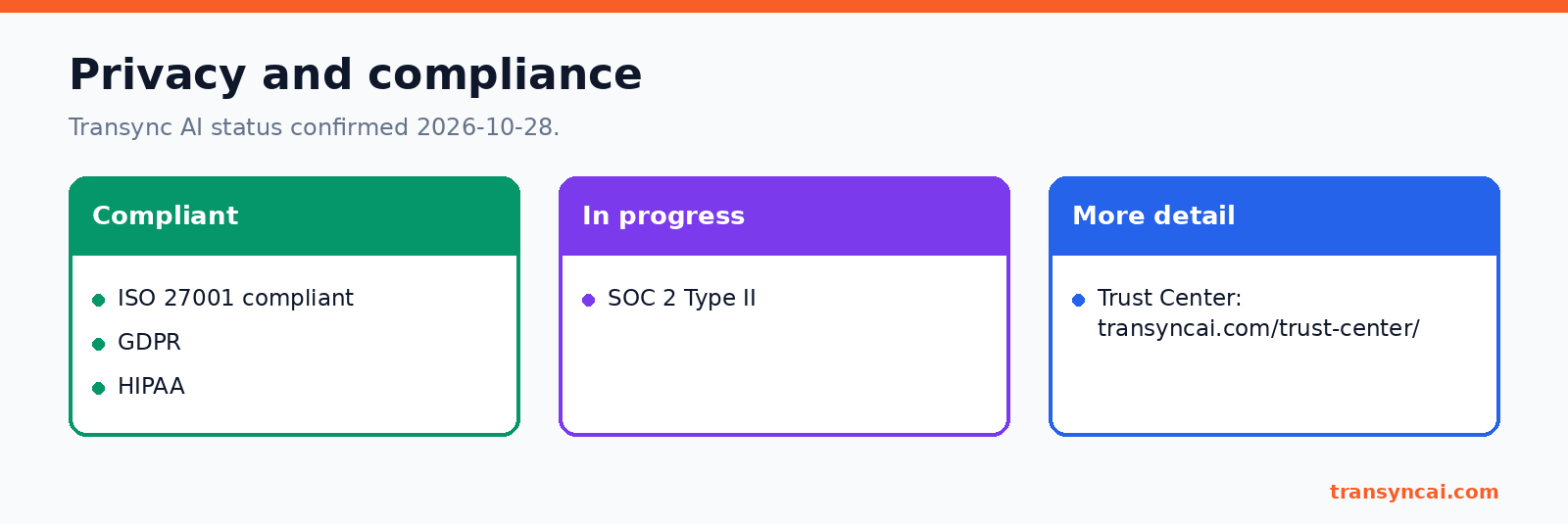
Before you add any Teams Interpreter alternative to client calls, check its security status. Transync AI is 符合 ISO 27001 標準 and supports GDPR 和 HIPAA. SOC 2 II 型 is in progress (Transync, confirmed 2026-10-28). Details are on the 信任中心.
常問問題
Do guests need Copilot to hear translation in Teams?
For Microsoft’s Interpreter agent, no: Microsoft Support states that people joining anonymously or as guests cannot use Interpreter because their identity and license status cannot be verified. With Transync AI, only the person running Transync needs an account and minutes; other participants stay in normal Teams and can hear translated playback or virtual-mic audio without installing anything.
Are live translated captions the same as Interpreter?
No. Interpreter gives spoken, speech-to-speech translation and needs Copilot (or Teams Rooms Pro). Translated captions are text and come with Teams Premium or Copilot, per Microsoft Support.
How many languages does Teams Interpreter support?
Microsoft’s pages differ. On 2026-10-28, Microsoft Learn listed 9 languages and Microsoft Support listed 10, including Taiwanese. Transync AI supports 60+ languages.
Can the other person hear my speech in their language?
Yes, with Transync AI as your Teams Interpreter alternative. Turn on voice playback, or select the Transync virtual microphone in Teams. They hear the translation without installing anything.
When is native Teams better than Transync?
When everyone who needs translation already has Copilot, all attendees are licensed users in your organization, and Microsoft’s Interpreter languages cover the meeting.
來源和日期核實
All checked 28 October 2026:
- Microsoft Learn: Interpreter agent in Microsoft Teams
- Microsoft Support: Interpreter in Microsoft Teams meetings and calls
- Microsoft Support: live translated captions in Teams meetings
- Transync AI: 定價, 語言, 信任中心
Comparing tools? Read Transync AI vs JotMe or estimate costs with the savings calculator.
Try a Teams Interpreter alternative today
“世界上有成千上萬個翻譯應用程序,但只有 Transync AI 真正與眾不同,而且極其穩定。”
——一位Transync AI客戶(譯自中文翻譯)
If your clients join Teams as guests, or Copilot is not in the budget, a Teams Interpreter alternative lets you translate the call from your side only. Start with 40 free minutes, then see 定價.
