

Який додаток для перекладу я можу використовувати негайно для Google Meet?
Важливість програм для перекладу у віртуальних зустрічах
У дедалі глобалізованішому робочому середовищі інструменти для відеоконференцій, такі як Google Meet, стали важливими для ефективного спілкування. Однак, коли команди працюють різними мовами, можуть виникати непорозуміння. На щастя, програми для перекладу тут, щоб подолати цей розрив, забезпечуючи безперебійну взаємодію незалежно від рідної мови учасників.
Вибір ефективного додатка для перекладу, який добре інтегрується з Google Meet, має вирішальне значення для покращення співпраці та забезпечення того, щоб усі розуміли одне й те саме. У цій статті розглядаються найкращі додатки для перекладу, які ви можете одразу впровадити під час наступного сеансу Google Meet.
Проблеми багатомовних зустрічей
Під час участі в багатомовних зустрічах ефективній комунікації може зашкодити кілька проблем:
- Мовні бар'єри: Непорозуміння можуть виникати через різницю в мовах.
- Необхідність у режимі реального часу: Учасники очікують негайних відповідей, що може бути складно зробити без належних інструментів перекладу.
- Технічна термінологія: Спеціалізований галузевий жаргон може бути неправильно витлумачений, що призводить до плутанини та помилок.
Найкращі програми для перекладу в Google Meet
Ось п'ять програм для перекладу, які можна використовувати одразу без складного налаштування чи навчання:
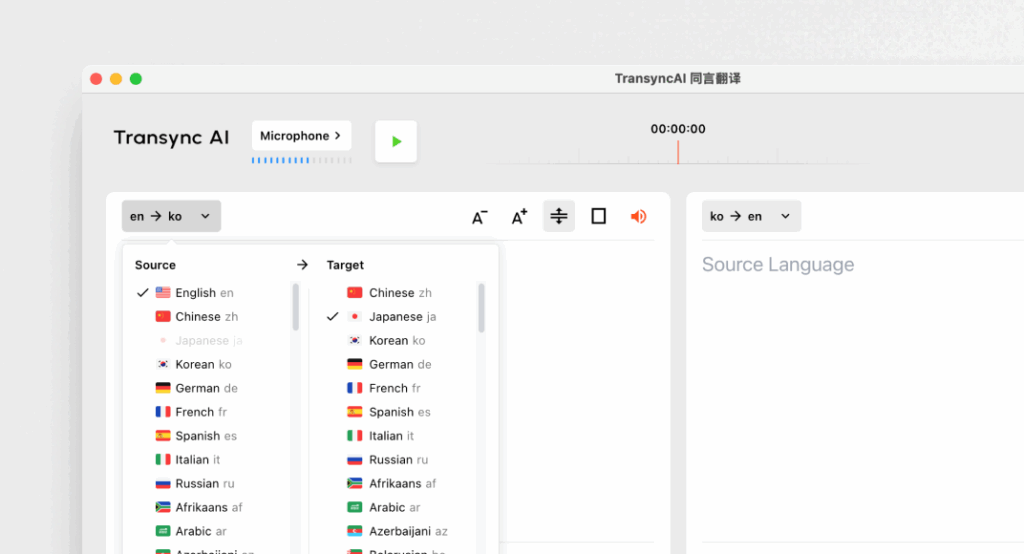
1. Transync AI – потужність перекладу в режимі реального часу
Що це таке:
Transync AI — це передовий додаток для перекладу, розроблений спеціально для спілкування в режимі реального часу, який пропонує швидкий та точний переклад під час зустрічей.
Основні характеристики:
- Точність 95%+: Висока точність перекладу, спеціально адаптована до бізнес-контексту.
- Затримка <100 мс: Миттєвий час реагування для безперебійних розмов.
- Автоматичне визначення мови: Налаштування не потрібне; додаток визначає мову мовця.
- Нотатки двомовної зустрічі: Автоматична генерація нотаток обома мовами.
- Інтеграція: Бездоганно працює з Google Meet.
Найкраще для: Компанії, яким потрібні миттєві та точні переклади під час зустрічей.
2. Otter.ai – Супутник для зустрічей

Що це таке:
Otter.ai спеціалізується на аудіотранскрипції та перекладі в режимі реального часу, що робить його незамінним для проведення зустрічей.
Основні характеристики:
- Автоматичні транскрипції: Записує розмови в режимі реального часу.
- Точність 92%: Надійний для розмов під час зустрічей.
- Можливості інтеграції: Можна використовувати з Google Meet для безперебійної роботи.
- Ідентифікація спікера: Розпізнає доповідачів, покращуючи ведення нотаток.
Найкраще для: Команди, які шукають послуги транскрипції разом із підтримкою перекладу.
3. Wordly – послідовний та налаштовуваний

Що це таке:
Wordly дозволяє компаніям налаштовувати параметри перекладу на основі конкретної термінології та контексту.
Основні характеристики:
- Точність 94%: Надійний для технічних та бізнес-обговорень.
- Користувацькі глосарії: Підприємства можуть вводити термінологію, специфічну для певної галузі.
- Миттєвий переклад: Швидко перекладає документи та розмови.
- Інтеграція: Добре працює з різними платформами для віртуальних зустрічей, включаючи Google Meet.
Найкраще для: Команди, яким потрібна узгоджена мова під час технічних обговорень.
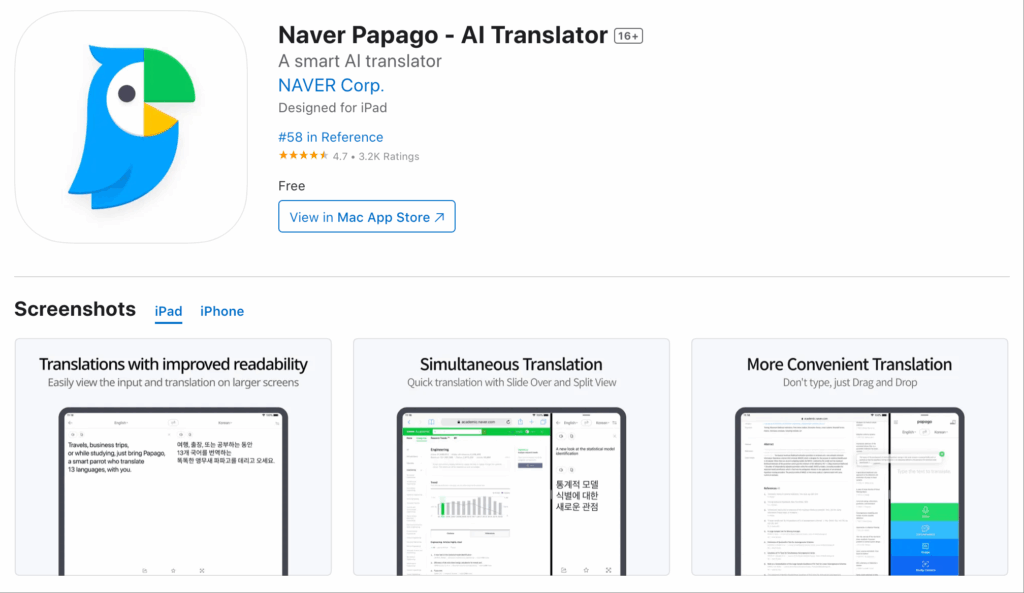
4. Papago – швидкий та універсальний
Що це таке:
Papago пропонує прості та зрозумілі послуги перекладу для різних мов Південно-Східної Азії.
Основні характеристики:
- Точність 92%: Достатньо для невимушених та напівтехнічних розмов.
- Функціональність камери: Перекладайте письмову мову за допомогою функції камери програми.
- Вільний доступ: Абсолютно безкоштовно без обмежень за часом.
- Використання веб-сайтів та мобільних пристроїв: Доступно для користувачів на різних пристроях.
Найкраще для: Швидкі переклади у невимушеній або напівформальній обстановці.
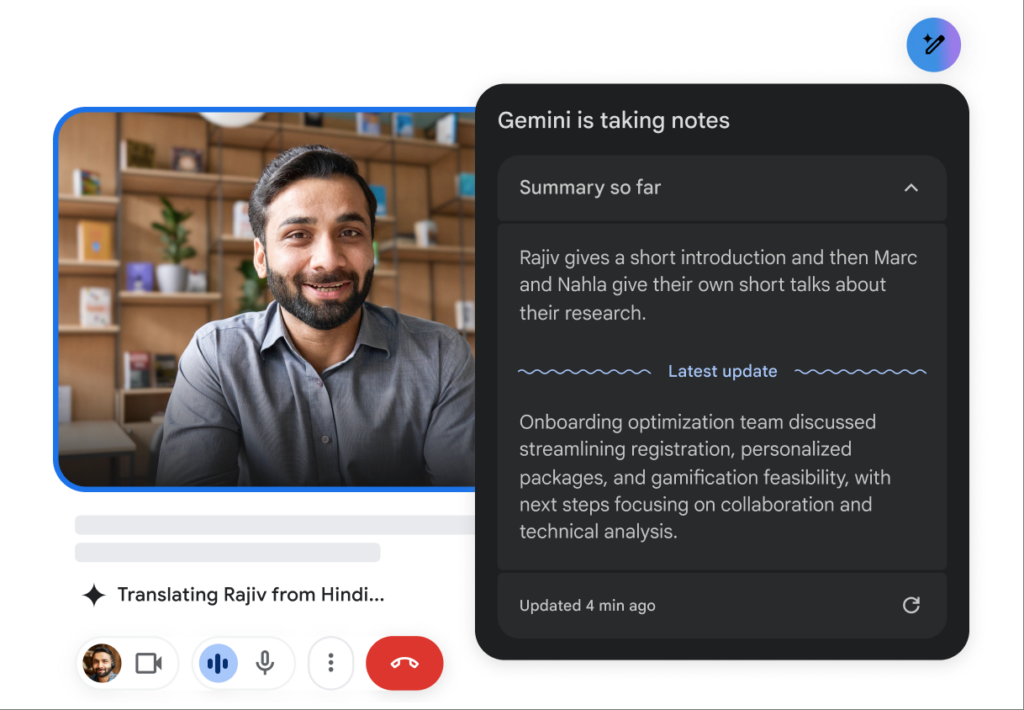
5. Google Translate – знайомий та доступний
Що це таке:
Google Translate – це відомий інструмент перекладу, який пропонує численні мовні варіанти.
Основні характеристики:
- Точність 83%: Базові можливості перекладу, які працюють для простих текстів.
- Підтримка кількох мов: Пропонує переклади для понад 100 мов.
- Безкоштовно та легкодоступно: Доступно в веб- та мобільних пристроях.
- Інтеграція: Може працювати як додатковий інструмент разом із Google Meet.
Найкраще для: Просте неформальне спілкування без потреби в розширених функціях.
Таблиця порівняння: Найкращі програми для перекладу для Google Meet
| Додаток для перекладу | Точність | Затримка | Зручний для користувача | Інтеграція | Найкраще для | Безкоштовний план |
|---|---|---|---|---|---|---|
| Штучний інтелект Transync | 95%+ | <100 мс | Дуже легко | Google Meet | Багатомовні зустрічі в режимі реального часу | 40 хв |
| Otter.ai | 92% | У режимі реального часу | Дуже прямолінійно | Google Meet | Автоматична транскрипція та переклад | $15-30/місяць |
| Слово | 94% | Миттєвий | Зручний для користувача | Google Meet | Послідовні технічні переклади | Доступна пробна версія |
| Папаго | 92% | 250-350 мс | Простий та інтуїтивно зрозумілий | Веб та мобільні пристрої | Швидкий переклад для повсякденного використання | Повністю безкоштовно |
| Google Перекладач | 83% | 300 мс+ | Базові та широко використовувані | Веб та мобільні пристрої | Загальні переклади без спеціалізації | Безкоштовно |
Розділ запитань і відповідей: поширені запитання про програми перекладу для Google Meet
Q1: Яким функціям слід надавати пріоритет під час вибору програми для перекладу для Google Meet?
В: Зверніть увагу на такі функції, як точність, низька затримка, можливості інтеграції з Google Meet, простота використання та автоматичне визначення мови. Це забезпечить ефективне спілкування під час зустрічей.
Q2: Чи вимагають ці програми для перекладу встановлення або складного налаштування?
В: Більшість програм, перелічених у цій статті, можна легко отримати та налаштувати без тривалого навчання чи складних процесів. Такі програми, як Transync AI та Papago, пропонують швидке розгортання.
Q3: Як показники точності цих програм порівнюються з показниками точності перекладачів-людей?
В: Хоча люди-перекладачі зазвичай досягають точності 99%+, згадані тут програми для перекладу мають точність від 83% до 95%, що робить їх придатними для більшості бізнес-кейсів, але не повною мірою замінюють людський нагляд у конфіденційних документах.
Q4: Чи пов’язані якісь витрати з використанням цих програм для перекладу?
В: Деякі додатки, такі як Otter.ai та Wordly, мають моделі підписки, тоді як інші пропонують безкоштовні плани або пробні версії. Наприклад, Transync AI надає 40 хвилин безкоштовного перекладу для початку роботи.
Q5: Як інтегрувати додаток для перекладу в мій Google Meet?
В: Інтеграція зазвичай передбачає вибір програми в Google Meet або простий процес встановлення, який підключає програму. Більшість інструментів забезпечують просте підключення для оптимізації використання під час зустрічей.
Використовуючи ці знання, ви можете покращити свій досвід користування Google Meet та забезпечити чітке спілкування, незважаючи на мовні бар'єри, використовуючи найнадійніші доступні програми для перекладу!
Якщо ви хочете отримати досвід наступного покоління, Штучний інтелект Transync лідирує завдяки перекладу в режимі реального часу на базі штучного інтелекту, який забезпечує природний хід розмов. Ви можете спробуйте безкоштовно зараз.

